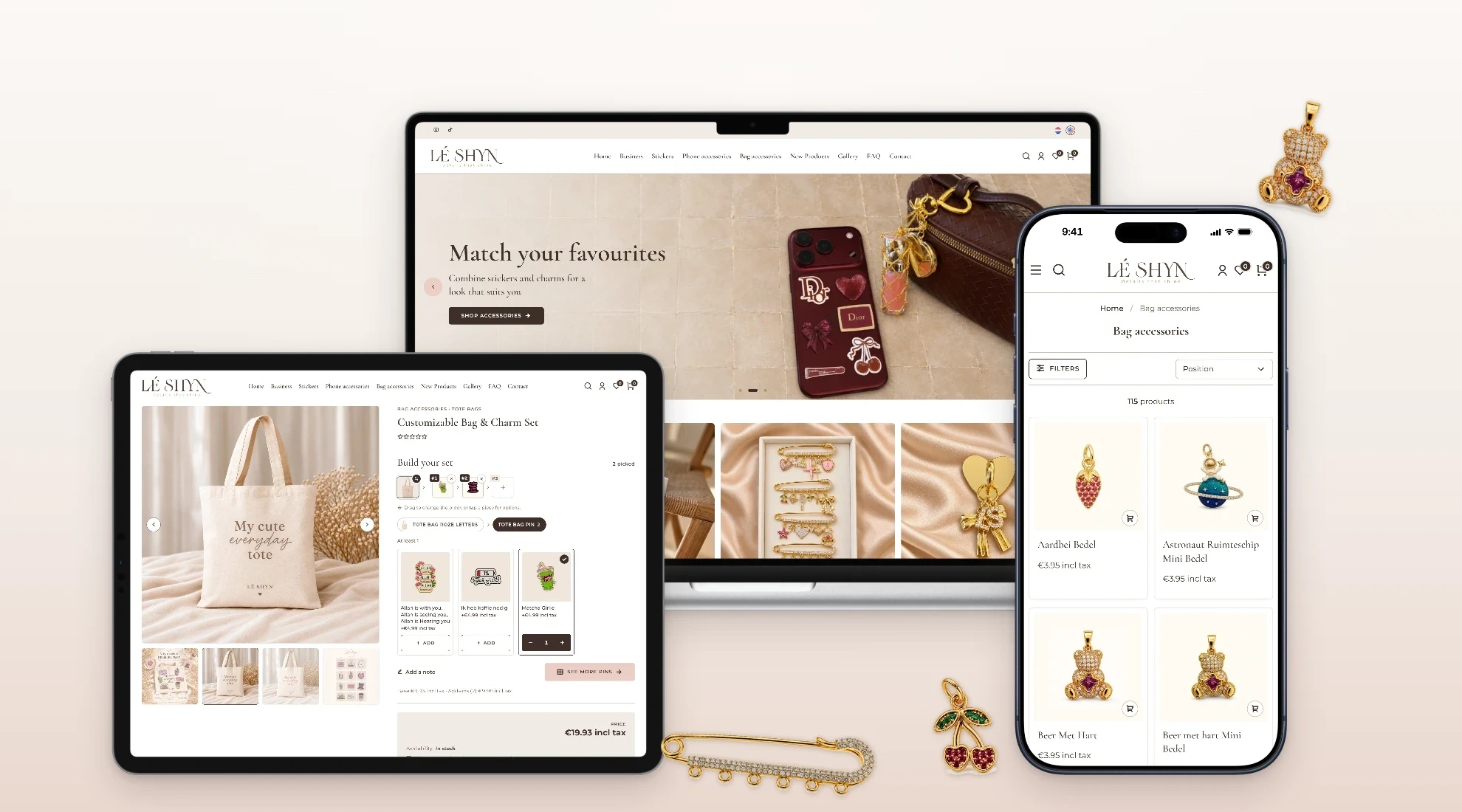
Lé Shyn is a Dutch label for phone accessories, bag charms and stickers. Its best-known piece is a gold safety pin that shoppers fill with charms of their own choosing, in the order they want them worn.
BSS built the shop on nopCommerce around that idea: our NopGadence theme in Lé Shyn's colours, a set builder made for the pin, page sections the team places by rule, and content they edit themselves in Dutch and English.
- Client
- Lé Shyn
- Market
- Netherlands
- Platform
- nopCommerce 4.90
- Languages
- Dutch, English
- Live site
- leshyn.nl
- BSS scope
- Theme, set builder, content tools, checkout, payments and shipping
A charm pin isn't one product
It's a pin plus a handful of charms, each with its own price and stock, worn in a particular order. A standard nopCommerce product page sells one product with options. It can't let a shopper pick other products as pieces, arrange them and buy them as one item.
Lé Shyn also needed a shop that reads as theirs, runs in two languages, and that the team can change without waiting on a developer.
- Sets from real products, with limits per group and per set
- A price that grows with the set, and correct stock for every charm
- Sets you can change from the cart, without starting again
- Dutch and English across the whole shop
- Promos and pages the team runs themselves
- Dutch commerce basics: Mollie payments, PostNL and Sendcloud shipping, EU pricing rules
NopGadence, in Lé Shyn's colours
We started from our NopGadence theme and set it in the brand's own palette: espresso, cream and blush, with Cormorant Garamond headings over Montserrat. The same pages carry from a large desktop screen to a phone, with a full mega menu on desktop and a full-height menu on phones.
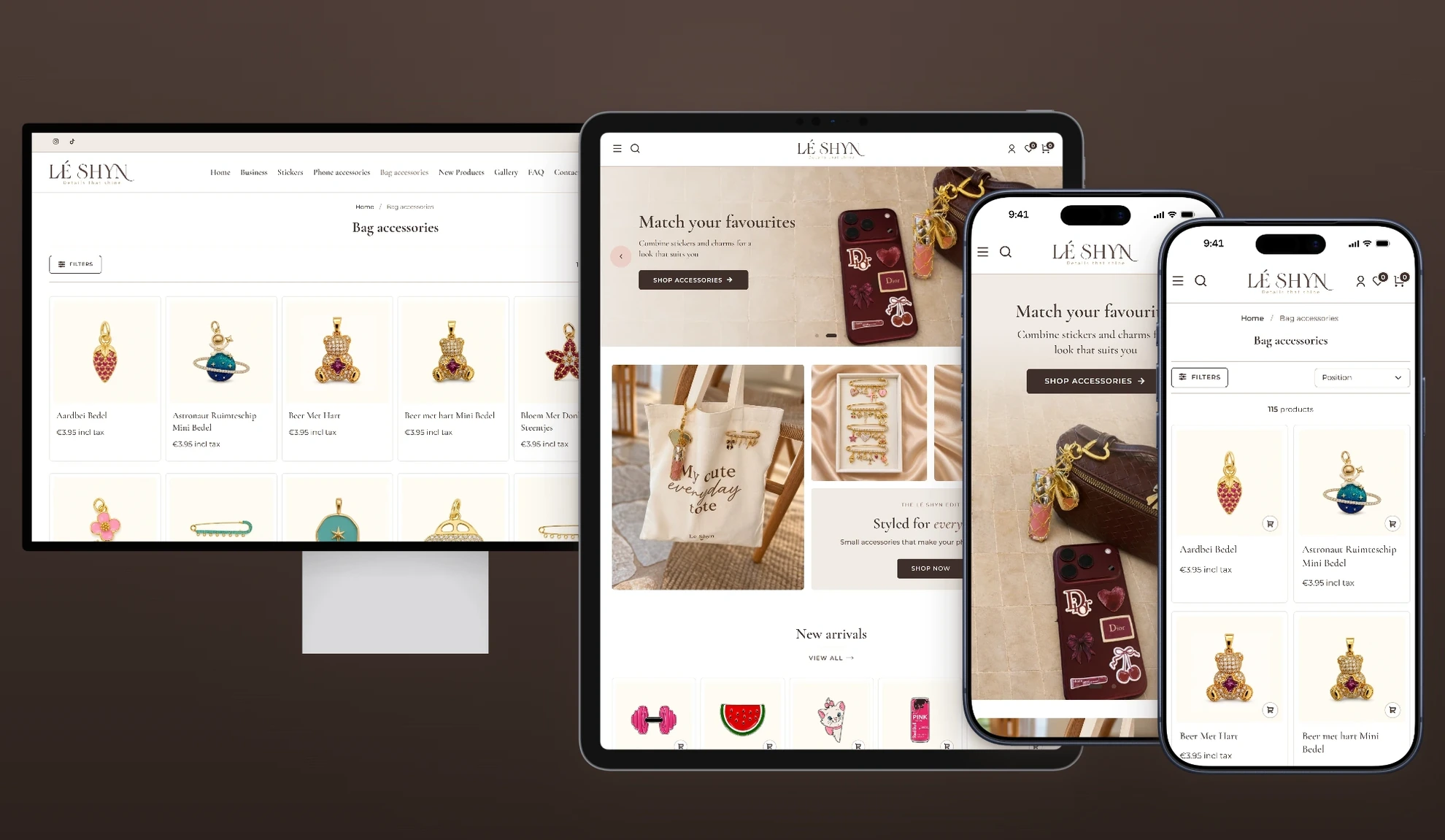
Built with NopGadence Theme, Anywhere Carousels, Anywhere Swiper and Product Box.
A set builder for the charm pin
Our Advanced Combo Products plugin turns the safety pin into a set. Shoppers add charms to numbered positions, drag them into the order they'll wear them, and watch the total update as they go. Tabs split the range by slot, each with a count of what's picked, and the full range opens in a bottom sheet on phones and a side drawer on desktop.
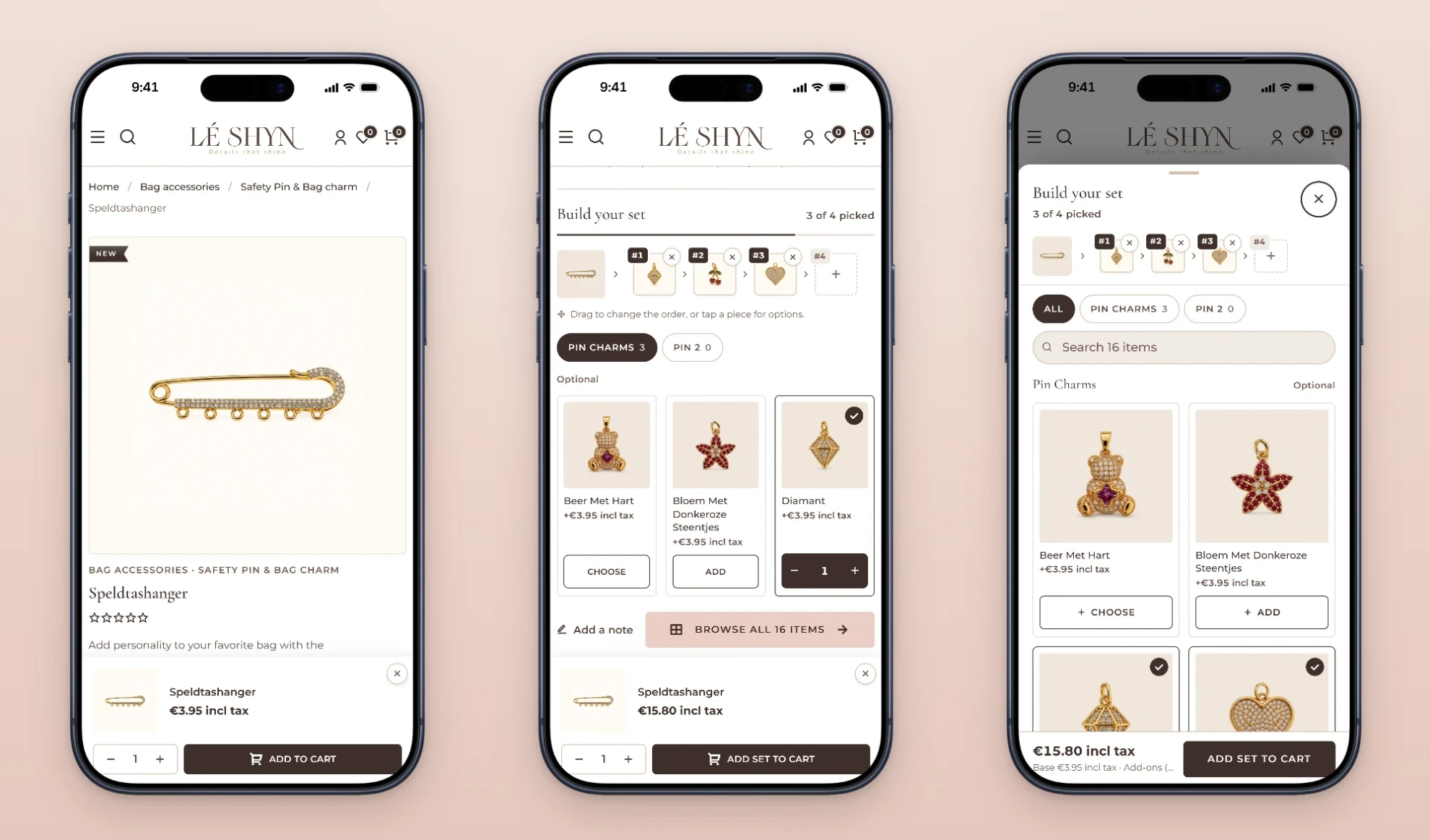
Start from the pinThe base product stays in view.
Pick into positionsEach charm takes the next number; drag to reorder.
Browse every charmTabs, search and counts in one sheet.
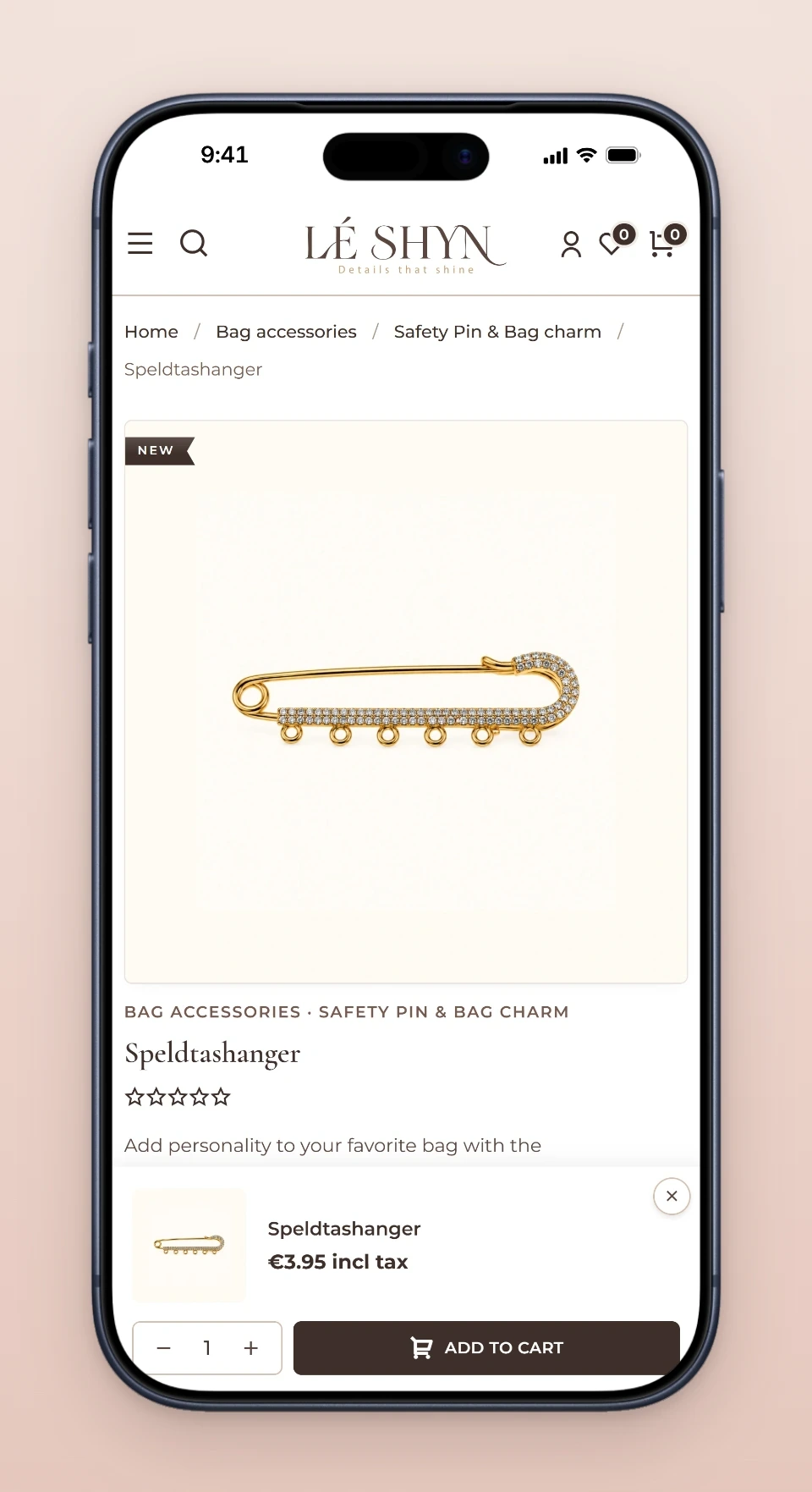
Start from the pinThe base product stays in view.
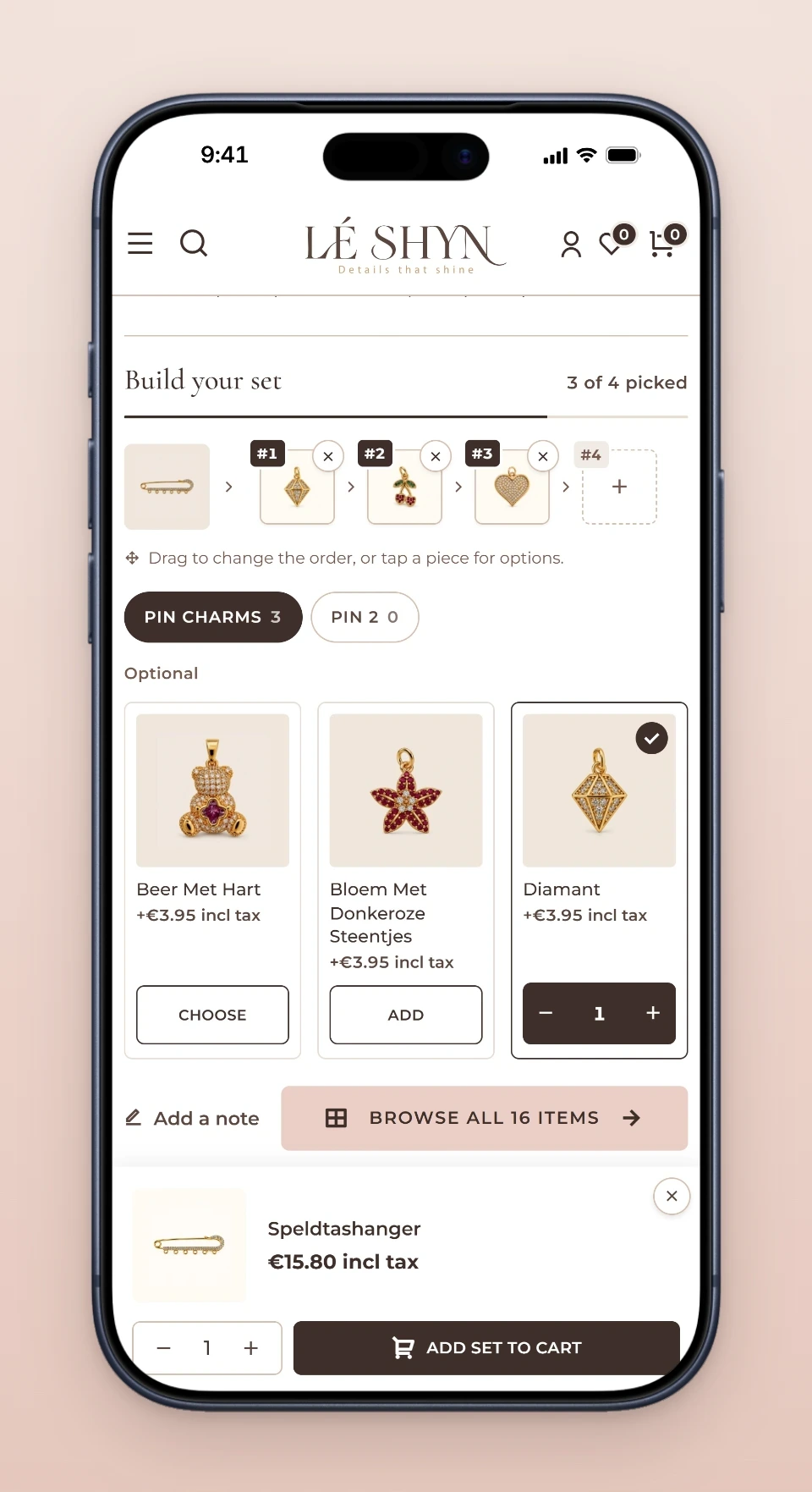
Pick into positionsEach charm takes the next number; drag to reorder.
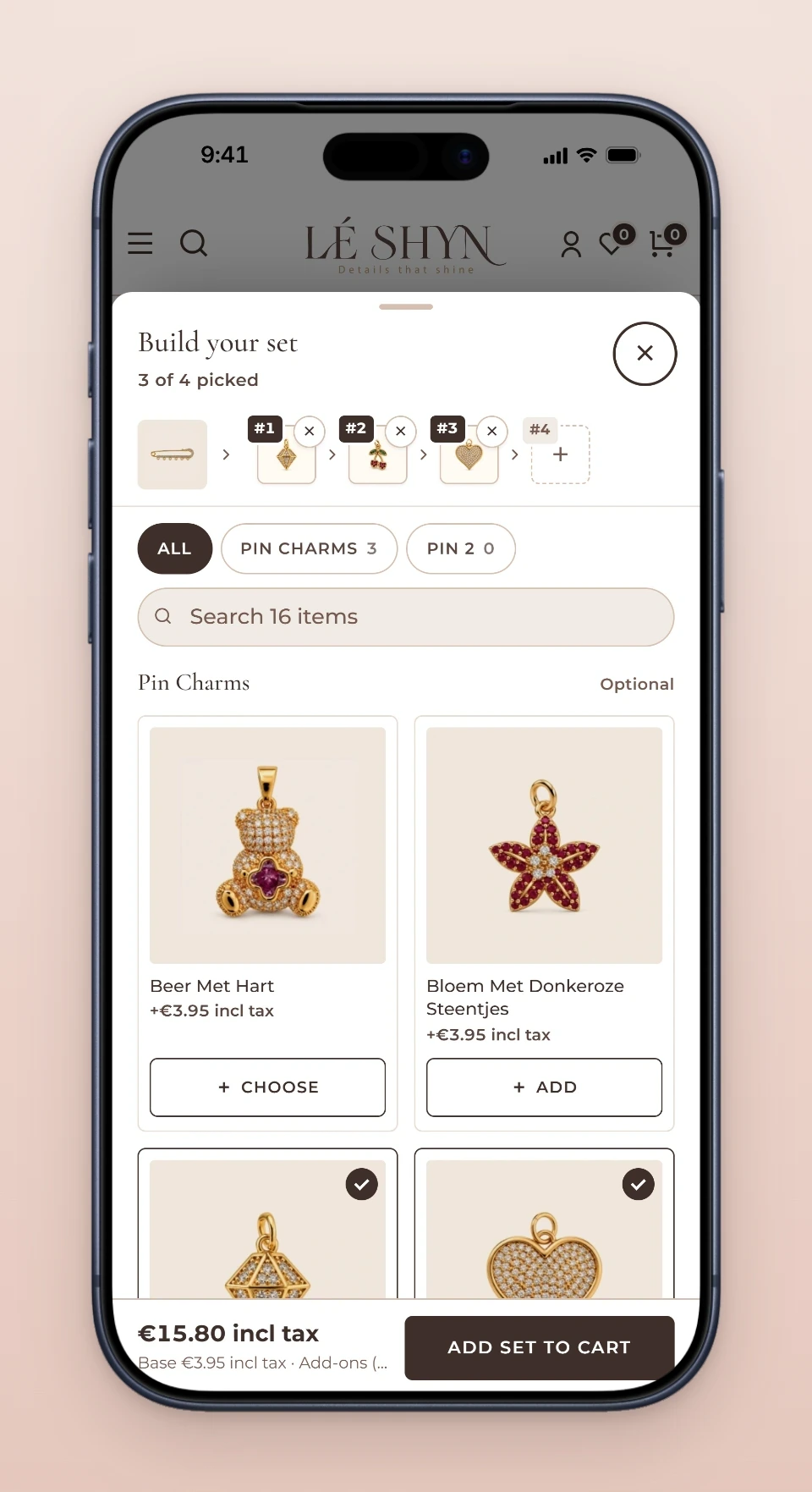
Browse every charmTabs, search and counts in one sheet.
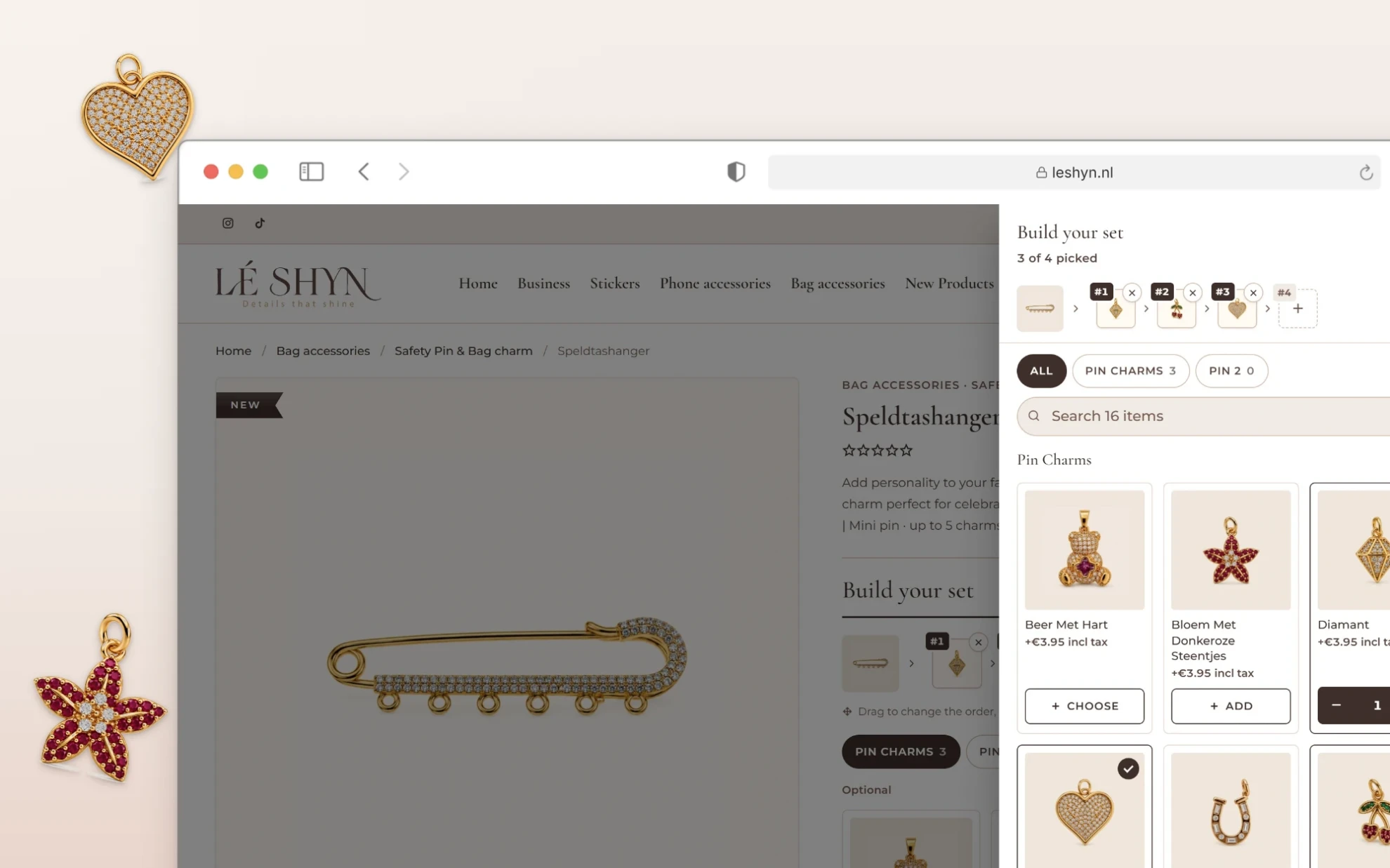
Sets that start with a choice
Not every set has a fixed base. On the bag pin set, shoppers first choose the tote, then fill it with pins. The price starts from the bag they choose and grows with each pin, and the chosen bag takes the first place in the set.


- Limits per slot and per set, so a pin never gets more charms than it can hold
- A base the shopper chooses, like the bag on a bag pin set
- Customer sets the order, or the shop does, per rule
- Tabs per slot, each with a count of what's picked
- The same charm more than once, each copy with its own options
- Price from the items, with a breakdown in cart and on the order
- Edit the set from the cart, and reorder it in one step later
- A note to the maker, when the rule asks for one
Promos that appear where they belong
Product pages carry small promos, like a "Complete the look" pairing on phone cases. Display rules in AnyWhere Component let the team choose the zone, the products or categories a promo appears on, and its order beside other sections. A category covers its subcategories and their product pages, and a rule can leave out single products or categories where a promo doesn't fit. With no rule, a component shows in its zone everywhere, as before.
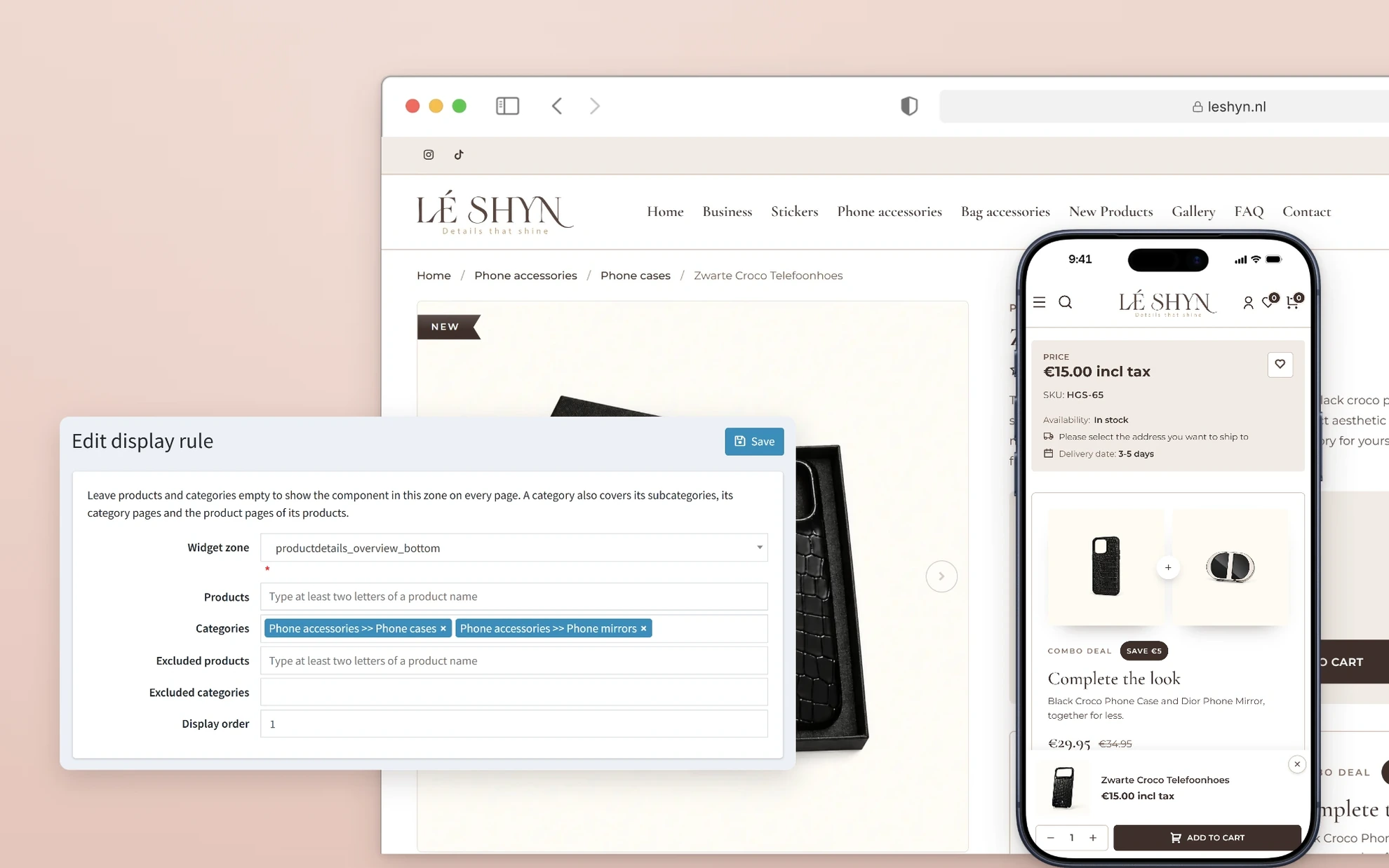
Built with AnyWhere Component.
Content edited on the page
Topic pages and component bodies open in the BSS Visual Editor. The team drags in blocks, changes text and images where they sit, and switches between Dutch and English before saving, with no HTML to touch.
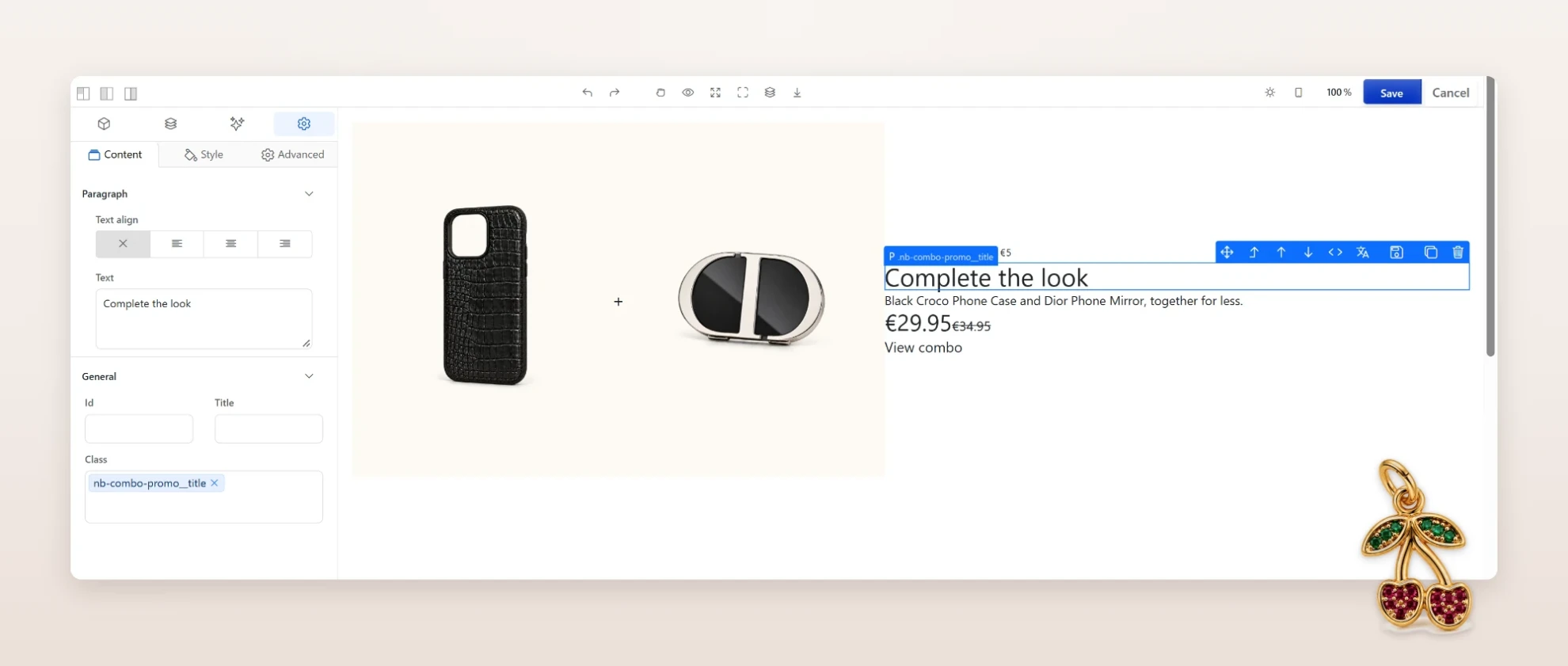
Built with BSS Visual Editor.
And the rest of the shop
Around those four pieces, the shop runs on more BSS plugins: business pages with quote forms for custom-logo stickers and for retailers, a gallery, an FAQ, and the checkout, payment and compliance work a Dutch shop needs.
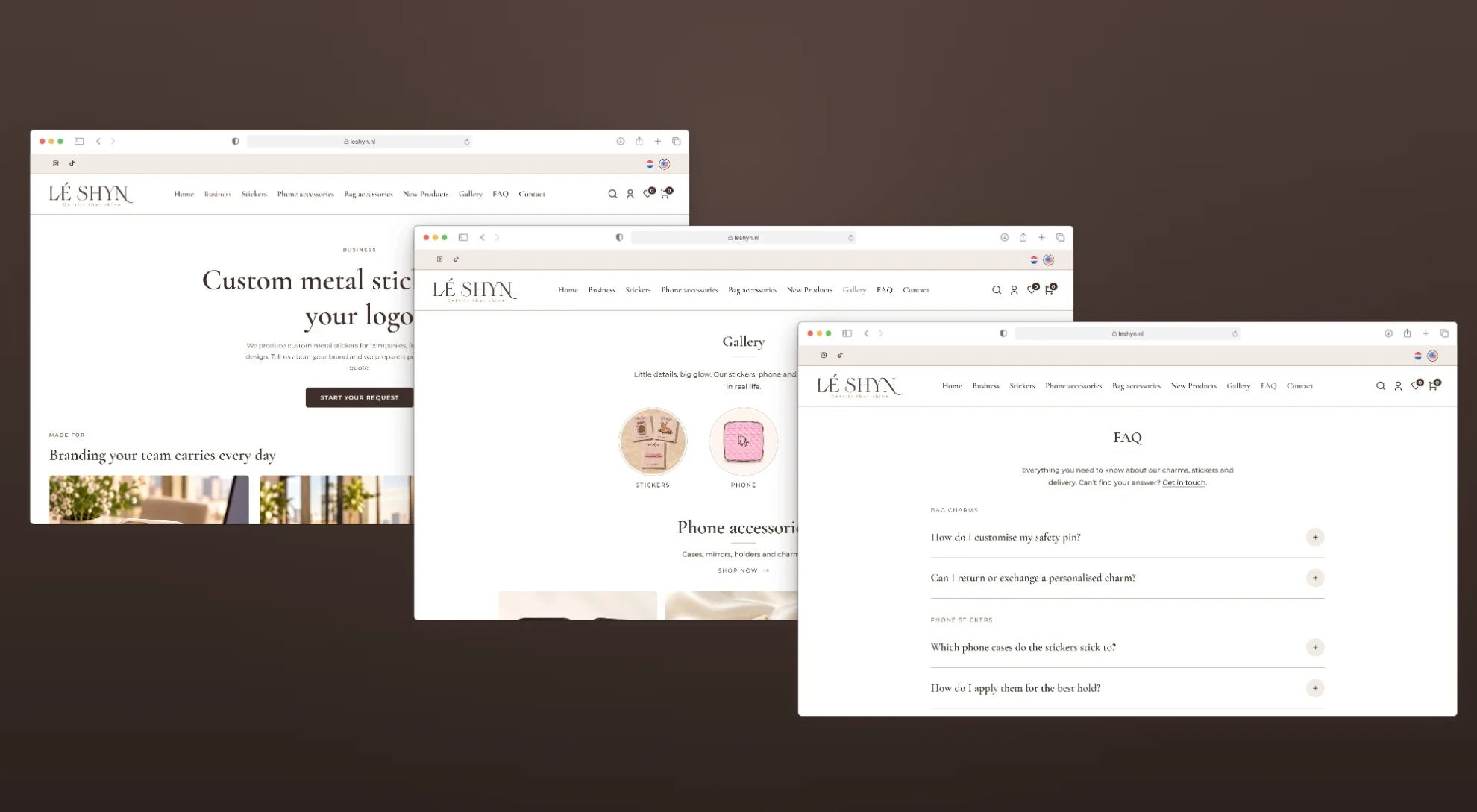
Checkout and payments
Shipping
- Sendcloud
- PostNL
Product pages
Accounts and operations
- Google Authentication
- Wholesale inquiry forms
- Catalogue import and export
Where it landed
Lé Shyn sells its charm pins the way they're worn: built piece by piece, priced as they grow, and open to changes until checkout. The team runs the shop in two languages and places promos and page content themselves, while payments, shipping and EU price rules run on the same nopCommerce install.
Selling something that doesn't fit a standard product page? We design and build nopCommerce stores, themes and plugins around how your customers actually buy.