Key takeaways
- NopFurniture bundles the Product 3D Viewer & AR plugin for nopCommerce 4.90 and 5.00, supporting GLB models up to 50 MB with WebXR, Android Scene Viewer and iOS Quick Look AR.
- Every product gets a built-in in-admin 3D Model Editor with 11 panels for lighting, camera limits, hotspots, real-world dimensions, AR placement and finish variants.
- Mapping nopCommerce colour or fabric attributes to glTF material variants or PBR tints means the finish a shopper selects carries straight into both the 3D modal and Augmented Reality.
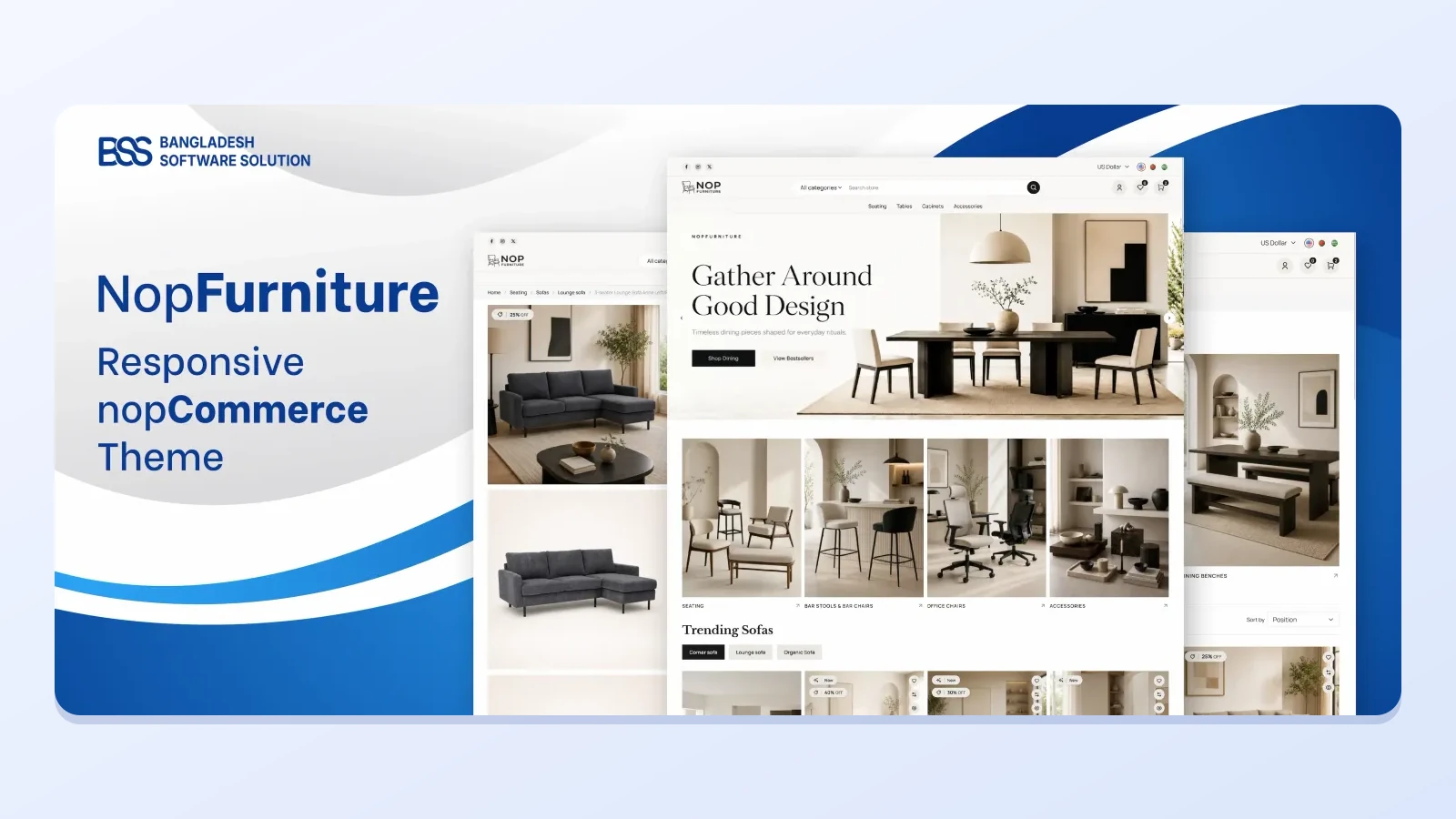
Buying a sofa or cabinet online carries two doubts: will it fit the room, and how does the fabric look from the side? In NopFurniture, our bundled 3D Product Viewer & AR plugin lets shoppers rotate real furniture models, check dimensions and place pieces in their room.
In this guide, we walk through every feature from storefront to admin: the homepage 3D carousel, interactive 3D and View in Your Room AR, the 11-panel in-admin 3D Model Editor, attribute-to-finish syncing and global security settings.
1. Feature 3D Furniture Right on Your Homepage Carousel
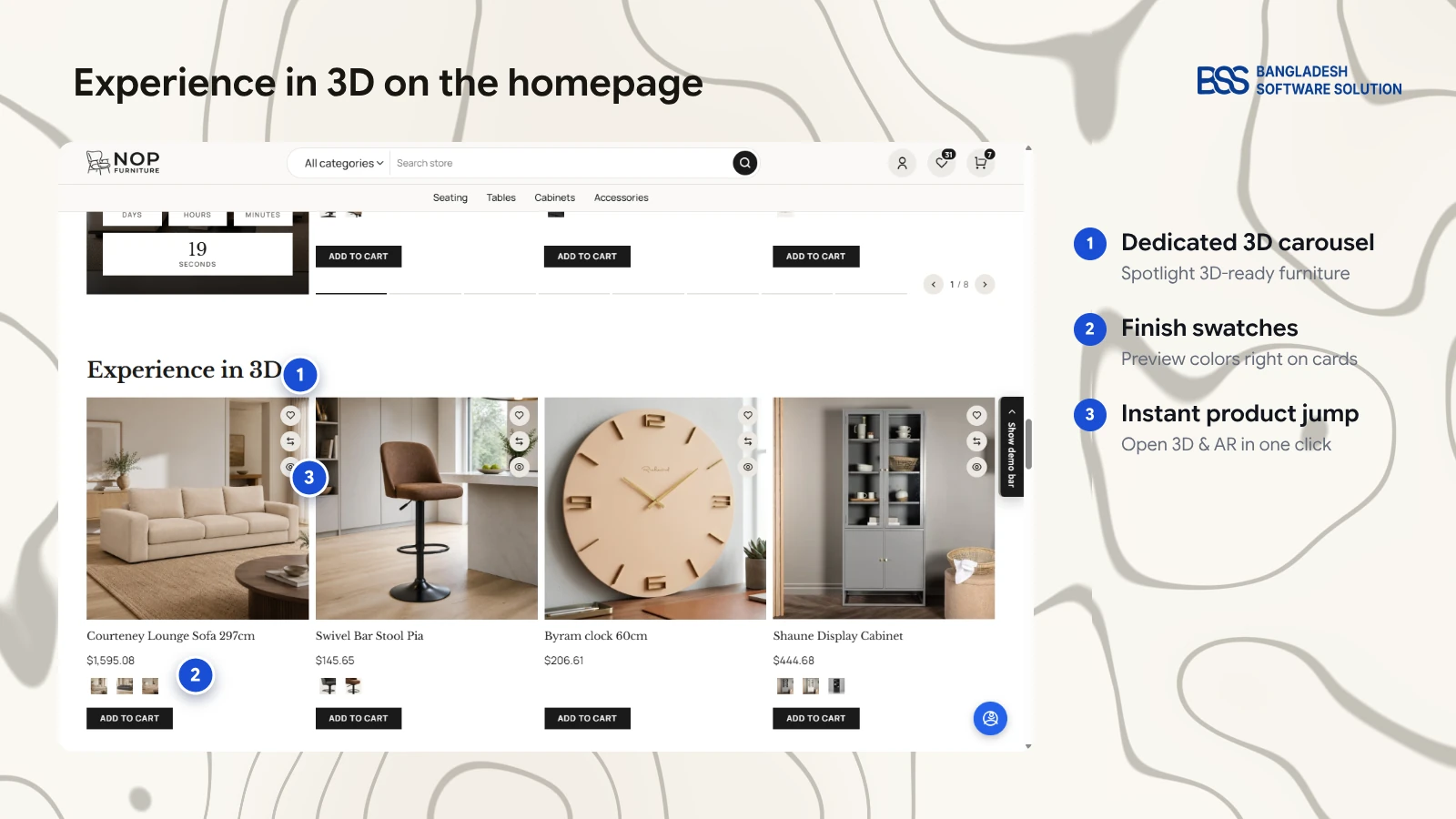
Shoppers should not have to hunt through categories to discover which products have 3D models. On the live NopFurniture storefront, a dedicated Experience in 3D homepage carousel spotlights 3D-ready pieces like the Courteney Lounge Sofa 297cm, Swivel Bar Stool Pia, Byram clock 60cm and Shaune Display Cabinet.
You can also turn on Show 3D / AR chips on product boxes in the plugin settings so small 3D and AR badges appear directly on category and carousel cards. That lets visitors spot interactive items at a glance while browsing normally.
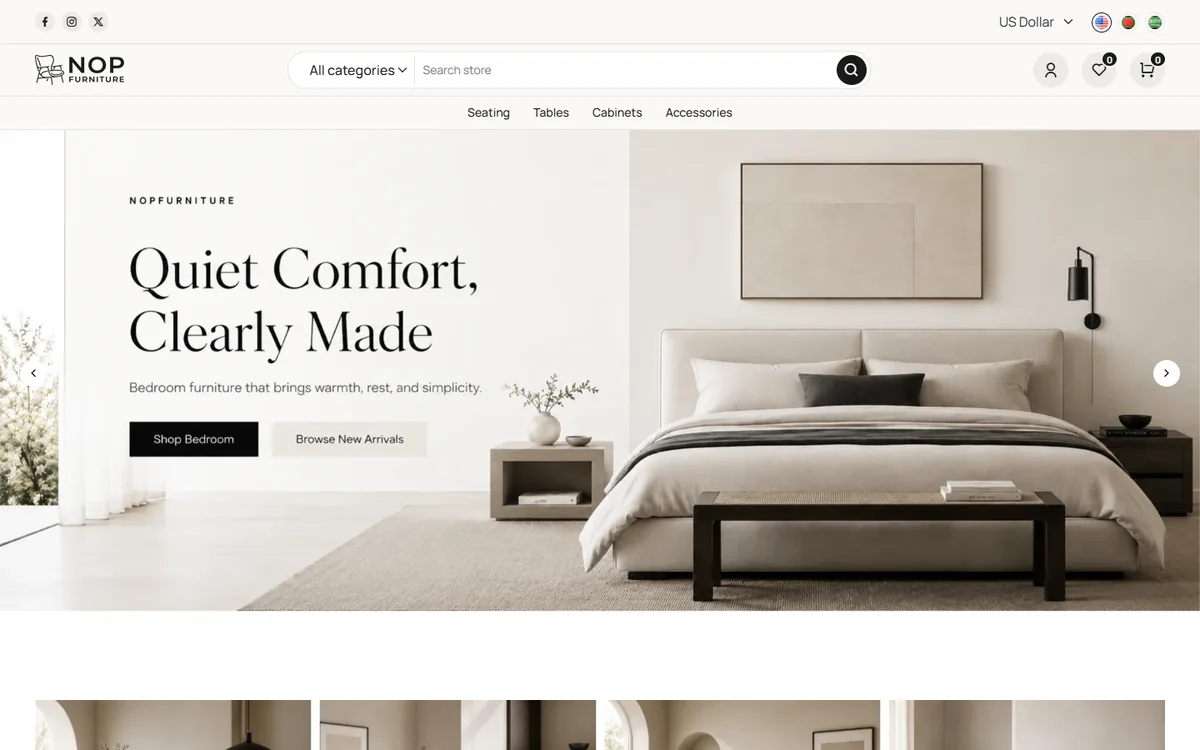
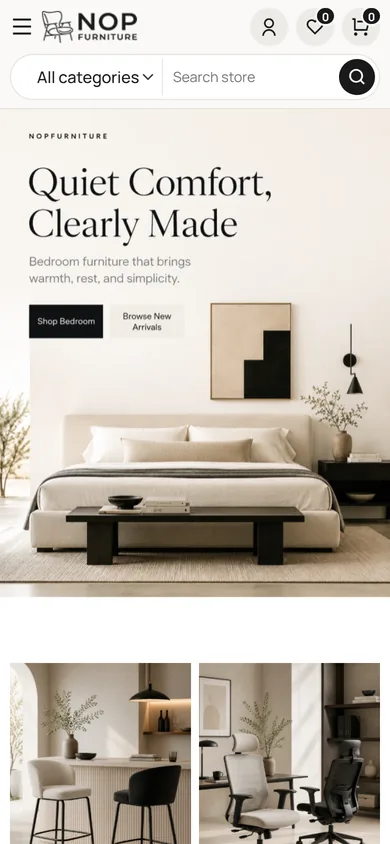
Built for furniture and home decor stores on nopCommerce 4.90 and 5.00, bundling the Product 3D Viewer & AR plugin alongside QuickView, Anywhere Carousels and One-Page Checkout.
Need NopFurniture installed and your GLB furniture models set up with AR and finish variants? Our nopCommerce team handles theme setup end to end.
Talk to an expert2. Interactive 3D Inspection and View in Your Room AR
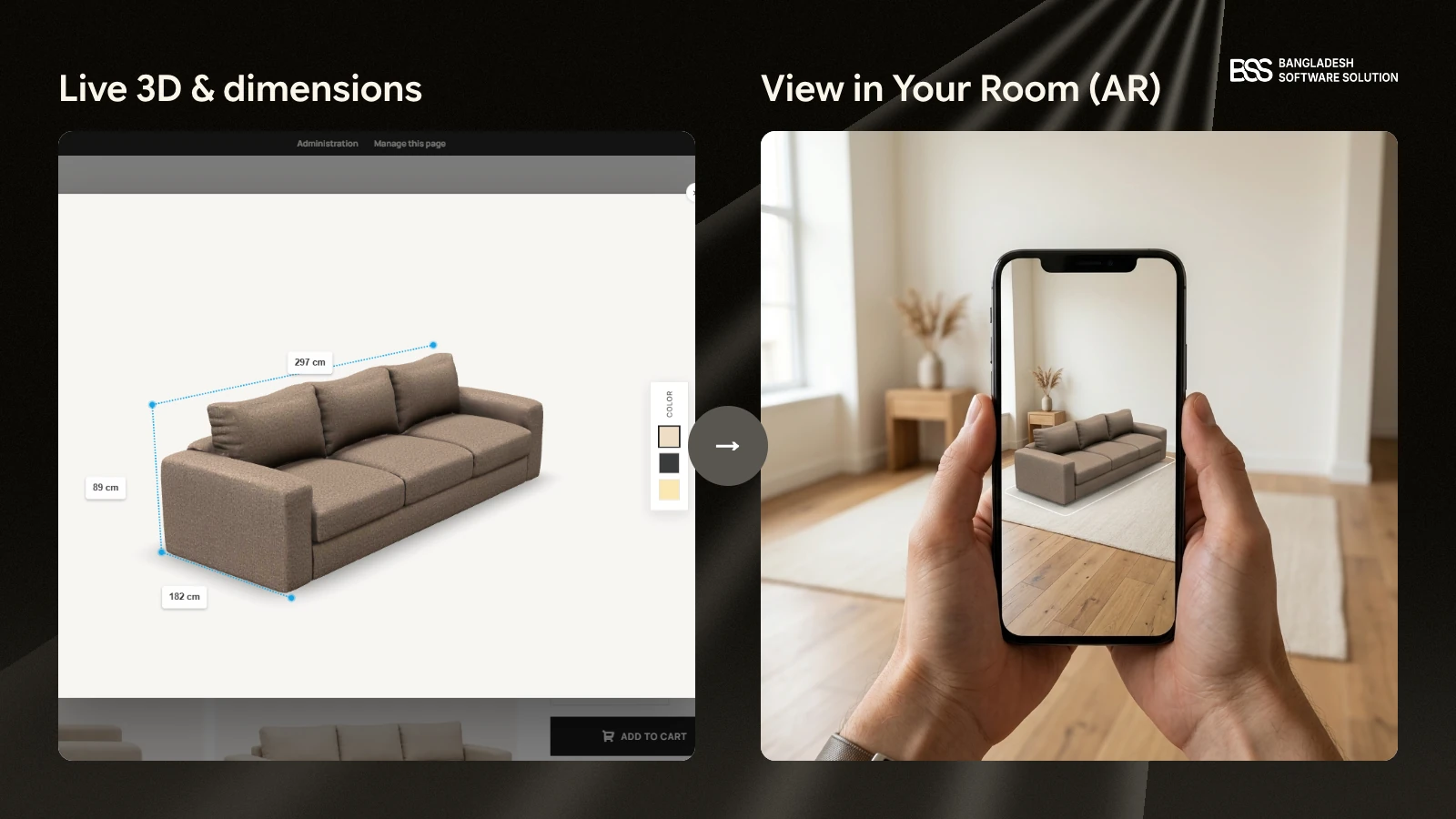
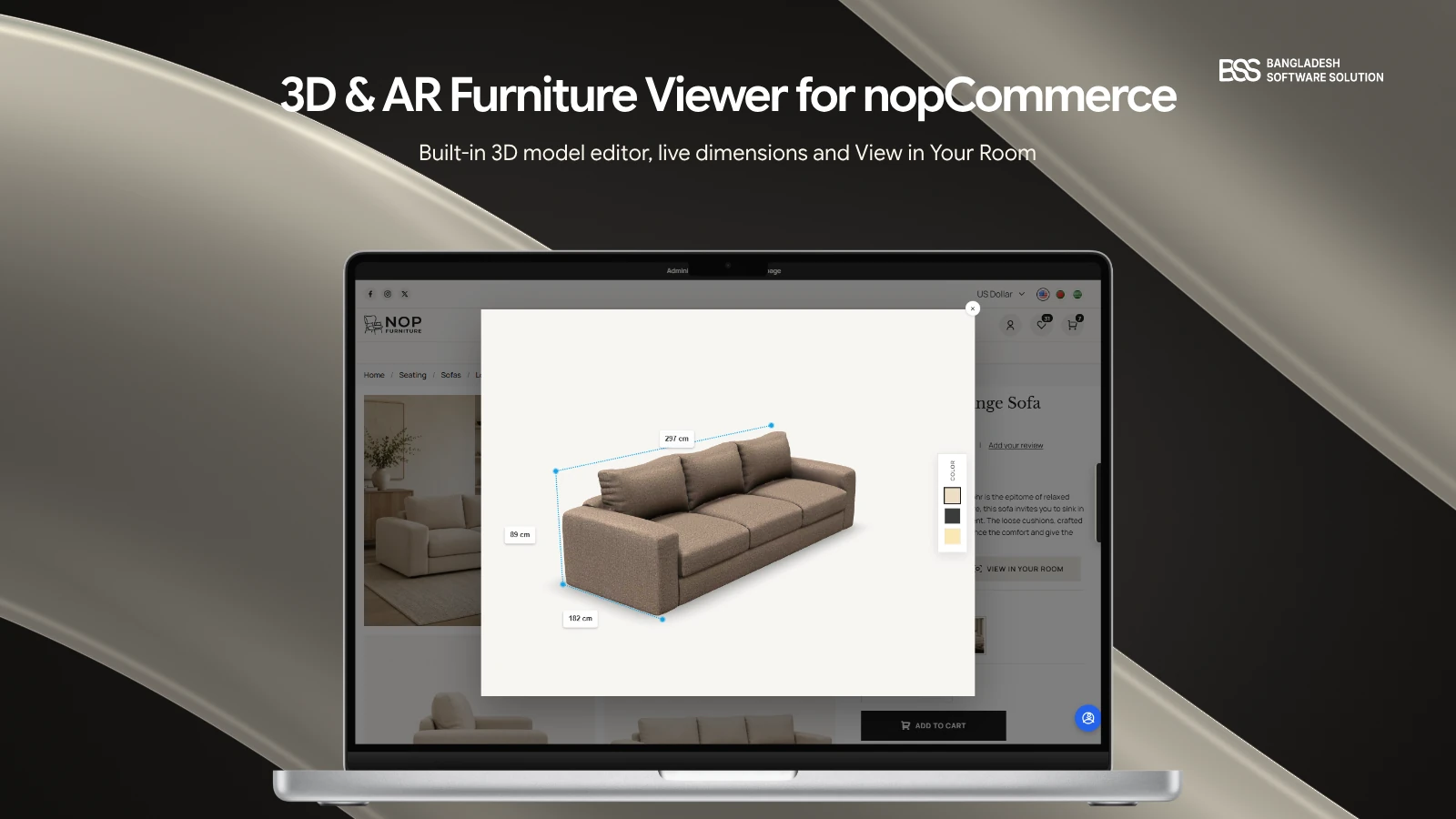
On any product with a GLB model, View in 3D and View in Your Room appear above the attributes. Clicking View in 3D opens a model-viewer 4.0.0 modal where shoppers rotate the piece, switch colours and inspect real dimensions like 297 cm × 89 cm × 182 cm.
You can customize every label and QR modal message under global settings without touching Razor templates, making localization straightforward for multi-language furniture stores.
3. Edit Lighting, Camera, Hotspots and Dimensions Inside Admin
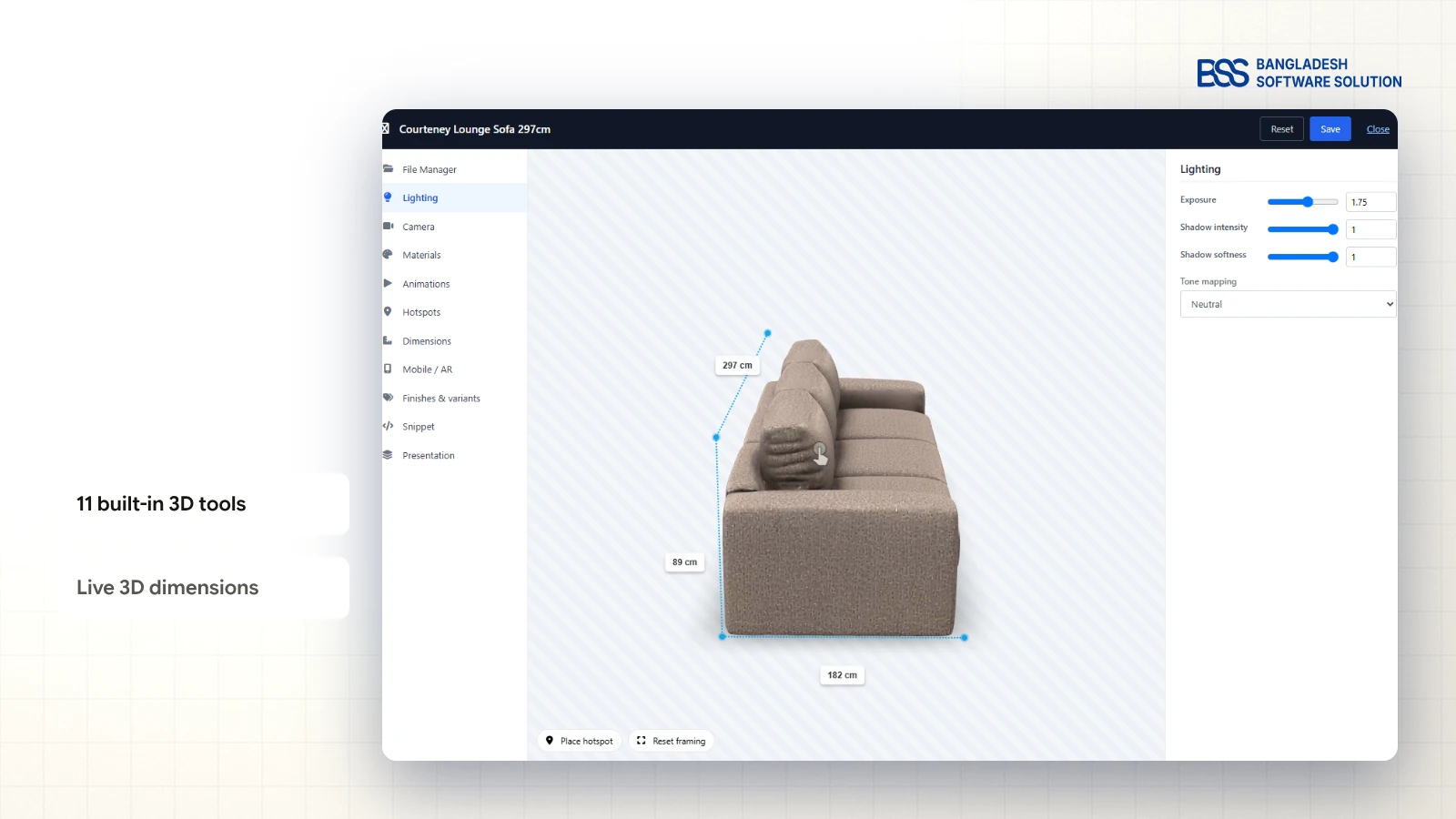
Most 3D plugins only give you a file upload box, which forces store teams back into Blender whenever a model looks too dark or spawns backwards. Our plugin ships a complete 3D Model Editor directly inside nopCommerce admin with 11 dedicated sections on the left rail:

Setting camera orbit limits inside the editor is one of the quickest polish wins for furniture stores: it stops shoppers from tilting underneath a sofa base that was never meant to be seen.
Explore NopFurniture and its 19 bundled plugins4. Sync Product Attributes into 3D & AR and Protect Model Files
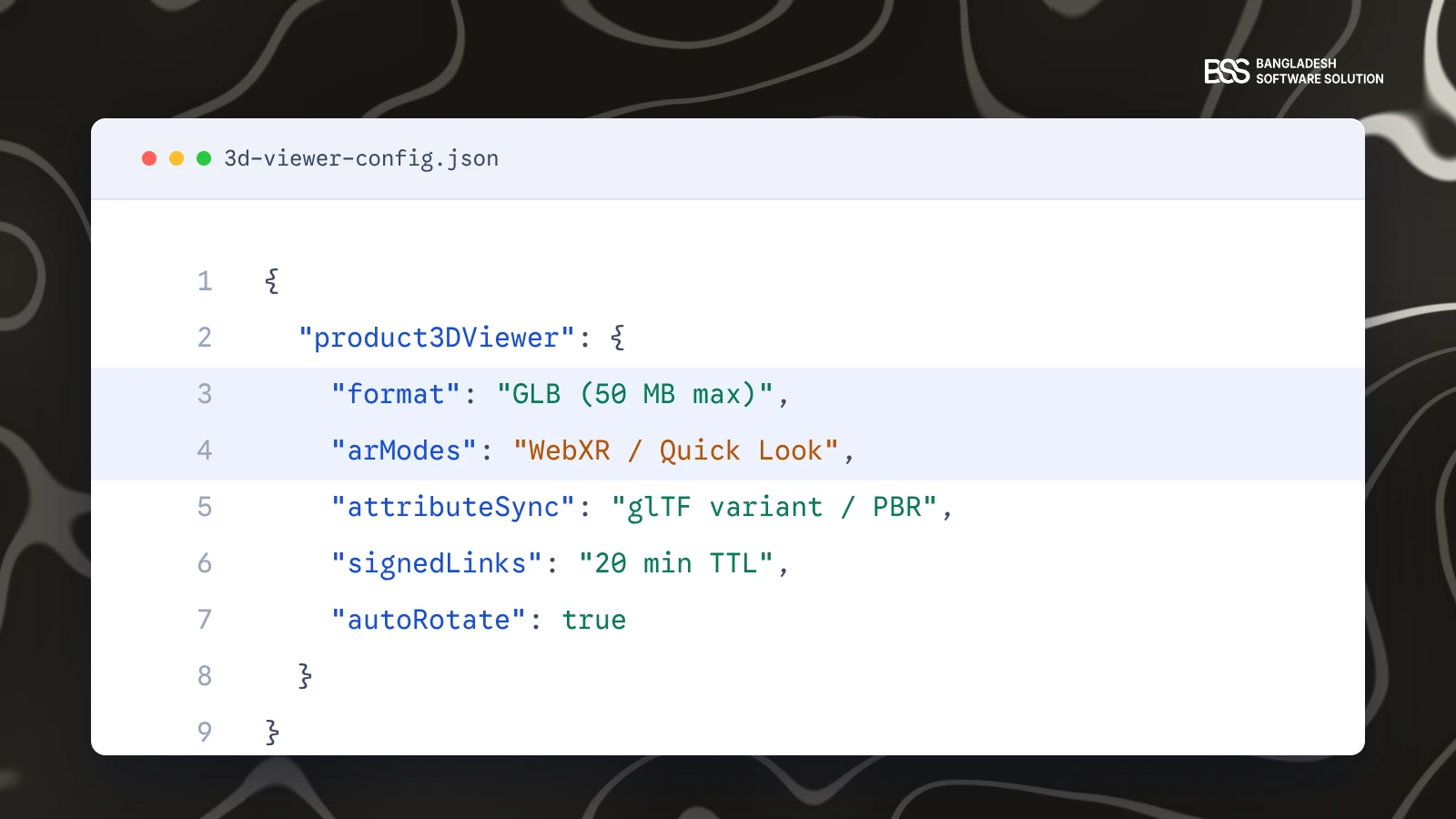
Under Finishes & variants, link each nopCommerce attribute value to a glTF material variant (KHR_materials_variants) or a PBR tint. When a shopper clicks a colour swatch on the product page, that finish follows them into 3D and AR.
High-resolution 3D models are valuable assets, so the plugin never exposes permanent raw URLs. Every GLB file (up to 50 MB, with optional Meshopt, Draco and KTX2 decoders) streams through signed, single-use links with a 20-minute lifetime (ModelTokenTtlMinutes).
Preparing GLB models with glTF material variants
Exporting clean, web-sized GLB files with true-to-scale metres and KHR_materials_variants is where most furniture catalogs need a quick technical check.
Want help optimizing your 3D pipeline or customizing the viewer for your furniture store? Our nopCommerce team can set it up with you.
nopCommerce customizationIf your store needs custom ERP asset sync or bespoke storefront integrations alongside 3D and AR, you can also hire a .NET developer from BSS to build on top of NopFurniture.
5. Configure Global Settings, Placement and Check Scope
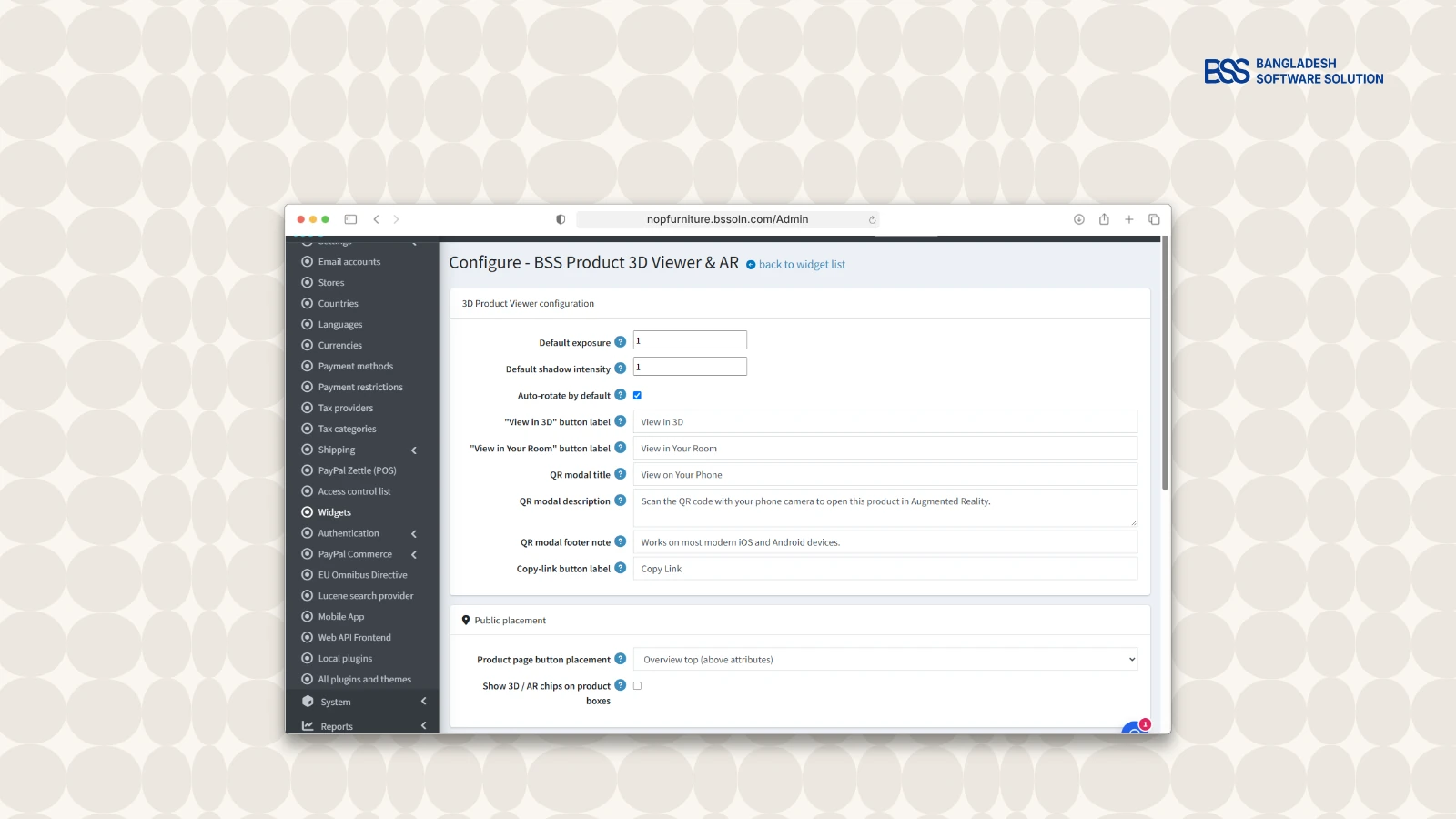
Global defaults live under Widgets > Configure - BSS Product 3D Viewer & AR (/Admin/Product3DViewer/Configure). From one screen, you set default exposure (1), shadow intensity (1), auto-rotate, button labels, QR modal copy, the product page widget zone (productdetails_overview_top) and whether to load model-viewer from CDN or a local bundle.
Pre-launch 3D & AR checklist
-
Confirm your GLB files are exported at real-world scale in metres so the 3D dimension bar and AR room placement match actual furniture size.
-
Test View in Your Room on both an iPhone (Quick Look) and an Android phone (Scene Viewer / WebXR) before publishing new models.
-
Verify colour swatch changes carry over into the 3D modal and check mobile load speed on a 375 px screen.
Honest scope: when to use 3D & AR and when to skip it
- You still supply the GLB model: the in-admin editor tunes lighting, camera, hotspots, dimensions, AR and material tints, yet it does not generate a 3D mesh from flat photos.
- Start with your hero SKUs: sofas, dining tables, cabinets and lighting see the biggest benefit from 3D and AR; small flat accessories rarely need a 3D file.
- Keep GLB files light: even though the plugin accepts up to
50 MB, keeping furniture models compressed with Draco or KTX2 keeps mobile 3D loading fast.
You do not need 3D models for every SKU on day one. Launch with 4 to 8 flagship products in your homepage Experience in 3D carousel and expand as your studio delivers more GLB files.
Ask about nopCommerce store setupLaunch an interactive 3D & AR furniture store with NopFurniture
Show sofas, tables and cabinets in interactive 3D with real-world dimensions and View in Your Room AR on nopCommerce 4.90 or 5.00.
Frequently Asked Questions
Final Thoughts
Interactive 3D models and Augmented Reality remove the biggest hesitation in online furniture shopping: guessing whether a piece fits the room and matches the decor. With NopFurniture's bundled 3D Product Viewer & AR plugin, store admins get a full 11-panel 3D editor, homepage carousel visibility, finish syncing and protected GLB delivery on nopCommerce 4.90 and 5.00.
Do it yourself
- Install NopFurniture and configure 3D Viewer defaults
- Upload GLB models for your flagship furniture SKUs
- Tune lighting, camera limits, dimensions and finishes
- Test View in 3D and View in Your Room on iOS & Android
Or BSS does it
Same setup, handled by the engineers who built NopFurniture and the 3D Product Viewer plugin, tested across desktop and mobile AR before launch.
Plan your store setupTry the live 3D sofa viewer and homepage carousel on the NopFurniture live demo, or read the full theme bundle guide below.
Share your furniture catalog or 3D model files with our team and we will show you how NopFurniture and the 3D Product Viewer fit your storefront.
Talk to an expert