A shopper finds a 297 cm lounge sofa she likes at eleven at night. She cannot tell whether it fits the wall in her living room, the photos show it in someone else's house, and a tape measure is in another room. By morning she has bought nothing.
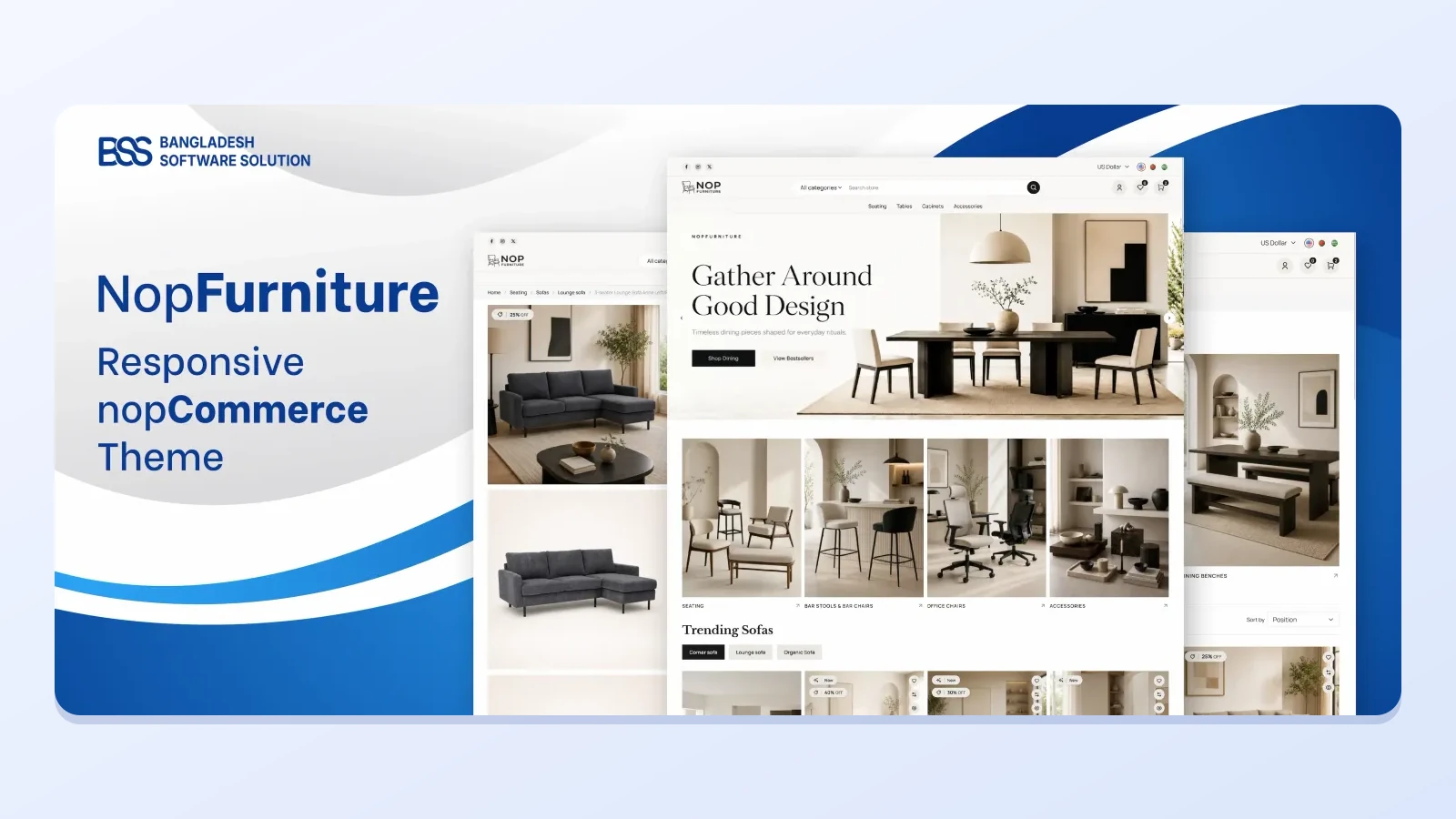
That gap between a photo and a room is what NopFurniture is built to close. It is our nopCommerce theme for furniture, home decor, interior, flooring and home improvement stores, sold with 19 plugins that cover 3D and AR, browsing, promotions and checkout.
At BSS we build nopCommerce themes and plugins every week, and for furniture the plugins matter as much as the colours. This guide follows the order a shopper meets them: see it, browse it, buy it, with the design controls and the fit check along the way.
Key fact: the product page lists nopCommerce 4.90 and 5.00 as supported versions. Check yours against it before you read further.
See it: let shoppers place furniture in their own room
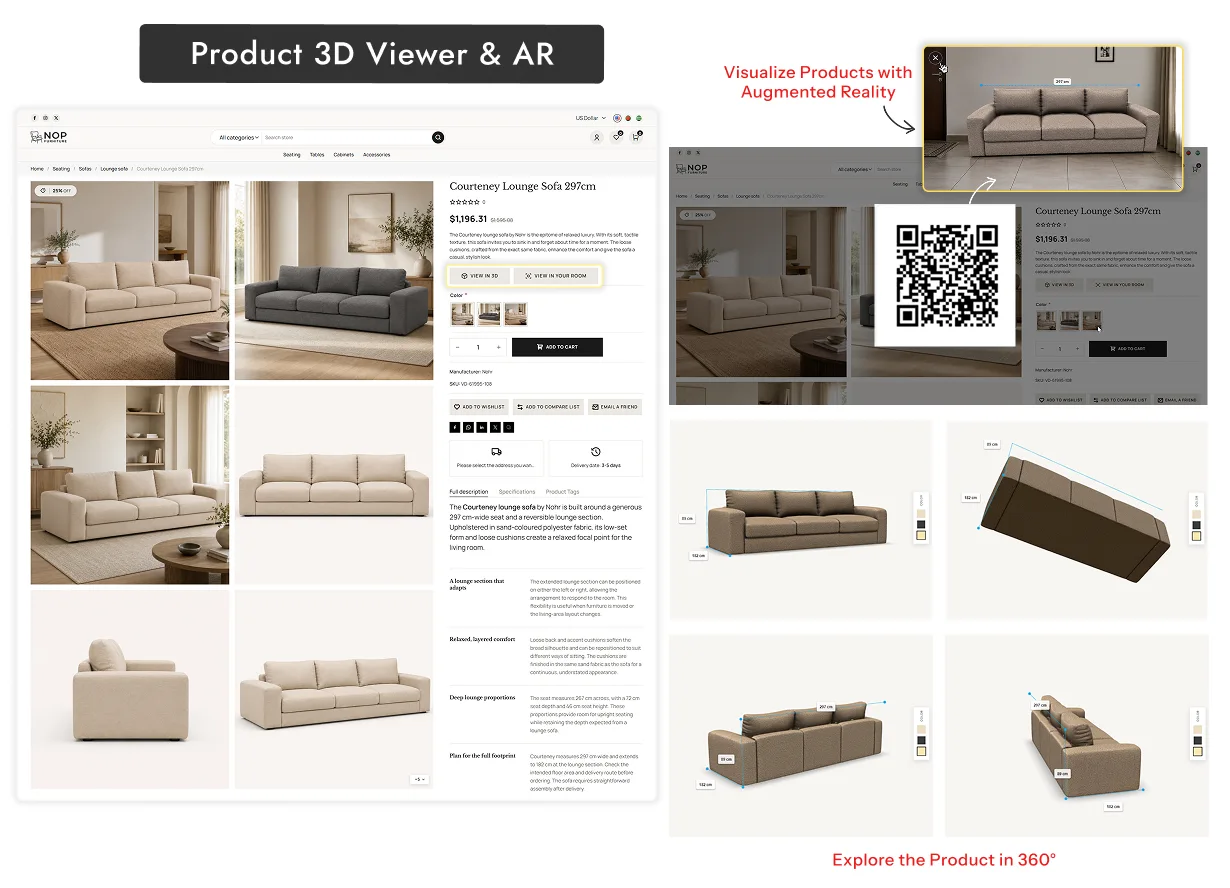
Furniture is a large purchase that is hard to undo, so the question behind every product page is whether it will look right at home. Two plugins in the bundle answer it directly, and a third handles rooms rather than single products.
The 3D view shows a piece from every angle on the product page itself. The AR view goes one step further, because the shopper checks the size against her own wall instead of trusting a number in a table.
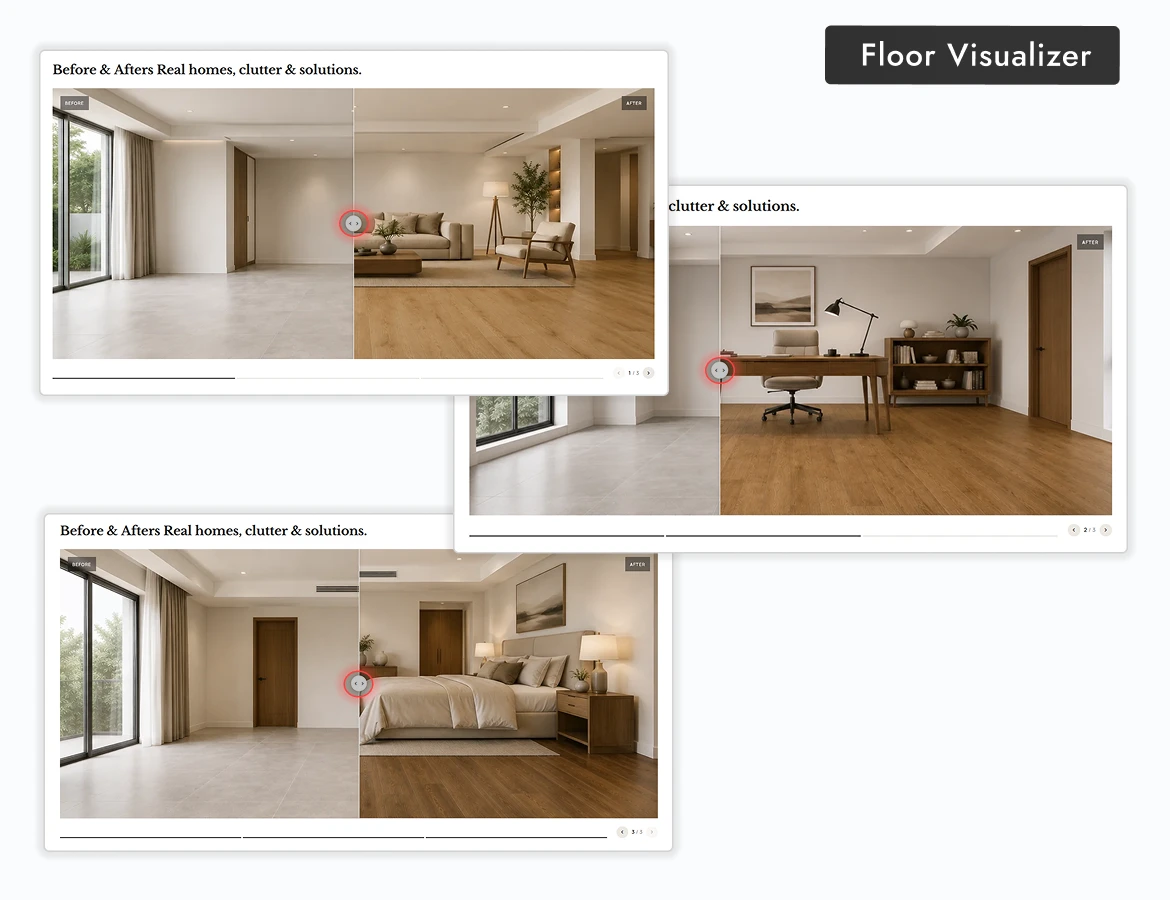
The Floor Visualizer is aimed at flooring, tiles, PVC, stone and home improvement. You group results as separate galleries, such as rooms or installation styles, and show a gallery in any widget zone, with titles, subtitles and the Before and After labels translated per language.

In the themes we ship, we ask what the shopper cannot judge from a photograph and build for that first. For furniture it is scale and fit, which is why 3D and AR sit in the NopFurniture bundle rather than being left as a later add-on.
Want the store set up for you? The BSS team sets up, configures and launches nopCommerce stores end to end.
See nopCommerce servicesBrowse: keep a large catalogue scannable
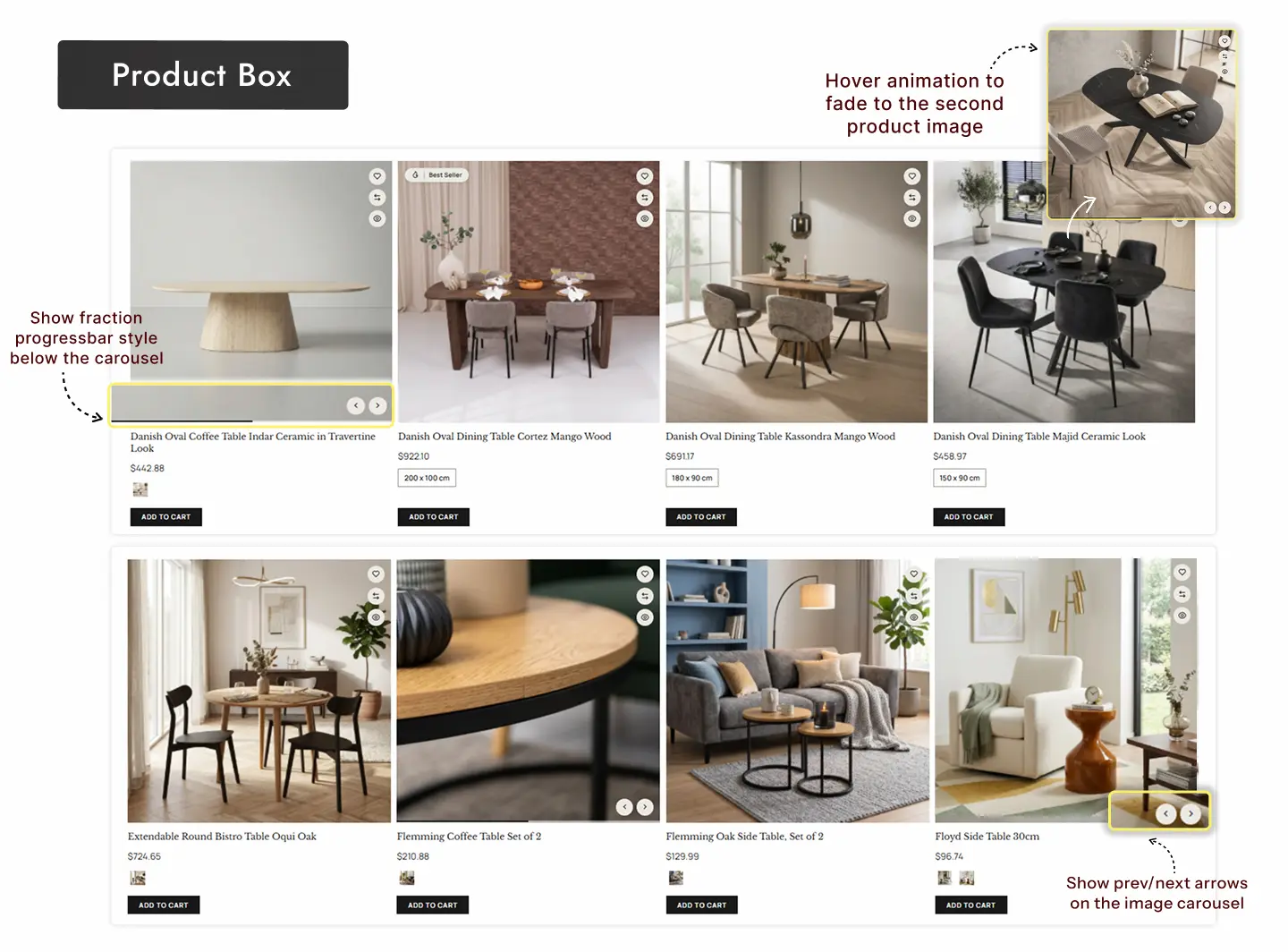
A furniture catalogue is photographs first and specifications second, so the product card does most of the early selling. Three plugins shape that moment.
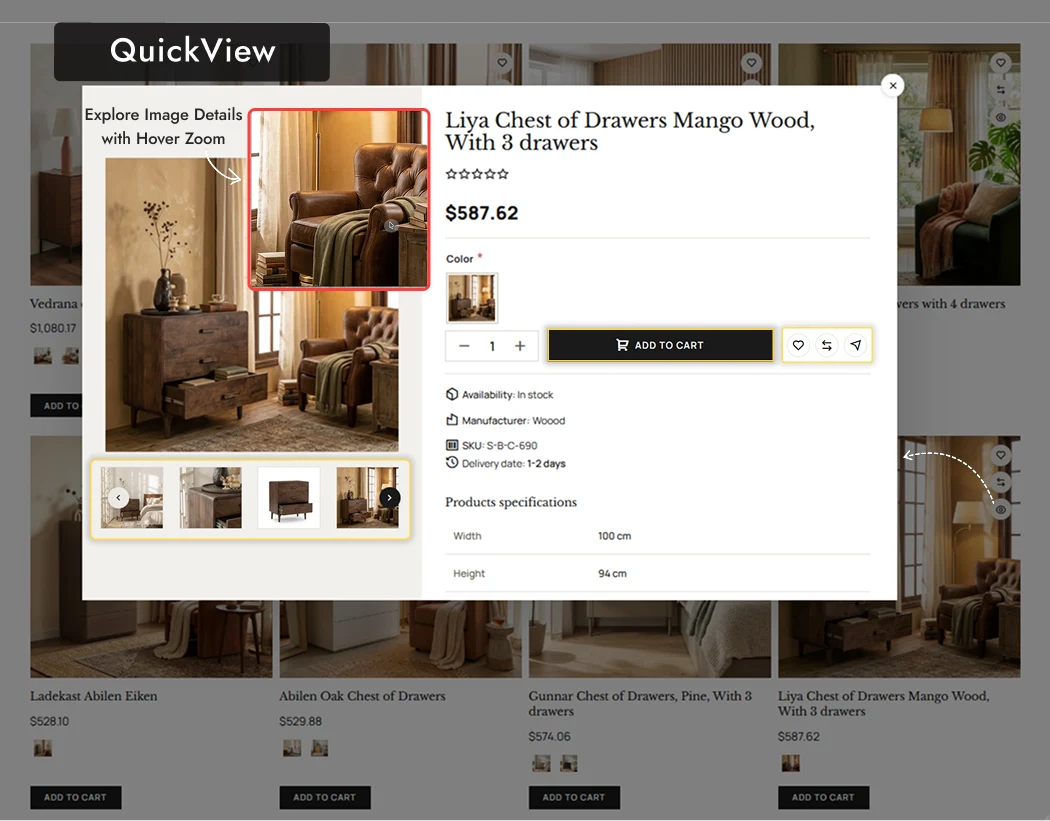
QuickView also suggests related products inside the popup. In furniture that second opinion is usually a matching table or a different finish, so the shopper compares without opening ten tabs. The popup keeps the Add to Cart, Wishlist and Compare actions in reach, so a decision never costs a page load.
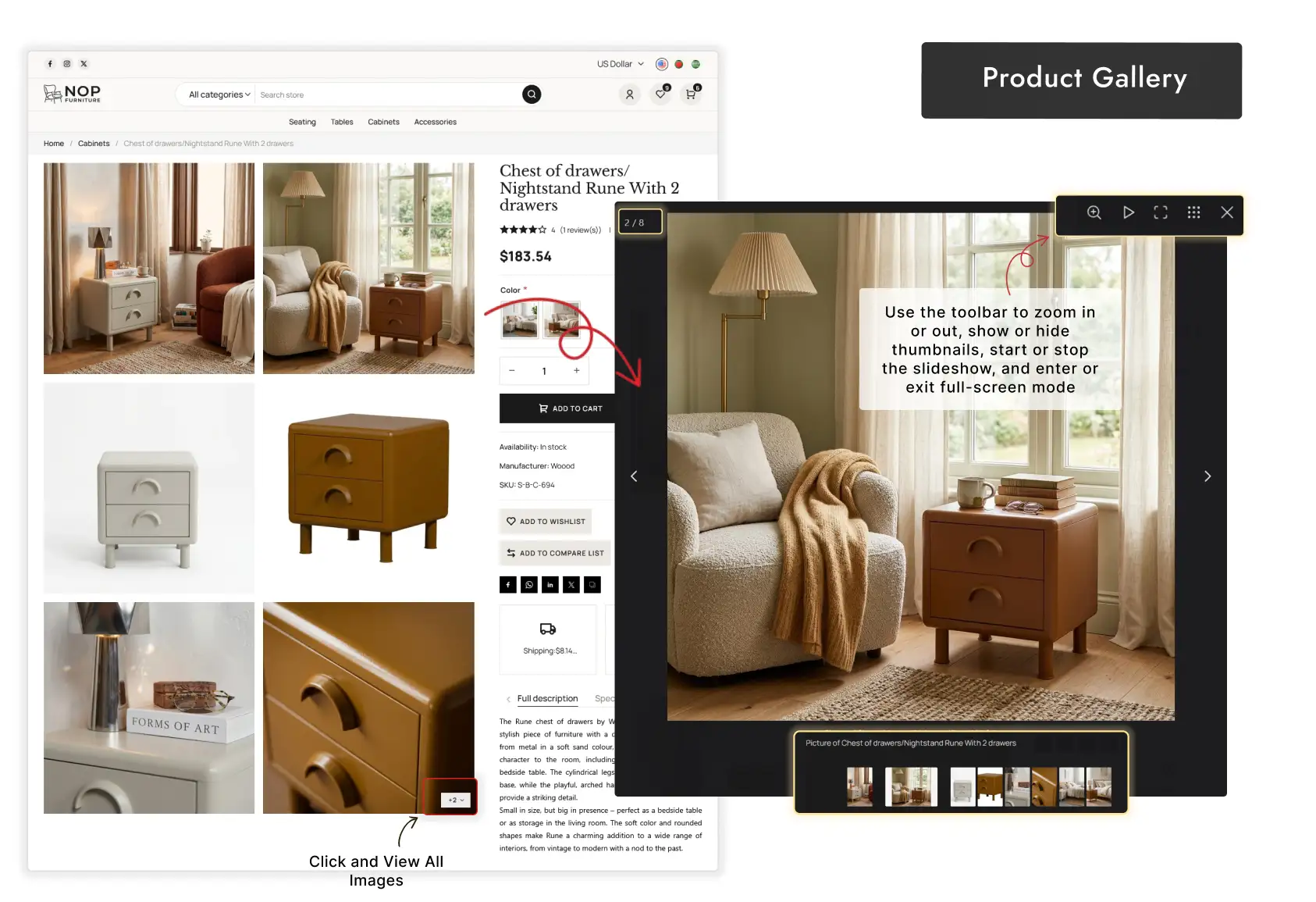
On the product page the picture gallery offers adaptive and fullscreen zoom, an image slider with thumbnails and styling for the zoom lens. Zoom exposes soft focus and mismatched lighting, so shoot the detail shots of grain and stitching before you switch it on.
If you only want one of these and not the whole theme, the same pieces are sold on their own: Product Box, Product Ribbon and QuickView.
Promote: change banners, sliders and sales without a developer
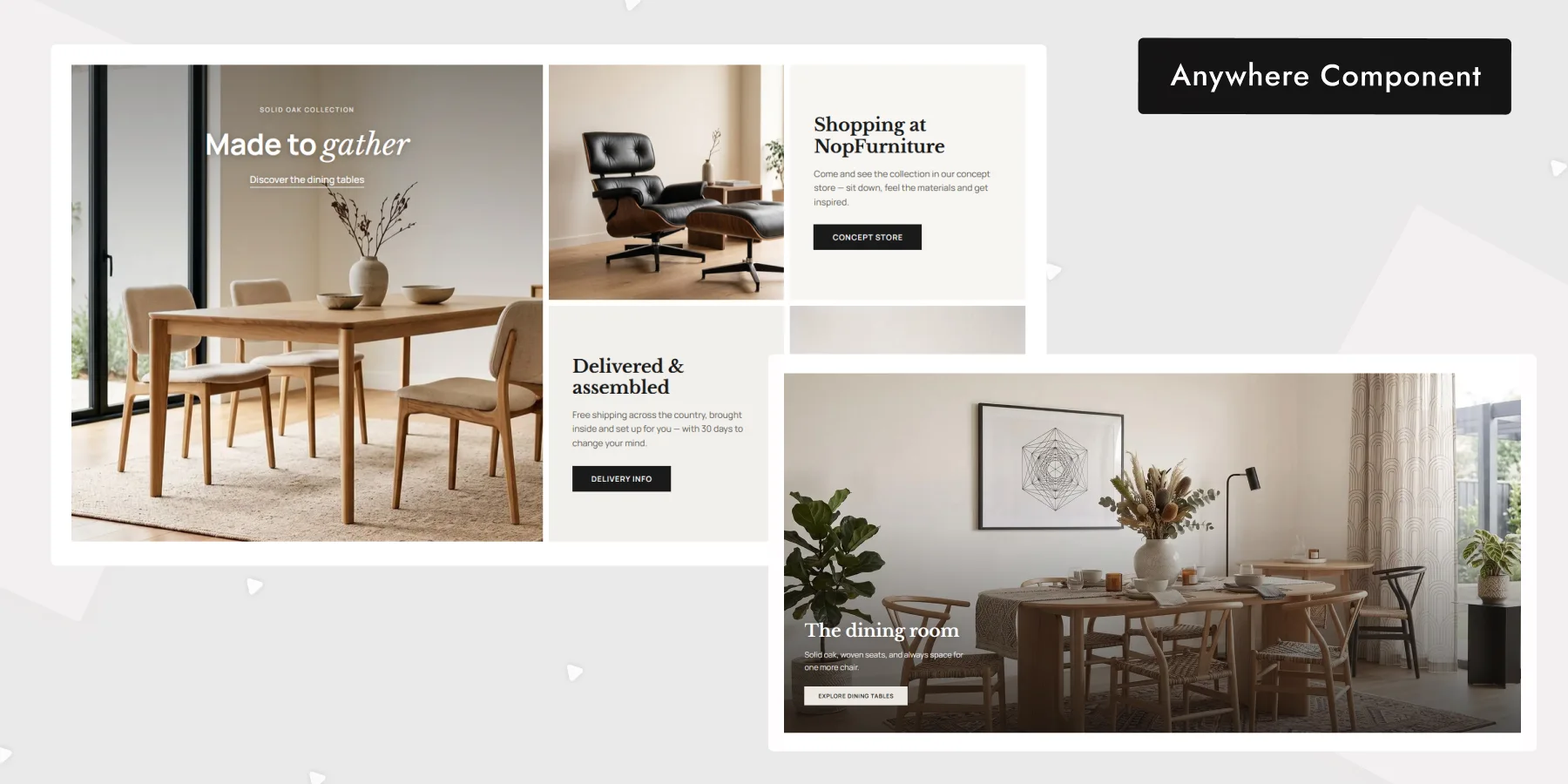
A furniture store changes its front page with the seasons and the stock. If every change needs a ticket to a developer, the page goes stale.
Anywhere Component places banners, promotions, service highlights and calls to action in any widget zone, on any page, with no code. Anywhere Swiper builds reusable sliders with multilanguage support, so you create a slider once and reuse it across store languages.
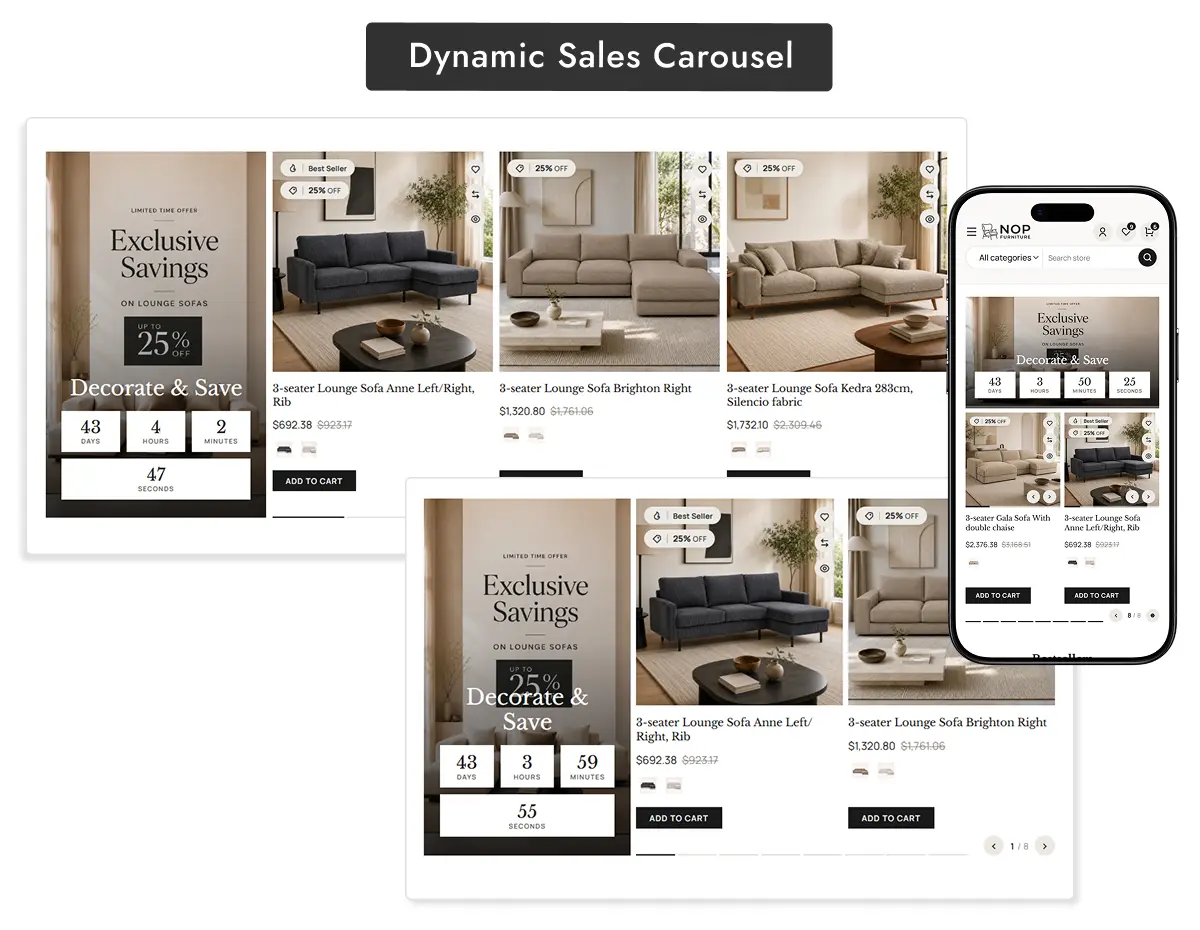
For a time-limited offer, the dynamic sales carousel shows promoted products with a real-time countdown and colour switching, and Product Ribbon marks the same items in the grid. Together they keep a sale visible on the front page and in the catalogue.
Where a promotion needs a slider in a new place, the Anywhere Swiper plugin drops one into any widget zone.
Design: restyle the storefront from the storefront
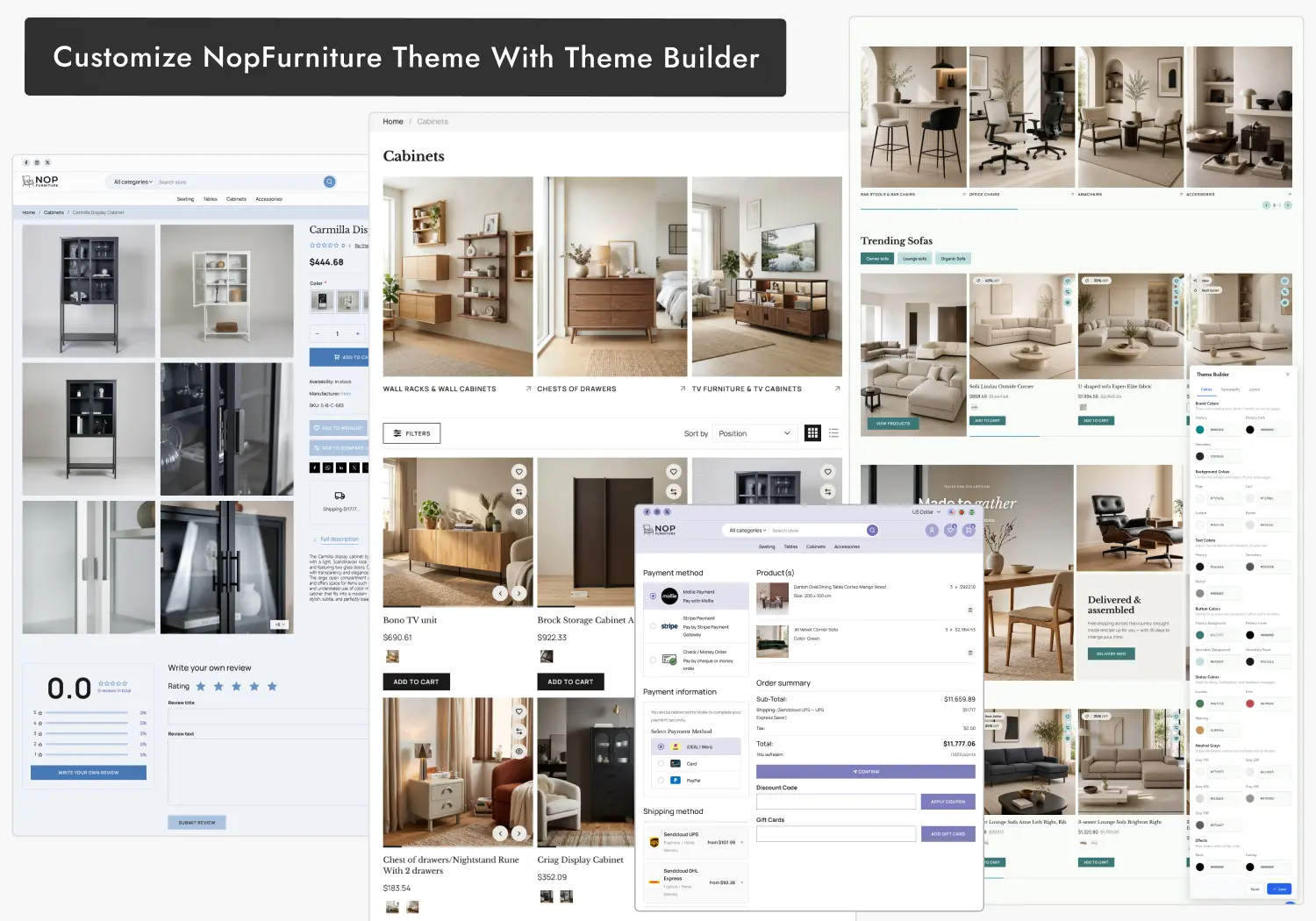
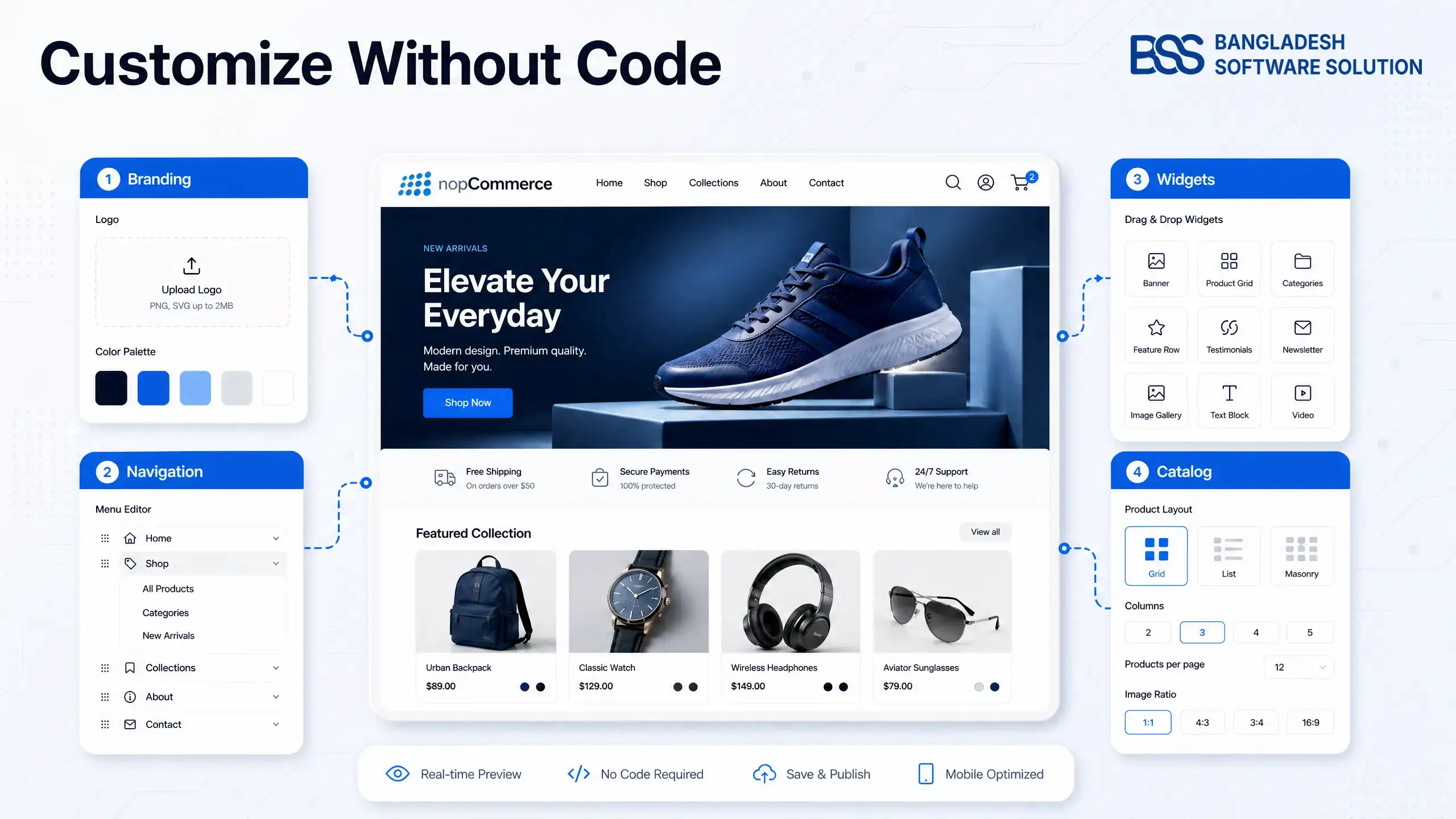
Design drift is the second problem: a theme that looks right on launch day and needs a developer each time the brand moves on. The Theme Builder handles it by editing colours, typography, buttons, cards and borders from one interface.
The same panel controls layout: container width, spacing, margins, columns, items per row, font sizes and card radius. A marketer can adjust the palette while everyone else sees the finished page. Because the theme also supports multistore and multilingual stores, one set of settings can serve several regions without a copy of the theme per store.
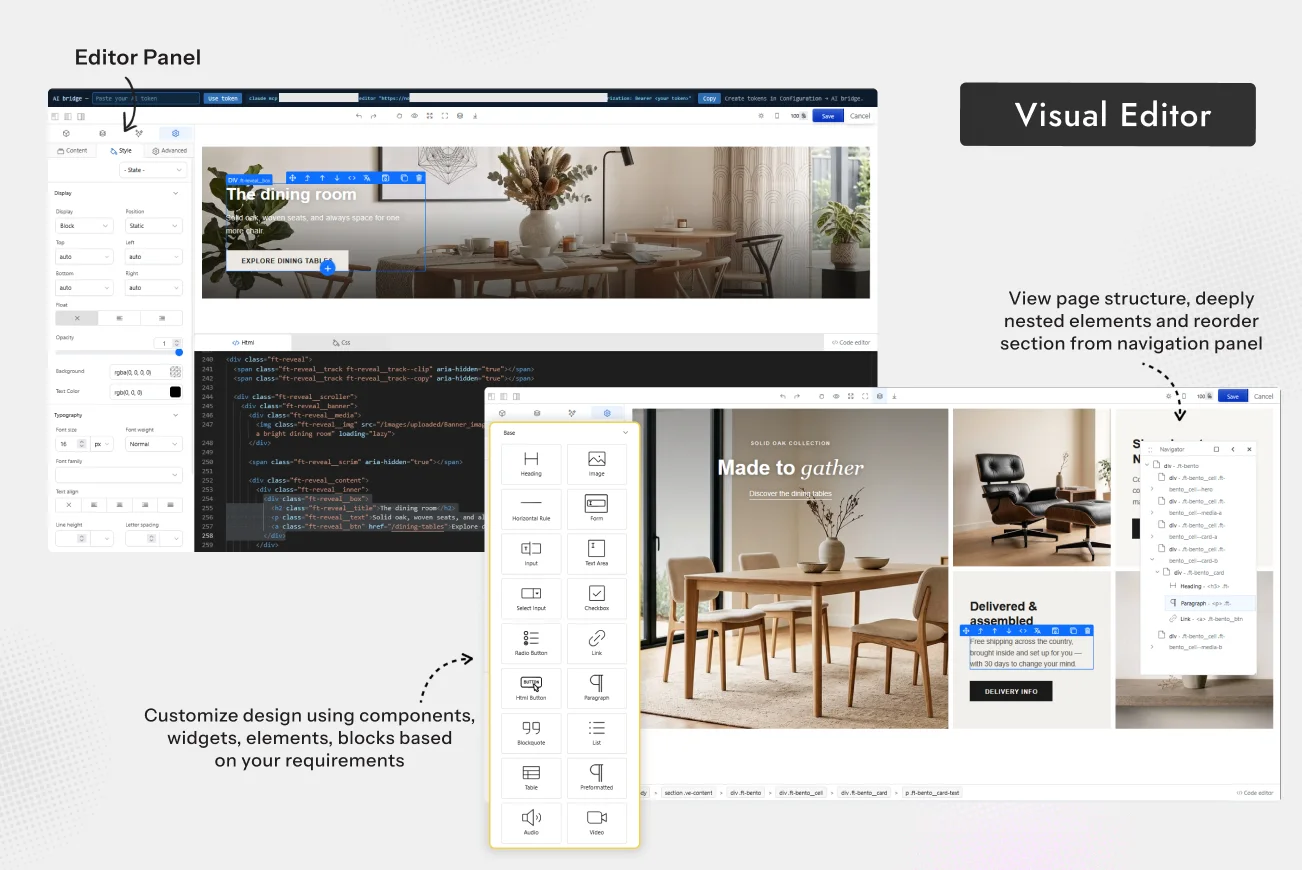
For whole pages, the Visual Editor is a drag-and-drop page builder for responsive, SEO-friendly pages. It can also connect through the AI Bridge (MCP), so you describe what you want and the design is created and styled for you.
What the Theme Builder covers
-
Brand colours, typography, buttons, cards, borders and status colours.
-
Container width, spacing, margins and card radius.
-
Columns, items per row and font sizes, for each screen size.
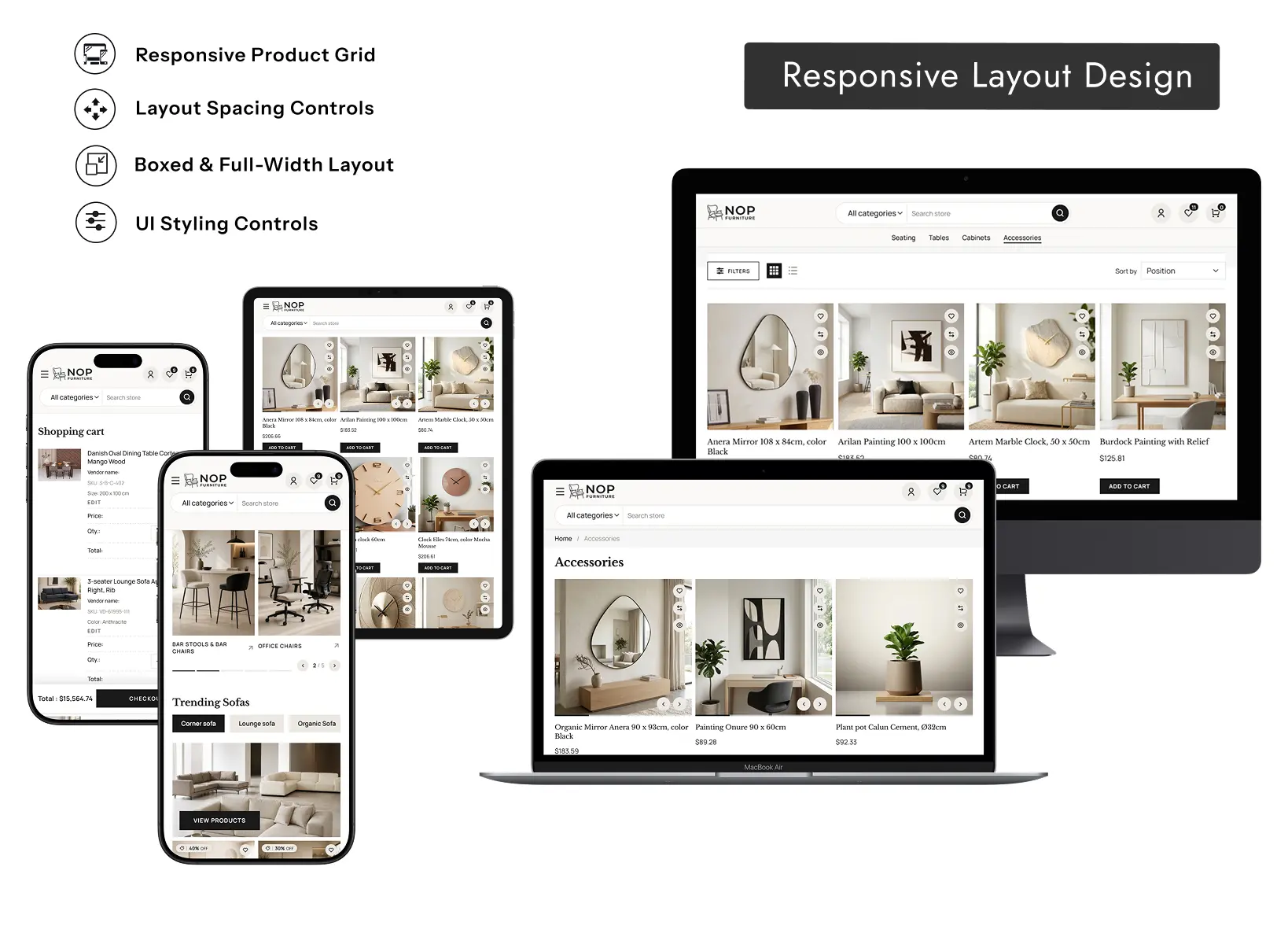
When a brand needs a look the settings cannot reach, that is custom work. BSS builds custom nopCommerce themes and tailors stores, and it is better to know that early than to fight a panel.
Buy: shorten the path from cart to paid
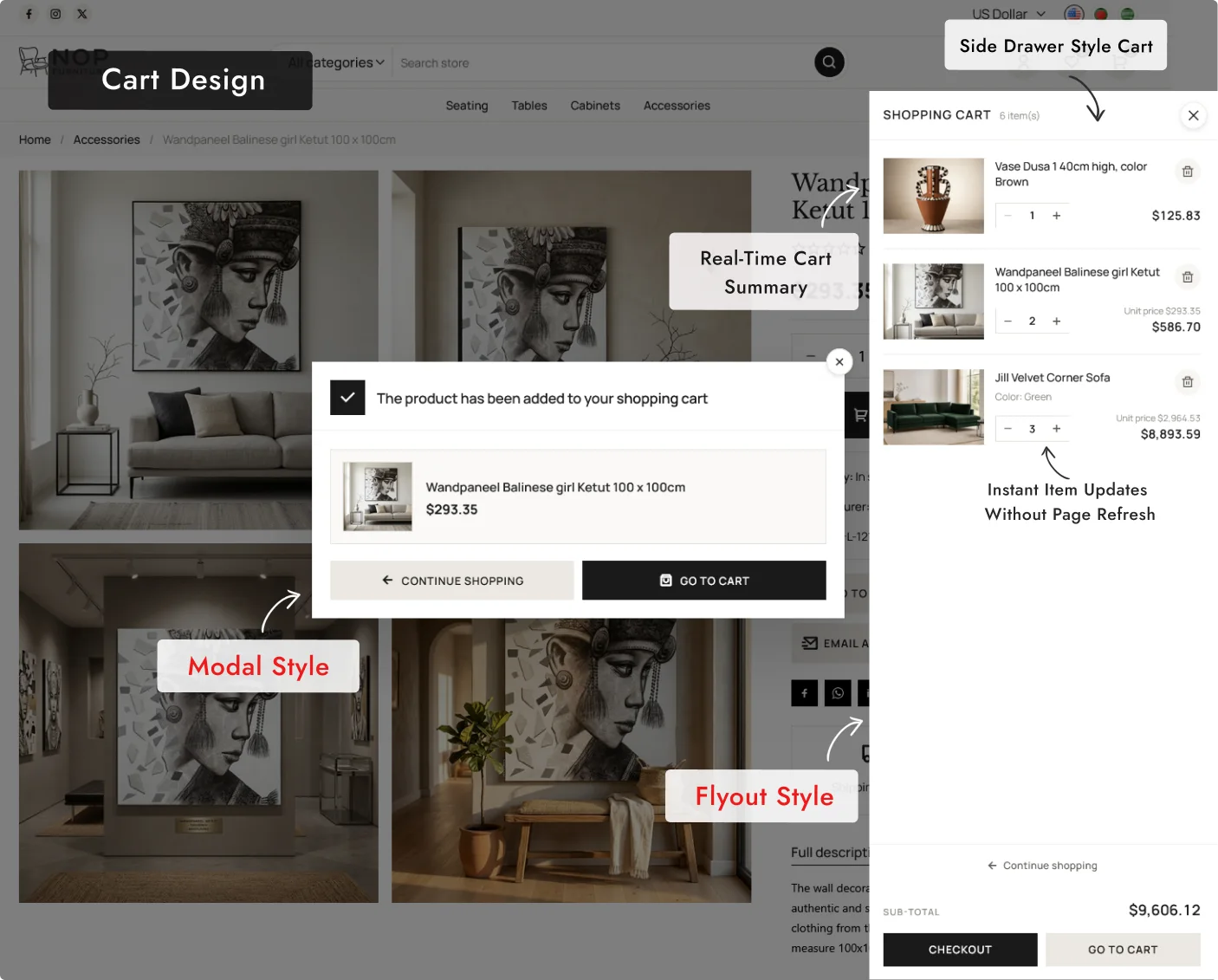
A shopper who has decided still has to add, review, ship and pay. Each extra page is a chance to leave, so the bundle works on that path in four places. The cart comes in a modal style or a side drawer style, and quantities update without a page refresh.
In a furniture store the basket often holds several large items, so being able to see the running total in the drawer matters more than it does for a single small purchase.
| Step | What it does | Where the shopper feels it |
|---|---|---|
| Add to cart | A modal confirmation or a side drawer cart, chosen in theme settings. | No page change |
| One-Page Checkout | Address, shipping and payment on one page, with coupons and gift cards. | Fewer page loads |
| Payment Change | Lets a customer retry a failed payment or switch method without a new order. | Recovered orders |
| Sendcloud | Several shipping options and a Google Maps pickup point picker at checkout. | Choice of delivery |
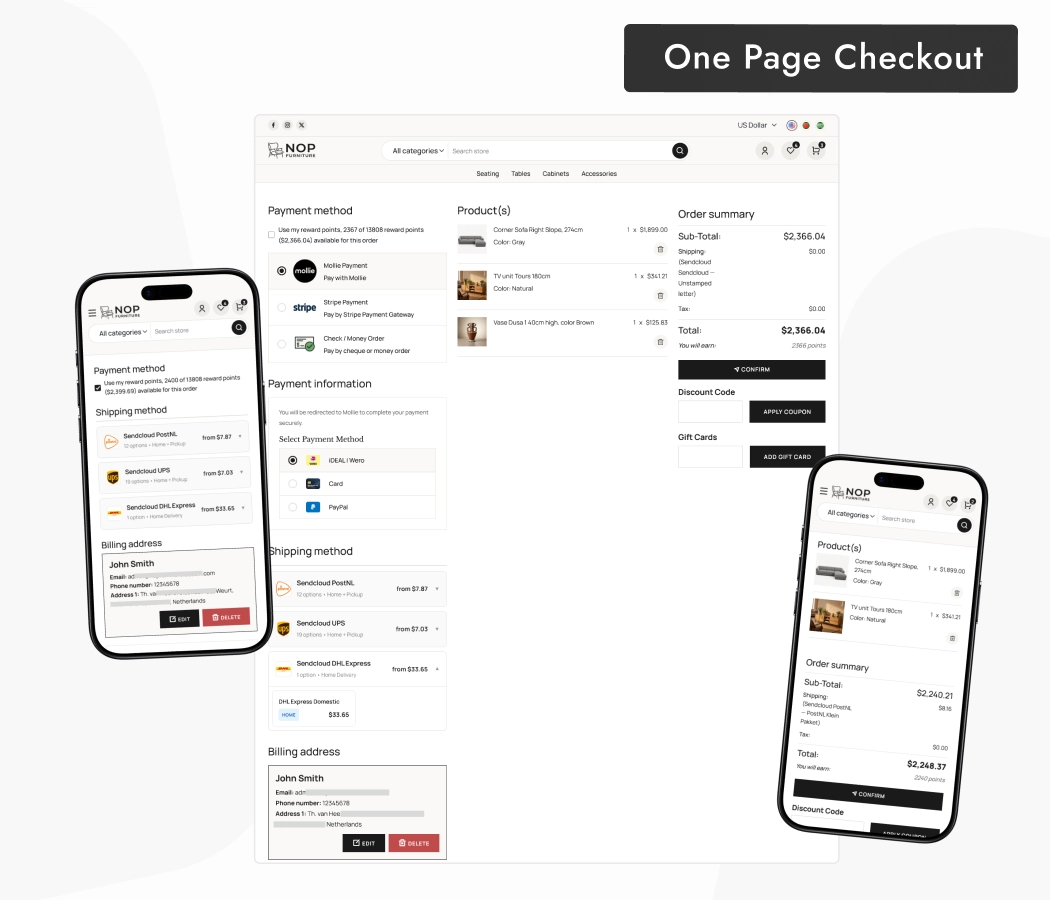
When we build checkout plugins at BSS, the failure path gets the most testing, because that is where an order is most easily lost. For a large furniture order a failed card is expensive, which is the case Payment Change exists for.
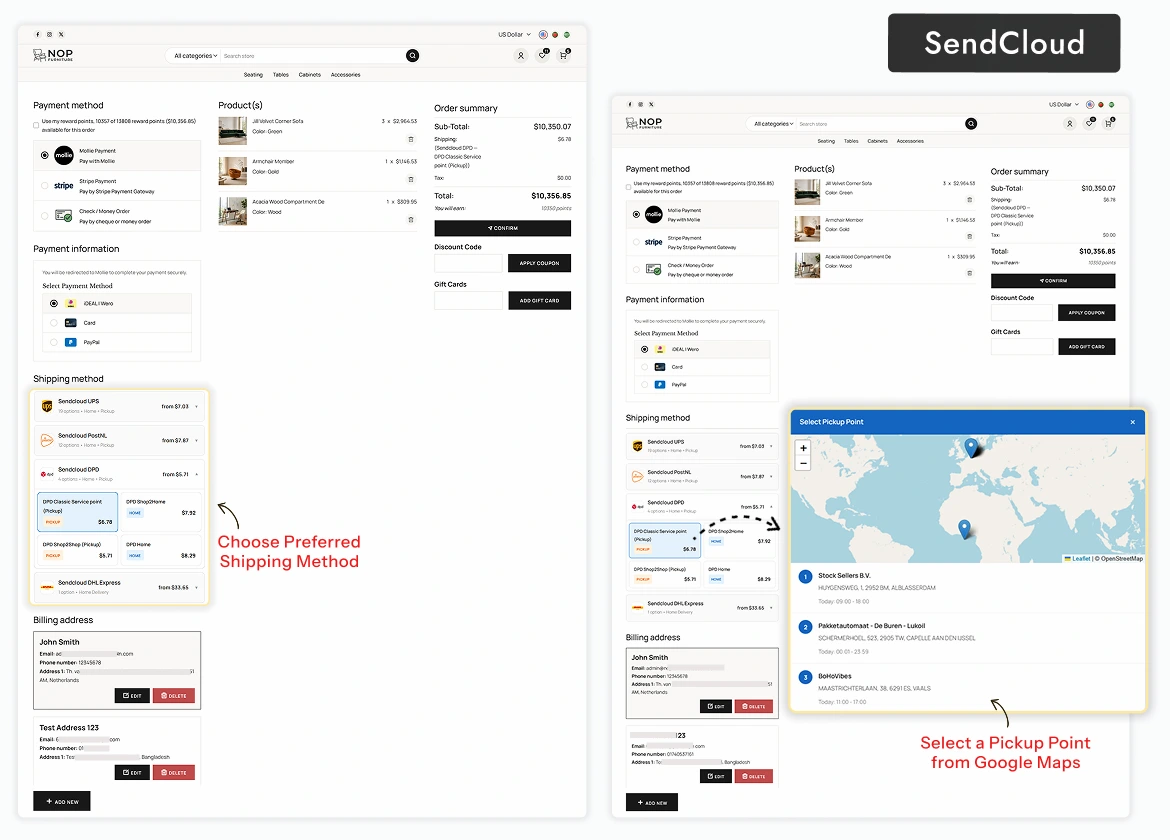
Unusual shipping or payment rules are the point where many owners bring in a developer. You can hire a .NET developer from BSS to extend a plugin while your own team keeps the catalogue.
Is the bundle the right fit for your store?
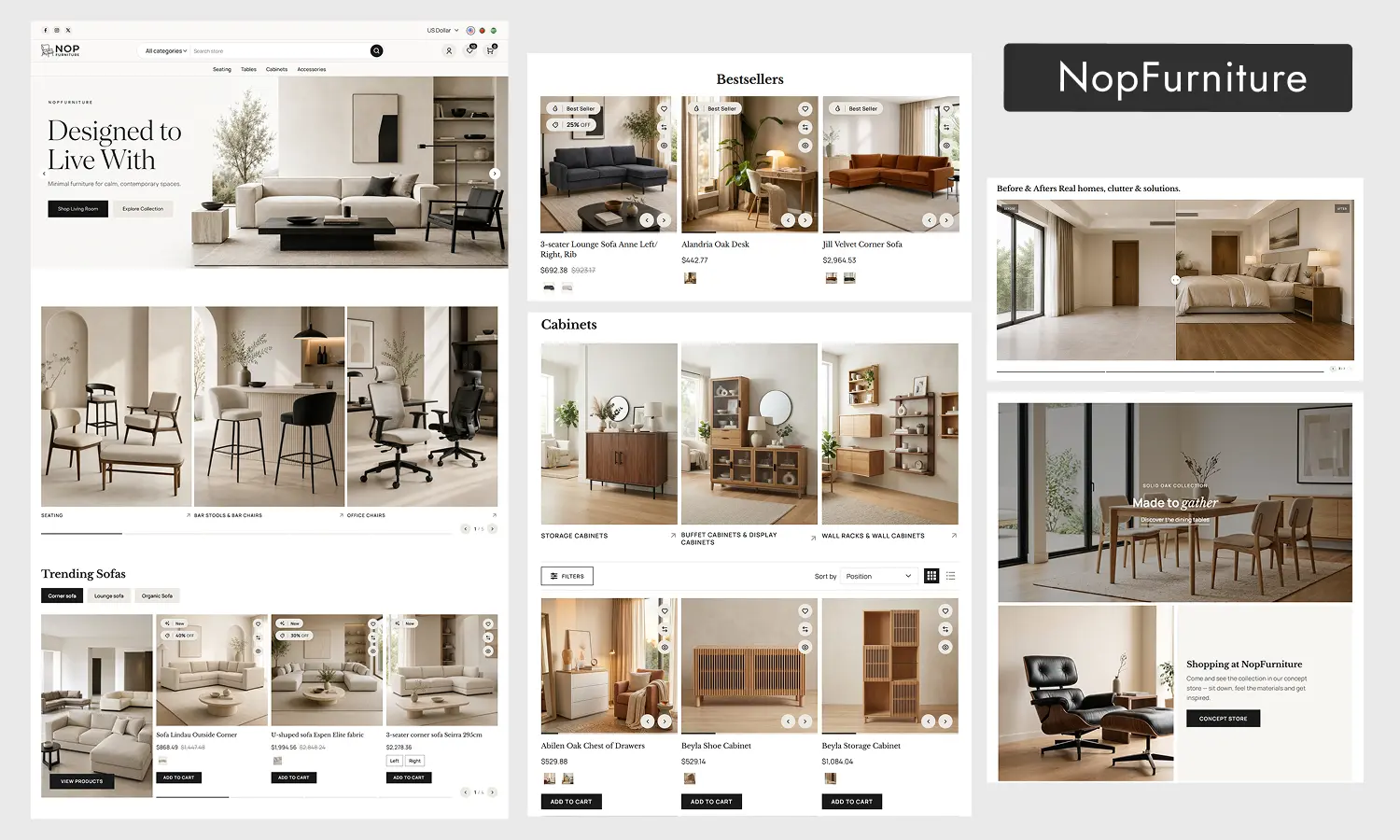
A bundle is a good deal only if you would have bought most of its parts anyway. Here is the choice in plain terms, from the view of an owner who has to keep it all working after launch.
| Route | Plugins that must agree | Time to a working storefront |
|---|---|---|
| Buy plugins one by one | You test every pair yourself. | Long: research, buy and configure each. |
| Build custom | You write the integration yourself. | Long: design, build and test. |
| NopFurniture bundle | Sold as one package with the theme. | Shorter: install, then configure |
NopFurniture is built for furniture, home decor, interior, flooring and home improvement stores. Selling something else? We ship sibling themes with their own bundles, such as NopNoor for fashion and beauty and NopGadget for electronics.
Before you buy
-
Match your nopCommerce version to 4.90 or 5.00, the versions on the product page.
-
Open the live demo on a phone, then on a laptop, and try the 3D view.
-
Choose the licence that matches your store URLs, and decide on source code and installation support.
-
Compare it against our buyer's guide to theme bundles.
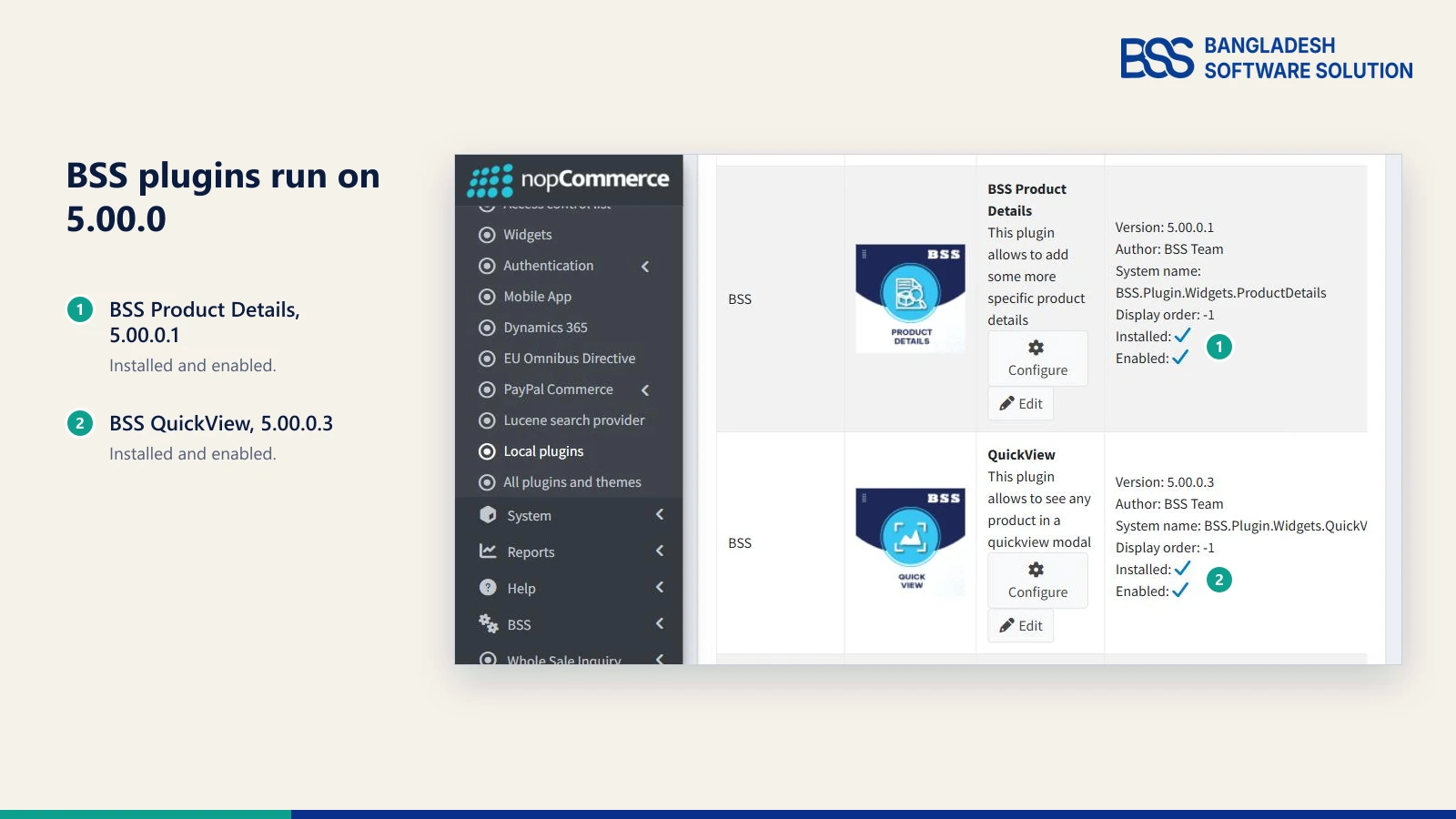
Installing a theme on a live store is a good moment to rehearse on a copy first. Our theme install guide walks through the steps in a safe order, and the 5.0 plugins post shows our plugins running on the new release.
If you would rather not install and tune it yourself, installation support is an option on the product page, and the BSS team can take the setup off your hands from the theme to launch.
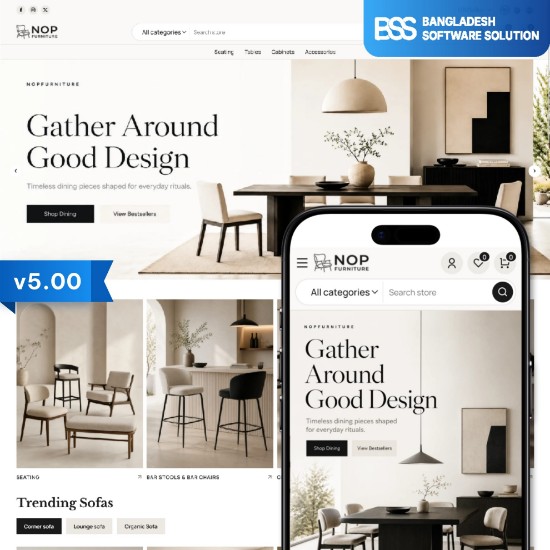
The furniture theme and the plugins from this guide, in one package.
View the bundleNeed a nopCommerce Developer? Hire the BSS Team
From custom plugins and theme work to full-store builds and performance tuning, our dedicated nopCommerce engineers ship production-grade code. Tell us what you need and we'll match you with the right developer.
Frequently Asked Questions
Final Thoughts
The shopper with the 297 cm sofa does not need a different catalogue. She needs to see it from every side, drop it into her own room, and check out without starting again.
That is the job of NopFurniture and its plugins, and the order in this guide is the order she meets them. Open the live demo on your own phone, check your version, then decide whether the bundle fits. If it does, the rest is configuration, not rebuilding.
We build and support the theme and plugins in this guide, and we set up nopCommerce stores for people who would rather launch than configure.
Book a free consultation