Your store is ready for a campaign, but the homepage still shows yesterday’s banner, the navigation feels crowded, and the colors do not match the new brand. You need the storefront to look intentional before customers arrive—without opening a code editor or risking checkout.
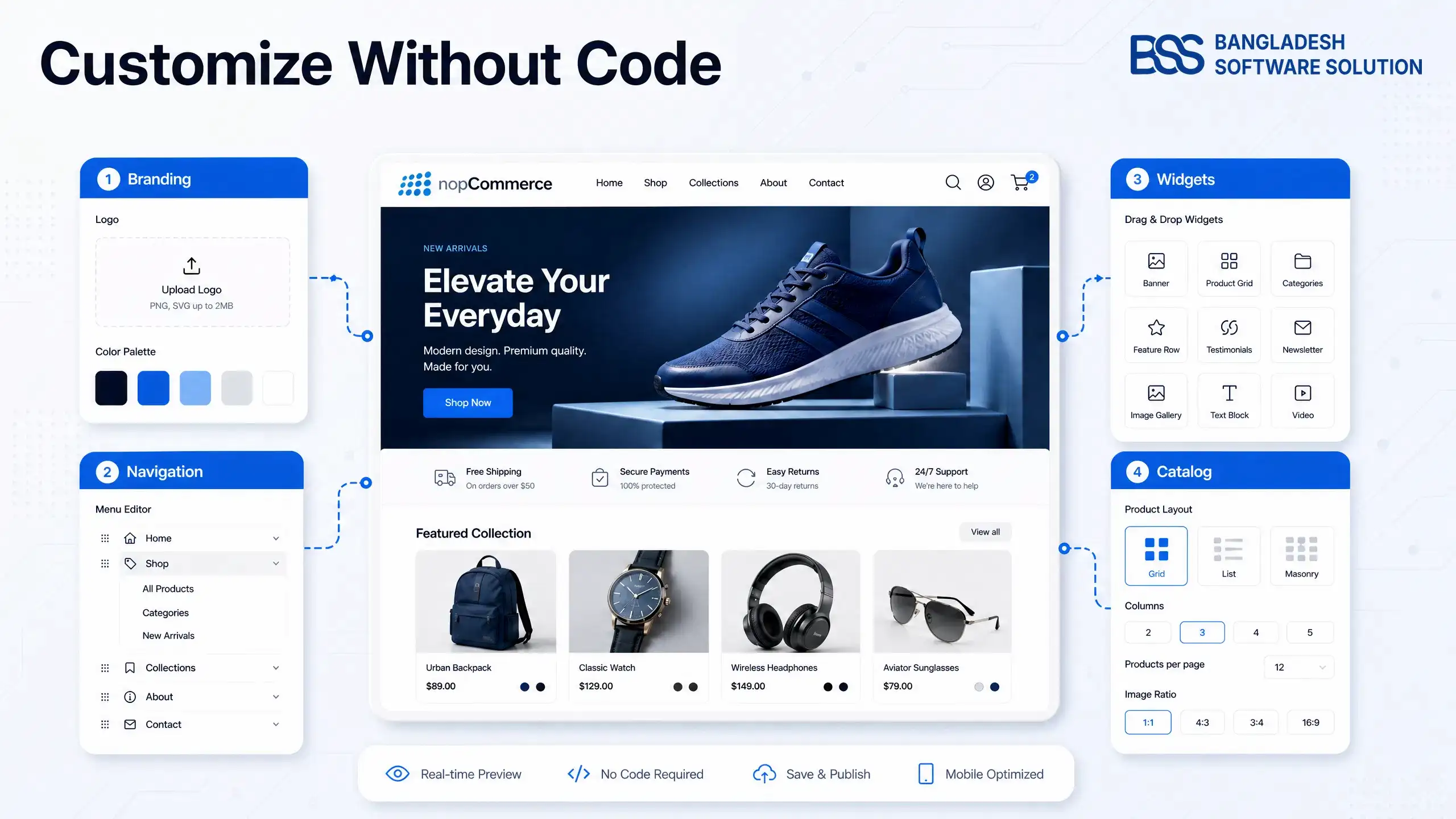
You can customize a nopCommerce theme without coding when the change belongs to configuration, content, widgets, media, or options exposed by the installed theme. The key is knowing which tool controls each part of the page and where no-code customization honestly ends.
The safe approach: define the desired change, find its owner, preview it away from peak traffic, change one layer at a time, and keep a rollback record.
First, Map the Storefront Before You Change It
When every visual problem is treated as a “theme problem,” store owners often change the wrong setting. The logo may come from store information, a homepage banner from a widget, product tiles from catalog configuration, and colors from the theme’s own settings panel.
Open the storefront in one tab and administration in another. For each item you want to change, write down the page, the visible element, its current content, and the likely owner. This simple inventory prevents random setting changes.
Prepare a Safe Editing and Rollback Plan
Now that each element has an owner, protect the current presentation. Theme customization is reversible only when you know what changed. Take screenshots of important pages, record current theme and widget settings, and export or back up data according to your hosting process.
Before-edit checklist
- 1Use a staging store or a quiet maintenance window.
- 2Capture desktop and mobile screenshots of key pages.
- 3Record active theme, widget zones, menus, and homepage settings.
- 4Prepare correctly sized, compressed replacement images.
- 5Change one group at a time and test before continuing.
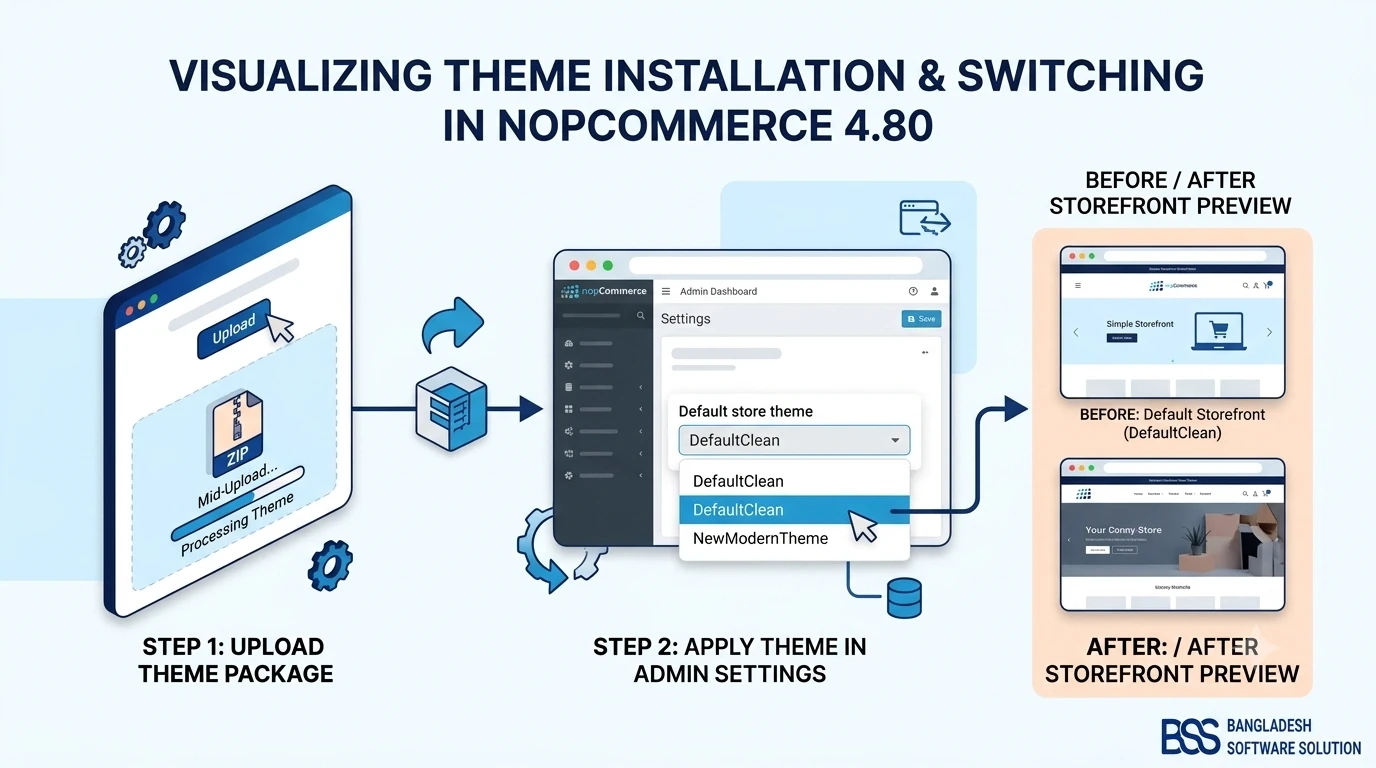
If you are still selecting or activating the design itself, start with our nopCommerce theme installation guide, then return here once the correct theme is active.
Customize Branding Through Theme and Store Settings
With a recovery point in place, begin with the changes customers notice everywhere: logo, favicon, colors, typography options, and layout style. Check the theme plugin’s configuration page first; commercial themes often expose more controls than nopCommerce core.
Upload images at the dimensions recommended by the theme and keep the original aspect ratio. Choose a small, consistent color system rather than assigning a new color to every component. If the theme offers typography presets, select the closest brand-safe combination and verify readability across headings, product cards, forms, and buttons.
What “without coding” really means
You can only change options the theme or an installed visual editor exposes. If a control does not exist for a spacing, breakpoint, component, or interaction, forcing it through content fields usually creates a fragile result.
Build the Homepage with Widgets and Existing Zones
The homepage is where no-code customization becomes most visible. Sliders, banners, featured categories, products, topic blocks, and vendor widgets can usually be assigned to predefined widget zones. The theme decides where those zones appear; the widget decides what content they display.
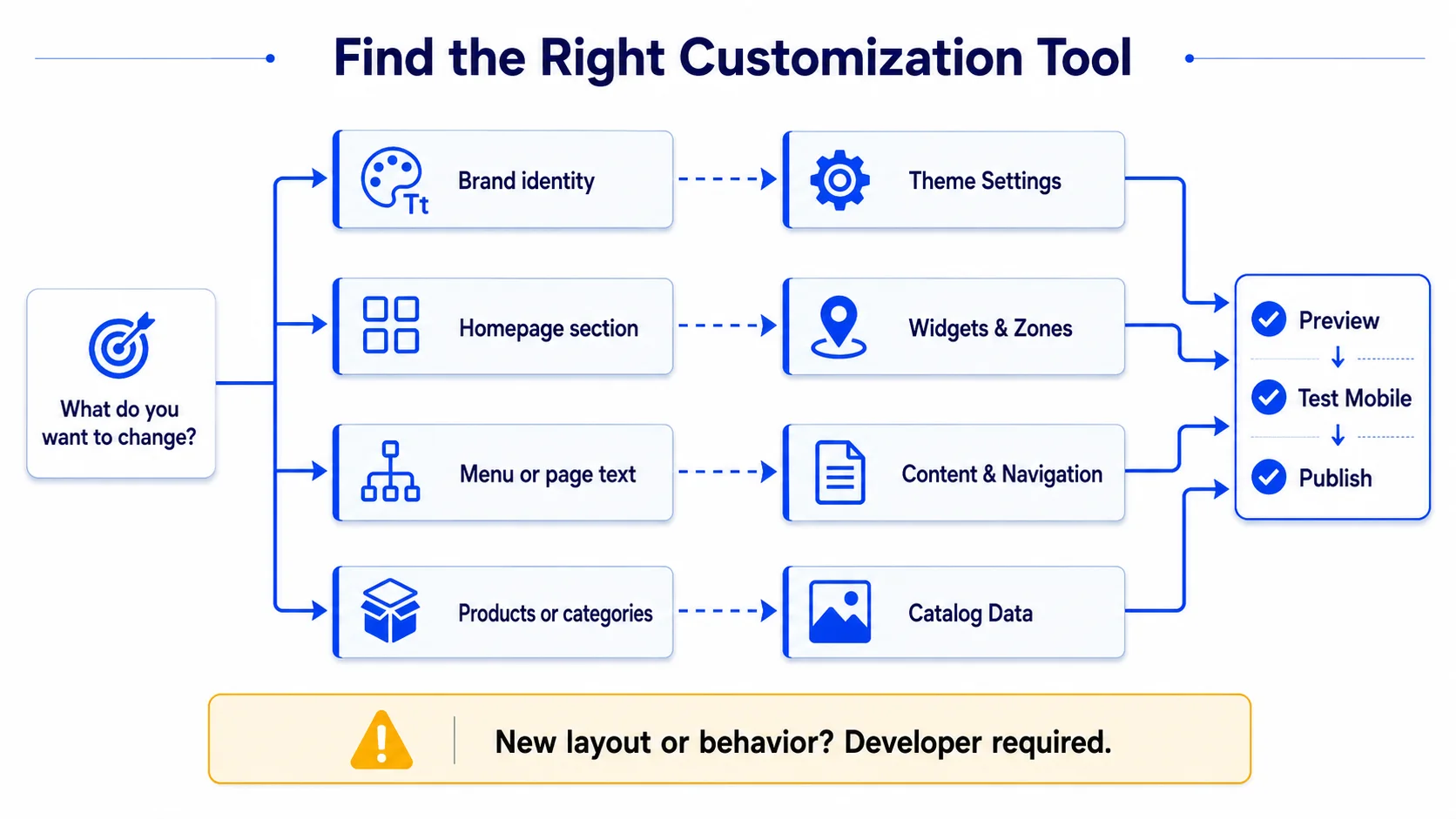
Use one clear objective per section: introduce the offer, help shoppers choose a category, establish trust, or surface products. Avoid stacking several sliders and promotional blocks above the catalog. After every widget change, verify its store mapping, display order, date range, access controls, and mobile crop.
Improve Product and Category Presentation Without Code
With the homepage organized, carry the same visual discipline into the catalog. Product photography, category images, names, short descriptions, specifications, and related products influence the theme’s appearance even though they are content rather than design files.
Standardize image ratios, keep titles scannable, move important benefits into the visible summary, and remove empty specifications. Configure featured products sparingly so “featured” still means something. Test product cards with the longest real title and both discounted and regular prices.
If plugins or an older theme complicate the result, our theme and plugin compatibility checklist provides the next safe testing step.
Know When No-Code Customization Has Reached Its Limit
Your campaign storefront should now look coherent using supported controls. Stop before content fields become a substitute for theme development. Custom checkout layouts, new responsive behavior, structural product-page changes, accessibility repairs, complex animation, and third-party integration UI usually require code and regression testing.
| Change | No-code fit | Best route |
|---|---|---|
| Logo, favicon, available colors | Good | Store or theme settings |
| Homepage banners and blocks | Good | Widgets and widget zones |
| Menus, topics, product content | Good | Administration content tools |
| New layout or component | Limited | Theme development |
| Checkout behavior or integration UI | Poor | Developer implementation and testing |
When the desired change falls outside exposed controls, document the business goal and ask for the smallest maintainable theme override. BSS nopCommerce services can turn that brief into a tested customization without compromising upgradeability.
Launch with a Storefront QA Pass
Return to the opening campaign scenario: the homepage now carries the right offer, navigation guides shoppers clearly, and product presentation follows one visual system. Before publishing, test the experience rather than only admiring the design.
Check desktop, tablet, and phone; homepage, category, product, cart, checkout, account, search, and information pages; guest and signed-in states; empty and populated carts; long content; image loading; keyboard focus; and contrast. Confirm that every CTA reaches the intended destination and that cached pages show the new assets.
Reached the Limit of Theme Settings?
BSS Engineering can trace theme and plugin resource loading across Razor layouts, bundles, deployment artifacts, CDNs, and the browser cascade—then implement a fix that survives the next release.
Frequently Asked Questions
Final Thoughts
The campaign that began with an outdated homepage can end with a coherent storefront without touching code: supported theme options set the visual identity, content and catalog tools clarify the message, and widgets assemble the homepage.
The durable boundary is just as important as the no-code tools. Use configuration where it belongs, test every change, and request a maintainable override when the design requires new structure or behavior. BSS nopCommerce services can help with that next step.