The nopCommerce team announced 5.0 on 27 October 2026, and within a day your inbox probably held a forwarded copy of the release notes. Underneath the excitement sits one practical question for anyone who runs a store: will the plugins behind our checkout, pricing and payouts still load on .NET 10?
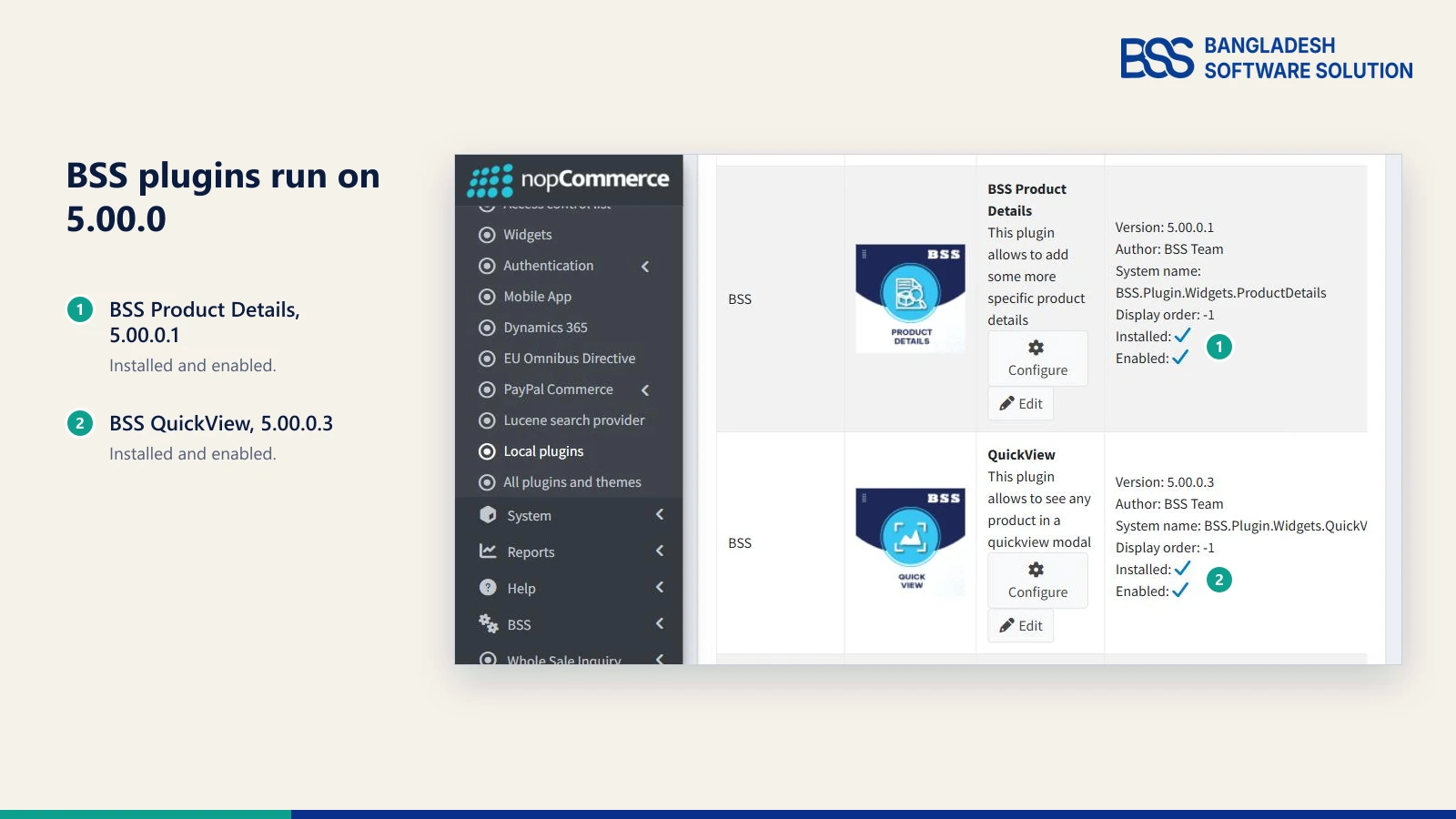
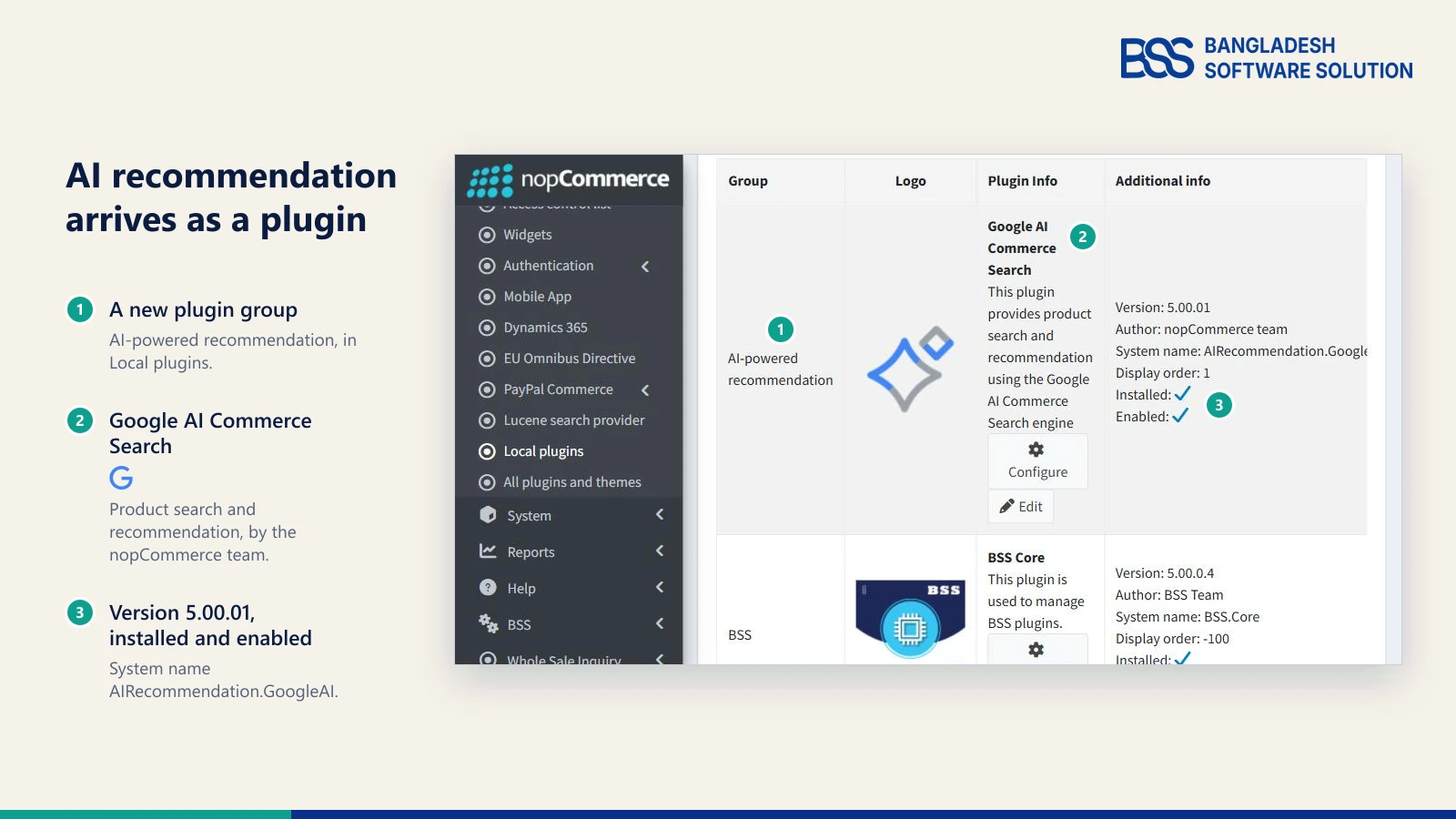
At BSS we judge a major release by whether our own plugins load and behave on it, so that is where this guide starts. Our plugins are updated for nopCommerce 5.0, and the test store in the picture above runs our builds, with Product Details at 5.00.0.1 and QuickView at 5.00.0.3, both installed and enabled.
Below are the four plugins we would look at first, what each one does, and how to check any plugin's version before you update. If you want the platform side of the story, our guide to what's new in nopCommerce 5.0 covers it.
Why Plugins Decide Your 5.0 Timeline
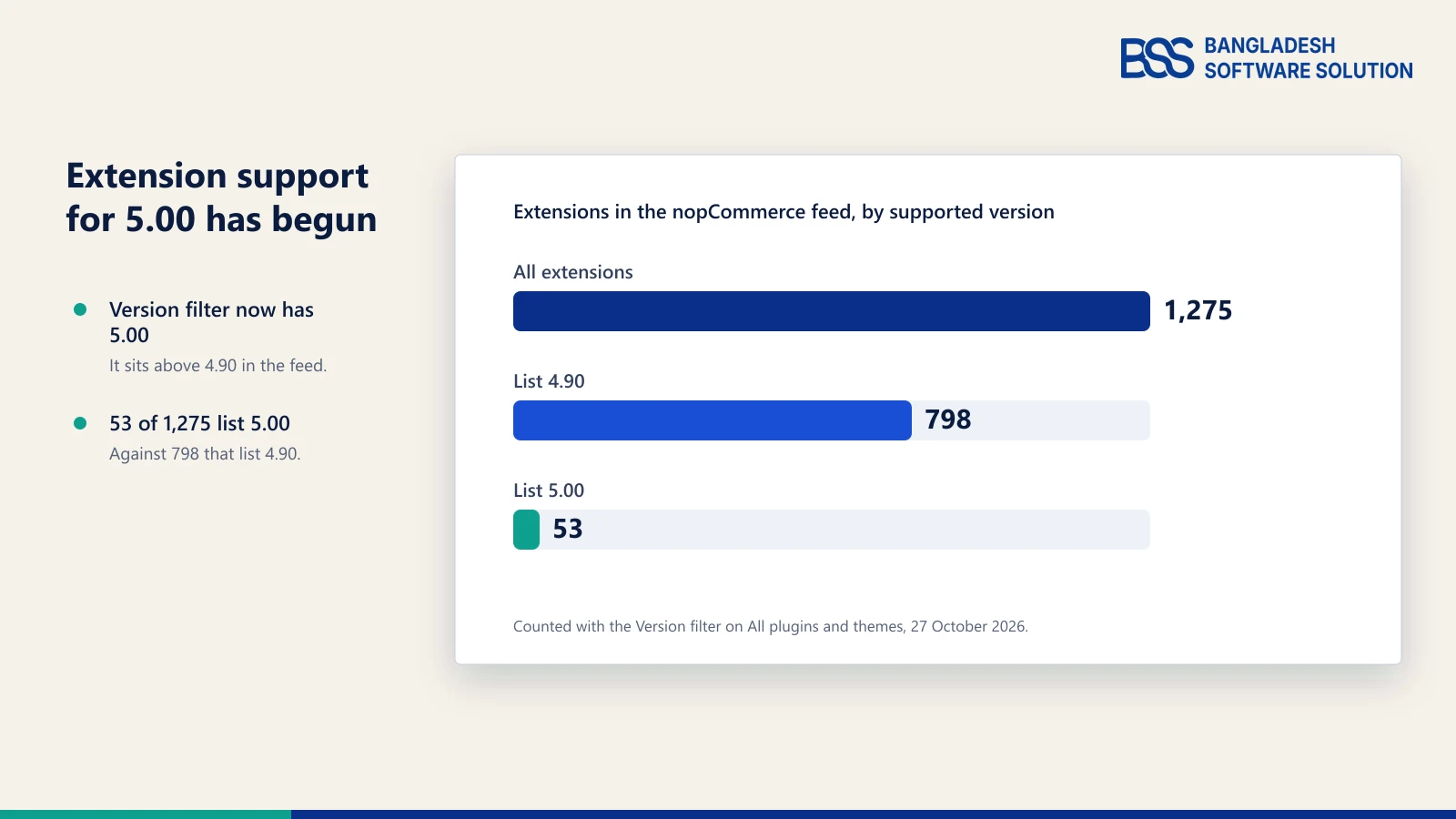
A major version is never only a core change. 5.0 moves the platform to .NET 10, and every plugin and theme in your store is built against the platform, so a store is only as ready as its least ready extension.
We counted those on 27 October, the day of the release, with the Version filter on the All plugins and themes page. The ecosystem has started to move and has not caught up, which is why the handful of plugins you depend on matters more than the headline count.
Key fact: our plugins are among the updated ones. For a store that runs them, the question is no longer whether they can run on 5.0, but which ones you rely on first and how to rehearse the move on a copy.
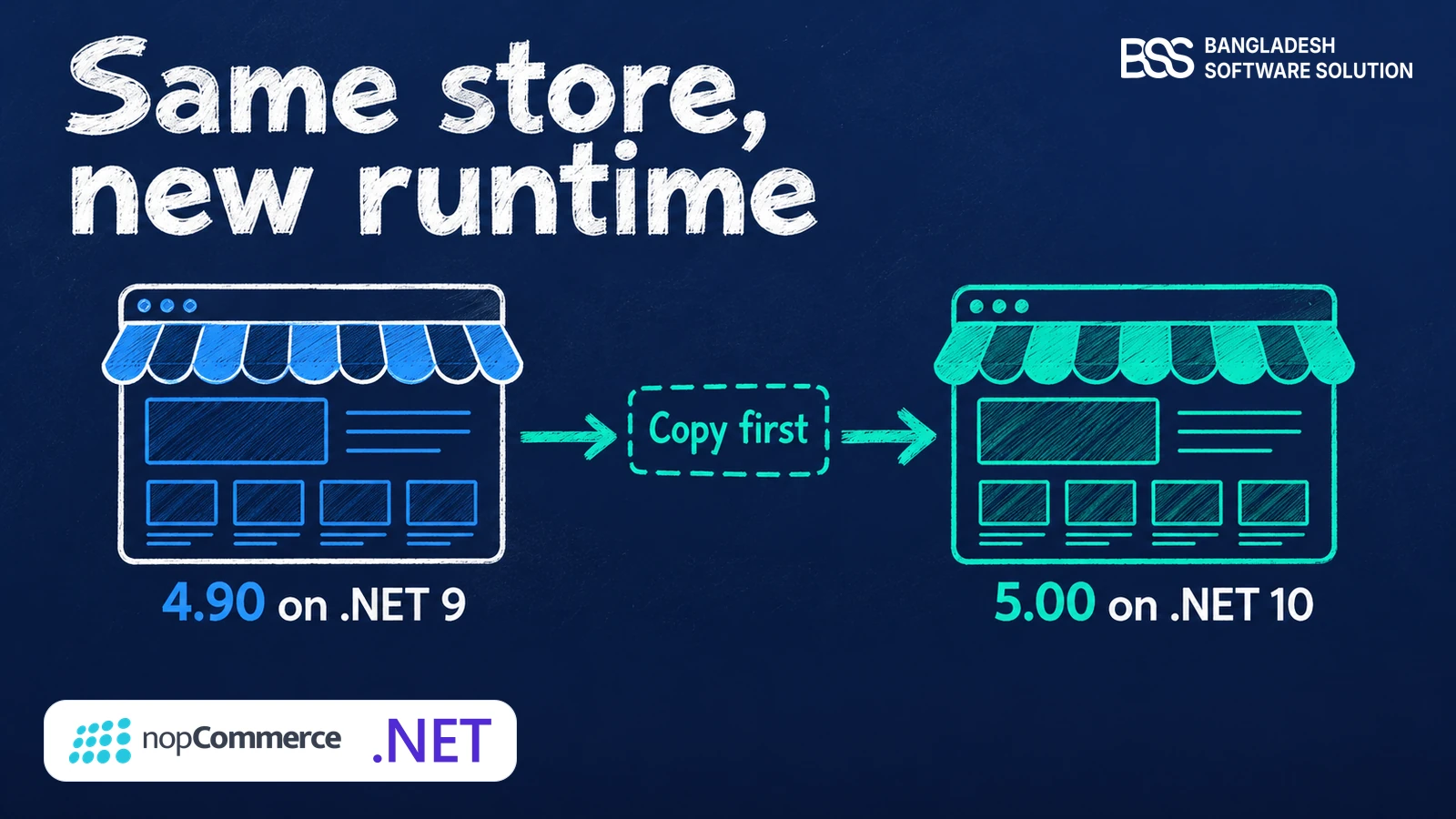
That rehearsal is the part worth doing carefully, and our step-by-step guide to upgrading nopCommerce 4.90 to 5.0 walks through it.
Not sure which of your plugins are ready? Send the BSS team your plugin list and they will plan the nopCommerce version upgrade with you.
Talk to a nopCommerce expertOnePage Checkout: The Plugin Every Shopper Meets

If one plugin has to work on day one, it is the one between a shopper and your revenue. The standard nopCommerce checkout walks a shopper through separate steps, while BSS OnePage Checkout puts billing, shipping, payment and the order summary on one page, so the shopper sees the whole order and the total while filling it in.
It is also the plugin to know about if you were hoping 5.0 would bring a one-page checkout. In the roadmap discussion it was a stretch goal, and it does not appear in the release notes we read.
Several shipping methods and several payment methods sit in the same view, and the plugin works for both guest and registered customers on desktop, tablet and phone. Our guide to checkout page design best practices explains the layout reasoning behind a page like this.

Billing, shipping, payment and order summary on one page, for guests and registered customers.
View the plugin
When we build checkout plugins at BSS, the order summary is the part we test hardest, because a total that looks wrong for a second is enough to lose a sale. A slow or unclear checkout is also one of the reasons shoppers leave, which our guide to reducing cart abandonment covers.
B2B Management: Wholesale Buyers Without a Custom Build
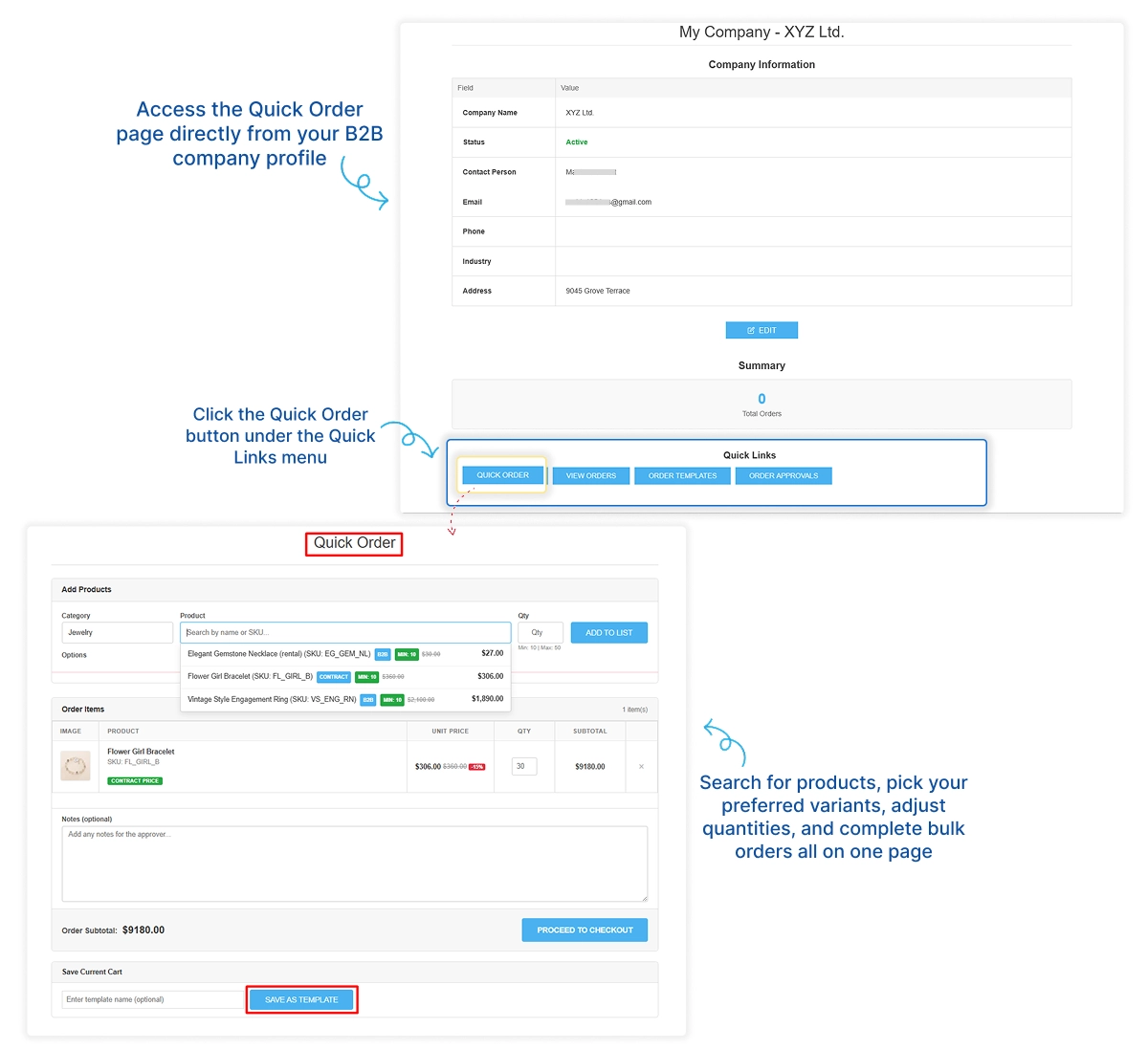
The 5.00 notes list price lists among the changes for business stores, which puts wholesale pricing on more roadmaps this year. BSS B2B Management covers the rest of the wholesale workflow in one plugin: company profiles, distributor tiers, approval status and a dedicated Quick Order page.
Buyers also get a customer dashboard for orders, approvals and company details, and can save frequently bought products as order templates for one-click reordering.
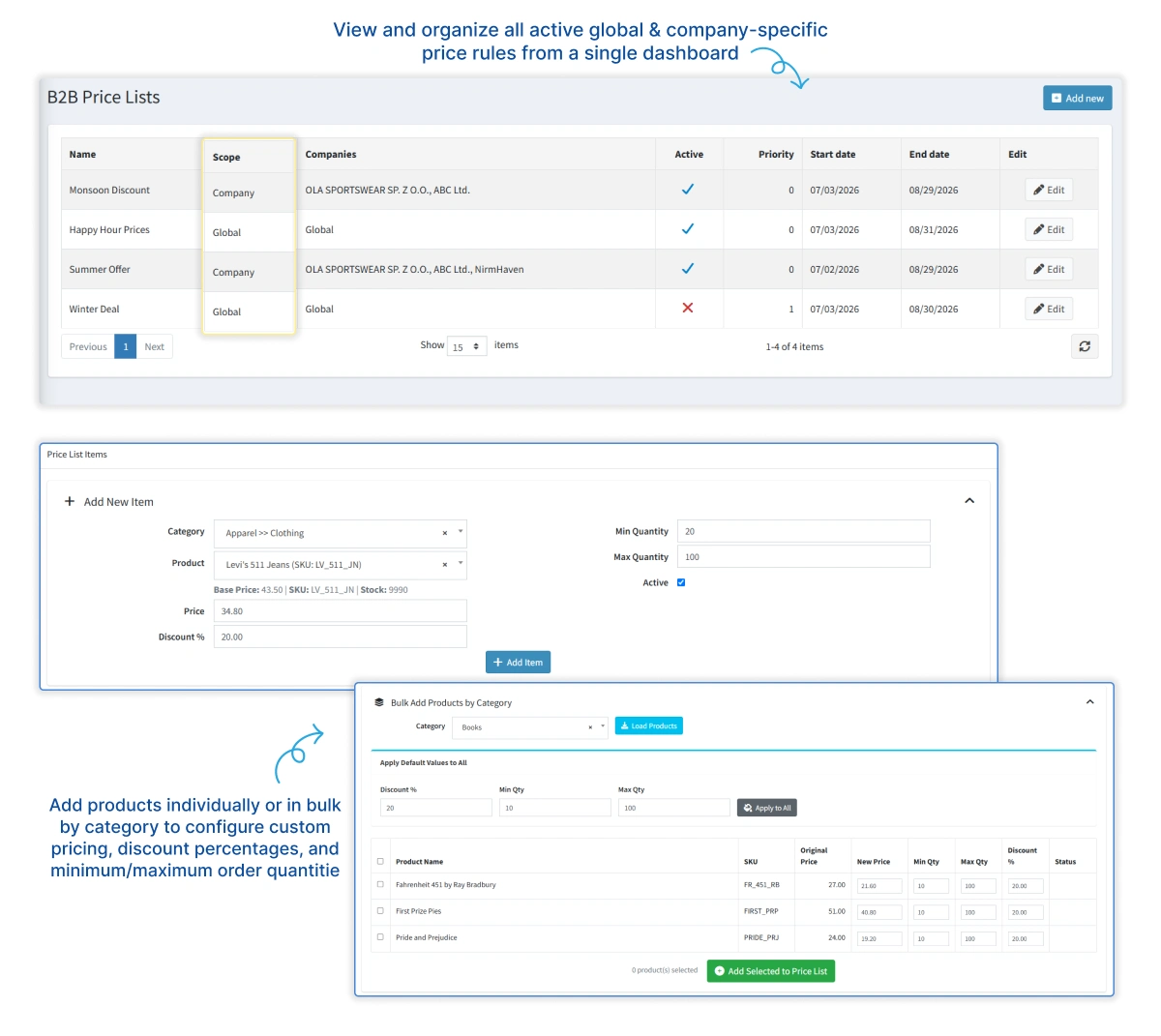
Catalog visibility is the quiet feature: allow and deny rules show or hide products, categories and vendors for a given company. Our guide to company-specific pricing in nopCommerce sets up the price lists and contract prices step by step, and the plugin also offers optional administrator approval at registration.
Wholesale projects tend to turn into integration work, such as syncing prices from an ERP. That is the moment to hire a .NET developer from BSS to extend the plugin, while your own team stays on the catalog.

B2B registration, Quick Order, contract pricing, price lists, approvals and distributor tiers in one plugin.
View the pluginStripe Connect: One Payment, Many Vendors
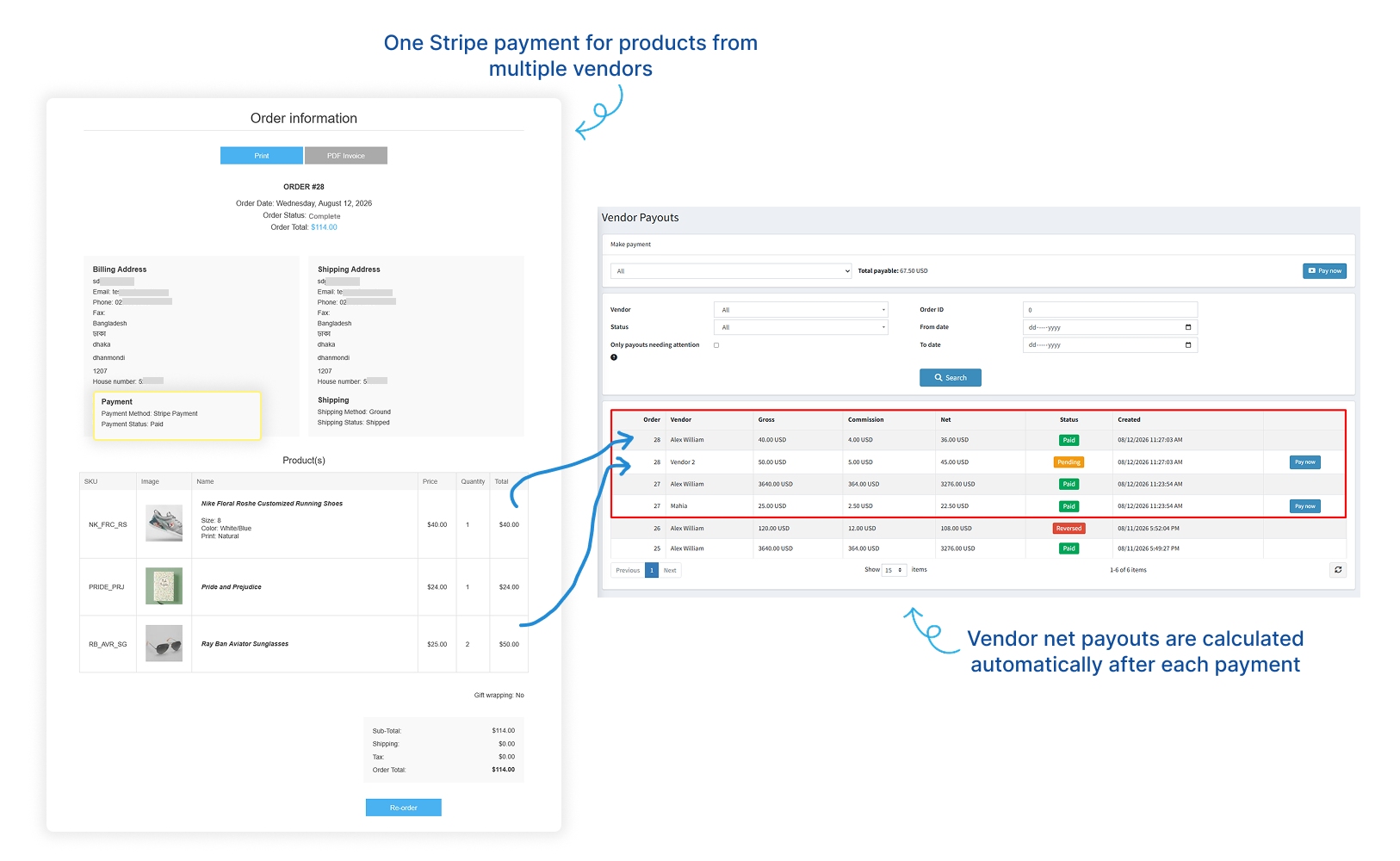
For a marketplace, the payment plugin is the first thing to re-test on 5.0, because money moves through it. BSS Stripe Connect Split Payment lets a customer pay once through Stripe Checkout for products from several vendors, then works out each vendor's gross amount, commission and net payable.
The shopper sees one simple payment, and you get an order-level audit trail of who earned what.
Vendors connect their own Stripe Express accounts through Stripe-hosted onboarding, so sensitive banking details stay off your server. Test mode lets you rehearse onboarding, commission, payout and refund before going live, and our guide to testing Stripe Connect shows how.

One Stripe Checkout payment for several vendors, with commissions, payouts and refunds handled for you.
View the plugin
On the payment plugins we build at BSS, the refund path takes the most test time, because a refund has to reverse the right part of every vendor's share. When the rehearsal passes, our guide to taking the marketplace live moves it from sandbox to real payments.
AI SEO Assistant: Meta Tags at Catalog Scale

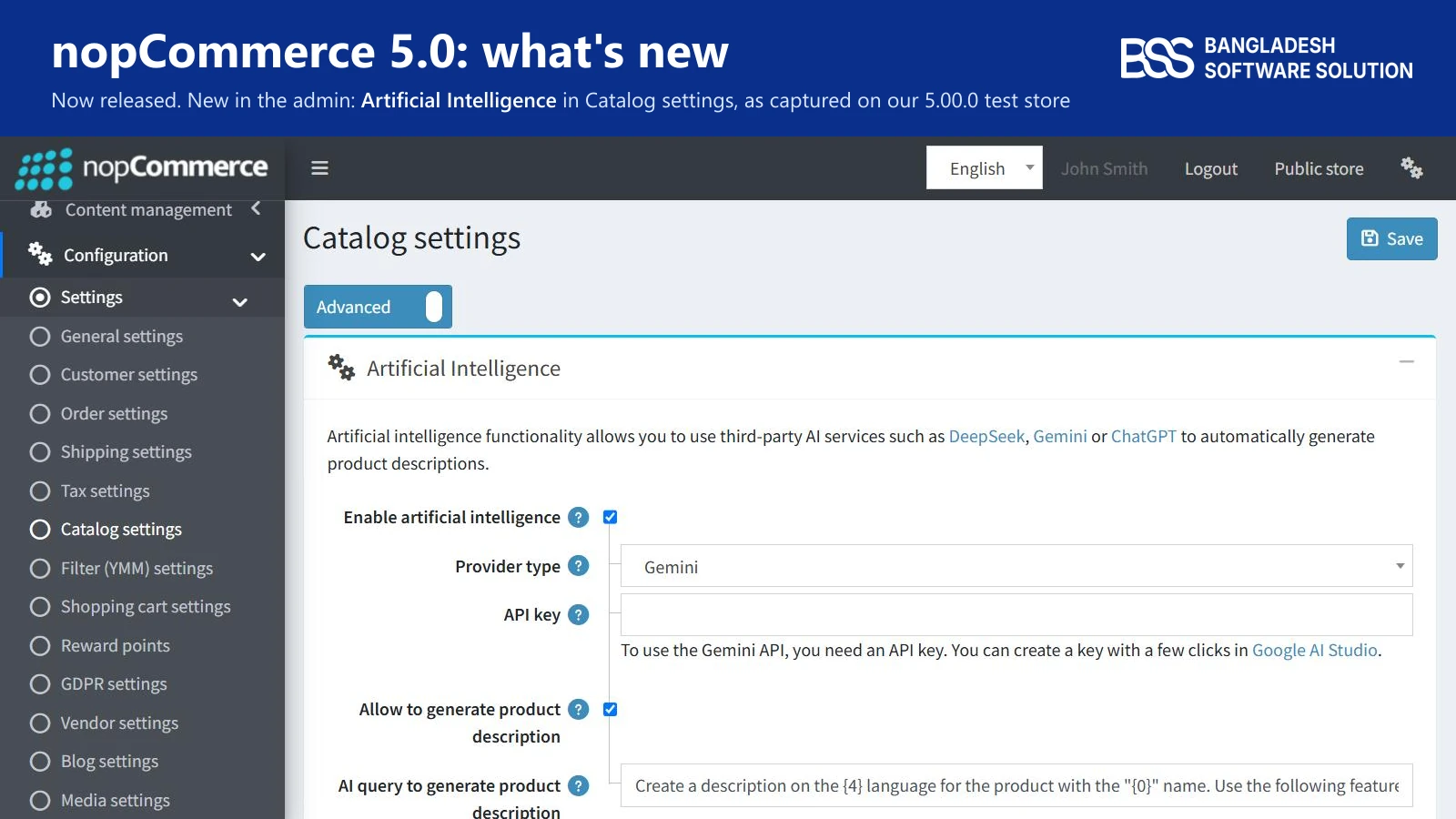
5.0 itself brings AI tools into Catalog settings, where you switch them on, pick a provider and add your own API key. BSS AI SEO Assistant is built for a narrower job: writing meta titles, descriptions and keywords for a whole catalog, one item or many at a time.
What the plugin handles
-
Connects to Google Gemini or OpenAI ChatGPT, whichever provider you prefer.
-
Generates metadata for products, categories, manufacturers, blogs and news, singly or in bulk.
-
Creates metadata in another language once a translated version of the content exists.
-
Shows every result in an SEO Preview before you apply it, with length limits you set.
Our suggestion is to start with categories, since a few category pages usually carry the most search traffic, then run products in bulk and read a sample in the preview before you apply a batch.
The preview step matters more than it sounds, because AI-written meta tags still need a human eye for brand voice. For the thinking behind good metadata, read our nopCommerce SEO guide, and compare options in the roundup of the best nopCommerce SEO plugins.

AI-written meta titles, descriptions and keywords for products, categories and more, with a preview before anything is saved.
View the pluginThree More Updated Plugins, and How to Check Any of Them
The four above are not the whole line-up. These three are the ones we hear about most from owners who are moving.
For the wider shelf, our roundup of must-have nopCommerce plugins shows how these fit together. Your own store will also run plugins that are not ours, and when one of those lacks a 5.0 build you can hire a .NET developer from BSS to port it.
Check any plugin on 5.0
-
On a copy of your store, open Local plugins and read the Version column: a 5.00 build number means it was built for 5.0.
-
On All plugins and themes, set the Version filter to 5.00 to see what the feed lists.
-
Install the 5.0 build, enable it and click through its settings page.
-
Run a test order through checkout, payment and refund before the live store sees the plugin.
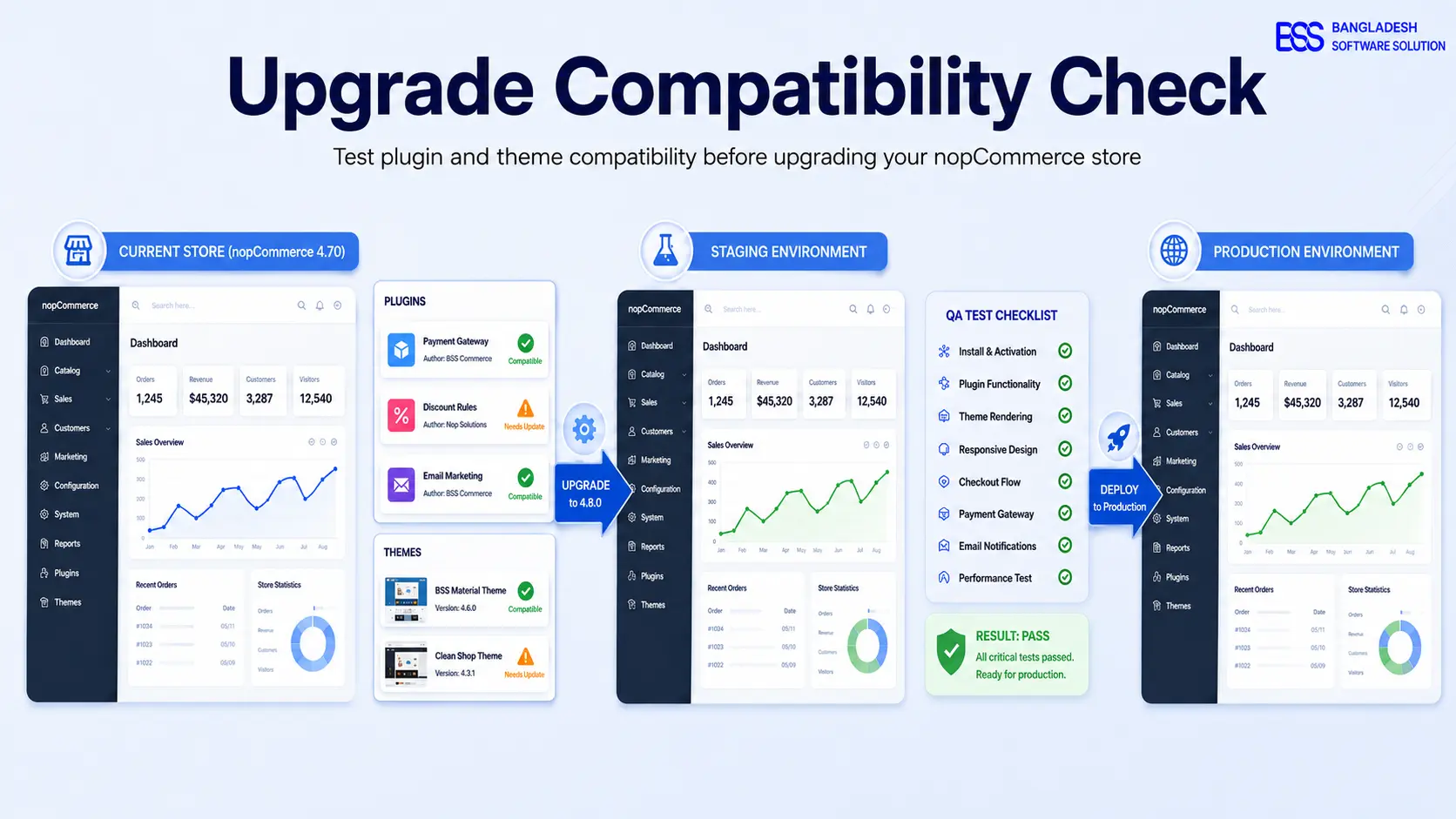
A common surprise on the upgrades we run is a plugin that compiled last week and no longer loads, so we read the Version column before anything else. Our guide to testing plugin and theme compatibility shows the full routine.
Need a nopCommerce Developer? Hire the BSS Team
From custom plugins and theme work to full-store builds and performance tuning, our dedicated nopCommerce engineers ship production-grade code. Tell us what you need and we'll match you with the right developer.
Frequently Asked Questions
Final Thoughts
Back to the forwarded release notes in your inbox. The question about plugins now has a list for an answer: our plugins are updated for nopCommerce 5.0, and the ones that carry your checkout, pricing, payouts and metadata are the four above.
Pick the one your revenue leans on, install it on a copy, and let that result set your date for 5.0.
Tell us which plugins and themes your store runs, and the BSS team will help you work out what to test, what to port and when to move.
Book a free consultation