Six months after launch, a nopCommerce store we audited had everything a shopper could want — fast checkout, clean product photography, competitive pricing — and almost no organic traffic to show for it. Search Console reported a few hundred impressions a week, most of them for the brand name itself, and page-two rankings for every keyword that actually mattered to the business.
That gap is rarely a content problem first. It's usually a handful of technical and on-page settings that nopCommerce already ships the tools to fix, but doesn't turn on or optimize by default. This guide walks through the same sequence we use when we audit a nopCommerce store: the platform-specific technical foundation, the on-page work that actually moves rankings, the content strategy that compounds over time, and the mistakes that quietly cost stores their traffic during a migration or upgrade.
What you'll walk away with: a working understanding of nopCommerce's SEO-relevant settings, a comparison of DIY vs. custom vs. managed approaches, and a checklist you can run against your own store today.
Why nopCommerce SEO Isn't a Generic Checklist
Before touching a single setting, it's worth understanding why a generic "SEO checklist" written for a CMS-plus-plugins stack doesn't map cleanly onto nopCommerce. nopCommerce is a full ASP.NET Core ecommerce platform, not a blog engine with a store bolted on — most of the technical SEO surface already exists natively in the admin. The catch is that it has to be configured deliberately; very little of it is on by default the day you install the platform.
Each of these is fixable without touching a single line of code. The technical foundation is where to start, because none of the on-page or content work below can compensate for a page search engines can't find, can't tell apart from a near-duplicate, or won't wait around to load.
Getting the Technical Foundation Right
A nopCommerce store's technical SEO foundation comes down to four things a search engine checks before it will rank a page at all: can it find your URL, does that URL point at one canonical version of the page, can it actually crawl what it finds, and does the page load fast enough to bother.

Start with search-engine-friendly URLs for every product, category, manufacturer, and topic page — readable slugs instead of query-string IDs. From there, canonical tags matter most on paginated category pages and filtered or faceted views, where the same products can otherwise render under several different URLs. nopCommerce's built-in XML sitemap should stay enabled and get resubmitted in Search Console whenever your catalog structure changes materially, and robots.txt should be checked after every major change — it's an easy place for a staging-site rule or an accidental blanket disallow to survive into production.
Per Google's published Core Web Vitals thresholds, these are the numbers a nopCommerce product page needs to hit to be scored as a good user experience:
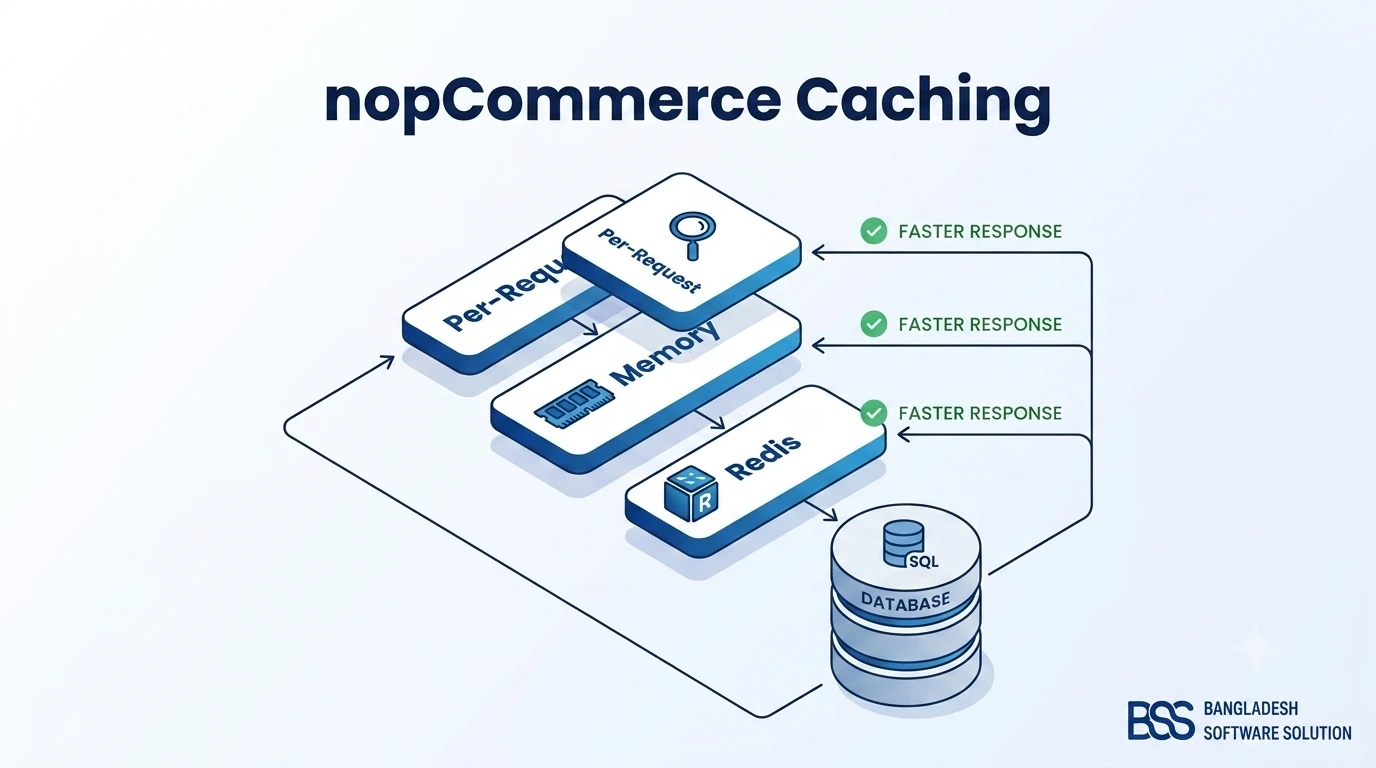
If your slowest Core Web Vital keeps coming back to server response time, that's almost always a caching problem rather than a code problem. Our nopCommerce Caching Guide walks through configuring the per-request, memory, and Redis layers for a faster store — it's the single highest-leverage technical fix on most of the sites we audit.
On-Page SEO for Product and Category Pages
With the technical foundation in place, the next layer is the content search engines actually read on each page. Every top-selling product and category needs a unique meta title and description — not the store-wide default repeated across hundreds of pages — along with descriptive image alt text and a clean H1/H2 hierarchy that matches how a shopper would actually search.
Watch out for duplicate content
Pasting a manufacturer's stock product description straight into nopCommerce is the single most common on-page mistake we see during audits. If dozens of other retailers are running that exact same paragraph, your product page has nothing left to differentiate it in search — write at least the opening paragraph yourself.
Structured data earns the rich result
Product structured data — price, availability, and review data marked up as schema.org's Product type — is what lets a listing show a price and star rating directly in search results instead of a plain blue link. A minimal example looks like this:
{
  "@type": "Product",
  "name": "Example Product Name",
  "sku": "SKU-12345",
  "offers": {
    "@type": "Offer",
    "price": "49.99",
    "priceCurrency": "USD",
    "availability": "https://schema.org/InStock"
  }
}
Quick on-page wins worth checking across your top revenue pages:
- Unique meta description — every top product and category page, not the site-wide default.
- Descriptive image alt text — describe the product, not just the filename.
- One H1 per page — with the primary keyword near the front where it genuinely fits.
- Breadcrumb schema — nopCommerce's native breadcrumb should be marked up so it can render in the search snippet.
Turning Content Into a Traffic Channel
Technical and on-page fixes stop the bleeding. Content is what actually grows organic traffic over time — and it's the piece most nopCommerce stores under-invest in, because it doesn't feel like "store work" the way a checkout fix does.
A knowledge hub like this one works because it targets the buyer questions a product page can't — "how do I," "is X better than Y," "why does this keep happening" — and links back into the catalog and service pages at the moment a reader is actually deciding something. Category pages benefit from the same logic on a smaller scale: a genuine intro paragraph that explains what the category is for and how to choose within it gives search engines (and shoppers) more to work with than a bare product grid.
The stores that grow organic traffic fastest treat their blog as a second storefront for buyer questions, not a place to park a company newsletter.
BSS Engineering
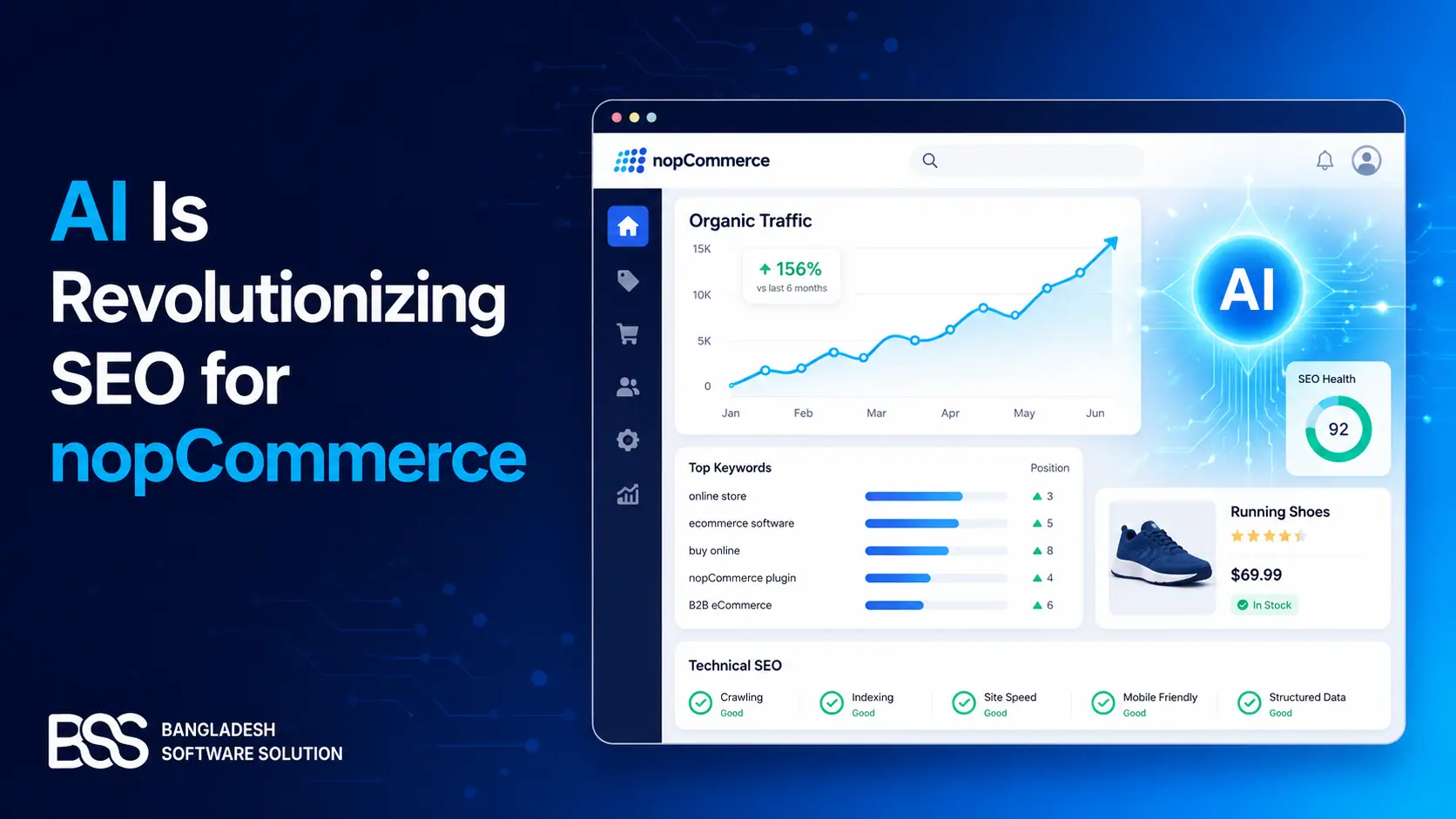
AI tools have changed how fast this kind of content can be produced, but not how much editorial judgment it still needs. See AI Is Revolutionizing SEO for nopCommerce for where AI genuinely helps in that workflow and where a human still needs to check the work before it publishes.
Protecting Rankings Through Upgrades and Migrations
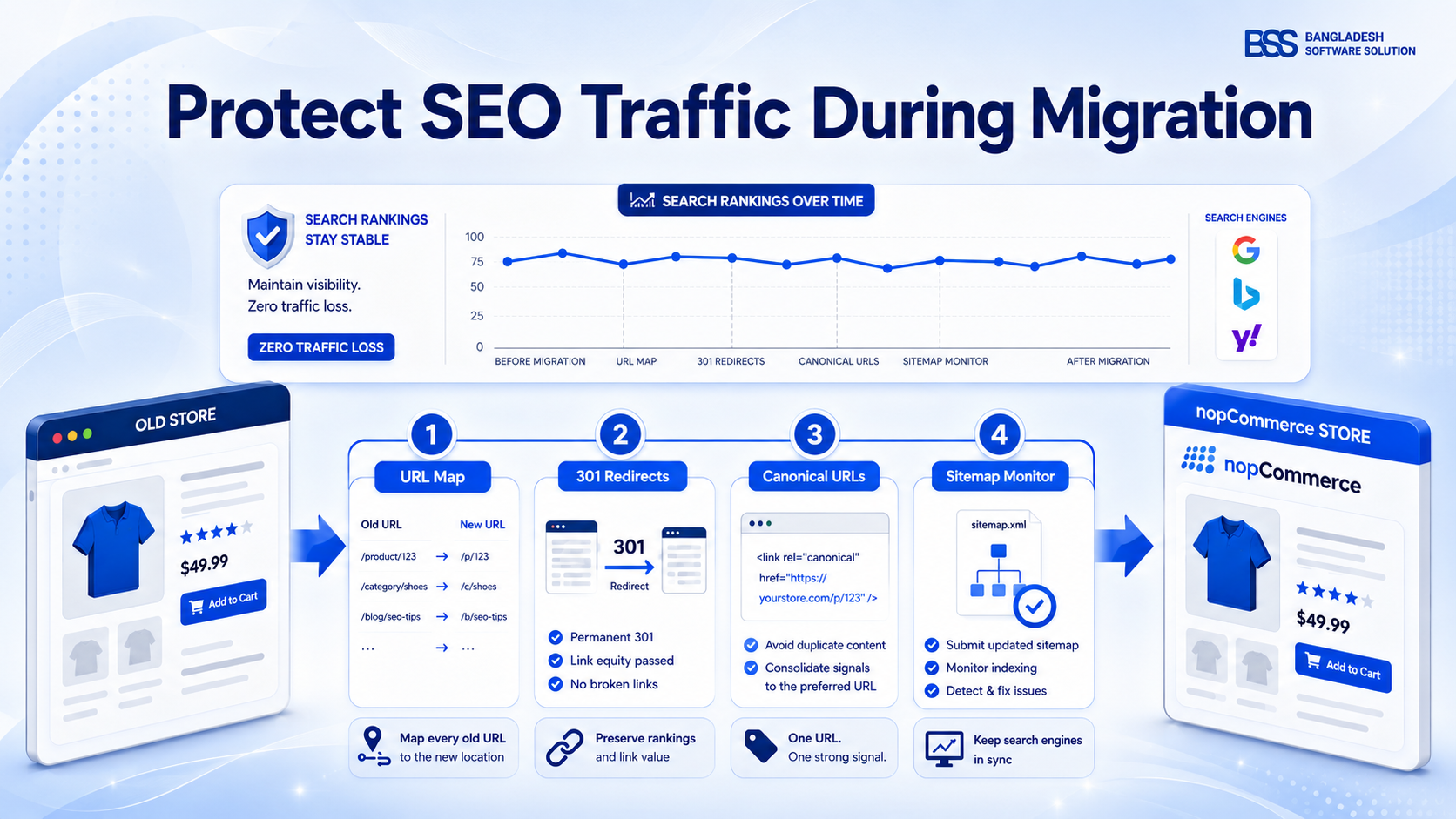
None of the work above matters if a platform migration or version upgrade quietly resets it. A migration is not just a data import — it's a controlled URL, content, and signal migration, and the stores that lose the most traffic are almost always the ones that treated redirects as a launch-day afterthought instead of a deliverable.
Before any migration, theme change, or bulk URL edit, build a redirect map first: every old URL that has organic value needs a decided destination and a permanent redirect, not a hope that the homepage will catch it. We've written a full playbook for this exact scenario in How to Avoid SEO Traffic Loss During a nopCommerce Migration — the short version is that the URL map has to exist before launch, not get built after traffic drops and someone starts asking why.
DIY Audit, In-House Build, or a Managed Engagement?
Once you know what needs fixing, the real decision is who fixes it. All three paths are legitimate — the right one depends on how much of this is a one-time cleanup versus an ongoing program.
| Approach | What you get | Trade-off |
|---|---|---|
| Manual, in-admin (DIY) | Full control over settings, meta tags, and content edits, at zero extra spend. | High time investment — easy to miss nopCommerce-specific settings without prior experience. |
| Custom development from scratch | Tailored fixes for complex catalog structures, custom schema, or bespoke redirect logic off-the-shelf tools can't handle. | Highest cost — best reserved for problems that genuinely need custom code. |
| Specialized tools or a managed engagement | Purpose-built for nopCommerce's admin — catches most technical gaps fast. See our Best nopCommerce SEO Plugins Compared roundup, or pair one with a professional audit. | Best time-to-value for most stores. |
Need nopCommerce SEO Fixed Right the First Time?
From technical audits and structured data to full content strategy, our nopCommerce engineers fix the settings, code, and content gaps that generic plugins miss. Tell us where your traffic is stalling and we'll show you exactly what to fix first.
A Practical nopCommerce SEO Checklist
Whichever path you choose, run this list against your own store first — it's the same sequence we open every audit with.

nopCommerce SEO Audit Checklist
-
Confirm SEO-friendly URLs are enabled and every product/category slug is human-readable, not an ID.
-
Set unique meta titles and descriptions for your top revenue categories and products.
-
Verify canonical tags are correct on paginated category pages and filtered or faceted URLs.
-
Confirm your XML sitemap is enabled, submitted in Search Console, and free of noindexed or redirected URLs.
-
Add or verify Product structured data on your top-selling items.
-
Check Core Web Vitals in Search Console and fix the worst-performing template first, not every page at once.
-
Before any migration, theme change, or bulk URL edit, build a redirect map — never let old URLs 404 silently.
Frequently Asked Questions
From Page Two to the First Result
Six months after we ran this exact sequence on the store from the introduction — technical fixes first, then on-page cleanup, then a real content cadence — organic impressions in Search Console had grown enough that paid ads stopped being the only source of qualified traffic, and long-tail keywords the team had never explicitly targeted started showing up on their own.
None of that came from a single trick. It came from fixing the technical foundation, cleaning up on-page basics, publishing content that answers real buyer questions, and protecting all of it through the next migration or upgrade. If you'd rather have someone run this checklist for you, that's exactly the audit we start every new nopCommerce SEO engagement with — reach out and we'll tell you honestly whether the fix is a settings change or a bigger project.