On Monday morning, two messages arrive about the same release. Your developer writes that the nopCommerce 5.0 beta is out and that it needs .NET 10. Your operations lead asks whether the new EU withdrawal button ships with it, and whether that alone is a reason to upgrade.
We did not want to answer from a changelog alone, so we opened the beta on a test store and went through the admin. This guide splits what is new in nopCommerce 5.0 into what changes for the people who run a store and what changes for the people who build on it. Every screenshot below comes from that beta.
Key fact: nopCommerce 5.0 is a beta, not a release. The nopCommerce team published 5.00.0 beta on 30 September 2026 and asked the community to test it. As of 15 October 2026 we could not find a final release, so production stores belong on 4.90.x.
At BSS, a new major version reaches us first as a retest list and only then as a feature list. We have kept that order here: what the team published, what the beta showed us, and what nobody can know until the final release.
Where nopCommerce 5.0 Stands Today
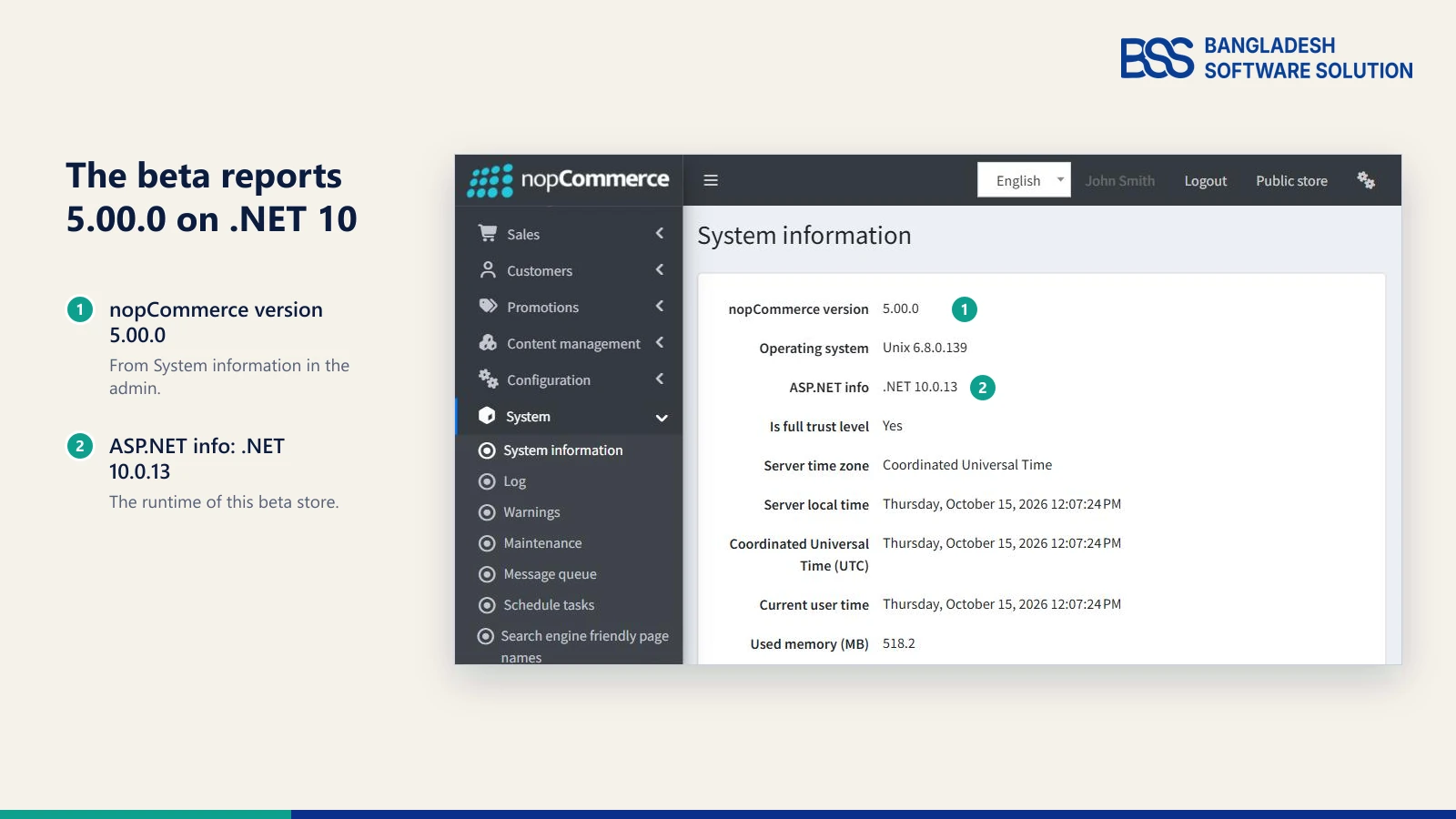
Before any feature matters, the release status decides what you can safely do with it. The beta we opened reports itself as 5.00.0 on .NET 10.0.13, the new runtime baseline in the changelog.
| Version | Status on 15 October 2026 | Use it for |
|---|---|---|
| 4.90.x | Stable, released | Production stores |
| 5.00.0 beta | Pre-release, published 30 September 2026 | Staging and plugin porting |
| 5.0 final | Not found published yet | Production moves, once your plugins support it |
The team shipped the beta as a pre-release with a source-code package, a no-source package for quick deployment and a PDF changelog. A beta can still change, so this guide describes what the changelog lists and what we saw on the beta store, not what you will definitely get.
The release notes also say every minor release inside 4.90 is compatible with the others, so 4.90 plugins and themes keep working as you apply those updates.
What's New for Store Owners
Now to the half of the Monday messages that came from operations. The changelog groups its headline items under "Enterprise features", and for someone running a store they fall into three jobs.
Sell more: AI, product feeds and reminders
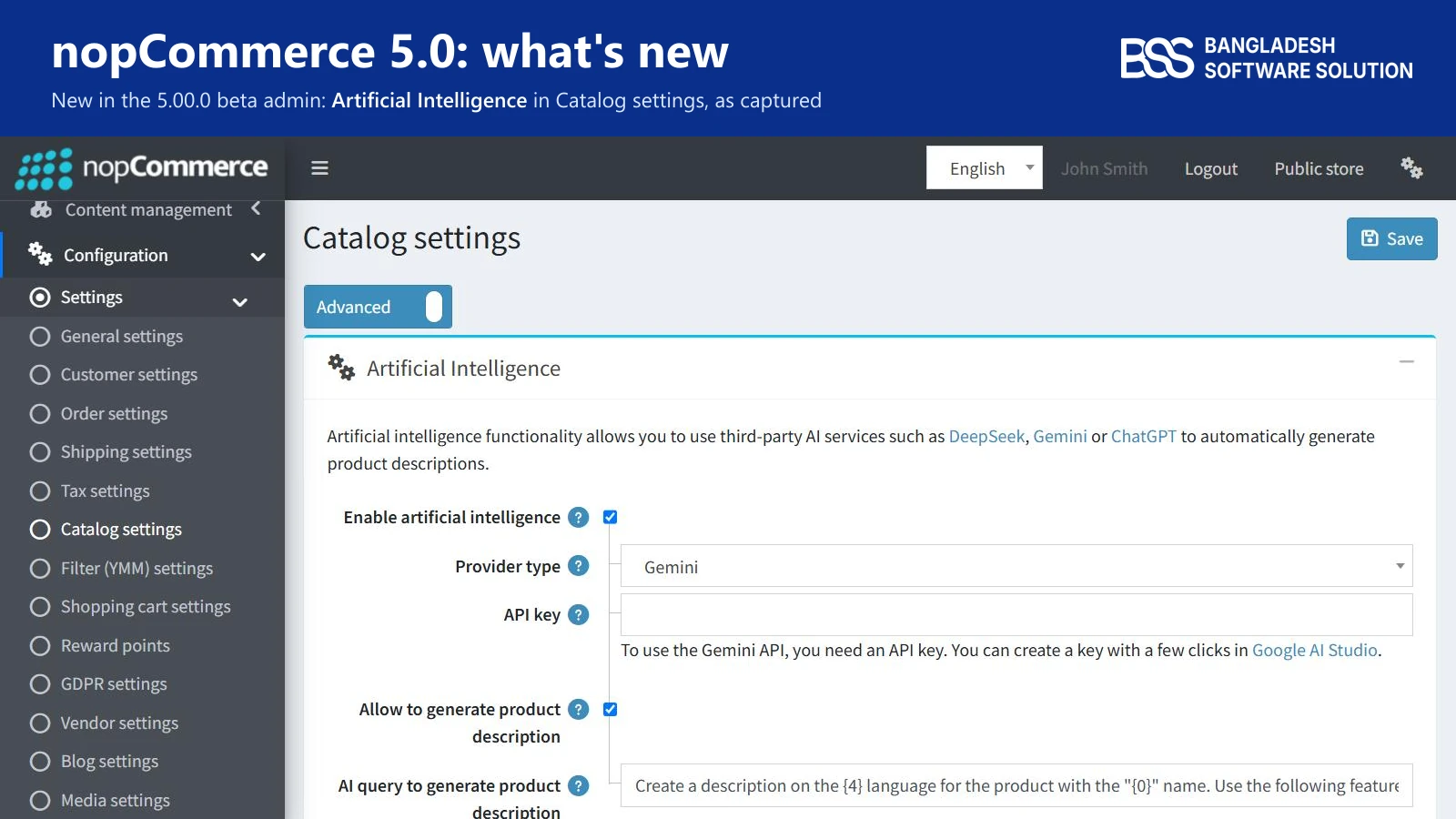
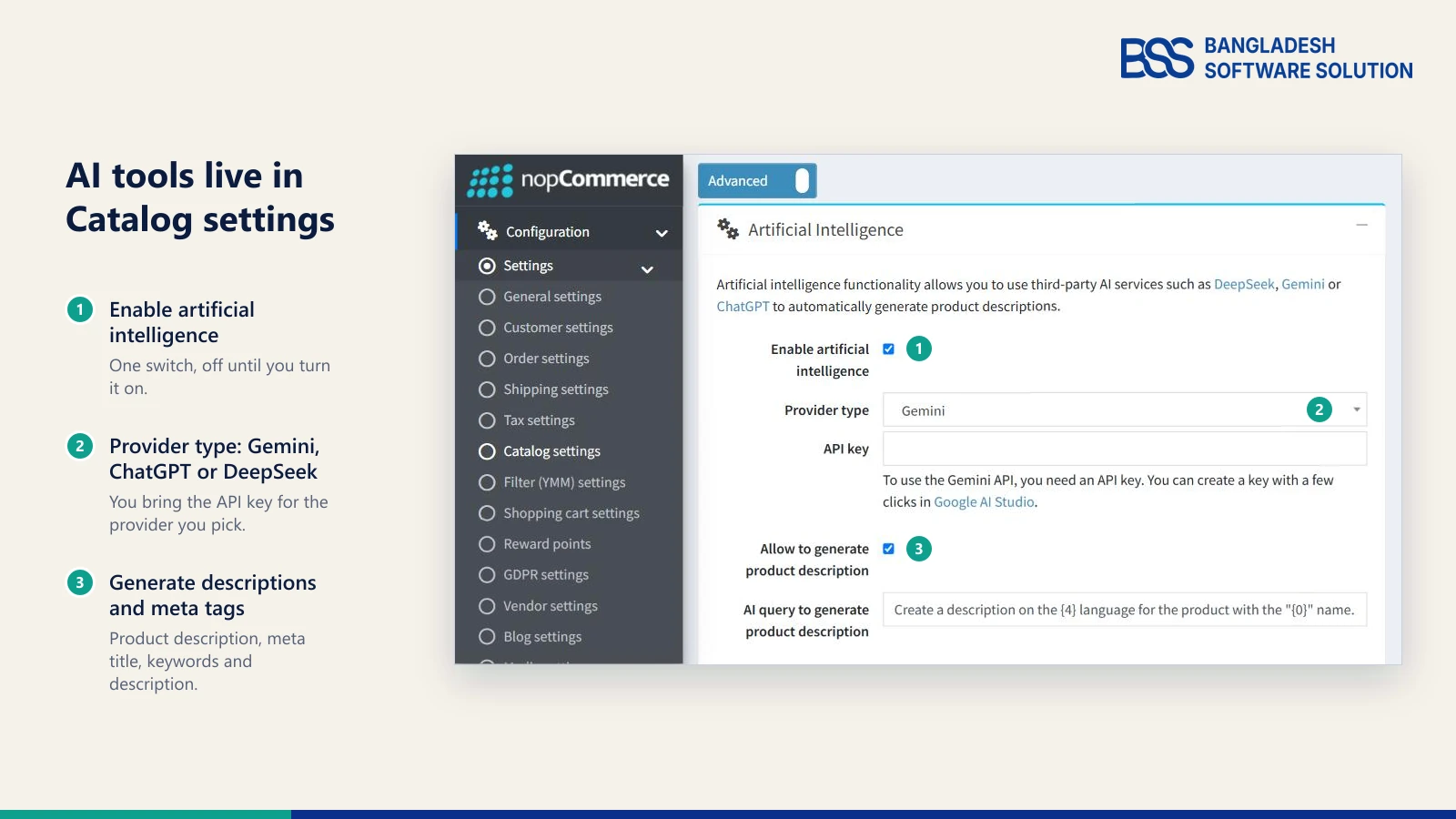
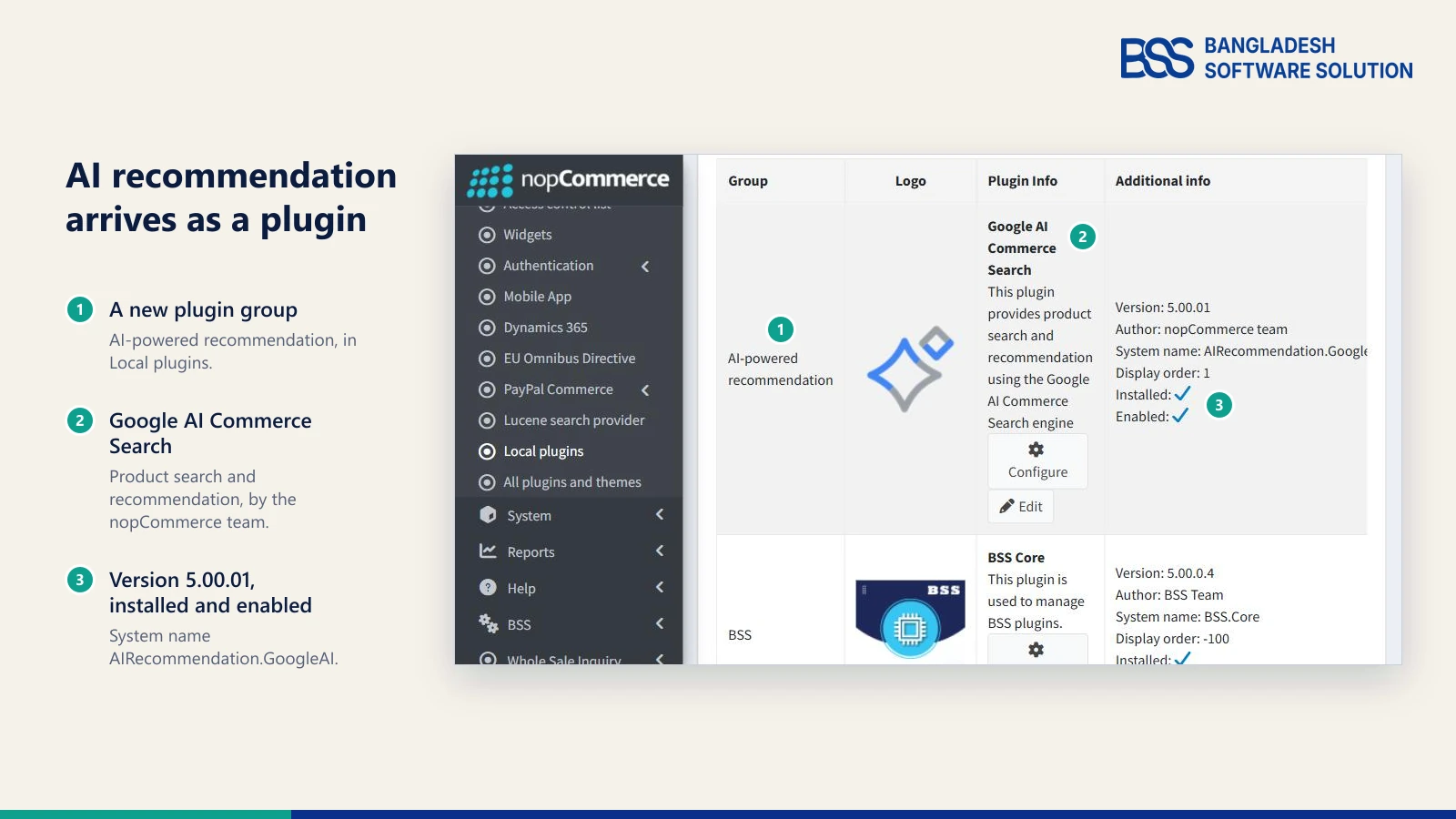
Five changelog items aim at conversion: AI recommendation engines, a chatbot built on Jotform AI Agents, a ChatGPT shopping product feed, reminders and AI tools for SEO. On the beta store the AI tools are one panel in Catalog settings, where you switch them on, pick Gemini, ChatGPT or DeepSeek and add your own API key.
What to decide: several of these lean on outside services, so the accounts, data quality and running costs are yours.
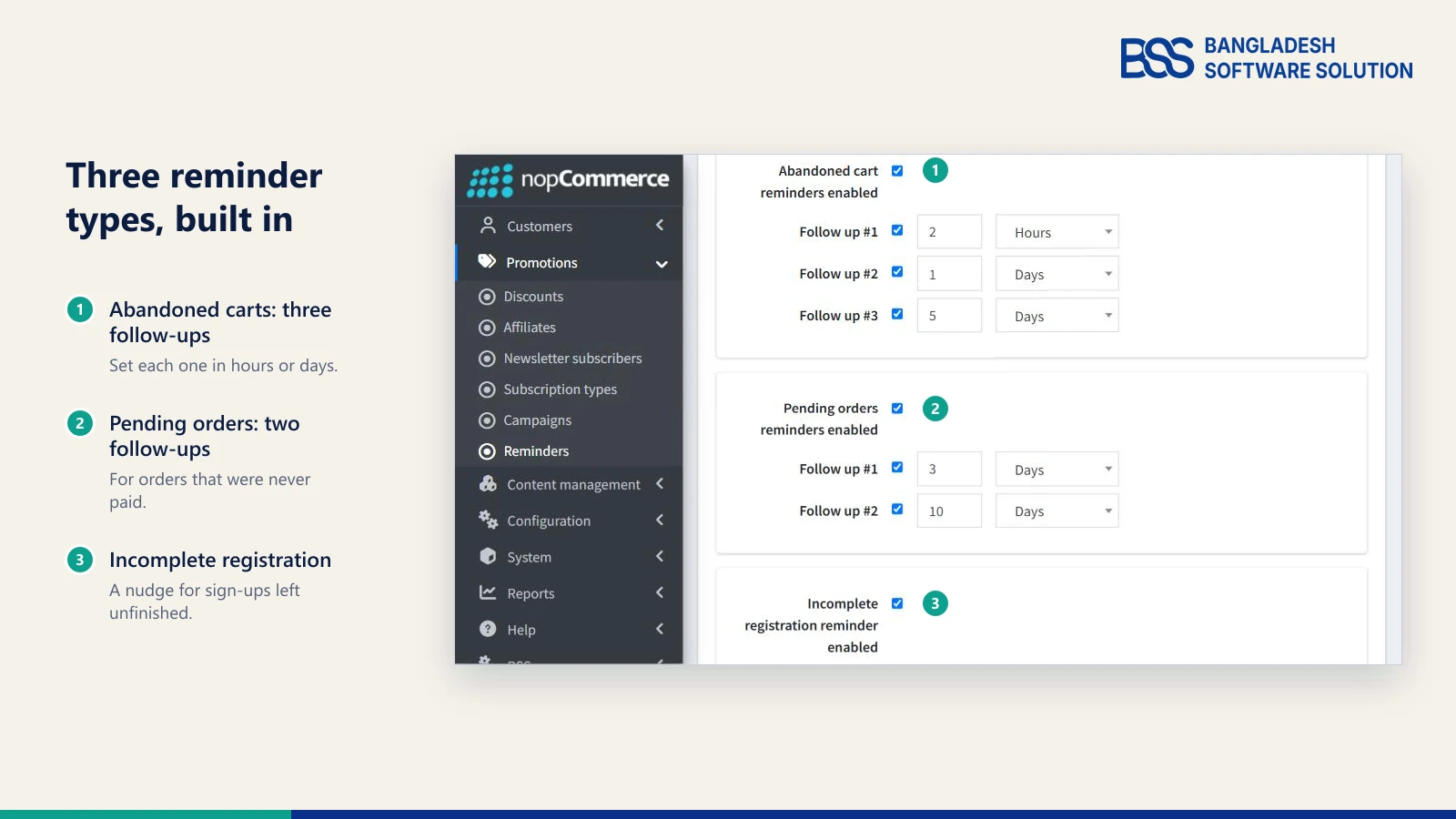
Reminders are the easiest to put a value on. The beta ships three types: abandoned carts with up to three follow-ups, pending orders with two, and incomplete registrations with one, each timed in hours or days. If you want to see what the problem is worth first, our guide on why shoppers abandon their carts walks through it.
For a store that stays on its current version for a while: up to two automated reminder emails with the delays you set, and a dashboard of recovered carts.
View the pluginSell to businesses: price lists, PunchOut and vendor carts
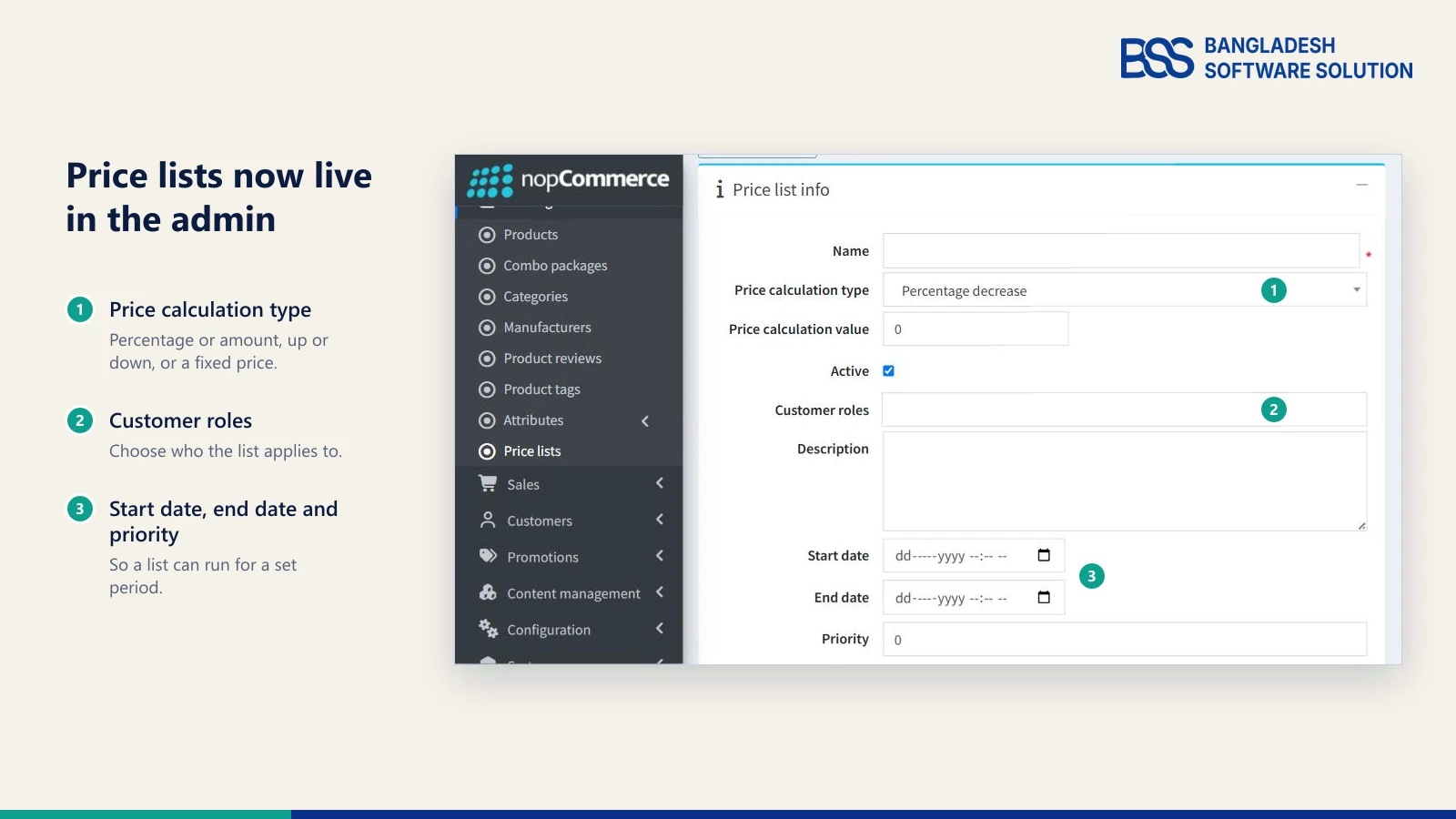
- Native price lists - the team's notes say nopCommerce had no native per-role price lists, only discounts, tier prices or plugins, which B2B stores find limiting when prices are negotiated. The beta adds a Price lists page under Catalog.
- PunchOut support (cXML) - the protocol that lets a buyer's procurement system open a supplier's store. The changelog lists it without detail, so confirm what the beta covers before you promise it to a customer.
- Vendor carts - a setting, "Allow multi-vendor shopping cart", enabled by default. Switched off, the cart splits by vendor and the customer checks out one vendor at a time.
These are the items a wholesale or marketplace store should read twice. If that is you, our guide on whether nopCommerce is right for B2B stores puts them in context.

In the B2B stores we work on, a price list only helps once the right customer role sees it, so the roles are the first thing we map. If you want that wiring on the version you run today, our BSS B2B Management plugin puts price lists, contract prices and catalog restrictions in the admin.
Meet EU rules: the withdrawal button and product safety
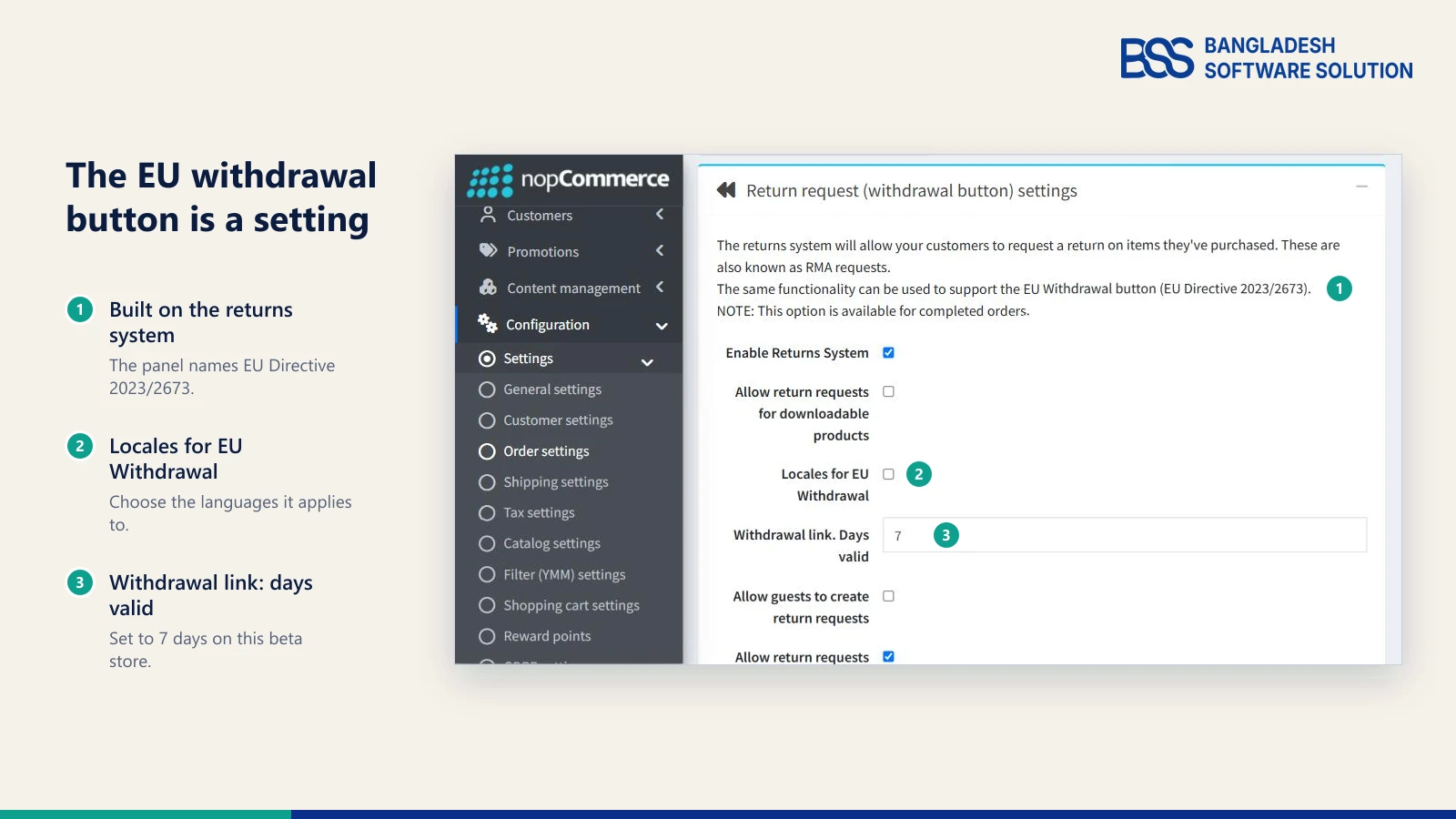
- EU Withdrawal Button - per the team's notes, EU Directive 2023/2673 requires online retailers selling to EU consumers to offer a clearly visible electronic withdrawal function with an automatic confirmation. In the beta it is built on the returns system, with its own locales and a "days valid" setting for the withdrawal link.
- General safety and performance requirements (GSPR) - product identification, the manufacturer's contact details, an EU Responsible Person where the manufacturer is outside the EU, and safety instructions in the buyer's language.
Watch out
The nopCommerce team's notes say the withdrawal-button directive applies from 19 June 2026, which is already behind us. If you sell to EU consumers, waiting for 5.0 final is not a compliance plan. Ask a legal adviser what applies to your store, and ask your developer what can be added on the version you run today.
Smaller changes shoppers will notice
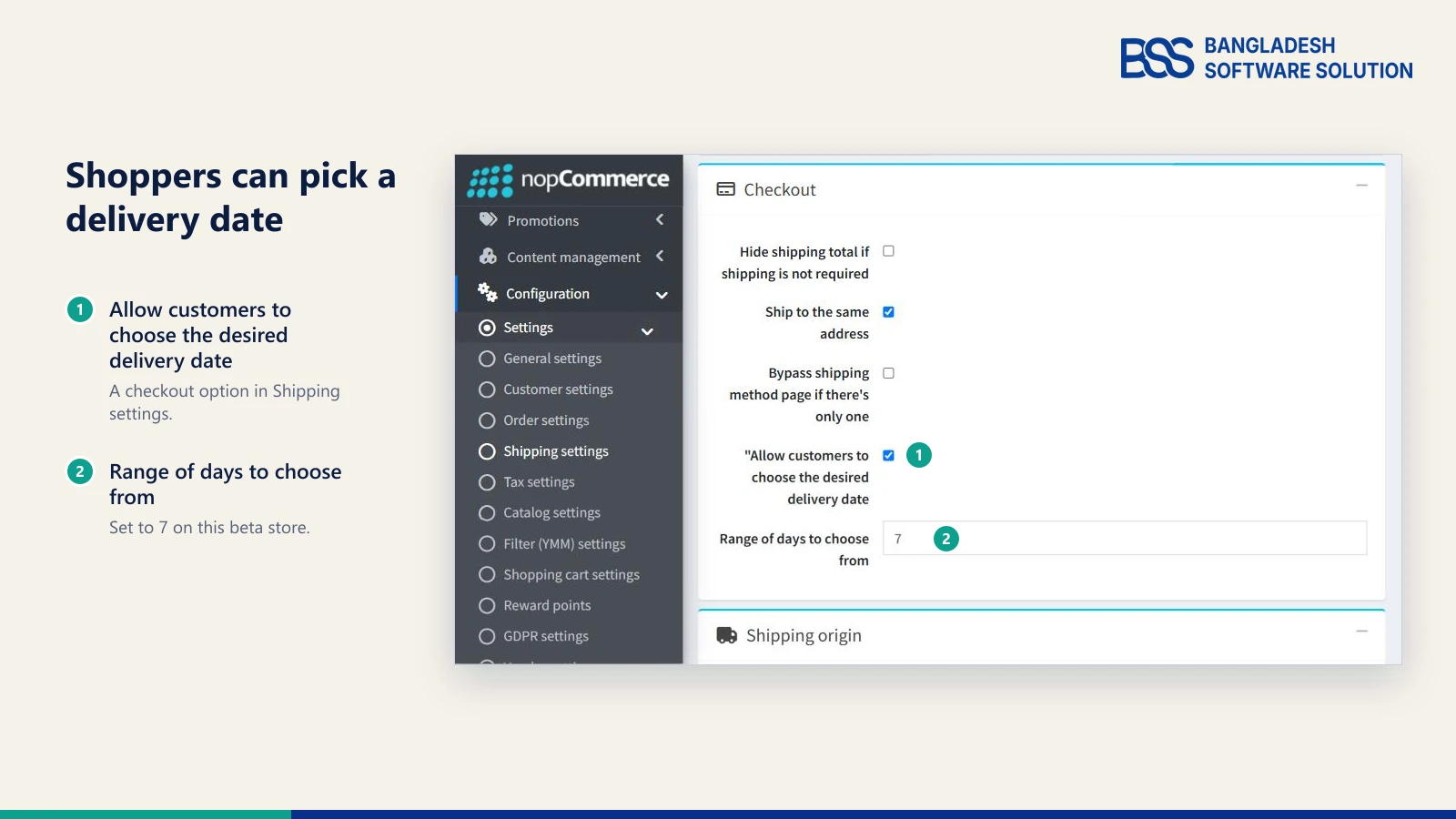
- Desired delivery date - customers pick a date at checkout, controlled by a shipping setting and a range of days.
- Sign-in with phone number and SMS, product 3D images and auto-cancel for unpaid orders.
- Search history for customers, configurable contact-us fields and new social links for TikTok, Snapchat, Pinterest and Tumblr.
Phone sign-in is the change shoppers meet at the login screen. For a store that is not moving yet, BSS Phone SMS Authentication is our plugin for phone-based login, registration and password recovery with OTP verification. Confirm it supports your nopCommerce version before you buy.
| 5.0 feature | How stores handled it before | Plan for it if you... |
|---|---|---|
| Reminders | The Omnisend plugin or third-party plugins | Email shoppers who leave carts or orders unfinished |
| Native price lists | Discounts, tier prices or third-party plugins | Sell at fixed prices per customer role, such as retail and wholesale |
| Withdrawal button | Third-party plugins | Sell to consumers in the EU |
| Vendor carts | One multi-vendor cart that checks out in a single transaction | Run a marketplace and want one vendor per checkout |
| ChatGPT product feed | No built-in feed | Want your catalogue to appear in ChatGPT shopping results |
| Phone sign-in | Email address login, or a plugin | Serve shoppers who prefer a phone number to an email address |
Roadmap is not changelog
In the roadmap thread, the team listed stretch goals "if our timeline permits": a new one-page checkout, a page builder, auctions, better bundle discounts and company accounts with sub-users. None appears in the beta changelog, and a team member replied that company accounts are not planned for 5.00. Plan around the changelog, not the wish list.
Want the 5.0 rehearsal done for you? The BSS team can clone your store, port your plugins and test checkout on 5.0 before your live store sees it.
Talk to a nopCommerce expertWhat's New for Developers
If the owner's half of the story is about features, yours is about breakage. A common surprise on the upgrades we run at BSS is a plugin that builds cleanly and then fails to load when the store starts, so we read the refactoring list before the feature list.
The toolchain: .NET 10 and Visual Studio 2026
The changelog states the requirements outright: Visual Studio 2026 (v18.0) or above, the .NET 10 SDK (10.0.401) and the ASP.NET Core Runtime (v10.0.12), with the Windows Hosting Bundle on Windows servers. To see what a machine already has, run:
dotnet --list-sdks
dotnet --list-runtimes
Look for a 10.0.401 SDK on every build machine and a Microsoft.AspNetCore.App 10.0.12 runtime on every server. Your host has to support .NET 10 before a 5.0 store can run there, so ask them early. Our nopCommerce hosting guide covers what to ask for.
Changes that can break your code
The changelog gives titles, not diffs, so treat this table as a search list for your own code. The "our read" column is our judgement of where a plugin or theme is most likely to be hit.
| Change | Who it touches | Our read |
|---|---|---|
| AutoMapper replaced by Mapster | Plugins that register their own mapping profiles or call the mapper directly | Check first |
| Synchronous service methods moved into a separate helper class | Plugin code that calls the synchronous versions | Check first |
Picture ids removed from ProductAttributeCombination and ProductAttributeValue |
Plugins, themes and integrations that read those properties | Check first |
| News, polls and forums moved to plugins; private messages separated from forums | Stores that use these features, and custom code that references them | Check |
| Roxy Fileman replaced by elFinder | Editors, admin file uploads and custom editor integrations | Check |
ThemeableViewLocationExpander refactored |
Themes with view overrides | Check |
Token %Order.CustomValues% split into several tokens by zone |
Custom message templates | Check |
| Payments.Manual plugin removed from the core | Stores that take manual card payments | Check |
Search first, port second
Before you open Visual Studio 2026, search your plugin solution for AutoMapper, for calls to synchronous service methods and for the two picture-id properties. The results tell you how big the port is before you commit to it.
In the themes we ship at BSS, everything depends on how views are resolved, so the ThemeableViewLocationExpander line is the one we would read twice.
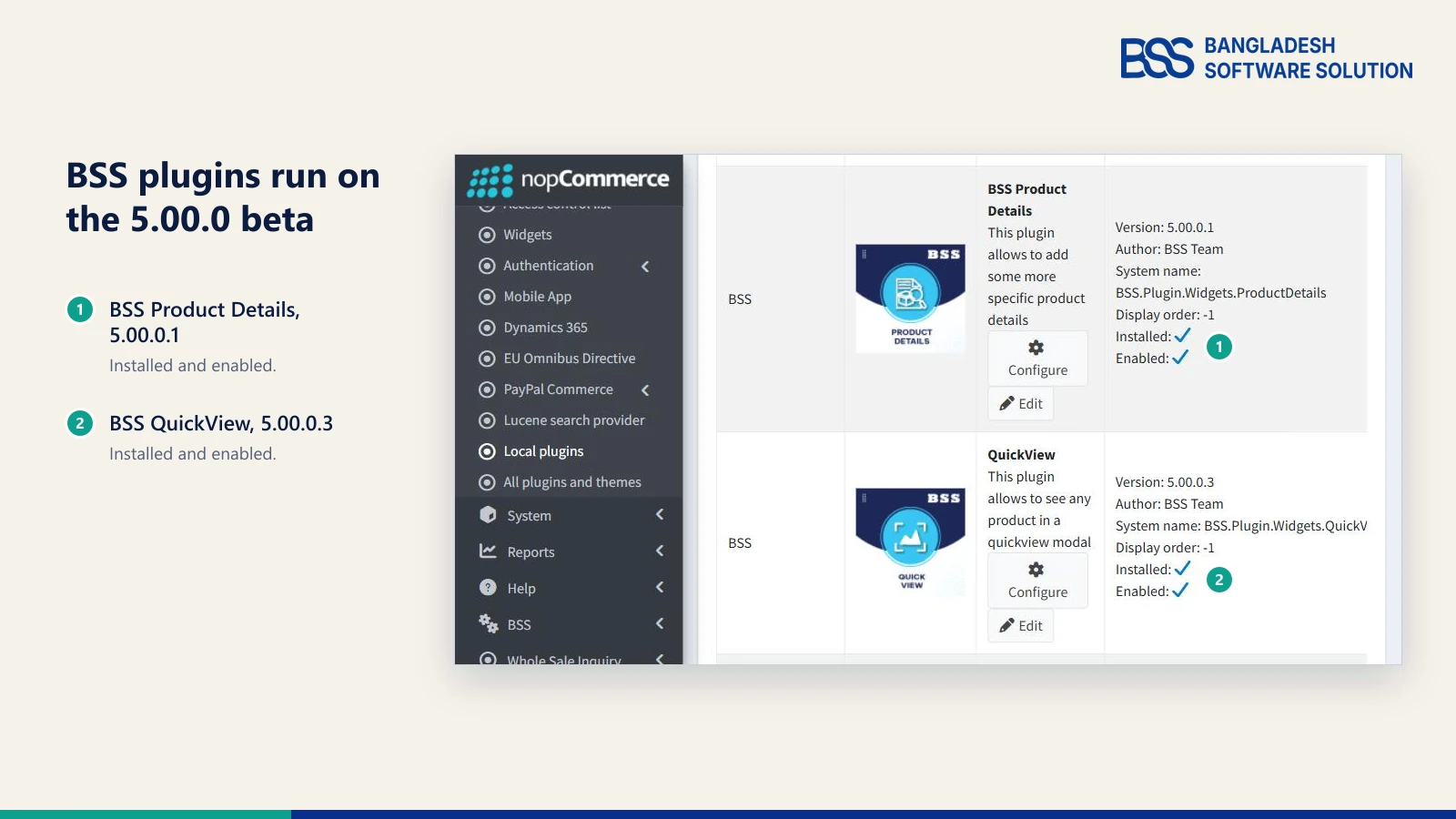
On our own beta test store, plugins such as Dynamic Popup, Cart Reminder, Product Details and QuickView run as 5.00.0.x builds. Porting a plugin portfolio is where a team often needs extra hands, and you can hire a .NET developer from BSS for the port while your own engineers stay on the roadmap.
Under-the-hood changes worth knowing
- Performance - compiled property selectors are cached in the localization service,
DeleteCategoryAsyncupdates subcategories in bulk, and a resource-attribute path that used async methods synchronously, which could starve the thread pool, was fixed. - Database - SQL deadlocks in the repository bulk methods were addressed, and the FluentMigrator runner was split into separate packages for MySql, Postgres, SQLite and SqlServer.
- Security - no email enumeration on the login and password-recovery pages, HTML sanitizing for forum content, a Markdown-editor XSS fix, and missing permission checks added to three plugin configuration pages.
If you need the map of projects and layers before you start porting, our nopCommerce architecture guide is the place to begin, and our plugin guide shows what a plugin looks like on the version you run today.
Need a nopCommerce Developer? Hire the BSS Team
From custom plugins and theme work to full-store builds and performance tuning, our dedicated nopCommerce engineers ship production-grade code. Tell us what you need and we'll match you with the right developer.
Should You Move to nopCommerce 5.0 Now?
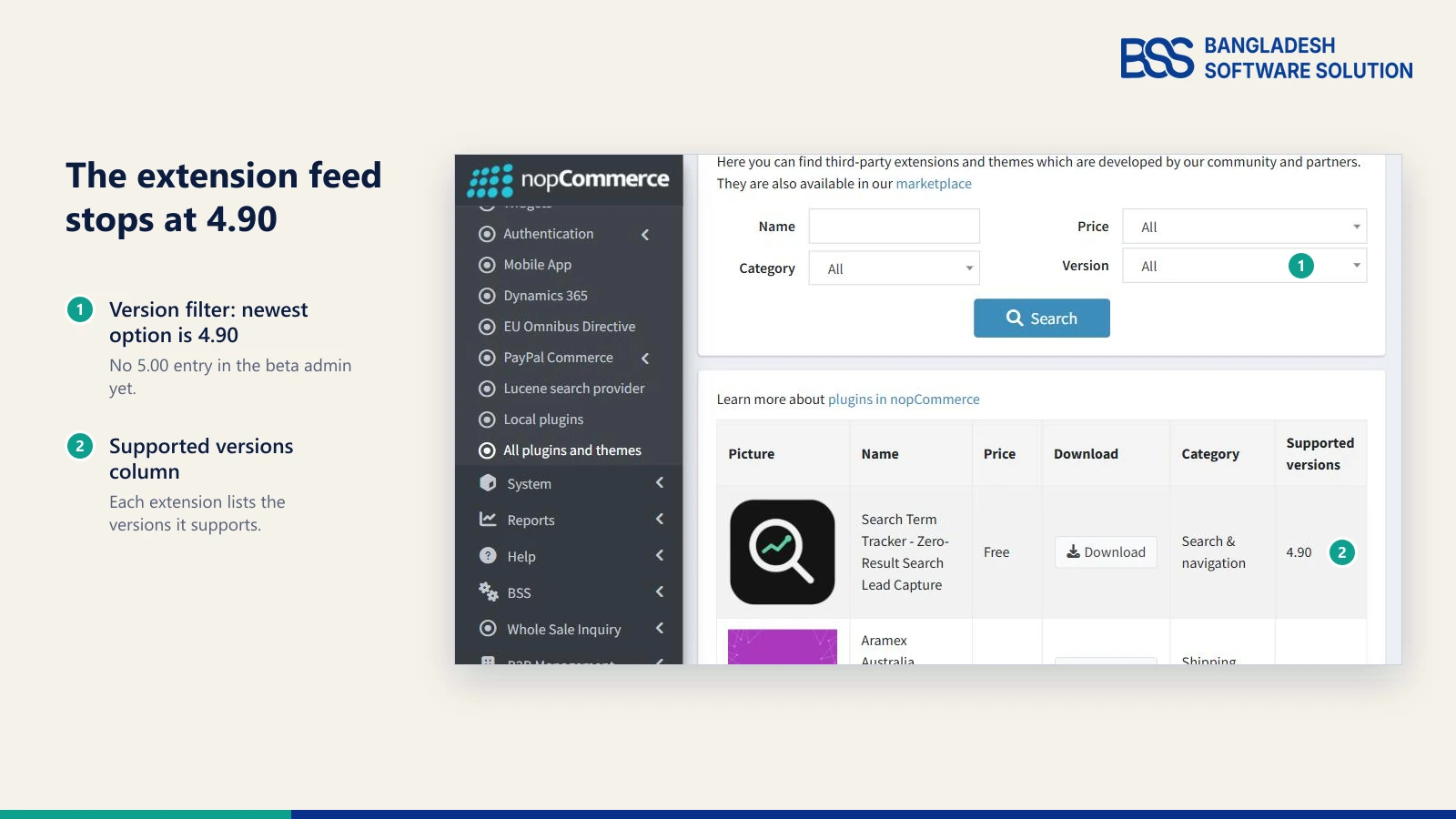
That brings us back to the two Monday messages: what should each person do this week? One real signal sits in the beta's own admin: the Version filter of its extension feed lists 4.90 as the newest option, so the ecosystem has not caught up yet.
| Your situation | What we would do | Why |
|---|---|---|
| Live store on 4.90.x | Stay put and apply 4.90 minor releases | They are compatible with each other, so plugins and themes keep working |
| Live store older than 4.90 | Plan the move to 4.90 with our 4.90 upgrade guide; try 5.0 on staging | 4.90 is stable today and 5.0 is not final |
| Plugin or theme developer | Port a branch to the beta now | Customers will ask when your extension supports 5.0 |
| New build, launch months away | Start on 4.90, keep the work portable, decide again when 5.0 final ships | You get a stable base and a clear view of the final release before launch |
| You sell to EU consumers | Treat the withdrawal button as its own task, now | The team's notes say the directive already applies |
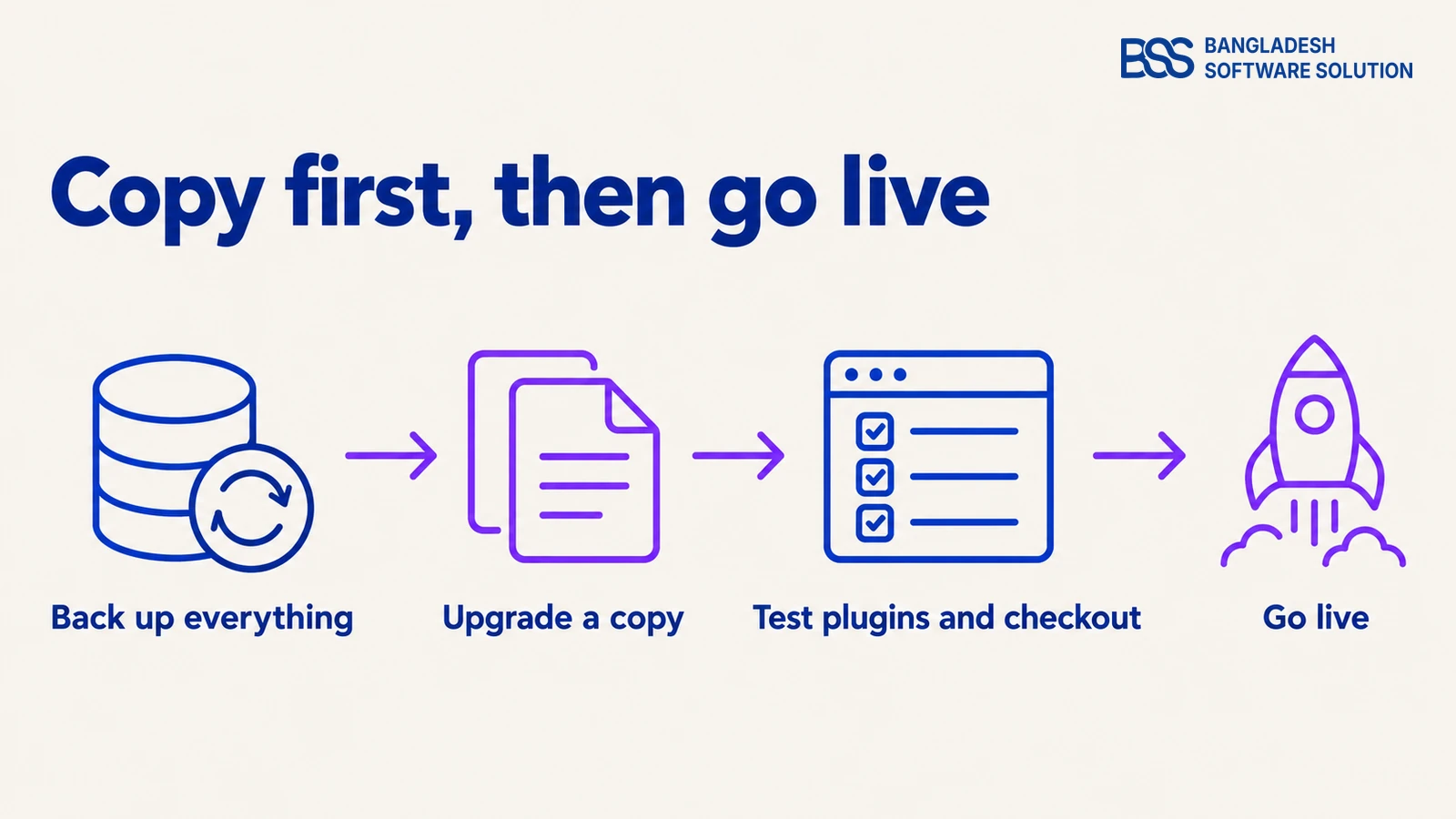
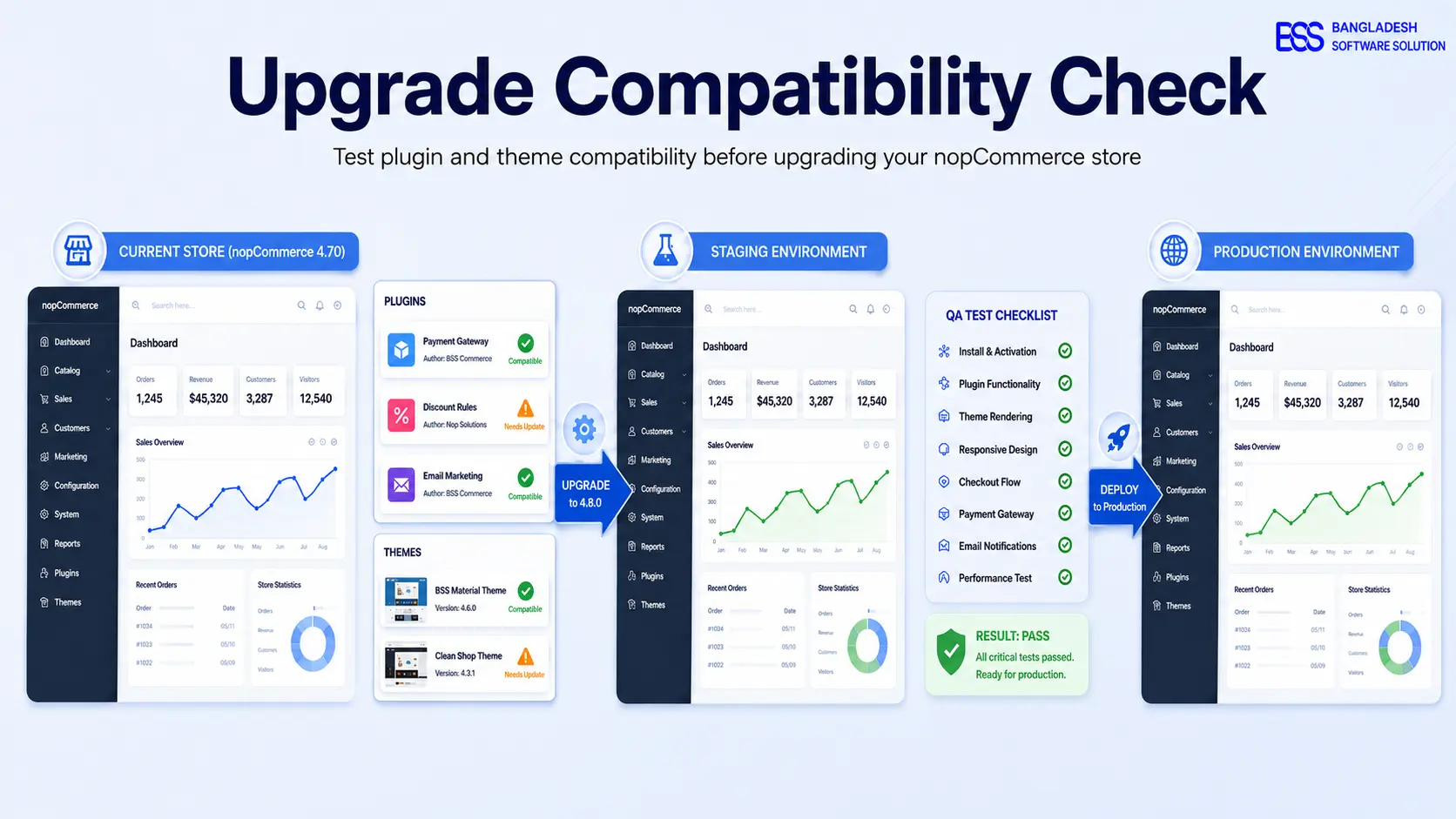
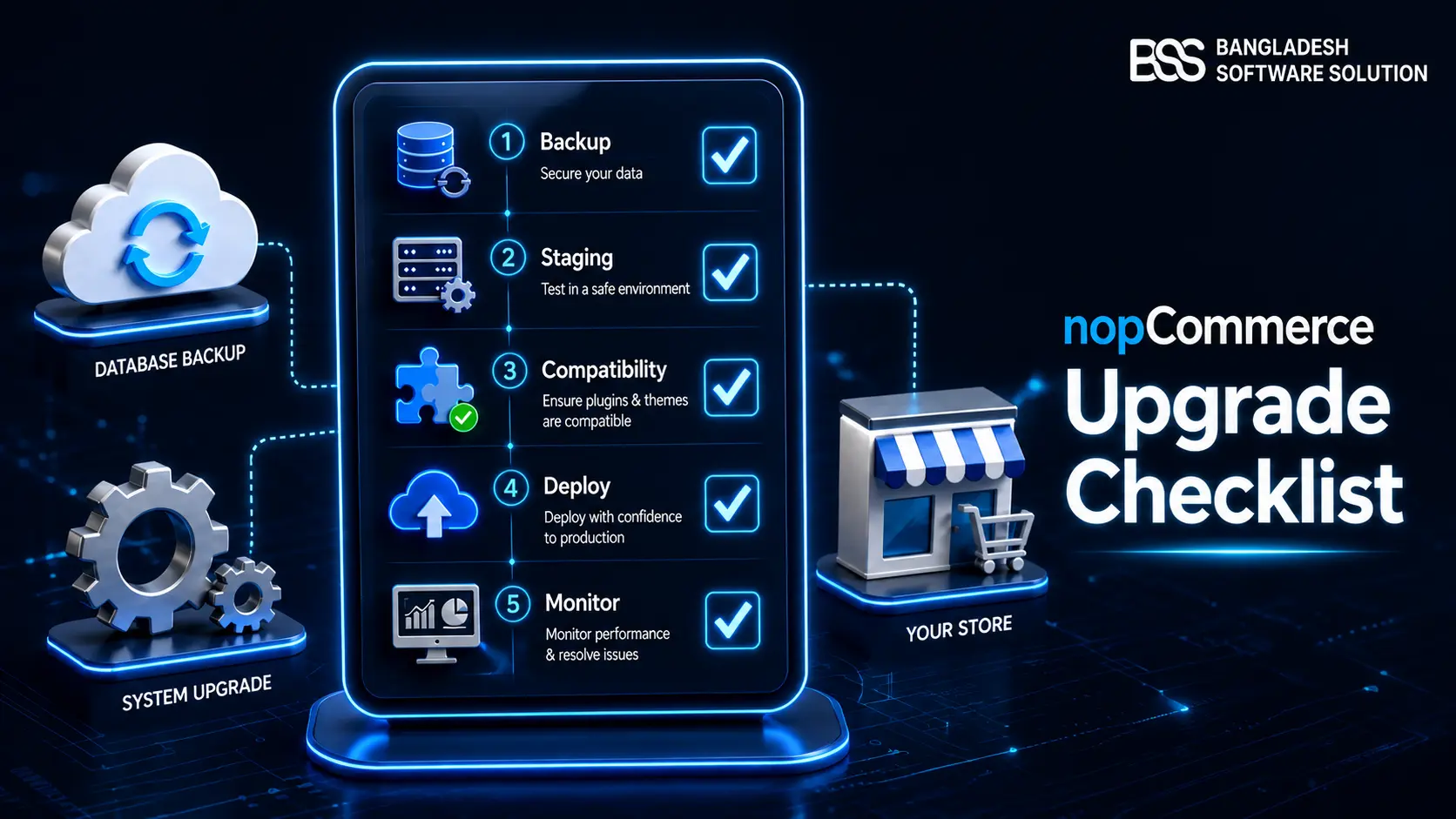
When you do move, the sequence matters more than the date. Our guides on testing plugin and theme compatibility and the nopCommerce upgrade checklist go deeper on each step, and the first run should be on a copy.
Before you touch the beta
-
Clone production to staging. Never point the beta at a live database.
-
Install the .NET 10 SDK and the ASP.NET Core Runtime on the build machine and server.
-
List every plugin and theme, and whether its vendor has announced 5.0 support.
-
Test checkout end to end in sandbox mode, and write down the rollback.
If you would rather hand the rehearsal over, the BSS team can run the nopCommerce version upgrade for you, so the first time your store sees 5.0 is on a copy, not on your live checkout.
Frequently Asked Questions
Final Thoughts
Back to the two Monday messages. Your developer gets a short answer: install the .NET 10 SDK on staging, run the three searches, and port one plugin branch against the beta. Your operations lead gets a different one: the withdrawal button is in 5.0, but the date it answers to has already passed, so it is its own task.
Price lists, reminders and the ChatGPT feed are reasons to watch the final release, not reasons to move a live store this month. When it ships, its release notes become the reference, so re-read the tables above against them and let your staging results decide the date.
Tell us which plugins and themes you run and the BSS team will help you work out what to port, what to test and when to move.
Book a free consultation