Your production store is still running nopCommerce 4.20, 4.50, or 4.70, while the target release is now 4.90. The checkout works, orders are flowing, and the dangerous temptation is to upload the new files over the old site and let the application “sort out” the database.
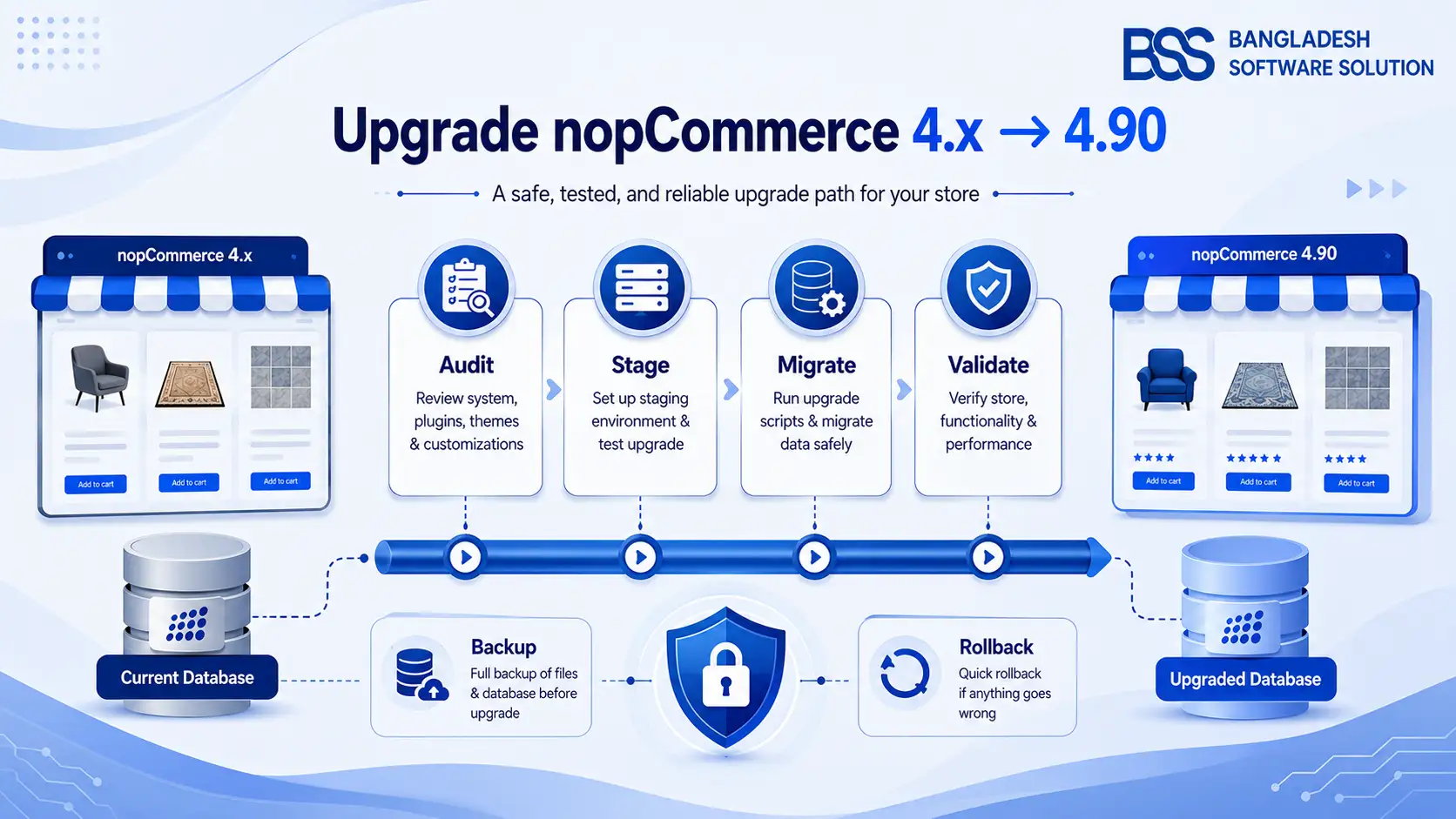
A safe upgrade to nopCommerce 4.90 is a controlled release, not a file-copy task. This guide shows the full route: choosing the correct upgrade path, building a restore-tested staging clone, handling database migrations, replacing plugins and themes, deploying with a maintenance window, and validating the store before traffic returns.
The examples target technical store owners, developers, and agencies upgrading any nopCommerce 4.x installation. As of July 27, 2026, the current 4.90 patch listed in the official release notes is 4.90.6; use the latest compatible 4.90.x package available when you execute the project.
1. Map Your Exact 4.x-to-4.90 Upgrade Path
The database path changes at nopCommerce 4.40. If you skip that distinction, the application may start against a schema that was never prepared for the target code.
Official upgrade rule: database changes through version 4.30 use downloadable SQL upgrade scripts, executed in version order. Starting with 4.40, nopCommerce applies database migrations automatically during the first application start.
That means a store beginning on 4.00–4.30 must complete the older SQL-script stages before it enters the application-migration era. A store already on 4.40 or later does not use those legacy SQL scripts.
| Starting version | Database handling | Practical plan |
|---|---|---|
| 4.00–4.30 | Run each required SQL upgrade script in sequence through 4.30. | Scripted hops first, then continue with application migrations from 4.40 onward. |
| 4.40–4.70 | Built-in migrations run when the newer application starts. | Rehearse the jump on a database clone and inspect every migration/startup error. |
| 4.80 | Built-in migrations to the 4.90 schema. | Focus on 4.90 plugin/theme builds, configuration differences, and functional regression testing. |
| 4.90.0–4.90.5 | Minor 4.90 releases are documented as compatible. | Deploy the newest 4.90 patch and run a focused regression pass. |
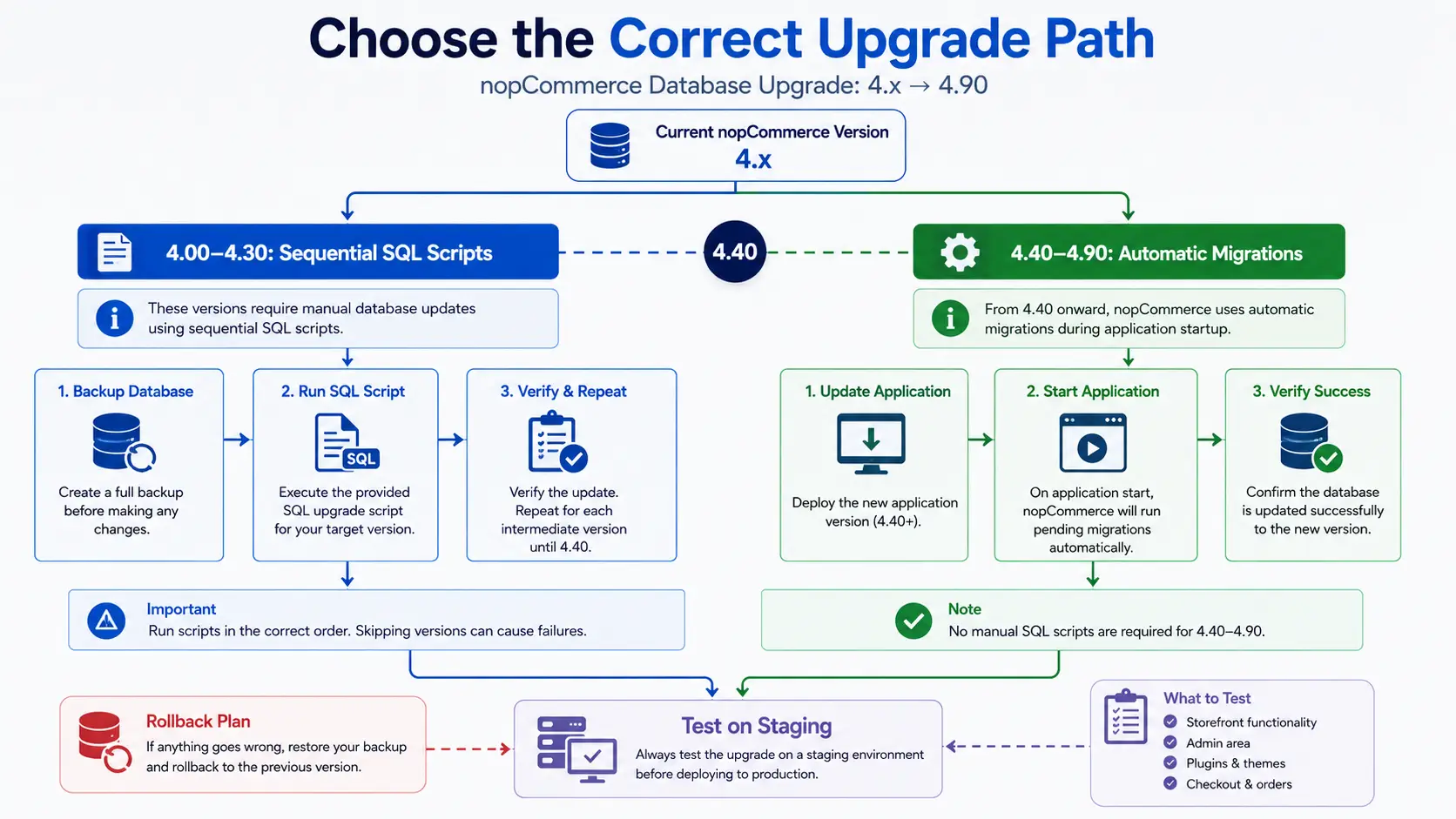
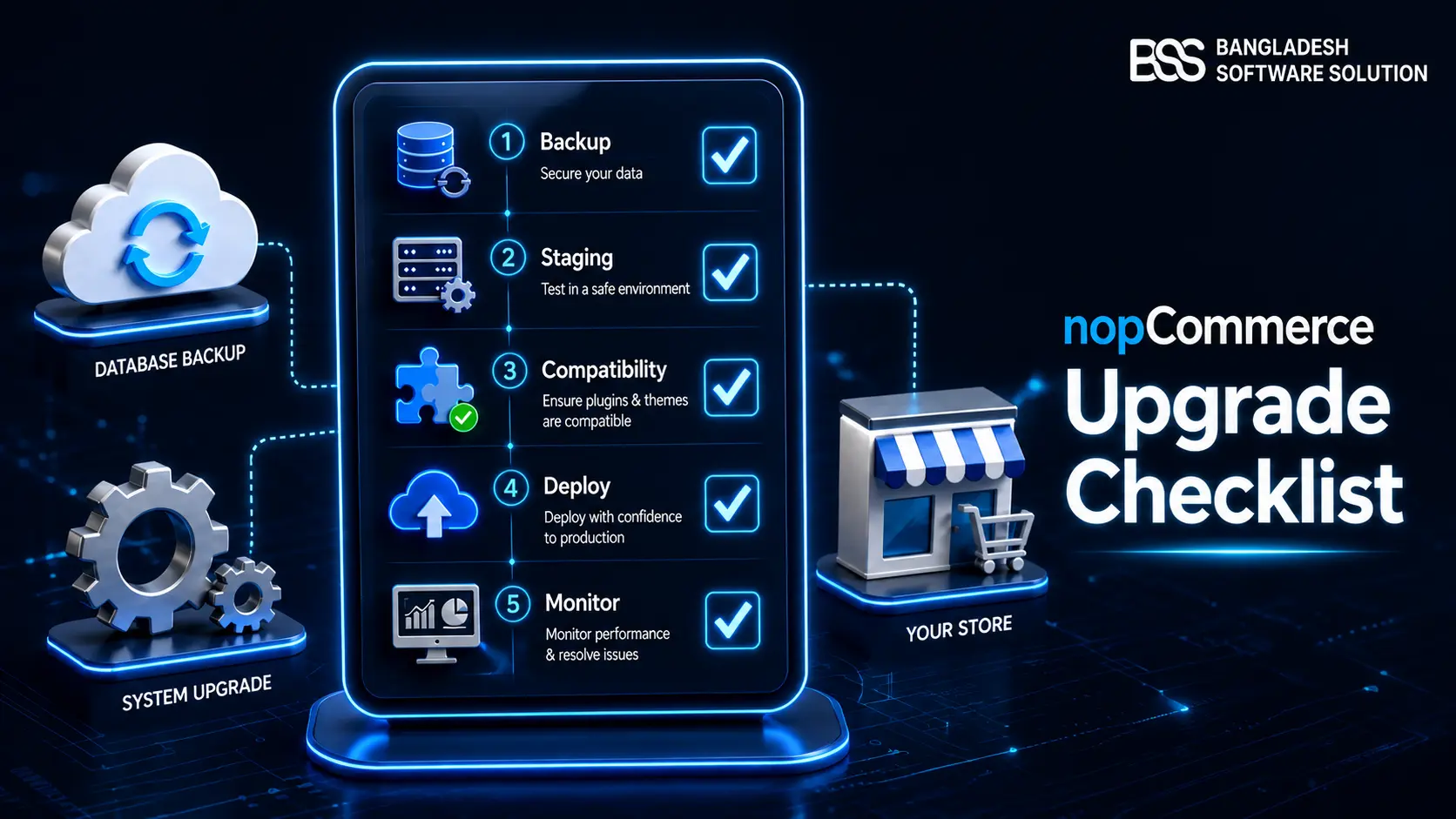
Before building the plan, record the current nopCommerce version, database provider, deployment model, custom source-code changes, installed plugins, active theme, scheduled tasks, external integrations, and where product images are stored. For a compact gate list, keep the nopCommerce upgrade checklist beside this runbook.
2. Complete the 4.90 Infrastructure Preflight
Once the route is known, prove the target environment can run the new application before touching production. nopCommerce 4.90 requires the .NET 9 runtime; the current official requirements also list Visual Studio 2022 17.14 or later with the .NET 9 SDK for teams building from source.
Connection-string checkpoint when crossing 4.50
Official nopCommerce guidance notes that upgrades to 4.50 from earlier releases may require Encrypt=false or TrustServerCertificate=True in the SQL Server connection string, depending on the server’s certificate policy. Choose the setting that matches your security requirements; do not disable encryption blindly.
If the infrastructure itself is changing, review the nopCommerce hosting guide before combining a platform upgrade with a server migration. Two major changes in one cutover enlarge the rollback surface.
3. Build a Restore-Tested Staging Clone
A backup that has never been restored is only a hope. Create a production-consistent snapshot and prove that it can become a working store in an isolated environment.
Backup and staging checklist
- 1Database: take a full, consistent backup and restore it to staging under a separate database name.
- 2Application: archive the complete deployed application, including custom source/build artifacts and deployment configuration.
- 3Persistent configuration: preserve the relevant files in
App_Data, especiallyappsettings.jsonandplugins.json; older stores may use legacy filenames. - 4Media: back up
wwwroot/Imageswhen pictures are stored on the file system, plus any external object-storage configuration. - 5Secrets and jobs: isolate email, payment, ERP, webhooks, scheduled tasks, search indexing, analytics, and third-party API credentials so staging cannot trigger production actions.
- 6Rollback rehearsal: time the database restore and file rollback, then record the exact owner and commands for the production window.
Give staging a private hostname, block indexing, and use production-like resources. A tiny developer laptop may validate compilation, but it will not reveal migration duration, filesystem permissions, reverse-proxy behavior, or cache warm-up under realistic conditions.
4. Execute the Upgrade on Staging
With a recoverable clone ready, perform the same sequence you intend to use in production. Keep a timestamped deployment log so the rehearsal becomes an executable runbook.
- Put staging into maintenance mode and stop the application so files and database state do not change during replacement.
- Apply legacy SQL scripts if required. For a starting version at 4.30 or below, run the official scripts in version order, read each supplied readme, verify success, and back up at meaningful checkpoints.
- Prepare a clean 4.90.6 application directory. Do not overlay new binaries onto the old deployment and do not copy the old
bindirectory forward. - Merge configuration deliberately. Compare the new
appsettings.jsonstructure with production values, then carry over connection strings and environment-specific settings. Preserveplugins.jsononly as part of a controlled extension plan. - Restore persistent media and approved custom assets to their intended locations. Do not copy an entire old theme or Plugins directory as a shortcut.
- Install only 4.90-compatible extensions and theme builds. Recompile custom projects for the target branch and .NET 9.
- Start once with logs visible. Allow nopCommerce migrations to complete, watch application and database logs, and avoid repeated restarts while a long migration is still active.
- Clear and rebuild generated state where appropriate: cache, thumbnails, search indexes, bundles, and application pools or services.
Do not “fix” a failed migration by running it repeatedly
Capture the exception, migration name, database state, and application logs. Restore the staging database to its pre-upgrade snapshot, correct the root cause, and rerun from a known state. A half-migrated schema is poor evidence for the next attempt.
5. Rebuild Plugins, Themes, and Custom Code for 4.90
The core application starting successfully is only the first gate. Most real upgrade defects live in extension boundaries: dependency injection registrations, changed interfaces, route names, view models, Razor overrides, JavaScript selectors, scheduled tasks, and provider SDKs.
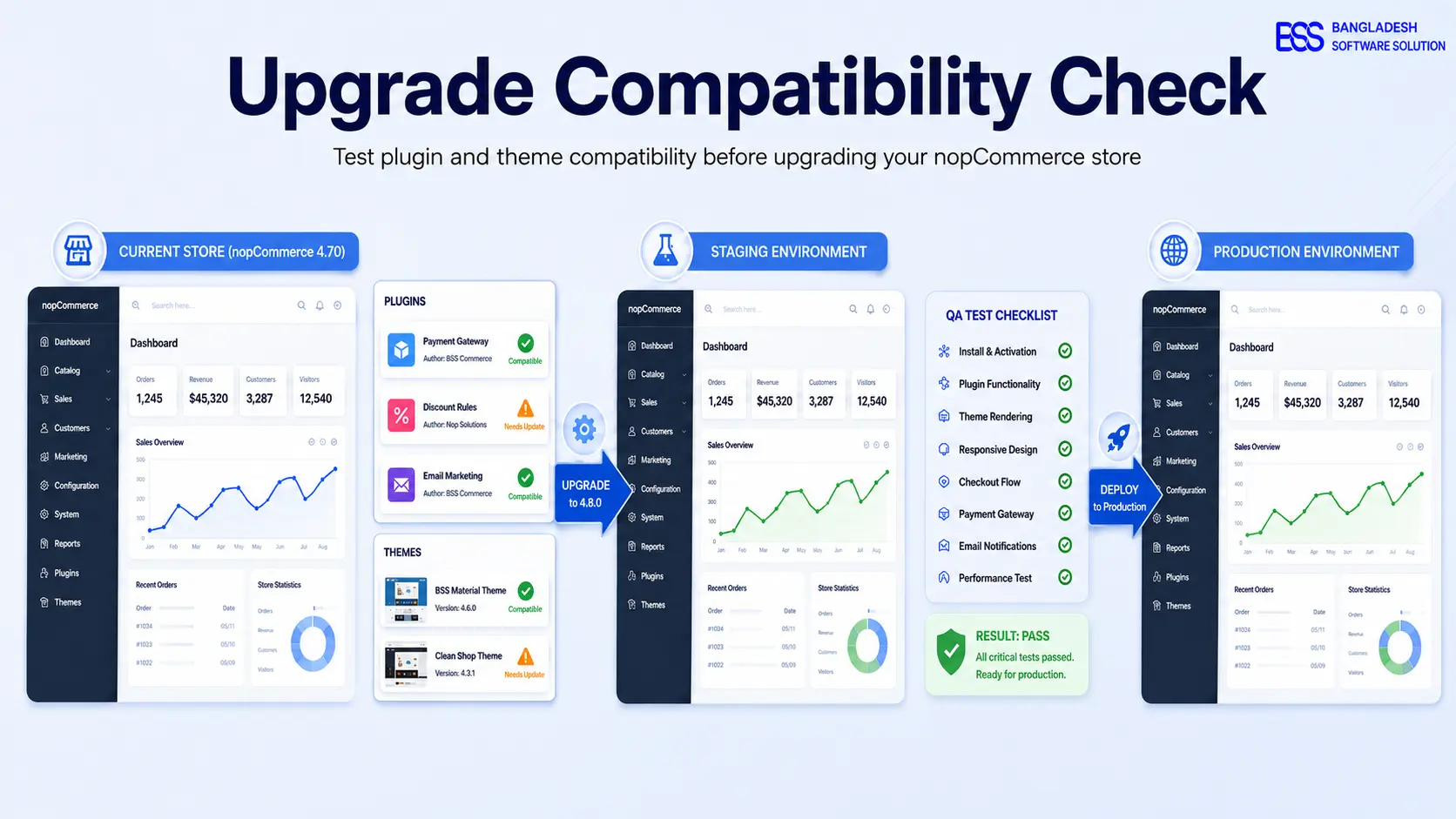
net9.0, update nopCommerce project references and NuGet packages, then resolve API changes instead of suppressing compiler errors.Use the companion guide on testing plugin and theme compatibility before upgrading nopCommerce as the release gate for this phase.
6. Test the Store, Then Rehearse Production Deployment
Testing should follow money and data, not just pages. Start with the customer journeys that can create an order or change inventory, then expand to administration and operational workflows.
| Test area | Minimum proof | Failure signal |
|---|---|---|
| Storefront | Home, category, search, product, cart, wishlist, login, registration, localization, mobile layout. | 404/500 responses, missing assets, stale theme markup, broken JavaScript. |
| Checkout | Guest and registered checkout, tax, discounts, shipping, each payment method, confirmation email, order creation. | Wrong totals, callback failure, duplicate order, missing payment status. |
| Admin and jobs | Product/order/customer edits, imports/exports, queues, scheduled tasks, logs, permissions. | Authorization gaps, jobs not running, serialization or grid errors. |
| Integrations | ERP/CRM sync, webhooks, analytics, feeds, search, CDN/image provider, email delivery. | Silent retries, duplicate records, production endpoints called from staging. |
| SEO and performance | Canonical URLs, robots, sitemap, redirects, structured data, key response times and error rate. | Indexable staging URLs, redirect loss, canonical drift, severe cold-start regression. |
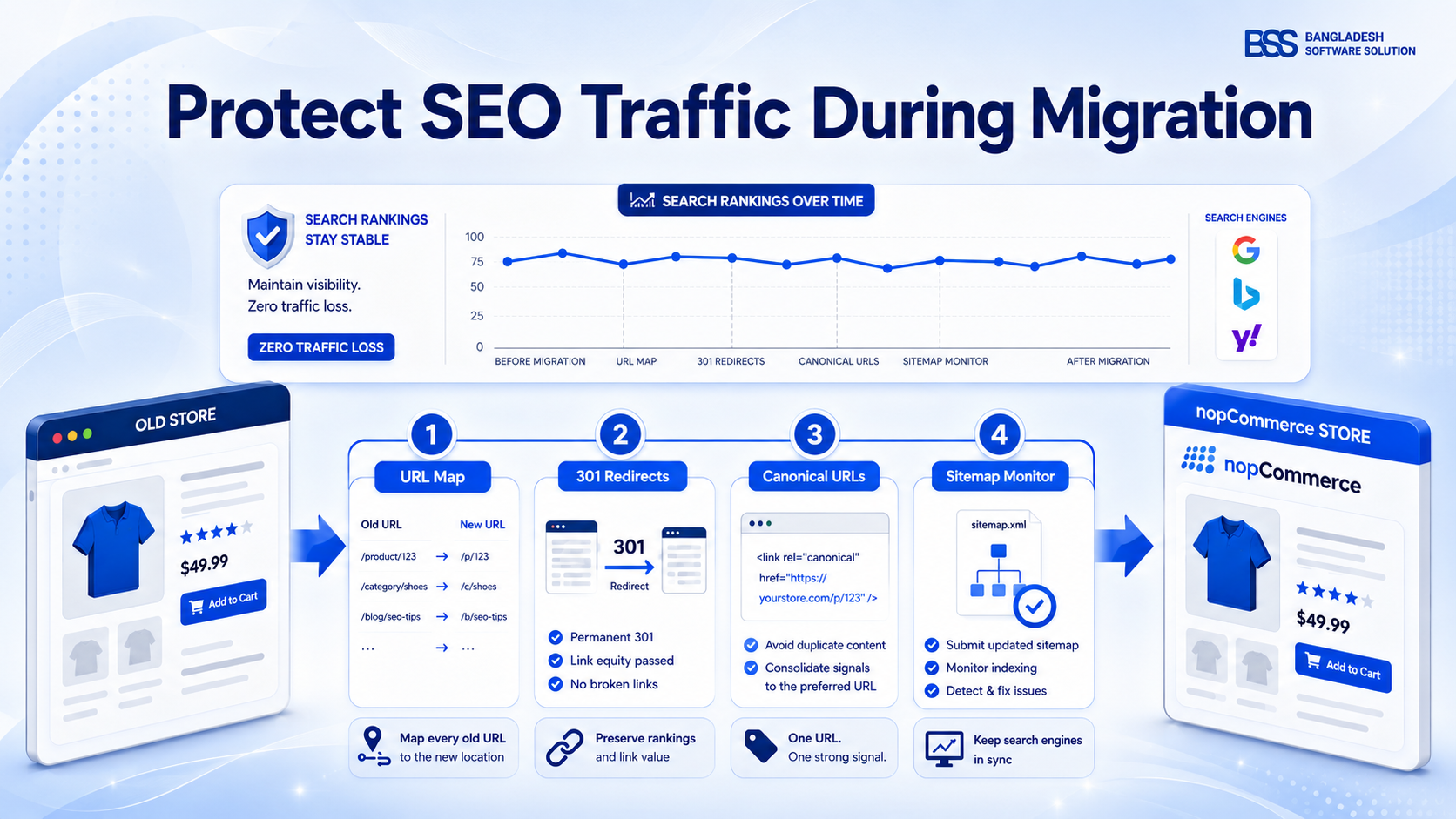
If URLs or templates changed, follow the SEO-safe nopCommerce migration guide before launch. An application upgrade can still damage rankings when route overrides, canonical tags, robots rules, or sitemap behavior change.
Turn the rehearsal into a production runbook
Record the measured backup time, file deployment time, first-start migration time, cache/index rebuild time, smoke-test duration, DNS or load-balancer actions, and rollback decision point. Assign one owner to each action and one person with authority to call rollback.
Need a Rehearsed Upgrade to nopCommerce 4.90?
BSS Engineering can audit your current version, custom code, plugins, theme, database path, infrastructure, and rollback plan—then execute the upgrade through staging and production validation.
7. Deploy to Production and Validate Before Reopening
The production window should be boring because every command was already tested. Freeze content and orders, enable maintenance mode, take the final database and file backups, and confirm the backups are readable before replacing anything.
Production cutover sequence
- 1Confirm stakeholders, maintenance notice, monitoring dashboards, backups, rollback owner, and go/no-go criteria.
- 2Stop the application and background workers; capture the final database, files, media, and configuration.
- 3Execute the proven database/file sequence, deploy the clean 4.90 application, and merge production configuration.
- 4Start the application with logs visible and wait for migrations to finish before sending health checks or restarting services.
- 5Run checkout, payment, admin, integration, scheduled-task, SEO, and error-log smoke tests while maintenance mode remains active.
- 6Reopen traffic gradually where possible, monitor errors and business events, and keep the rollback set untouched until the observation window closes.
Rollback means files and database together
If 4.90 migrations changed the schema, restoring only the old application files can leave the previous code pointed at a newer database. Roll back the complete tested set: database, application, configuration, media where changed, and dependent services.
Frequently Asked Questions
Upgrade to 4.90 Without Turning Production into a Test Environment
The store from the opening scenario no longer needs a leap of faith. Its exact version path is documented, its 4.90 infrastructure is ready, the database has completed migrations on a restored clone, every critical extension has a compatible build, and the production cutover has already been timed and rehearsed.
That is the difference between “upload and hope” and a professional nopCommerce upgrade. Use the latest 4.90.x patch, preserve a complete rollback set, and do not reopen traffic until checkout, integrations, scheduled work, SEO signals, and logs have passed the same gates you proved on staging.