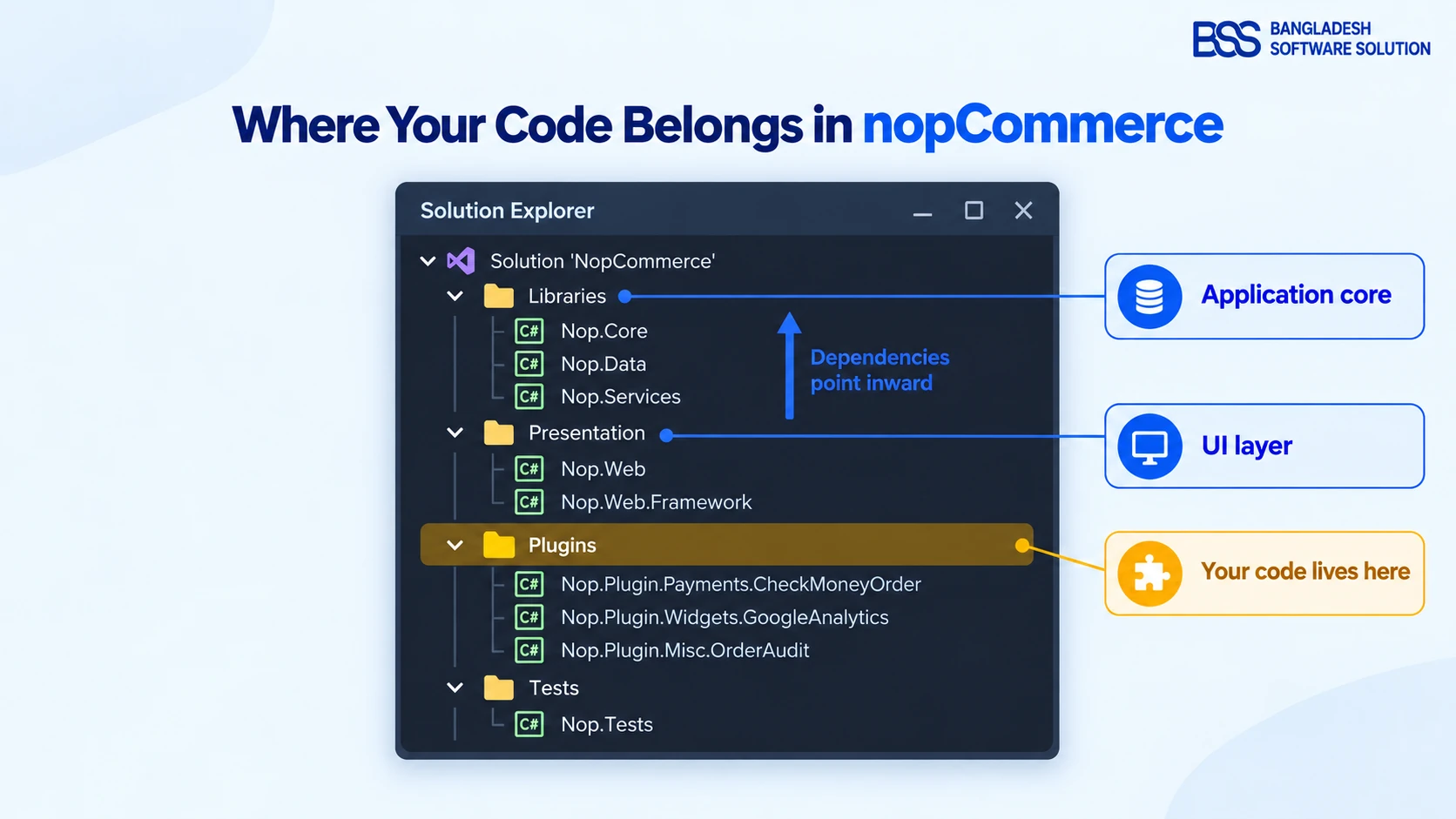
You clone the source, open NopCommerce.sln, and Solution Explorer fills with folders named Libraries, Presentation, Plugins and Tests. The ticket in front of you says something small: send order data to the warehouse system, or change how a product price is calculated. The real question is not how to write that code. It is where it is allowed to live.
Understanding nopCommerce architecture answers that question once, for every ticket after it. In our deployments, almost every painful upgrade we've been asked to rescue traces back to one decision made on day one: somebody put custom logic in a core file because they couldn't see a better door.
This guide walks the solution the way we onboard new engineers at BSS: the layers and the one rule that governs them, what each project owns, how a single product-page request travels through the stack, how dependency injection connects everything, and how the plugin architecture lets you change almost anything without touching core. Every mechanism here is confirmed against nopCommerce's own developer documentation.
The Shape: An Onion, Not a Stack
Most developers picture a web app as a vertical stack: UI on top, database at the bottom. nopCommerce is better described the way its own documentation describes it, as an onion architecture. Business rules sit at the centre, and everything else wraps around them.
The one rule: dependencies point inward. A project may reference only projects that sit closer to the centre of the solution, never the other way round.
That is why Nop.Services knows nothing about controllers or Razor views, and why the whole application core can be tested and changed without touching the storefront.
In the solution, that onion is split across four top-level folders. Two of them are nopCommerce itself, one is yours, and one keeps both honest:
Nop.Core, Nop.Data and Nop.Services. Domain entities, data access and every business rule. No HTTP, no views.Nop.Web.Framework and Nop.Web. The storefront, the admin area, controllers, model factories and views.Tests folder sits beside them and covers the core.Keep that picture in mind for the rest of the article. Every question about where code goes comes back to it: is this a business rule, a presentation concern, or a customisation?
The Five Core Projects and What Each Owns
Knowing the layers is the theory. Day to day, you work with five projects, and each has a sharply defined job. This is the table we pin next to a new developer's monitor:
| Project | Layer | What it owns | You read it when… |
|---|---|---|---|
| Nop.Core | Core (centre) | Domain entities such as Product and Order, caching abstractions, the engine, type finder and the INopStartup contract. |
You need an entity's shape or a shared infrastructure type. |
| Nop.Data | Core | Database access through Linq2DB, the IRepository<TEntity> interface, and FluentMigrator migrations. |
You add a table or need to understand how an entity is persisted. |
| Nop.Services | Core (outer ring) | Business logic, validation and calculations: products, orders, pricing, tax, shipping, plugins, events. The facade the UI talks to. | You want to know why the store behaves the way it does. |
| Nop.Web.Framework | UI (shared) | Logic shared by storefront and admin: base controllers, MVC plumbing, themes, the startup classes that configure ASP.NET Core. | You build a plugin — this is the project your plugin references. |
| Nop.Web | UI (outermost) | The ASP.NET Core application: public controllers, model factories, Razor views, and the Admin panel as a separate authenticated area. | You trace what a page renders, or where a view comes from. |
According to nopCommerce's developer documentation, the data layer has used Linq2DB as its ORM since version 4.30. It supports Microsoft SQL Server, MySQL and PostgreSQL behind the same IRepository<TEntity> API. That matters for architecture: services never write SQL for a specific database, so neither should your plugin.
Insider tip
When you can't find where a behaviour lives, search Nop.Services first, not Nop.Web. Controllers in nopCommerce are deliberately thin: they collect input, call a service or a model factory, and return a view. If a rule matters, it is almost always in a service.
Following One Request Through the Layers
The table tells you where things are. Tracing one request shows you how they cooperate. Here is what happens, in order, when a shopper opens a product page such as /apple-macbook-pro:
- 1. Routing (Nop.Web). nopCommerce's slug routing looks up the URL record for
apple-macbook-pro, finds that it belongs to a product, and hands the request toProductController.ProductDetails. - 2. Controller (Nop.Web). The controller checks the product is published and visible to this customer and store, then asks a model factory for a view model. It holds no business rules of its own.
- 3. Model factory (Nop.Web).
IProductModelFactoryassembles everything the view needs: price, pictures, attributes, reviews, breadcrumb. It gets every piece from services. - 4. Services (Nop.Services).
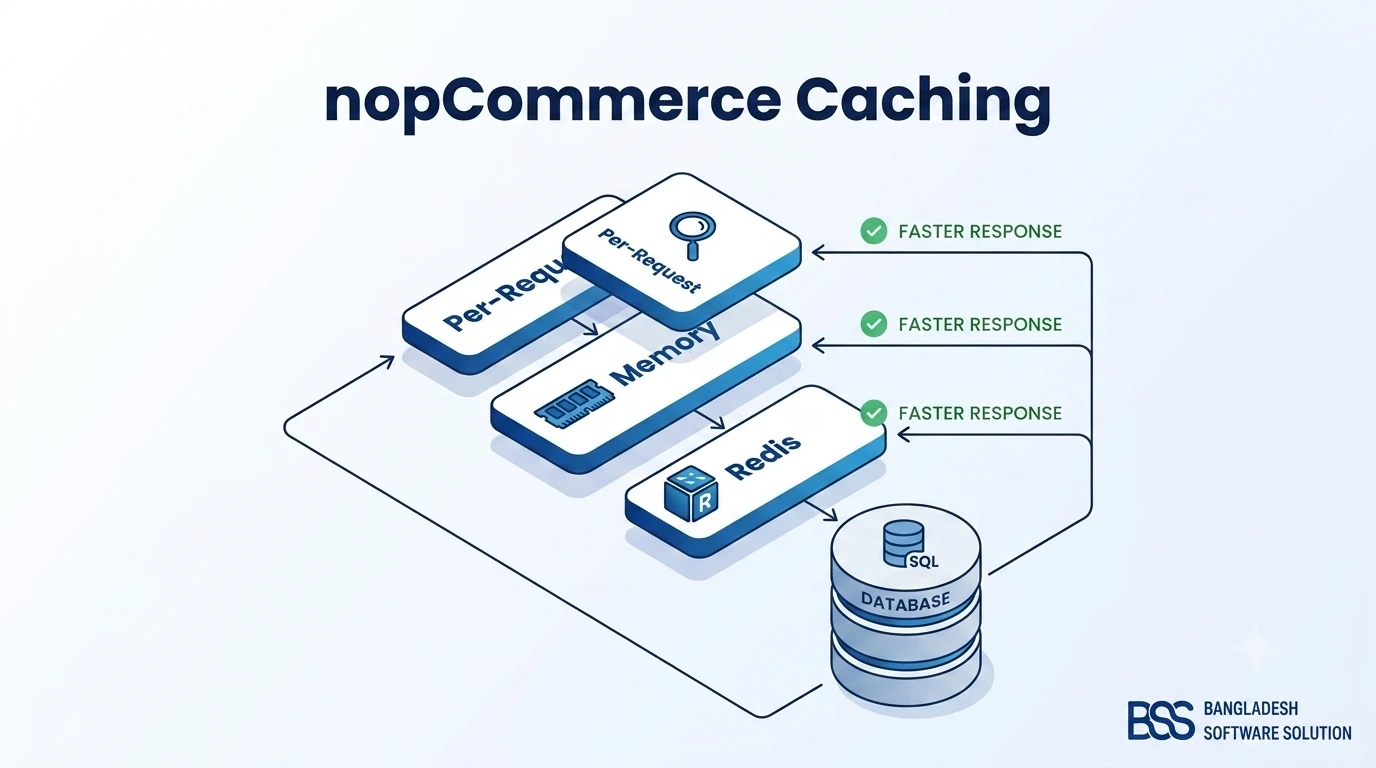
IProductService, the price calculation service, the picture service and others apply the real rules: discounts, tier prices, tax display, ACL and store mapping. - 5. Cache, then data (Nop.Core + Nop.Data). Services read through
IStaticCacheManagerfirst. On a miss,IRepository<Product>runs a LINQ query that Linq2DB translates to SQL for whichever database you run. - 6. View (Nop.Web + theme). The model goes to the Razor view. If the active theme has its own copy of that view, the theme's version wins.
Each arrow in that path points inward. The controller knows about services; services never know about controllers. That is the onion rule working in practice, and it is also why caching behaves predictably. If you want to go deeper into that fifth step, our nopCommerce caching guide covers the per-request, in-memory and Redis layers in detail.
Controllers ask, services decide, repositories fetch. Put a business rule anywhere else and you'll end up maintaining two copies of it.
BSS Engineering
Dependency Injection: How Everything Finds Everything
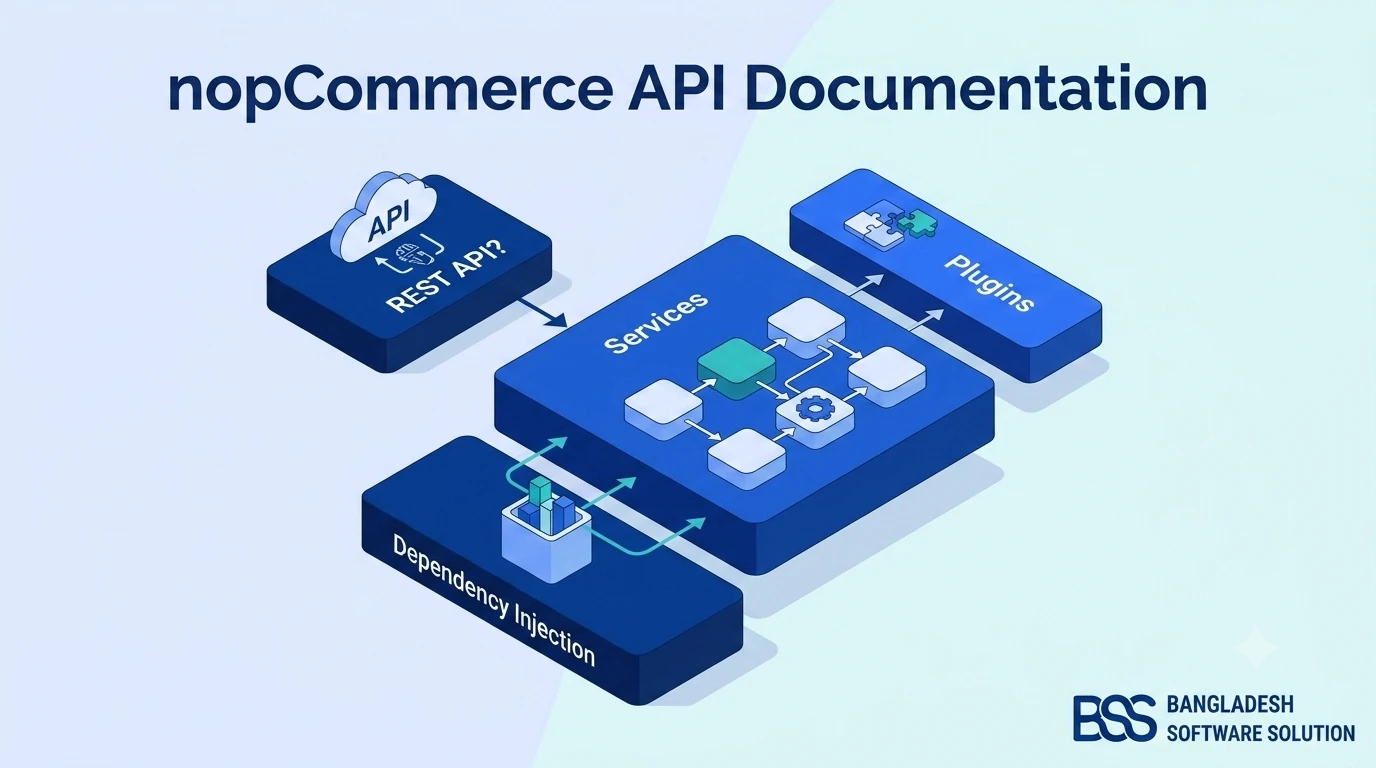
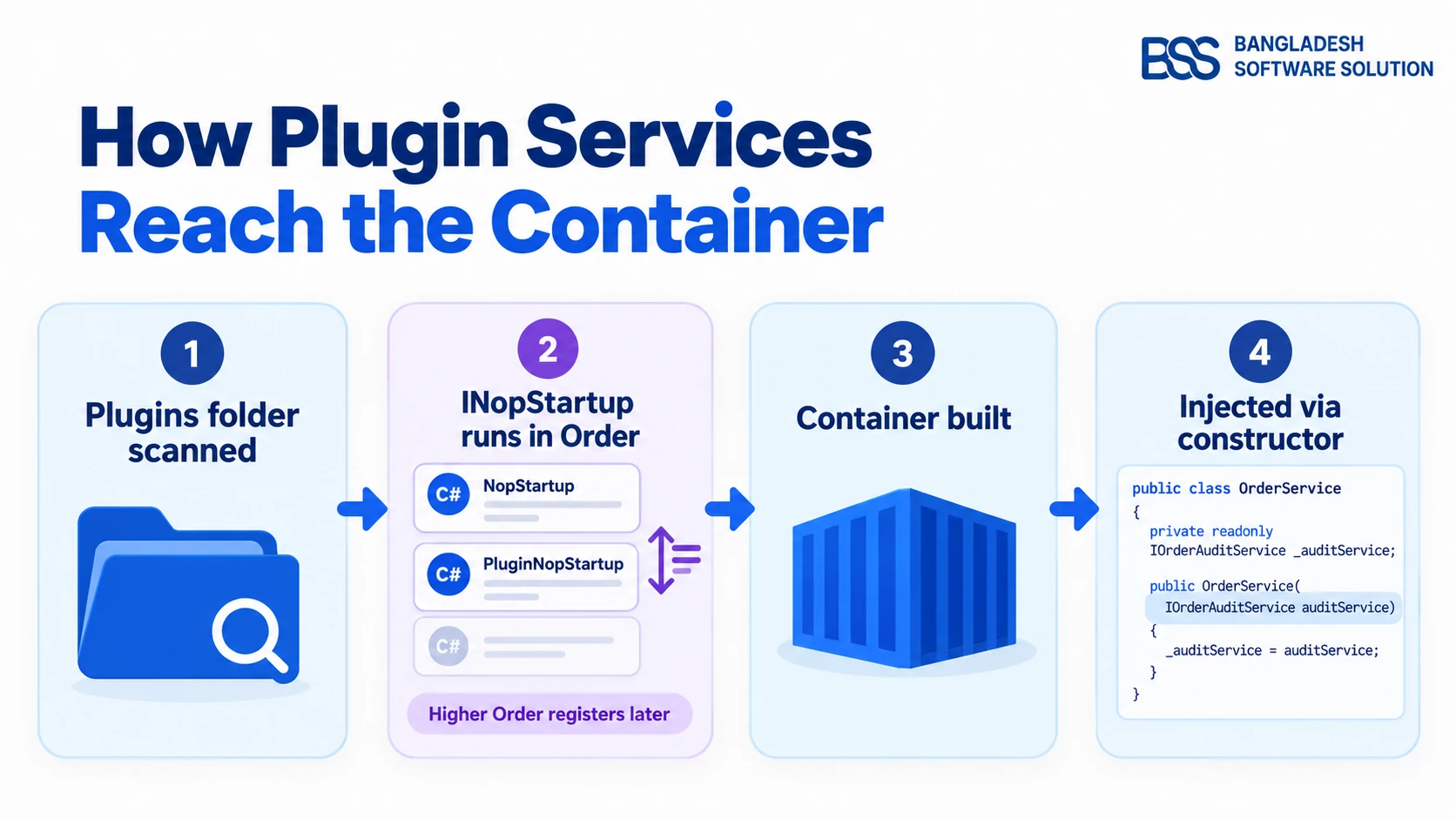
Step 4 above uses half a dozen services, and the controller never creates any of them with new. That is nopCommerce dependency injection at work. Each class declares the interfaces it needs in its constructor, and the container supplies the registered implementations at runtime.
Current nopCommerce versions register services on ASP.NET Core's standard IServiceCollection. The hook for doing that is the INopStartup interface. Core uses it for its own registrations, and your plugin uses exactly the same mechanism:
using Microsoft.AspNetCore.Builder;
using Microsoft.Extensions.Configuration;
using Microsoft.Extensions.DependencyInjection;
using Nop.Core.Infrastructure;

namespace Nop.Plugin.Misc.OrderAudit.Infrastructure;

public class PluginNopStartup : INopStartup
{
    // Register this plugin's services with the container
    public void ConfigureServices(IServiceCollection services, IConfiguration configuration)
    {
        services.AddScoped<IOrderAuditService, OrderAuditService>();
    }

    // Add middleware to the request pipeline (none needed here)
    public void Configure(IApplicationBuilder application)
    {
    }

    // Higher values run later, so they can override earlier registrations
    public int Order => 3000;
}
Three details in that class carry most of the architecture:
ConfigureServicesis where registrations go. Most nopCommerce services are registered as scoped, meaning one instance per HTTP request, and your services should follow that default unless you have a reason not to.Configurelets a plugin add middleware to the ASP.NET Core pipeline. Most plugins leave it empty.Orderdecides when this startup runs relative to every other one. nopCommerce's documentation is explicit that a higher value registers later, which is how you override a core registration.
Watch out
You will find older tutorials that register services in a DependencyRegistrar class with an Autofac ContainerBuilder. Those were written for an older generation of nopCommerce. On current versions, use INopStartup and IServiceCollection, as nopCommerce's own inversion-of-control documentation shows.
There is also a service locator, EngineContext.Current.Resolve<T>(), for the rare place where constructor injection isn't possible. Treat it as an escape hatch. A class that resolves its own dependencies hides them from the reader and from your tests, and a common mistake we see when auditing setups is plugins that use it everywhere.
Changing Core Behaviour Without Editing Core
With DI in place, the question from the introduction gets a real answer. Almost everything in nopCommerce is reached through an interface, so almost everything can be replaced, extended or listened to from outside core. You have five doors, and they are not interchangeable:
| Mechanism | Use it when | Survives upgrades? |
|---|---|---|
| Edit core source | Never, if one of the other four can do the job. Every edit becomes a merge conflict at the next upgrade. | Poorly |
| Replace a service via DI | You must change how an existing rule works, such as pricing or shipping eligibility. Inherit the core service, override the virtual method, register it with a higher Order. |
Yes — re-test the overridden methods |
| Event consumer | You need to react when something happens: an order is placed, a product is updated, a customer registers. | Yes |
| Widget in a widget zone | You need to add markup to an existing page without changing its view. | Yes |
| Theme view override | You need a page to look different. Copy the view into your theme's folder at the same path and change it there. | Yes — diff your views against new core views |
The order of that table is also our order of preference, read bottom to top. Reach for an event or a widget first, a service replacement when you must change a rule, and core edits essentially never. For the widget route in full, see how to add a widget to a nopCommerce plugin.
Events: reacting without replacing
The warehouse ticket from the introduction is an event problem, not a service problem. You don't want to change how orders are placed; you want to know when one is. nopCommerce publishes events through IEventPublisher, and any class implementing IConsumer<T> receives them:
using Nop.Core.Domain.Orders;
using Nop.Services.Events;

namespace Nop.Plugin.Misc.OrderAudit.Services;

public class OrderPlacedConsumer : IConsumer<OrderPlacedEvent>
{
    private readonly IOrderAuditService _orderAuditService;

    public OrderPlacedConsumer(IOrderAuditService orderAuditService)
    {
        _orderAuditService = orderAuditService;
    }

    public async Task HandleEventAsync(OrderPlacedEvent eventMessage)
    {
        // Keep this fast: consumers run inside the request that raised the event
        await _orderAuditService.LogOrderPlacedAsync(eventMessage.Order);
    }
}
Notice what the consumer doesn't do: it holds no logic and touches no repository. It hands off to the plugin's own service, the one registered in PluginNopStartup above. Entity events work the same way. Implement IConsumer<EntityInsertedEvent<Product>> and you are told about every new product, whichever screen or import created it.
Plugins: The Front Door for Your Code
Everything in the last two sections ships the same way: inside a plugin. The nopCommerce plugin architecture is what turns those extension points into a deployable unit that can be installed, configured and uninstalled from the admin panel.
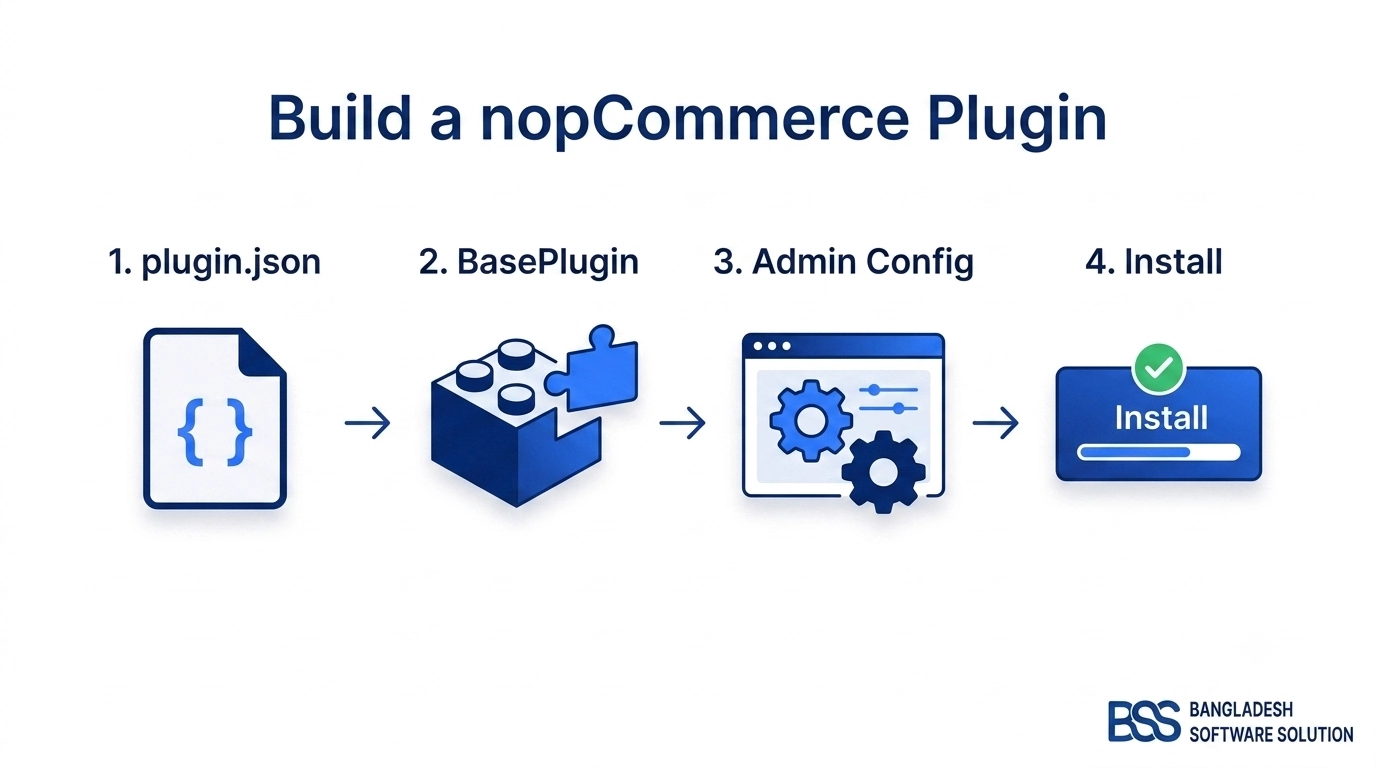
A plugin is an ordinary class library that references Nop.Web.Framework. Its project file sends the build output into Presentation/Nop.Web/Plugins/, where nopCommerce discovers it at startup. Each plugin carries a plugin.json descriptor:
{
  "Group": "Misc",
  "FriendlyName": "Order Audit Trail",
  "SystemName": "Misc.OrderAudit",
  "Version": "1.00",
  "SupportedVersions": [ "4.80" ],
  "Author": "Your Company",
  "DisplayOrder": 1,
  "FileName": "Nop.Plugin.Misc.OrderAudit.dll",
  "Description": "Writes an audit record whenever an order is placed."
}
SupportedVersions is the field that bites at upgrade time: nopCommerce won't load a plugin that doesn't declare the running version. The main plugin class inherits BasePlugin, and the interface it implements decides what kind of plugin it is:
IWidgetPlugin renders a view component into named widget zones. IMiscPlugin covers everything that isn't a provider: integrations, background sync, admin tools like our order-audit example.IPaymentMethod, IShippingRateComputationMethod, ITaxProvider, IExternalAuthenticationMethod and similar. Core owns the checkout flow and calls your provider at the right step.A plugin can also bring its own layers with it: domain entities and FluentMigrator migrations for new tables, services registered through INopStartup, controllers and views for its configuration page, settings stored through ISettingService, and routes through IRouteProvider. In other words, a well-built plugin is a miniature copy of the same onion.
If you're ready to build one, our flagship guide on how to create a plugin in nopCommerce 4.80 goes from an empty project to a working entry under Local Plugins. For a provider-style plugin specifically, building a payment plugin walks through the IPaymentMethod lifecycle.
Architecture Mistakes We See in Code Audits
Most of the architecture problems we're asked to fix aren't exotic. They are the same few shortcuts, each of which works on the day it's written and costs money at the next upgrade or the next traffic spike:
Nop.Services. It works until the upgrade, when it either silently disappears or blocks the merge. Move it into a service override inside a plugin.IRepository<T> or the owning service.EngineContext.Current.Resolve scattered through a plugin hides its dependencies. Refactor to constructor injection so the class states what it needs.The first mistake is the expensive one. Before a version jump, it's worth reading our guide to upgrading nopCommerce to 4.90. Stores that kept their changes in plugins tend to have a short list of work there; stores with edited core files have a long one.
Architecture review checklist
-
No custom code inside
LibrariesorPresentation; every change lives in a plugin or the theme. -
Each plugin registers its services in an
INopStartupclass, with anOrderhigher than any registration it overrides. -
Business rules sit in services; controllers and model factories only gather input and shape output.
-
All data access goes through
IRepository<T>, so entity events fire and cached data is invalidated. -
"React when X happens" logic uses
IConsumer<T>, and each consumer returns quickly. -
Every
plugin.jsonlists the exact versions inSupportedVersions, and new tables ship as FluentMigrator migrations. -
Theme view overrides are listed somewhere, so they can be compared with core views after an upgrade.
Want an Architecture Review Before Your Next Build?
BSS engineers build nopCommerce plugins and themes every day. We can audit an existing codebase against the checklist above, move core edits into upgrade-safe plugins, or build the extension you need the right way from the first commit.
Frequently Asked Questions
Final Thoughts
Back to that ticket. Sending order data to the warehouse is an event consumer in a plugin, handing off to a service the plugin registers through INopStartup. Changing how a price is calculated is a service override with a higher Order. Neither one touches a file in Libraries or Presentation, so neither one breaks at the next upgrade.
That is the practical value of understanding nopCommerce architecture: you stop asking "where do I put this?" ticket by ticket. The onion rule, the five projects, DI and the plugin system give the same answer every time.
If you'd rather have that structure in place from day one, or need an existing codebase untangled, here's what to look for when you hire a nopCommerce developer, or talk to the BSS team directly.