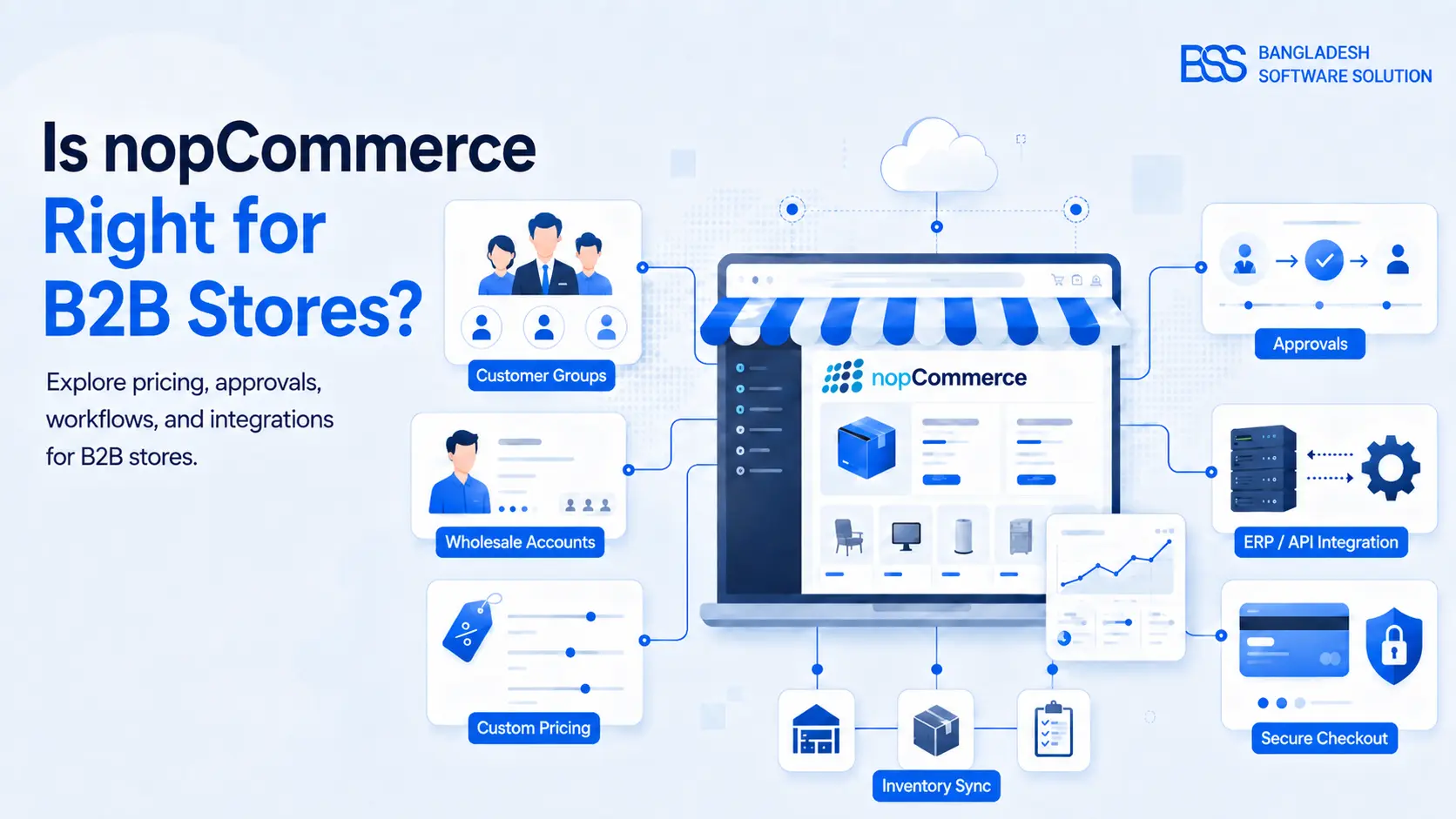
NopCommerce right for B2B stores is a serious question because B2B ecommerce is not just a normal storefront with bigger orders. Wholesale buyers need account-based access, customer-specific pricing, repeat ordering, negotiated terms, tax and shipping rules, approvals, ERP sync, and a buying experience that supports operational teams instead of casual consumers.
In our deployments, nopCommerce is a strong option when a B2B store needs .NET ownership, flexible customer groups, custom pricing logic, plugin extensibility, and integration control. It is not the fastest fit for every wholesale business, but it becomes compelling when the buying rules are specific.
Short answer: nopCommerce can be right for B2B stores when you need account-based pricing, customer roles, tier prices, discounts by customer group, custom checkout logic, and integration with ERP, CRM, inventory, or accounting systems. If your B2B workflow is highly approval-heavy, quote-driven, or contract-specific, plan for custom development instead of expecting every rule to be native.
What B2B stores usually need from an ecommerce platform
B2B ecommerce is workflow-heavy. Buyers often return weekly, reorder from known SKUs, buy under a company account, expect negotiated prices, and need shipping, tax, invoice, or purchase-order handling that is different from retail checkout.
A good B2B ecommerce platform .NET teams can own should support both configuration and customization. The core platform should handle catalog, customer accounts, orders, discounts, roles, and admin workflows, while developers extend the parts that are unique to the business.
nopCommerce B2B features: what is available out of the box
nopCommerce gives B2B projects a useful base because customer roles, discounts, tier pricing, vendors, access control, tax and shipping settings, and product/catalog management are already part of the ecosystem. Official nopCommerce documentation describes customer roles as a way to form groups of store users and grant special statuses such as discounted pricing, tax exemption, and free shipping.
That does not mean every B2B workflow is automatic. It means the platform gives developers and store teams a solid starting model: classify customers, control visibility, apply role-based incentives, and extend behavior through plugins or custom code when the business rules are more specific.
Practical perspective
For many B2B stores, the key question is not whether nopCommerce has a feature label called B2B. The real question is whether customer roles, discounts, tier prices, checkout settings, plugins, and custom development can model your actual sales rules without creating upgrade pain.
Custom pricing in nopCommerce for wholesale ecommerce
Custom pricing nopCommerce projects usually start with customer roles, tier prices, and discount requirements. Official nopCommerce discount documentation explains that discounts can use requirements such as assignment to a customer role, and that nopCommerce calculates the best available price based on discounts and group memberships.
This is useful for wholesale ecommerce because different buyer groups can receive different price treatment without creating a separate storefront for every account. For more complex cases, developers can extend pricing services, create custom discount requirement plugins, or integrate pricing from an ERP.
| Pricing need | Native fit | When customization is needed | B2B value |
|---|---|---|---|
| Quantity breaks | Use tier pricing where simple quantity thresholds are enough. | When thresholds depend on account, contract, product family, or warehouse. | High |
| Customer-group discounts | Use customer roles and discount requirements. | When discounts require complex Boolean rules, credit status, or ERP pricing. | High |
| Contract pricing | Can be approximated with roles or product-specific pricing in simple cases. | When every customer has negotiated SKU-level pricing. | Needs planning |
| Quote-based pricing | Not usually a simple retail-style checkout rule. | When sales teams approve quotes, revise quantities, and convert quotes into orders. | Custom workflow |
Customer groups, approvals, and account workflows
nopCommerce customer groups are useful for more than discounts. In B2B, roles can drive account segmentation, access control, free shipping, tax treatment, and visibility rules. The admin path usually starts around Customers and Customer roles, while pricing and promotion logic is managed through catalog and promotion areas.
B2B workflows often need more than one buyer per company. If buyers, managers, and purchasing departments need approval chains, shared carts, credit limits, or purchase-order validation, expect a custom workflow layer. nopCommerce is extensible enough for that work, but it should be scoped deliberately.
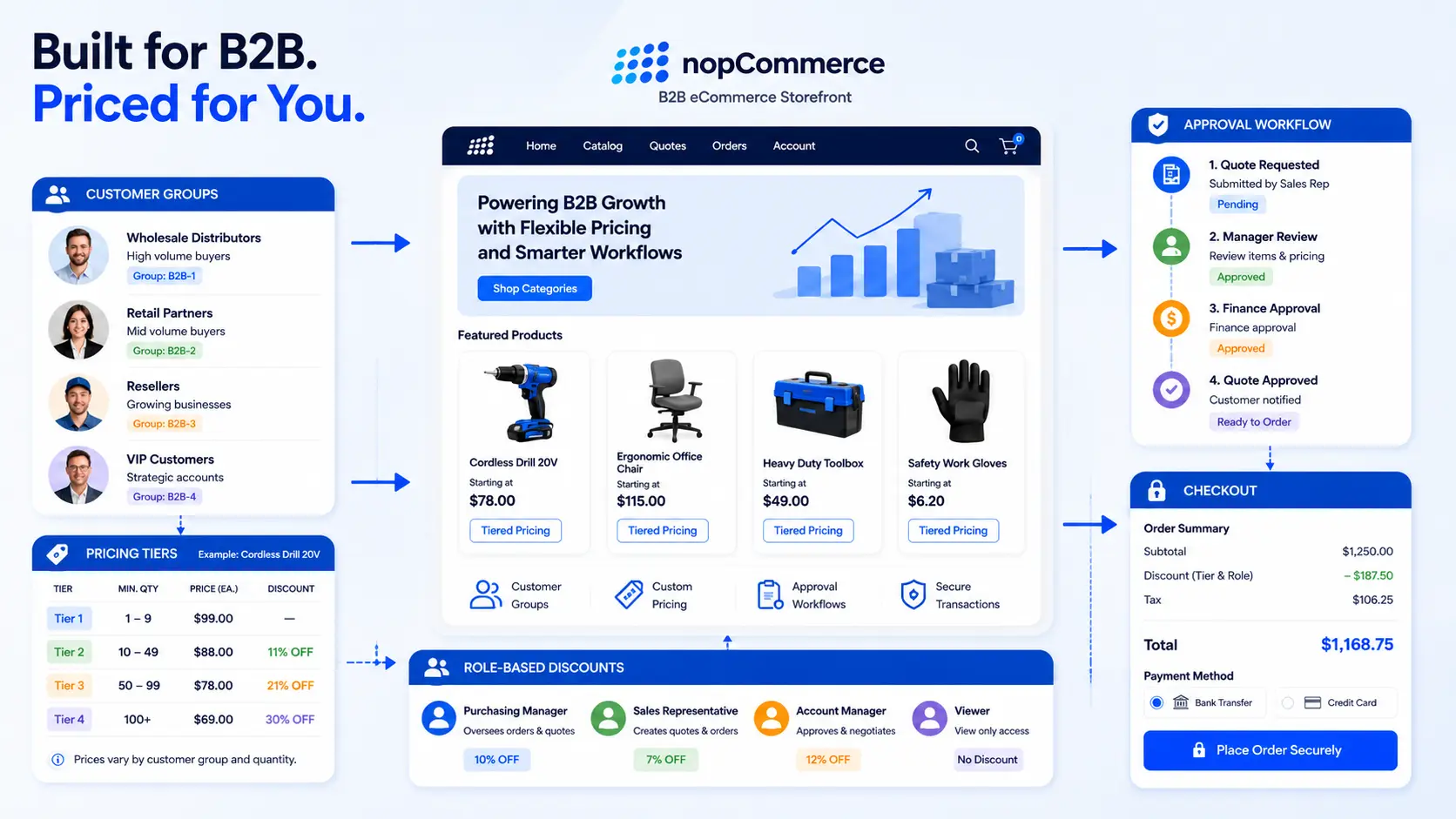
Common B2B account rules
- Role-based catalog access: show selected products only to approved wholesale groups.
- Tax and shipping rules: support tax-exempt buyers, free-shipping groups, freight rules, and location-specific restrictions.
- Company account controls: manage buyer permissions, approval limits, purchase order numbers, and invoice workflows.
- Repeat ordering: simplify reorder flows for known SKU lists, bulk ordering, and account-specific catalogs.
Where nopCommerce works well for B2B integrations
A B2B store rarely lives alone. Orders may flow into ERP, inventory may come from a warehouse system, prices may come from a contract table, and customers may be approved in CRM or accounting software.
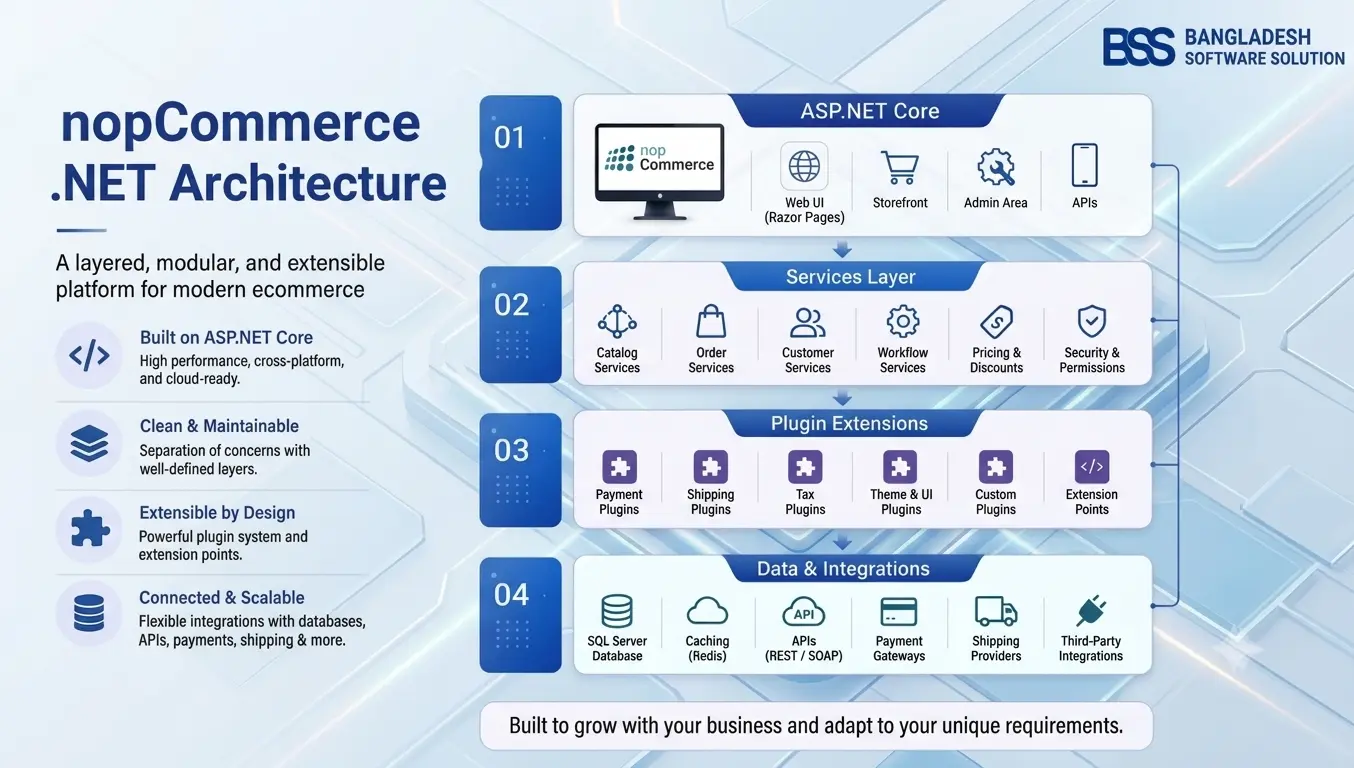
This is where nopCommerce can be a good fit for .NET teams. The platform is source-available, plugin-oriented, and familiar to C# developers, so integrations can be designed as services, scheduled tasks, APIs, or plugins rather than fragile one-off scripts.
Integration warning
Do not treat ERP pricing as a last-minute import job. Decide early whether nopCommerce owns pricing, the ERP owns pricing, or pricing is synchronized on a schedule. That decision affects product pages, cart totals, checkout speed, order approval, and customer support.
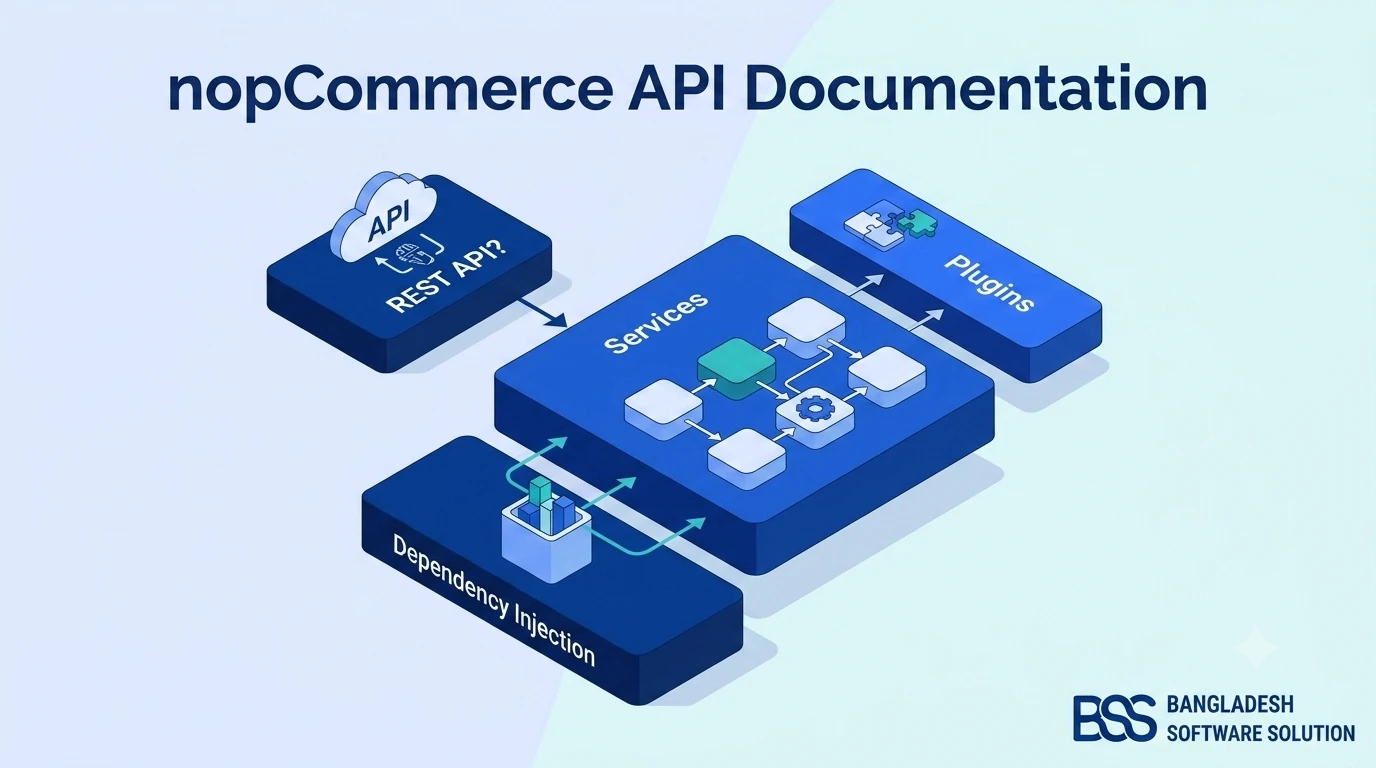
For deeper integration planning, pair this article with the nopCommerce API documentation walkthrough and the developer deep-dive on why teams choose nopCommerce.
Is nopCommerce the right B2B ecommerce platform for your case?
nopCommerce is strongest when a business wants ownership, .NET extensibility, custom pricing logic, and integration flexibility. It is weaker when the business expects every B2B workflow to exist as a single switch in the admin panel.
| Business scenario | nopCommerce fit | Why | Risk to plan for |
|---|---|---|---|
| Wholesale catalog with group pricing | Strong fit | Customer roles, discounts, tier pricing, and catalog rules give a good base. | Complex contract pricing may need custom logic. |
| B2B with ERP-driven prices and inventory | Strong with development | .NET architecture and plugin extensibility are useful for integrations. | Sync timing, checkout performance, and data ownership must be designed. |
| Quote-heavy enterprise sales | Possible, but custom | The platform can be extended for quote workflows. | Approvals, revisions, and sales rep flows are usually not simple configuration. |
| Very simple B2B brochure ordering | May be more than needed | nopCommerce may provide more control than the business currently needs. | Hosting, maintenance, and upgrades still need ownership. |
B2B readiness checklist before choosing nopCommerce
Before choosing any platform, define the actual buying workflow. The more specific the B2B rules are, the more important it is to map them before implementation begins.
B2B nopCommerce evaluation checklist
- 1List buyer types: retail, wholesale, distributor, dealer, sales rep, vendor, tax-exempt account, and internal admin users.
- 2Define pricing ownership: nopCommerce rules, ERP pricing, imported price lists, contract pricing, or a hybrid model.
- 3Document catalog visibility, minimum order quantities, bulk order needs, reorder behavior, and customer-specific products.
- 4Map checkout requirements: purchase orders, invoices, credit limits, approvals, freight shipping, tax exemption, and payment terms.
- 5Identify integrations with ERP, CRM, accounting, warehouse, shipping, tax, and analytics systems before theme work starts.
- 6Plan hosting, caching, database performance, and upgrade ownership for long-term B2B growth.
For cost planning, see how much a nopCommerce store costs to build. For infrastructure planning, use the nopCommerce hosting guide.
Where nopCommerce may need custom B2B development
The honest answer is that nopCommerce can support many B2B needs, but advanced B2B operations usually require customization. That is not a weakness if the business wants a flexible .NET platform; it is a planning requirement.
Expect custom work when the store needs quote negotiation, multi-buyer company accounts, approval chains, customer-specific SKU catalogs, advanced credit limits, sales-rep assignment, complex ERP pricing, or account-specific payment and shipping rules.
Implementation advice
Start with customer roles and pricing rules, then customize only the workflows that are truly unique. Over-customizing basic B2B logic creates upgrade friction; under-customizing quote, ERP, or approval flows creates operational friction.
Need to validate a nopCommerce B2B build?
BSS can map your B2B pricing rules, customer groups, quote needs, ERP integration, checkout workflow, and long-term upgrade plan before development starts.
Bangladesh Software Solution works with nopCommerce as a practical engineering platform for B2B ecommerce, not just a storefront template. Our team can design customer-group pricing, custom plugin logic, ERP/API integrations, checkout extensions, performance tuning, and production support for wholesale and distributor workflows.
Frequently Asked Questions
Final Thoughts
nopCommerce is right for many B2B stores when the project needs control, customer groups, custom pricing logic, wholesale workflows, and .NET extensibility. It is especially useful when the business expects integrations and custom rules to become part of the long-term ecommerce operation.
The decision should be practical: map your buyer roles, pricing model, approval needs, integrations, hosting plan, and upgrade expectations first. If those requirements are specific and important, nopCommerce gives a strong foundation for a B2B ecommerce platform .NET teams can own and extend.