Developers Choose NopCommerce when a project needs more than a quick storefront theme. The platform gives .NET teams a real ecommerce codebase, an admin system, plugin extensibility, and production patterns that can be inspected, changed, tested, and deployed under normal engineering discipline.
This guide explains why use nopCommerce from a developer's point of view: where the architecture helps, where customization should happen, and where teams create long-term maintenance problems when they modify the wrong layer.
Short answer: nopCommerce is strongest when the store needs owned code, custom business logic, integrations, plugin-based extensions, and a clear upgrade path. It is not just a theme surface; it is a .NET ecommerce application that rewards disciplined engineering.
Why nopCommerce fits .NET engineering teams
nopCommerce is attractive because it sits close to the Microsoft stack many enterprise developers already understand. The official nopCommerce documentation lists modern .NET runtime requirements for current versions, and Microsoft describes ASP.NET Core as a cross-platform framework for cloud-ready web applications.
That matters in real projects. A team can use familiar C#, dependency injection, service-layer thinking, structured configuration, scheduled tasks, CI/CD pipelines, Windows or Linux hosting skills, and normal debugging workflows instead of learning an isolated ecommerce runtime.
nopCommerce ASP.NET Core foundation
The strongest technical reason developers choose nopCommerce is not only that it is an ecommerce platform. It is that nopCommerce ASP.NET Core development fits the same mental model used for modern .NET web applications.
In our deployments, this reduces ramp-up time for C# teams. Developers can inspect controllers, views, services, startup configuration, routing behavior, dependency registration, scheduled tasks, and plugin loading with tools they already use. When checkout or catalog filtering fails, the team can debug the request path directly.
Insider insight
The fastest nopCommerce builds usually avoid editing core code first. Start by mapping the business rule to a service override, plugin, widget, scheduled task, setting, event handler, or admin extension. Core edits should be rare, documented, and isolated because they increase upgrade work.
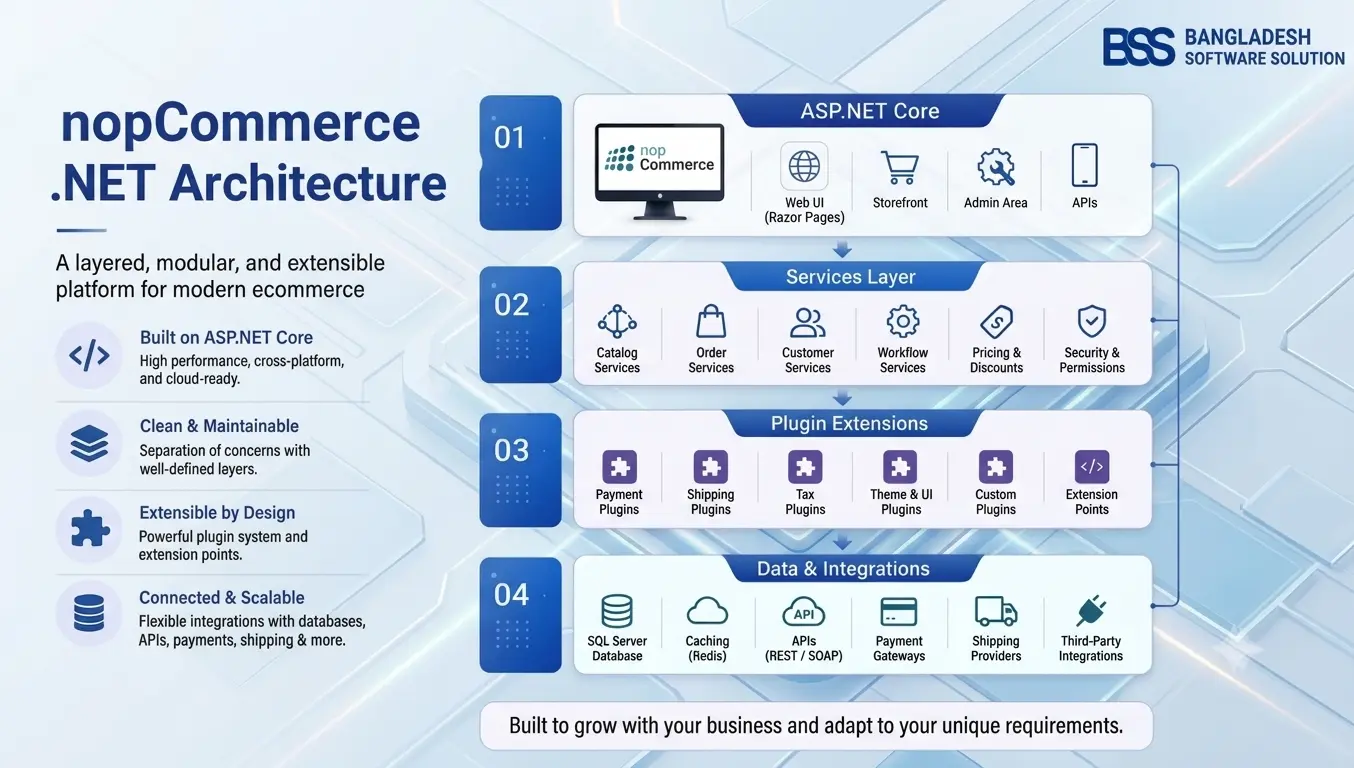
nopCommerce .NET architecture: what developers actually work with
nopCommerce .NET architecture separates common ecommerce concerns into recognizable areas: domain entities, services, data access, caching, presentation, admin configuration, background tasks, and plugins. The official developer tutorials describe architecture, source organization, dependency injection, routing, settings, events, permissions, scheduled tasks, and plugin development as separate developer topics.
A practical project usually touches several layers at once. A loyalty pricing feature may need database changes, customer-role rules, admin settings, storefront display, scheduled recalculation, and cache invalidation. A well-planned implementation keeps those pieces structured instead of burying logic inside views.
- Catalog-heavy stores - product attributes, categories, manufacturers, pricing, discounts and search behavior can be adapted without rebuilding the platform.
- Integration-heavy stores - ERP, CRM, warehouse, payment, shipping and tax integrations can be separated into services or plugins.
- Admin-heavy workflows - business teams can keep using the admin panel while developers extend configuration screens and permissions.
- Multi-store or B2B builds - developers can design custom rules around stores, roles, vendors, currencies, languages and customer groups.
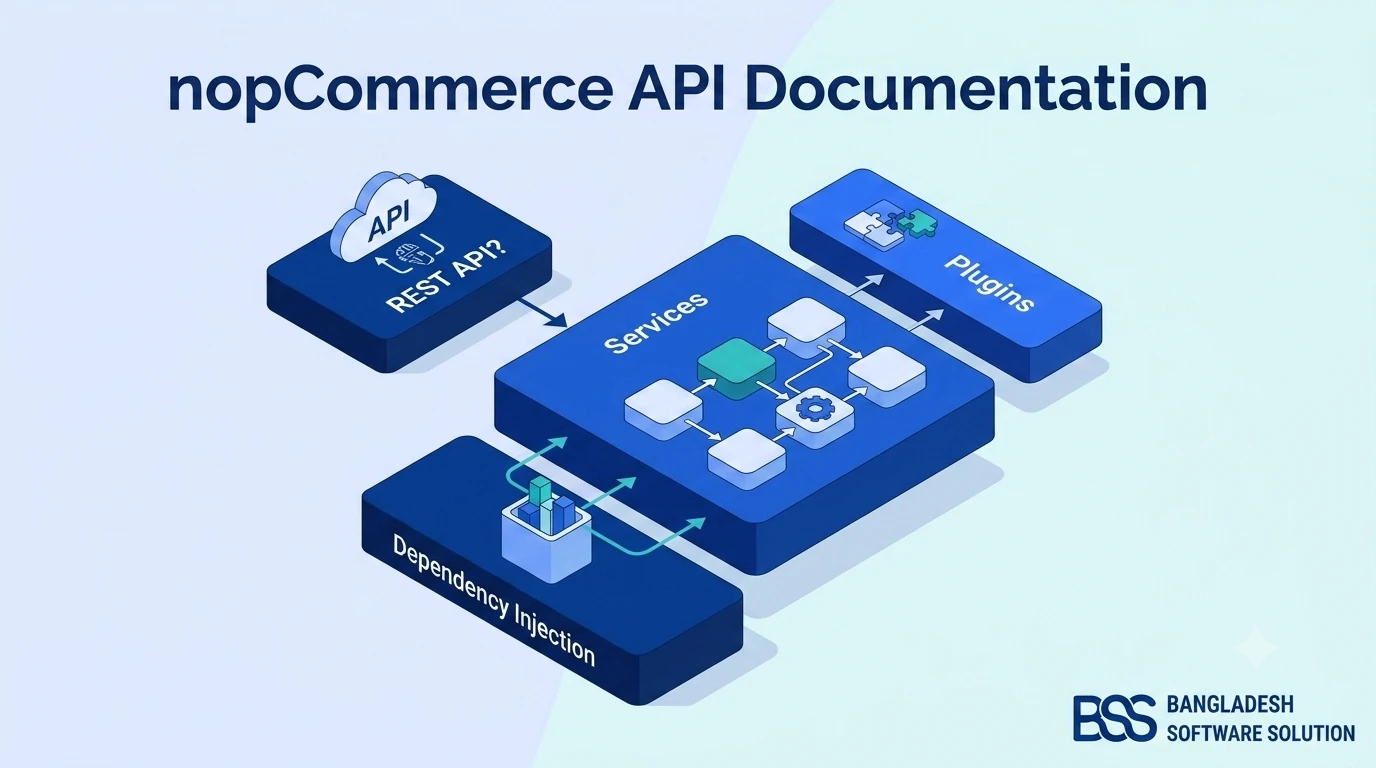
If you are new to the platform, start with What Is nopCommerce? before making architecture decisions. For API-heavy projects, our nopCommerce API documentation walkthrough is a better companion than starting from UI customization alone.
nopCommerce plugin architecture: the main developer advantage
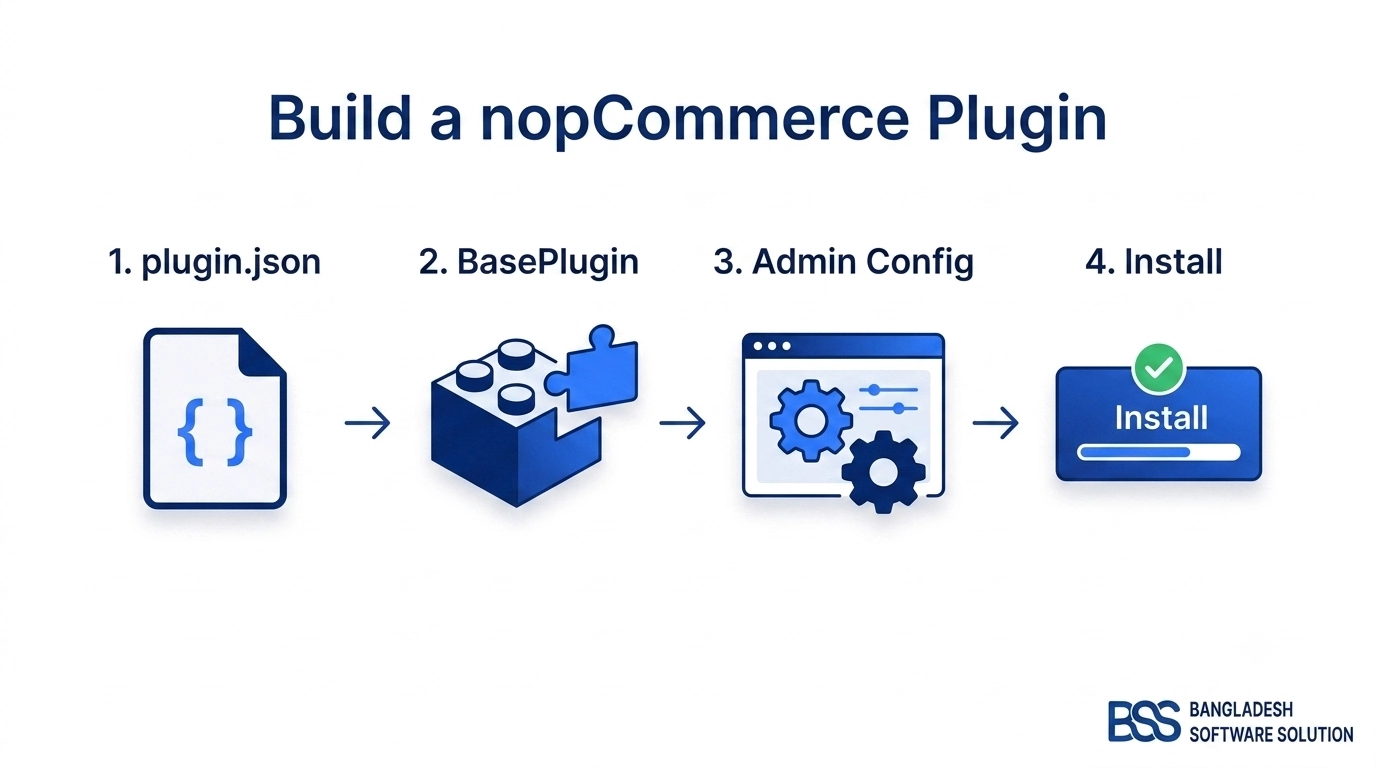
The nopCommerce plugin architecture is the reason many experienced teams prefer it for custom ecommerce work. Plugins let developers package a business capability with its own configuration, routes, views, dependencies, installation logic, and upgrade path.
Payment methods, shipping rate computation, tax rules, widgets, admin menu items, CSS and JavaScript assets, settings, and data access are covered in official nopCommerce plugin documentation. That gives teams a supported extension path instead of a pile of one-off patches.
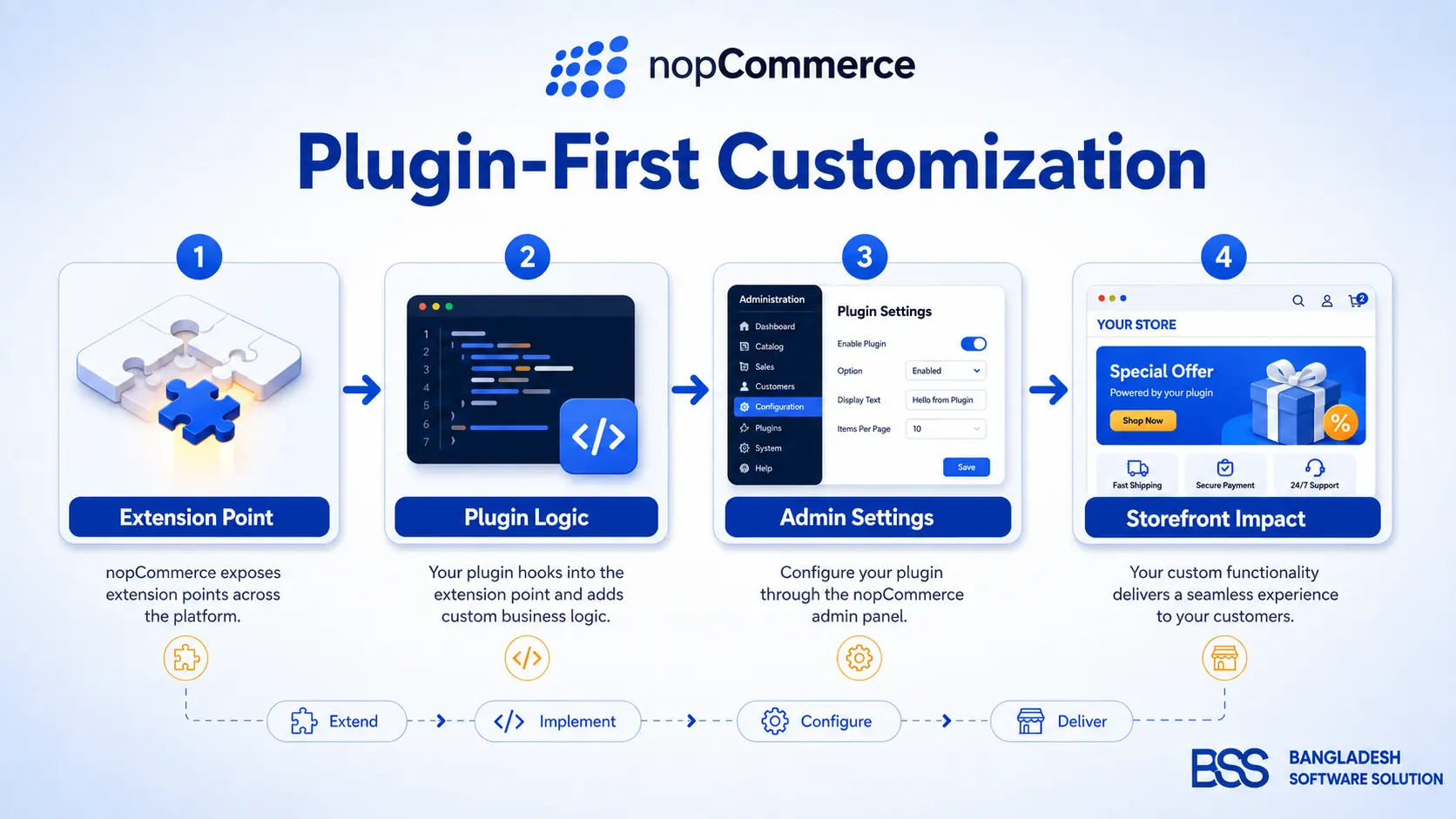
Plugin-first customization pattern
In real builds, the best approach is to treat plugins as deployable business modules. The plugin should own its settings, admin pages, permissions, scheduled tasks, events, and migration logic. The storefront should consume the behavior cleanly, not hardcode business rules across multiple theme files.
For a hands-on example, see our guide to creating a plugin in nopCommerce 4.80. The exact version may differ from your store, but the architectural discipline remains the same: keep the extension boundary clear.
Customization approaches compared
There are three common ways to customize nopCommerce. The right choice depends on risk, deadline, upgrade expectations, and how much business logic is involved.
| Approach | Best for | Pros | Main trade-off |
|---|---|---|---|
| Manual DIY changes | Small theme edits, labels, layout tweaks and simple settings | Fast, low cost, direct control | Can become messy if logic is spread across views and core files. |
| Custom engineering from scratch | Unique workflows, advanced integrations, B2B rules and data sync | Maximum control and correct domain modeling | High value, but requires strong nopCommerce knowledge. |
| Specialized implementation service | Migration, plugin development, performance work and complex launch plans | Faster delivery, fewer architecture mistakes, clearer upgrade path | Strong fit for revenue-critical stores when the team is experienced. |
Developer evaluation checklist
The most useful nopCommerce developer benefits show up after launch, not only during the first build. Stores change constantly: promotions, checkout rules, shipping providers, ERP behavior, search tuning, SEO requirements, hosting pressure, and reporting expectations all evolve.
Before you commit to the architecture
- 1Confirm the target nopCommerce version and matching .NET runtime before development begins.
- 2Identify which requirements fit configuration, theme changes, plugins, integrations, or core modifications.
- 3Keep payment, shipping, tax, ERP, CRM, and search behavior isolated behind services or plugins.
- 4Document every database migration and plugin setting used by custom features.
- 5Test upgrade impact on every custom plugin, route, view override, scheduled task, and admin extension.
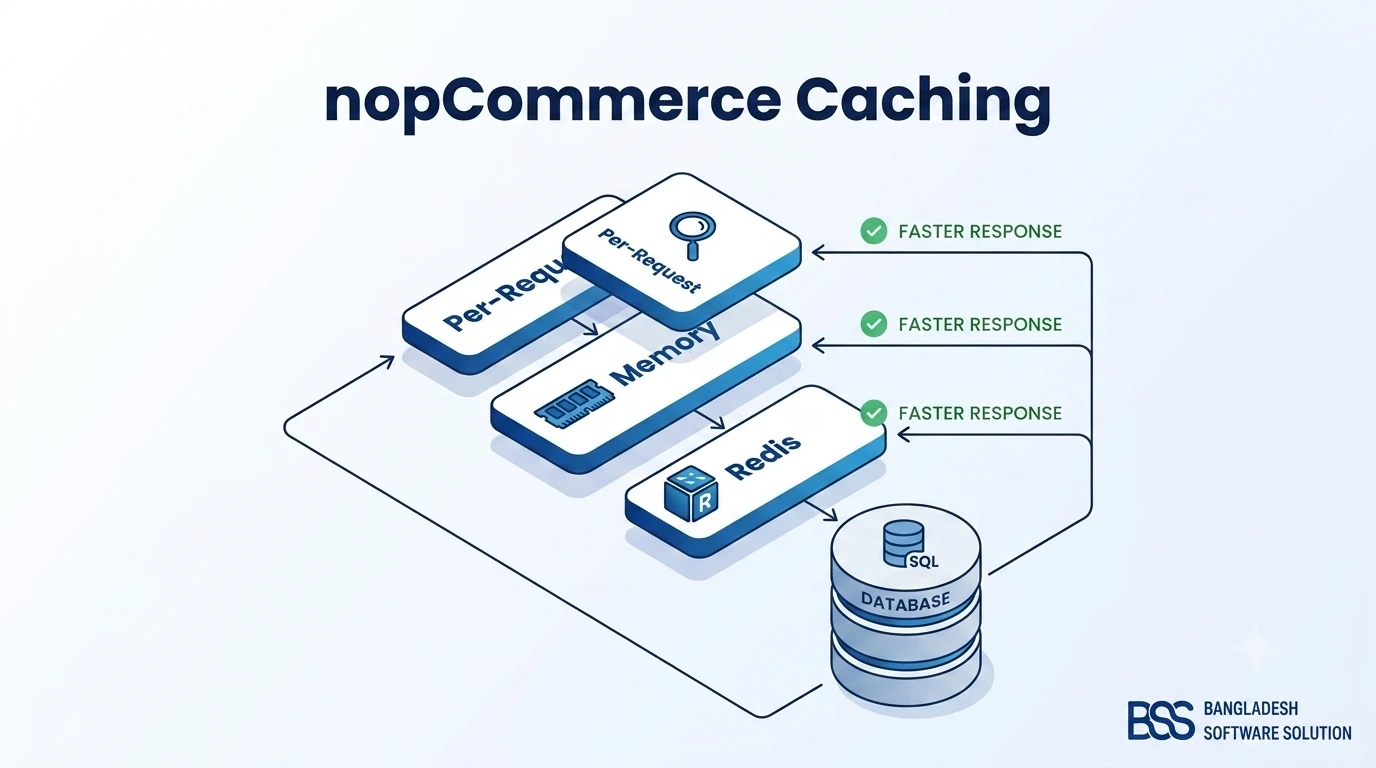
For performance-oriented stores, pair architecture planning with our nopCommerce caching guide and nopCommerce hosting guide. Many production problems come from cache strategy, database shape, hosting limits, and integration timing.
The honest trade-offs: when nopCommerce can feel heavy
nopCommerce is not the simplest option for every store. If a business only needs a small catalog, a standard theme, and minimal custom logic, a hosted SaaS platform may feel faster at the beginning. Developers should not oversell architecture when the business does not need it.
But complexity changes the equation. Once a store needs custom checkout logic, multi-store rules, pricing by customer role, advanced integrations, marketplace behavior, or strict ownership of code and data, the extra technical depth becomes an advantage.
A common mistake we see when auditing setups is that teams choose nopCommerce for flexibility, then ignore its extension patterns. They edit core files, place business logic in views, skip version documentation, and discover upgrade pain later. The platform gives developers good tools, but it still requires disciplined engineering.
Need nopCommerce architecture done right?
BSS works with nopCommerce as an engineering platform, not just a theme surface. Our team handles plugin architecture, custom integrations, store migration, hosting readiness, performance tuning, admin workflow extensions, and long-term upgrade planning for stores that need dependable technical ownership.
Bangladesh Software Solution works closely with nopCommerce store owners on production engineering: plugin compatibility, custom module development, API integrations, deployment planning, performance tuning, and post-launch support. That practical implementation experience helps BSS design nopCommerce solutions that remain stable, maintainable, and ready for growth.
Frequently Asked Questions
Final Thoughts
Developers choose nopCommerce because it gives ecommerce teams technical ownership: readable source, ASP.NET Core foundations, a structured .NET architecture, and a plugin model built for real customization. It is not the lightest path for every storefront, but it is a strong choice when the business needs extensibility, maintainability, and control.
The best results come from respecting the architecture. Keep business logic out of random views, use plugins where they fit, document version decisions, test integrations under real data, and plan hosting and caching before the store is under pressure.