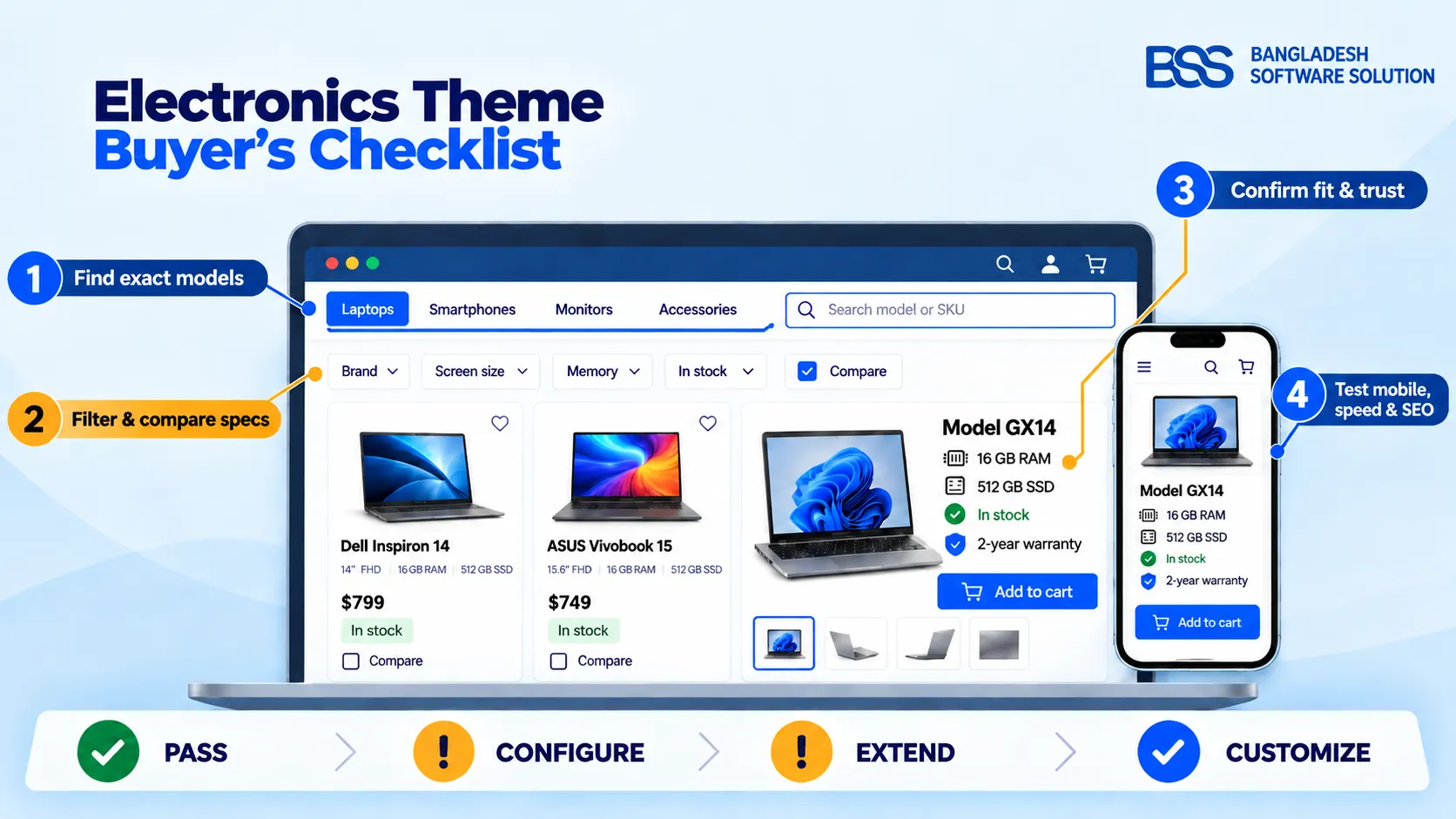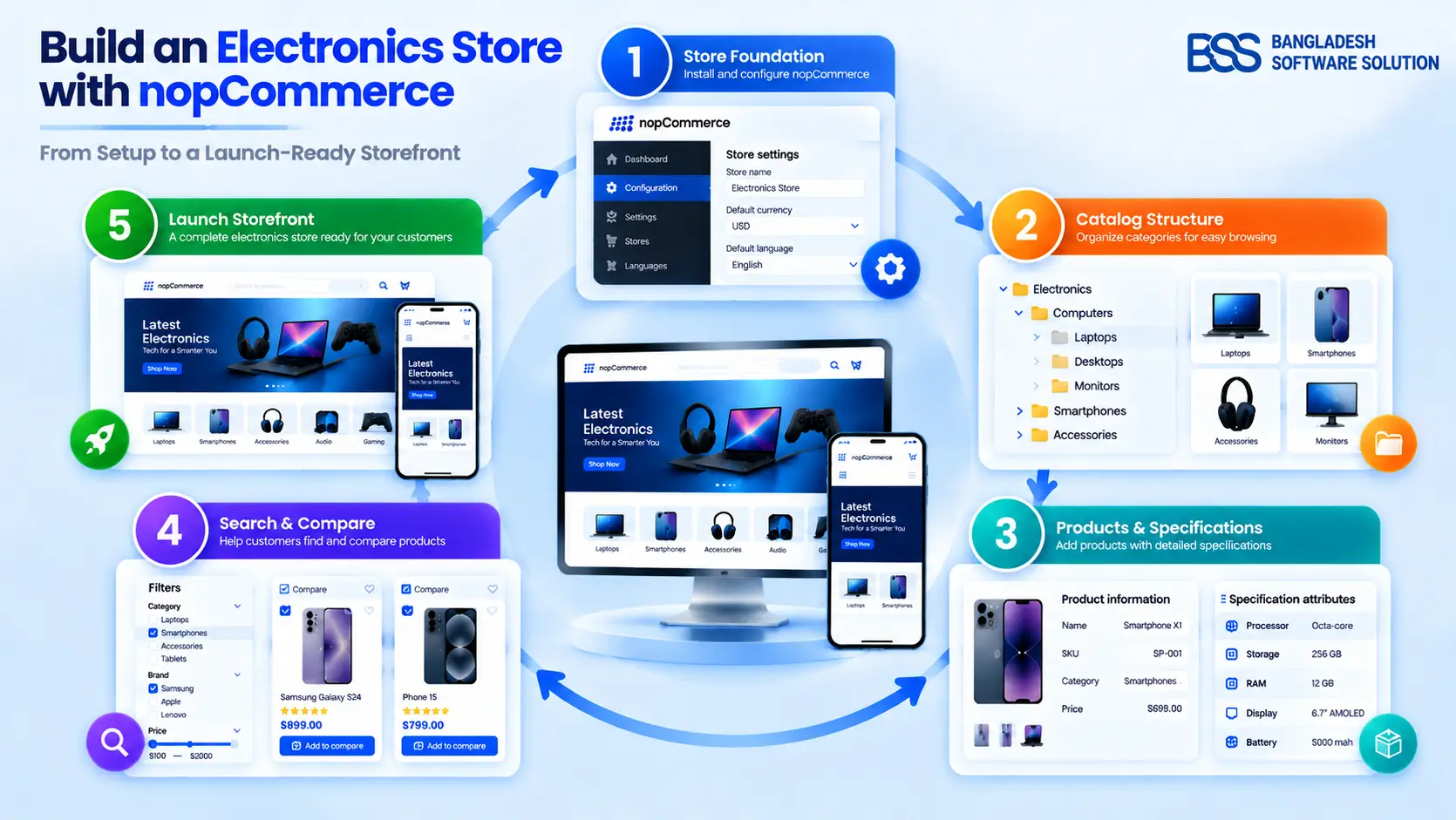
Can shoppers use your product specification tables to answer a buying question without opening another tab? Choose two products from the same category and check whether their specifications explain what matters: fit, compatibility, and meaningful differences.
Does “size” describe the product or its packaging? Does weight include accessories? Does an empty cell mean “not supported” or “not supplied”? A useful table resolves these questions instead of leaving shoppers to guess.
Here is how to build one using verified information, clear presentation, and nopCommerce’s catalog features.
Start with the shopper’s decision
A specification table describes one product. A comparison table aligns attributes across alternatives. Nielsen Norman Group recommends comparison tables when shoppers need to weigh several characteristics of similar offerings.
Before designing either, review your product enquiries, available return reasons, and on-site search terms. Use that evidence to identify the questions your customers need answered.
Put essential checks first, then useful differences and specialist details. Keep the complete specifications accessible: Baymard’s comparison research found that an attribute unimportant to one participant could determine another participant’s choice.
Choose a starting point for one category
Build a short list of questions from actual customer enquiries, then connect each question to a field you can verify. A question about available space calls for clearly identified dimensions; a compatibility question calls for the exact supported model or requirement, as documented by the manufacturer.
Keep this list provisional until you test it with shoppers. Do not promote a field simply because the supplier makes it prominent, and do not remove a specialist detail merely because it matters to fewer people.
Make equivalent facts look equivalent
Baymard recommends consistent attribute names, ordering, and measurement conventions across similar products. Create a category-level specification dictionary recording each field’s label, meaning, unit, value format, and required source.
Separate product dimensions from packaging dimensions. Explain the order of measurements, and verify conversions before publishing them. Do not merge similar-sounding fields when they measure different things.
Keep a source record behind each row
For your internal catalog worksheet, record the exact model or SKU, the attribute label, the original value and unit, the source document or URL, and the date checked. Add any condition that changes the meaning of the value, such as the selected configuration or a required accessory.
Then keep the customer-facing cell short. The shopper needs the usable value and its relevant qualification; your editor needs enough evidence to reproduce the check.
When two documents disagree, first check whether they describe the same model, market, revision, and configuration. If the conflict remains unresolved, mark the field as awaiting confirmation and ask the manufacturer or supplier to clarify it. Do not average the figures or choose whichever makes the product look stronger.
A manufacturer-verified example
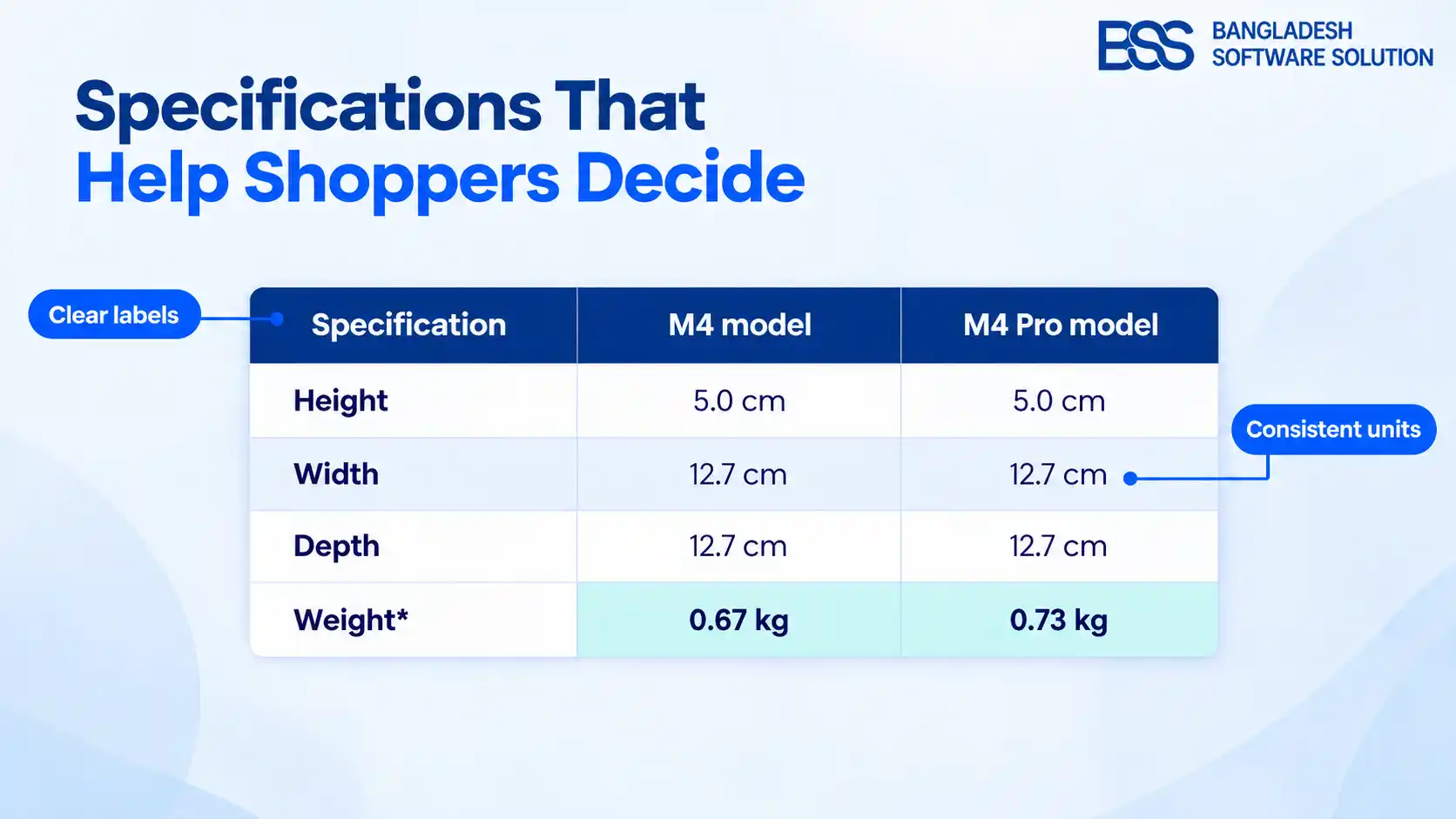
Apple’s support page for the 2024 Mac mini lists these dimensions and weights. This historical example demonstrates comparable fields; it is not a complete buying guide.
| Specification | M4 model | M4 Pro model |
|---|---|---|
| Height | 5.0 cm | 5.0 cm |
| Width | 12.7 cm | 12.7 cm |
| Depth | 12.7 cm | 12.7 cm |
| Weight* | 0.67 kg | 0.73 kg |
*Apple states that weight varies by configuration and manufacturing process.
The listed dimensions match; the listed weights differ. Neither fact establishes which computer is faster or better for a particular workload. Those decisions require different evidence.
Choose labels that identify the measurement precisely. For example, distinguish the weight of the item from the weight of a shipping package. If you publish both metric and imperial measurements, apply the same convention across comparable products and avoid implying greater precision than the original source provides. Keep the source value available internally so future editors can check the conversion rather than repeatedly converting an already rounded number.
Explain meaning without inventing benefits
Baymard’s telecommunications research identifies unexplained specification terminology as an obstacle. Retain accurate technical labels, but explain unfamiliar terms where shoppers encounter them.
For dimensions, “external product measurements; check your available space” explains how to use the information. It does not invent installation clearance. Likewise, avoid turning a specification into an unsupported promise such as “perfect for professional use.”
Keep qualifications beside their values. Preserve wording such as “maximum,” “estimated,” or “depending on configuration.” Measurements reported under different conditions should not become unqualified performance comparisons.
Missing information is not “No”
Use “No” only for confirmed absence. Use “Not stated in the checked manufacturer documentation” when that source omits a value, or “Not verified” when confirmation is outstanding. Reserve “Not applicable” for attributes that genuinely do not apply.
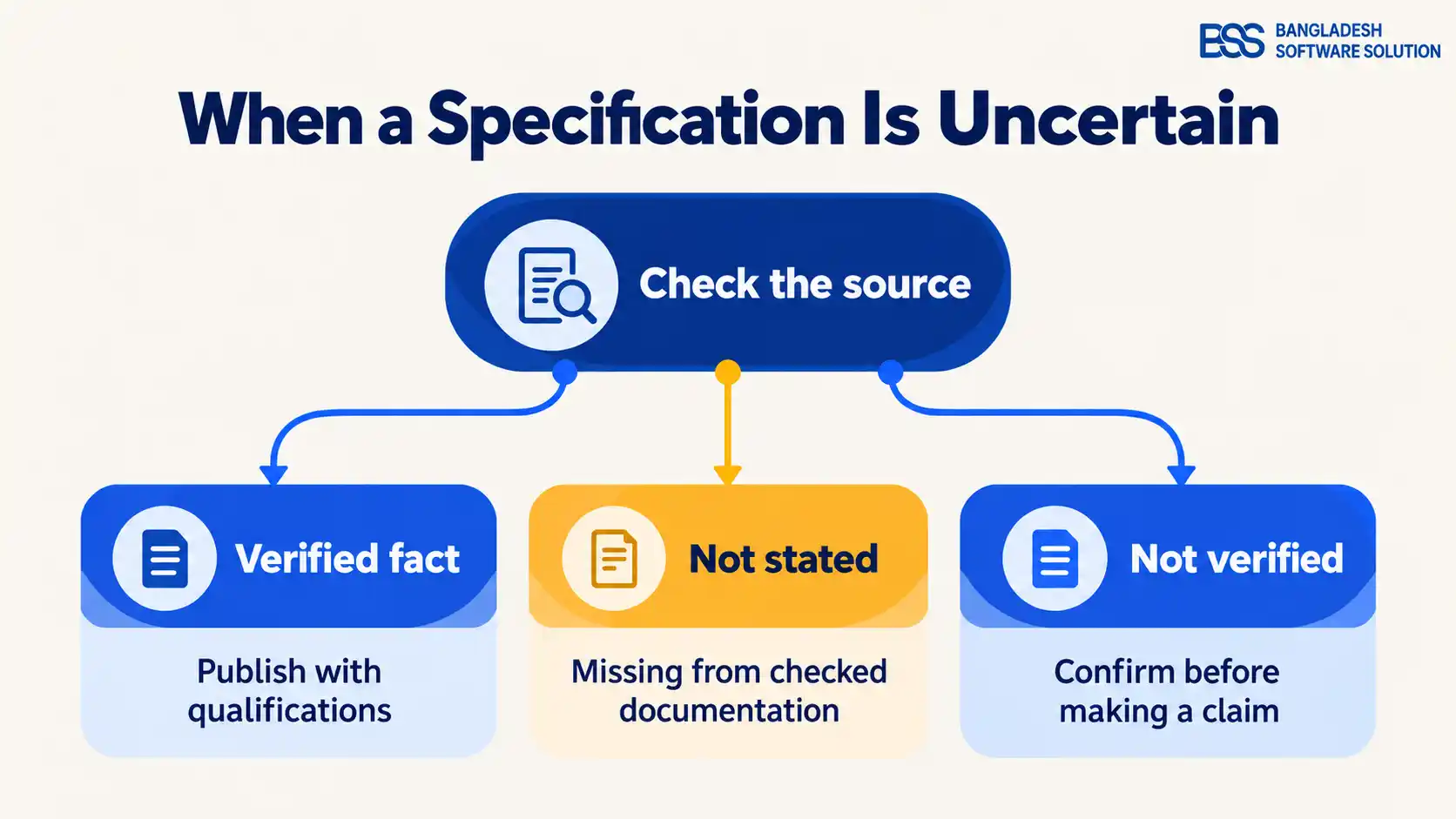
Define these editorial labels for your catalog team. Keep an internal record of each value’s source, exact model, and verification date. Resolve conflicting information with the supplier or manufacturer rather than choosing the more attractive claim.
Treat a change of model, configuration, or supplier document as a reason to review the affected fields. Do not copy a specification from a neighbouring product merely because the names or photographs look similar. Where confirmation is missing, flag the specific field for review and keep its uncertainty visible. Assign an owner to resolve flagged fields before they are used in a buying recommendation.
Design for scanning and comparison
For a single product, group related attributes under clear headings. Baymard recommends prioritizing key details and using subtle row separation to connect labels with values.
For comparisons, place products in columns and consistent attributes in rows. Keep cells concise. Nielsen Norman Group identifies incomplete and inconsistent content as a central weakness in comparison tables.
For long tables, keep product headings visible and let shoppers remove unwanted alternatives. NN/g’s eye-tracking research shows how distant labels interrupt comparison.
If you offer “Show differences,” keep unknown values distinct from confirmed matches. Missing information should not make products appear identical.
Once the data is ready, explore nopCommerce theme customization options to plan its presentation.
Preserve meaning on smaller screens
Test an actual buying task on a phone. Baymard’s mobile research found limitations in comparison features, including difficulty viewing several products together. Do not assume a swipeable table automatically provides a useful comparison.
Consider fewer visible products while retaining clear identities. NN/g notes that mobile comparisons may need only two items at a time. For lengthy single-product sheets, evaluate clearly labelled expandable groups.
These sources point to a decision worth testing: whether shoppers in your category need a dedicated mobile comparison view at all. Baymard’s 2022 study favored improving product lists over building new mobile comparison features. Treat that finding as research context, then test your own products and audience before investing in a complex interface.
Follow W3C’s table guidance: identify header cells with <th>, use scope="row" and scope="col" for simple two-directional headers, and add a descriptive <caption>.
W3C’s Reflow guidance allows exceptions for tables needing two-dimensional layouts, but not automatically for surrounding content. Keep wide tables in their own scrollable containers while paragraphs reflow.
Check keyboard operation, enlarged text, and screen-reader navigation. Use explicit status text rather than unexplained colours or symbols. If the whole storefront stretches sideways, investigate nopCommerce mobile layout problems.
Use nopCommerce’s specification attributes
Official nopCommerce documentation describes specification attributes as information used on product pages, in category filtering, and in product comparison. They do not determine prices or track inventory.
- Create shared fields under Catalog → Attributes → Specification attributes.
- Assign verified values to products, enable Show on product page, and set Display order.
- Enable Allow filtering where appropriate.
- Review comparison under Configuration → Settings → Catalog settings → Compare products.
Confirm the controls and output in your installed version and theme. Inspect product pages, category filters, and comparisons together. Where customers select configurations, test whether displayed specifications still describe the selected item.
Test decisions, not just appearance
NN/g describes usability testing as observing representative participants completing realistic tasks. Ask shoppers to find a qualifying product, explain a difference, and identify information requiring confirmation.
Before approving the table
- Match values to the exact product and supporting source.
- Check labels, units, ordering, and qualifications.
- Distinguish unknown information from confirmed absence.
- Verify mobile, keyboard, and screen-reader usability.
- Assign responsibility for correcting outdated supplier data.
Run three realistic buying tasks
- Find a match: give the participant a genuine requirement from your customer research and ask them to identify a suitable product.
- Explain a trade-off: ask what separates two shortlisted products and which verified row supports that explanation.
- Spot uncertainty: ask what still needs confirmation before ordering. Check whether the participant notices a qualification or missing value.
Use products whose answers your team has already checked. Record where people look, where they hesitate, and which labels they misinterpret. A faster choice is not necessarily a better choice if it rests on a misunderstanding.
Record hesitation and misunderstandings, then revise. Measure your own outcomes before claiming higher conversion or fewer returns.
Ask participants to explain which row supported their choice. A correct answer reached by guessing is different from an answer grounded in the table. Review ambiguous labels before adding more visual decoration, and repeat the same buying task after changes so you can see whether the original difficulty has been addressed.
Frequently asked questions
Make the next decision easier
Return to those two products. Can shoppers interpret each measurement, compare relevant values, and recognize what remains unverified? Start with one category, correct its data, and test its presentation. A useful specification table provides a sound basis for choosing while making uncertainty clear.
Need help presenting product information?
Discuss your nopCommerce requirements with BSS.