Picture someone shopping for wireless earbuds. Three tabs are open, one per model, and somewhere in a notes app there's a shortlist: battery life, noise cancelling, and whether their phone even supports the codec. That shopper isn't browsing. They're doing homework, and they'll buy from whichever store makes the homework easiest. Most gadget storefronts are still laid out as if the visitor were hunting for a birthday present.
The cost of that mismatch is measurable. Baymard Institute's aggregate of 50 studies puts average cart abandonment at 70.22%. Some of that can't be helped: in Baymard's survey, 42% of US shoppers said they had abandoned a cart simply because they were browsing. The rest is design. Baymard also estimates that the average large ecommerce site could lift conversions by 35.26% through better checkout design alone.
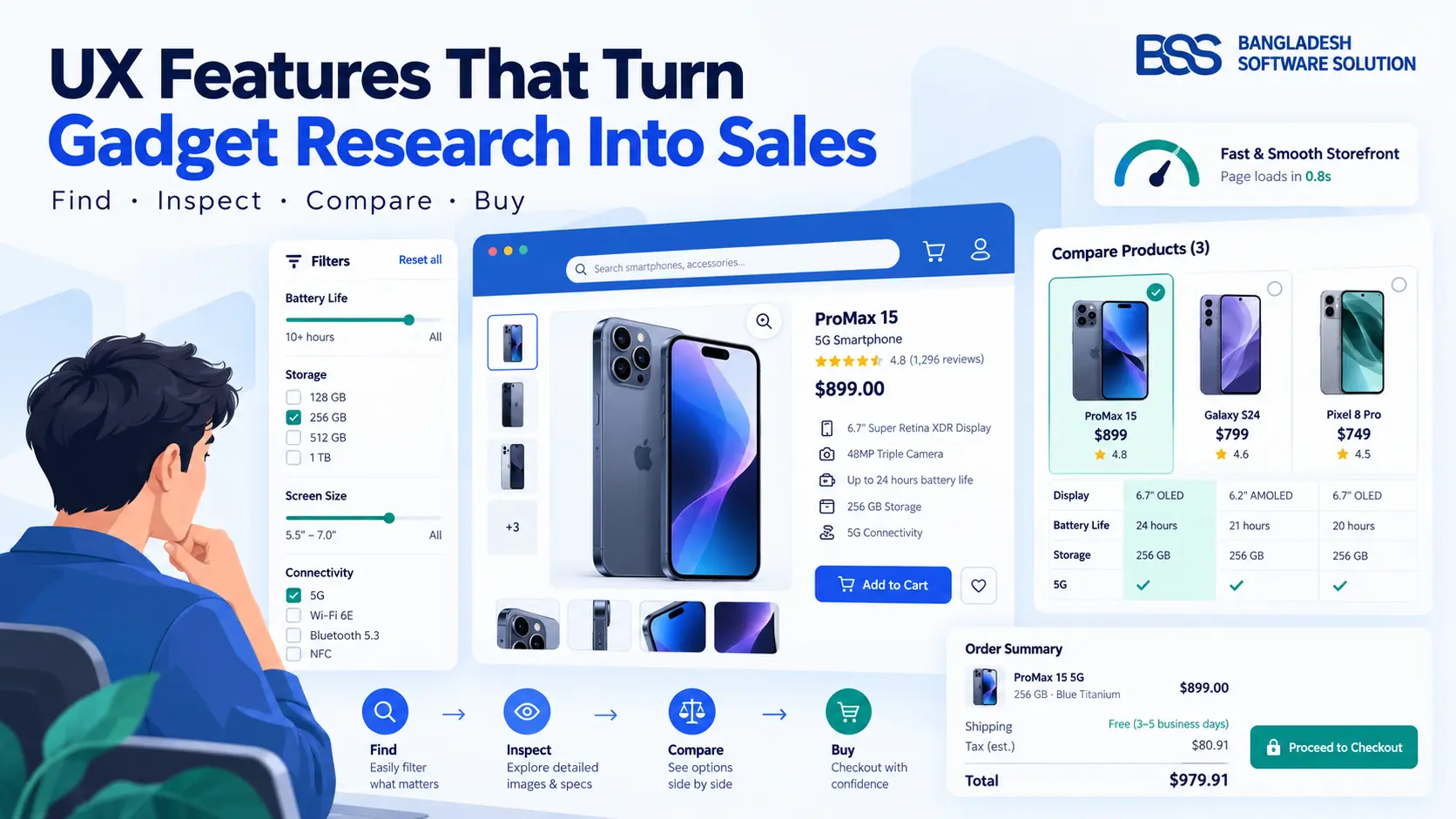
What this guide covers: the seven UX features that do the most work on a tech and gadget store, in the order a shopper meets them: finding, inspecting, comparing, waiting, paying.
Every statistic comes from Baymard Institute or Google and Deloitte, and is dated where the age matters. Where we describe our own products, we stick to what is on our store pages.
Where the Losses Actually Are
Baymard's reason-for-leaving survey is worth taping above a developer's desk. Set the "just browsing" group aside and the fixable reasons stack up like this: extra costs at 40%, slow delivery at 20%, not trusting the site with a card at 19%, being forced to create an account at 18%, and a checkout that's too long at 17%.
Almost every fixable reason sits at the end of the journey. But on a gadget store the shopper has to get through finding, inspecting and comparing first, and each of those steps has its own way of losing people.
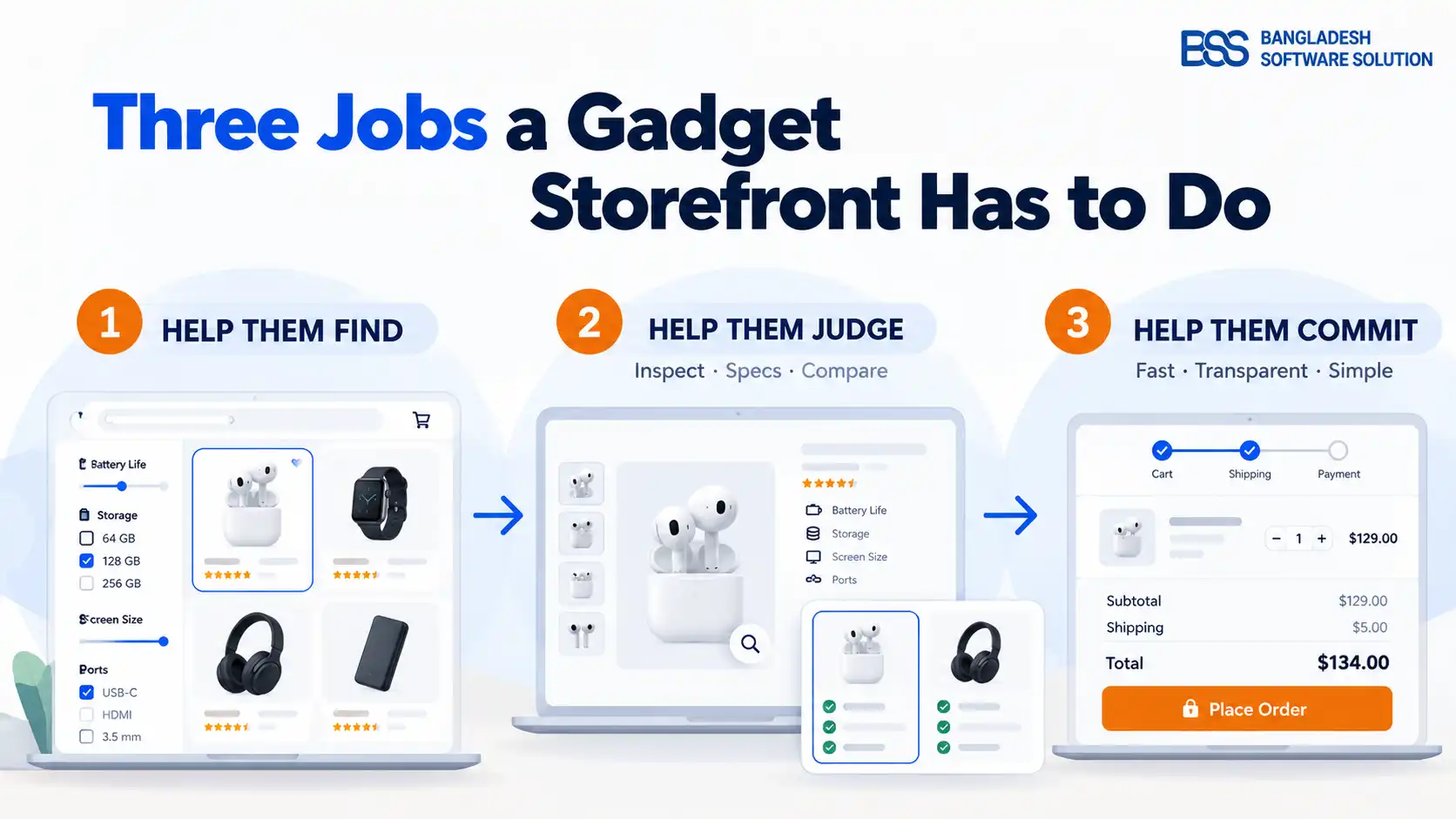
Three Jobs a Gadget Storefront Has to Do
Strip a gadget purchase down and the shopper needs three things from you. Skip any one and the other two stop mattering.
1. Filters and Cards That Help Shoppers Find Things
Baymard's own example fits our category neatly: a camera list should filter by megapixels, zoom level and lens mount, attributes that mean nothing on a TV. Shoppers of spec-driven products search by capability, not by name. The catch is that 38% of sites in Baymard's benchmark don't provide a filter for every attribute they already display on the product list. If your cards show battery life, your filters should let people narrow by it.
That only works if the specs live in your catalog as structured attributes. Typed into a description paragraph, they can't be filtered or compared, so it's worth entering them properly from day one.
Product cards deserve the same care. Baymard's 2025 product-list benchmark found that 80% of sites don't show three or more thumbnails per item, even though shoppers expect to see a product from several angles before they open it. BSS Product Box covers this with hover image carousels and lazy loading.
2. Let Shoppers Inspect the Product
In Baymard's product-page testing, 56% of participants went straight to the images before reading a title or description. For many of them, low-resolution photos were a deal-breaker: they left to find a better-documented alternative. On gadgets that means zoom good enough to check a port, a hinge or a screen edge, plus at least one shot that shows scale. In an earlier Baymard study, 42% of users tried to judge a product's size from its pictures.
BSS Picture Gallery adds hover-to-zoom and a full-screen lightbox with multi-level zoom and touch gestures; BSS Picture Zoom is the lighter option. The plugin page links to the iPhone 17 listing on our NopGadget demo, which is a fair place to try the zoom on a real gadget.
The spec sheet needs the same discipline. Baymard's older spec-sheet research found single-column layouts easier to scan than two-column ones, and that background shading, icons and rules make dense specs readable. For "in the box" lists or compatibility notes, BSS Product Details lets you add extra content blocks to the product page.
3. Put Comparison Where the Decision Happens
In Baymard's testing on spec-driven sites, 67% of participants used comparison features, yet 17% of spec-driven sites still don't offer one. Two caveats from the same research keep this honest. A poorly built comparison gets abandoned: the biggest pitfalls are inconsistently formatted specs and jargon left unexplained. And usage on mobile was very low in testing, so Baymard's advice is to improve the product list and save features on phones rather than build a new mobile comparison flow.
nopCommerce includes a compare-products feature in the core platform. BSS Advanced Product Compare builds on it with a widget on the product page that suggests comparison candidates by category and specification similarity. On the NopGadget demo it sits on the iPad mini 7 listing, with a "Show differences only" toggle, which is exactly the kind of detail shoppers use to cut a shortlist down.
A feature we sell, and mostly wouldn't use on laptops
Baymard's testing on spec-driven sites such as Newegg and Grainger found that Quick Views add friction without much benefit, because shoppers want to dive into the details. It saw the opposite on visually driven products, and 21% of spec-driven sites offer them anyway. BSS QuickView suits accessories where looks drive the decision. Our advice is to leave it off phone and laptop category pages.
4. Treat Speed as a UX Feature
Google commissioned a study with Deloitte, covering 37 brands and 30 million mobile sessions, and the headline finding was this: a 0.1-second faster mobile site lifted progression from product page to add-to-basket by 9.1%, retail conversions by 8.4%, and average order value by 9.2%. The study dates from 2020, but the underlying mechanism hasn't changed — a shopper who's still waiting for a gallery to render is a shopper who hasn't started deciding yet.
Google's own "good" thresholds are 2.5 seconds for the largest piece of content to appear, 200 milliseconds to respond to a tap, and a layout that doesn't jump around while it loads. Industry-wide performance tracking puts the share of mobile sites clearing all three at under half. Gadget pages start heavy by nature, with galleries, spec tables and sometimes video, and every feature in this guide adds weight. The practical move is to add them one at a time and check your loading time after each, rather than shipping a redesign and hoping.
5. Show the Real Total, Then Get Out of the Way
Back to Baymard's list: 12% of those who left couldn't see the total order cost up front, 20% found delivery too slow, and 17% called the checkout too long or complicated. Baymard's testing suggests an ideal checkout can be as short as 12 to 14 form elements, while the average US checkout shows 23.48 by default.
BSS OnePage Checkout puts billing, shipping, payment and order summary on one page, which keeps the running total in view. It's a layout, though, so the bigger win is still cutting fields. BSS Sendcloud brings real-time carrier rates and pickup-point selection into checkout, so shipping is a number instead of a surprise, and BSS Cart Reminder follows up with people who leave items behind. Our guide to checkout page design goes deeper on the form itself.
The Short Version
| UX feature | What it fixes | Evidence | Where to get it |
|---|---|---|---|
| Category-specific filters | Can't narrow by the specs that matter | 38% of benchmarked sites lack filters for displayed list info (Baymard) | Structured specs in your catalog |
| Multi-image product cards | Judging from a single thumbnail | 80% of sites show fewer than 3 (Baymard, 2025) | BSS Product Box |
| Zoomable gallery | Can't inspect details | 56% start with the images (Baymard) | BSS Picture Gallery / Picture Zoom |
| Scannable spec sheet | Specs buried in prose | Single-column, styled sheets scan better (Baymard) | BSS Product Details |
| Comparison | No way to shortlist | 67% use it when offered; 17% of spec-driven sites lack it (Baymard) | nopCommerce core + BSS Advanced Product Compare |
| Fast pages | Drop-off before add-to-basket | +9.1% product page to basket per 0.1s (Google/Deloitte) | BSS Product Box (lazy loading) |
| Transparent checkout | Surprise costs, long forms | 40% cite extra costs; 17% too-long checkout (Baymard) | BSS OnePage Checkout, Sendcloud, Cart Reminder |
A gadget shopper is doing homework. The store that makes the homework easiest gets the order.
BSS Engineering
A Storefront Built for the Way People Shop Gadgets
A modern, tech-focused nopCommerce theme for gadget and electronics stores: visual editor, advanced theme builder, product comparison, dynamic image galleries, flexible payment options and multi-carrier shipping with Sendcloud. Eighteen plugins in the bundle, at $79 against a $600 list price.
A One-Afternoon UX Audit
You don't need a redesign to find out where your storefront stands. Work through this on your own best-selling product.
Gadget storefront UX audit
-
Every spec shown on a product card has a matching filter, and specs are stored as structured attributes.
-
On a phone, you can zoom into a port or screen edge, and at least one image shows the product's scale.
-
Add two products to compare: specs line up row by row, formatted consistently, with jargon explained.
-
Run product and category pages through PageSpeed Insights on mobile and note your largest-content time against 2.5 seconds.
-
Count the form elements between cart and payment, and compare with Baymard's 12 to 14.
-
Shipping cost and delivery estimate are visible before the payment step, and guest checkout works end to end.
Frequently Asked Questions
Final Thoughts
Go back to the earbuds shopper with three tabs open. On the store that wins, the filters already knew what battery life meant, the photos zoomed far enough to see the charging contacts, two models sat side by side in a comparison, and the total at checkout matched the number on the product page. None of that is exotic. It's a list of unglamorous details, done consistently.
If you'd rather start from a storefront that already treats gadgets as the main event, NopGadget is built for exactly that, and our team is happy to walk through your catalog and tell you honestly which of these fixes will matter most.