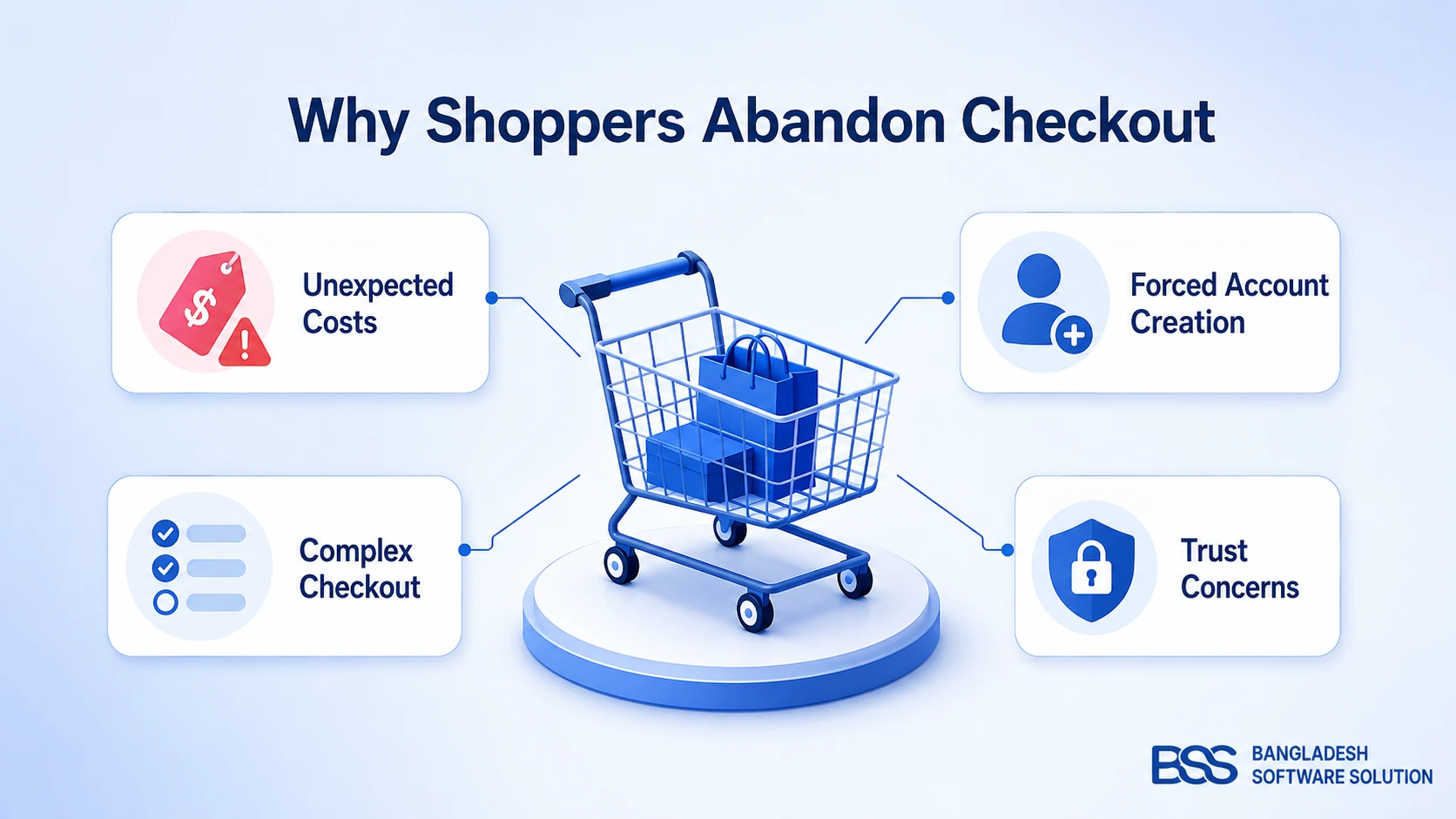
The Facebook ad is approved, the budget is set, and the link points at a product page. A shopper taps it on a phone, scrolls past the theme's menu, adds the item to the cart, signs in, picks a shipping method and then a payment method. Every one of those steps is a place to leave.
A week later the orders arrive, and the order list cannot say which ad earned them. At BSS we build nopCommerce plugins, and the Landing Page Builder is aimed at that gap: a page per campaign with the order form already on it.
This guide covers what the page does, how you design it, how orders are attributed, and what the reports show.
Key fact: The plugin creates landing pages for one product or a bundle, each with a built-in one-page order form. Every order placed there is saved with its landing page, order source, campaign and, when present, the ad parameters from the visitor's link.
One Page, One Offer, and the Order Form Already on It
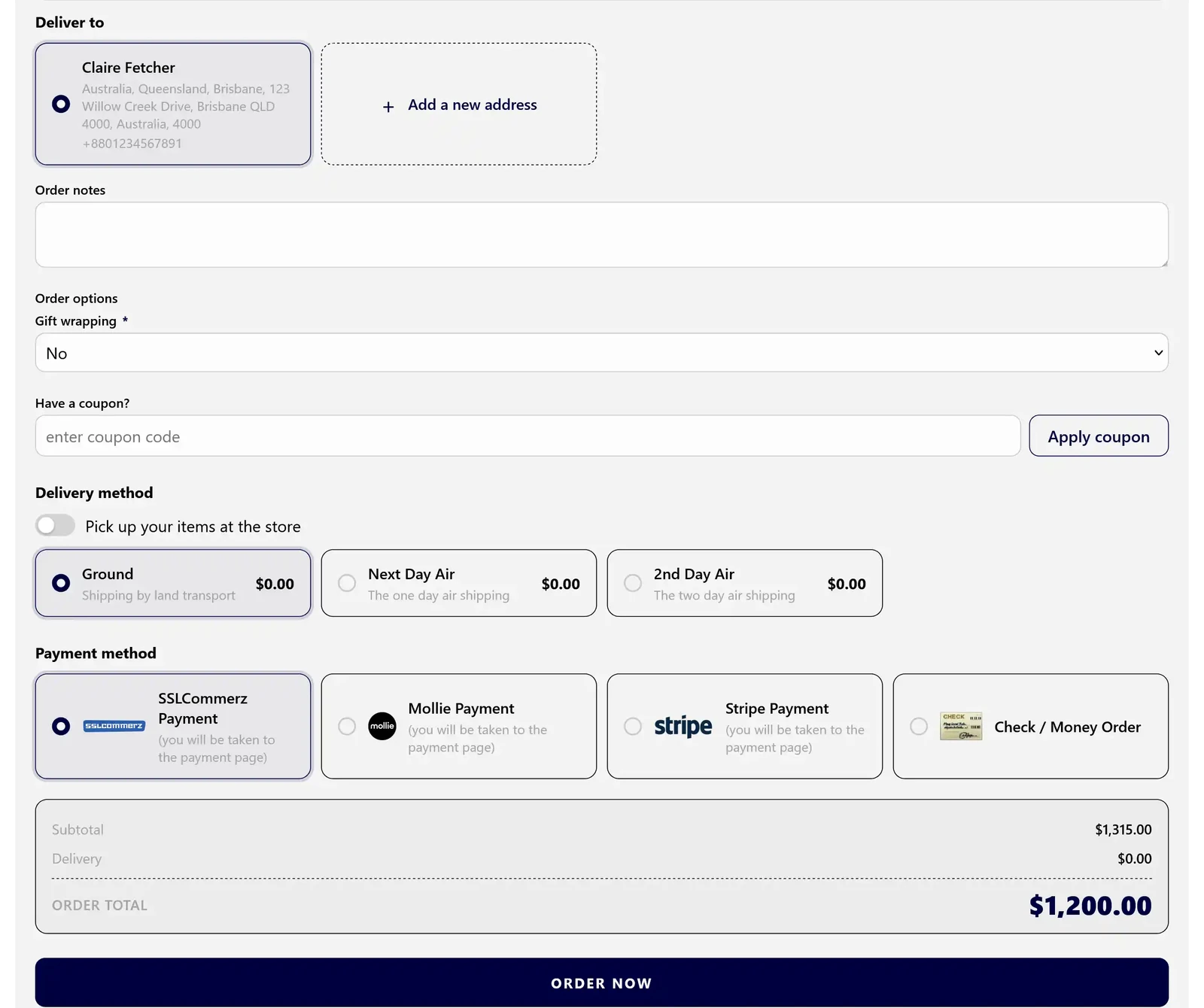
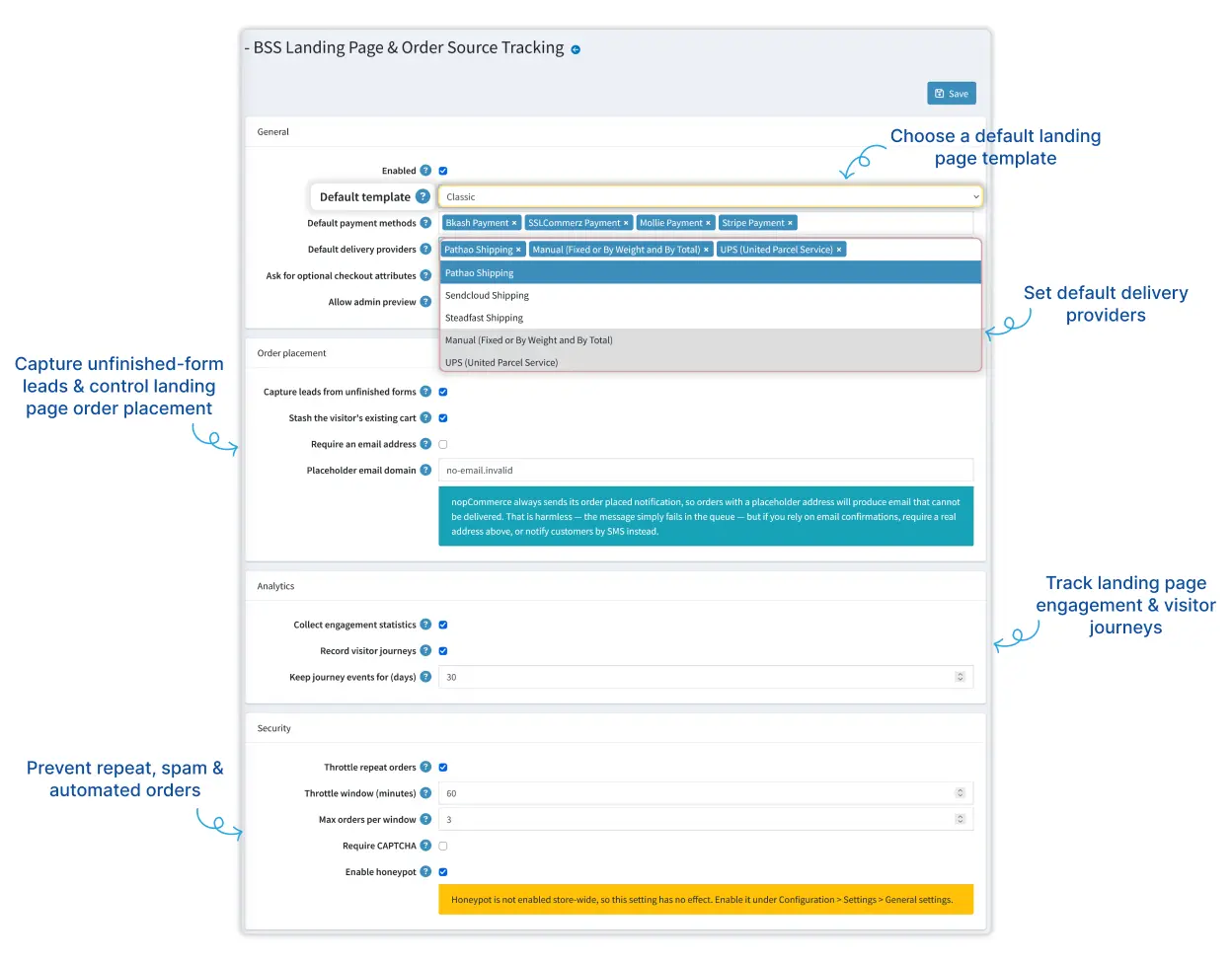
Back to the ad. The click should land on one offer the shopper can pay for, with nothing else competing for attention. In the BSS Landing Page Builder that is a page at its own /lp/ address, where details, delivery, payment and the total share one screen.
Two settings suit paid-traffic pages. Stash the visitor's existing cart sets cart items aside so the order holds only the advertised offer, then restores the cart afterwards. And when email is optional, the plugin can build a placeholder address from the phone number, which suits cash-on-delivery stores.
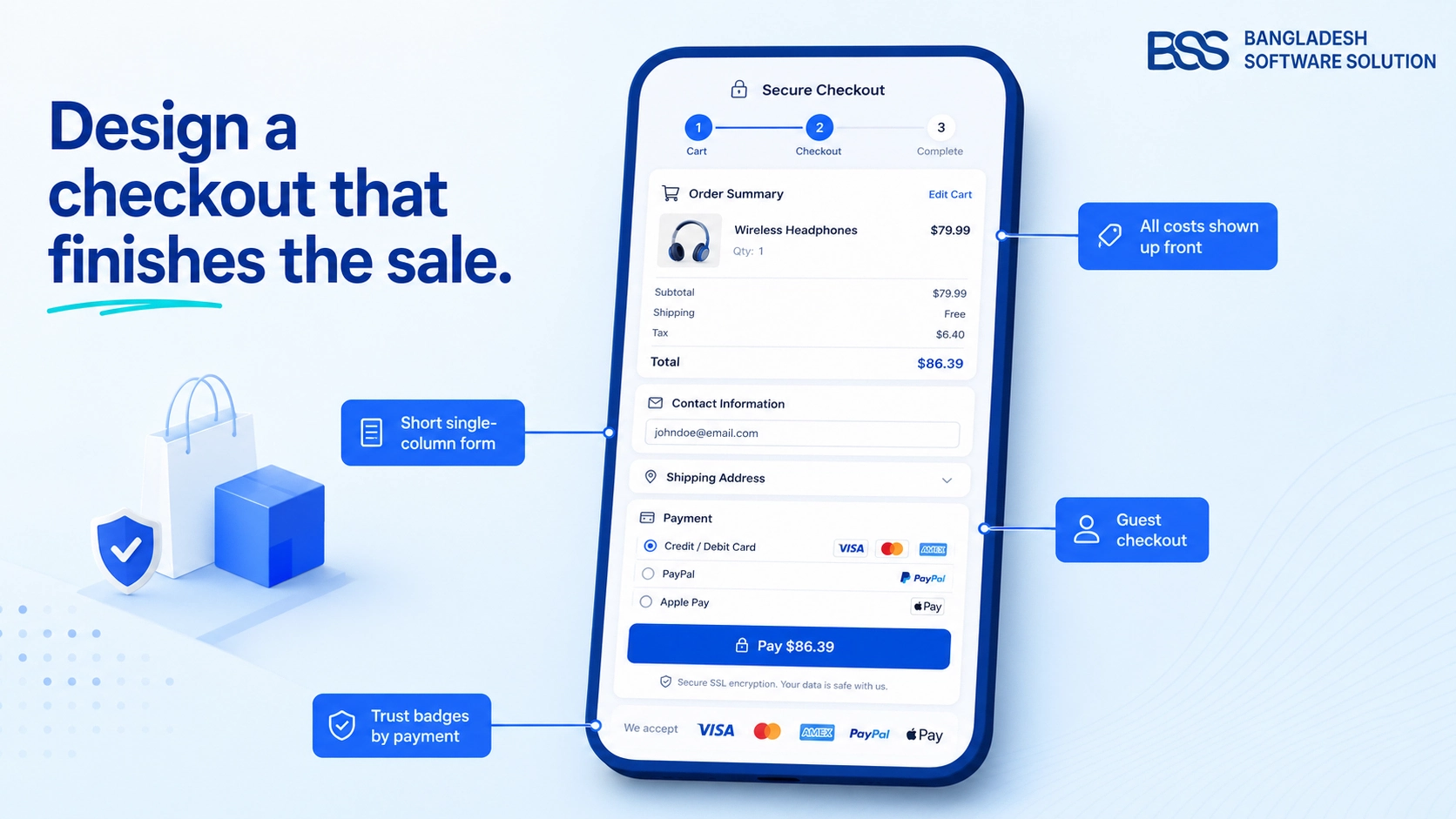
One caution from the configuration screen: nopCommerce still sends its order-placed email, so a placeholder address simply fails to deliver. If you rely on email confirmations, require a real address. For the standard checkout that sits behind the rest of your store, our guide to checkout page design covers the same drop-off points.
Want the first campaign page built for you? We set up nopCommerce stores and tailor them to your brand, landing pages included.
Talk to a nopCommerce expertTemplates and Sections: Build the Page Without Touching Code
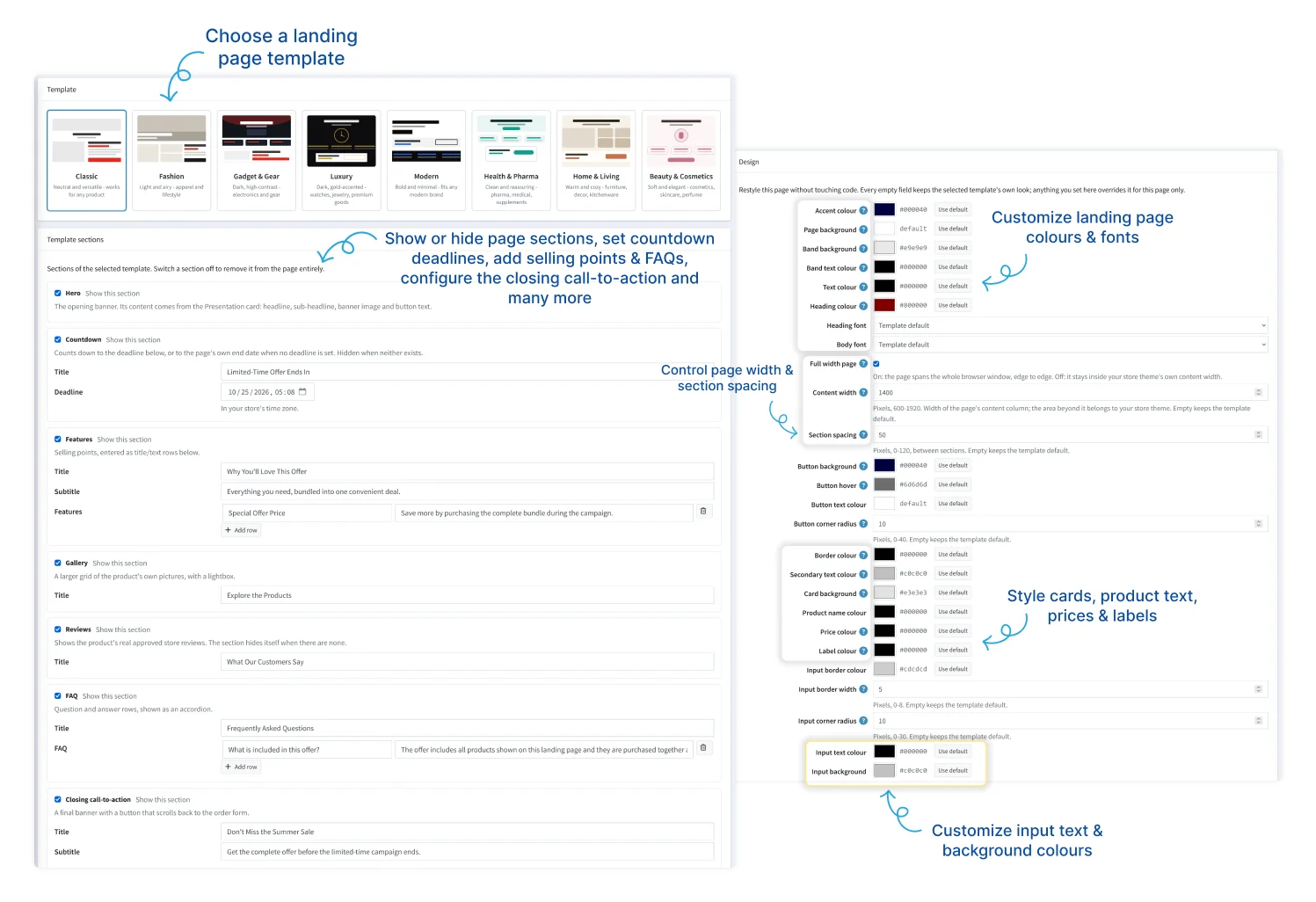
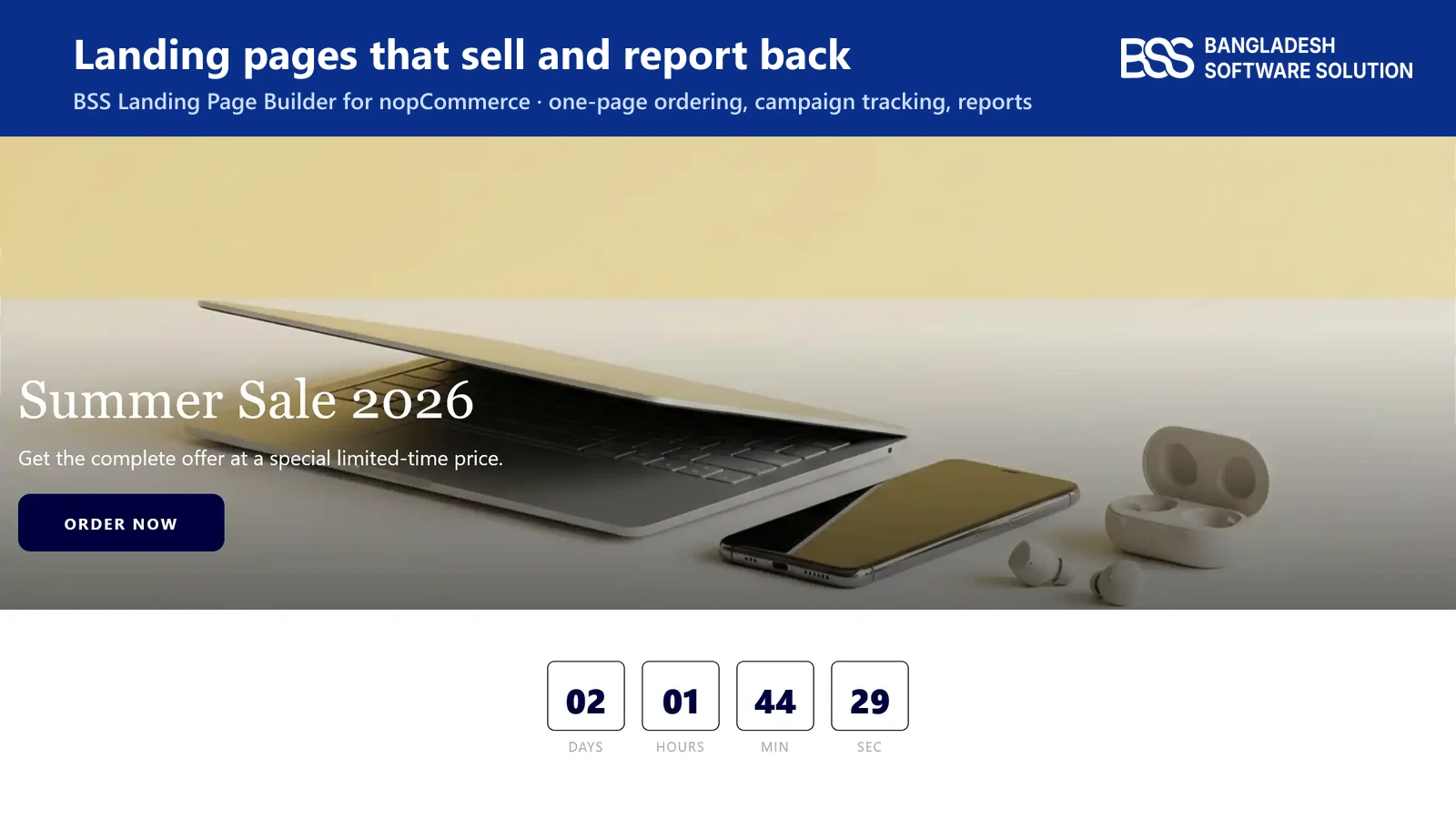
Each page picks its own template, from Classic, Fashion, Gadget & Gear, Luxury and Modern to Health & Pharma, Home & Living and Beauty & Cosmetics in the picker. The plugin-wide default only decides which one new pages start with. Then you decide which sections the page shows.
| Section | What the shopper sees |
|---|---|
| Hero | Headline, sub-headline, banner image and order button. |
| Countdown | A timer to a deadline you set, or to the page's end date. |
| Features | Selling points as title and text rows. |
| Gallery | The product's own pictures in a larger grid with a lightbox. |
| Reviews | Approved store reviews. The section hides itself when there are none. |
| FAQ | Question and answer rows in an accordion. |
| Closing call-to-action | A last banner whose button scrolls back to the order form. |
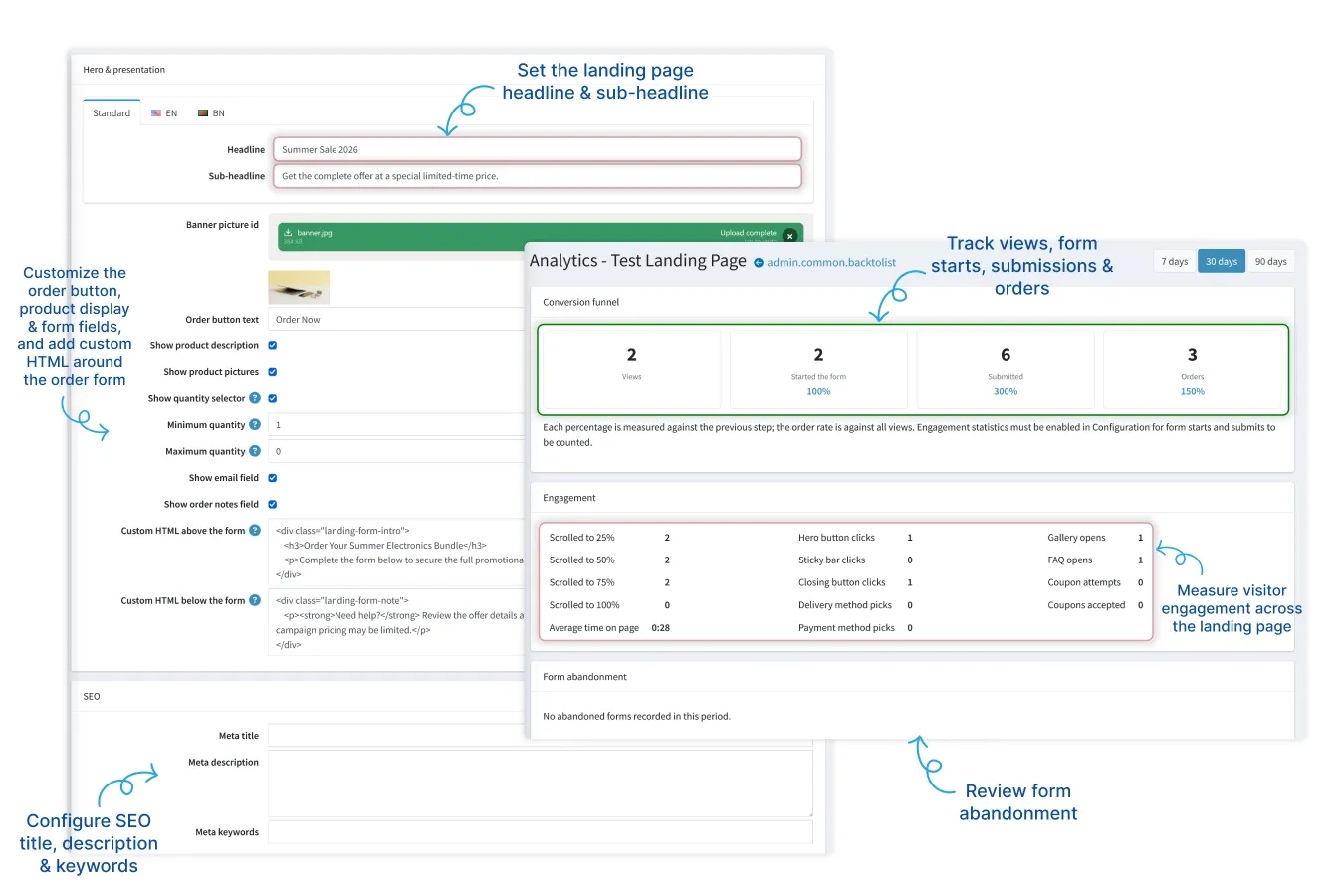
Design is a settings screen too: accent and button colours, heading and body fonts, content width from 600 to 1920 pixels, section spacing, card and form-field styling. The content card sets the headline, banner, button text, quantity limits and any custom HTML above or below the form. Each page also gets its own meta title, description and keywords.
Pro tip
Give every time-limited page an Available until date. Once it passes, the page returns a 404, so an expired promotion cannot keep taking orders.

When we design storefront pages at BSS, we count the exits: every extra link above the order button is a place a paid click can leak away. A landing page template removes most of them by design, and the plugin documentation shows each setting in order.
Order Sources, Campaigns and Ad Parameters Tell You Which Click Paid
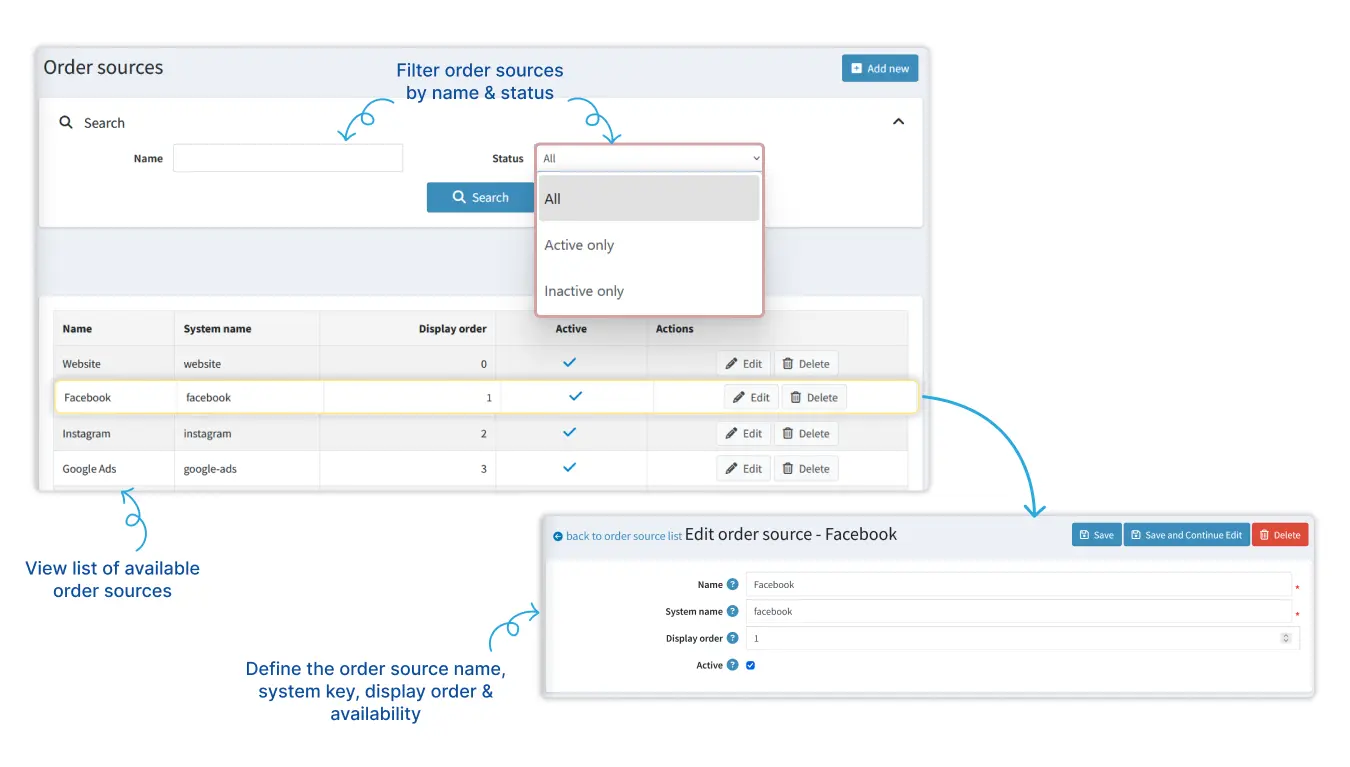
An order from a landing page carries three labels, plus the raw ad parameters when the visitor's link had them. Together they answer questions the standard order list cannot.
| Label | Question it answers | Where it comes from |
|---|---|---|
| Order source | Which channel sent the shopper? | Website, Facebook, Instagram, Google Ads, TikTok and API are the defaults. Add your own. |
| Campaign | Which promotion was it? | A campaign you create, with start and end dates. |
| Landing page | Which page and offer converted? | The page the shopper ordered on. |
| Ad parameters | Which tracked ad visit led here? | UTM values, gclid, fbclid and ttclid, kept with the order when they are available. |
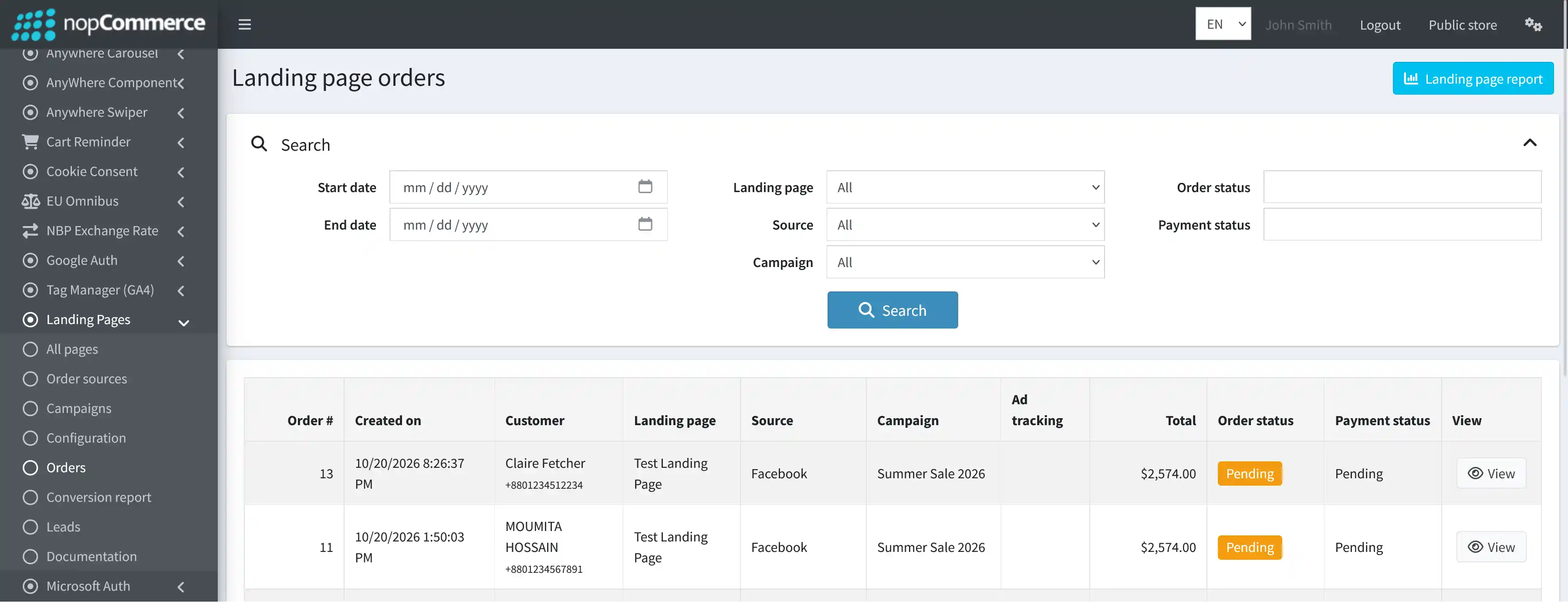
Those orders appear in their own grid, which you can filter by date, landing page, source, campaign, order status and payment status. Open an order with View and you are in the normal nopCommerce order screen, so fulfilment does not change.
Watch out
Campaign start and end dates are for reference and reporting. They do not switch a landing page on or off. Use the page's own Available from and Available until fields for that.
Passing this attribution on to a CRM or accounting system is integration work, and BSS handles it as part of its eCommerce development services.
Leads and Visitor Journeys Show Where Shoppers Stall
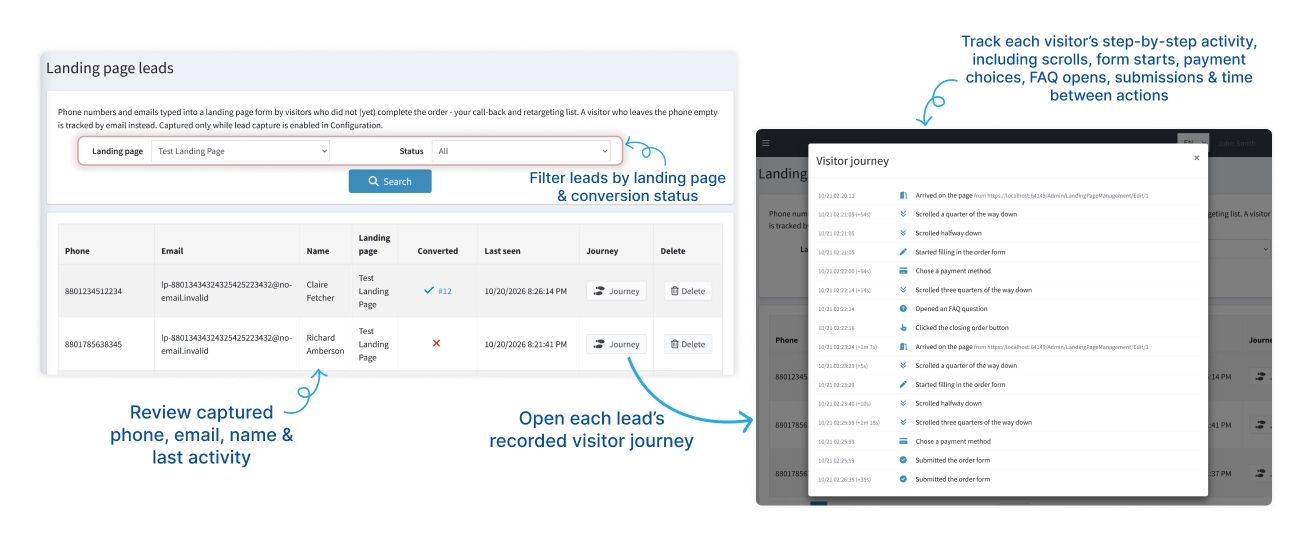
Most visitors never order, and a normal store never learns who they were. With lead capture on, the plugin saves the phone number or email from a form that was started but not finished. If that lead orders later, the record stays and is marked as converted.
A captured phone number is the same signal as an abandoned cart: someone showed intent and left. Our guide to winning shoppers back covers the follow-up side.
Privacy first
Visitor journeys are anonymous, and the documentation says to enable them only if they fit your privacy policy. You choose how long events are kept, from 1 to 365 days, and older ones are deleted automatically.
Analytics and the Conversion Report: Read Which Page Earns Its Keep
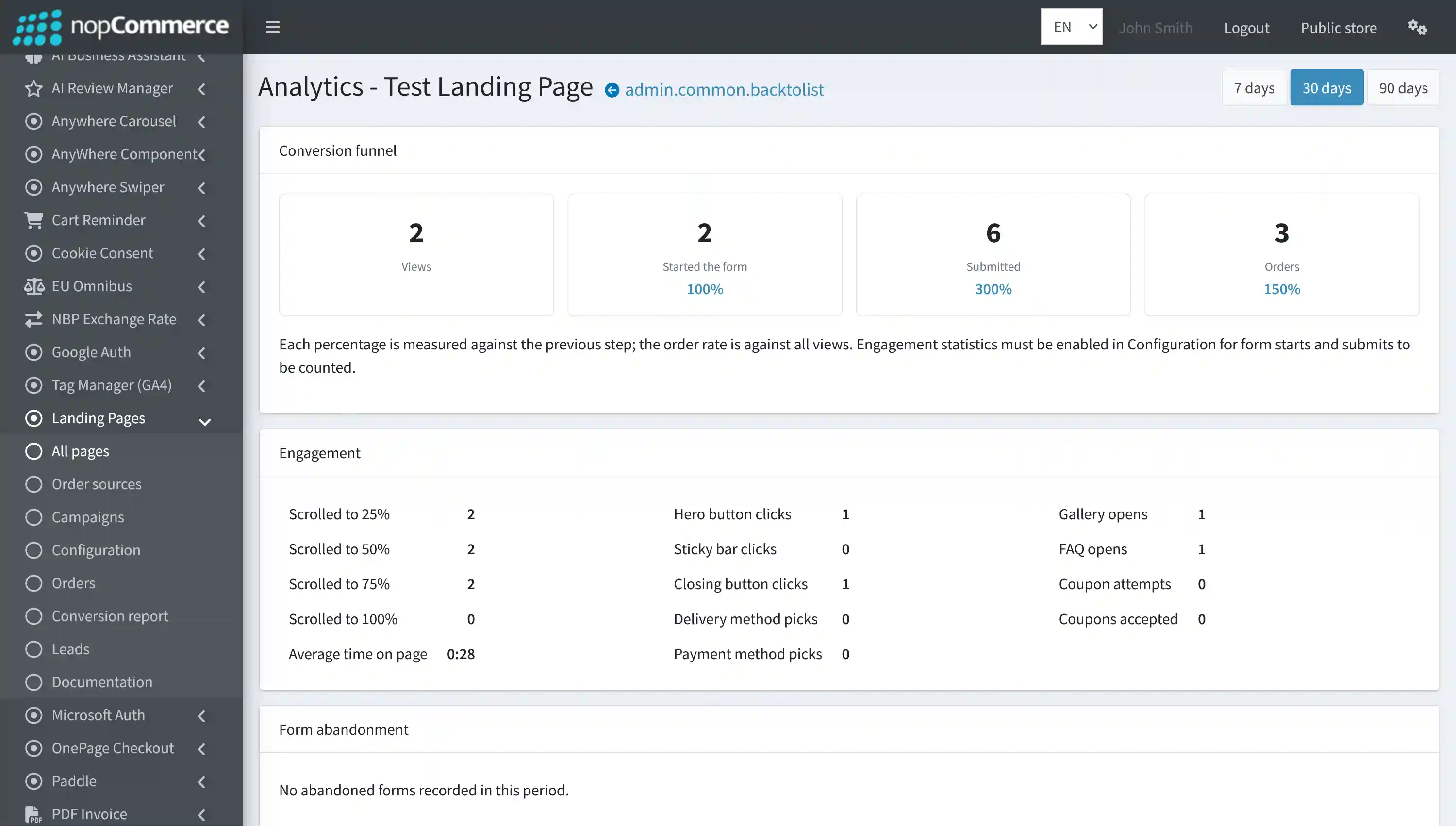
Each page has an analytics screen with a 7, 30 or 90 day range. It shows a funnel from views to form starts, submissions and orders, plus scroll depth, time on page, button clicks and coupon use.
The numbers in these documentation screenshots are demo data from a test store, so read them as a layout, not as results.
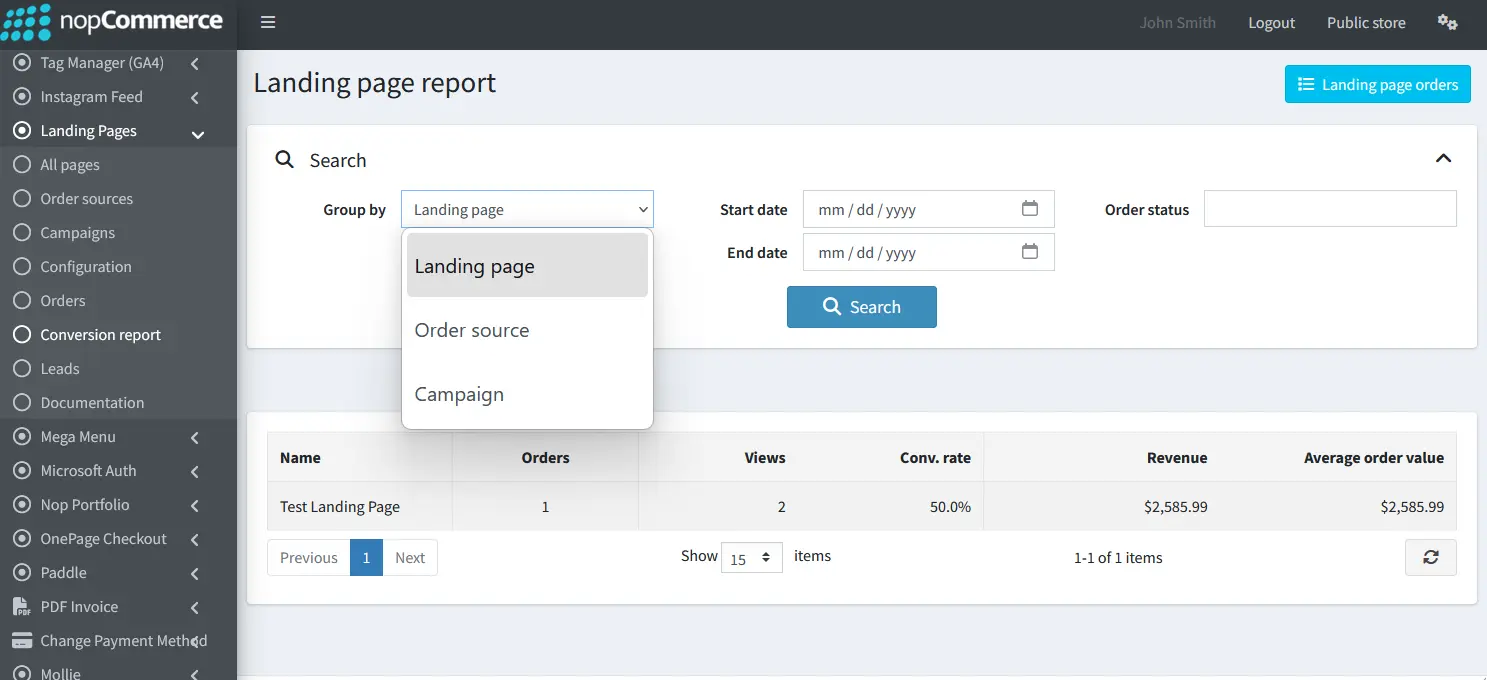
The conversion report compares everything side by side. Group it by landing page, order source or campaign, filter by date and order status, and read orders, views, conversion rate, revenue and average order value for each row. Grouping by source answers the question from the start of this guide: which channel's click actually paid.
Engagement statistics must be switched on in the configuration, or form starts and submissions are not counted.
Installing It and Setting the Guard Rails
Installation follows the usual nopCommerce plugin route, with one dependency: BSS Core goes in first.
Setup checklist from the documentation
-
Download the bundle from your order details; it includes BSS Core and every file you need.
-
Upload the zip files under Administration, Configuration, Local plugins.
-
Install BSS Core, then the landing page plugin, and restart the application.
-
If JavaScript or CSS bundling and minification are on, switch both off, as the documentation recommends.
-
Open BSS, Plugins, Landing Pages, Configuration, enter your license string, save and clear the cache.
Before sending paid traffic, decide the order protection settings on purpose.
Before sending paid traffic to any plugin-driven checkout, we place a test order on a phone and confirm it lands in the admin with its source and campaign. It takes minutes and catches a misconfigured payment method before a paying visitor does. If you would rather hand the setup over, the BSS team can install and configure it.
The product page lists nopCommerce 4.90 and 4.80. Licensing depends on the source-code option, a single or multiple store URLs and whether you want installation support, so choose the combination that matches your store there.
Campaign landing pages with one-page ordering, lead capture, order source and campaign tracking, analytics and conversion reports.
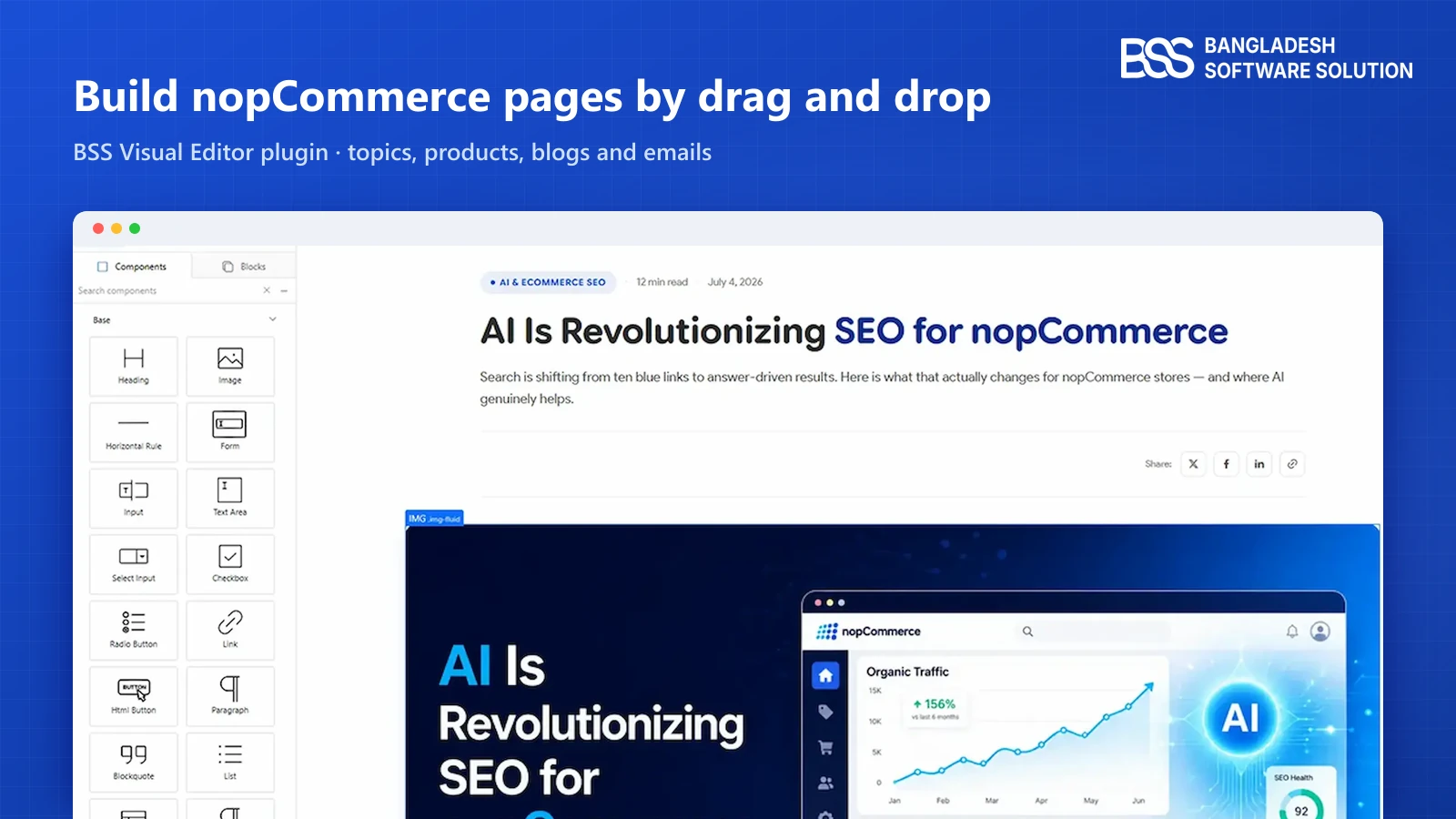
View the pluginLanding pages are built in the plugin's own editor. For regular pages and posts, our Visual Editor guide covers the drag-and-drop route.
Need a nopCommerce Developer? Hire the BSS Team
From custom plugins and theme work to full-store builds and performance tuning, our dedicated nopCommerce engineers ship production-grade code. Tell us what you need and we'll match you with the right developer.
Frequently Asked Questions
Final Thoughts
Back to the Facebook ad. With a landing page behind it, the click ends on one offer and one form, and the order that follows is stamped with its source and campaign. The report then tells you which page and which channel earned it, instead of leaving you to guess.
Start with one campaign: create the order source and campaign, build one page, place a test order, and read the first week's funnel before you scale the budget. If you run a handful of campaigns a year, a regular product page may be enough, and that is an honest answer too.
Tell us about the offer and the channels you advertise on, and the BSS team will help you install the plugin and set up the page.
Book a free consultation