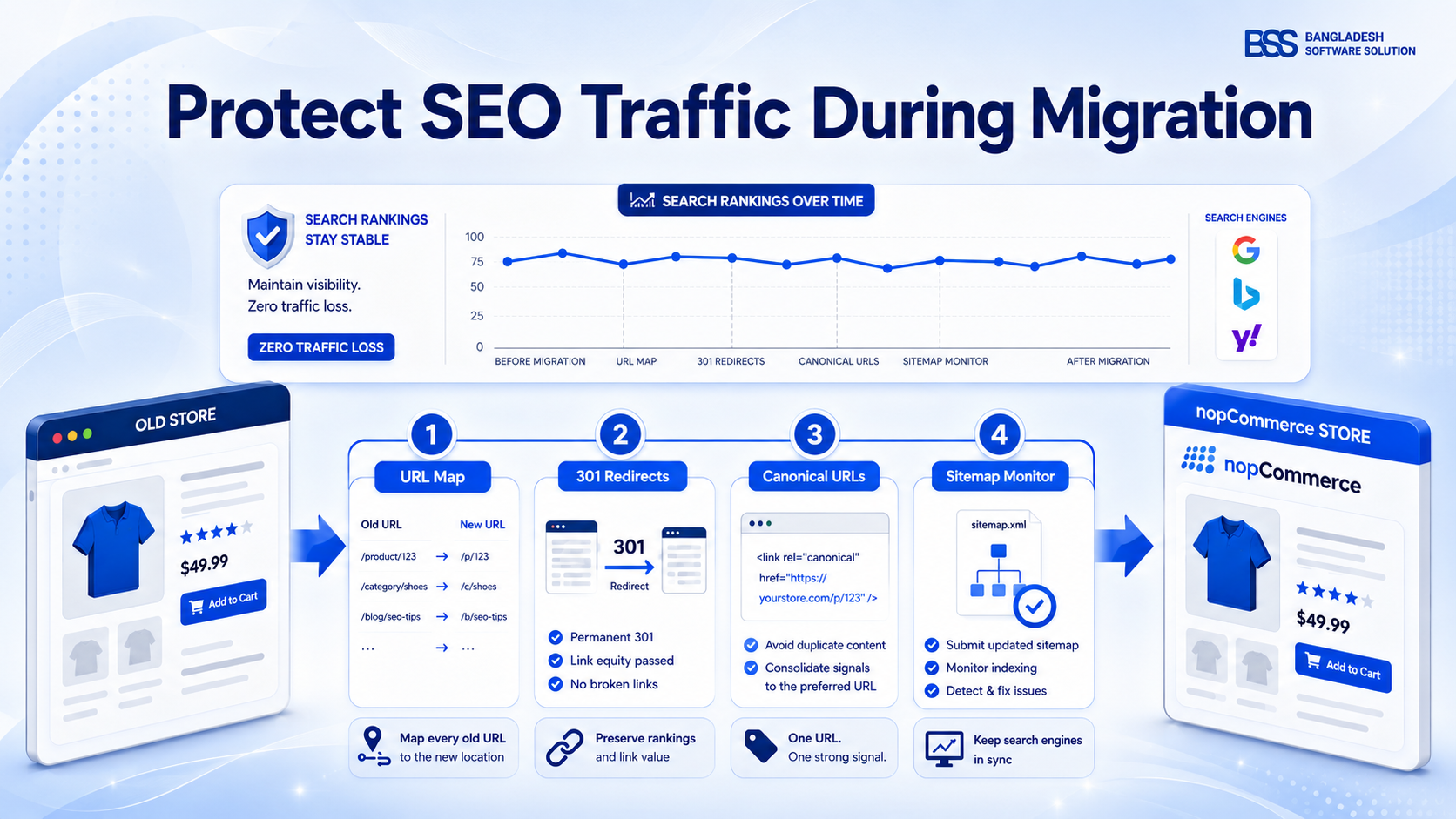
You publish a new category, write a useful description and wait for impressions—then discover that Google selected a parameter URL as canonical, the page inherited a generic title, and the sitemap still points at a retired version. None of those problems is solved by adding another keyword to the copy.
This nopCommerce SEO checklist is ordered by dependency. First make the correct URL indexable. Then make its title and snippet coherent. Next ensure discovery through internal links and the XML sitemap. Finally add structured data that matches what visitors can actually see. If you need strategy and keyword planning as well, use the broader complete nopCommerce SEO guide; this page is the implementation and QA companion.
How to use this checklist: audit representative product, category, manufacturer, topic and blog pages first. Fix the template-level cause before editing hundreds of individual records, then verify a sample from every page type after deployment.
Start With a Crawlable, Indexable Baseline
Before changing metadata, confirm that the page returns the intended HTTP response, is reachable through crawlable links and is not blocked from indexing. A page disallowed in robots.txt may still be known by its URL; robots.txt controls crawling, while a robots meta directive controls indexing when the crawler can access the page.
Record the baseline
For each sample URL, capture status code, robots directive, declared canonical, Google-selected canonical in URL Inspection, sitemap membership and the number of meaningful internal links. That makes regressions visible after a release.
URL, Slug, Canonical and Redirect Checklist
nopCommerce lets administrators set search-engine-friendly page names and enable canonical URLs. Keep slugs readable, stable and aligned with the page’s real subject. Google treats paths as case-sensitive, so inconsistent casing can create separate crawlable URLs.
URLs and canonicalization
- Use short descriptive words in the SEO name; remove IDs and parameters from the preferred public URL where the platform permits.
- Keep lowercase, hyphen-separated slugs and one consistent host/protocol preference across generated links.
- Declare a self-referencing canonical on the preferred version; confirm parameters and alternate paths point to the correct canonical when their content is equivalent.
- Use server-side permanent redirects when a URL changes, and redirect each old URL to the closest relevant replacement rather than the homepage.
- Update navigation, breadcrumbs, product links, canonicals and sitemap entries to the final URL instead of relying on redirect chains.
- Define how faceted navigation, sorting, pagination and internal-search URLs should be crawled and indexed before they multiply.
If URLs are changing during a replatform or upgrade, follow the more detailed SEO migration and redirect guide before launch.
Meta Title, Description and On-Page Signals
Google can construct title links from the title element, prominent headings and other page signals. Treat the nopCommerce meta title as your preferred title—not a guarantee—and keep the visible page heading aligned with the same intent. Meta descriptions are candidate snippets, so write them for clarity rather than as a list of keywords.
| Element | What good looks like | Common nopCommerce failure | Verification |
|---|---|---|---|
| Meta title | Unique, concise and specific to the page | Store name or product template repeated without differentiation | Inspect rendered source and compare with the visible heading |
| Meta description | Accurate value summary with a reason to visit | Blank, duplicated or mechanically stuffed across products | Crawl for duplicates and spot-check search snippets |
| Primary heading | One clear page subject visible to users | Theme duplicates or hides headings | Inspect the rendered DOM at desktop and mobile widths |
| Image alt | Describes the image’s purpose in context | Filename, keyword list or missing attribute | Review product and editorial image templates |
| Social metadata | Accurate title, description and share image | Missing image or outdated product details | Preview generated Open Graph and social tags |
Meta keywords are not the priority
nopCommerce exposes a meta-keywords field, but Google does not use the keywords meta tag for web ranking. Keep the field tidy if other systems consume it; spend optimization time on titles, descriptions, visible content, internal links and structured data.
XML Sitemap, Robots and Discovery Checklist
An XML sitemap is a discovery and canonicalization hint, not an indexing guarantee. Include the absolute canonical URLs you want in search, exclude redirected, duplicate, blocked and noindex pages, and use lastmod only when it reflects a significant content change.

After submission, monitor processing errors and URL Inspection results. A submitted URL can remain excluded for legitimate reasons such as duplication, redirects or quality—not because the sitemap “failed.”
Schema Markup That Matches the Page
Structured data should describe the primary content visitors can see. For ecommerce, that commonly means Product markup on purchasable product pages, BreadcrumbList for hierarchy, Organization and policy information where appropriate, and Article or FAQ markup only on pages that genuinely contain that content.
Structured-data release checks
- Use the schema type that matches the page’s main purpose; do not place Product markup on category pages simply because products are listed.
- Keep price, currency, availability, SKU, brand, image and offer URLs synchronized with the visible product and checkout data.
- Publish ratings or reviews only when they are real, visible and attributable; never manufacture aggregate values for eligibility.
- Ensure breadcrumb items follow a useful user path and resolve to real canonical pages.
- Validate code before release, then test the deployed URL because templates, caching and JavaScript can change the rendered result.
When core output is not enough for your required types, compare maintained options in Best nopCommerce SEO Plugins. BSS also offers an Advanced SEO Schema plugin for configurable JSON-LD; verify its current supported types against your exact page requirements before deployment.
Content, Internal Links and Image Checks
Technical correctness gets a page into the race; useful content and clear site relationships help search engines and people understand why it deserves attention. Product descriptions should resolve buying questions, category pages should explain the assortment, and internal links should connect supporting guides to the commercial page they genuinely help.
- Make every indexable page useful without relying on filter widgets or JavaScript-only content.
- Use descriptive internal anchor text and keep important pages within a sensible navigation path.
- Consolidate overlapping pages instead of publishing multiple URLs for the same search intent.
- Compress images, set dimensions, use descriptive filenames and write contextual alt text.
- Review generated pagination, alternate-language and multi-store output when those features are enabled.
For stores maintaining large catalogs, the BSS AI SEO Assistant can support description and meta-tag workflows, but generated copy still needs human review for accuracy, duplication and search intent.
The Updated nopCommerce SEO Checklist
Use this compact order for a new store, major release or quarterly audit. The sequence matters: do not polish schema while canonical and indexability problems remain unresolved.
Release-ready SEO verification
- Indexability: intended pages return 200, are crawlable, lack accidental noindex directives and have discoverable internal links.
- URLs: descriptive lowercase slugs, one host/protocol, correct canonicals, direct internal links and tested redirects.
- Metadata: unique titles and descriptions, aligned visible headings, useful image alt text and accurate social previews.
- Sitemaps and robots: canonical absolute URLs only, honest last-modified dates, no conflicting rules and successful Search Console processing.
- Schema: page-appropriate types, visible-data parity, valid required properties and deployed-URL validation.
- Content and links: distinct intent, complete buying information, meaningful internal relationships and no orphaned priority pages.
- Monitoring: annotate releases, inspect coverage and enhancement reports, sample changed URLs and compare results with the recorded baseline.
Validate the Rendered Store, Not Just Admin Fields
Finish with the public page. Inspect rendered HTML, test mobile layouts, follow canonical and redirect paths, verify structured data, and use Search Console URL Inspection after deployment. Cache layers, themes and plugins can alter output after an administrator saves a field.
| Frequency | What to check | Trigger |
|---|---|---|
| Every release | Robots, canonicals, sitemap, schema, redirects and representative templates | Theme, plugin, routing or platform change |
| Monthly | Indexing exclusions, sitemap processing, rich-result errors and broken internal links | Search Console or crawler trend changes |
| Quarterly | Keyword-to-page mapping, duplicate metadata, thin pages and orphaned commercial URLs | Catalog growth or content expansion |
Turn the Checklist Into a Storewide Fix Plan
BSS can audit nopCommerce templates, routing, sitemap output and structured data, then prioritize changes by indexability and commercial impact.
Frequently Asked Questions
Make SEO Checks Part of Every Release
The category from the opening scenario does not need more copy first. It needs one preferred URL, a coherent title and heading, clean sitemap membership, accurate structured data and a validation record. Once those foundations agree, content improvements have a stable page to strengthen.
Keep this checklist beside your release process, fix template causes before record-level symptoms, and re-test the rendered storefront after every meaningful change. That is how a nopCommerce SEO checklist becomes operational discipline instead of another document nobody revisits.