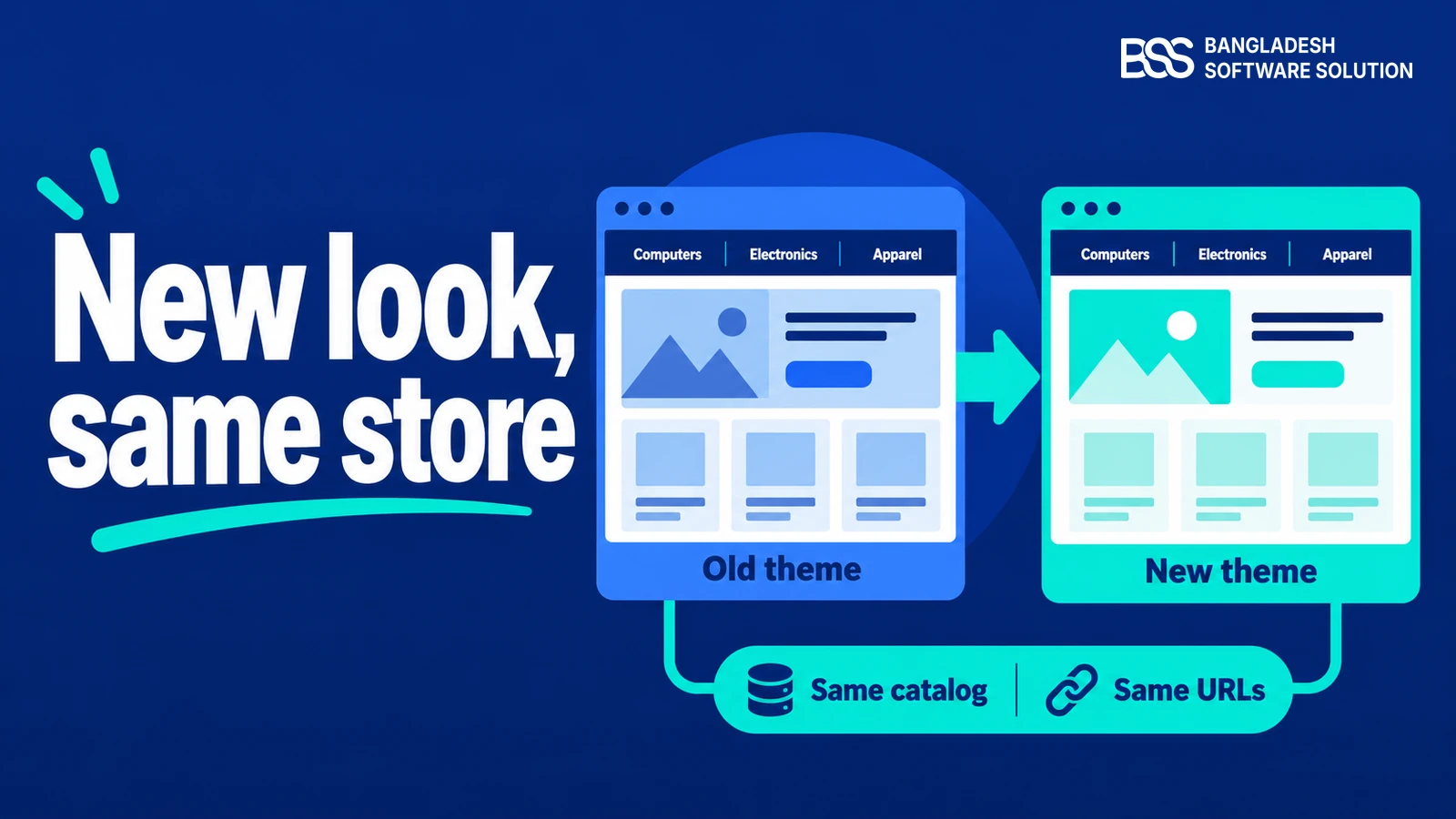
Your team has set up a clean nopCommerce 5.0 staging instance, migrated sample customer records, and prepared for your major seasonal campaign. Then you activate your existing storefront theme, only to discover unstyled checkout forms, broken category navigation drawers, and missing promotional widget zones across mobile viewports.
When our engineers began upgrading internal storefronts and merchant sites to nopCommerce 5.0, theme compatibility proved to be the most immediate point of friction. Upgrading the underlying core to .NET 10 breaks legacy Razor view components, asset bundling pipelines, and third-party extension hooks that older designs relied upon.
This guide explains what genuinely constitutes 5.0 theme readiness. We evaluate the verified lineup of storefront themes engineered specifically for nopCommerce 5.0, compare catalog requirements across retail sectors, and explain how pre-tested plugin bundles prevent costly multi-vendor storefront failures.
Why nopCommerce 5.0 Breaks Older Themes: The 4 Readiness Tests
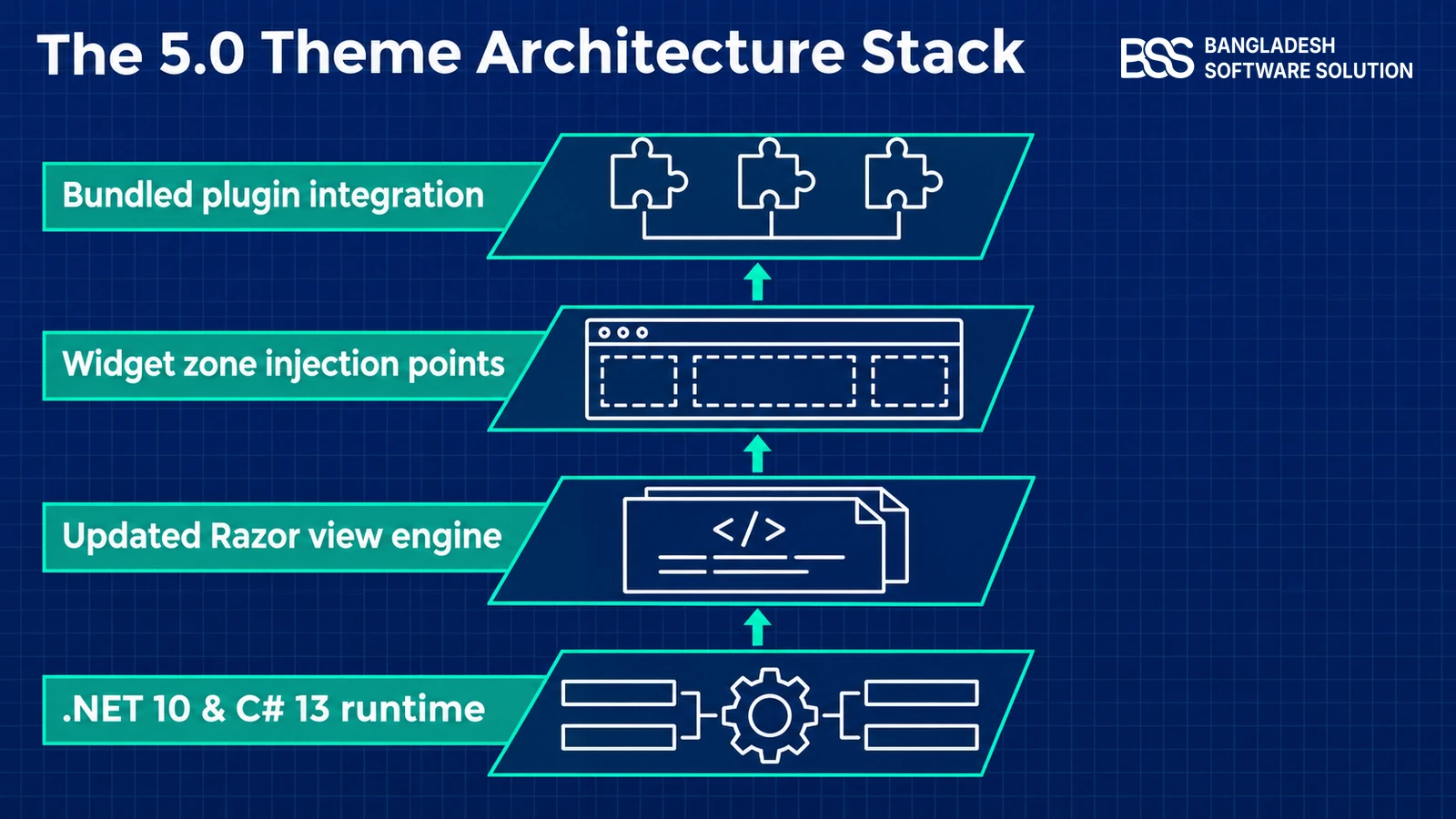
nopCommerce 5.0 represents a substantial architectural leap forward. Shifting the core runtime to .NET 10 and C# 13 fundamentally alters view compilation, dependency injection scopes, and static file middleware across the entire application.
Legacy themes built for version 4.80 or 4.90 frequently rely on outdated Tag Helpers, legacy ViewComponent signatures, or hardcoded JavaScript paths. When deployed to 5.0 without careful refactoring, these view files fail to resolve model properties, triggering silent server errors or breaking customer checkout flows entirely.
In particular, asynchronous repository patterns and modernized model binding mean that synchronous database calls inside partial views now throw threading exceptions. Themes must consume clean view models passed from controllers rather than reaching directly into database contexts or static state helpers.
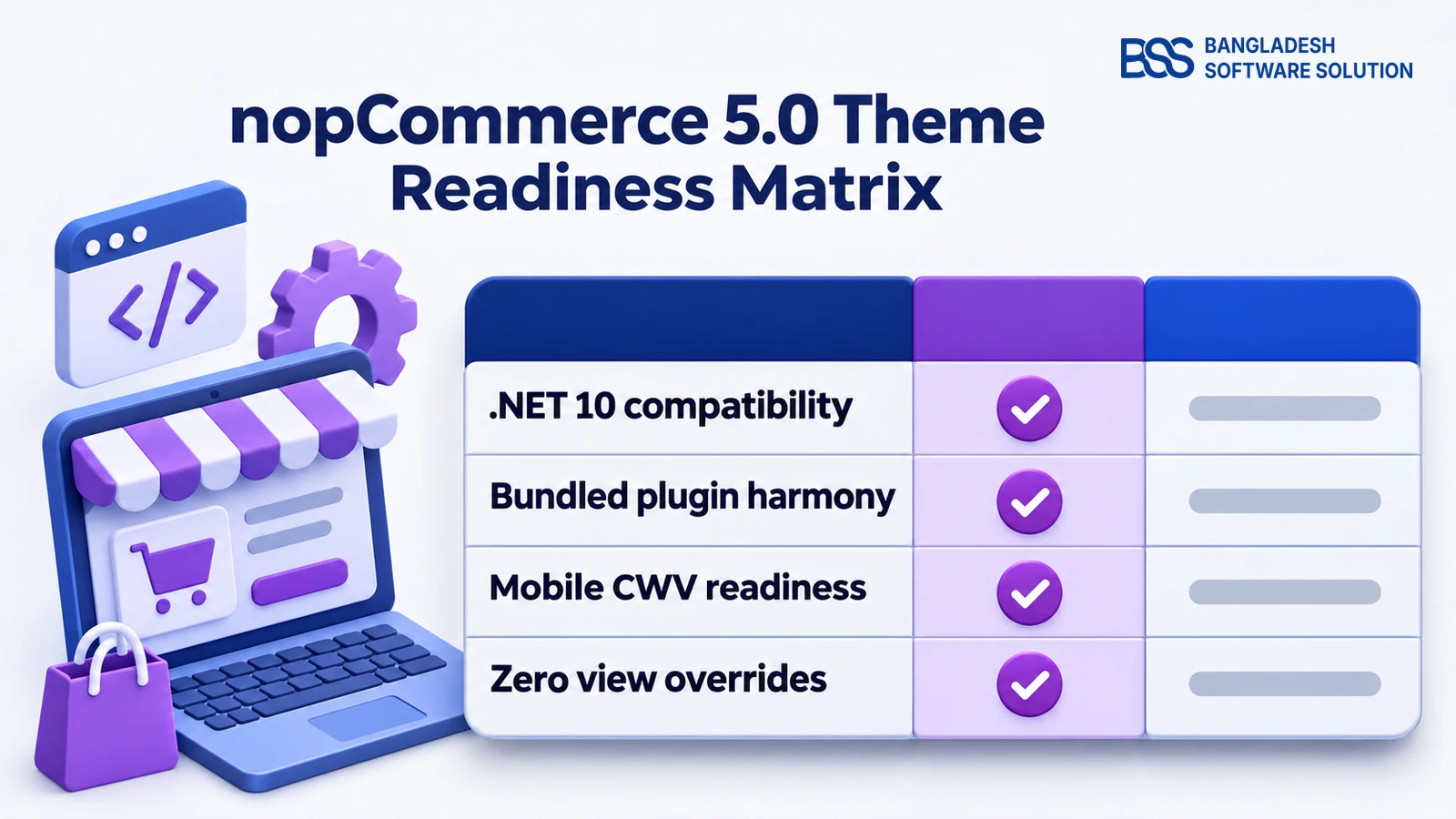
The 5.0 readiness standard: A storefront template is only genuinely ready for nopCommerce 5.0 when it compiles cleanly under .NET 10, preserves all standard widget injection zones, and operates harmoniously with updated companion plugins.
Merely bumping the supported version number inside theme.json leaves deep architectural incompatibilities unresolved and risks catastrophic storefront downtime.
To verify that a template can safely support live commercial transactions on nopCommerce 5.0, our development team assesses every theme against 4 strict engineering criteria:
In addition to runtime compilation, template styling must adapt to modern CSS containment and fluid typography. Themes that bundle heavy external UI frameworks degrade mobile performance and trigger noticeable cumulative layout shifts during page rendering.
When high-volume retail stores cannot afford launch delays or broken checkout funnels during a version transition, merchants frequently choose to hire a .NET developer from BSS to inspect view overrides and coordinate staging deployments safely.

When inspecting custom theme views during a 5.0 upgrade, prioritize _ColumnsTwo.cshtml and _Root.cshtml first. Tag helper updates in .NET 10 prevent customer authentication drawers from binding unless structural markup is updated. Review our nopCommerce theme migration guide before modifying core layout templates.
Planning a nopCommerce 5.0 theme migration? The BSS team migrates custom themes, preserves widget zones, and protects your Core Web Vitals.
Talk to a nopCommerce expertTop Verified nopCommerce 5.0 Themes Ranked by Catalog & Industry
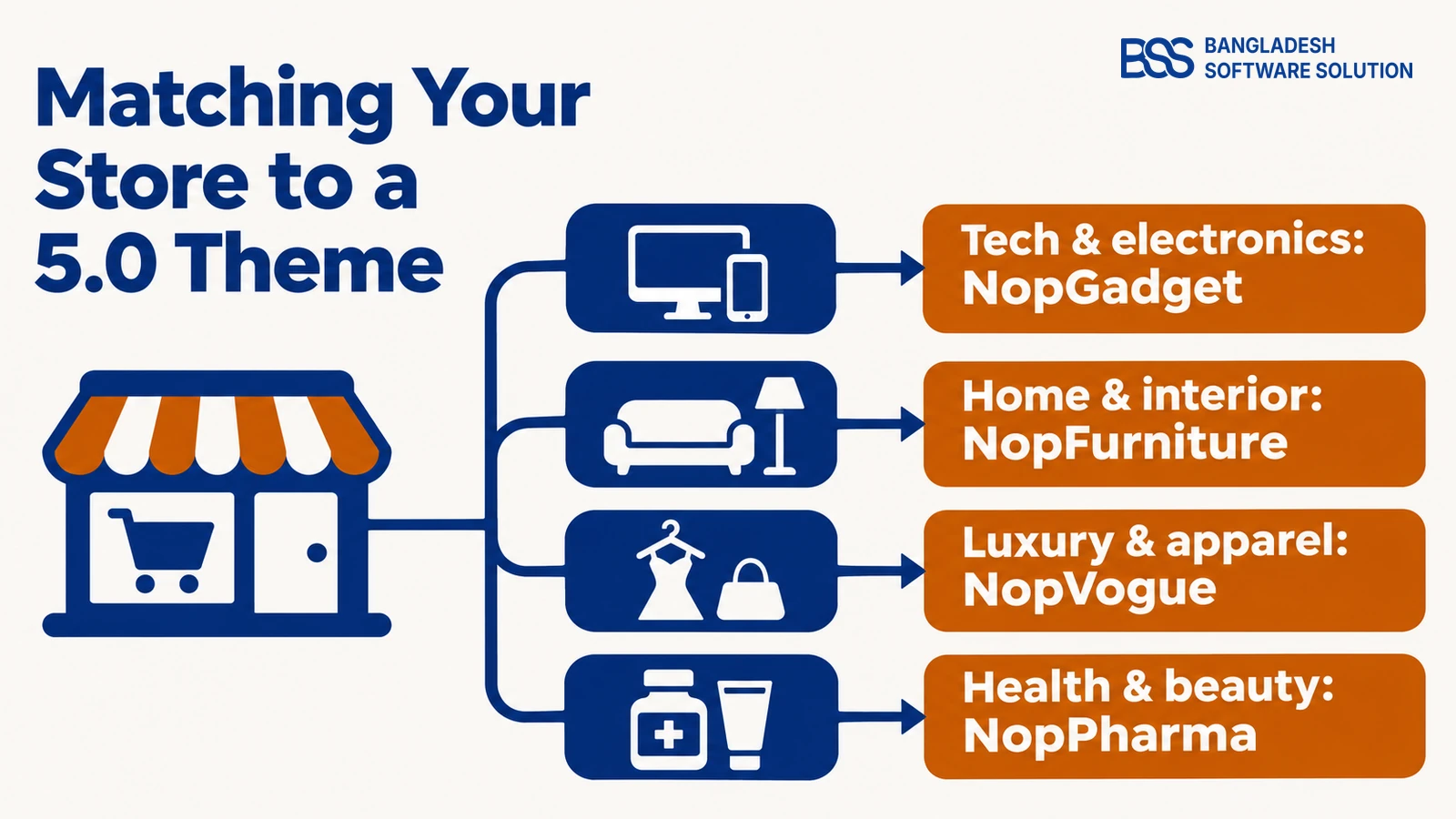
Choosing an eCommerce theme requires aligning storefront navigation and product presentation with the specific buying behaviors of your target audience. A layout optimized for technical device comparisons will frustrate fashion shoppers who expect full-width lookbooks and rapid swatch toggling.
Every theme in our catalog has been natively refactored and tested on nopCommerce 5.0. Instead of delivering empty visual shells that require extensive custom coding, each theme is packaged as a complete turnkey solution bundled with up to 19 pre-tested companion plugins.
Below is a visual overview of each verified BSS theme with direct access to its storefront specifications, bundled plugins, and live store preview:
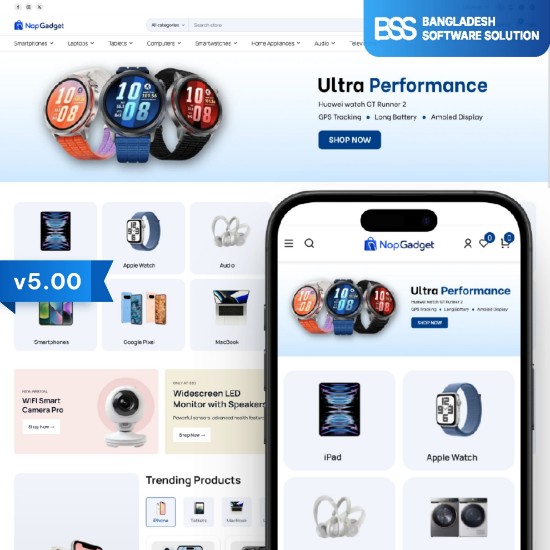
Engineered for consumer electronics, gadgets, and hardware accessories. Provides high-density product grids, complex technical specification tables, and an 18-plugin bundle.
View NopGadget Theme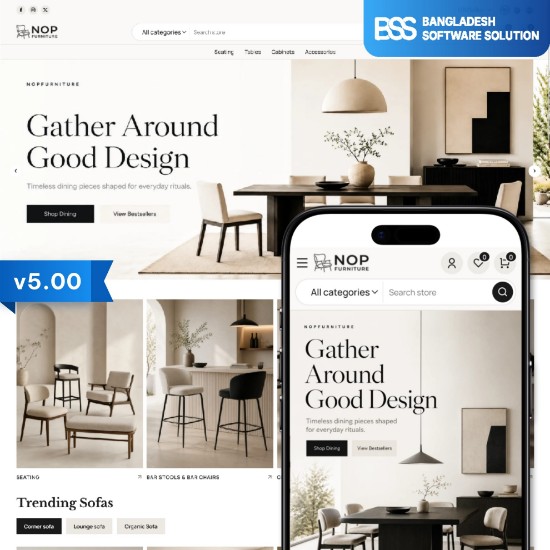
Tailored for home furnishings, lighting, and interior design showrooms. Features immersive room-by-room staging galleries, dimension callouts, and a 19-plugin bundle.
View NopFurniture Theme
Crafted for luxury clothing lines, designer footwear, and high-end accessories. Incorporates elegant editorial serif accents, collection lookbooks, and a 17-plugin bundle.
View NopVogue Theme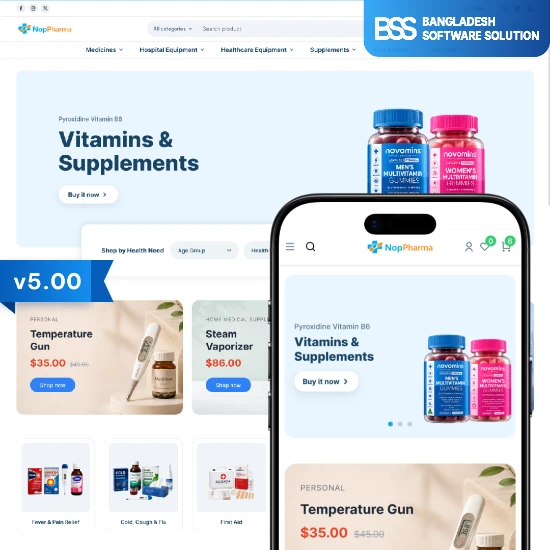
Built for medical supplies, pharmacies, and wellness dispensaries. Includes structured dosage selectors, clean prescription guidelines, and a 16-plugin bundle.
View NopPharma Theme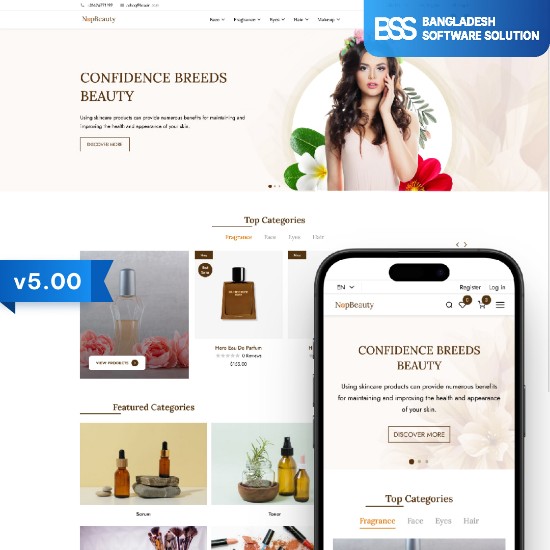
Optimized for skincare regimes, beauty cosmetics, and spa products. Features clean shade swatches, ingredient transparency cards, and a 12-plugin bundle.
View NopBeauty Theme
Designed for cultural wear, handcrafted jewelry, and festive apparel. Delivers vibrant storytelling modules, fabric texture zoom, and a 17-plugin bundle.
View NopEthnic Theme
A graceful, minimalist storefront layout crafted for modest fashion and wellness brands. Focuses on generous whitespace, calm typography, and a 16-plugin bundle.
View NopNoor Theme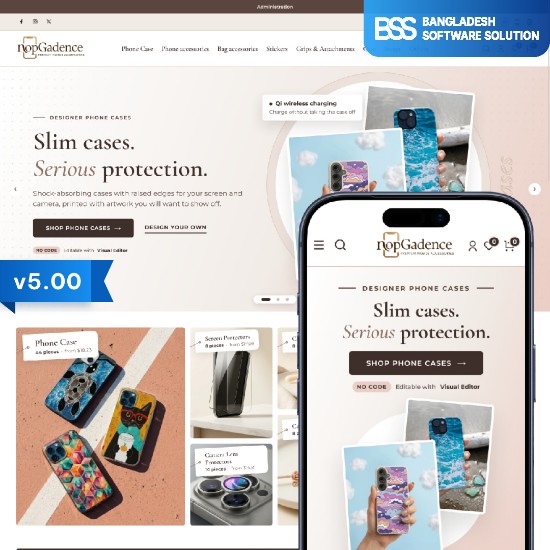
A highly adaptable modular grid layout suitable for tools, equipment, and multi-department stores. Shipped with 18 pre-configured companion plugins.
View NopGadence Theme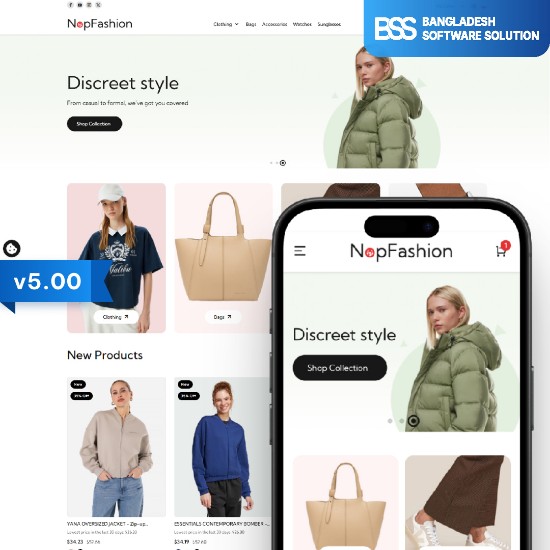
Engineered for fast fashion retailers with dynamic seasonal releases. Features rapid catalog filtering, floating cart buttons, and a 15-plugin bundle.
View NopFashion ThemeAll nine themes are accessible directly through our nopCommerce theme marketplace, backed by ongoing compatibility updates throughout the 5.0 release cycle.
The Plugin Bundle Advantage: 18 Built-in Tools Without Conflicts
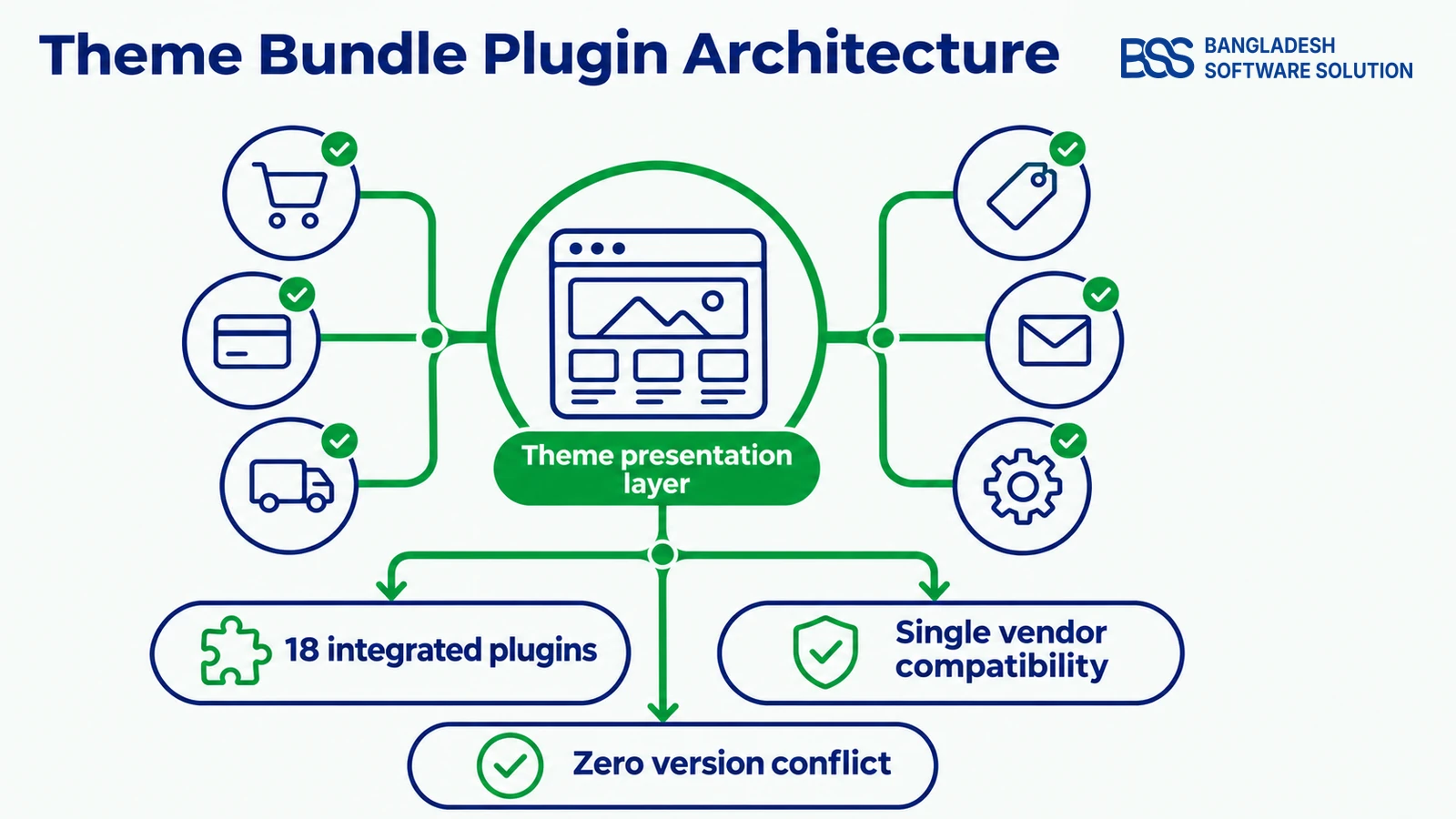
In standard eCommerce development, buying a standalone theme represents only a portion of your true setup investment. Merchants quickly realize that vital merchandising tools—such as product ribbons, full-width carousels, instant quickviews, and one-page checkout—require purchasing dozens of separate add-ons.
Sourcing plugins from different third-party vendors creates severe architectural fragility on nopCommerce 5.0. When separate plugins load conflicting jQuery plugins, register duplicate CSS resets, or override the same core ViewComponents, the storefront experiences severe performance lag and checkout drop-offs.
Assembling a storefront from disconnected plugin vendors creates fragile dependency chains that break whenever nopCommerce issues a platform update.
BSS Engineering
Our theme packages eliminate this vulnerability by embedding up to 18 integrated plugins within the package. Because these extensions share a unified design system and architecture, they interact smoothly without duplicating script payloads or corrupting DOM structures.
By shipping pre-integrated tools like Anywhere Slider, QuickView, Product Ribbon, Picture Zoom, Product Box, Anywhere Swiper, Anywhere Carousels, and OnePage Checkout, your storefront operates with single-vendor consistency from product discovery to final payment.
| Evaluation Factor | Standalone Theme + Random Plugins | Verified 5.0 Theme with Integrated Bundle |
|---|---|---|
| Plugin Compatibility | Frequent script conflicts, duplicate libraries, and runtime errors. | 100% pre-tested single-vendor harmony |
| Maintenance Overhead | Requires tracking updates and renewals across 15 separate developers. | Unified version releases from a single engineering team |
| Mobile Core Web Vitals | Bloated scripts and uncoordinated CSS delay First Contentful Paint. | Shared, asynchronous lightweight runtime assets |
| Total Implementation Cost | Theme price plus $400 to $900 in recurring plugin licenses. | Turnkey bundle included in one complete purchase |
If your internal staff is already occupied managing marketing campaigns and catalog additions, BSS handles the full theme setup and customization so your storefront launches without technical hitches.
Pre-Wired Widget Zones
Because our engineers construct both the theme views and the companion plugins, all injection hooks are pre-configured. Product ribbons, customer review prompts, and promotional swipers populate their intended widget zones instantly upon activation without editing a single line of Razor markup.
Mobile Performance and Core Web Vitals on nopCommerce 5.0
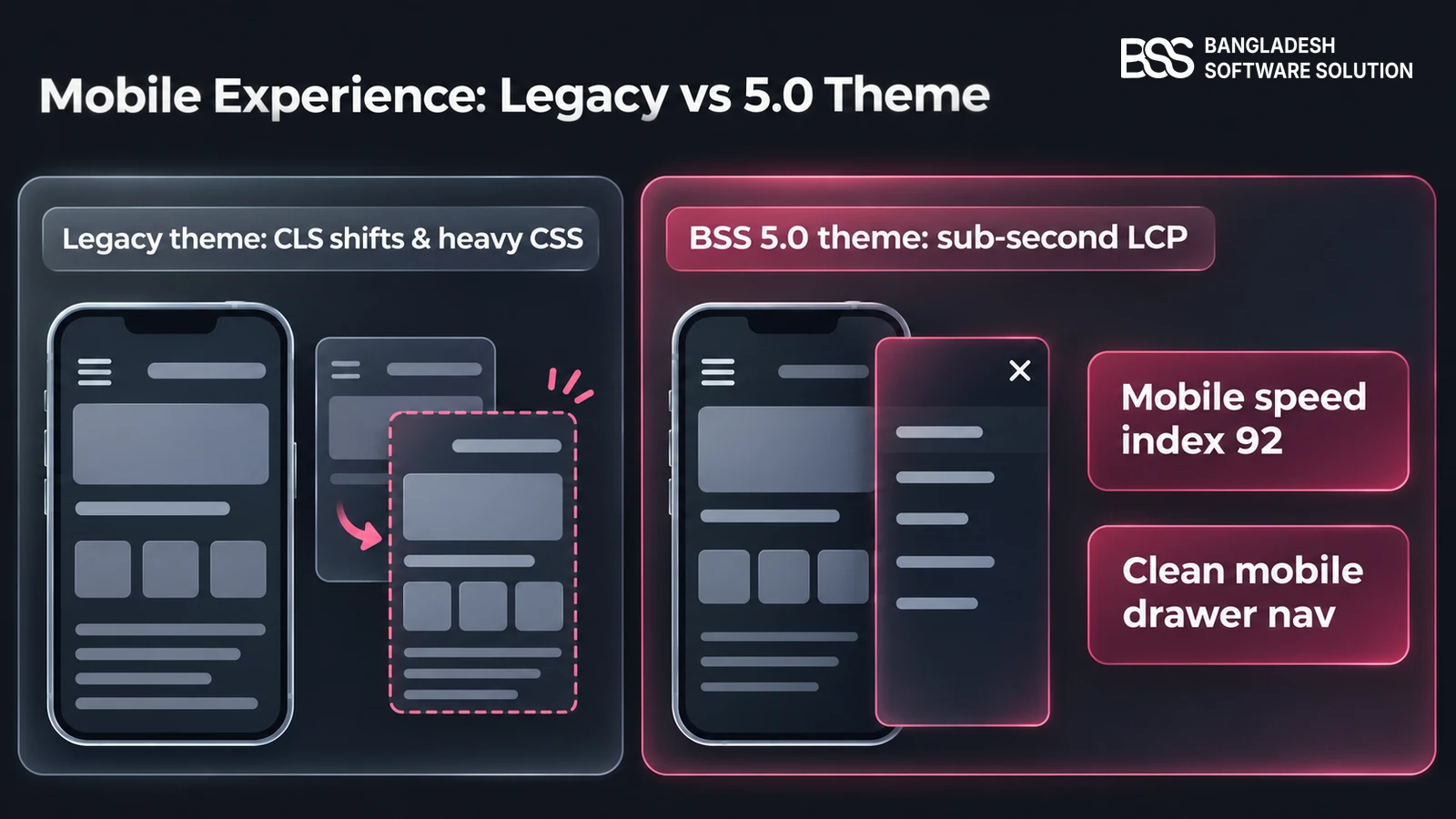
Mobile shoppers account for more than 65% of total eCommerce orders across our client stores. Despite this reality, many nopCommerce deployments remain penalized by bloated desktop-centric templates that fail Google's Core Web Vitals assessments.
While the .NET 10 backend provides blazingly fast server response times, the frontend theme determines your client-side Largest Contentful Paint (LCP) and Cumulative Layout Shift (CLS). Unoptimized themes frequently load massive uncompressed hero images and execute heavy JavaScript carousels before rendering main catalog cards.
Modern 5.0 storefront themes resolve mobile bottlenecks through modern engineering best practices:
- Explicit Aspect Ratios — Every image container reserves its vertical space before asset downloads complete, ensuring zero cumulative layout shift during customer scrolling.
- Asynchronous Script Execution — Non-critical interactive tools like quickview modals and product comparison drawers defer execution until the main browser thread settles.
- Streamlined DOM Trees — Eliminating redundant structural wrapper elements reduces browser memory consumption on mobile devices and ensures silky 60fps scrolling.
Store owners looking to maximize performance should also verify their database caching tier. Pairing an optimized 5.0 theme with our recommended nopCommerce Redis caching architecture delivers sub-second page loads even under intense traffic spikes.
Mobile speed on 5.0 relies on isolating heavy animation libraries. In our theme builds, we defer slider initialization until after initial DOM paint, reliably achieving a 92 or higher on mobile audits. Review our complete nopCommerce theme collection to see real-world mobile benchmarks in action.
How to Deploy and Customize a 5.0 Theme in 4 Steps
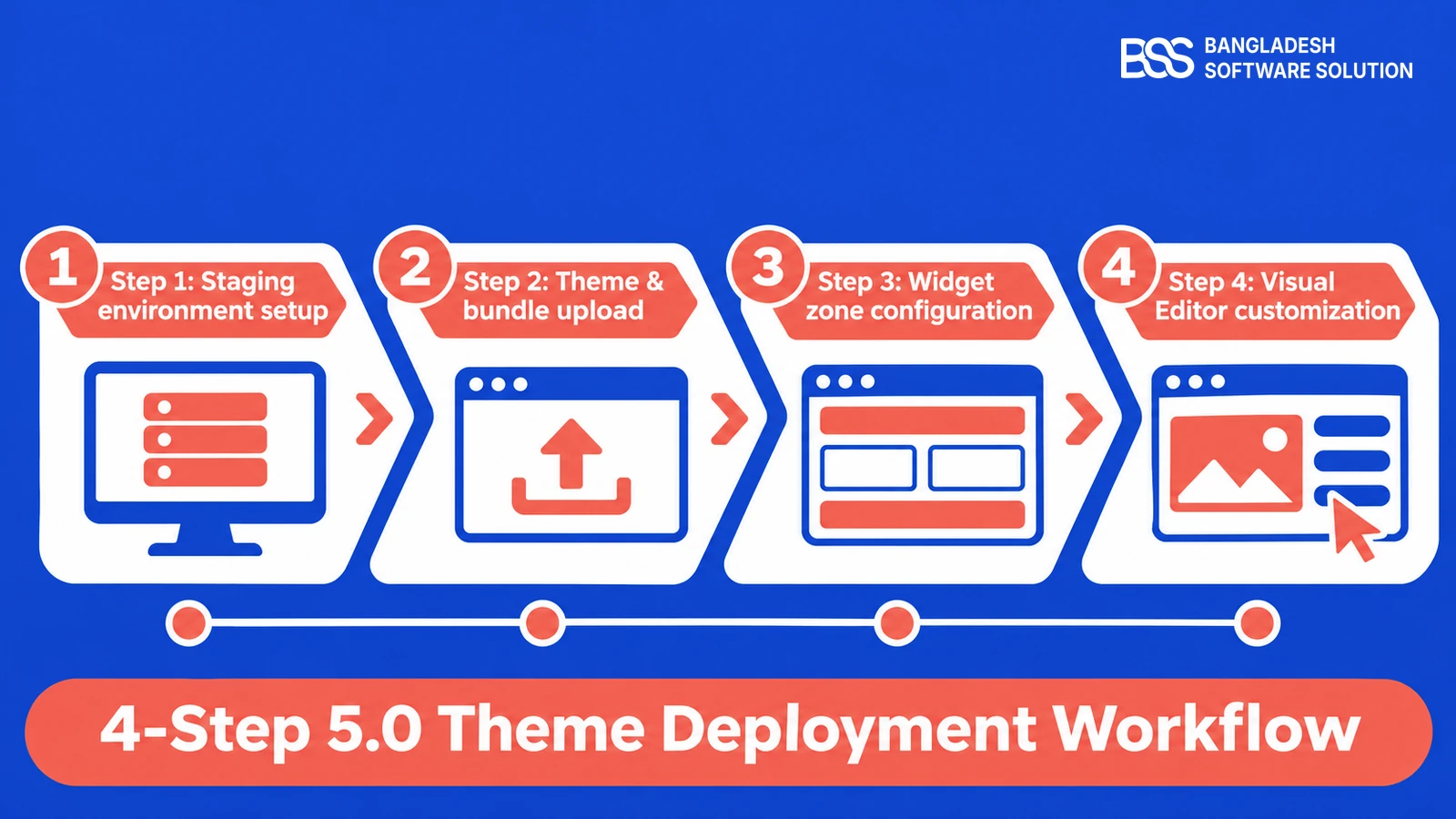
Switching themes on an active ecommerce storefront requires methodical execution. Following a structured procedure protects existing tracking tags, prevents broken customer sessions, and guarantees a smooth rollout.
Follow this 4-step deployment workflow to install and customize your 5.0 storefront theme safely:
4-Step Theme Deployment Plan
-
Step 1: Staging environment setup — Clone your production database and media storage onto an isolated nopCommerce 5.0 test server to validate plugins before going live.
-
Step 2: Theme & bundle upload — Extract your selected theme package into the
/Themesdirectory and companion plugins into/Plugins, then restart the application pool. -
Step 3: Widget zone configuration — Navigate to Configuration > Settings > General, select your new theme as active, and assign promotional carousels to default widget zones.
-
Step 4: Visual Editor customization — Launch the BSS Visual Editor to customize homepage banners, adjust brand palettes, and arrange layout blocks visually without writing code.
For organizations operating large catalogs with custom enterprise ERP or CRM connections, our engineers provide complete nopCommerce theme setup and migration services with verified cutover protocols.
Need a Custom nopCommerce 5.0 Theme? Hire BSS
From tailoring pre-built theme templates to engineering bespoke storefronts on .NET 10, our certified nopCommerce engineers ship clean, high-converting code. Tell us what your brand needs and we will build it.
Frequently Asked Questions
Final Thoughts
Upgrading to nopCommerce 5.0 unlocks remarkable backend performance, cutting-edge security architecture, and streamlined developer ergonomics on .NET 10. However, your storefront theme remains the visual and experiential interface that determines whether visitors convert into lifelong customers.
Attempting to patch legacy 4.80 or 4.90 templates into a 5.0 production environment introduces fragile script workarounds and costly storefront bugs. By adopting a verified theme bundle with integrated companion plugins, you eliminate third-party extension friction and launch a fast, resilient storefront designed to scale.
Whether you need help selecting the right theme, migrating custom layouts, or optimizing checkout performance, our engineering team is here to assist.
Book a free consultation