The storefront returns a plain 502 Bad Gateway page. The admin is unreachable as well. The Windows event log has a RegexMatchTimeoutException from the same minute, so the obvious move is to find the regex and fix it.
That can be the right move, but it is not the first one. A 502 and a regex timeout are two different failures, and they often sit at different layers of the stack, so the exception in the log may not be why the visitor saw an error page.
In our nopCommerce support work, the status code and the event log decide which failure we are chasing before anyone opens the source. This guide follows the same order: what a 502 means, how to read it, what a regex timeout really does, how to choose a fix, and how to rule out the other causes first.
Everything here applies to nopCommerce on IIS with the ASP.NET Core Module. Hosting differences are covered in our nopCommerce hosting guide.
A 502 Is Not a 500
A 500 and a 502 both mean the visitor did not get your page, but different layers write them.
A 500 is your application answering. An exception escaped the request, the framework caught it, and it returned an error response.
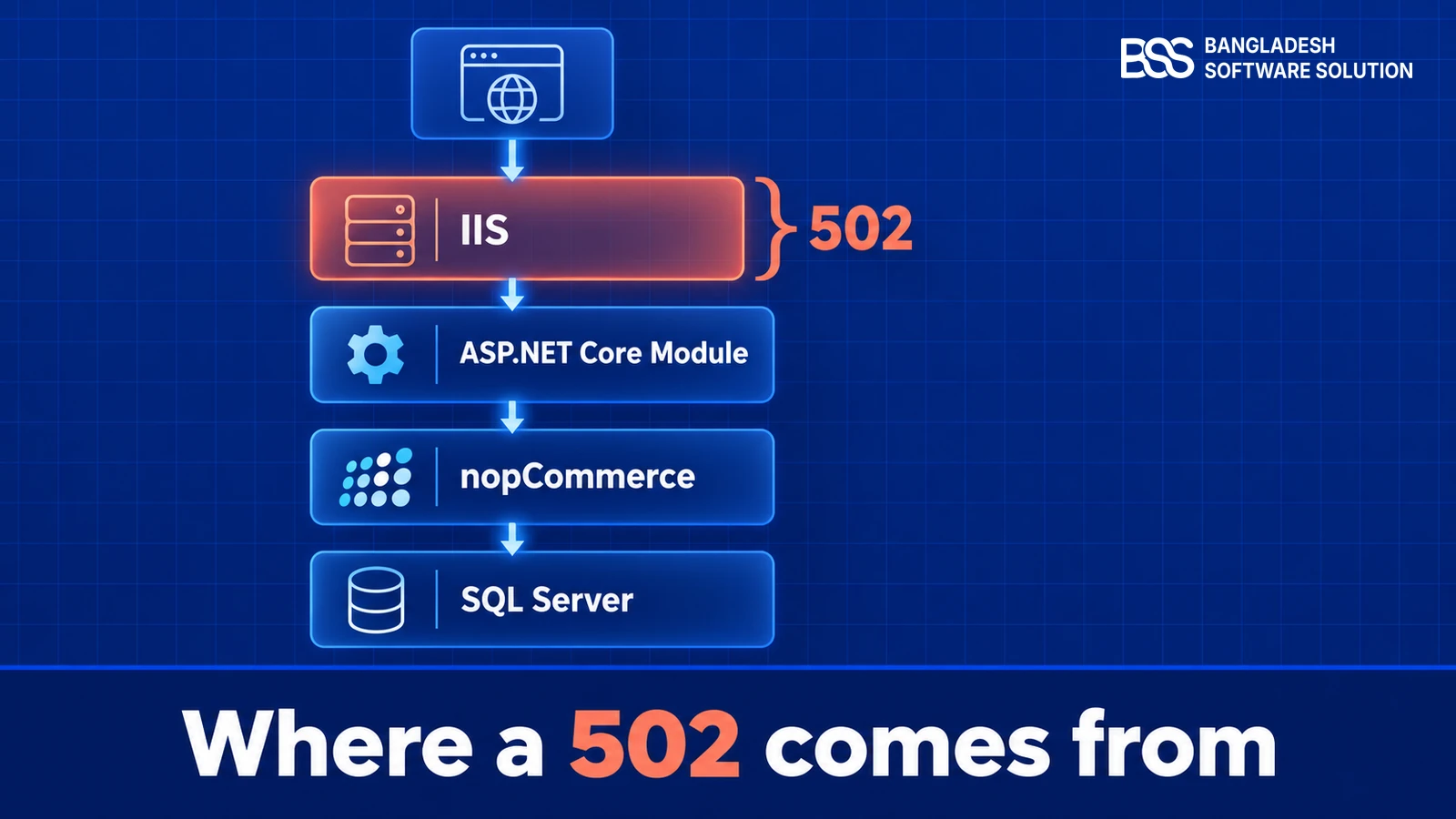
A 502 is the layer in front of your app saying it could not get a valid response from the process behind it. Figure 1 shows where each one is written.
In an ASP.NET Core store on IIS, the ASP.NET Core Module hands each request to the nopCommerce process over a local connection. If that process has exited, failed to start, or is not listening where IIS expects, IIS has nothing to hand the request to. It records that as 502.5, process failure.
Key fact: a 500 means your code answered and failed. A 502 means the process did not answer at all.
Read the status before you read the stack trace.
Want this done for you? If the logs point at your store and you would rather hand the diagnosis over, the BSS team can take it from here.
Talk to a nopCommerce expertRead the Status Before the Stack Trace
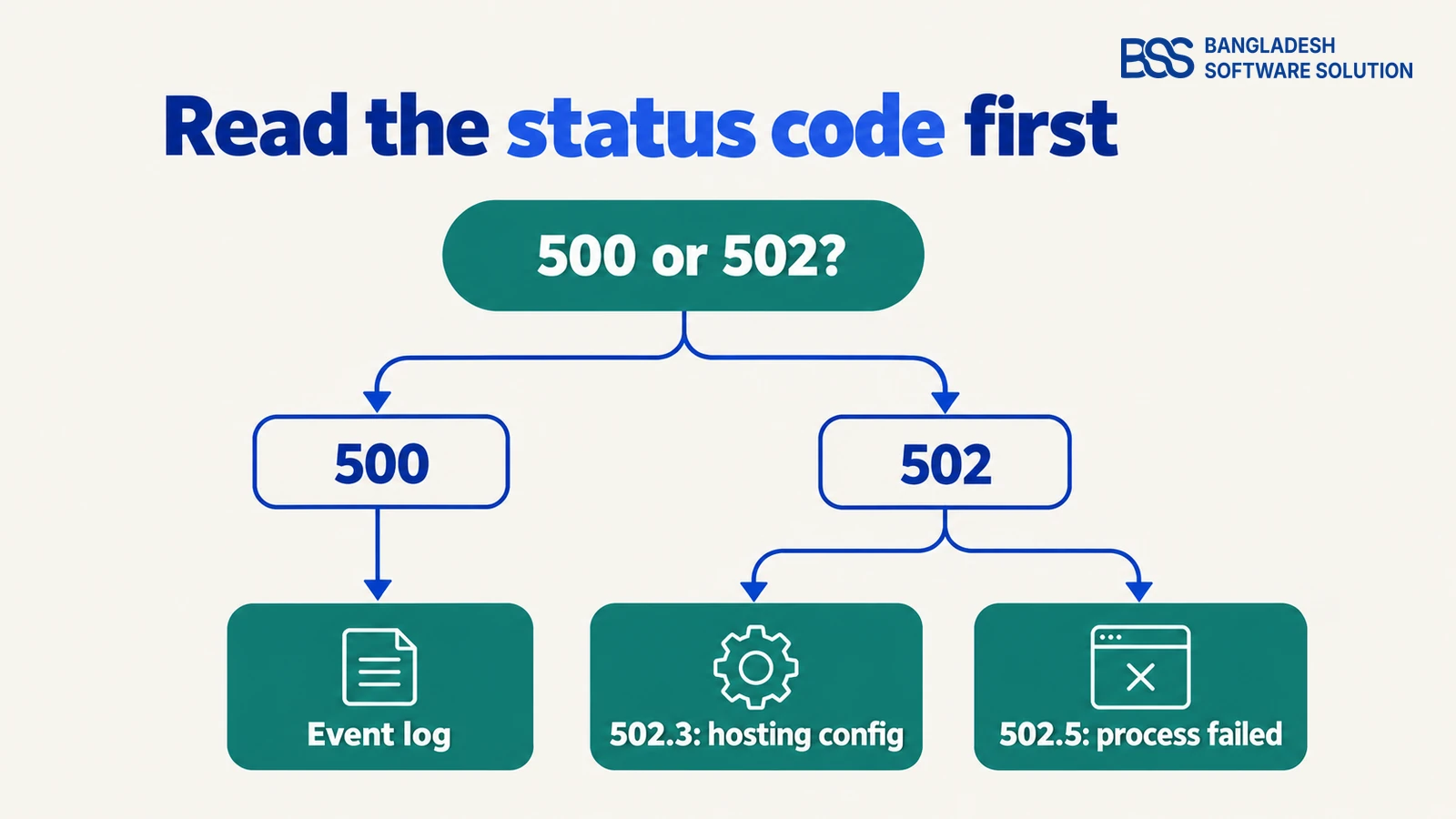
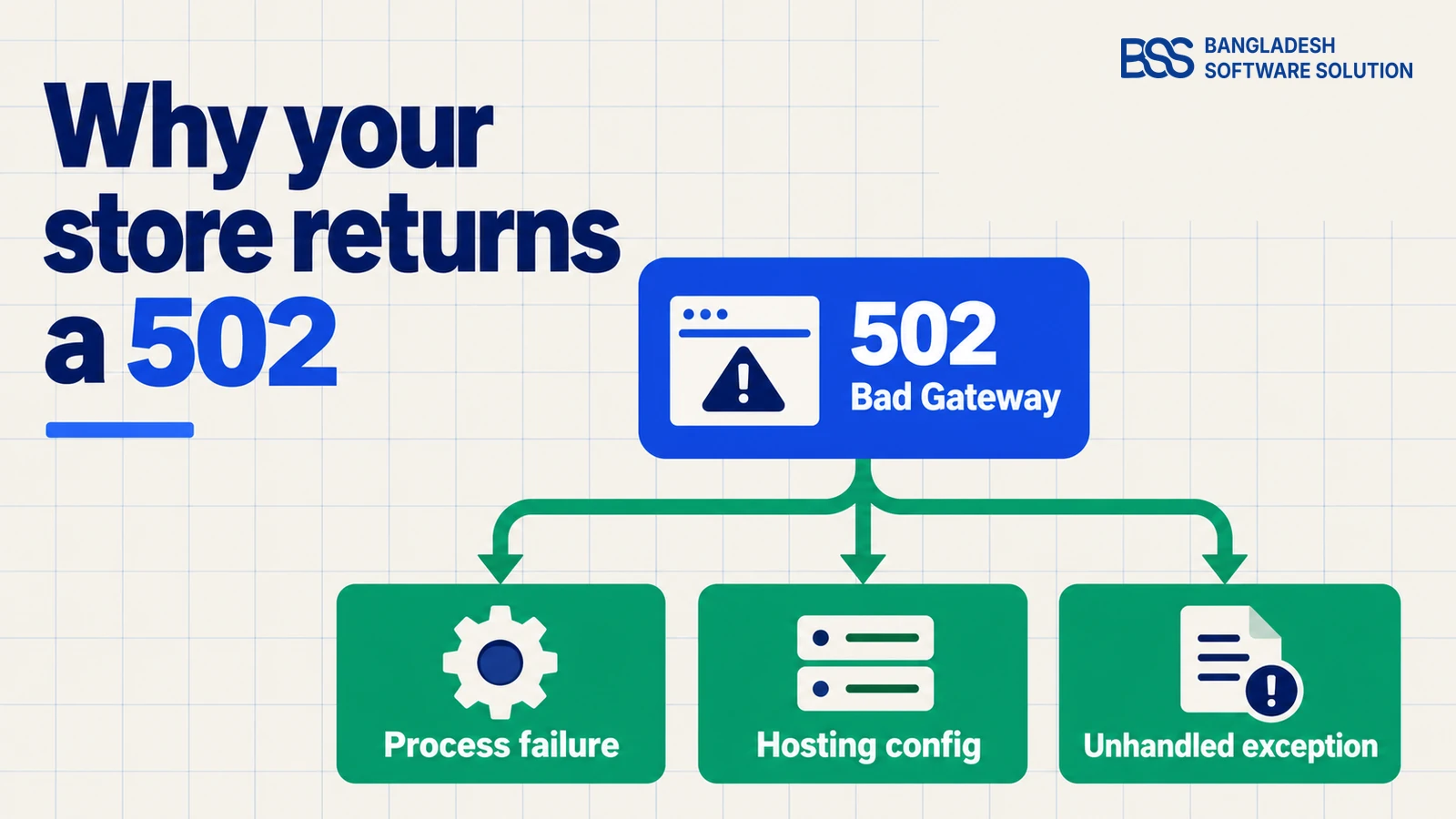
Start with the IIS log, which records the status and the substatus for every request. The substatus tells you which branch of Figure 2 you are on, and it changes what you do next.
Substatus 502.5 points at a process that failed to run or died. Substatus 502.3 points at hosting configuration, such as a missing hosting bundle or a broken web.config. Older nopCommerce forum threads on 502.3 trace the problem to the hosting module and to a stray argument in the web.config arguments attribute.
Before you change anything, turn on stdout logging for the ASP.NET Core Module so start-up output and crash messages are kept. Add two attributes to the existing aspNetCore element in web.config. Do not add a second element.
<aspNetCore ... stdoutLogEnabled="true" stdoutLogFile=".\logs\stdout" />Then open the Windows Event Viewer and look under Application for entries from the IIS AspNetCore Module V2 source. A process that fails to start usually writes its reason there, and that is faster than reading the code.
Turn stdout logging off again once you have the trace, because the file grows on every start. If the process is being recycled for memory rather than failing, the high memory usage guide covers that path.

When we look at a store that returns 502s, the event log is usually the first place we check, because it says whether the process ever started. Our hosting guide covers the host choices behind a store that stays up.
Why a Regex Can Time Out
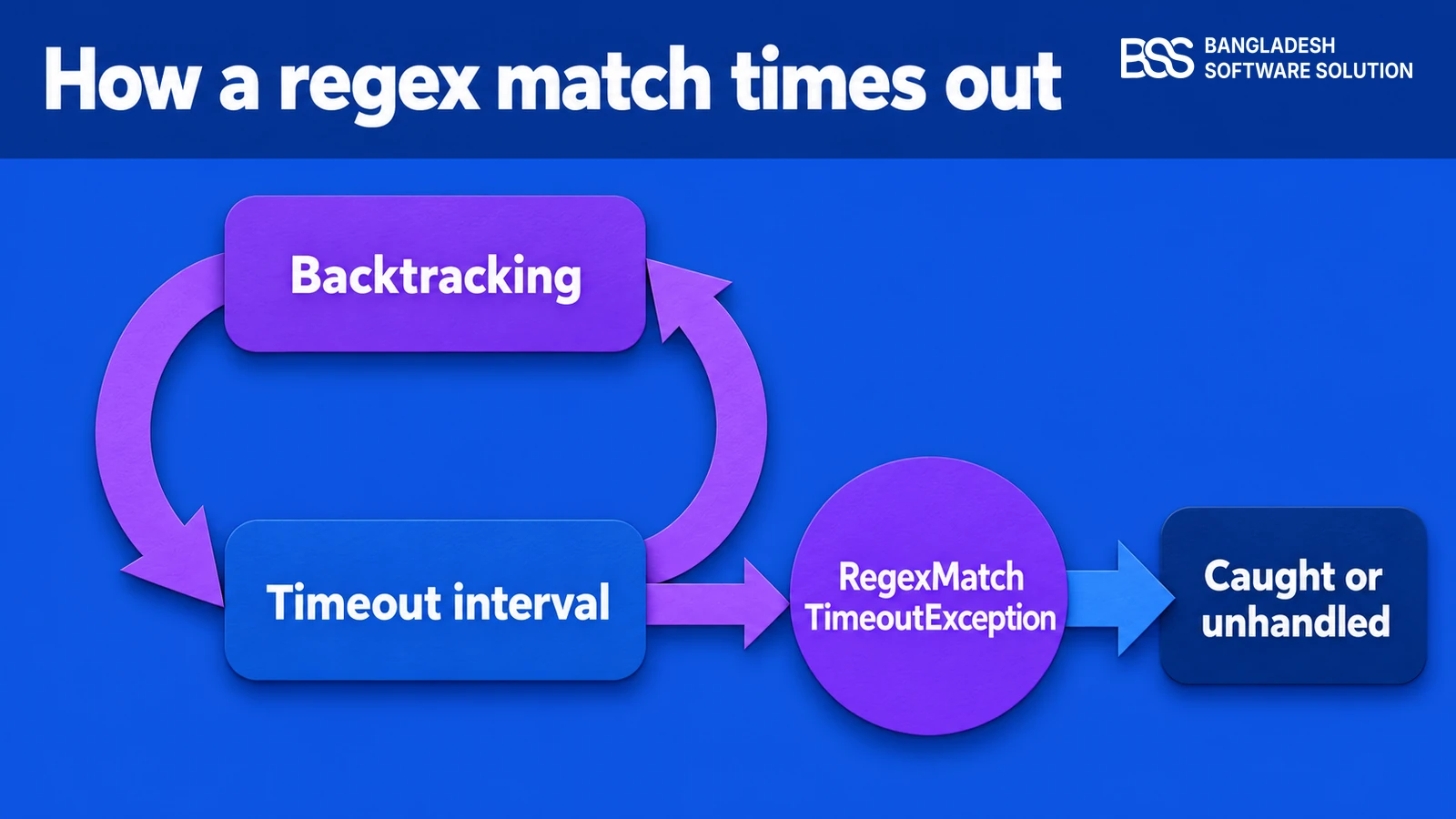
A RegexMatchTimeoutException is thrown only when a timeout has been set. The default in .NET is no timeout. Microsoft's documentation says the default is InfiniteMatchTimeout, so a pattern runs as long as it needs.
If your store logs this exception, something in your code, a plugin or the host has chosen a limit. That changes the diagnosis: the question is who set the limit, and why.
Find where the timeout is set
Search your solution and every plugin for new Regex( calls that pass a TimeSpan, for the static Match and Replace overloads with a matchTimeout argument, and for the AppDomain value REGEX_DEFAULT_MATCH_TIMEOUT. The place that sets the timeout is often not the place that breaks.
Once a limit is set, the engine checks the clock during matching and throws when a single match runs past it. Microsoft's guidance names two usual causes: excessive backtracking on the pattern, and a timeout that is too short for the input or for a busy server.
Backtracking is the engine trying other ways to match after a partial match fails. Nested quantifiers multiply those attempts. A pattern such as ^(\w+\s?)*$ run against a long run of word characters that ends in a character it cannot match will try a huge number of ways to split the string before it gives up.
The input is the first thing to examine, and the exception carries it. Its Input property holds the string the engine was matching. Log the start of that string when you catch the exception, and you can reproduce the slow match in a test rather than guessing.
A timeout that is too short fails differently. The same input can finish quickly on a quiet server and time out at peak load, which is why this exception sometimes appears only in the busiest hour. Raising the limit can help there, but only after you have measured it.
A timeout stops a slow match; it does not make the pattern cheaper. Treat it as a safety net, not as the fix.
Choose the Fix That Removes the Cause
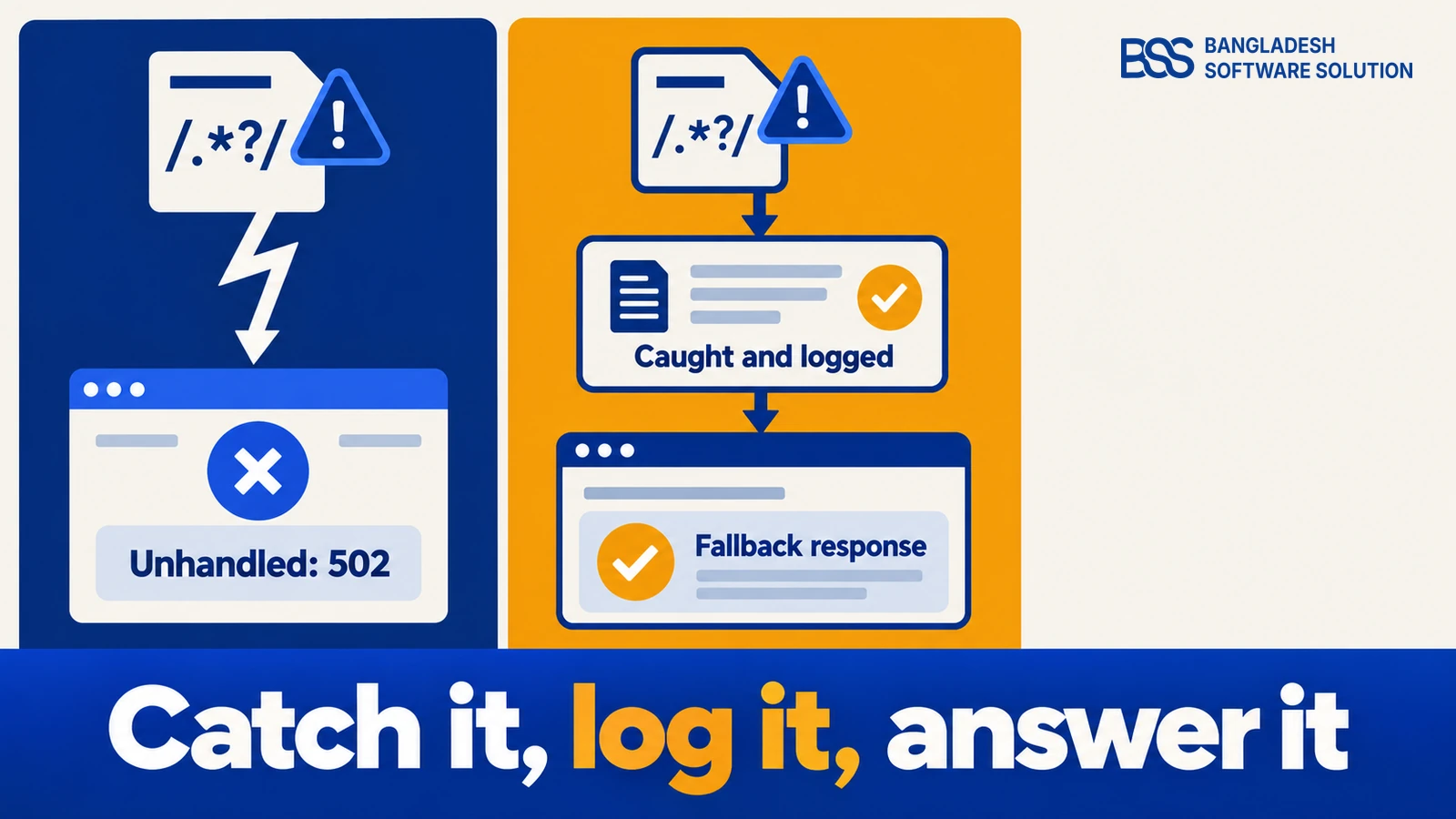
Catching the exception keeps the request alive, but it does not make the pattern fast. The table sets out the fixes in the order we would try them, from the one that removes the cause to the one that only hides the symptom.
| Fix | What it changes | Use it when | Impact |
|---|---|---|---|
| Rewrite the pattern | Removes nested quantifiers and anchors the match. | You wrote the pattern, or can review it. Test it with long input that does not match. | Removes the cause |
| Cap the input length | Rejects or trims input before the regex runs. | The input has a known maximum, such as a form field or a product code. A cap set too low silently rejects valid input. | Removes the cause |
| RegexOptions.NonBacktracking | Matches in time that grows linearly with the input (.NET 7 and later). | The pattern has no backreferences or lookarounds. Unsupported constructs fail, so test every pattern you switch. | Removes the cause |
| Catch and fall back | Answers with a safe default and logs the start of the Input. | You cannot change the pattern yet, such as in a plugin you do not own. | Hides the symptom |
| Raise the timeout | Lets slow matches run longer before they fail. | You have measured that matches finish, only slowly, under load. | Hides the symptom |
Where you cannot rewrite the pattern, a timeout with a catch is the safety net. Here is the shape of one for a SKU check that uses a pattern with no nested quantifiers:
static readonly Regex SkuPattern = new(@"^[A-Z0-9]+(-[A-Z0-9]+)*$",
    RegexOptions.Compiled, TimeSpan.FromMilliseconds(200));

public static bool IsValidSku(string input)
{
    try
    {
        return SkuPattern.IsMatch(input);
    }
    catch (RegexMatchTimeoutException ex)
    {
        // Log the start of the input only, so the match can be reproduced.
        _logger.LogWarning("SKU check timed out on input starting {Start}",
            ex.Input[..Math.Min(50, ex.Input.Length)]);
        return false;
    }
}
The catch does two things a bare timeout does not. It keeps a record of the input that failed, and it returns a value the caller already handles. Microsoft's guidance lists retrying with a longer interval, abandoning the match, and logging the exception as the options in the handler. For a web request we would log and abandon, because a retry under load only adds work to a server that is already slow.
When we patch a regex inside a plugin we did not write, we first add a test built from the input in the log, so the fix is proven against the input that broke it. The developer's guide to getting started covers the build-and-test loop you need to run that test.
Rule Out the Other 502s Before You Blame the Regex
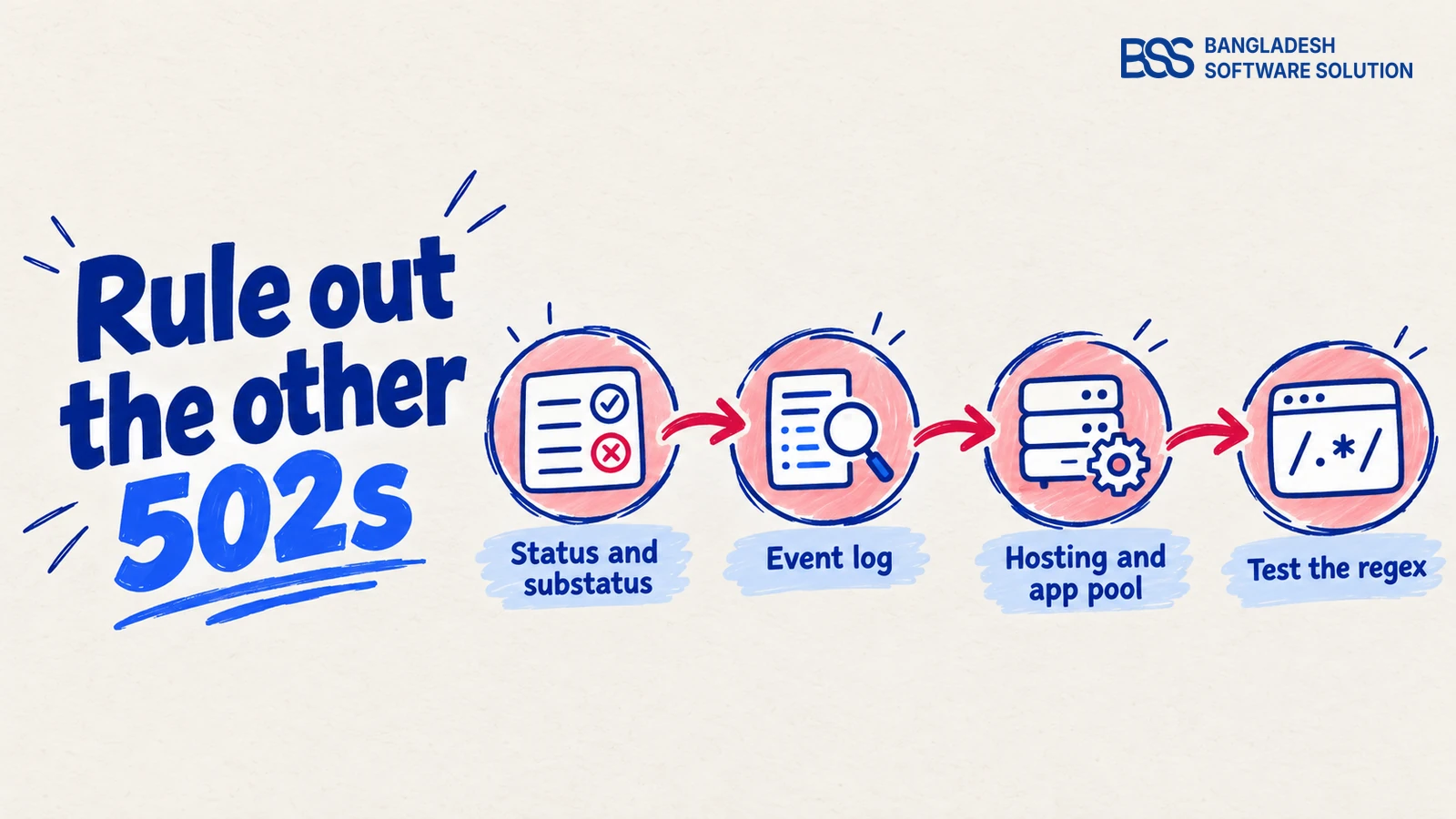
A regex timeout explains a 502 only when it takes the process down, which happens when the exception is unhandled on a background thread. A background thread is any work that runs outside a request, such as a timer or a hosted service.
Before you spend an afternoon in a pattern, rule out the four checks in Figure 5, in order. Each one is cheap, and each one can produce the same error page.
Check in this order
-
Status and substatus. A 502.3 or 502.5 in the IIS log sends you to hosting or to the process, not to the regex.
-
Event log. Start-up failures and crash messages from the IIS AspNetCore Module V2 source are the fastest way to tell a process failure from a request error.
-
Hosting bundle and app pool. The .NET hosting bundle must match the framework your build targets. The app pool for an ASP.NET Core site should use No Managed Code, and its identity and recycle settings should be checked too, since forum threads report 502s that appear only after a recycle.
-
Test the regex last. When the first three are clean and the process is dying on a timeout, reproduce the match with the logged input and fix the pattern.
The bundle version is covered in more detail in the hosting guide. It has to match the framework your build targets, not whatever was on the server at its last install.
If a mobile or custom app calls your store, this plugin exposes public storefront endpoints with JWT authentication. Any regex on that request path needs the same timeout discipline as the rest of this post.
View the pluginFrequently Asked Questions
Final Thoughts
Go back to the store that returned a 502 at the start. The status code said the process was failing, the event log said why, and the regex was one of four checks rather than the first.
The fix that lasts is a pattern rewrite and a capped input, with a timeout and a catch as the safety net. If the pattern lives in a plugin you did not write, and you would rather not patch it yourself, BSS maintenance and support covers fixes like this for nopCommerce stores.
Book a free consultation and we will go through the status, the log and the pattern with you.
Book a free consultationNeed a nopCommerce developer for a 502 you cannot trace? Hire the BSS team
From plugin fixes to hosting and upgrade work, our dedicated nopCommerce engineers ship production-grade code. Tell us what you are seeing and we will match you with the right developer.