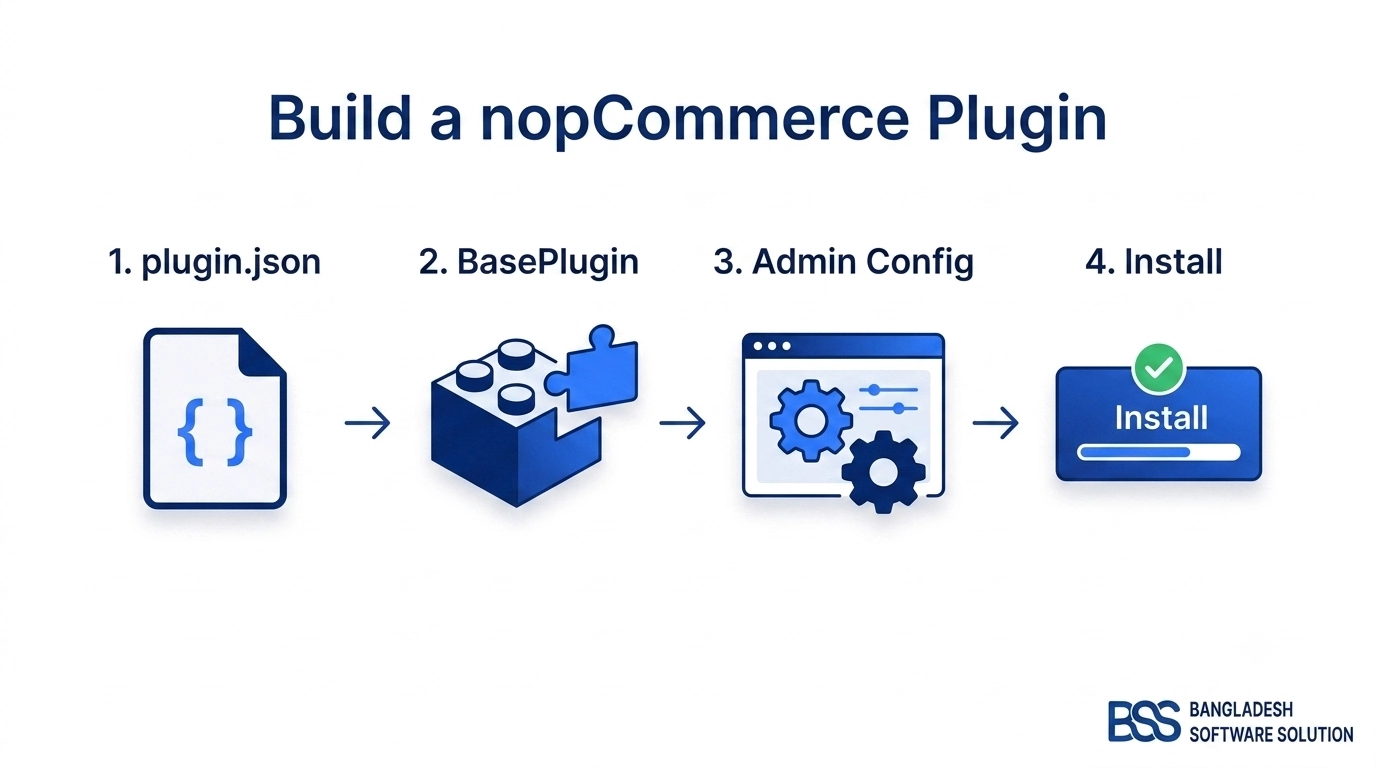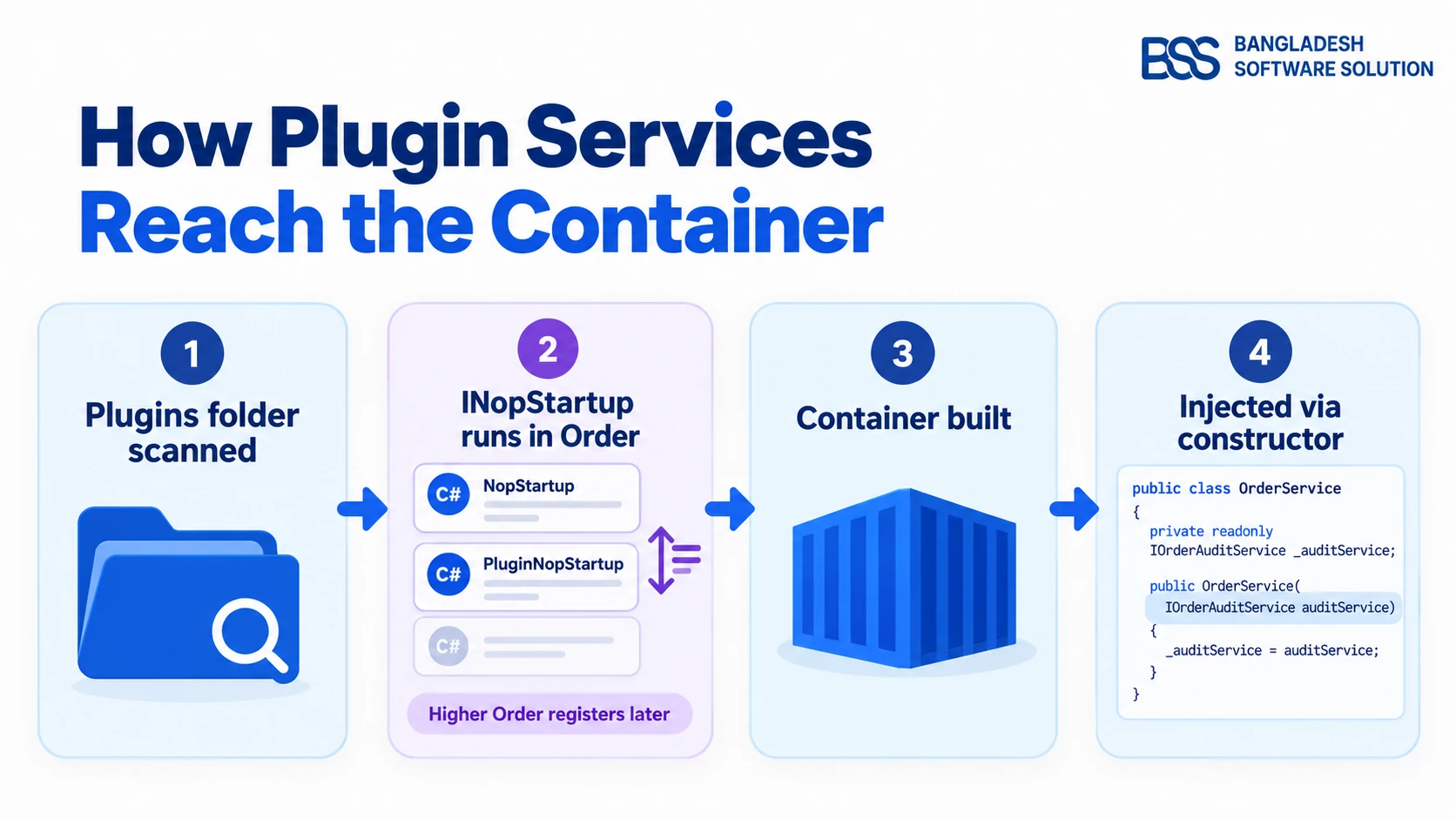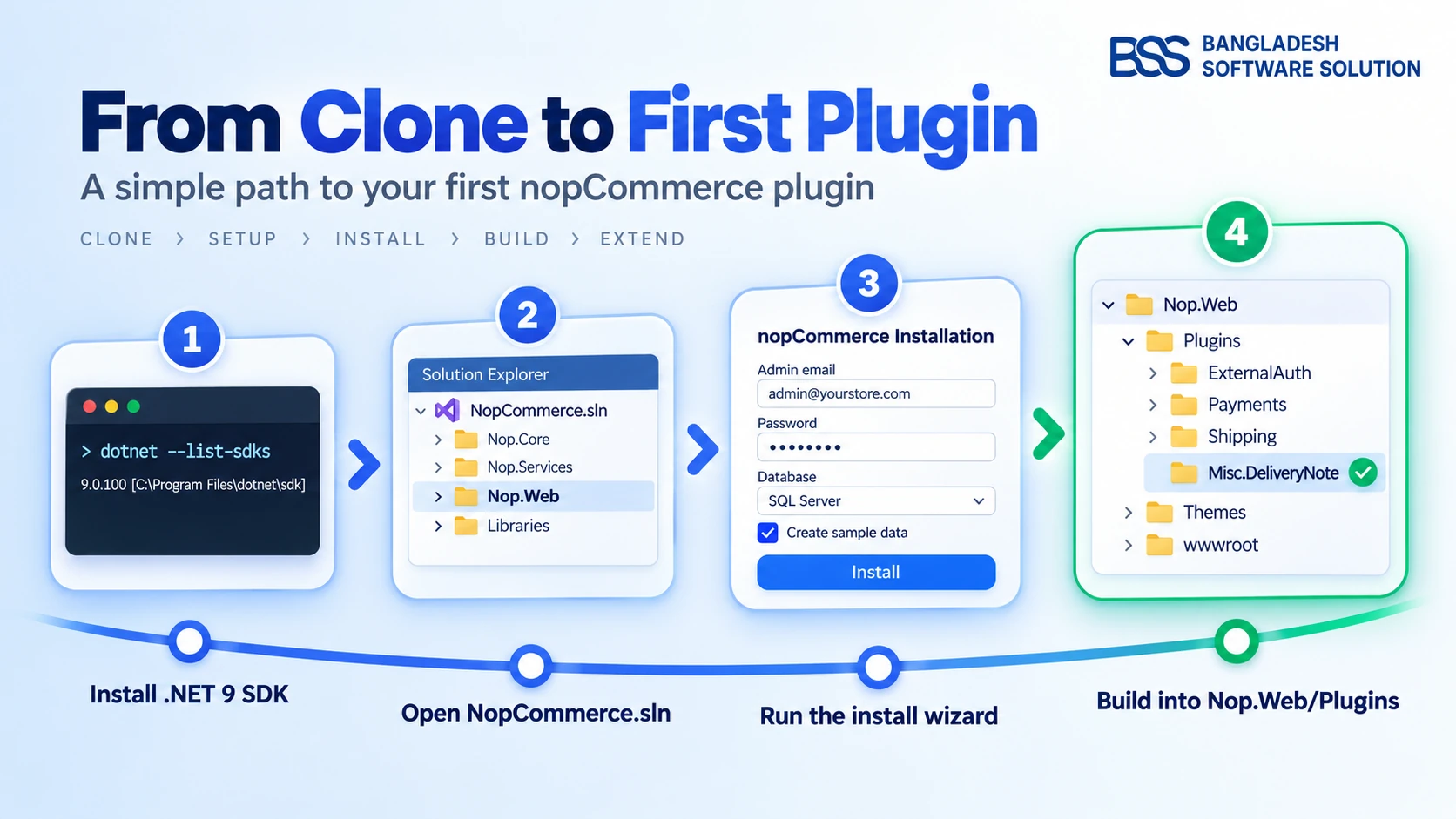
It's your first morning on a new project. The client runs a nopCommerce 4.80 store, the ticket says "show an estimated delivery note on every product page," it's due Friday, and the solution you just cloned has dozens of projects you've never seen. This nopCommerce developer guide is the path we walk every new engineer through at BSS, so that Friday is realistic rather than heroic.
nopCommerce itself is not hard. What slows people down is doing things in the wrong order: installing the wrong SDK, editing core files because that's where the code happened to be, or rebuilding the whole solution to test one plugin. Get the order right and the platform is pleasant to work in.
By the end of this guide you will have: a toolchain that matches your store's version, a local store running with sample data, a working mental map of the solution, a fast build-and-test loop for plugins, and a clear rule for choosing between a theme, a widget, a plugin and a service override.
If you're still deciding whether the platform suits your project at all, start with our beginner's overview of nopCommerce and come back here when you're ready to write code.
Match the Toolchain to the Store, Not to the Latest Release
The first question isn't "which IDE?" It's "which nopCommerce version is in production?" Every nopCommerce release targets one specific .NET version, and a mismatched SDK is the most common reason a fresh checkout refuses to build.
Ask the client, or check it yourself in the admin under System → System information. Then install the matching toolchain. According to nopCommerce's own technology and system requirements documentation, the pairings are:
| nopCommerce version | .NET you need | IDE notes |
|---|---|---|
| 4.90 | .NET 9 SDK | Visual Studio 2022 version 17.14 or above |
| 4.80 | .NET 9 SDK | Visual Studio 2022, or VS Code with the C# extension |
| 4.70 | .NET 8 | Older line: plan the upgrade conversation early |
| 4.60 | .NET 7 | Out of Microsoft support; treat as upgrade work first |
You can confirm what's already on your machine before installing anything:
# list every installed .NET SDK
dotnet --list-sdks

# show the SDK this folder will actually use
dotnet --version
For the database, nopCommerce supports SQL Server 2012 or above, MySQL 5.7 or above (from nopCommerce 4.30) and PostgreSQL 9.5 or above (from 4.40). For local work, pick the same engine the production store uses. A query that is fast on SQL Server can behave very differently on MySQL, and you want to find that out on your laptop, not on launch day.
Insider tip
If dotnet --version reports a newer SDK than the store targets, don't uninstall anything. Newer SDKs can build older target frameworks as long as the matching targeting pack is present. The failure you actually hit is the reverse: an SDK that is too old for the release you checked out.
Get to a Running Store in One Sitting
With the toolchain in place, the goal for day one is modest: a store running locally with sample data, so every later change has something to show up on.
Source package or GitHub clone?
Both give you the full solution. The source-code package is the simplest route to a known release. Cloning the repository gives you history and branches, which matters once you need to diff your version against a newer one. Branch choice and first-build failures are covered in depth in our guide to building nopCommerce from its GitHub source, so we won't repeat them here.
Run it and let the wizard do the setup
- Open
NopCommerce.slnand make sureNop.Webis the startup project. - Press F5 (debugging) or Ctrl+F5 (without). The first launch lands on the installation page instead of the storefront.
- Fill in the installer: admin email and password, the database connection (it can create the database if it doesn't exist), and the country used to preconfigure the store.
- Tick "create sample data." In development you want real-looking products, categories and orders to click through. Skip it only on a store that will go live.
In our experience the whole install takes about a minute once the database connection is right. You'll land on the storefront homepage, and the admin area lives at /admin with the account you just created.
Know what the wizard wrote
The installer saves your connection details to App_Data/appsettings.json inside Nop.Web. That file is worth knowing early for two reasons. First, it never belongs in source control with real credentials in it. Second, it's how you start over: nopCommerce's documentation notes that removing the ConnectionStrings section (or deleting the file) sends the next launch back to the installer.
Next to it sits App_Data/plugins.json, which records which plugins are installed. Keep both when you move a local store between machines.
Read the Solution Like a Map, Not a Maze
Now that the store runs, open Solution Explorer. The number of projects looks intimidating, but they fall into just three groups, and only one of them is where your code normally goes.
Nop.Core, Nop.Data and Nop.Services hold the domain entities, data access and business logic. Read them constantly. Edit them almost never.Nop.Web is the storefront and hosts the Admin area; Nop.Web.Framework holds the shared MVC plumbing your plugins reference.Nop.Plugin.* project is an isolated extension. The bundled ones are the best examples you'll find of how the platform expects to be extended.A useful first exercise: pick one storefront page, such as the product details page, and trace it from the controller in Nop.Web down to the service that loads the product. Thirty minutes of that teaches more than a day of reading.
When you want the full picture of layers, dependency injection and how a request travels through them, our nopCommerce architecture guide is the natural next read. It goes deep on exactly the parts this section skims.
Read the core freely, extend it through plugins, and treat every edit to a core file as a future upgrade bill.
BSS Engineering
The Everyday Development Loop
Once you know where your code goes, the next thing that decides your speed is the loop: change, build, see the result. For plugin work it's shorter than most newcomers expect, because a plugin builds straight into the web app's folder.
The nopCommerce documentation's plugin template sets the build output like this in the plugin's .csproj:
<PropertyGroup>
  <TargetFramework>net9.0</TargetFramework>
  <OutputPath>$(SolutionDir)\Presentation\Nop.Web\Plugins\Misc.DeliveryNote</OutputPath>
  <OutDir>$(OutputPath)</OutDir>
</PropertyGroup>
<ItemGroup>
  <ProjectReference Include="$(SolutionDir)\Presentation\Nop.Web.Framework\Nop.Web.Framework.csproj" />
  <ClearPluginAssemblies Include="$(SolutionDir)\Build\ClearPluginAssemblies.proj" />
</ItemGroup>
That gives you a loop with four beats:
- Build the plugin project, not the whole solution. Its output lands in
Nop.Web/Plugins/<YourPlugin>. - Run or restart
Nop.Web. Plugins are discovered at startup, which is why a newly built plugin doesn't appear in a store that's already running. - Install it once from Configuration → Local plugins in the admin. The change is recorded in
plugins.jsonand applied on restart. - Iterate: after that, rebuild and restart. Set breakpoints in your plugin code exactly as you would in any ASP.NET Core app.
The ClearPluginAssemblies step in that template matters more than it looks. It strips DLLs that already ship with the web app out of your plugin folder, so you don't end up loading two copies of the same assembly.
Watch out
nopCommerce caches settings and entities aggressively. If you change data directly in the database and the storefront doesn't reflect it, that's the cache, not a bug in your code. Restart the app or clear the cache from the admin before you start debugging. Our caching guide explains which layer is holding the stale value.
Pick the Right Extension Point for the Job
This is the decision that matters most for a store's long-term health. Almost every change a client asks for fits one of a handful of extension points, and choosing the right one is the difference between a change that survives the next upgrade and one that has to be rebuilt.
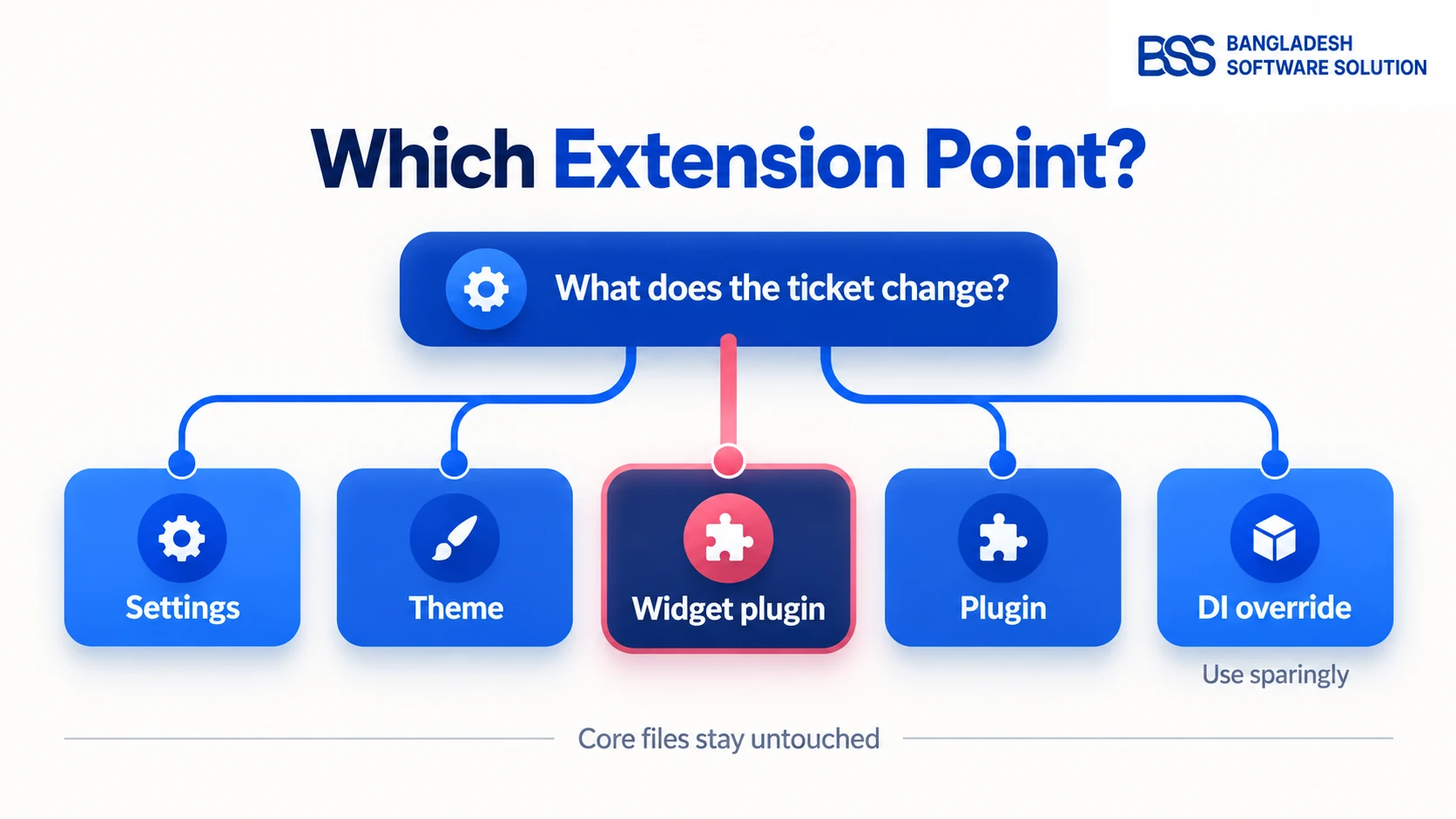
| If the ticket says… | Reach for | Where it lives |
|---|---|---|
| "Turn on / change a behaviour" | Admin settings, no code | Configuration → Settings |
| "Make it look different" | A theme | Nop.Web/Themes, copied from the default theme and renamed in theme.json |
| "Show something extra on a page" | A widget plugin | Renders into a named widget zone, no view edits |
| "Add a new capability" | A plugin (payment, shipping, tax, misc) | Its own Nop.Plugin.* project |
| "Change how the core works" | A service override via dependency injection | Registered from your plugin; use sparingly |
Back to Friday's ticket. "Show an estimated delivery note on every product page" is a textbook widget: a small plugin that renders into one of the product-page widget zones. No theme edits, no core edits, and it installs or uninstalls with a click. Our walkthrough on adding a widget to a nopCommerce plugin covers exactly that build, and the flagship plugin tutorial sets up the project around it.
For the other rows, the specialist guides are building a custom theme from scratch, writing a payment plugin, and, if the job is feeding data to another system, our practical walkthrough of nopCommerce's API options.
A Two-Week Onboarding Plan That Actually Sticks
Knowing the pieces is one thing; building fluency is another. This is the sequence we give new engineers. Each step produces something you can show, which is what keeps the learning from staying theoretical.
Your first two weeks on nopCommerce
-
Day 1: confirm the production version, install the matching .NET SDK, and get the store running locally with sample data.
-
Day 2: walk the admin as a store owner would. Create a product, place a test order, change a setting and find where it's stored.
-
Day 3: trace one storefront page from controller to service to database with the debugger attached.
-
Days 4–5: build an empty plugin, install it from Local plugins, then uninstall it cleanly. The lifecycle is the lesson.
-
Week 2, first half: turn that plugin into a widget that renders something real into a product-page widget zone.
-
Week 2, second half: add a settings page for your plugin, then read one bundled plugin end to end and note what it does differently from yours.
-
Before you ship anything: write down every file you changed outside your plugin. The ideal list is empty.
Mistakes That Cost New nopCommerce Developers a Week
Even with a good plan, a few traps catch almost everyone once. A common pattern we see when auditing inherited stores is that the problem was set up in the first month, long before anyone noticed it.
Nop.Services or a stock view works today and quietly turns the next upgrade into a merge project. Put the change in a plugin or a theme instead; our upgrade checklist shows what that saves you later.Deadline Closer Than Your Ramp-Up? Bring In the BSS Team
Our engineers build nopCommerce plugins, widgets and themes every week, the upgrade-safe way this guide describes. We can ship the urgent ticket while your team learns the platform, or pair with your developers through their first plugin so the knowledge stays in-house.
Frequently Asked Questions
Final Thoughts
Back to that first morning. With the toolchain matched to 4.80, a local store running on sample data, and the solution read as three groups instead of dozens of projects, Friday's ticket shrinks to its real size: one small widget plugin rendering a delivery note into the product page. It builds straight into the Plugins folder, installs from the admin, and leaves every core file exactly as nopCommerce shipped it, so the next upgrade doesn't even notice it.
That's the whole approach in one sentence: learn the core by reading it, change the store by extending it. From here, the flagship plugin tutorial is the best next step, and when a ticket outgrows the time you have, the BSS team is a message away.