A regular customer replies to your Monday newsletter with a single line: "Love the store — is there an app?" Later that week the device report in your analytics tells the same story it told last quarter, with phones carrying most of your visits, and you start wondering what a nopCommerce mobile app would actually take.
So you ask an agency. The quote comes back as two native apps, a custom back end, a timeline measured in months and a figure nobody had budgeted for. You close the email, and the idea goes back on the someday list.
This guide is for the moment before you close that email. It explains what a nopCommerce app is really made of, why every one of them runs on a REST API, the scope hiding inside a "simple app" quote, the three routes stores take to get one built, and how to tell which route fits your store before you spend anything.
Why Your nopCommerce Store Doesn't Have an App Yet
Start with the honest part, because it explains every quote you will receive. nopCommerce is built on ASP.NET Core, and its storefront is rendered on the server: a shopper's browser asks for a page, and your store sends back finished HTML built from Razor views.
That is exactly the right design for a website, and it is a large part of why nopCommerce stores are fast to index and easy to rank. A mobile app, though, works the other way round. Its screens are already installed on the phone. What it needs from your store is data — products, prices, stock, the cart, the customer's orders — in a format a program can read, not a page a person reads.
Key fact: a default nopCommerce installation does not include a public REST API for apps to use. nopCommerce's own developer documentation describes its Web API as something you add by installing a plugin, and until one is installed there is simply nothing for an app to talk to.
So the real question is not "can nopCommerce have an app?" It is "who builds the layer between the app and the store, and how much of the app comes with it?"
Before answering that, it helps to be clear about what an app is for, because it is not a replacement for your mobile website.
The two do not compete. The website is how you win customers; the app is how you keep them close. That layer between app and store is where most of an agency quote's cost sits — and, as the next section shows, it is also a problem that has already been solved. If you want the developer-level background first, our walkthrough of what nopCommerce's API documentation does and does not cover goes deeper; the rest of this guide stays at the level of decisions.
How a nopCommerce Mobile App Actually Works
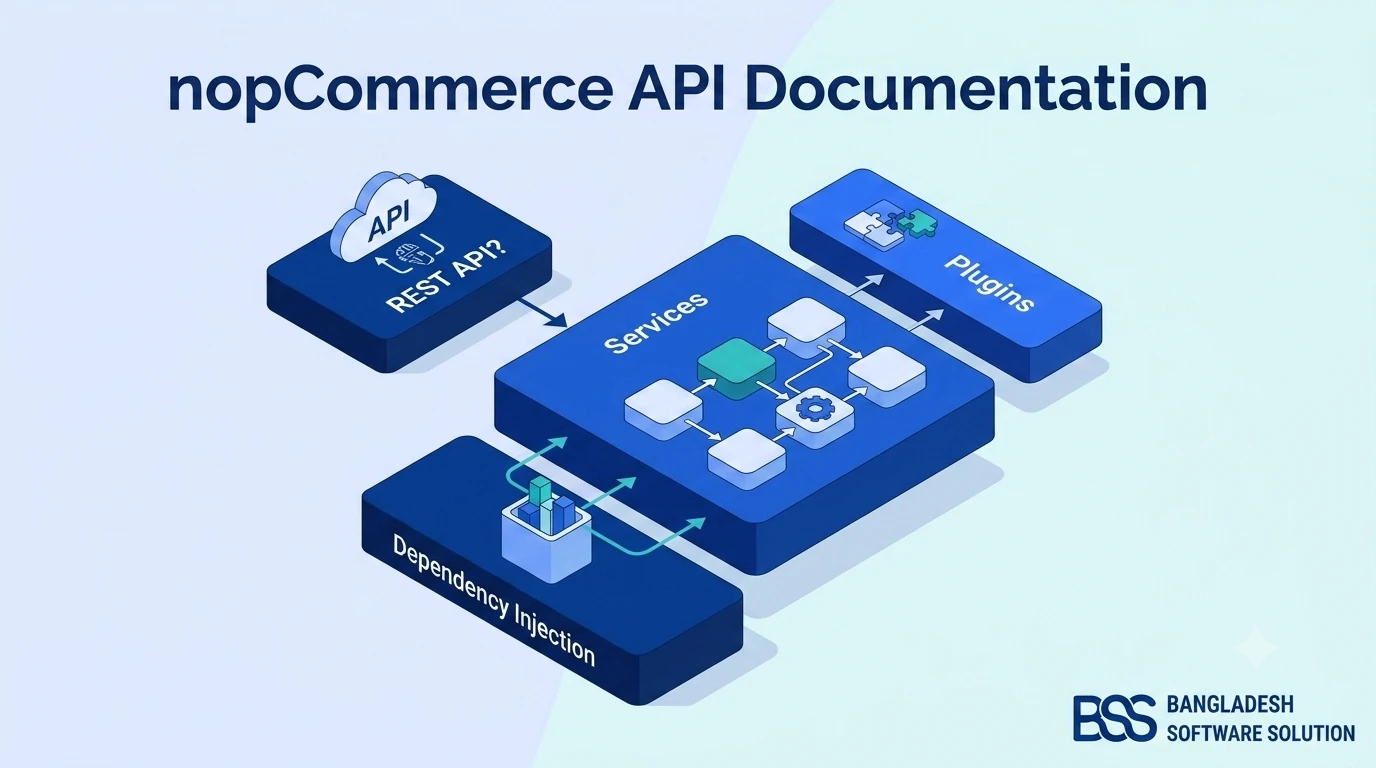
Now that the missing piece has a name, the whole system is easy to picture. Every nopCommerce mobile app, whoever builds it, is the same three layers stacked on top of each other.
The practical consequence is the part store owners like most: you do not run a second shop. A price you change in the admin is the price in the app moments later, and an order placed on a phone lands in the same Sales list as an order from the website.
The middle layer also carries the security. A well-built nopCommerce REST API signs each signed-in session with a JSON Web Token (JWT) — a short-lived, tamper-proof pass the app presents with every request — so an expired or altered token simply stops working. It is the same approach nopCommerce's documentation describes for its own Web API, and it is what the BSS plugin covered later in this guide uses too.
A mobile app is not a second store. It is a second front door to the store you already run.
BSS Engineering
What the REST API Has to Cover Before Launch
This is where "we just need a simple app" quietly becomes a large project. Shoppers do not experience your app as endpoints; they experience it as a store. Every screen they expect is a set of requests the API has to answer correctly.

Browsing is the easy part. The expensive parts are the ones that must behave exactly like your website: a checkout that respects your shipping rules, tax settings, payment methods and discounts, plus guest checkout, reward points, returns, saved addresses and order history. If the app gets any of those subtly different from the website, customers notice before you do.
The feature areas a complete app needs
- Discovery — homepage banners, featured categories and products, brands, vendors, search and filters.
- Product pages — product options, grouped products, reviews and ratings, related and "customers also bought" items.
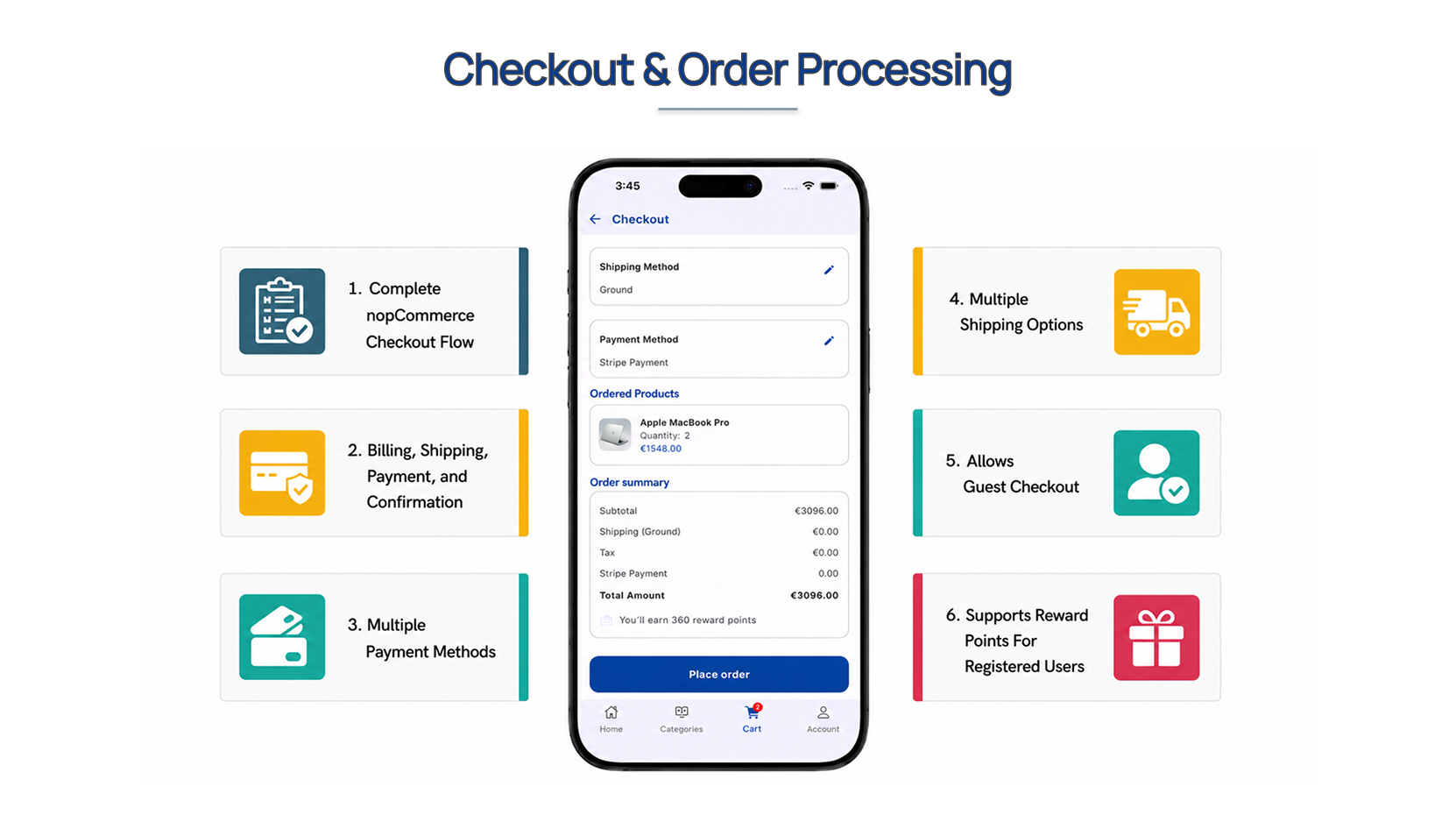
- Cart and checkout — billing, shipping, payment and confirmation, with guest checkout and reward points.
- Accounts — registration, sign-in, password recovery, social sign-in, addresses and wishlists.
- After the order — order history, reorder, shipment details, return requests and back-in-stock alerts.
- Engagement and control — push notifications, languages and currencies, branding, and forced app updates.
That list is not hypothetical. It is the scope of the API in the BSS package, and it makes a useful yardstick for any quote you receive: ask which of these the proposal includes, and which it leaves for "phase two".
Checkout deserves the hardest look, because it is where the money is. Here is what a complete one looks like running natively in an app — the standard nopCommerce checkout steps, a choice of shipping and payment methods, and reward points on the order summary.
Payment is also where your existing plugin choices carry over. If you are still deciding which gateways your store should offer, read our comparison of nopCommerce payment plugins before scoping the app — every gateway you offer on the website is one you will want to confirm works in the app's checkout too.
Three Ways to Get a nopCommerce App Built
With the real scope on the table, the options sort themselves quickly. Stores end up on one of three routes, and each one is the right answer for somebody.
| Route | What you are taking on | Time to launch | Best for |
|---|---|---|---|
| Custom build | A REST API written for your store plus apps designed and coded from scratch. Full control — and you own the security review, app-store maintenance and every nopCommerce upgrade afterwards. | Longest | Stores with unusual checkout or pricing logic and a long-term development budget |
| API plugin + custom app | An official or community Web API plugin handles the store side. Your developers still design, build and publish every app screen, checkout included. | Medium | Teams that already employ mobile developers |
| Ready-made app and API | An API plugin and an Android and iOS app built to work together, from the nopCommerce team or a specialist such as BSS. You configure, brand and publish instead of building. | Fastest | Store owners who want an app in customers' hands without running a development project |
The first route makes sense when your store is genuinely unusual and you are prepared to own two apps and an API indefinitely. The second is a sound middle path if you already have mobile developers on staff. For most store owners, though, the real question is how soon customers can install something that works — and that is what the third route is for.
If you want a realistic sense of how custom development gets scoped and billed before you compare proposals, our breakdown of what a nopCommerce store costs to build covers how agencies price this kind of work.
Pro tip: fix the mobile website first
An app does not replace your mobile website — new customers still arrive from Google in a browser. Before investing in an app, make sure your storefront holds up on a phone: no sideways scrolling, buttons big enough to tap, a checkout that fits the screen. If it does not, our guide to fixing a nopCommerce layout that breaks on mobile walks through the usual causes.
The Ready-Made Route: BSS NopCommerce Mobile App with REST API
The third route is the one we built our own package for. BSS NopCommerce Mobile App with REST API pairs the BSS Web API plugin for nopCommerce with a finished Flutter shopping app for Android and iOS, designed together so every screen in the list above already has the endpoints it needs.
Rather than take our word for it, the fastest way to judge an app is to hold it. BSS publishes a working demo build on Google Play — install the demo app and try the part you care about most, whether that is search, a product page or checkout.
Those figures come straight from the product page, where the app is listed as built with Flutter 3.41.2 and Dart 3.11.0. What matters more to a store owner is what the package takes off your plate.
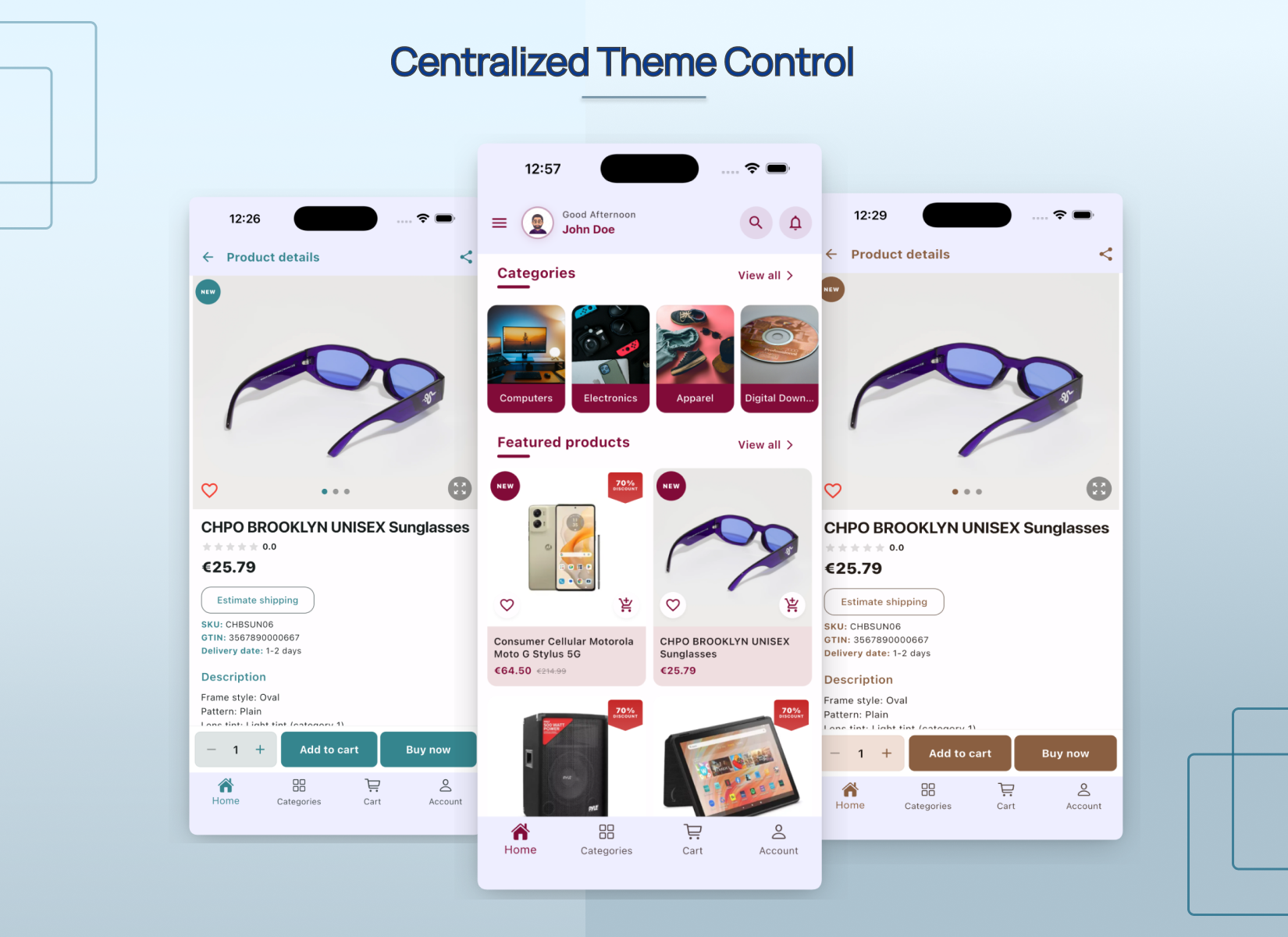
Branding is controlled centrally from the admin, so the same product screens can take on a completely different look without anyone touching the app's code.
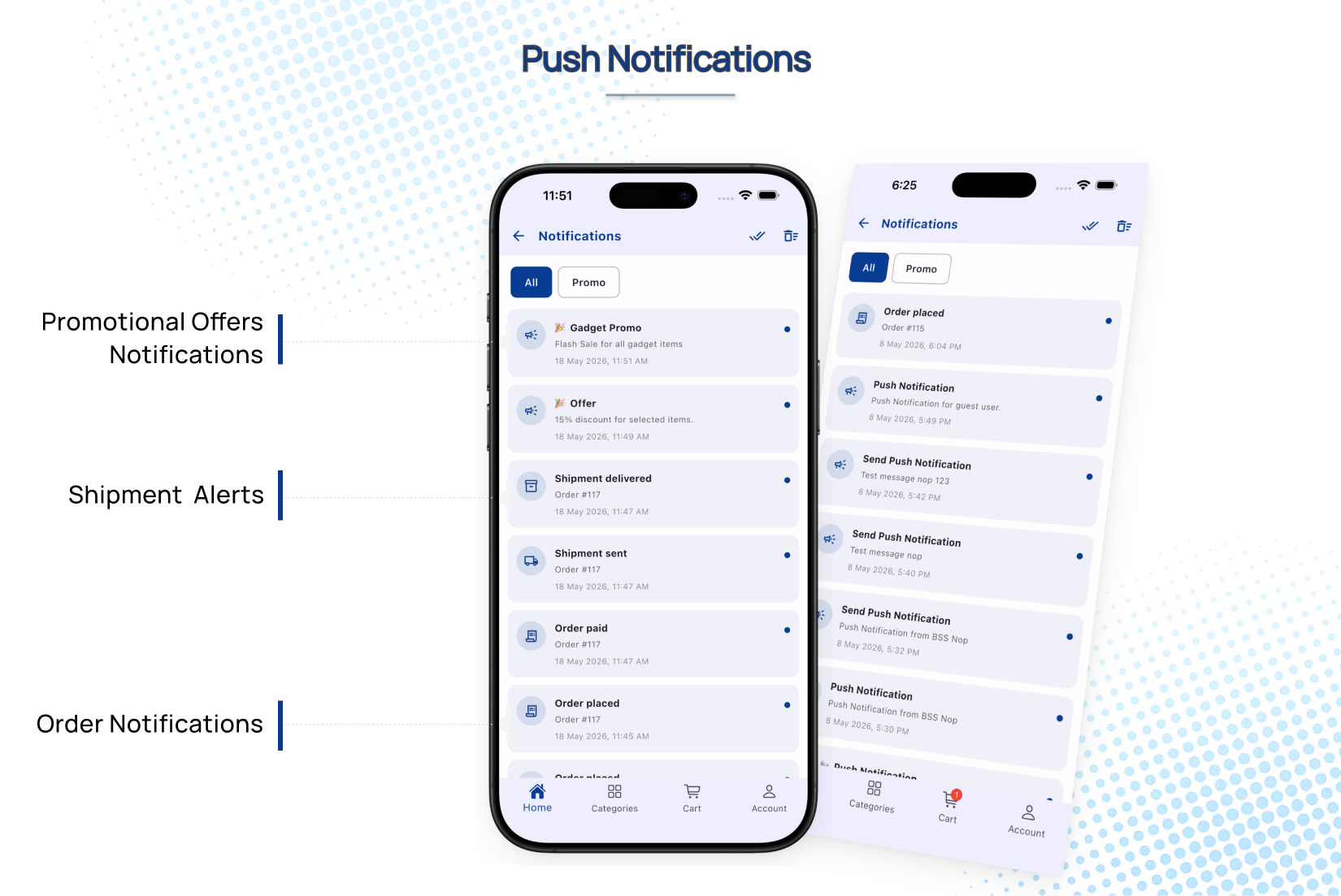
It also covers the details that usually get pushed to phase two: multiple languages and currencies with localization managed from the back end, Google Sign-In, a vendor directory for multi-vendor stores, and forced updates so nobody is stuck on an old version. Then there is the feature that most separates an app from a bookmarked website — reaching a customer who is not looking at your store right now.
Every setting name and admin path mentioned here is written up in the public BSS Nop Flutter Mobile App + REST API documentation, so you — or your developer — can read exactly how it is configured before you buy.
From Purchase to App Store: What Setup Looks Like
A ready-made package changes the timeline because launching becomes configuration rather than development. Here is the order the documentation lays out, with the checks we add on a real store.
Mobile app launch checklist
-
Before buying, send BSS your nopCommerce version and the payment and shipping plugins your store runs, and confirm they are supported.
-
Pick the licence that matches your setup — single URL, or multiple URL if the API will run on more than one store address — and add installation support if you would rather not install it yourself.
-
Under Configuration → Local plugins, upload and install BSS Core first, then BSS WebApi, and restart the application.
-
As the documentation recommends, turn off JavaScript and CSS bundling and minification in App Settings.
-
Enable JWT security and set a unique secret key of at least 32 characters, the issuer, the audience, and access and refresh token lifetimes.
-
Upload your logo and choose light and dark theme colours, then add promotional banners assigned to categories or products.
-
Fill in the app settings — Android and iOS versions, force-update switches and store URLs — and upload a valid assetlinks.json file for Android domain verification.
-
Test the endpoints with the built-in Swagger UI or the BSS Postman collection before any customer sees the app.
-
Place real test orders from a phone, including one as a guest, and confirm each lands in the admin with the right shipping, tax and payment.
-
Publish to Google Play and the Apple App Store under your own developer accounts, then send a first push notification to announce it.
None of those steps involves writing a screen, an endpoint or a checkout from scratch, which is the whole point. The exact field names and admin menus for each one are in the plugin documentation, and the licence and support options are on the product page.
Put Your nopCommerce Store in Your Customers' Pockets
A ready-to-publish Flutter app for Android and iOS plus the BSS Web API plugin that powers it: your branding, your catalog, the checkout your customers already trust, push notifications, and JWT-secured endpoints you can test in Swagger. Install the demo from Google Play and see it for yourself.
Frequently Asked Questions
Final Thoughts
Back to that one-line reply in your inbox: "Love the store — is there an app?"
This time the answer is not "someday". It is a link to your own app on Google Play and the App Store — your logo, your catalog, your prices and the checkout customers already trust — running off the same nopCommerce admin you opened this morning. The order that customer places from their phone tonight lands in the same Sales list as every other.
The route you choose matters less than choosing it with the real scope in view. If your store is unusual enough to need a custom build, you now know exactly what to ask a developer to quote. If it is not, BSS NopCommerce Mobile App with REST API is the shortest path we know from "is there an app?" to "here's the link" — and five minutes with the demo app on Google Play will tell you whether it is the right one for your store.