The courier pickup is in an hour and your packer is working through four browser tabs. One is the UPS portal, one is FedEx, one is DHL, and the fourth is the nopCommerce admin, where every tracking number has to be pasted back onto its order by hand. Everyone in the warehouse knows what happens next: one number lands on the wrong order, and a customer in Munich writes in asking where the parcel is. Nobody planned this. Your nopCommerce store simply became a multi-carrier shipping operation, one reasonable decision at a time.
The store launched with one carrier and one plugin, which was the right call. Each carrier added since answered a real customer request, and together they built a process that relies on people copying data between systems.
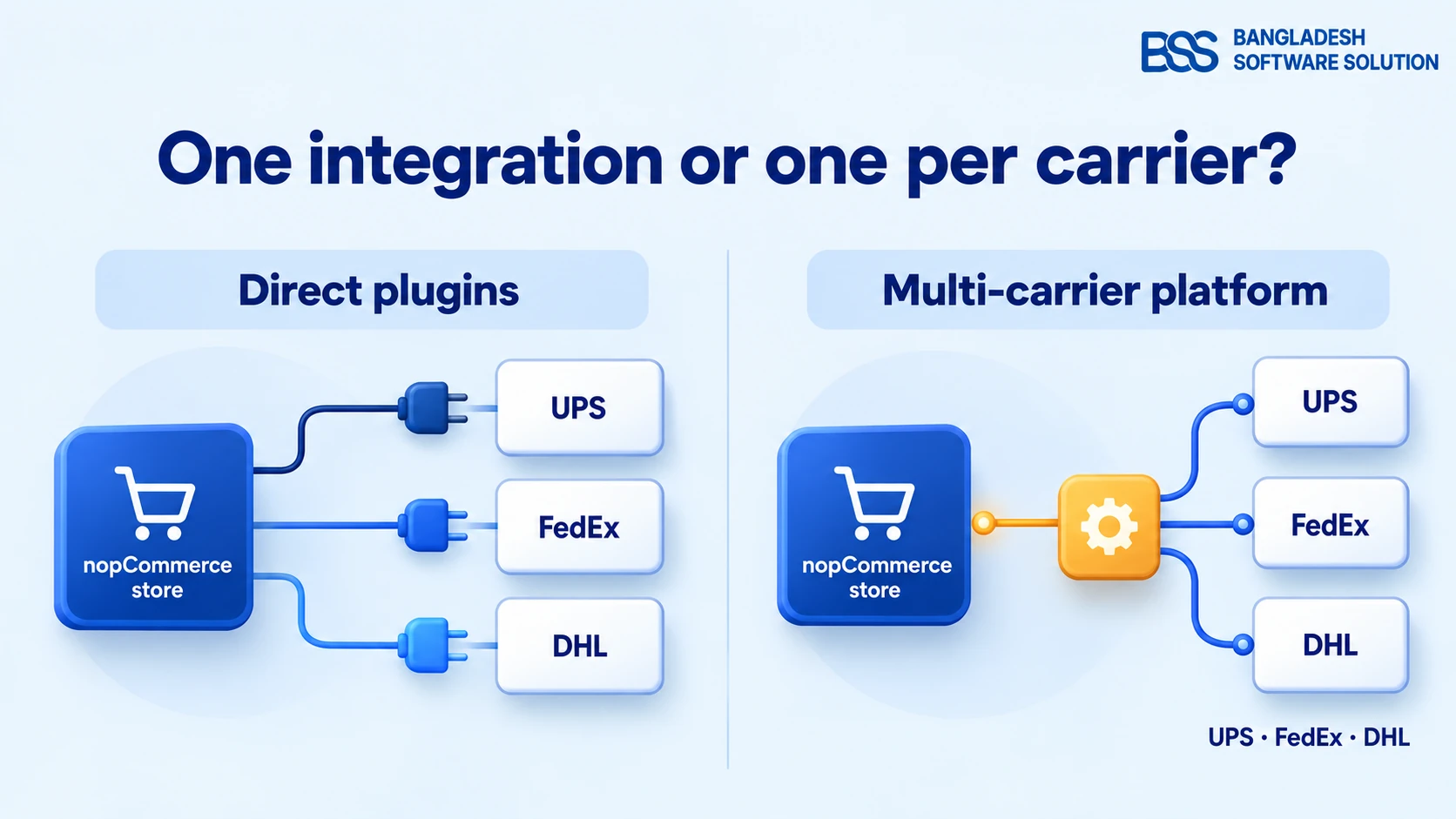
That is usually the moment a store owner asks whether a multi-carrier platform such as Sendcloud would beat a separate integration for every carrier. The honest answer depends on how your parcels actually move, which carrier contracts you already hold, and how much integration work you can take on. The last one matters more on nopCommerce than most platform marketing admits.
The short answer: stay with direct carrier plugins while one carrier ships most of your parcels and you already hold its contract. Look hard at a multi-carrier platform once a third carrier carries real volume, or when labels, tracking and returns take more staff time than the shipping itself. And know that when we checked in October 2026, we found no ready-made Sendcloud connector for nopCommerce, so that route means building an integration.
This guide picks up where our roundup of nopCommerce shipping plugins stops. That post compares individual plugins; this one compares two ways of wiring shipping together and gives you a rule for choosing between them.
Two Jobs Every Shipping Integration Does
The four tabs in that warehouse are only half of the story. Before comparing approaches, separate the two different jobs you are asking shipping software to do, because the two options handle them very differently.
The first job is the quote. At checkout, with the shopper waiting, the store needs a price for this destination, this weight and this service. In nopCommerce that is the work of a shipping provider, a plugin you activate under Configuration → Shipping → Shipping providers. It can ask a carrier's API for a live rate, or calculate a price from rules you set, such as fixed or by-weight tables.
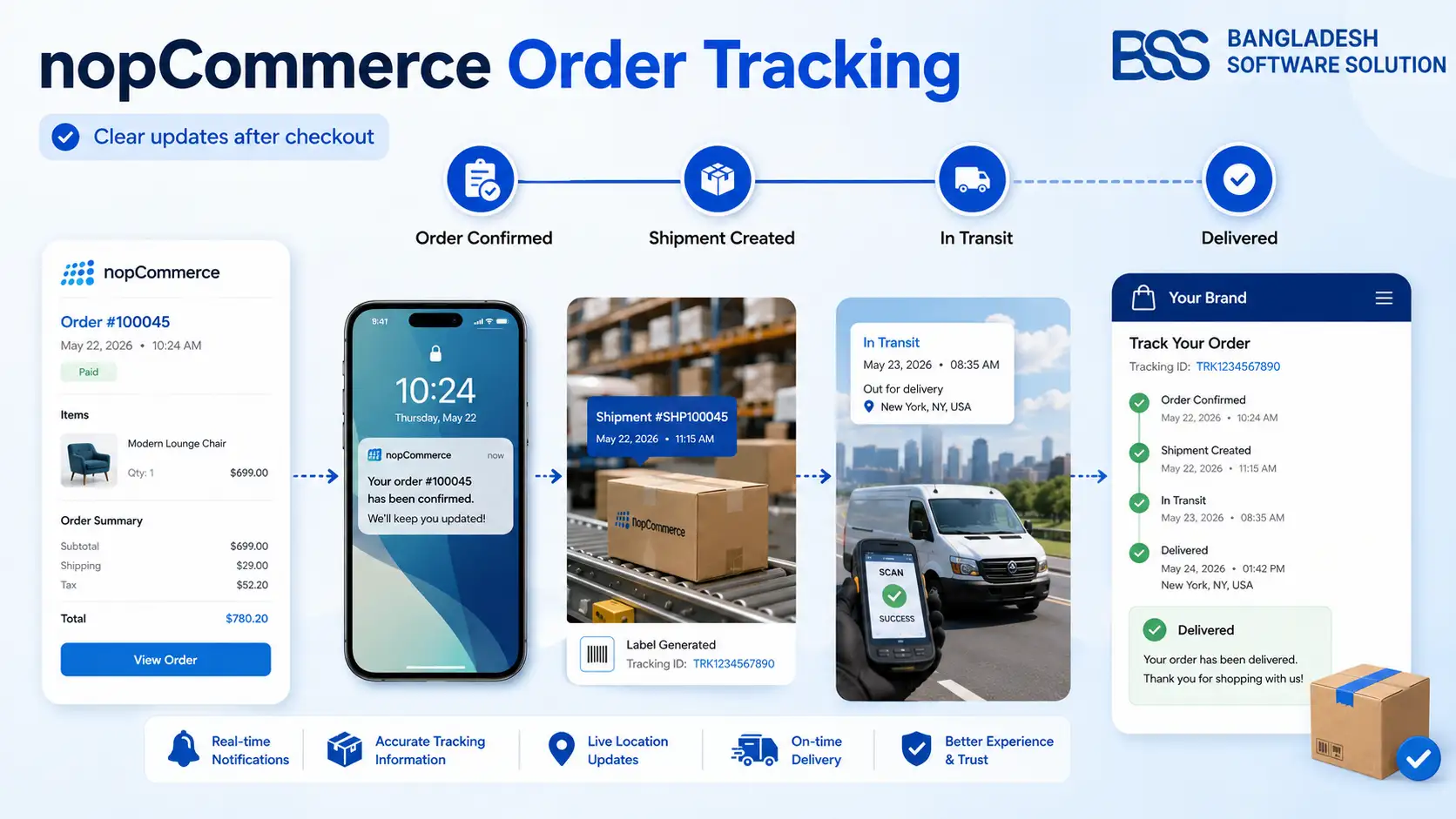
The second job is fulfilment, and it starts after payment: create the shipment, buy the label, hand the parcel to a carrier, send the tracking number back to the order, and deal with returns. This is the job your packer was doing by hand.
Key idea: a direct carrier plugin tends to be strongest at the quote, because it speaks to your own carrier account. A multi-carrier platform tends to be strongest at fulfilment, because labels, tracking and returns for every carrier live in one place. Most of the confusion in this decision comes from treating the two jobs as one.
With the two jobs separated, each option can be judged on the job it is actually good at. We will start with the direct route, because for many stores it is still the right answer.
Where Direct Carrier Plugins Win, and What They Quietly Cost
Give the direct route its due first. A store that ships almost everything with one carrier gains little from adding a platform, and a good plugin earns its place for three reasons.
The cost of a direct plugin is not visible on day one. It arrives when a carrier changes its API, because every plugin you run is yours to keep alive. Three carrier changes show how that plays out.
- UPS required OAuth 2.0 for every API transaction after June 3, 2024, according to UPS. A UPS plugin that still asks for an Access Key was built for the older authentication model.
- FedEx moved its legacy Web Services to maintenance-only support on July 1, 2026 and says future capability will be API-first. FedEx says existing integrations may keep running for a time, but general troubleshooting and development support for them ends. A plugin built on the old Web Services is borrowed time.
- DHL is not one integration. DHL Express, DHL eCommerce and national parcel networks such as DHL Parcel DE each have their own API family and account requirements, per DHL's developer portal. A "DHL plugin" covers only the DHL business its author built it for.
Multiply that by the number of carriers you run and you get the real direct-plugin cost: a separate upgrade calendar for each one. A platform moves the carrier-side API work to its vendor, once, for every customer. That is a genuine advantage, and it is the first reason the four-tab warehouse starts looking for a different answer.
Pro tip: check which API generation your plugin uses
Open the plugin under Configuration → Local plugins → Configure and read the credential fields. A UPS plugin asking for an Access Key, or a FedEx plugin asking for a meter number, usually means it was built for the older authentication or Web Services model. Ask the vendor in writing which API it calls today, before your next nopCommerce upgrade. Our guide to testing plugin and theme compatibility before upgrading nopCommerce shows the staging routine.
When a Multi-Carrier Platform Like Sendcloud Wins
Return to the warehouse and set the quote aside. The four tabs exist because each carrier needs its own login, its own label format and its own tracking numbers. Removing that repetition is exactly what a multi-carrier platform is built for.
Sendcloud is a Netherlands-based example. By its own description it connects shops to more than 170 carriers, offers more than 100 ready-made shop integrations plus an open API for everything else, and automates order import, label creation, delivery options at checkout and fulfilment rules. Platforms of this kind pay off in three situations.
The lane check most comparisons skip
A platform is only as useful as its carrier list is for your routes. Sendcloud is a Netherlands-based company built around European and UK shipping. If most of your volume is US domestic, or domestic in Bangladesh, confirm that your carriers and lanes are covered before anything else. For Bangladesh, courier plugins such as BSS Pathao and BSS Steadfast are built around what local delivery needs: location coverage, parcel weight and cash on delivery. That is a different problem from the one a European platform solves.
Put the two options side by side and the pattern is clear: direct plugins win on rate accuracy and carrier depth, and platforms win on repetition and fulfilment.
| Factor | Direct carrier plugins | Multi-carrier platform |
|---|---|---|
| Where rates come from | Your own carrier account. Matches your contract | The platform's pre-negotiated rates, or your own contracts on higher-tier plans. Compare per lane |
| Live quote at checkout | Native: the plugin asks the carrier while the shopper waits. Strong | Depends on the integration; many setups quote in-store and buy labels after the order. Varies |
| Adding a carrier | New plugin, credentials, label format and test cycle. Repeats per carrier | Switch it on in the platform, if the carrier is on its list. One integration |
| Labels, tracking, returns | Handled per carrier, in each carrier's own portal or plugin. | One dashboard and one flow for every carrier. Strong |
| Carrier API changes | You track each one: UPS on OAuth 2.0, FedEx on REST, which DHL. | Handled centrally by the platform vendor. Centralised |
| Setup on nopCommerce | Install and configure; plugins exist for the common carriers. | Needs a connector or a custom integration. nopCommerce is not on Sendcloud's integration list. More to build |
| Cost model | Carrier charges, plus any plugin licence. | Carrier charges, plus a platform plan and per-label fees. |
| Best fit | One dominant carrier, a contract you value, accurate checkout quotes. | Three or more carriers, no carrier contracts, heavy fulfilment workload, European or UK lanes. |
Wiring a Platform Into nopCommerce
Suppose the table points you to a platform. The decision is not finished yet, because platform marketing is written for shops on its integration list. When we checked in October 2026, nopCommerce was not on Sendcloud's list of native shop integrations, and the shipping category of the nopCommerce marketplace did not show a Sendcloud connector. It did list connectors for other multi-carrier tools, including ShipStation, ShipWorks and ShippingEasy. Listings change, so check both directories again before you commit.
What Sendcloud does offer is an open API for custom connections. Its documentation covers creating shipments, managing orders, requesting labels and automating returns. That puts a nopCommerce store in one of three wiring patterns.
Whichever pattern you pick, the integration carries the same four responsibilities, and each one is a place where a quiet failure costs money.
- Send the order. Address, items and parcel weights must reach the platform, either from a plugin that reacts to new orders inside nopCommerce or from outside through the store's API. Our walkthrough of nopCommerce API documentation explains what is available.
- Bring tracking back. The carrier and tracking number must land on the nopCommerce shipment under Sales → Shipments, so the order page and the customer's email show it. That return trip is the step your packer was doing by hand.
- Handle failure on purpose. An invalid address, a missing weight or an API timeout needs a defined result: a clear message or a conservative fallback rate, never silently free shipping.
- Keep statuses honest. Shipped and delivered states should follow the carrier's events, not someone's memory.
Keep the checkout price and the label price apart
When a platform buys the label, its cost can differ from the quote the shopper saw. That is normal as long as you measure it. Price checkout from your own rules, record the label cost against the quote for each lane for a few weeks, and tune the rules from real numbers rather than guesses.
We build this kind of integration at BSS. Our BSS Pathao and BSS Steadfast plugins estimate fees from destination and weight, create parcels from nopCommerce orders and bring tracking back to the store. A connection to a multi-carrier platform follows the same shape, with a different API behind it.
A Decision Rule and a Pre-Commit Checklist
Back in the warehouse, the packer's manager needs a rule that can be applied on a Monday morning. Ours is three questions, asked in order.
- Does one carrier ship most of your parcels, and do you hold its contract? Use a direct plugin. Add a second carrier plugin when a real customer need appears, not before.
- Do several carriers carry real volume, or do you hold no contracts? Evaluate a platform, but confirm first that it covers your lanes. If your lanes are not on its list, the question is closed.
- Does checkout need live carrier quotes? If yes, plan the custom live-rate plugin. If no, take the cheaper route: the platform for labels and tracking, with your own rules pricing checkout.
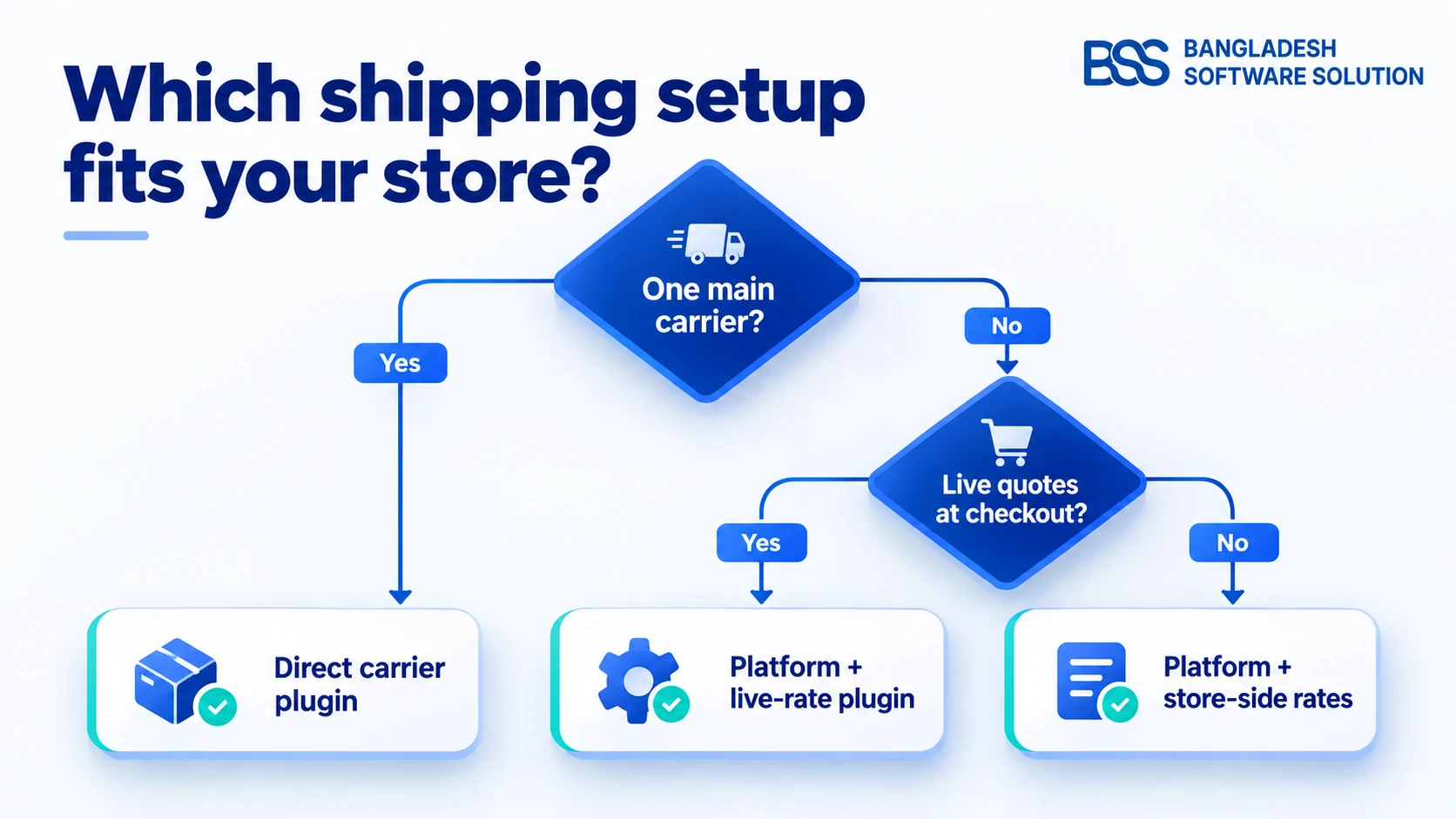
That rule will not settle every store, and it should not. What it does is move the argument from opinion to inputs, which is where the checklist comes in.
Before you commit to either route
- List your real lanes: destination countries, typical parcel weights and the delivery services you actually sell.
- Count the carriers that carry real volume, not the ones you tried once.
- Get a like-for-like quote for each lane: your contract against the platform's rates, including plan and per-label fees.
- Check the API generation of every direct plugin: UPS on OAuth 2.0, FedEx on the REST APIs, and which DHL business the plugin targets.
- Confirm a connector exists for your exact nopCommerce version, or scope the custom integration, before signing a plan. Our marketplace guide lists the vetting questions to ask any vendor.
- Decide what shoppers see when a rate API times out, and test that the fallback is never free shipping.
- Pilot one lane or one carrier first, and compare quotes with label costs before moving everything.
- Test the return trip: tracking lands on the nopCommerce shipment and the customer's shipment email goes out.
Want an Engineer to Check Your Shipping Setup?
BSS engineers audit direct carrier plugins, build local courier plugins and scope custom connectors to multi-carrier platforms, so rates, labels and tracking work together in nopCommerce.
Frequently Asked Questions
Final Thoughts
Return to the warehouse one last time. The best version of that afternoon has one place where labels are bought, tracking numbers that arrive on the right nopCommerce orders without anyone pasting them, and a checkout quote the business can honour. That outcome does not depend on choosing a direct plugin or a platform. It depends on matching the route to how your parcels really move.
Stay direct while one carrier and one contract carry the business, and keep each plugin current as its carrier changes its API. Move to a multi-carrier platform when repetition, not rates, is what hurts, and budget for the integration, because on nopCommerce it is part of the price. If you want an engineer to check your current plugins or scope a connector, talk to the BSS team.