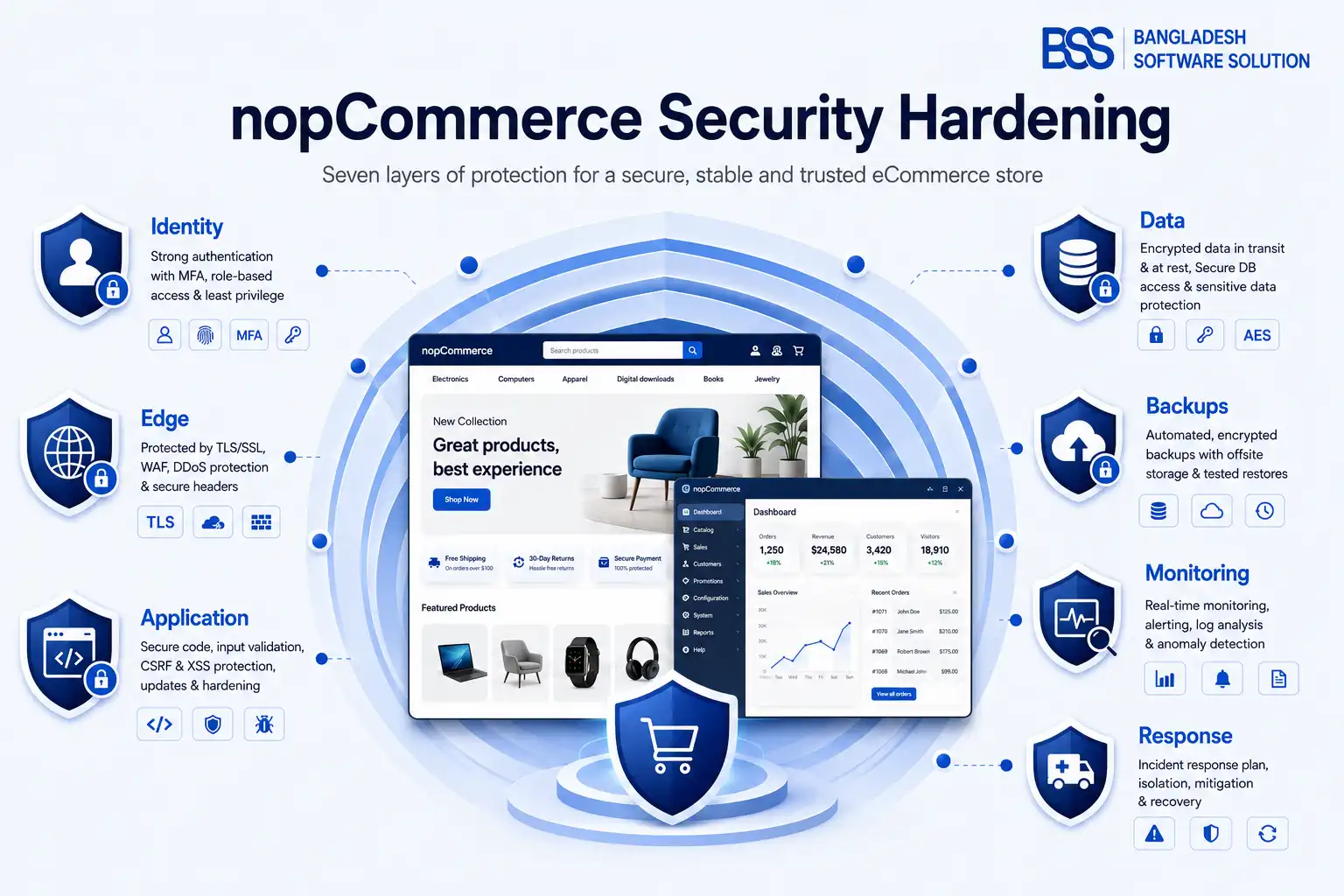
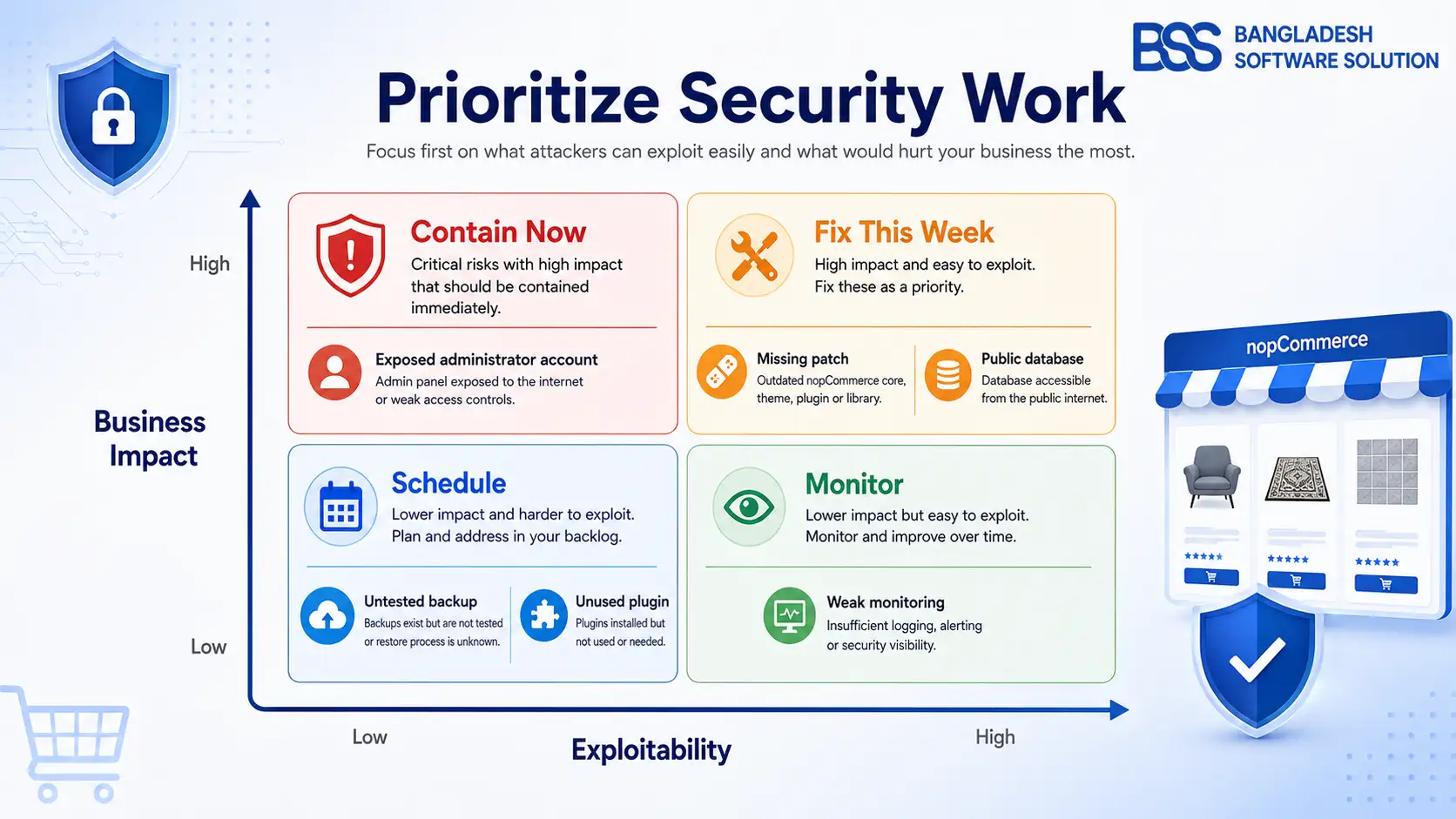
It is Monday morning, and your operations manager has three uncomfortable clues: an administrator received password-reset emails they did not request, a plugin account still belongs to a former contractor, and nobody can say when the last backup was actually restored. The storefront is taking orders, so nothing looks broken. Yet this is exactly when nopCommerce security hardening matters most—before a suspicious signal becomes downtime, data exposure, or fraudulent changes.
The safe response is not to switch on every control at once. First preserve evidence and confirm what changed. Then close the highest-impact paths without locking legitimate staff or customers out. This guide gives store owners a practical sequence, the decisions behind each control, and a checklist that assigns technical work instead of hiding it behind “ask your developer.”
Use this guide as a risk review, not a guarantee. Security depends on your nopCommerce version, hosting model, plugins, payment flow, integrations, staff access, and legal obligations. A qualified administrator or security professional should validate changes on staging before production.
For the scenario above, the immediate priorities are to preserve logs, verify administrator accounts and roles, rotate exposed credentials, confirm the running build and plugins, and test a known-good recovery point.
1. Establish a Trusted Baseline Before Changing Settings
A checklist only works when you know what is supposed to be present. Begin with an inventory: nopCommerce version and patch, .NET runtime, hosting platform, database engine, active plugins and themes, scheduled tasks, payment and email providers, administrator accounts, service accounts, public integrations, DNS/CDN/WAF, and backup locations. Compare that inventory with deployment records and vendor contracts.
If you see an unknown account, assembly, plugin, scheduled task, or configuration change, treat the system as potentially compromised. Preserve application, web-server, proxy, database, identity-provider, and cloud audit logs before cleanup. Do not uninstall first and investigate later; removal can destroy timestamps and context.
Patch the whole stack, not only nopCommerce
At the time of writing, the official nopCommerce download page lists 4.90.6 as current. That number will change, so your rule should be to run a supported release and the latest appropriate security patch after staging validation. Include the .NET hosting bundle/runtime, operating system, IIS or reverse proxy, database server, CDN/WAF, browser-facing JavaScript packages, themes, and plugins in the same patch register.
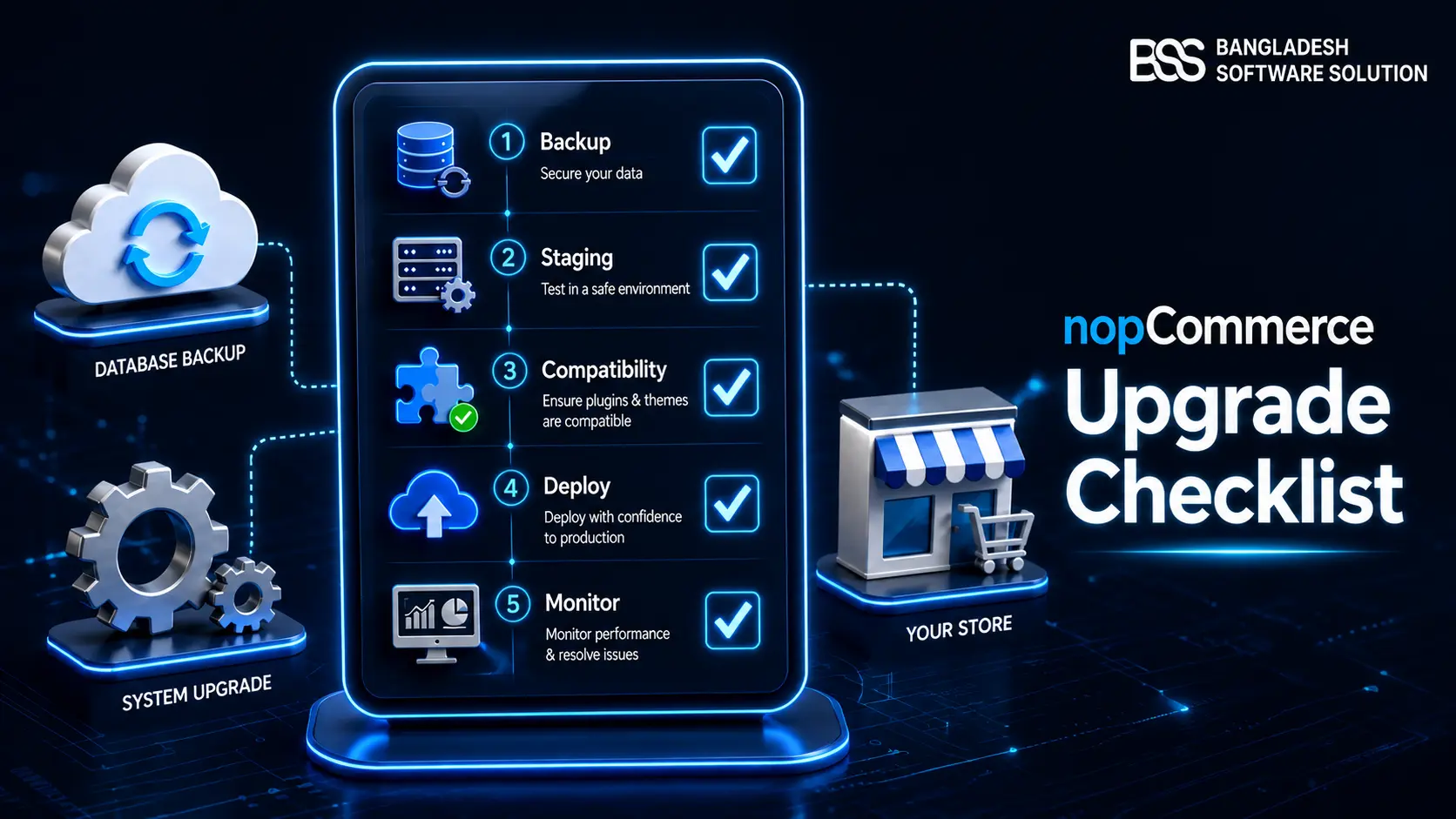
Do not overwrite production blindly. Create a restore-tested backup, clone production data safely into an access-controlled staging environment, test custom code and extensions, document the cutover, and define rollback. Our nopCommerce upgrade checklist expands that release process when your security review finds an outdated store.
2. Lock Down Administrator and Staff Identities
For most store owners, identity is the highest-return place to start. A firewall cannot protect an administrator who approves a malicious sign-in, and a strong password cannot compensate for a shared account used by six people. The objective is attributable, least-privilege access with a second factor and a recovery path.
Identity and admin-access checklist
- ✓Give every staff member a named account. Remove shared administrator credentials and disable accounts immediately when employment or supplier access ends.
- ✓Review customer roles and ACL permissions. Grant only the menus and operations required; do not make support, content, or fulfillment staff administrators by convenience.
- ✓Activate and require MFA for privileged roles. nopCommerce supports MFA providers and can force activation for selected roles. Enroll at least two trusted owners and document recovery before enforcement.
- ✓Use hashed password storage, lockout, and recovery expiry. Configure sensible minimum length, password history where justified, maximum login failures, lockout duration, and short-lived recovery links. Never choose clear-text password storage.
- ✓Restrict the admin area by network when practical. nopCommerce provides an allowed-IP setting. Use it only with stable office/VPN egress and a tested emergency path, or you may lock out legitimate responders.
- ✓Secure the mailbox and identity provider too. Password resets and MFA recovery are only as trustworthy as the email account, DNS, registrar, and SSO tenant behind them.
Owner decision: convenience versus blast radius
Do not issue a permanent full-admin account to every agency or plugin vendor. Prefer a named, time-bounded account with the smallest workable role; record the purpose, approver, expiry date, and removal confirmation. If the task truly needs full access, increase monitoring for that window.
3. Protect Traffic at the Edge and Through the Proxy
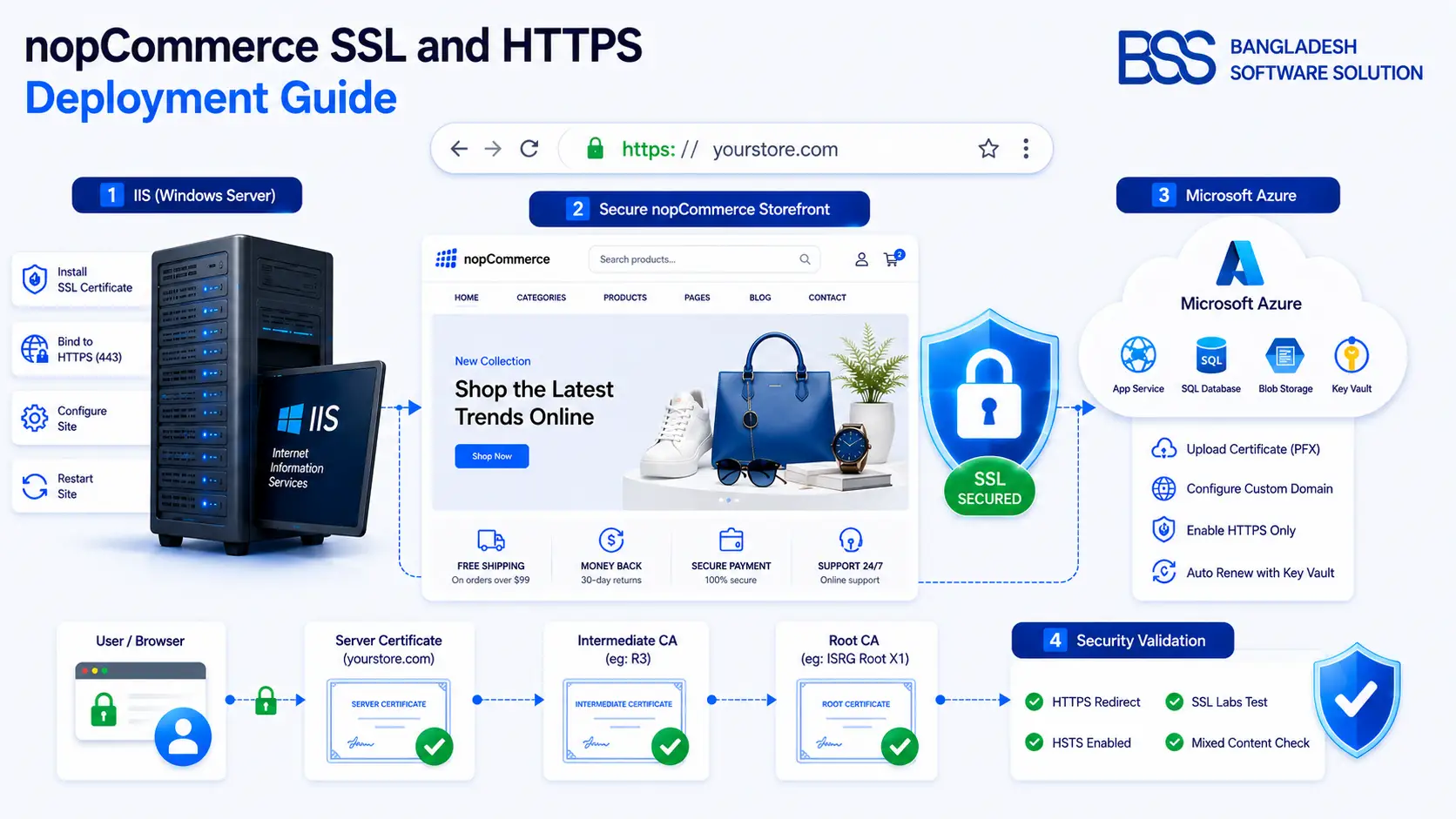
HTTPS is necessary, but “the padlock appears” is not a complete test. Confirm the certificate chain and renewal, redirect HTTP to HTTPS, eliminate mixed content, and make sure the store URL and SSL setting are correct. If IIS, Azure Front Door, Cloudflare, a load balancer, or another reverse proxy terminates TLS, verify trusted forwarded headers so nopCommerce sees the original scheme and client address.
Microsoft recommends HTTPS redirection and HSTS for production ASP.NET Core web applications, while also noting that a reverse proxy may own those controls. Introduce HSTS with a short duration first; only add subdomains or preload after proving every covered hostname supports HTTPS. A mistaken long-lived HSTS policy is difficult to reverse for browsers that already received it.
If the transport layer needs work, continue with our nopCommerce SSL and HTTPS guide for IIS and Azure; it covers bindings, proxy behavior, mixed content, testing, and rollback without turning certificate changes into an outage.
4. Harden Plugins, Files, Secrets, and the Database
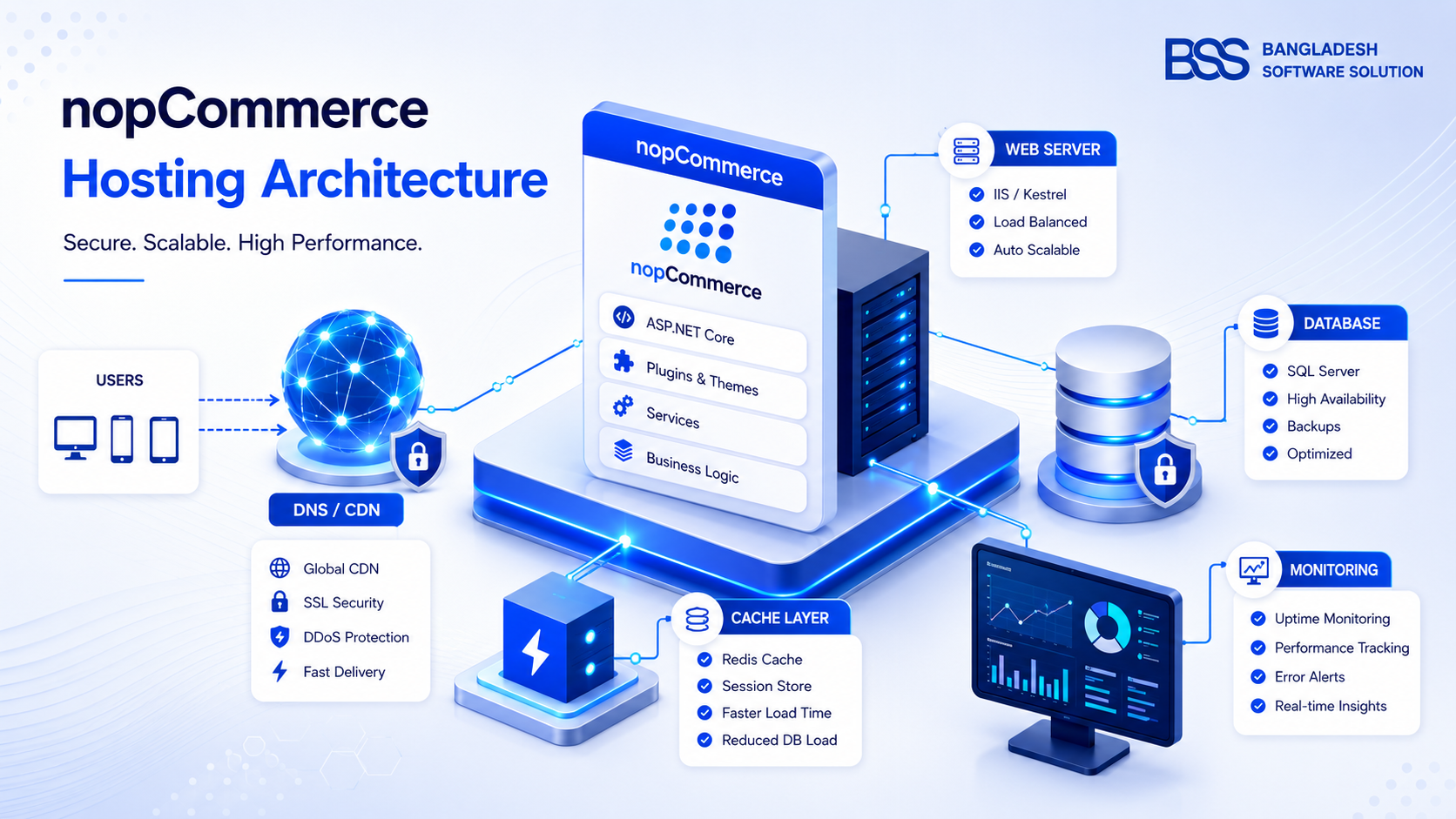
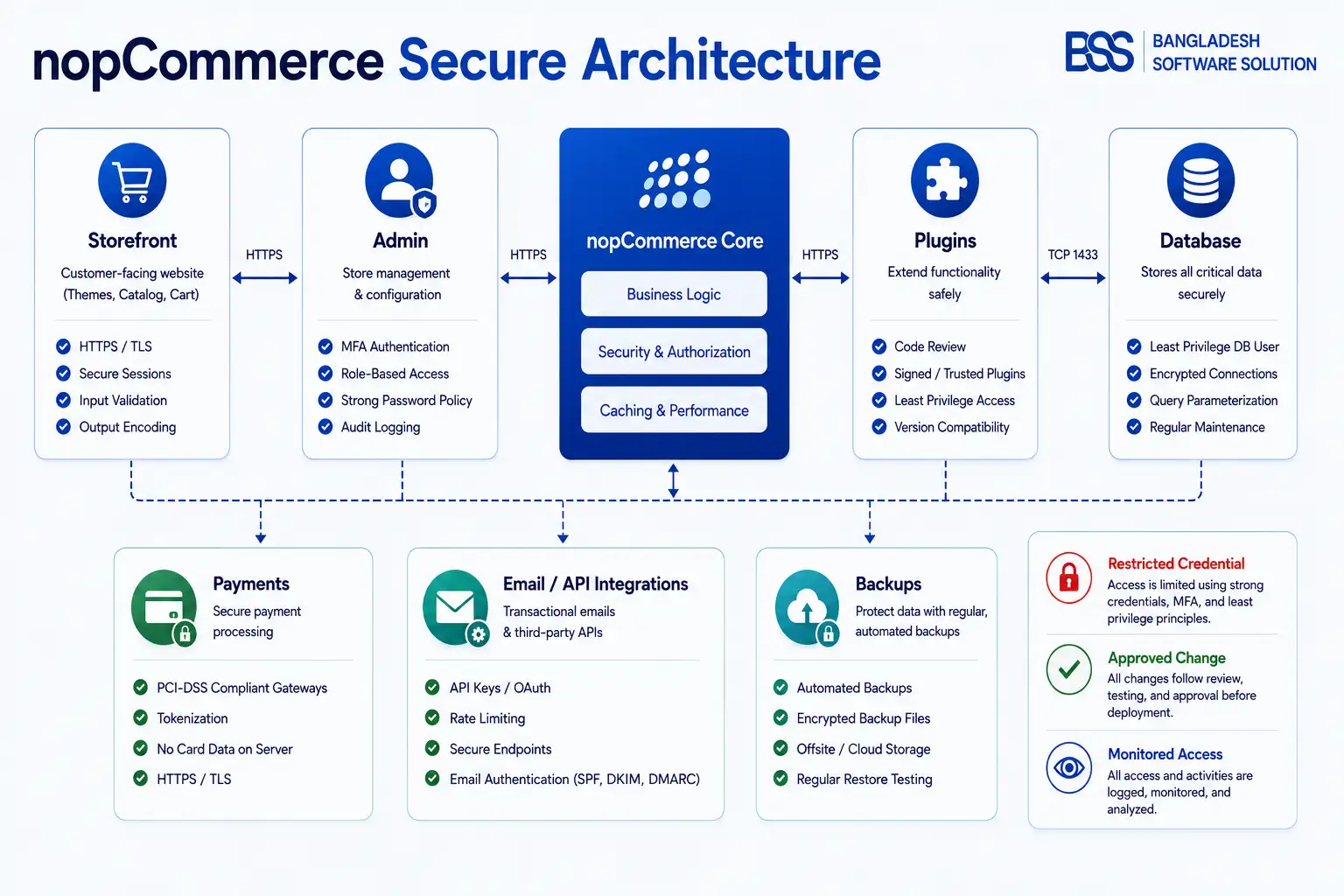
Once identities and the edge are controlled, inspect what executes inside the store. Plugins and themes run with substantial application trust, so their risk is closer to installed server software than to a harmless design add-on. Maintain an approved inventory with vendor, source, version, license, compatibility, last update, business owner, and removal plan.
| Area | Evaluate | Hardening action |
|---|---|---|
| Plugins and themes | Origin, maintenance, code access, compatibility, permissions, and whether the feature is still used. | Remove unused components; buy from accountable sources; test updates on staging; scan custom code and packages. |
| Application secrets | Connection strings, SMTP/API credentials, signing keys, encryption keys, and whether they are copied into repositories or tickets. | Use a controlled secret store; rotate exposed values; separate production from development; restrict retrieval and audit access. |
| Filesystem | Which directories the app identity can modify and whether uploaded content can execute. | Grant write only where nopCommerce requires it; deny script execution in upload/export/backup paths; keep configuration and binaries tightly controlled. |
| Database | Whether the app connects as a server administrator and whether the database is publicly reachable. | Use a dedicated least-privilege login, private network access, encrypted connections where supported, auditing, patching, and separate backup credentials. |
| Data Protection keys | Persistence across restarts/instances, access permissions, encryption at rest, and backup. | Persist and protect the ASP.NET Core key ring appropriately; use the same application name across instances and limit key-store access to the app. |
Microsoft’s ASP.NET Core guidance says production secrets should not live in source code or ordinary configuration files and recommends controlled providers such as Azure Key Vault. It also warns that environment variables may still be readable after host compromise. Choose the storage method to match your platform and threat model rather than treating one mechanism as universally secret.
Apply least privilege without breaking nopCommerce
nopCommerce legitimately needs write access to specific locations, including application data, logs, plugin upload areas, generated bundles, images, exports, backups, sitemaps, and Data Protection keys depending on deployment. Do not make the entire site writable to “fix” a permission error. Start from the official installation list for your version, grant the application identity only the required rights, and verify deployment and scheduled operations on staging.
Before installing another extension, use the evaluation questions in our nopCommerce Marketplace guide to assess maintenance, compatibility, support, and vendor credibility—not only the feature list.
5. Protect Data and Prove You Can Recover It
A backup that has never been restored is an assumption. Define recovery objectives with the business: how much recent order data can be lost, how long checkout can be unavailable, who can authorize a restore, and which dependencies must return together. The answer determines backup frequency, replication, retention, and test cadence.
Backup and recovery checklist
- ✓Back up the database, uploaded media, required configuration, custom code, deployment manifests, plugin/theme packages, and protected key material needed to decrypt or validate data.
- ✓Keep at least one recovery copy isolated from the production identity and host. Encrypt backups, restrict operators, log access, and prevent routine application credentials from deleting every copy.
- ✓Restore into an isolated environment on a schedule. Verify schema, media, administrator login, key business flows, integrations in safe mode, and a documented data-consistency point.
- ✓Record backup age, size anomalies, job failures, restore duration, and the person who reviewed the result. Alerting must reach someone who can act.
- ✓Apply retention and secure deletion rules to database copies, exports, logs, and test environments; staging should not become an unmanaged duplicate of customer data.
The nopCommerce Maintenance page can create database backups only when the application and database are on the same server. In remote or managed-database deployments, the infrastructure owner must provide the backup and restore process. Confirm which model you have instead of assuming the button protects you.
6. Monitor the Signals and Rehearse Incident Response
Hardening reduces probability; monitoring shortens the time an attacker or failure can operate unnoticed. nopCommerce activity logging records many administrator and storefront actions, but application logs alone are not enough. Centralize them with web-server/proxy, operating-system, database, cloud, WAF, payment, email, identity, DNS, and deployment events. Protect logs from alteration and retain them according to legal and operational needs.
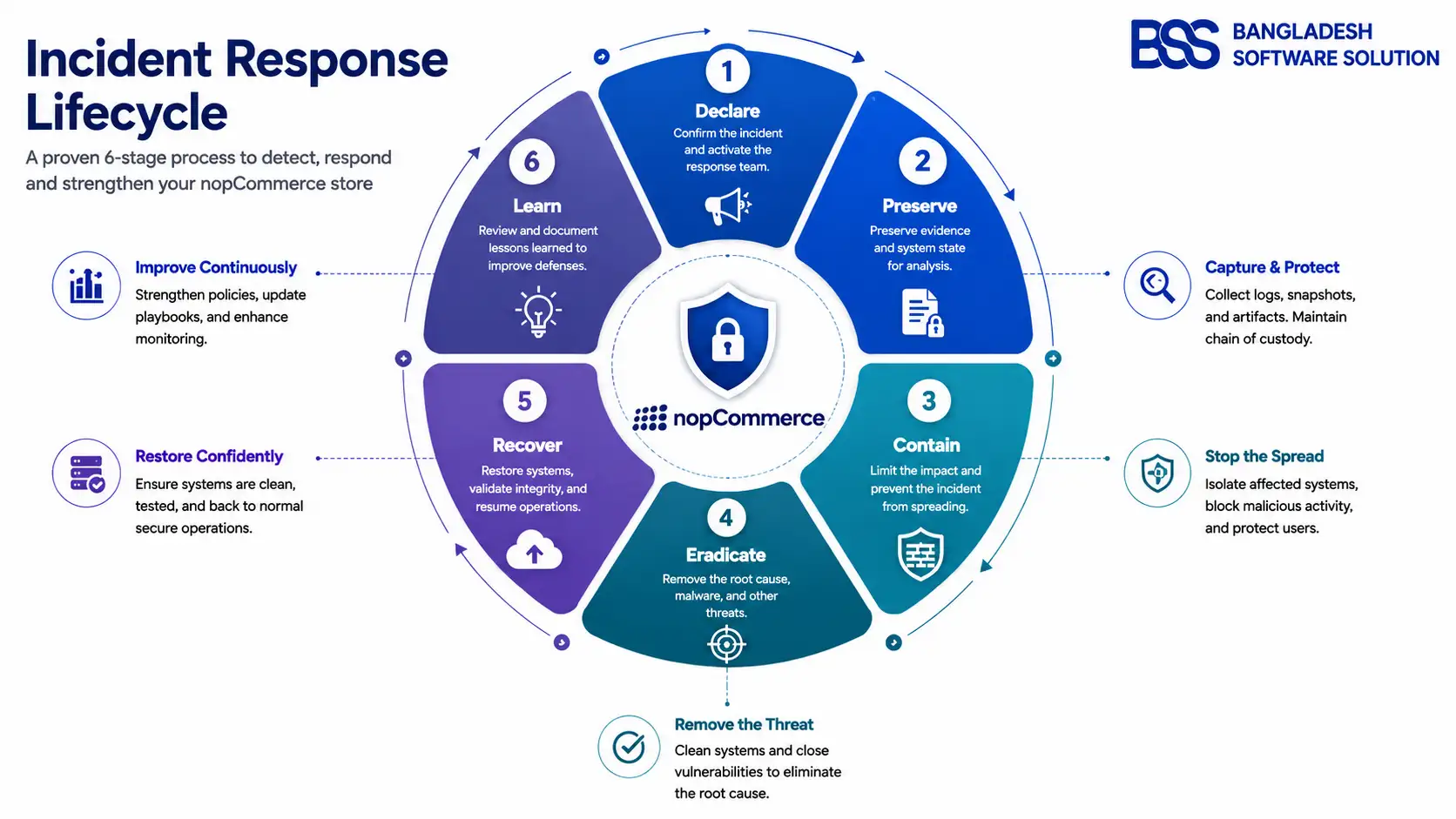
A simple incident sequence for store owners
- Declare and coordinate. Name an incident lead, start a timestamped decision log, and use a trusted communication channel.
- Preserve evidence. Snapshot relevant systems and export protected logs before routine maintenance overwrites them.
- Contain carefully. Disable compromised identities, revoke tokens, restrict routes, isolate hosts, or pause risky functions without destroying evidence.
- Remove the cause. Patch or rebuild from trusted artifacts, remove persistence, rotate secrets from a clean workstation, and validate integrations.
- Recover and monitor. Restore clean data, reconcile orders and payments, watch for recurrence, and communicate according to contractual and legal duties.
- Learn. Document root cause, control gaps, customer impact, decisions, and dated corrective actions.
Do not “fix” a suspected breach only by changing one password
If an attacker used an administrator account, assume they may have created another account, changed a role, installed code, copied secrets, altered payment settings, or modified recovery channels. Scope the incident across identities, code, configuration, infrastructure, and connected providers.
7. The Complete Store-Owner Review Cadence
The owner does not need to configure every server setting personally, but ownership cannot be outsourced. For each item below, record the accountable person, system of record, last proof, next due date, exception, and escalation path.
| Cadence | Review | Evidence to keep |
|---|---|---|
| Continuous / daily | Backup jobs, uptime, certificate health, WAF/identity alerts, application errors, payment/email anomalies. | Alert acknowledgements, failed-job tickets, incident log. |
| Weekly | Privileged activity, new accounts/roles, deployment and plugin changes, critical security advisories, unusual exports/refunds. | Reviewed reports, approved change records, remediation owners. |
| Monthly | Supported versions, extension inventory, administrator/vendor access, secret age where rotation is required, vulnerability results, restore sample. | Version register, access attestation, scan report, restore record. |
| Quarterly | Full recovery exercise, firewall and network exposure, database permissions, Data Protection key handling, incident contacts, supplier access. | Exercise outcome, architecture review, exceptions and deadlines. |
| After every major change | Authentication, checkout, payment callbacks, email, backups, logs, headers, permissions, integrations, rollback. | Staging test results, approval, deployment and rollback notes. |
If your team needs help turning the review into verified changes, explore our nopCommerce development services. The useful deliverable is not a generic “secured” label; it is a prioritized findings register, tested remediation, and evidence your store can recover.
Need a Second Pair of Eyes on Your Store?
BSS engineers can review nopCommerce configuration, custom code, plugins, hosting boundaries, deployment practices, and recovery readiness—then help your team remediate findings on staging.
Frequently Asked Questions
Final Thoughts
Back in our Monday-morning scenario, the correct outcome is not “the reset emails stopped.” It is a verified chain of trust: logs preserved, administrator access reconciled, affected credentials rotated, software and extensions accounted for, boundaries tightened, alerts watched, and a recovery point restored successfully. The store returns to normal because the team can explain why it is trustworthy—not because the storefront still loads.
Run this nopCommerce security checklist as a living control register. Assign owners, test on staging, keep evidence, revisit exceptions, and rehearse recovery. That steady discipline is what turns security from a one-time project into an operating habit.