Key takeaways
- Fix crawling and indexing first: a product Google cannot reach or that has three URLs will not rank, however good its page is.
- Give every product and every variant one clean URL, and use that same URL in links, the sitemap and the canonical tag.
- Product pages need their own words, real images with alt text, and Product structured data with price, currency and availability.
- Speed counts at the 75th percentile of real visits: LCP under 2.5 seconds, INP under 200 milliseconds, CLS under 0.1.
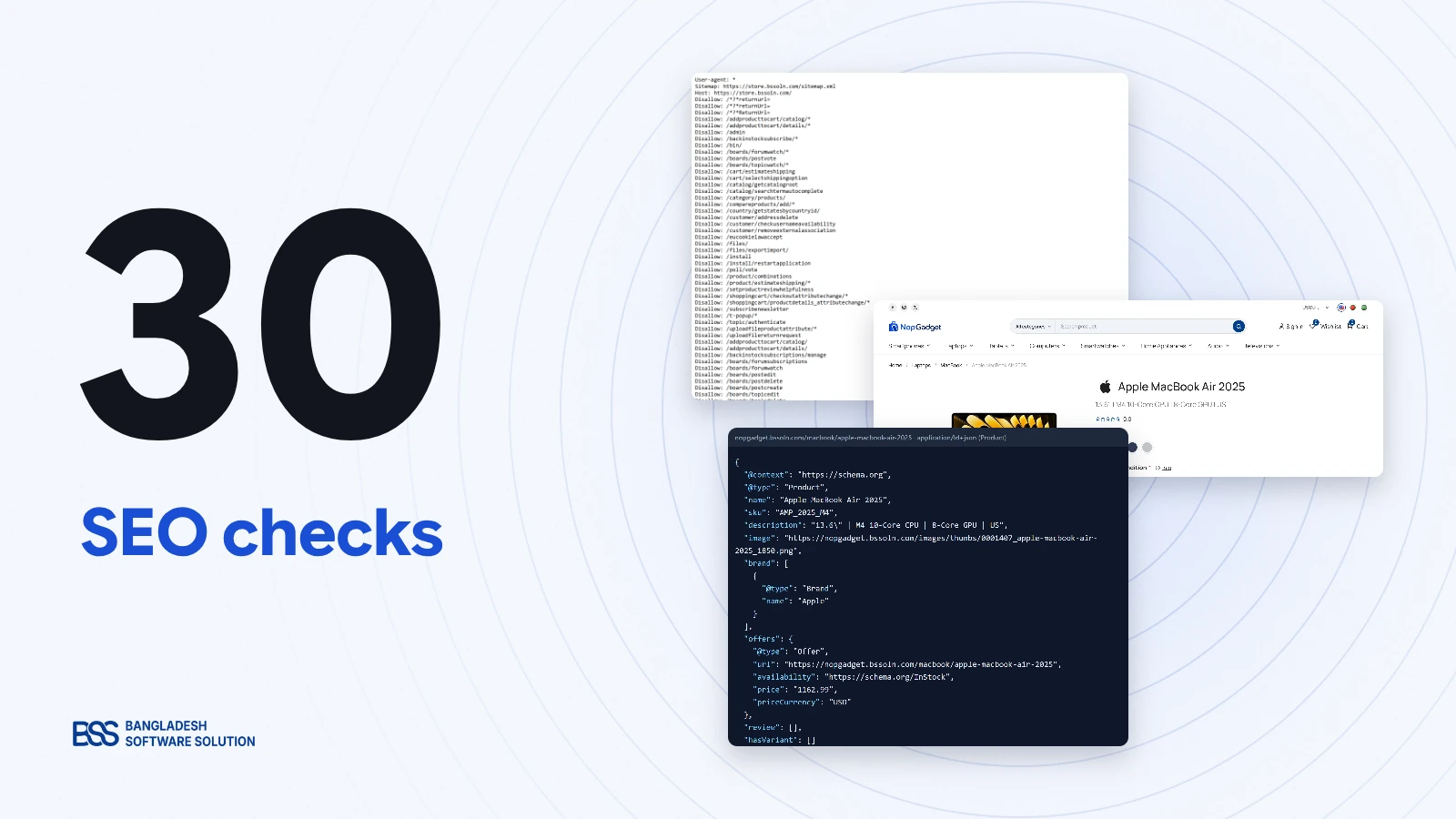
A long list of tips with equal weight leaves you guessing where to start. This one has 30 checks in five groups, ordered the way problems stack up on a real store: first can Google find and index your products, then can it understand them, and only then does wording and speed decide who ranks.
Every check points to Google's own documentation, which we re-read in November 2026, so you can verify it yourself. The checks work on any platform. Where a check is a setting, we name where it lives in nopCommerce, the platform we build on, because that is the admin we know field by field.
| If your store… | Start with |
|---|---|
| Has products missing from Google | Checks 1 to 8: crawling and indexing |
| Ranks only for its brand name | Checks 9 to 19: structure, titles and category pages |
| Shows up but gets few clicks | Checks 14 to 27: titles, descriptions and product markup |
| Loses visitors on phones | Checks 28 to 30: Core Web Vitals |
Technical SEO: Can Google Crawl and Index Every Product?

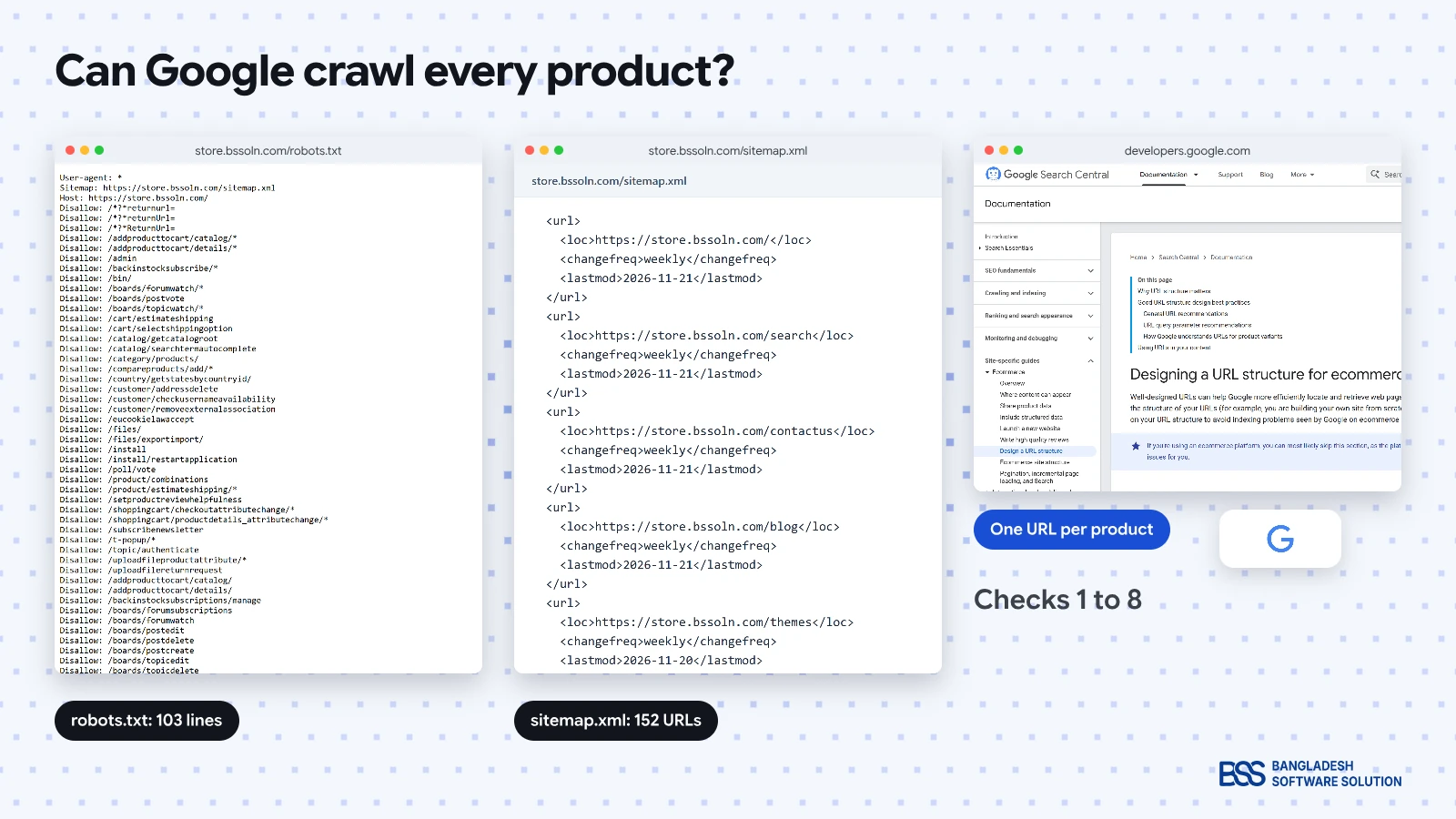
A store makes URLs faster than any other kind of site. Every sort order, filter, page number and colour can become a new address, and each one asks Google to crawl it. Google's ecommerce guide spends most of its length on this, because duplicate and endless URLs waste the crawling your real products need.
Crawling and indexing: checks 1 to 8
-
1. Readable product URLs. Put words in the path, such as /black-t-shirt-with-white-collar, not /product/3243.
-
2. One URL per variant, never a #fragment. Google does not index fragments, so #black and #white collapse into one page.
-
3. A self-referencing canonical on every indexable page, and the same URL in your links, sitemap and canonical.
-
4. Filters and sort orders kept out of crawling with robots.txt when you do not need them indexed, and a 404 for filter combinations with no results.
- 5. Pagination Google can follow: each page its own URL and canonical, linked with a plain <a href>, never pointed back at page 1.
-
6. An XML sitemap under the limits of 50,000 URLs or 50 MB per file, with absolute URLs, submitted in Search Console.
-
7. robots.txt used for crawling, not for hiding pages. A blocked URL can still be indexed; use noindex to keep a page out.
-
8. One host. Redirect http to https and www to non-www (or the reverse), so every page has one address.
The sources: Google's URL structure guide for ecommerce, its pages on faceted navigation and pagination, and its sitemap rules. Two details from those pages catch stores out. Google no longer uses rel="next" and rel="prev", and it does not click "load more" buttons, so infinite scroll needs real page links behind it.
Canonical tags do not fix faceted navigation
Google calls rel=canonical and nofollow "generally less effective in the long term" for filter URLs. If you do not want filtered pages indexed, stop them being crawled in robots.txt. If you do want some indexed, such as "red dresses", give those a real category page.
Where these live in nopCommerce
Most of the eight are settings, not code. nopCommerce builds the product URL from the Search engine friendly page name field on each product, category and manufacturer, and fills it from the name when you leave it blank.
| Check | nopCommerce setting |
|---|---|
| 1. Readable URLs | The product's SEO panel: Search engine friendly page name. System, then Search engine friendly page names, lists them all. |
| 3. Canonicals | Configuration, Settings, General settings, SEO: Enable canonical URLs |
| 4 and 7. robots.txt | General settings, robots.txt: Disallow paths, Localizable disallow paths and Additions rules |
| 8. One host | General settings, SEO: WWW prefix requirement |

Our own store runs on nopCommerce, and its robots.txt is the platform's default: 103 lines that block search results, cart, checkout and account paths and point to a sitemap of 152 URLs. That default does not block sort or filter parameters, so if your theme's filters create new URLs, add them under Additions rules.
Our nopCommerce SEO checklist, setting by settingRunning nopCommerce and short on time for this? The BSS team sets up the technical SEO side: URLs, canonicals, sitemaps, robots.txt and structured data.
Talk to an expertSite Structure: Categories, Breadcrumbs and Internal Links
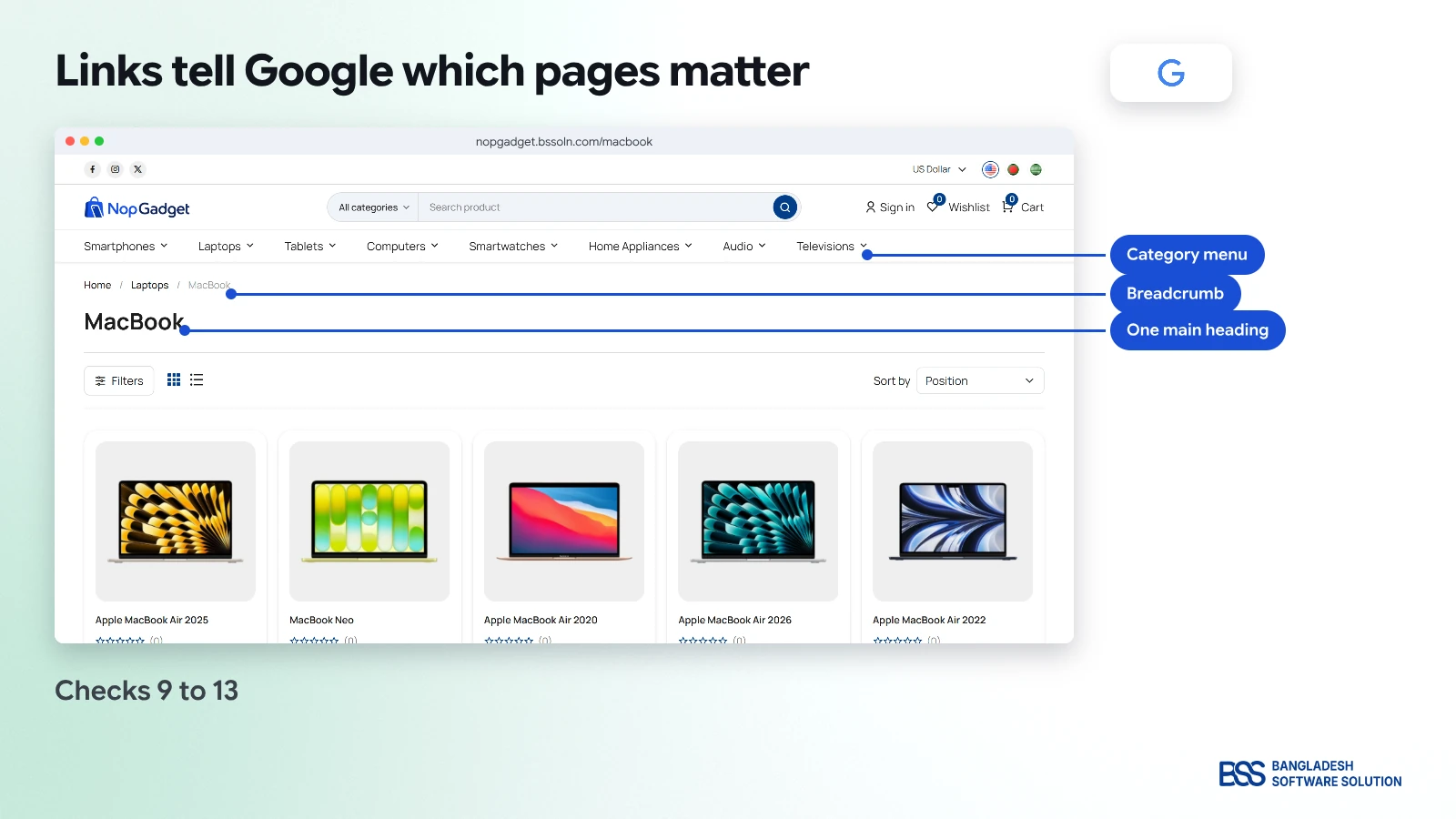
Once Google can reach your pages, your links tell it which ones matter. Google's own wording is plain: the more links a page has to it within a site, the higher its relative importance. A product that is only reachable through search is, to Googlebot, barely there, because Googlebot does not type into search boxes.
Structure and links: checks 9 to 13
-
9. A category hierarchy: top-level categories, then subcategories, then products, in the main menu.
-
10. Every product reachable by a link, an <a href> rather than a script on a button. Where that is not possible, list it in the sitemap or a Merchant Center feed.
-
11. Best sellers linked from the home page, so your most important products sit one click from the strongest page you have.
-
12. Breadcrumbs with BreadcrumbList markup, following the path a shopper takes rather than copying the URL.
-
13. Descriptive anchor text in internal links, such as "men's running shoes", not "click here".
The sources are Google's guide to ecommerce site structure and its breadcrumb markup page. A BreadcrumbList needs at least two items, each with a position, a name and a URL.
On nopCommerce, categories and the menu come built in, and most themes render breadcrumbs on category and product pages. What a store owner controls is the shape: keep categories two or three levels deep, give each one real products, and avoid a parent category whose only job is to hold one child.
When we build a theme, the category menu, breadcrumbs and the home page's product rows are the first things we wire up, because they decide how link weight reaches each product. You can see the result in the NopGadget live demo, with its full menu and breadcrumbs on every category.
See the NopGadget themeOn-Page SEO: Titles, Descriptions and Category Pages
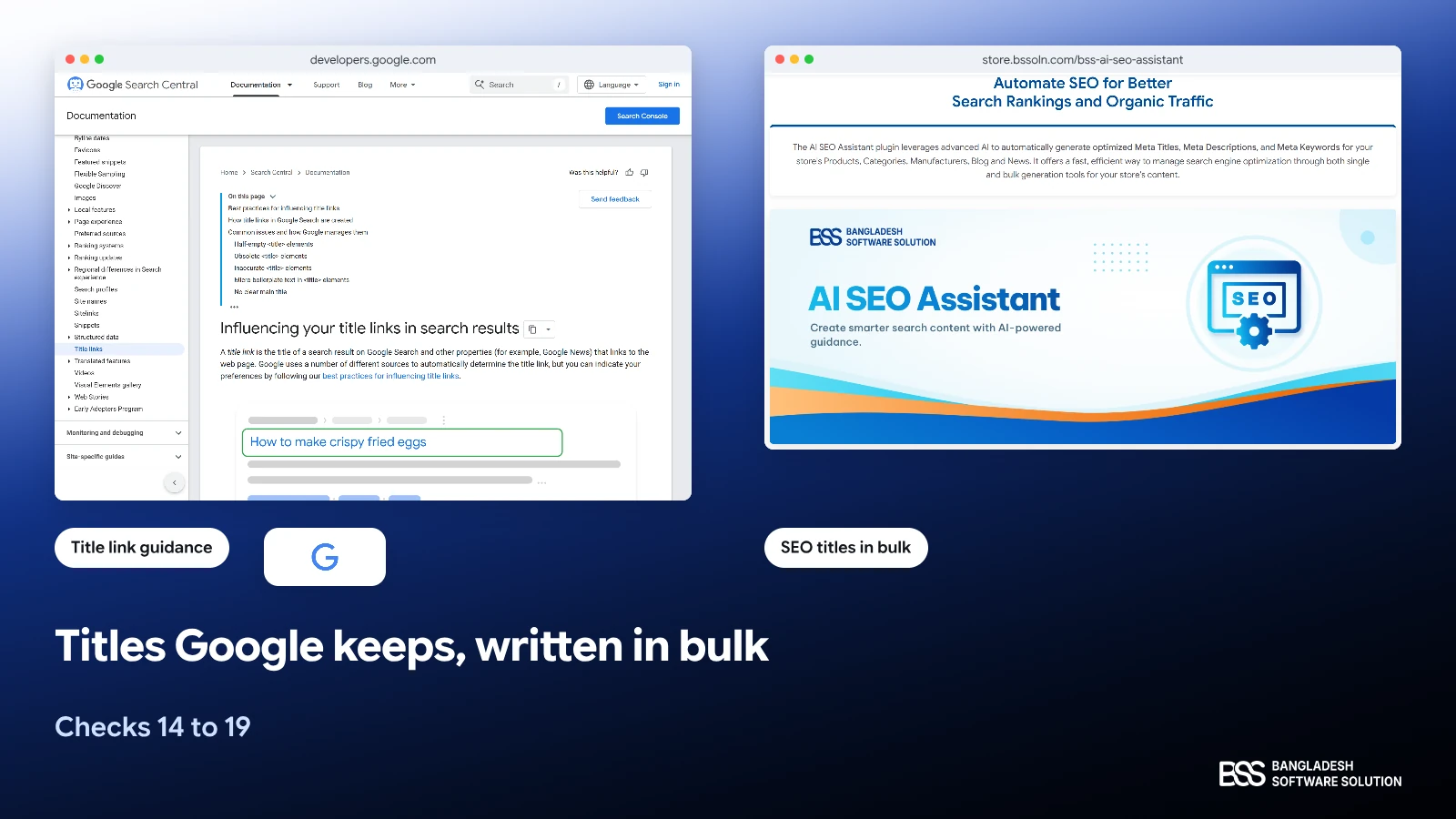
Your title is the first thing a searcher reads, and Google rewrites titles it finds weak. Its title-link documentation lists the usual triggers: half-empty titles, outdated years, titles that do not match the page, and near-identical titles across many pages. A store with 2,000 products named "Buy Product | Store" hits the last one on every page.
Titles and category pages: checks 14 to 19
-
14. A distinct, descriptive title on every page, with your store name at the start or end after a separator.
-
15. No boilerplate titles and no stale years. A title that says 2024 in late 2026 is a rewrite waiting to happen.
-
16. A unique meta description per page. Google says descriptions generated from product data are fine on large stores, as long as they read well and vary.
-
17. One clear main heading that matches the title's promise.
-
18. A short, useful intro on each category page, written for the shopper choosing between its products.
-
19. Skip meta keywords. Google Search does not use the keywords meta tag, so time spent on it is time lost.
Sources: Google's pages on title links, snippets and meta descriptions, and its SEO starter guide. Neither the title nor the description has a length limit in Google's docs; long ones are simply cut to fit the screen, so put the words that matter first.
Two places where nopCommerce's docs and Google disagree
nopCommerce's documentation still calls meta keywords important and suggests a 155 to 160 character description. Google ignores the keywords tag and sets no description limit. Fill the description, write it for the shopper, and leave the keywords field alone.
In nopCommerce, every product, category and manufacturer has its own SEO panel with Meta title and Meta description. The store-wide defaults, the title separator and Generate product meta description, which writes one from the short description when none is set, sit under General settings, SEO.

Writes meta titles and descriptions for products, categories, manufacturers, blog and news with Gemini or ChatGPT, one at a time or in bulk. It fills only empty fields and shows a preview before anything is saved.
Check the result in Search Console. On this blog, three generic platform posts took 20,124 impressions and 22 clicks between August and November 2026: people saw them in results and skipped them, because the titles did not match what those searchers wanted.
Product Pages: Content, Images and Structured Data
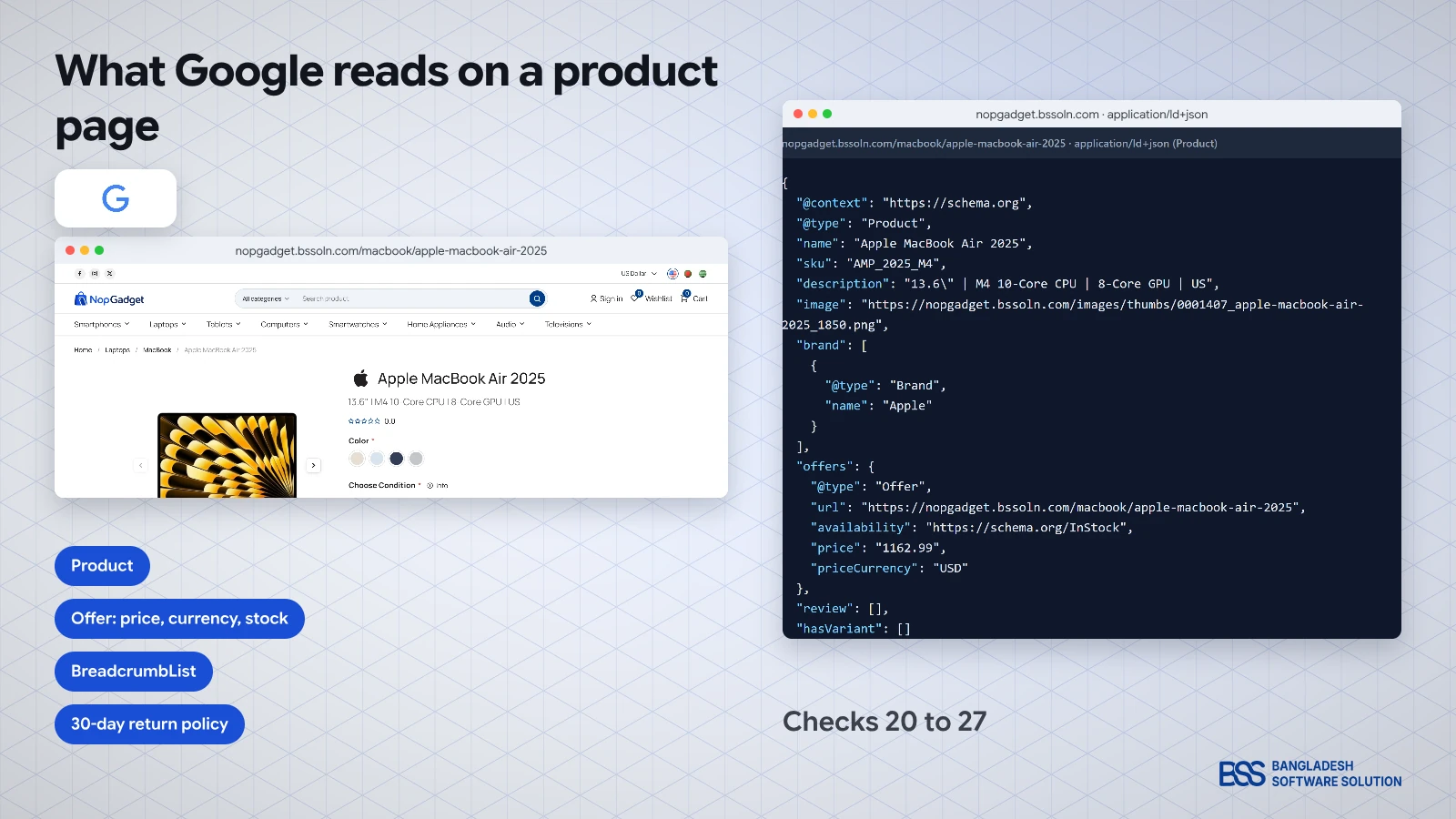
The product page is where search traffic turns into orders, and where Google reads the most data. Structured data tells it the price, the currency and whether the item is in stock, which is what earns the richer listings with ratings and price. Google recommends sending the same data twice: on the page and in a Merchant Center feed.
Product pages: checks 20 to 27
-
20. Your own description. Google's starter guide asks you not to rehash what others already published; say what you know about the product.
-
21. Images in <img> tags with short, descriptive alt text and filenames such as red-wool-scarf.jpg. Google does not index CSS background images.
-
22. Responsive images through srcset or <picture>, always with an <img> fallback.
-
23. Product structured data with name, image and an Offer carrying price, priceCurrency and availability.
-
24. Identifiers: brand, sku and a GTIN where you are sure it is right, since a wrong GTIN gets a product disapproved in Merchant Center.
-
25. Shipping and returns markup, set once on your Organization and overridden per product only when a product differs.
-
26. Review markup only for real reviews shown on the page.
-
27. A Merchant Center feed whose price and availability match the page, the checkout and the structured data.
Sources: Google's documentation for product snippets, merchant listings and product variants, and its image best practices.
Variants deserve their own care. Google's variant markup uses a ProductGroup with a productGroupID and each variant's own sku or GTIN, and every variant needs a URL that opens with that size or colour already chosen. That is check 2 again, seen from the product side.
We checked the Apple MacBook Air 2025 page on our NopGadget demo, a nopCommerce store on our theme. Its JSON-LD already carries a Product with sku, brand and an Offer with price, currency and stock, a BreadcrumbList, and a store-wide 30-day return policy. Its review and hasVariant lists are empty, which is where most stores have work left.
See the NopGadget themeSo read your own markup before buying anything: open a product page, view its source and search for ld+json. When variants, shipping details or reviews are missing across a large catalog, BSS can set up the structured data for you.
Page Speed: The Three Core Web Vitals
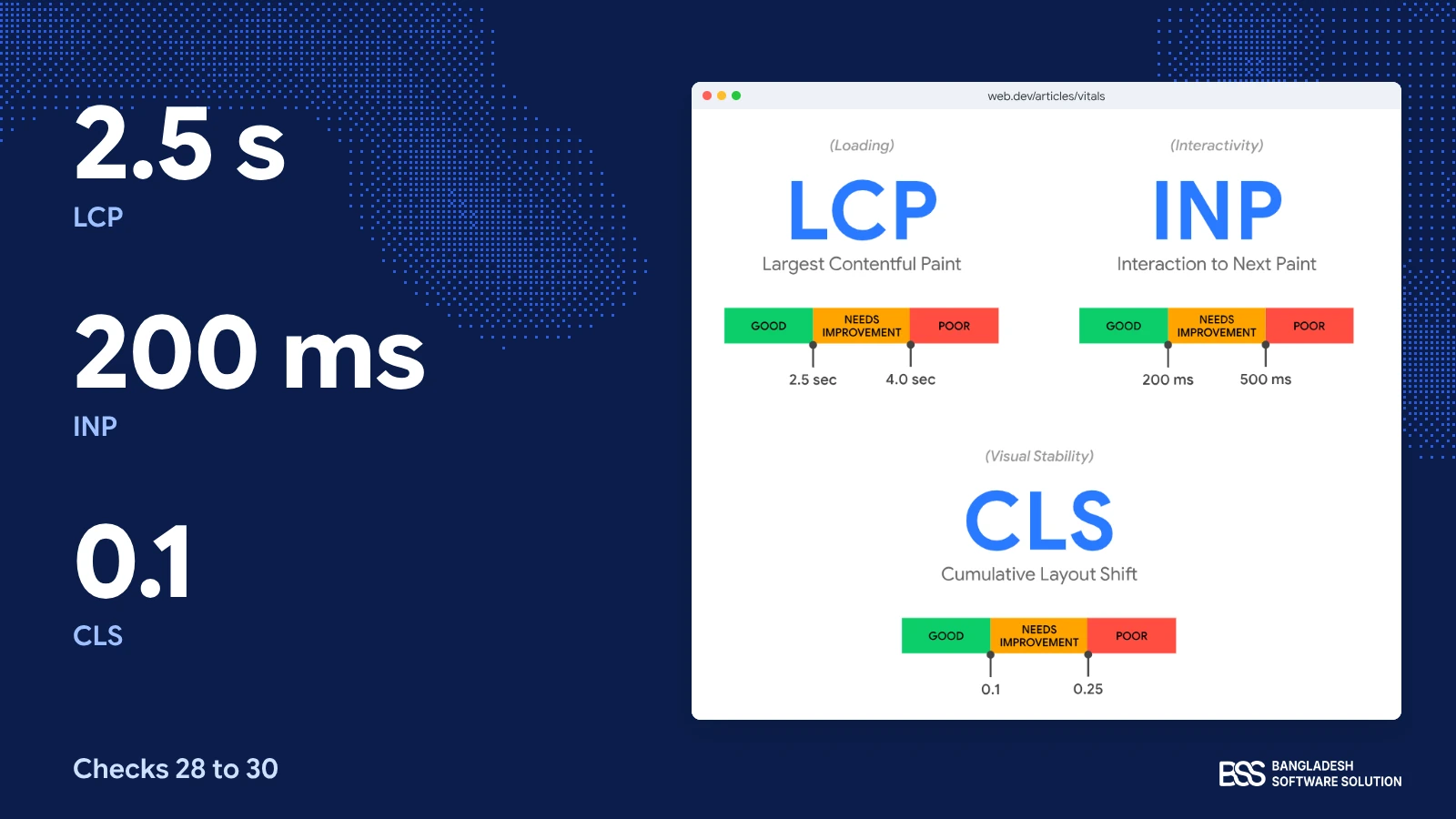
Speed comes last in this list on purpose. It will not rescue a page Google cannot index, but between two good pages it counts, and Google highly recommends good Core Web Vitals for success in Search. The three metrics are measured on real visits, at the 75th percentile, separately for phones and desktops.
Speed: checks 28 to 30
-
28. LCP at or under 2.5 seconds: load the main product image first, at the size it is shown, and never lazy-load it.
-
29. INP at or under 200 milliseconds: keep heavy scripts off the moment a shopper taps "add to cart" or a filter.
-
30. CLS at or under 0.1: give every image a width and height, and reserve room for banners and cookie bars.
The thresholds come from web.dev's Web Vitals overview, and Google's Core Web Vitals page ties them to Search. INP replaced FID as a Core Web Vital in 2024, so an older checklist that still says FID is out of date.
On a nopCommerce store, most slow pages come from the theme, oversized images and third-party scripts rather than the platform. Our guide to nopCommerce performance optimization checklist goes through caching, images and the server, and the BSS team can tune a slow store end to end.
Technical SEO for your nopCommerce store, set up once and done properly
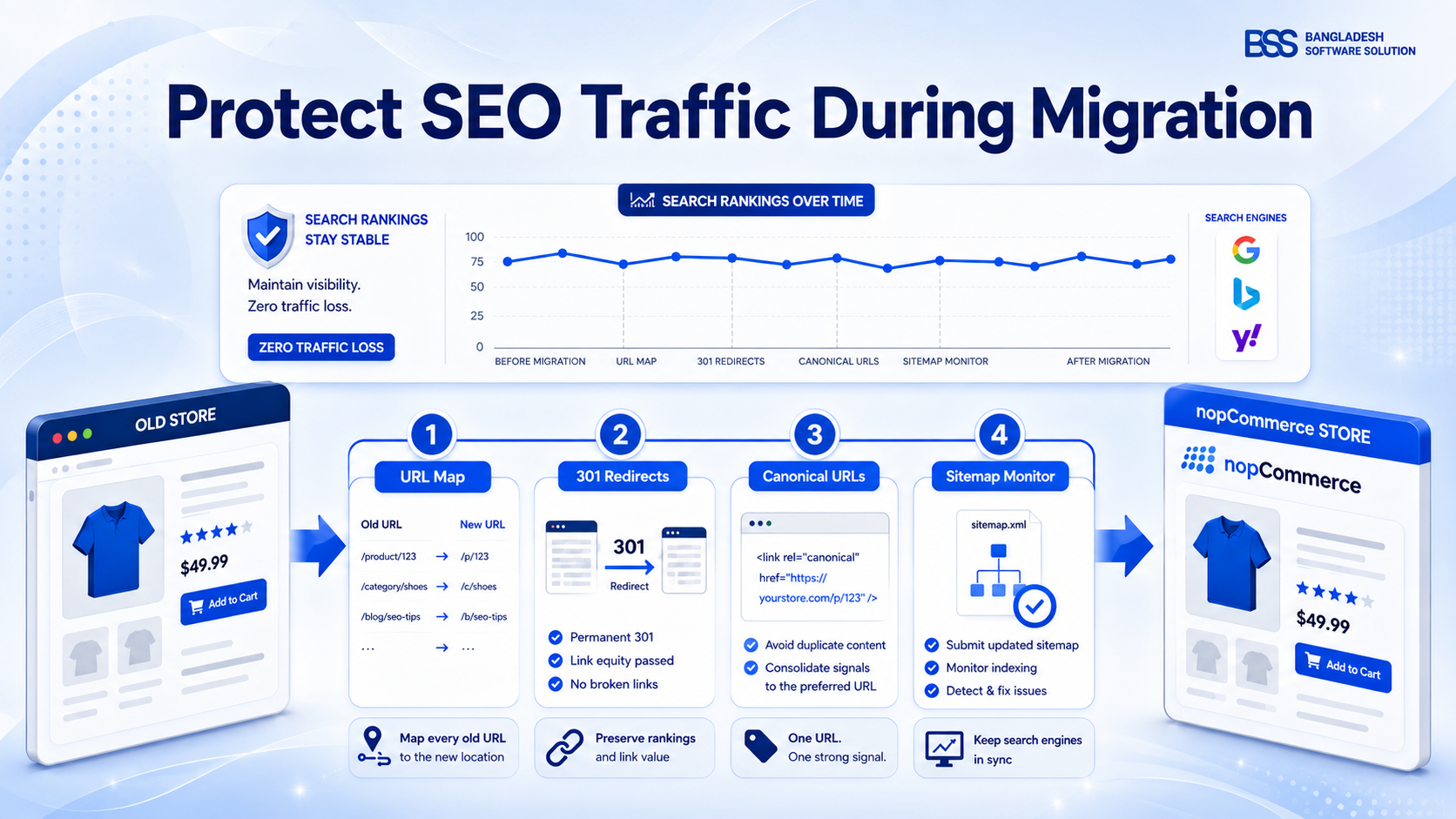
We set the URLs, canonicals, robots.txt, sitemaps and structured data from this checklist on your store, and plan SEO-safe redirects when you migrate or upgrade.
Frequently Asked Questions
Final Thoughts
Work through the 30 checks in order. Crawling and indexing come first because every later check depends on Google reaching the page; structure and titles next, then product markup, then speed. Re-run the list after any migration, theme change or platform upgrade, since those are the moments URLs change.
Do it yourself
- Clean up URLs and canonicals
- Block filter URLs in robots.txt
- Rewrite titles and descriptions
- Add Product and Breadcrumb markup
Or BSS does it
The technical checks set up on your nopCommerce store by the team that builds its themes and plugins.
Get a technical SEO planIf your store is on nopCommerce, our nopCommerce SEO checklist goes setting by setting through the admin.
The BSS team sets up the technical side of SEO on nopCommerce stores: clean URLs, canonicals, sitemaps, structured data and SEO-safe migrations.
Talk to an expert