Your sales rep comes back from a renewal meeting with a new condition. The customer's purchasing team will only reorder from suppliers they can reach from inside their procurement system. They call it a PunchOut catalog, and without one, your store is off their approved list.
Until this autumn, saying yes on nopCommerce meant a custom build. nopCommerce 5.00, released on 27 October 2026, ships a PunchOut cXML Integration plugin in the box. We build B2B plugins for nopCommerce at BSS, so when 5.00 shipped we read that plugin's source line by line.
This guide explains what a PunchOut catalog is, how it compares with a hosted catalog, the difference between cXML and OCI, how the 5.00 plugin works, and the gaps to check before your first buyer goes live.
What a PunchOut Catalog Is, and Why Buyers Ask for It
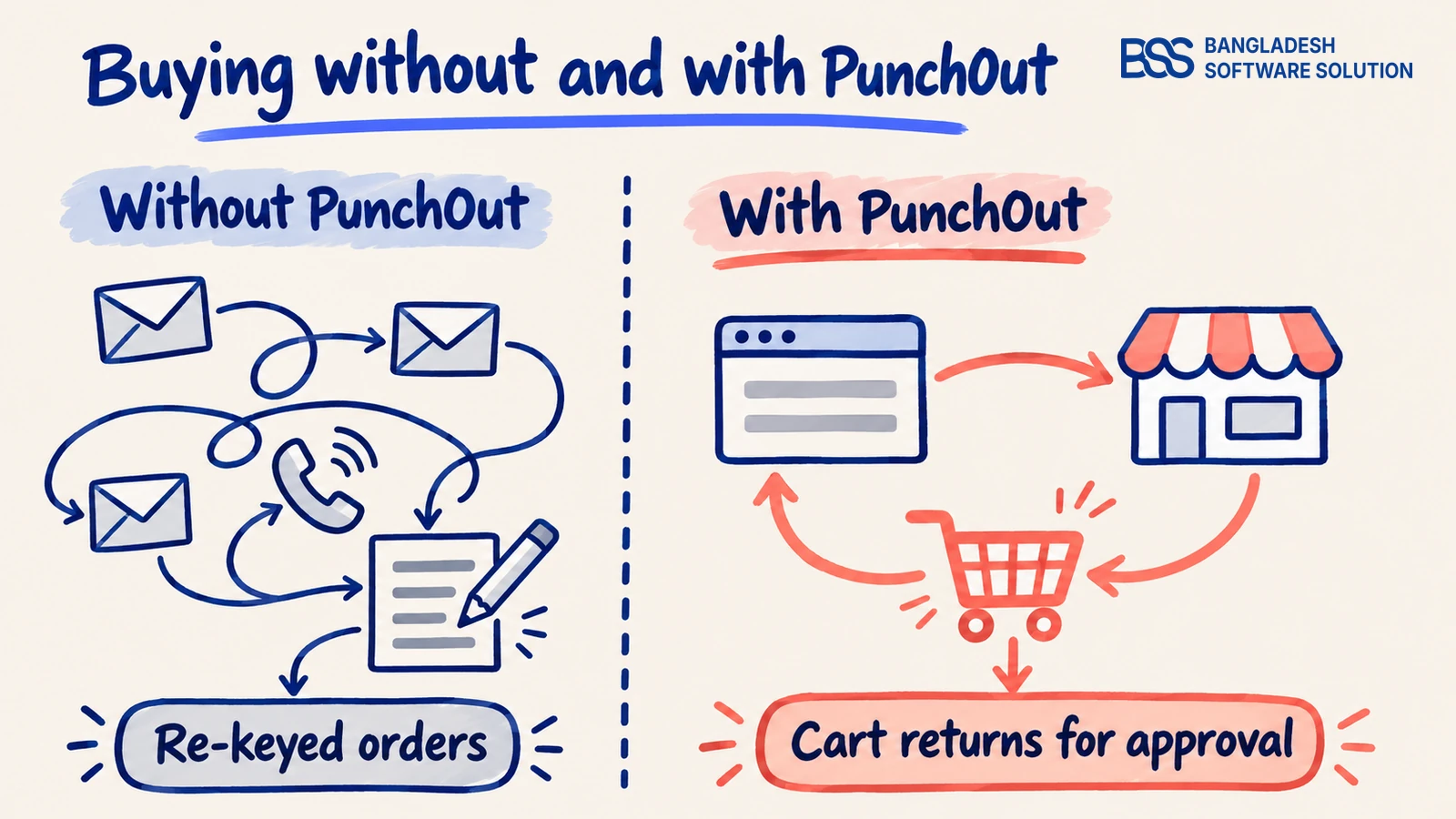
Large companies buy through procurement systems such as SAP Ariba, Coupa or Oracle eProcurement. Every purchase starts as a requisition, goes through approval, and becomes a purchase order. Finance wants every order to follow that path.
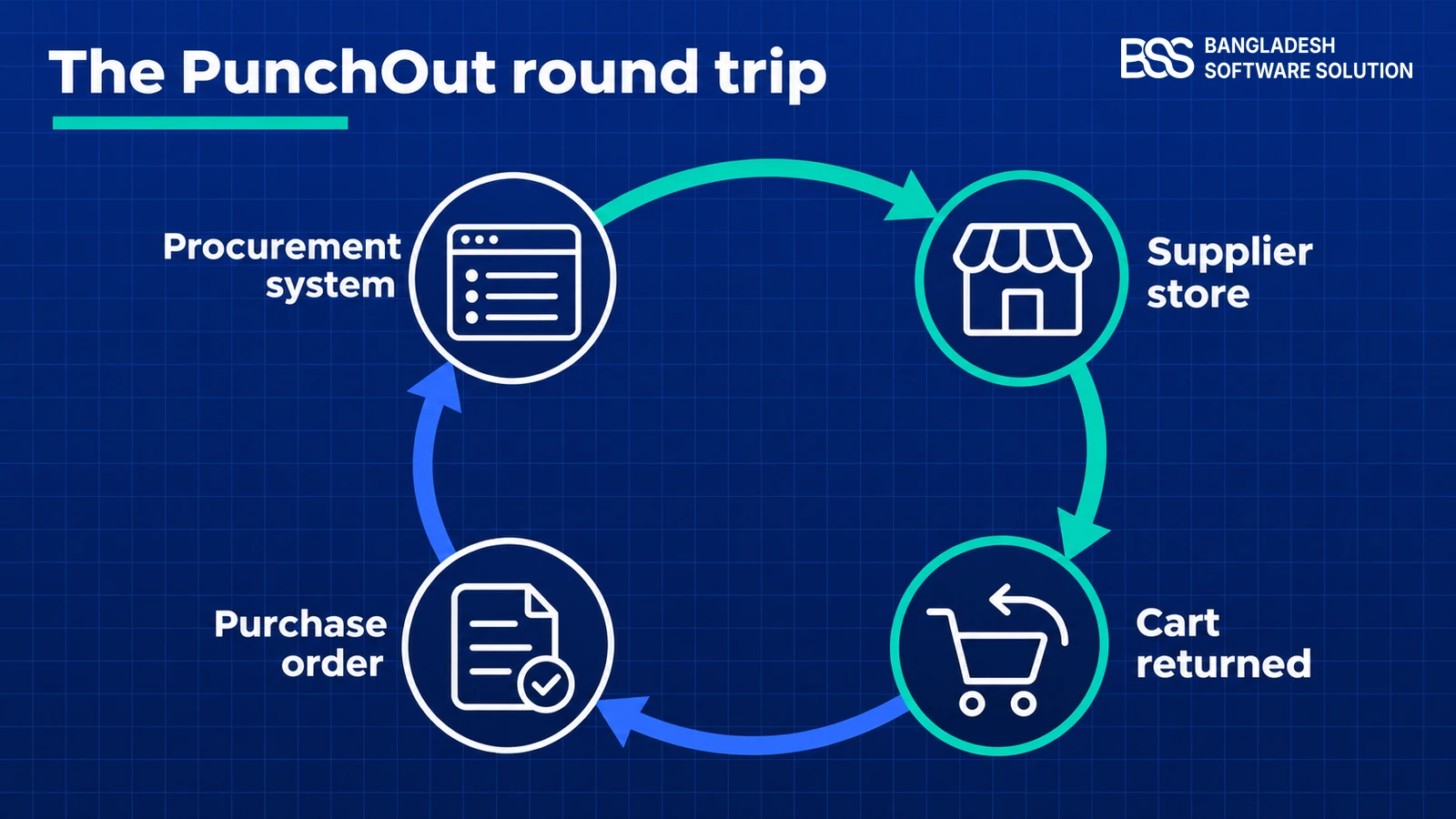
A PunchOut catalog lets an employee start inside that system, click your company's name, and land in your live store. They search, compare and fill a cart as any shopper would. Instead of paying, they press a button that sends the cart back to their procurement system as a requisition.
In one line: PunchOut is a shopping session that starts and ends in the buyer's procurement system, with your store in the middle.
The buyer approves and pays through their own process. Your store sees the order when the purchase order arrives.
For the buyer, that means no re-keyed orders and no off-contract spending. For you, it means your store stays on their approved supplier list, and reorders come from the same buyers year after year. The term "punch out" simply describes the employee punching out of their system and into yours.
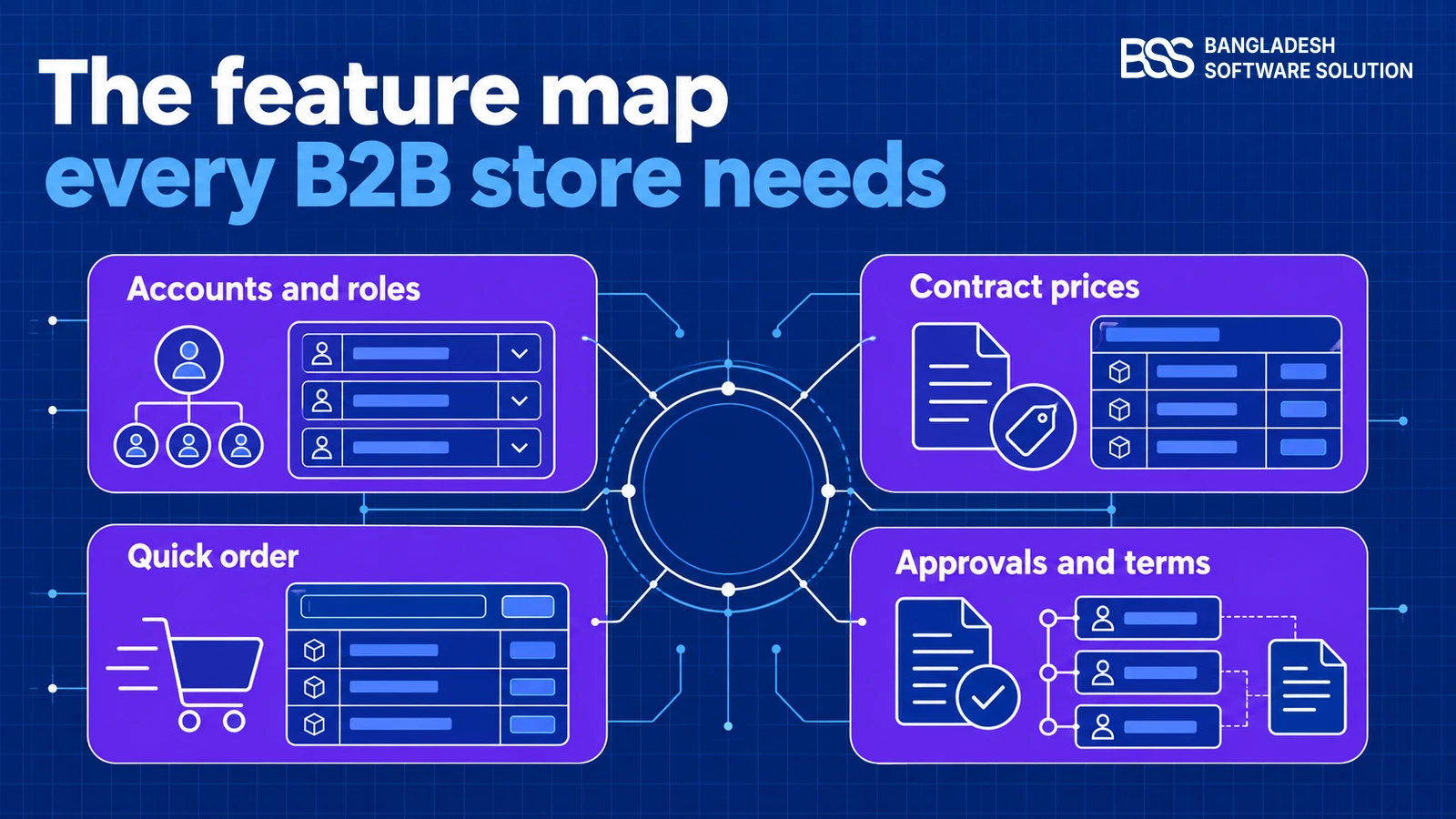
If you are still mapping the rest of your wholesale features, our checklist of what a B2B ecommerce website needs puts PunchOut alongside company accounts, contract prices and approvals.
A buyer asking for PunchOut? BSS connects nopCommerce stores to the systems their customers use, and can set up and test PunchOut with your first buyer.
Talk to a nopCommerce expertPunchOut vs a Hosted Catalog
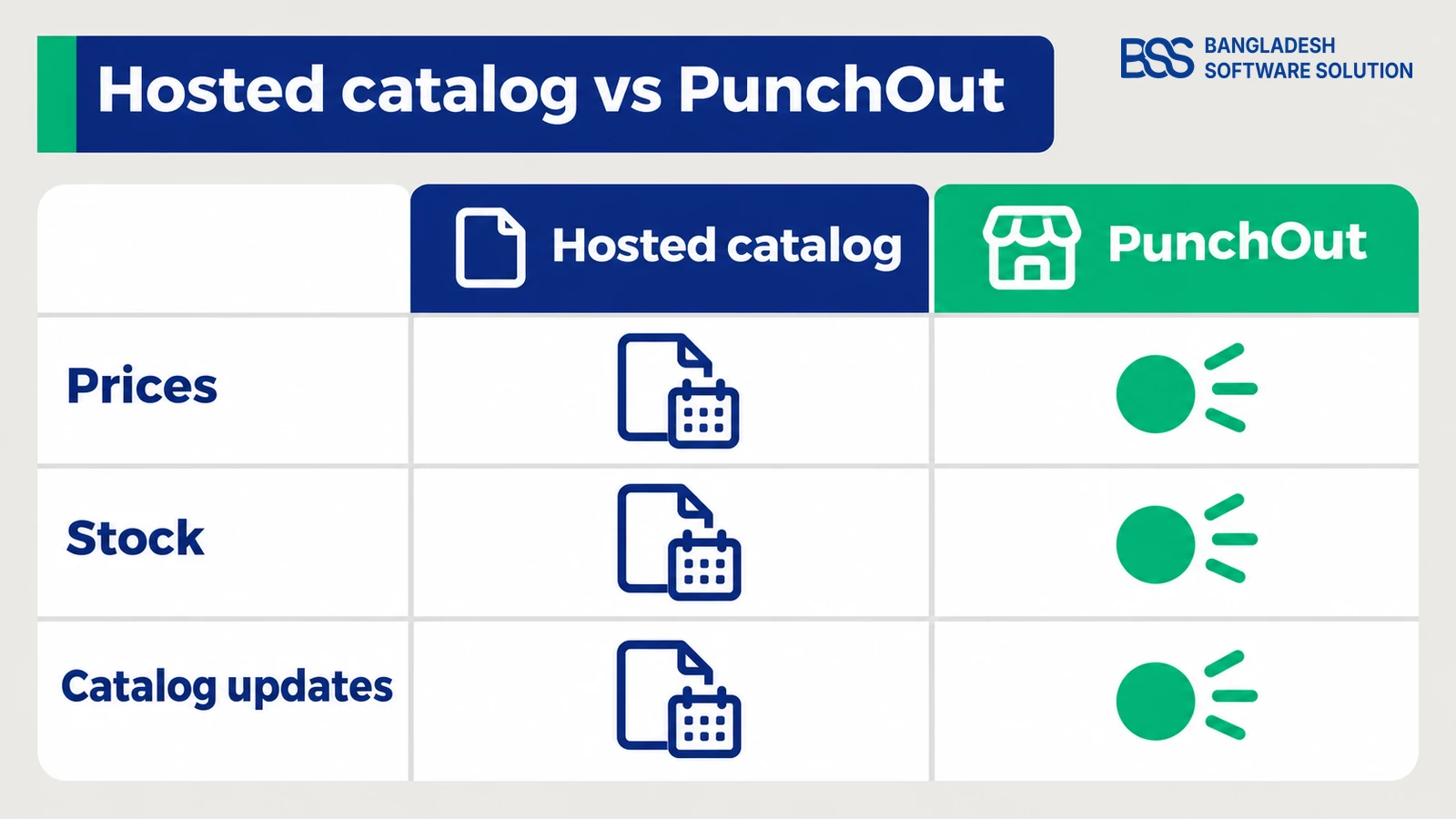
Before you build anything, check whether your buyer would accept a hosted catalog instead. That is a file of your products and prices that you upload into their procurement system. Employees then pick items from the file without ever visiting your store.
A hosted catalog is simple to start, but it is a snapshot. Prices, stock and new products stay frozen until you upload the next file, and every price change means another round of approval on the buyer's side.
PunchOut wins when your catalog is large, your prices change often, or your products have options a flat file cannot describe. A hosted catalog can still be the right answer for a small, stable list of items that a buyer reorders unchanged.

On B2B stores we build, stock moves all day. OLA Sportswear's B2B and B2C store syncs inventory from its ERP, which no catalog file uploaded last month could show.
cXML vs OCI: The Two PunchOut Protocols
Every PunchOut session follows the same loop, but there are two common ways to carry it. Your buyer's procurement system decides which one you need, so ask them first.
cXML (commerce XML) sends structured XML documents over HTTPS. SAP Ariba, Coupa, Oracle and Jaggaer all speak it. OCI, SAP's Open Catalog Interface, passes the session and the returned cart as plain HTML form fields instead, and is common with buyers who run SAP's own purchasing modules.
| cXML PunchOut | OCI PunchOut | |
|---|---|---|
| Message format | XML documents posted over HTTPS | HTML form fields and URL parameters |
| Sign-in | Identity and SharedSecret inside the request | Username and password passed with the start URL |
| Cart returned | A PunchOutOrderMessage posted to the buyer's return URL | Item fields posted to the buyer's hook URL |
| Typical buyers | SAP Ariba, Coupa, Oracle, Jaggaer | SAP purchasing systems |
| In nopCommerce 5.00 | Built in | Custom build |
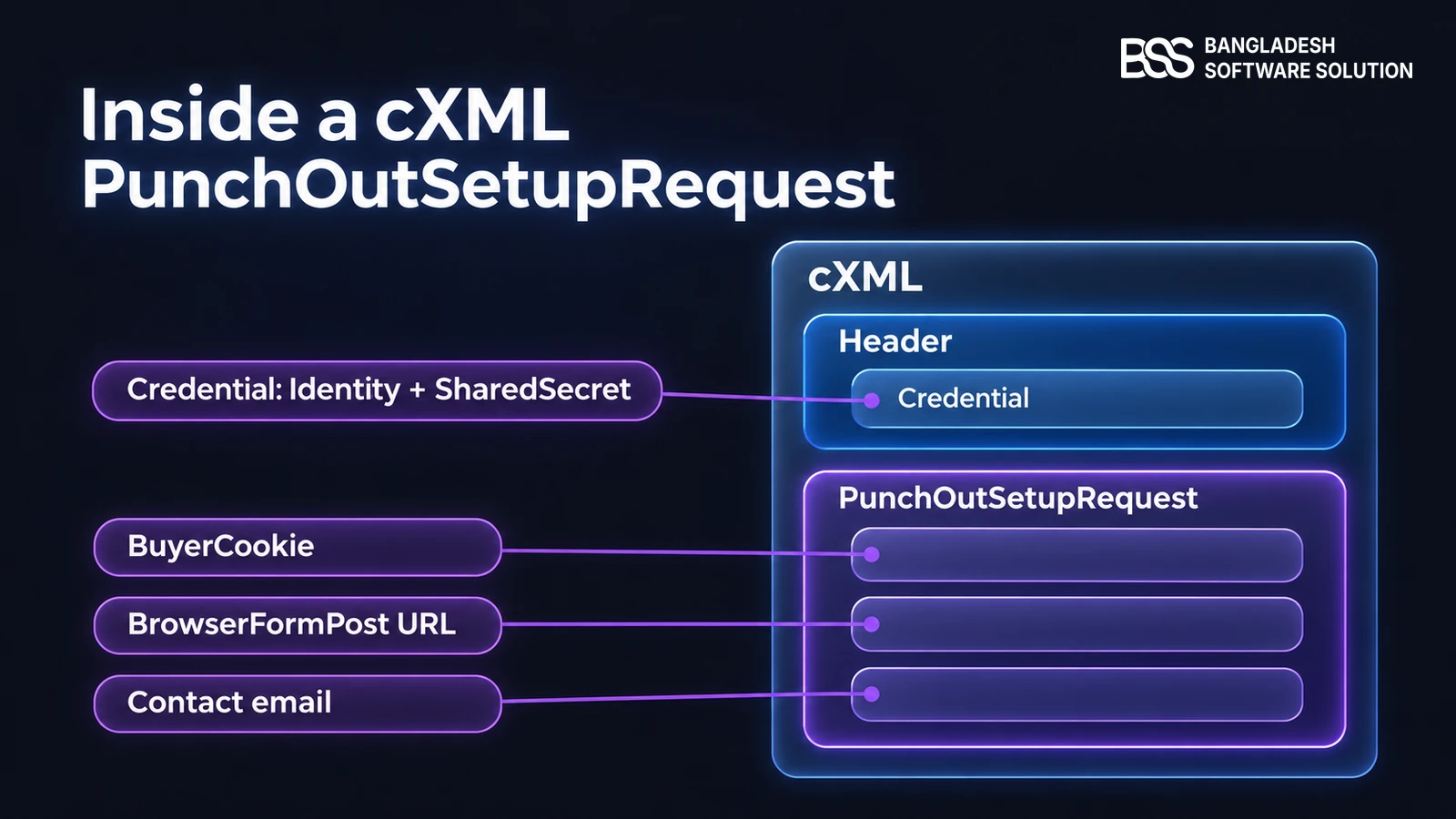
A cXML session opens with a PunchOutSetupRequest. It carries a credential to prove who is calling, a BuyerCookie that identifies the session, a BrowserFormPost URL where the cart must go back, and the buyer's contact email.
OCI is not in 5.00
The 5.00 plugin speaks cXML only. Its own issue on the nopCommerce tracker points to a separate, still open SAP integration task for OCI, with no release planned.
So if your biggest buyer runs SAP and only offers OCI, the adapter is a custom build. That is a contained piece of .NET work, and you can hire a .NET developer from BSS to write it beside the native cXML plugin.
How PunchOut Works in nopCommerce 5.0
In 5.00 the feature is a bundled plugin called PunchOut cXML Integration, system name Misc.PunchOut, written by the nopCommerce team. You install it from Configuration › Local plugins like any other plugin, then open its configuration page.
Below the settings, an Identity list holds one identity and shared secret for each buyer. A Session list shows open sessions with their buyer cookie and customer email, and a Log keeps every message with its raw XML.
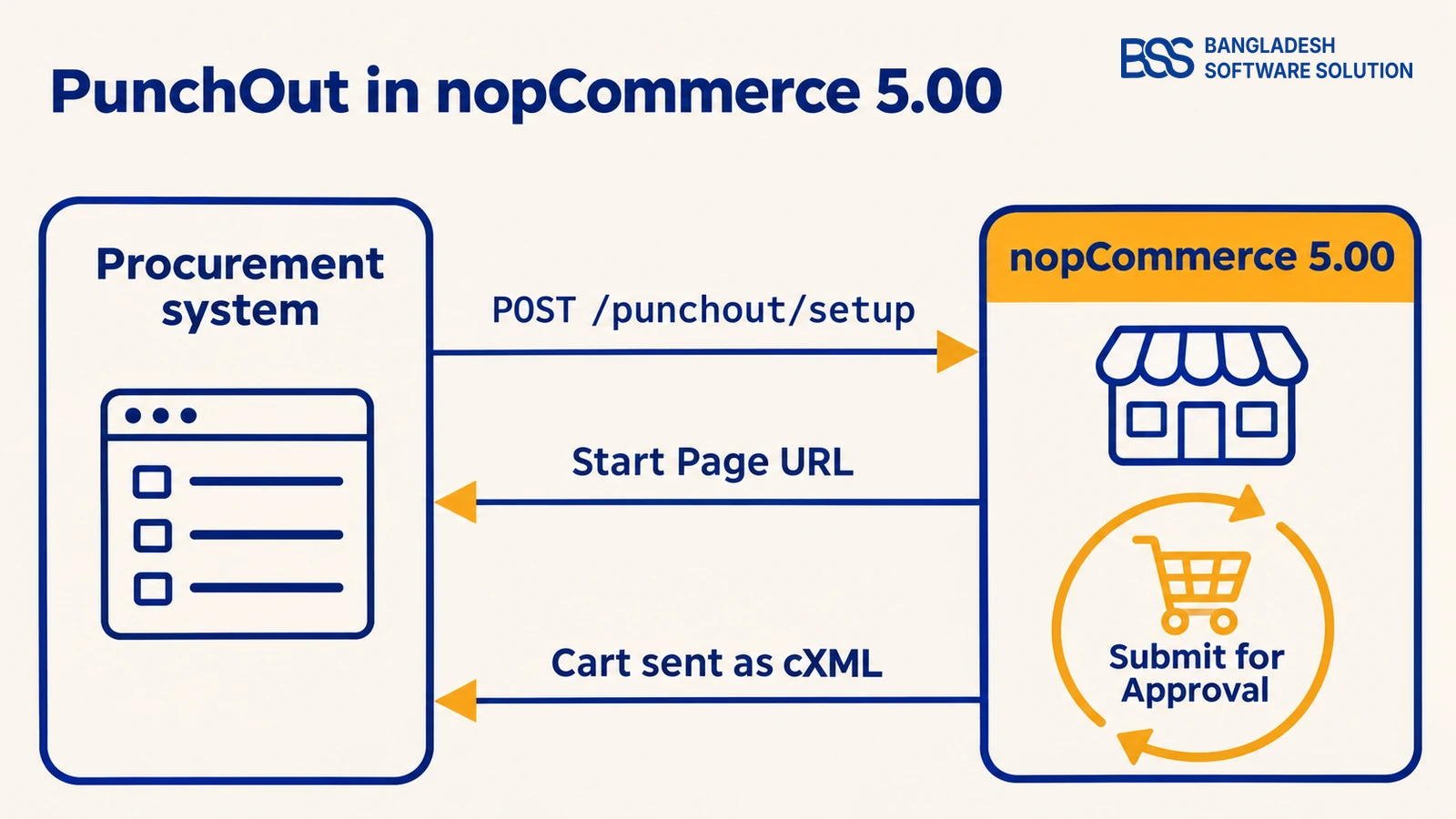
The flow then runs in four steps. The buyer's system posts a setup request to /punchout/setup. The store checks the identity and shared secret, finds or creates the customer by contact email, and answers with a Start Page URL.
<cXML payloadID="..." timestamp="...">
  <Header>
    <Sender>
      <Credential domain="NetworkID">
        <Identity>buyer-identity</Identity>
        <SharedSecret>shared-secret</SharedSecret>
      </Credential>
    </Sender>
  </Header>
  <Request>
    <PunchOutSetupRequest operation="create">
      <BuyerCookie>session-from-buyer</BuyerCookie>
      <BrowserFormPost><URL>https://procurement.example.com/return</URL></BrowserFormPost>
      <Contact><Email>[email protected]</Email></Contact>
    </PunchOutSetupRequest>
  </Request>
</cXML>
The buyer's browser opens that URL and the employee shops your normal storefront. Where checkout would be, they see a Submit for Approval button. Pressing it posts the cart back to the BrowserFormPost URL as a cXML PunchOutOrderMessage, with each item's part ID, unit price and description.
PunchOut sends back whatever the cart shows. B2B Management sets the company price lists, contract prices and per-company catalog rules a wholesale buyer expects to see.
View the plugin
Reading the 5.00 source, the detail we flag first is the customer match: it is by email. Make sure the address the buyer's system sends belongs to an account set up with their company prices, or the plugin creates a new, plain customer.
What 5.00 Doesn't Do Yet: Check These Before Go-Live
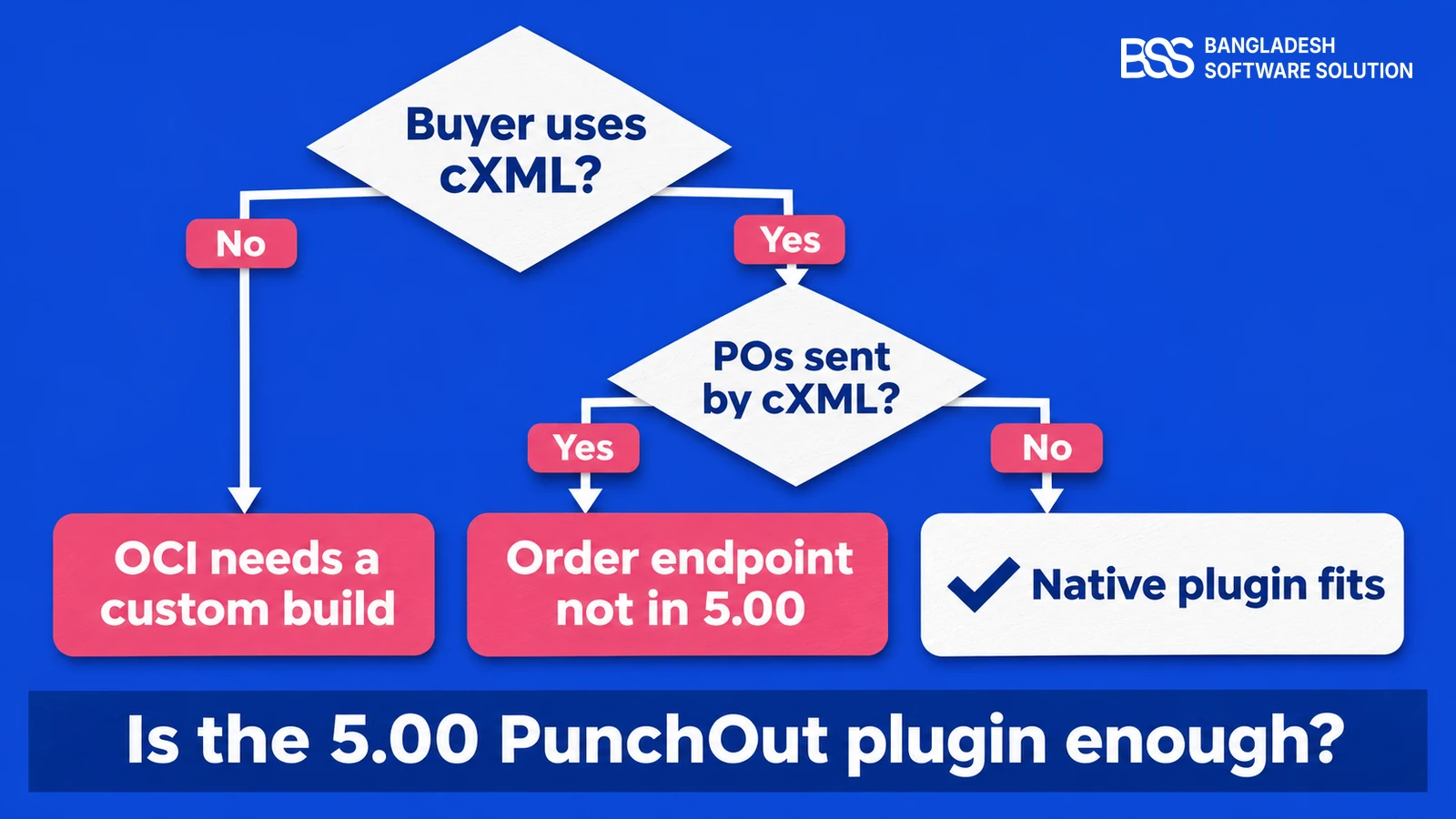
The 5.00 plugin covers the shopping session well. What it does not do yet is receive the purchase order that follows. Many cXML buyers send that order to the supplier's /punchout/order address, and the nopCommerce team lists support for it as an open task.
Ask your buyer how purchase orders reach you. If they arrive by email or through a supplier portal, the native plugin fits as it is. If the buyer insists on a cXML order message, plan that endpoint as an addition.
Open issues on 3 November 2026
Four PunchOut reports were filed against 5.00 that day. Read each against your setup before go-live.
- Shared secret handling: a new identity's secret is stored hashed but compared unhashed, so the handshake can fail with a 401 until it is fixed.
- Empty UnitOfMeasure: the returned cart leaves each item's unit of measure blank, which some procurement systems reject. A fix is planned for a 5.00 minor release.
- Cart left over: items already submitted for approval reappear in the same customer's next session.
- Reused start link: opening a used Start Page URL shows a generic error page instead of a "session expired" message.
PunchOut go-live checklist for nopCommerce 5.00
-
Confirm the buyer uses cXML, not OCI, and how their purchase orders reach you.
-
Create one identity and shared secret per buyer, then run a full test session with their test account.
-
Open the Log and read the returned cart's raw XML: part IDs, prices, currency and unit of measure.
-
Map each buyer's contact email to the account that carries their prices.
-
Set Time to expire to match how long the buyer's sessions stay open.
-
Switch Is active on only after the test session returns a clean cart.
Gaps like the order endpoint, a unit-of-measure mapping or an OCI adapter are ordinary plugin work. If you would rather not wait for a later release, BSS builds nopCommerce customizations and integrations like these on top of 5.00.
The plugin is also a reason to plan your move to 5.00 now. Our 4.90 to 5.0 upgrade guide walks through it on a copy of your store first.
Need PunchOut Built Around Your Buyers? Hire the BSS Team
From PunchOut setup and buyer testing to OCI adapters, order endpoints and B2B pricing, our nopCommerce engineers ship production-grade code. Tell us which procurement systems your buyers use and we'll match you with the right developer.
Frequently Asked Questions
Final Thoughts
Back to that renewal meeting. With nopCommerce 5.00, "we can't do PunchOut" is no longer the answer. If your customer runs a cXML procurement system, the plugin in the box covers the shopping session they asked for.
Check the protocol, run a test session, read the returned cart in the Log, and know how purchase orders will reach you. Do those four things and your store goes back on their approved list, with reorders flowing through the system their finance team trusts.
BSS sets up nopCommerce 5.00 for B2B: PunchOut with your buyers, company pricing and the integrations around it.
Book a free consultation