A distributor emails you on Monday. They want their own price list before the new quarter, quotes for their bigger orders, and anything above their limit approved by their finance lead. You open the nopCommerce 5.0 release notes, see price lists, quotes and PunchOut, and wonder if the B2B plugin on your shortlist just became a waste of money.
For part of that email, it might have. When we scope B2B stores at BSS, the first question is never which plugin to buy; it is which rules the buyer's contract actually needs. So we read the 5.00 source and its release milestone on GitHub to sort what is in the box from what is not.
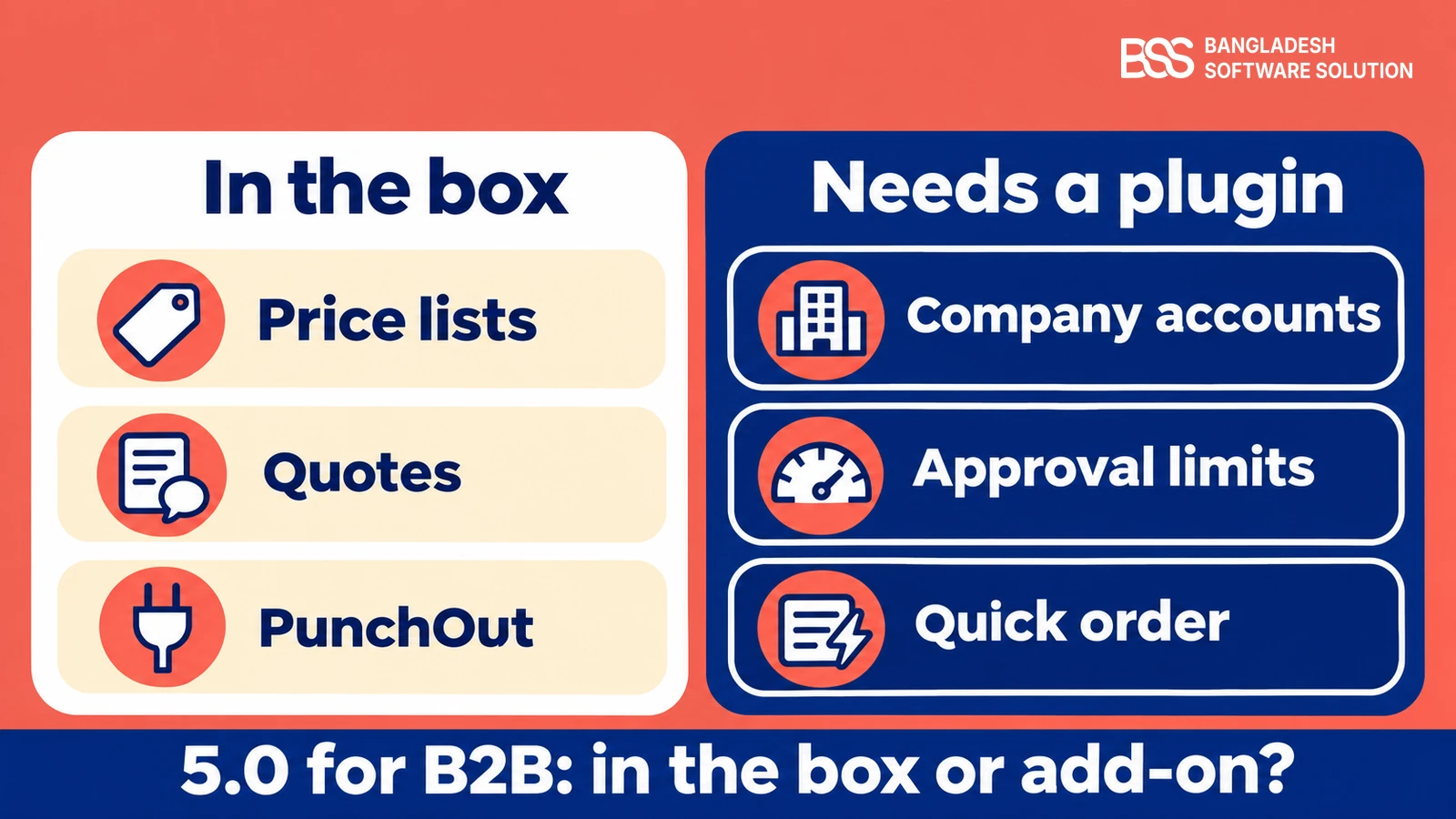
The short answer: price lists are real and handle role-based pricing, quotes and PunchOut are in, and approval limits, quick order and company accounts are not. This guide walks through each, including one pricing rule that catches people out, so you can decide what to build, buy or skip.
What nopCommerce 5.0 Gives a B2B Store Out of the Box
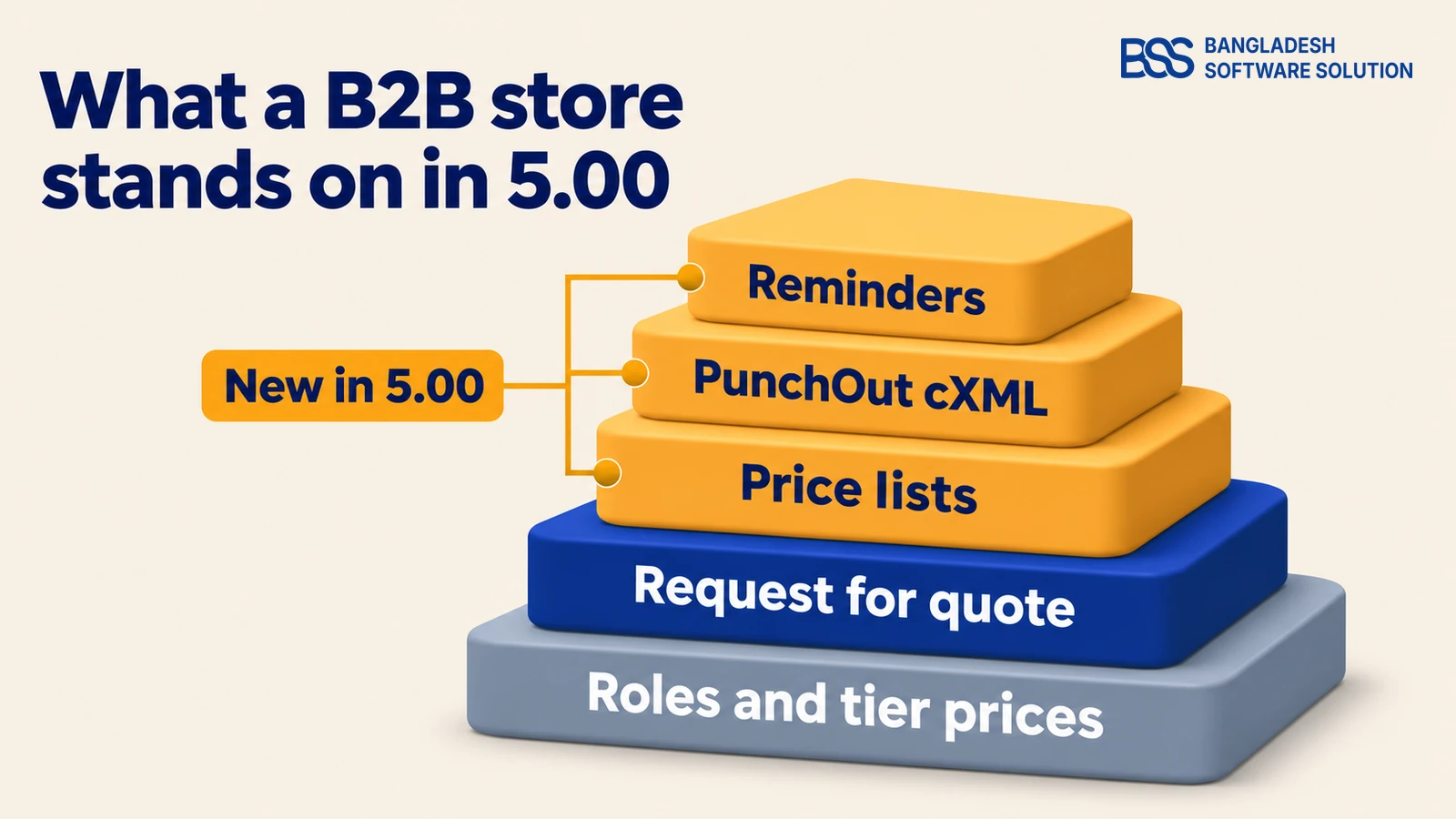
Start with what you already had. nopCommerce has long let you group buyers into customer roles and price by role, so 5.00 adds to a base rather than starting from nothing. The table sorts the B2B pieces by when they arrived.
| Built in | What it gives a B2B store | Arrived |
|---|---|---|
| Customer roles and tier prices | Prices that differ by buyer group and order quantity | Before 5.00 |
| Role-limited products and categories | Show a part of the catalog only to chosen roles | Before 5.00 |
| Admin approval at registration | Hold new accounts until you approve them | Before 5.00 |
| Tax-exempt roles and VAT numbers | Mark a buyer group tax exempt and keep a VAT number on the customer | Before 5.00 |
| Minimum order amounts | A store-wide minimum order subtotal or total | Before 5.00 |
| Request for quote | Buyers ask, you reply with a priced quote that can expire | 4.90, improved in 5.00 |
| Price lists | Prices for roles or single customers, with dates and priority | New in 5.00 |
| PunchOut (cXML) | Buyers shop your store from inside their procurement system | New in 5.00 |
| Reminders | Follow-up emails for carts, unpaid orders and unfinished sign-ups | New in 5.00 |
Notice what is missing. Nothing here treats a company as one account with several buyers, and nothing holds an order for approval. We come back to both after the pieces that did ship, and our overview of what is new in nopCommerce 5.0 covers the changes outside B2B.
Not sure which rules your buyers need? The BSS team can map a contract onto nopCommerce 5.0 before you build or buy anything.
Talk to a nopCommerce expertPrice Lists in 5.0: What They Do and Where They Stop
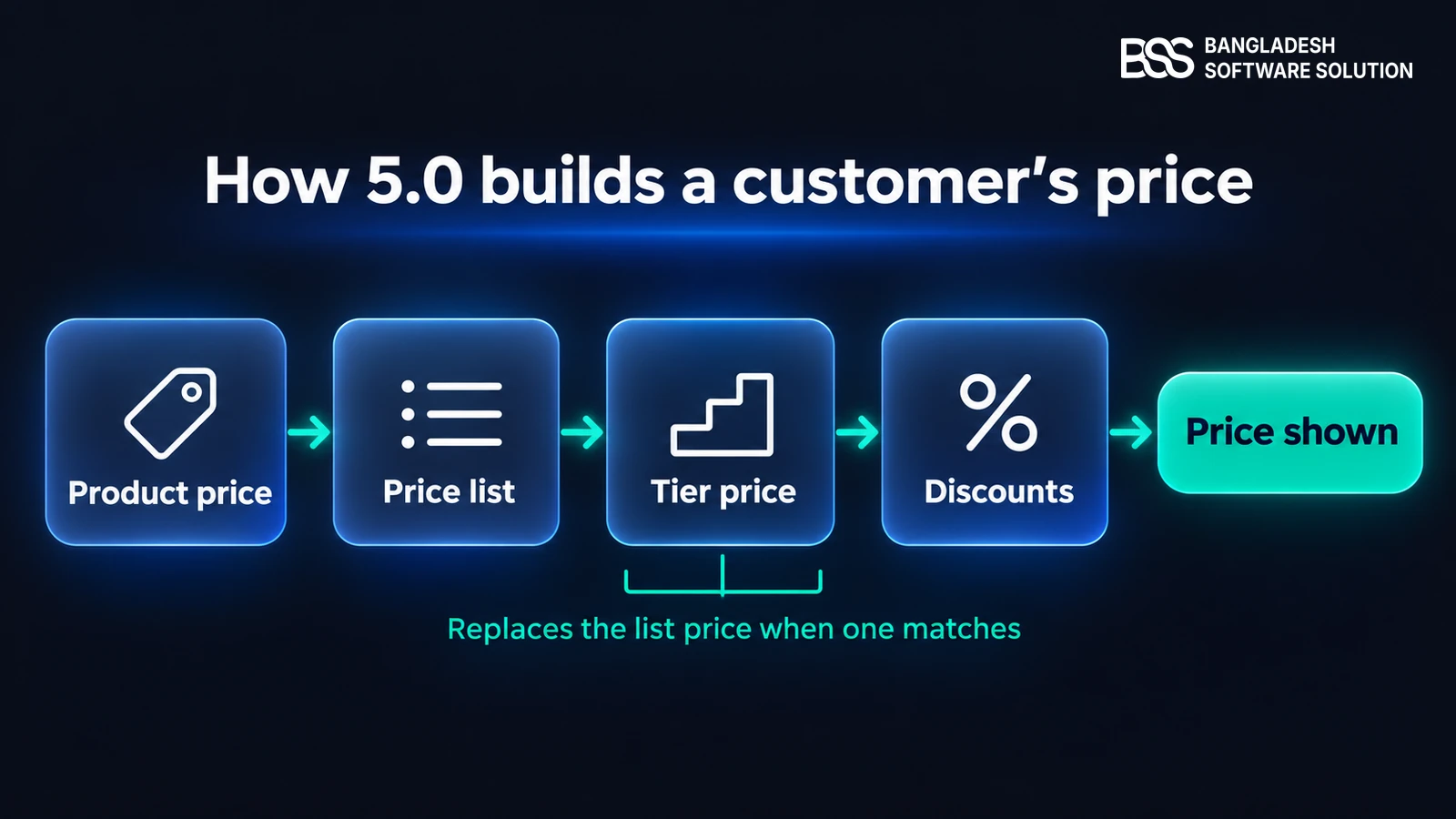
Price lists are the headline B2B change, and the one most likely to affect your plugin decision. Before 5.00, nopCommerce had no native price list per customer group; the request that became this feature named discounts, tier prices and third-party plugins as the only options.
Each list holds products. A product with a manual price in the list gets exactly that price. A product without one gets the list's adjustment applied to its normal price, and a product that is not in the list is untouched.
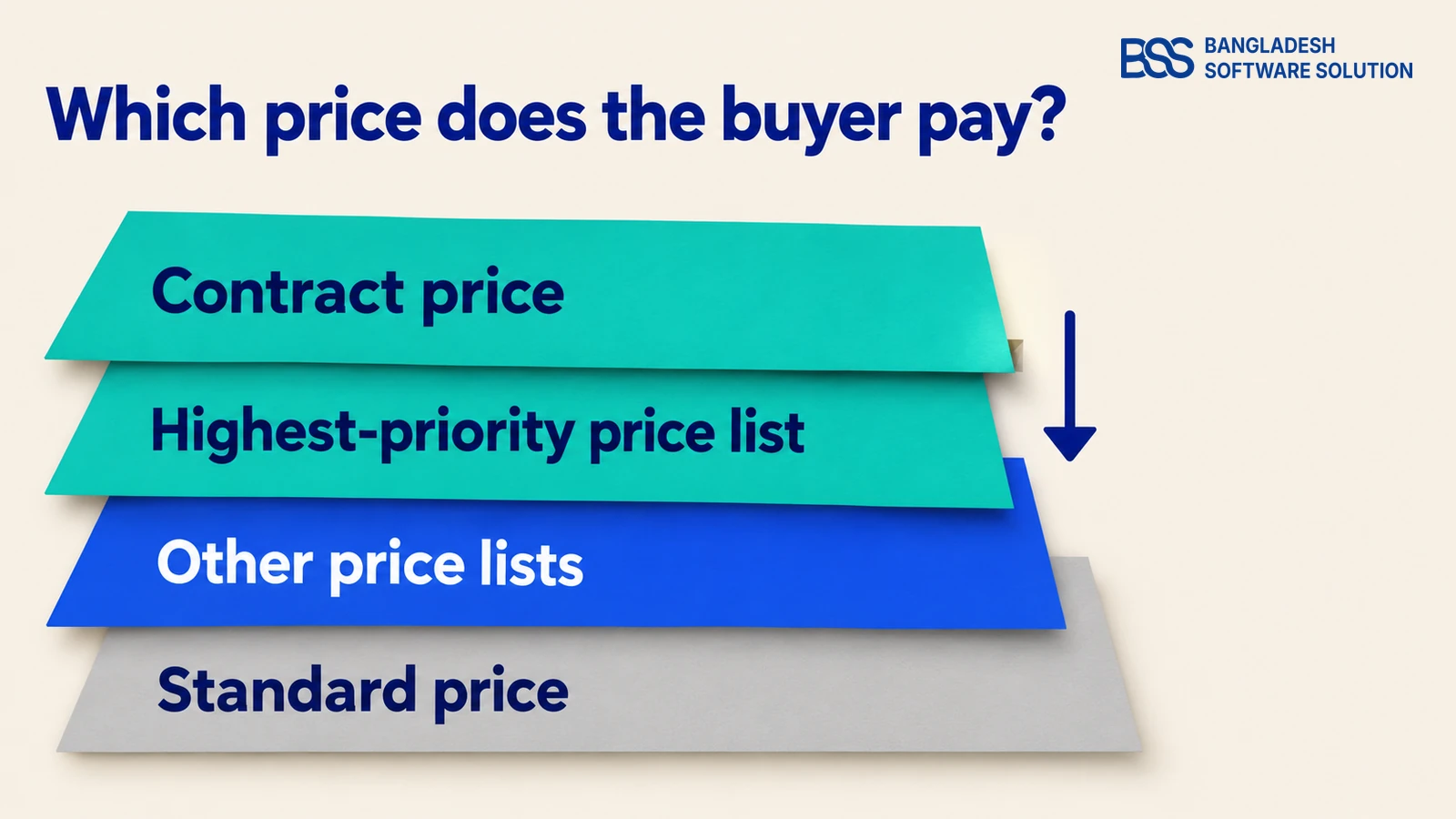
When two lists match one product, a catalog setting decides: the lowest price wins, or one list is chosen by its priority. Lists can also be imported and exported, which helps when your prices arrive as a spreadsheet.
Tier prices run after price lists
In the 5.00 pricing code, the price list is applied first and a matching tier price comes after it, taking over from the list price. If a role has both a tier price and a list entry for the same product, test which one the cart shows before you promise the buyer a number.

A common surprise on the wholesale stores we set up is two pricing rules that both match one product, with nobody sure which the buyer should see. Settle the order first, then build the lists; our guide to company-specific pricing works through it step by step.
Quotes, PunchOut and Reminders: The Rest of the Box
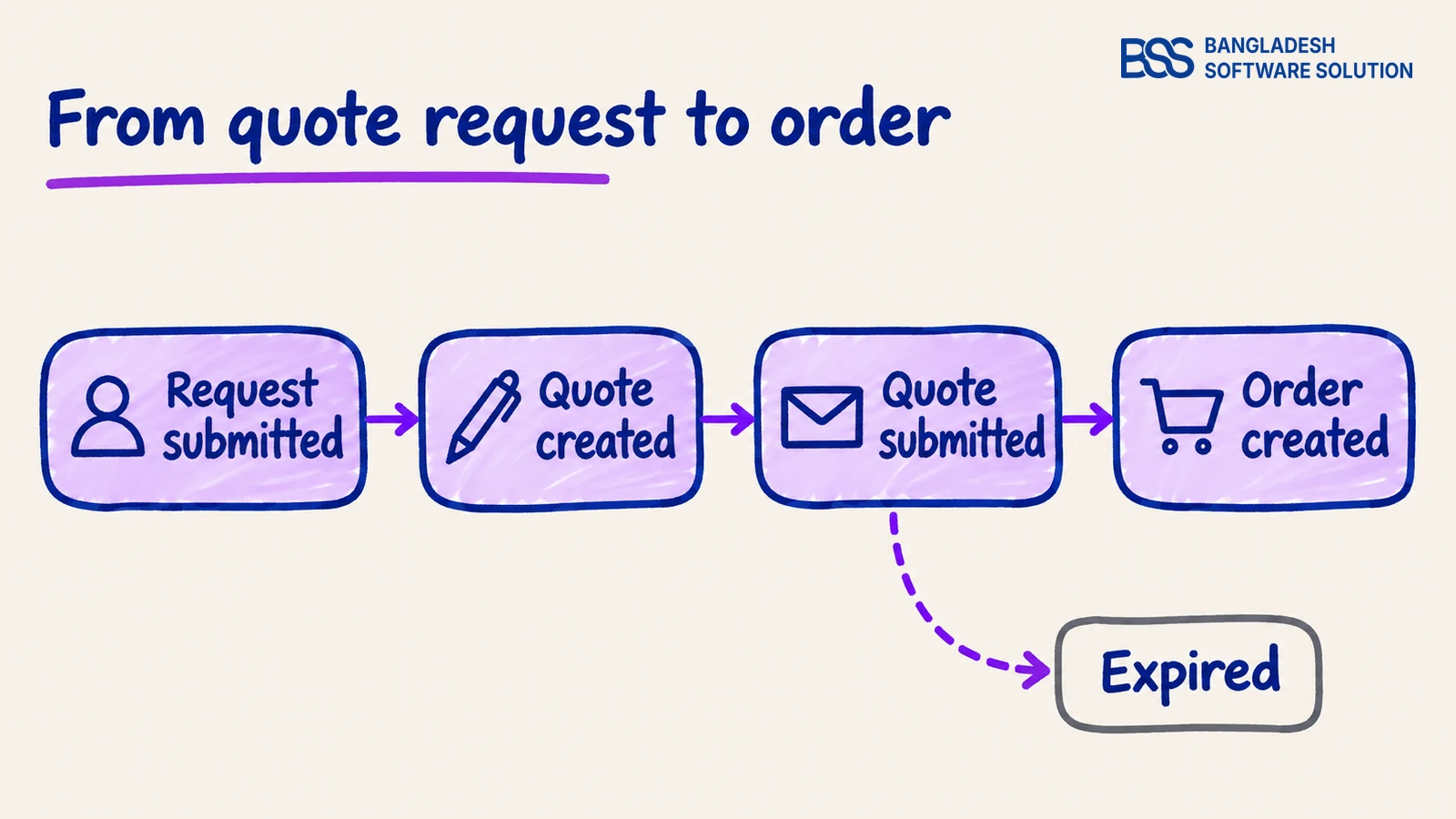
Price lists settle the standard price. For deals that need a conversation, nopCommerce ships a Request for quote and Quotes plugin, in 4.90 and in 5.00. A buyer submits a request with notes.
You turn it into a quote with prices and an expiry date, or build one yourself, and submit it. When an order is placed from the quote it moves to Order created; if nobody uses it by its date, it expires.
5.00 adds a PDF export of the quote, CAPTCHA on the request form and server-side validation of quantities. Its notes also include a fix for one customer being able to use another customer's quote prices.
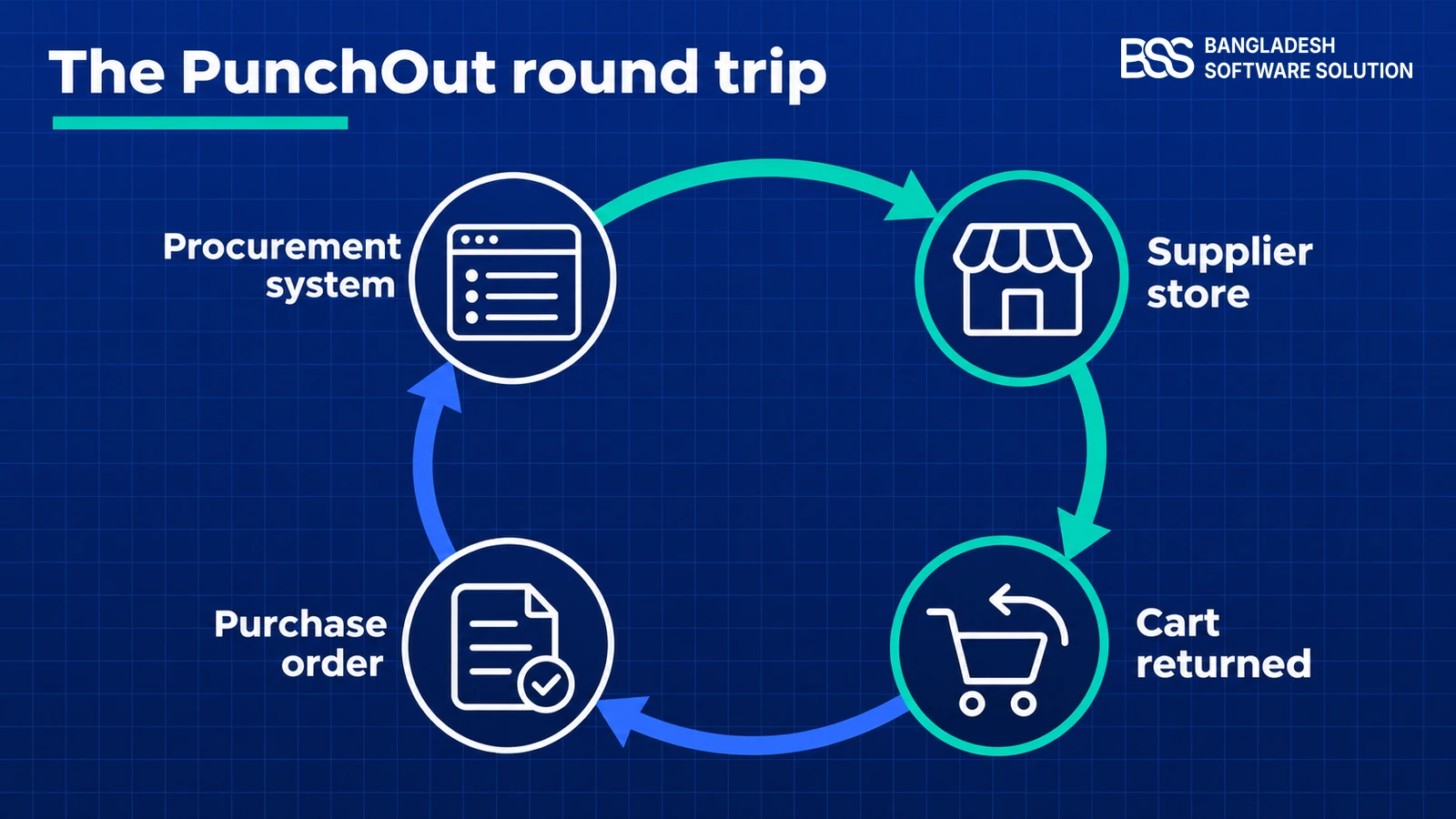
PunchOut lets a buyer shop your store from inside their own procurement system. The plugin in 5.00 speaks cXML only, and its order endpoint is still on the to-do list; our PunchOut guide covers what that means for your first buyer.
One detail ties it to your pricing. The plugin finds the customer by the buyer's contact email, or creates a plain registered customer if there is none. Put that customer in the right role before their first session, or the price lists you built will not apply.
Reminders are the quiet addition. 5.00 can email buyers about abandoned carts, unpaid pending orders and unfinished registrations. Each follow-up is a message template with a delay you set, so a purchasing team that forgot a pending order gets a nudge without anyone on your side chasing it.
What Still Needs a Plugin or Custom Work
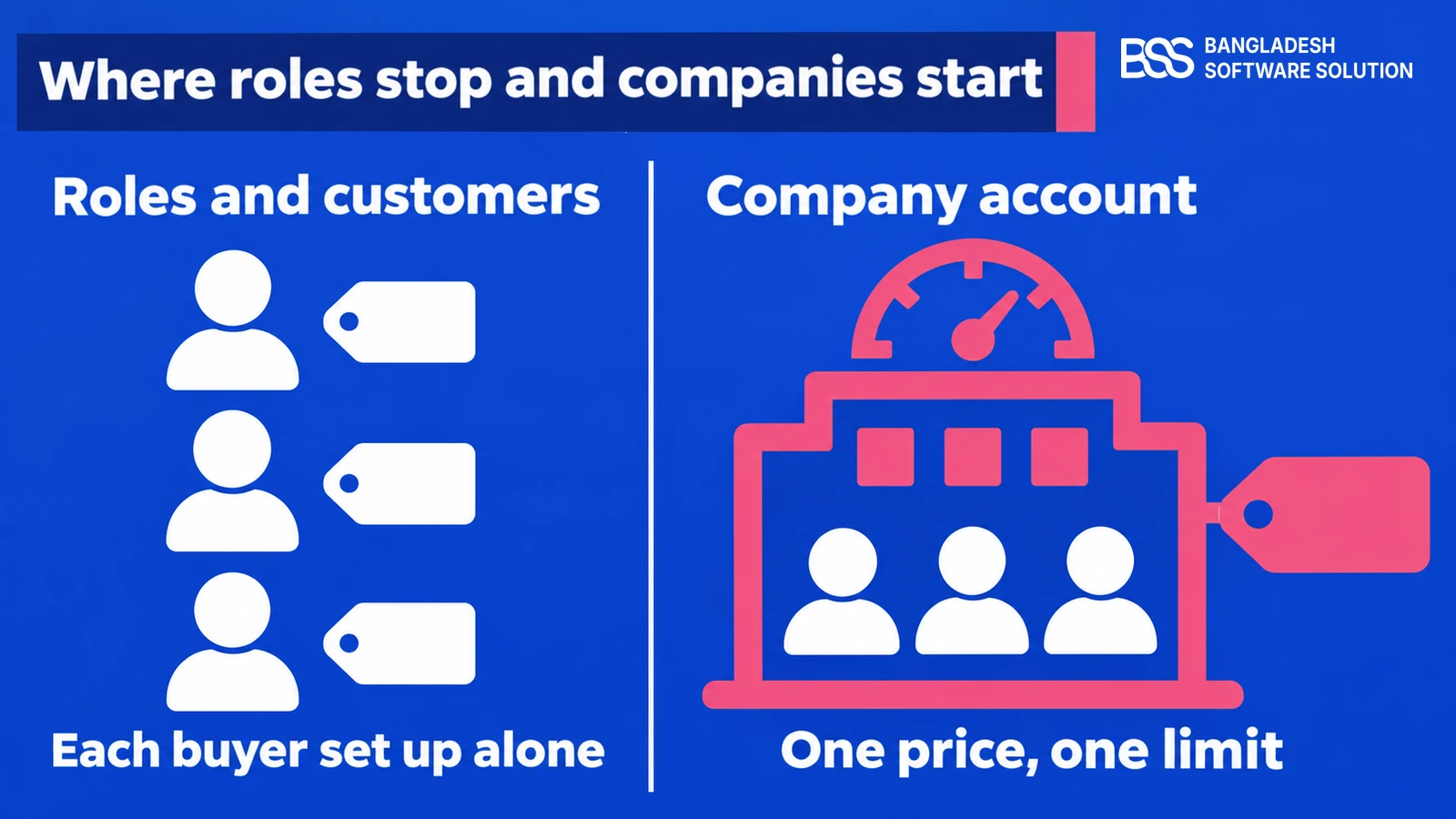
Here is the gap behind most "do I still need a plugin?" questions. nopCommerce 5.0 prices by customer role or single customer, but business buyers work as companies: several people, one agreed price, one spending limit. In the 5.00 source, company is a text field on the customer record, not an account that buyers share.
| You need | In nopCommerce 5.0 | So |
|---|---|---|
| Several buyers on one company's prices | Price lists attach to roles or single customers | A role per company works for a few; a company-account plugin scales |
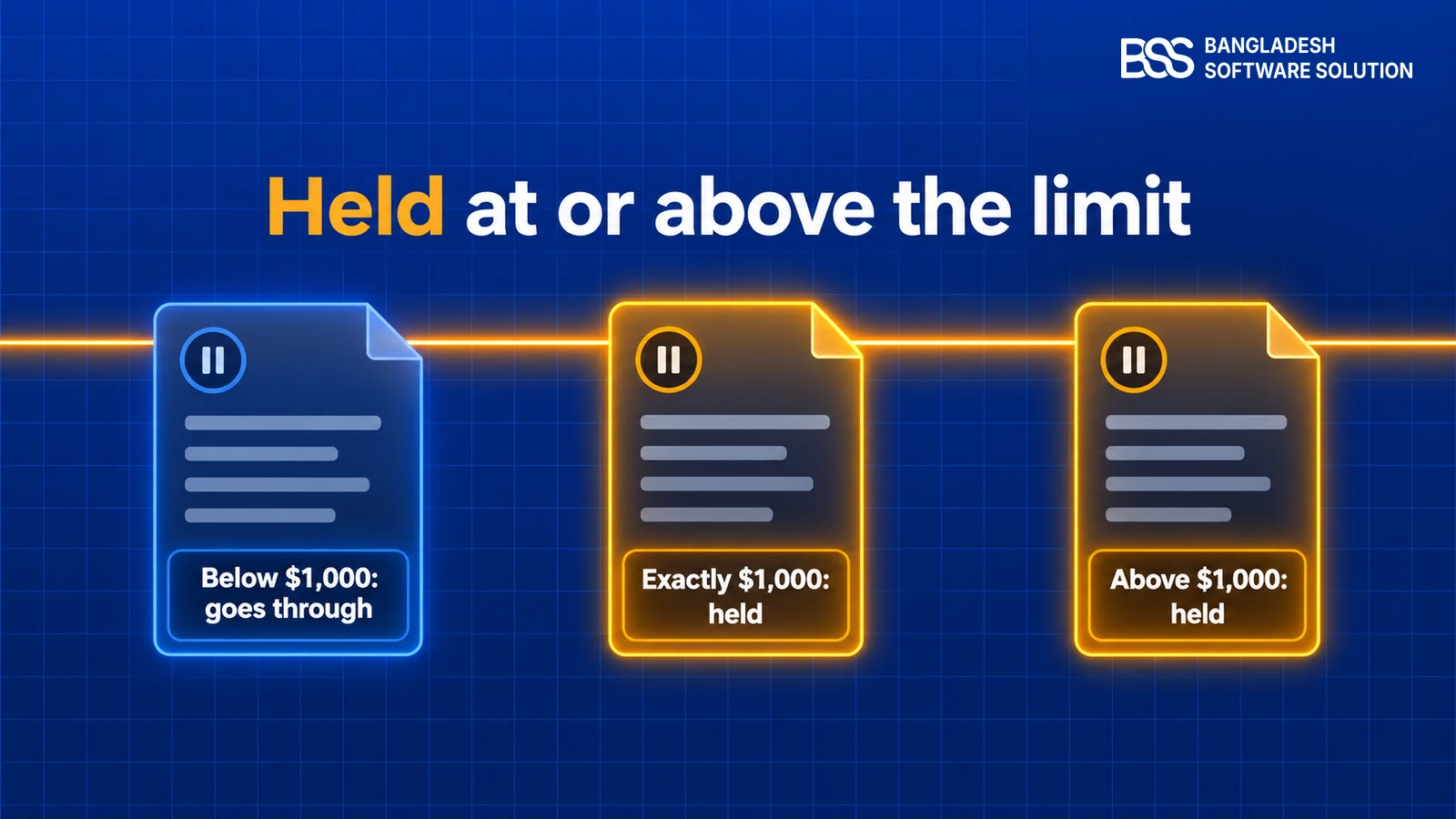
| Orders above a limit wait for approval | No order approval feature in the source; PunchOut's Submit for Approval hands the cart to the buyer's own system | Plugin or custom build, as in our order approval guide |
| Quick order page and reorder templates | None; custom wishlists cover part of it | Plugin |
| Catalog hidden per company | Products and categories can be limited to customer roles | A role per company, or a plugin for company-level rules |
| Contract price per size or colour | Price list items are per product | Plugin with variant-level prices |
| ERP sync or OCI PunchOut | cXML PunchOut is in; the SAP integration task on nopCommerce's tracker is still open | Integration work |
A role per company is the honest workaround, and it works for a handful of buyers. The trouble starts at dozens: every company needs its own role, its own price list and its own catalog rule, and nothing groups them or shows who belongs to whom.

Company profiles, distributor tiers, threshold-based order approval, Quick Order and order templates, plus price lists and contract prices at product and variant level.
View the pluginThat overlap is real, and we would rather say so. If your pricing is role-based and nothing else, 5.00's price lists may be all you need. A plugin earns its place when the company, not the person, is the thing you manage; our 5.0 plugins guide lists the BSS ones updated for it.
Approval limits are the item owners most often underestimate. If you would rather not wire them yourself, you can hire a .NET developer from BSS to build the workflow around your own rules.
OLA Sportswear runs B2B and B2C on one nopCommerce store with B2B approval and ERP inventory sync, the kind of company-level rules 5.0 does not ship. Read the case study for how it is set up.
How to Decide: Native, Plugin or Custom
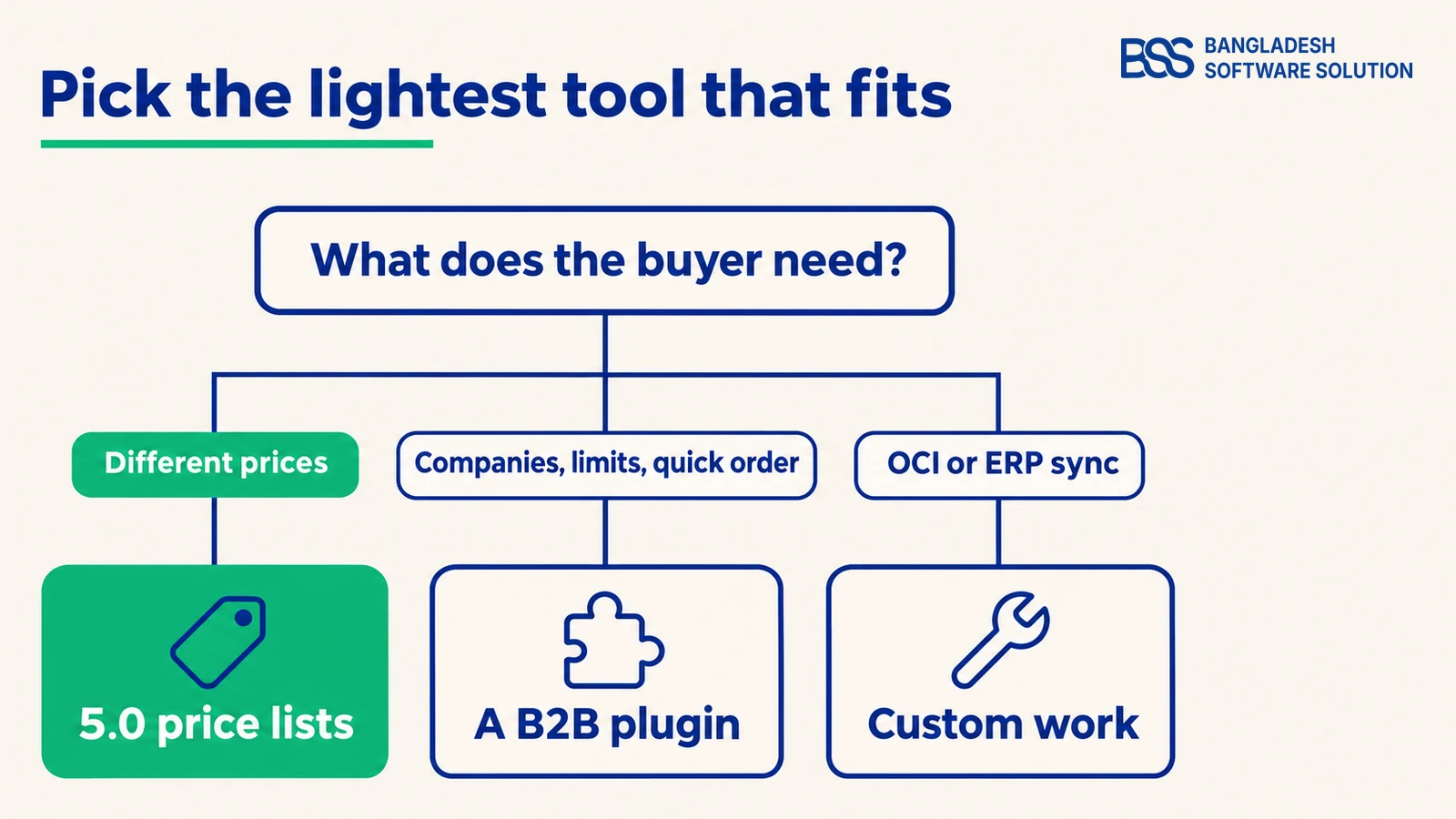
Back to Monday's email. Sort its three asks: a distributor price list is a 5.0 price list, a quote for a big order is the Request for quote plugin, and sign-off by a finance lead is the one that needs more than 5.0 gives you.
Before you buy anything, test the native route with one real buyer. It takes an afternoon and shows whether the gaps above are gaps for you.
Test 5.0's own B2B tools first
-
Create a customer role for the buyer type and put a pilot customer in it.
-
Build one price list for that role and add a handful of products with manual prices.
-
Add a tier price to one of those products and check which price the cart shows.
-
Submit a test request for quote and follow it through to an order.
-
Write down every rule in the buyer's contract that none of these tools covers.
-
Ask the buyer how purchase orders reach you: cXML, OCI or email.
If the last two lines come back long, that is your shopping list for a plugin or a custom build. Integrations are where wholesale projects usually grow, and BSS builds nopCommerce customizations and third-party integrations such as an ERP price sync.
If you run 4.90, price lists, PunchOut and reminders need the move to 5.0 first. Our 4.90 to 5.0 upgrade guide shows how to do that on a copy of your store.
Need B2B on nopCommerce 5.0? Hire the BSS Team
From price list setup and company accounts to approval workflows and ERP integrations, our nopCommerce engineers ship production-grade code. Tell us how your buyers order and we'll match you with the right developer.
Frequently Asked Questions
Final Thoughts
Back to that email one last time. This week you can give the distributor a price list and a quote form, and tell them the approval limit needs a plan. That is a better answer than buying a plugin for the first part, or promising that 5.0 covers the third.
Test the native tools with one buyer, write down the rules they leave open, and put the plugin or the custom work only where those rules are. That is the whole decision, and it fits in an afternoon.
BSS sets up nopCommerce for B2B: price lists, company accounts, approvals and the integrations around them.
Book a free consultation