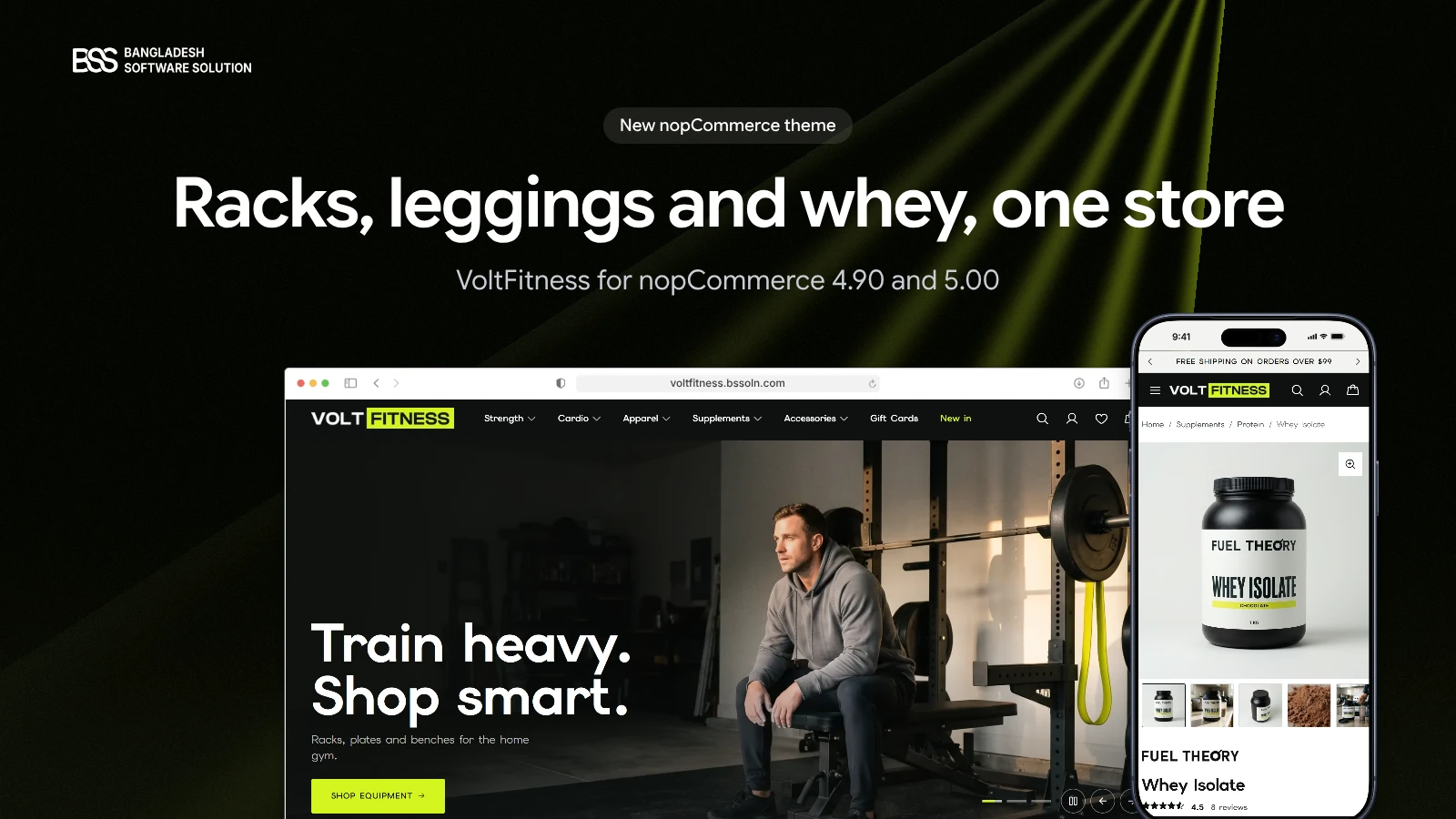
Key takeaways
- VoltFitness is a nopCommerce 4.90 and 5.00 theme for fitness retail, and 18 plugins come in the bundle.
- Each department gets the product page it needs: a spec panel for equipment, size chips for apparel, flavour choices for supplements.
- The home page is built from plugin blocks you edit in the admin or the Visual Editor, so there is no hard-coded HTML to fight.
- On the demo, the home, category and product pages each score 95 or more on mobile in Google PageSpeed Insights.
A fitness store sells things that have little in common. A bench needs its load rating and footprint, leggings need sizes and colours, and a tub of whey needs flavours and price breaks for bigger orders. Most ecommerce themes give all three the same product page and leave you to patch the gaps.
We built VoltFitness for that kind of store: gym equipment, training apparel, supplements and accessories on one nopCommerce site. We build and sell it, so weigh our view accordingly. Everything below can be checked on the live demo store.
This guide covers which stores it fits and which it does not, the product pages, the editable home page, what each of the 18 plugins does, the speed numbers, and how setup works.
Which Fitness Stores VoltFitness Fits
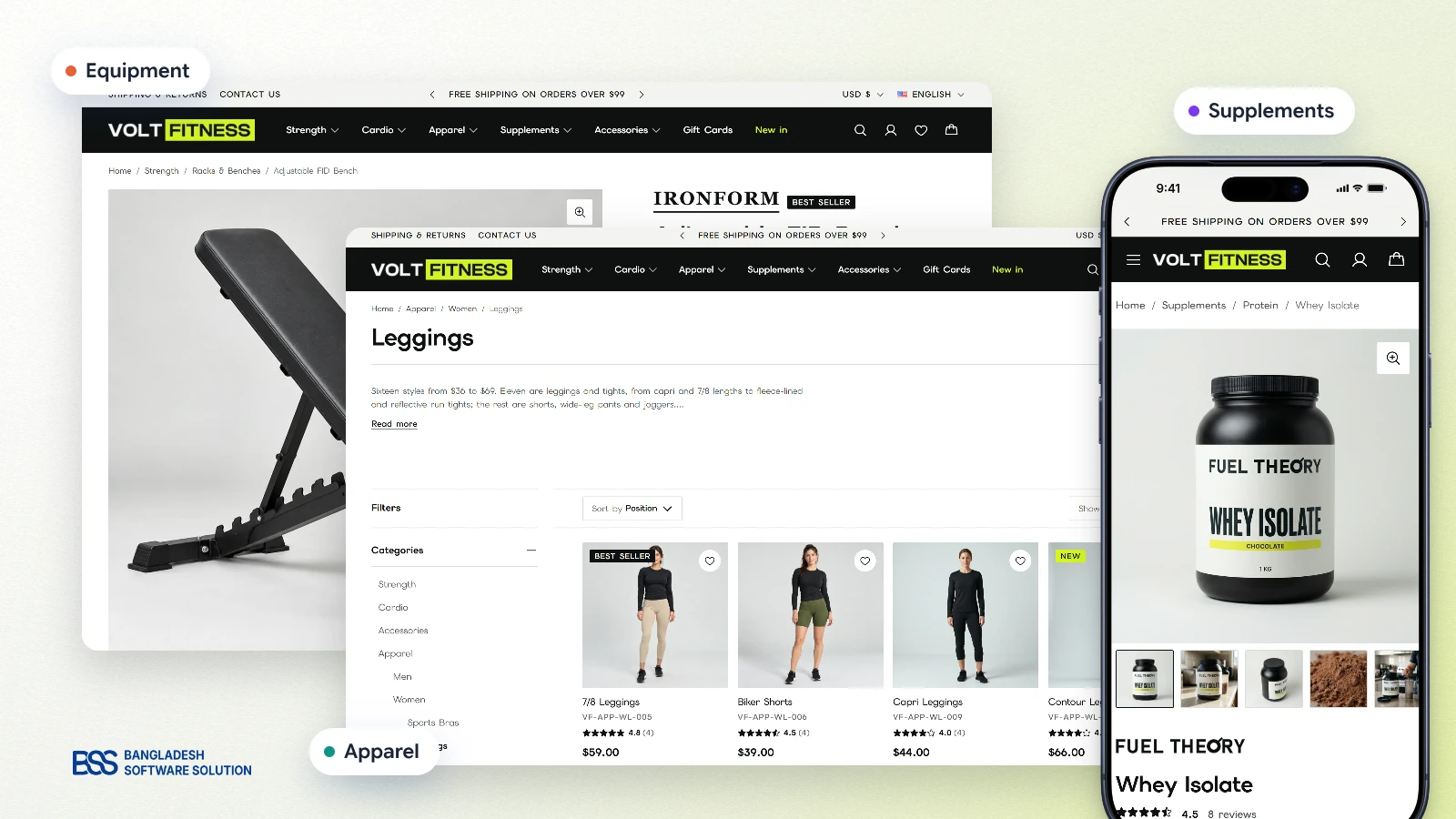
VoltFitness assumes your store has more than one department. The demo sells strength gear, cardio machines, apparel, supplements and accessories side by side, under one mega menu, one product grid and one buy box.
In a multi-store setup, each theme setting can differ per store, and the theme works in several languages and currencies. That suits four kinds of store best:
| If you sell… | VoltFitness already has |
|---|---|
| Gym equipment and home gyms | Spec panels for weights, sizes and load ratings, plus home gym kits sold as one product. |
| Sportswear and activewear | Size chips, colour swatches and a size guide on the attributes you pick. |
| Supplements and nutrition | Flavour and size choices, and price breaks for bigger orders. |
| Sporting goods across all of these | Mega menu panels per department, filters on phones, multiple languages and currencies, and right to left. |
When VoltFitness is the wrong pick
It needs nopCommerce 4.90 or 5.00. A store on 4.80 or older upgrades first, and our guide to upgrading nopCommerce 4.90 to 5.0 covers the second half of that path.
If you sell only one department, a theme built around that department may serve you better. Nothing in the bundle books classes or bills gym memberships either; a studio that needs that is looking at custom work, not a theme.
Selling just one department? Compare these
All themes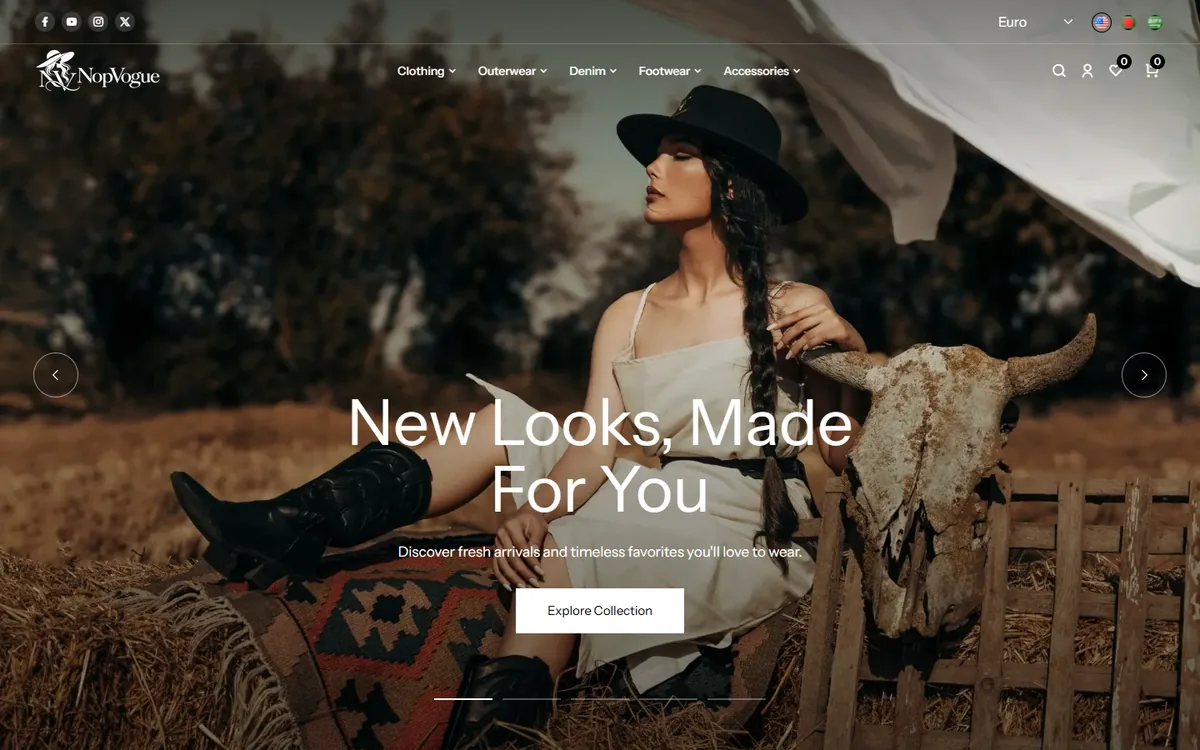

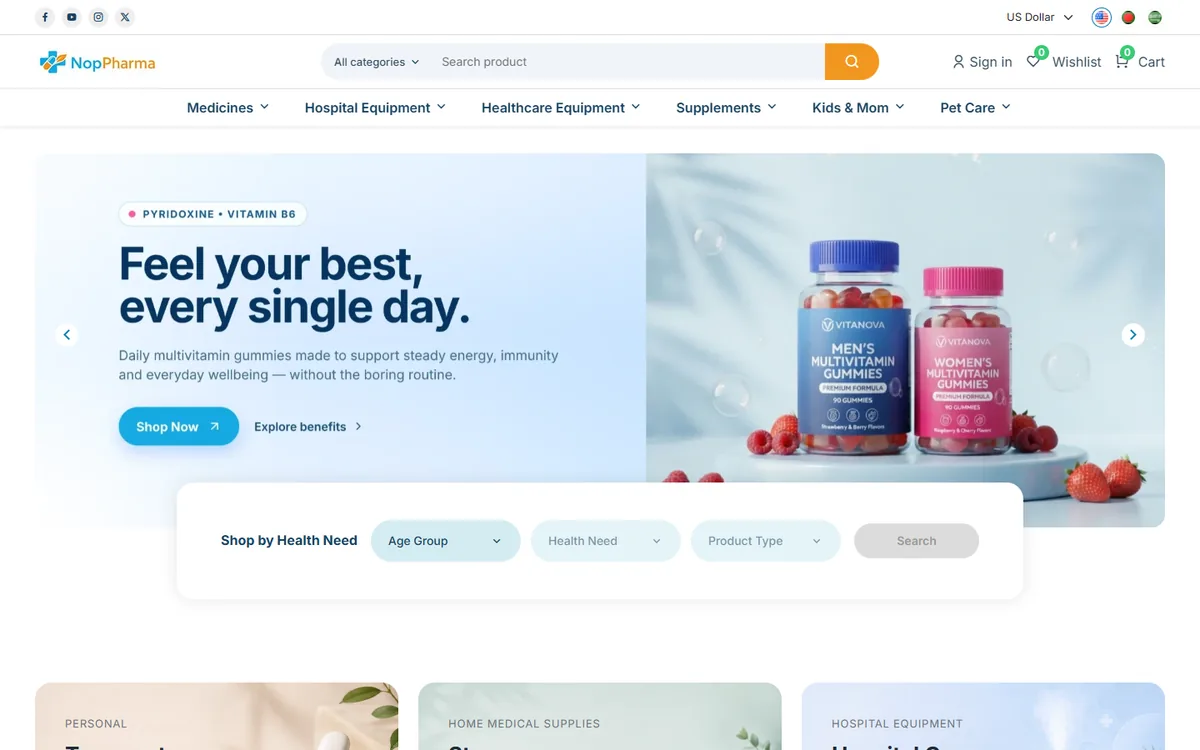

We filled the demo with a full multi-department catalogue on purpose: a bench, a pair of tights and a protein tub in one grid is the hard case for any theme. Click through all three on the demo before you decide.
See VoltFitness and its demoRather not install it yourself? Add Installation support when you buy, and our team installs the theme, BSS Core and all 18 plugins and sets up the home page blocks.
See the optionsA Product Page for Every Department
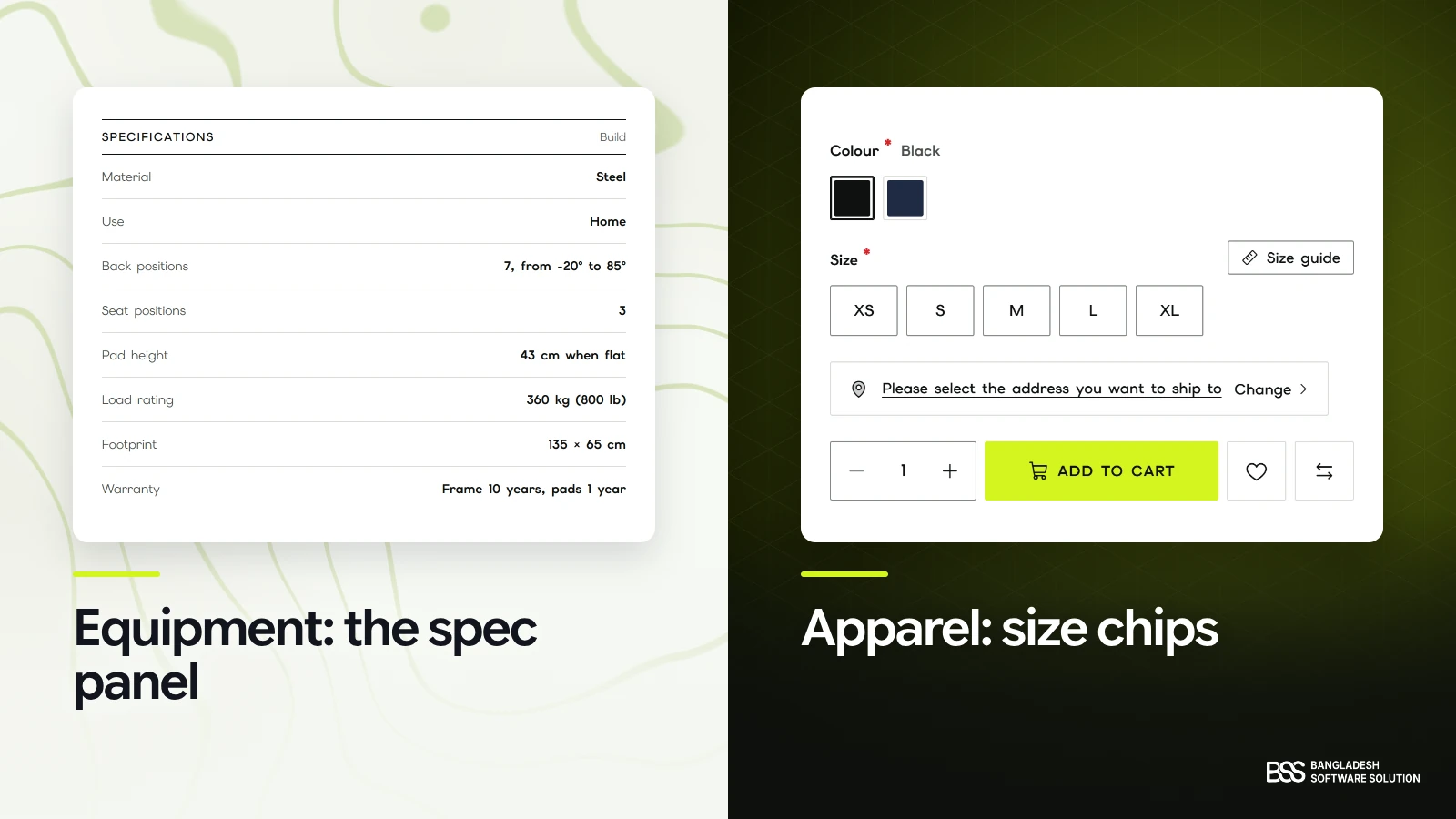
Every department shares the same grid and the same buy box, but each gets the details its shoppers check before they pay.
On the demo, the adjustable bench's spec panel lists 7 back positions from -20° to 85°, a 360 kg (800 lb) load rating and a 135 × 65 cm footprint. A home-gym buyer checks those numbers against their spare room. On a phone, the photos swipe and the Add to cart bar stays under the shopper's thumb.
Accessories such as belts, grips, straps and bands sit in the same grid, filters and compare list as everything else. Product cards carry discount, New and Best seller ribbons, and a hover reveals the second photo with Add to cart underneath.
How the size guide decides what to open
Write the guide in the product attribute's own Description first; that is all most stores need. Category guides are topics named VoltFitnessSizeGuide-{category}. Once you publish one, products in other categories stop falling back to the store-wide guide, so a protein tub with a Size attribute never opens a clothing chart.
Home gym kits are their own product type. With Combo Products, which comes with VoltFitness, you can sell a bench, dumbbells and a mat as one kit at one price. The kit page shows what it saves against buying each item, and kit names carry through to the order.
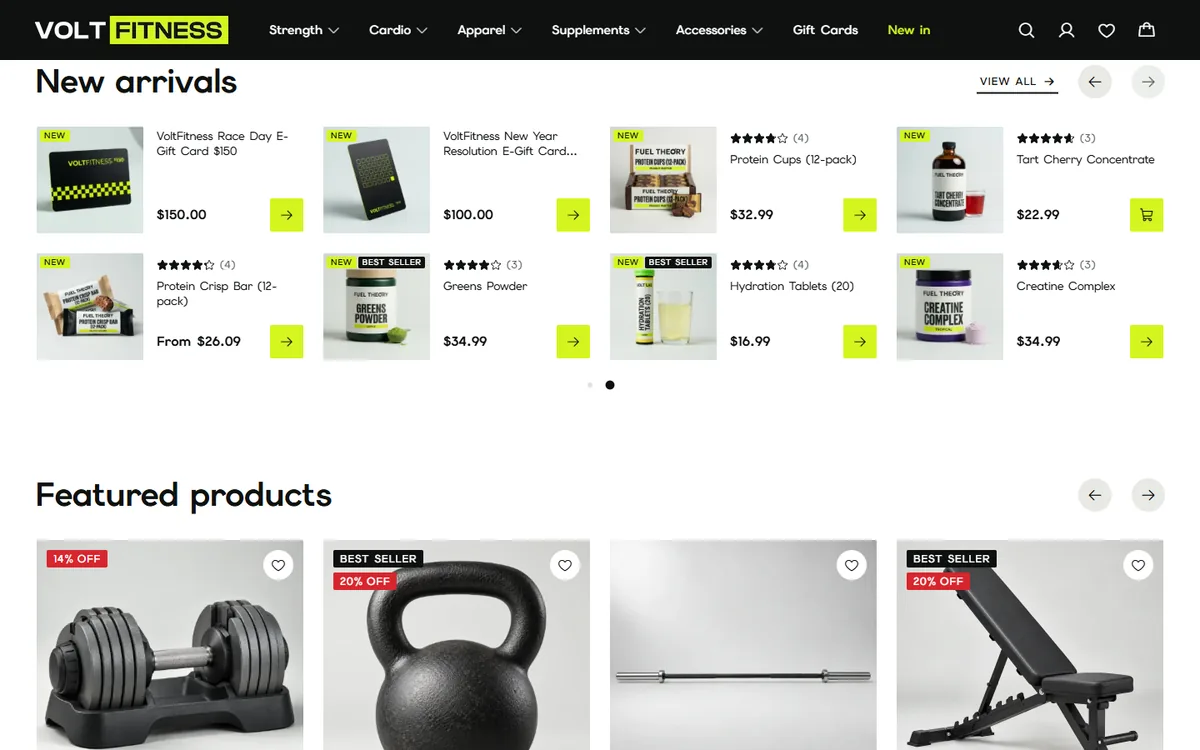
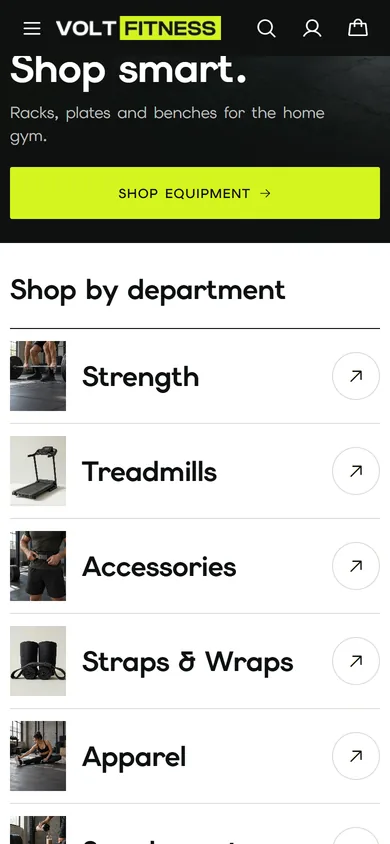
Try the bench, the run tights and the whey on the demo and see the three product pages side by side.
Category pages and filters
Category, search and new products pages share one set of settings. Shoppers can page through numbered pages, press Load more or scroll on forever, and the numbered pager stays in the page for search engines whichever you pick.
Subcategories show as picture tiles, a sideways row of chips, or not at all. You can add a customer rating filter, an availability filter and a Best sellers sort, and show the product count beside the title as shoppers filter.
On a phone the Sort and Filters bar stays put and the filters open in a drawer. Once a shopper adds a product to compare, a tray at the bottom of the screen offers Compare now and Clear list.
A Home Page You Change From the Admin
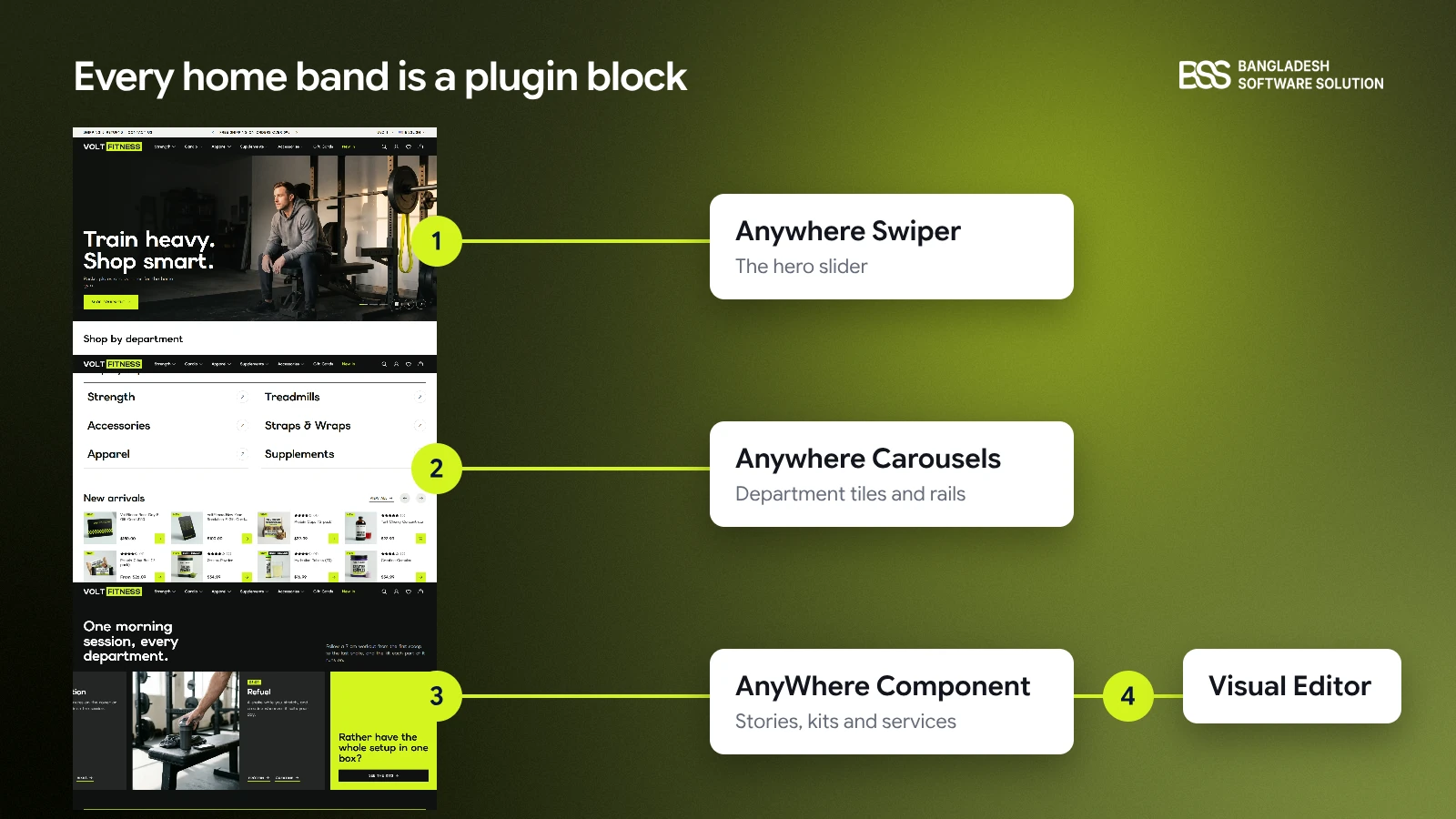
Nothing on the demo home page is hard-coded. Each band is a plugin block placed in a nopCommerce widget zone, so you change its photos, products and words in the admin, and reorder bands by their widget zone and display order.
| On the home page | Comes from |
|---|---|
| The hero slider | Anywhere Swiper: slides per store and language, each with its own phone picture. |
| Department tiles, New arrivals, Trending now | Anywhere Carousels: one carousel per rail, with Trending split into a tab per department. |
| The morning session story, the kits deck, Shop by goal | AnyWhere Component: one HTML block each, edited in the Visual Editor. |
| Store news | nopCommerce's own news, shown on the home page. |
Each carousel chooses what it shows: new, featured, discounted or best-selling products, home page categories, manufacturers or reviews. Its widget zone and display order decide where it sits on the page.
Each hero slide has a desktop picture and a separate phone picture, a title, a line of text and a button with its link, per language. The timed progress bars and the pause button come from the theme.
The Visual Editor opens those blocks for drag-and-drop editing, so you change words, pictures and links without writing HTML. You can also turn it on for topics, long product descriptions, category descriptions and message templates.
An AI assistant can also edit a block for you through its MCP bridge, which is how we edit the pages in this store.
We built every band of the demo home page from the same plugin blocks you get in the download. A band of your own works the same way: one more AnyWhere Component placed in a widget zone.
See the Visual Editor pluginWhat the 18 Plugins Do
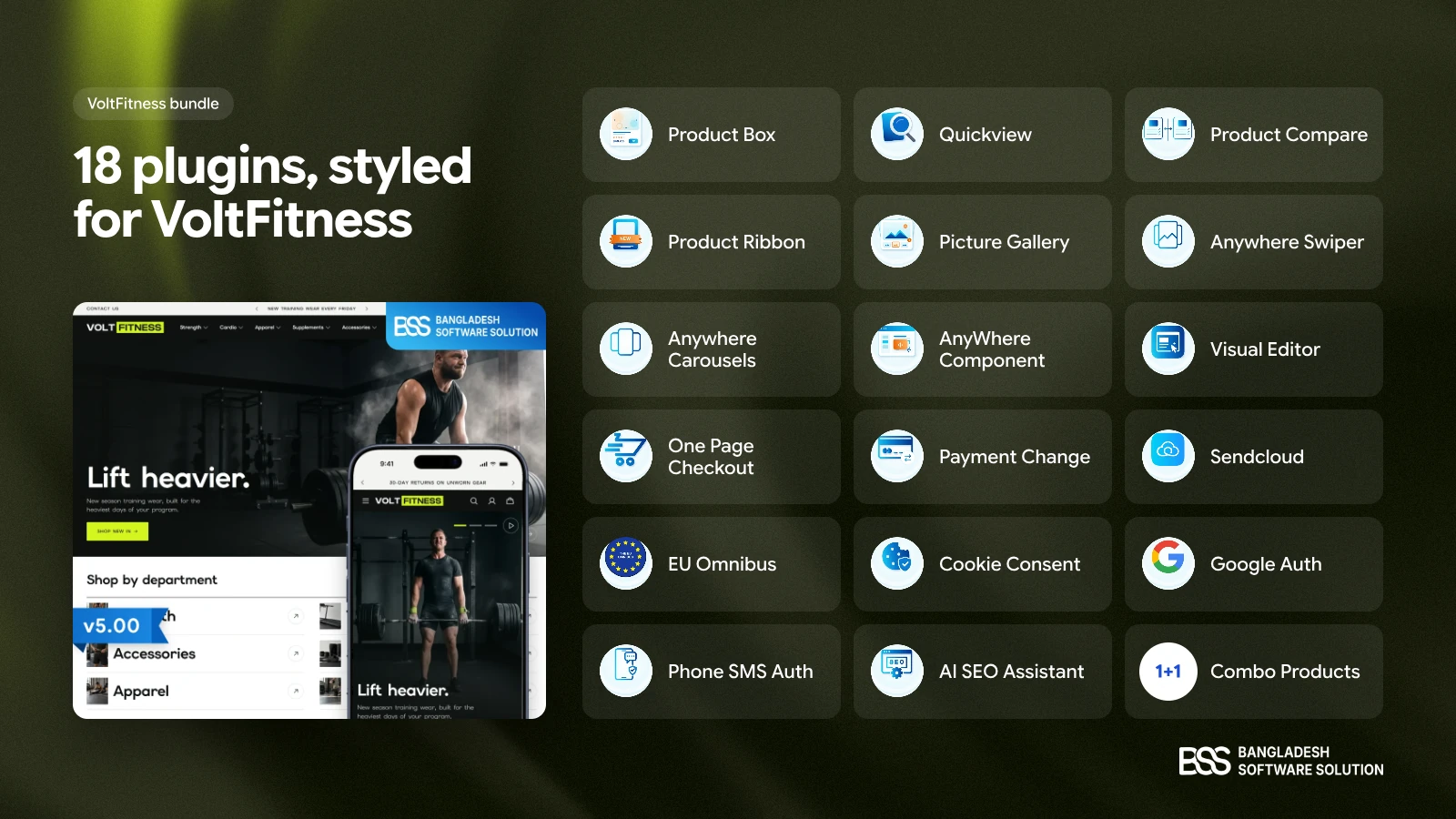
All 18 plugins are styled for VoltFitness and included. Most are also sold on their own in this store, with their own setup guides.
Product Box is the card shoppers see most. They swipe through a product's photos on the card, pick a size or colour and add it to the cart without opening the product page.
On the product page itself, Product Image Gallery gives hover zoom and a full-screen view on desktop and a swiper on phones. It loads the first photo before anything else, so the page shows up fast. Payment Change lets a shopper retry or switch the payment method of an unpaid order from its order details.
| Plugin | What it does in VoltFitness |
|---|---|
| Product Box | The product card in every grid and rail: photo swipe, hover Add to cart, quick add, compare and Quick View. |
| QuickView | Opens any product from a grid in a pop-up, with zoom, attributes and Add to cart. |
| Advanced Product Compare | A side-by-side compare page with a switch that hides the rows that match. |
| Product Ribbon | Sale, New, Best seller and stock ribbons on cards and product pages. |
| Product Image Gallery | A photo grid with zoom on desktop and a swiper on phones; the first photo loads first. |
| Anywhere Swiper | The home hero slider with its timed progress bars. |
| Anywhere Carousels | The department tiles and every product rail. |
| AnyWhere Component | HTML blocks in any widget zone: stories, kits, service rows. |
| Visual Editor | Drag-and-drop editing for topics, descriptions and those blocks. |
| Combo Products | Home gym kits sold as one product with a kit price. |
| One Page Checkout | Address, shipping, payment and the order summary on one page. |
| Payment Change | Lets shoppers retry or switch the payment method of an unpaid order. |
| Sendcloud Shipping | Shipping labels and a pickup point picker at checkout. |
| EU Omnibus Directive | Shows the lowest price of the last 30 days next to every discount. |
| EU GDPR Cookie Consent | A banner where Reject is as easy to press as Accept, with cookie categories. |
| Google Authentication | Sign in with Google beside the email login. |
| Phone SMS Authentication | Sign in and register with a one-time SMS code. |
| AI SEO Assistant | Writes meta titles and descriptions in the admin. |

Three of them need an account of yours before they work. Google sign-in needs your own Google app keys, SMS sign-in needs an SMS gateway, and Sendcloud Shipping needs a Sendcloud account.
Comparing a treadmill, a bike and a bench
Equipment buyers compare before they spend. Advanced Product Compare puts several products on one page, and one switch hides the rows that match so only the differences are left. Shoppers can search the catalogue and add more products without leaving the page, and product pages suggest products worth comparing.
QuickView saves a click from any grid or rail: the pop-up shows the photos with zoom, the weight or size choices and Add to cart, wishlist and compare buttons. You decide whether it also shows the description, specifications and reviews.
Selling in the EU
EU Omnibus Directive shows the lowest price of the last 30 days under every discounted price, on the product page and on the cards, and works the discount badge out from that price. EU GDPR Cookie Consent has banner text per language, right to left included, and cookie categories for necessary, analytical and advertising cookies.
The checkout is worth a look on a phone. One Page Checkout puts address, shipping and payment in one tidy column there and three columns on a big screen, with coupons and gift cards applied without a page reload.
Speed, Motion, Right to Left and Setup
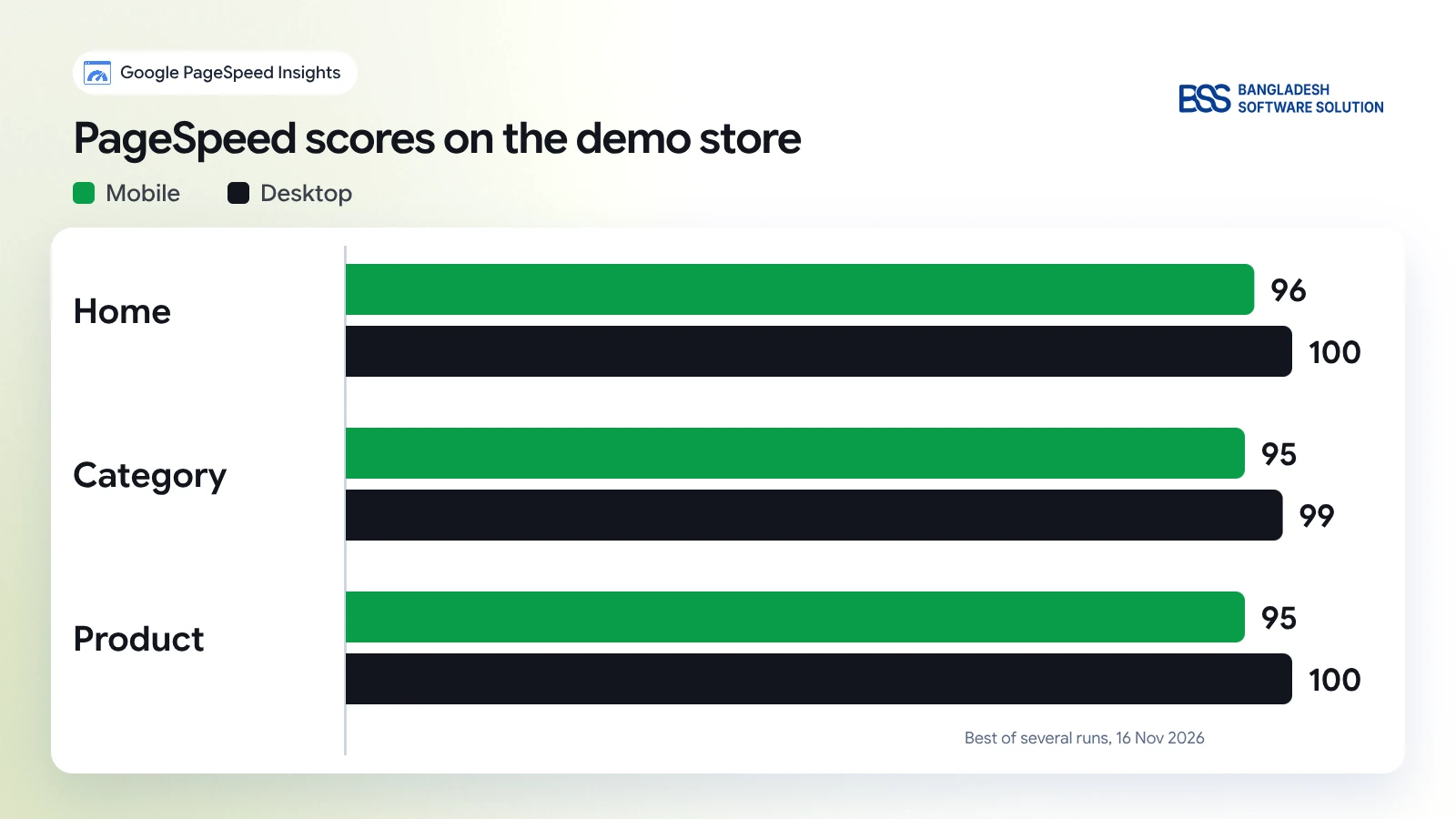
We ran Google PageSpeed Insights on three demo pages and kept the best of several runs, on 16 November 2026. The home page scored 96 on mobile and 100 on desktop, the leggings category page 95 and 99, and the whey product page 95 and 100.
Scores move a few points between runs, and they depend on your hosting, images and plugins. Every score has a full Google report you can open: the home page on mobile and desktop, the leggings category on mobile and desktop, and the whey product page on mobile and desktop.
Motion settings
The motion runs on GSAP 3.15 with ScrollTrigger, SplitText and Flip, self-hosted. Headlines rise line by line, the scroll stories hold and slide, and the product photo flies into the cart. The scripts load once the page is idle, and only on pages that use them.
You pick Off, Subtle or Expressive per store. Shoppers whose device asks for reduced motion, or who have Save-Data on, get no scripted animation at all.
Right to left, built in
Set a language to right to left in nopCommerce, Arabic for example, and the whole store turns round. The header, menus, sliders, product grids and product pages all read from the right, and the arrows point the right way.
Setting it up
VoltFitness runs on nopCommerce 4.90 and 5.00, each with its own package; that is .NET 9 on 4.90 and .NET 10 on 5.00. The download holds the theme, BSS Core and every bundled plugin as separate zip files.
- In the admin, go to Configuration › Local plugins, upload the BSS Core and VoltFitness packages, and install Core first.
- Restart the application, then pick VoltFitness under General settings › Default store theme.
- Upload the bundled plugins the same way, filter the list by the BSS group, install them and restart once.
- Paste the licence key from your purchase email when nopCommerce asks for it, then clear the cache.
Install the bundled plugins
The demo's home page, cards, product page and checkout come from these plugins, so a store without them will not look like the demo.
With Installation support, we install all 18, check each one and set up the home page blocks for you.
Read the setup guideAfter that, every theme setting lives on one Configure page split into twelve panels: colours, fonts, header, footer, layout, catalog pages, product pages and motion among them. In a multi-store setup each setting can differ per store.
Settings a fitness store reaches for first
-
A rotating promo bar in the header, from 2 to 60 seconds per message, translated per language.
-
Up to four reassurance tiles under Add to cart, such as free shipping or returns, each with an icon.
-
A side cart that opens after Add to cart, instead of the usual notification.
-
A footer with your address per language, payment icons and a large wordmark you can turn off.
-
A home page share picture for social networks, 1200 x 630 px.
Page transitions use the browser's View Transitions, so pages fade into each other without slowing navigation. If you need more, custom CSS goes into the head of every storefront page after the theme's own.
The storefront Theme Builder lets you try colours, the font and the layout grids live on the page you are looking at. Only the customer roles you allow can open it.
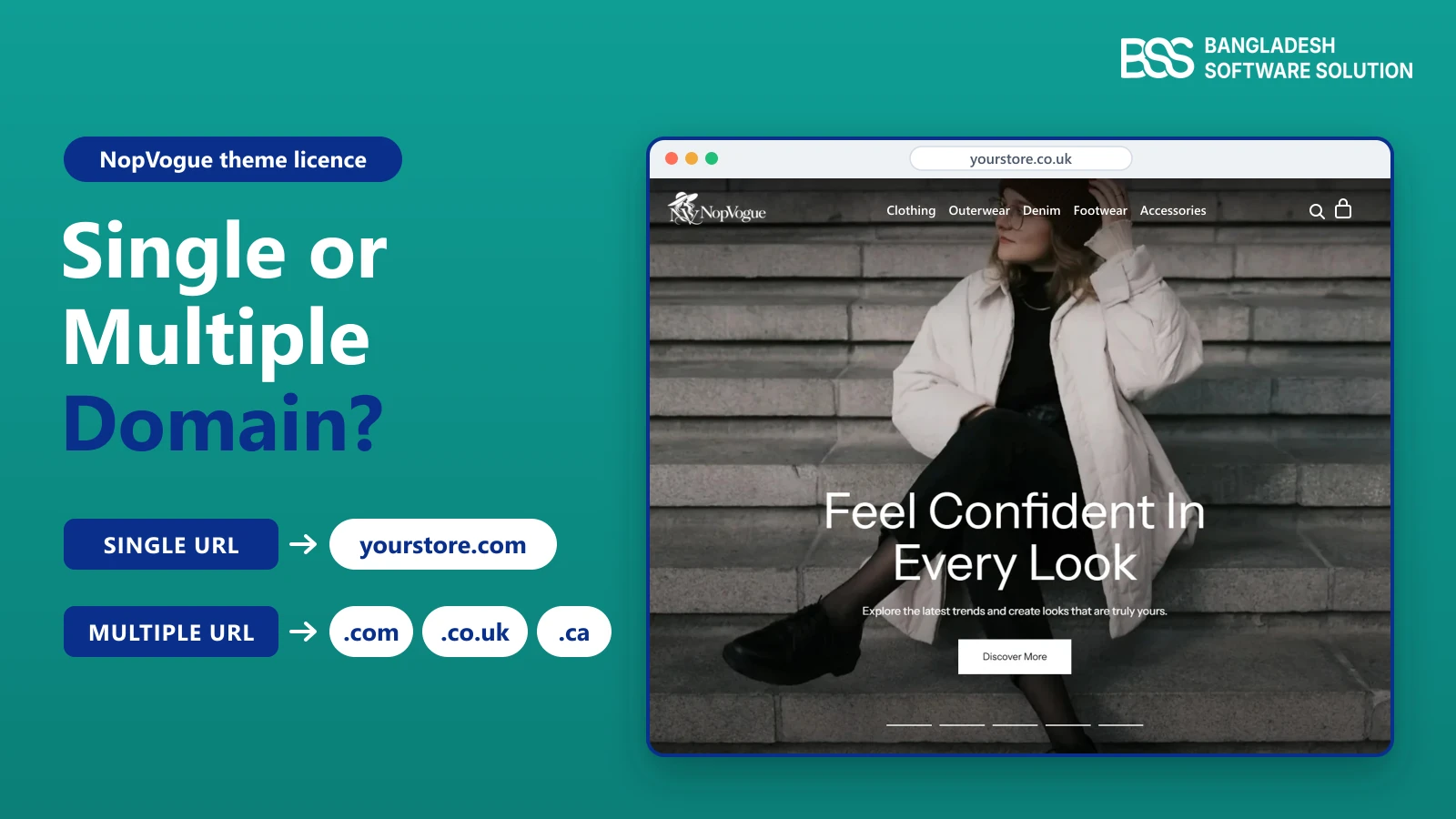
The Single URL licence covers one domain. If you run more, our guide to single vs multiple domain theme licences helps you count them.
VoltFitness in your brand, with the features your store adds
Need design changes, a plugin changed or a third-party integration such as your ERP? The team that built VoltFitness can tailor it to your store, starting with a free consultation.
Frequently Asked Questions
Final Thoughts
VoltFitness is for a nopCommerce store that sells several fitness departments and wants each to look right without custom code. If that is your store, try the demo first: open the bench, the run tights and the whey, then try the checkout on your phone.
If you sell one department, compare the themes above first. If your plan needs bookings, memberships or an integration no plugin covers, talk to us before you buy anything.
Tell us what you sell and where it has to connect. The team that built VoltFitness will tell you whether it fits, and what it would take to make it yours.
Talk to an expert