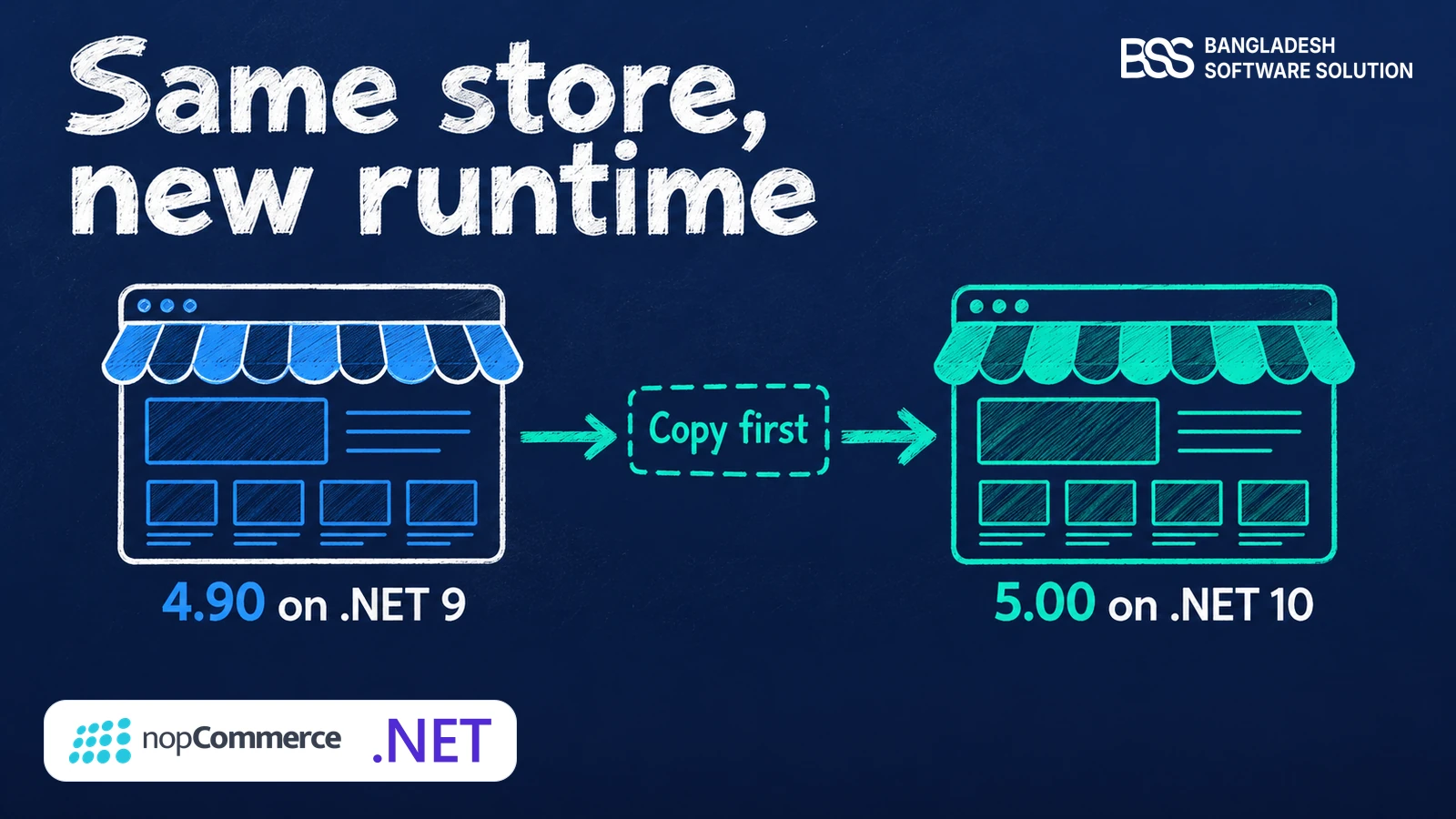
Picture a short notice from your hosting provider: .NET 9 stops receiving fixes on 10 November 2026. Your store runs nopCommerce 4.90, which runs on .NET 9, and the release built on a newer runtime, nopCommerce 5.00, came out on 27 October 2026. Is that a deadline for you, or just a version number?
A common surprise on the upgrades we run at BSS is that the date that matters belongs to the runtime, not to the store. This guide reads the 5.0 release through that one change: why .NET 10, what it asks of your servers and code, what it may speed up, and how to plan the move.
Why nopCommerce 5.0 Moved to .NET 10
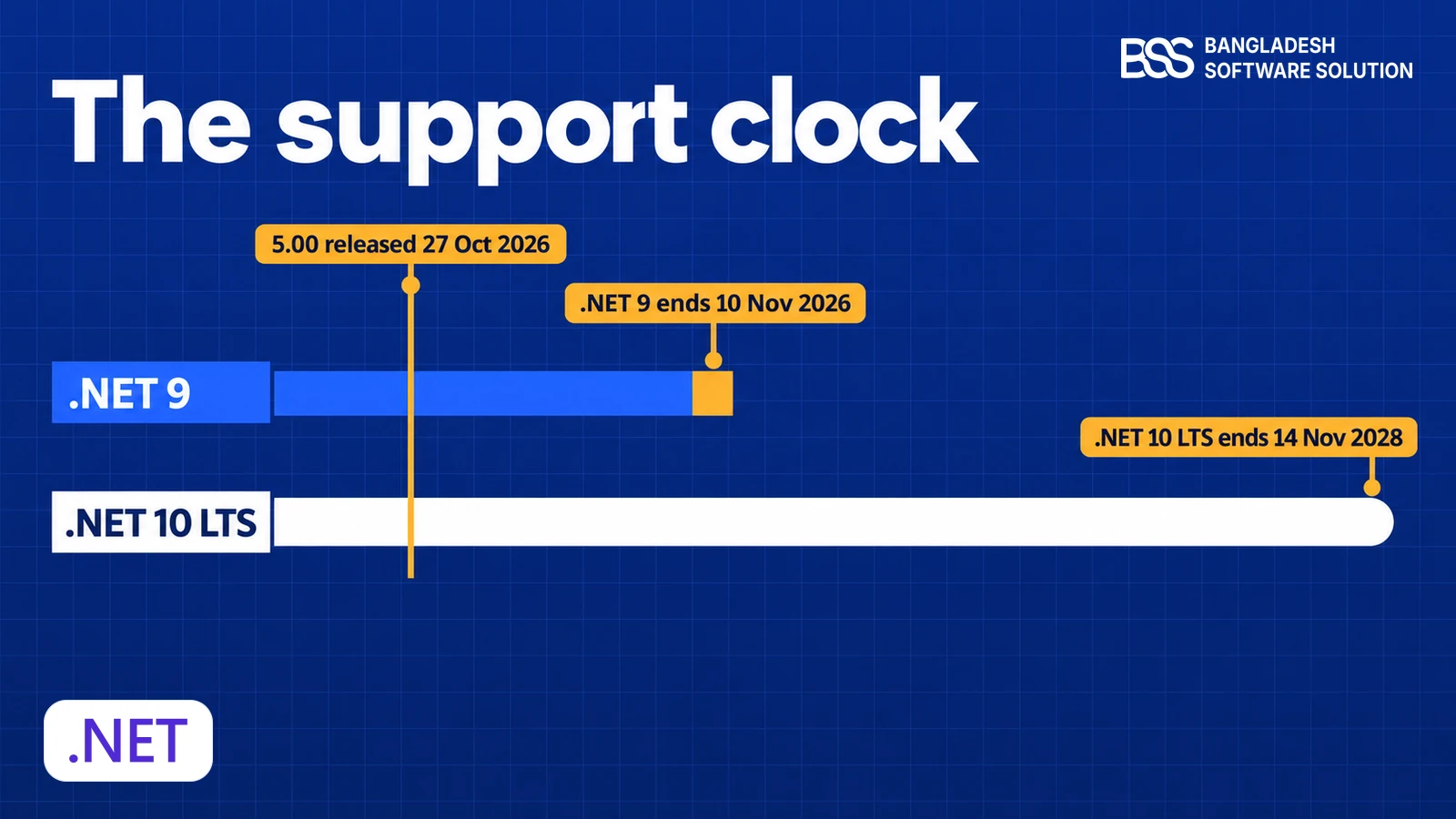
Microsoft ships a new .NET every November. Even-numbered releases are Long Term Support (LTS) and get three years of fixes; odd-numbered ones are Standard Term Support and get two. The version your store is on decides how long its runtime is looked after.
| nopCommerce line | Runtime | Microsoft release type | Runtime support ends |
|---|---|---|---|
| 4.90 | .NET 9 | Standard Term Support | 10 November 2026 |
| 5.00 | .NET 10 | Long Term Support | 14 November 2028 |
Those dates come from Microsoft's .NET support policy page, which also lists .NET 8 as ending the same day as .NET 9. A store still on an older .NET 8 build therefore faces the same date, and Microsoft already lists .NET 7 and .NET 6 as out of support.
That is what the LTS label buys you. Microsoft keeps shipping fixes and security patches for three years, so a store on 5.00 can stay on one runtime for most of a normal upgrade cycle, while a store on a two-year runtime has to move sooner.
Watch out
We have not tested a 4.90 store on a .NET 10 runtime, so we will not tell you it works. The supported way onto .NET 10 is nopCommerce 5.00, and the 4.90 plugins and themes you rely on need to be ready for it first.
For a store owner the effect is simple: from 10 November, new fixes and security patches for the .NET 9 runtime stop. Nothing breaks that day, but every month after it adds risk, and a host may drop the runtime from its images.
Not sure which runtime your store runs? The BSS team can check your server, your build and your extensions, then tell you what a move to 5.00 would take.
Talk to a nopCommerce expertWhat Changes Underneath Your Store
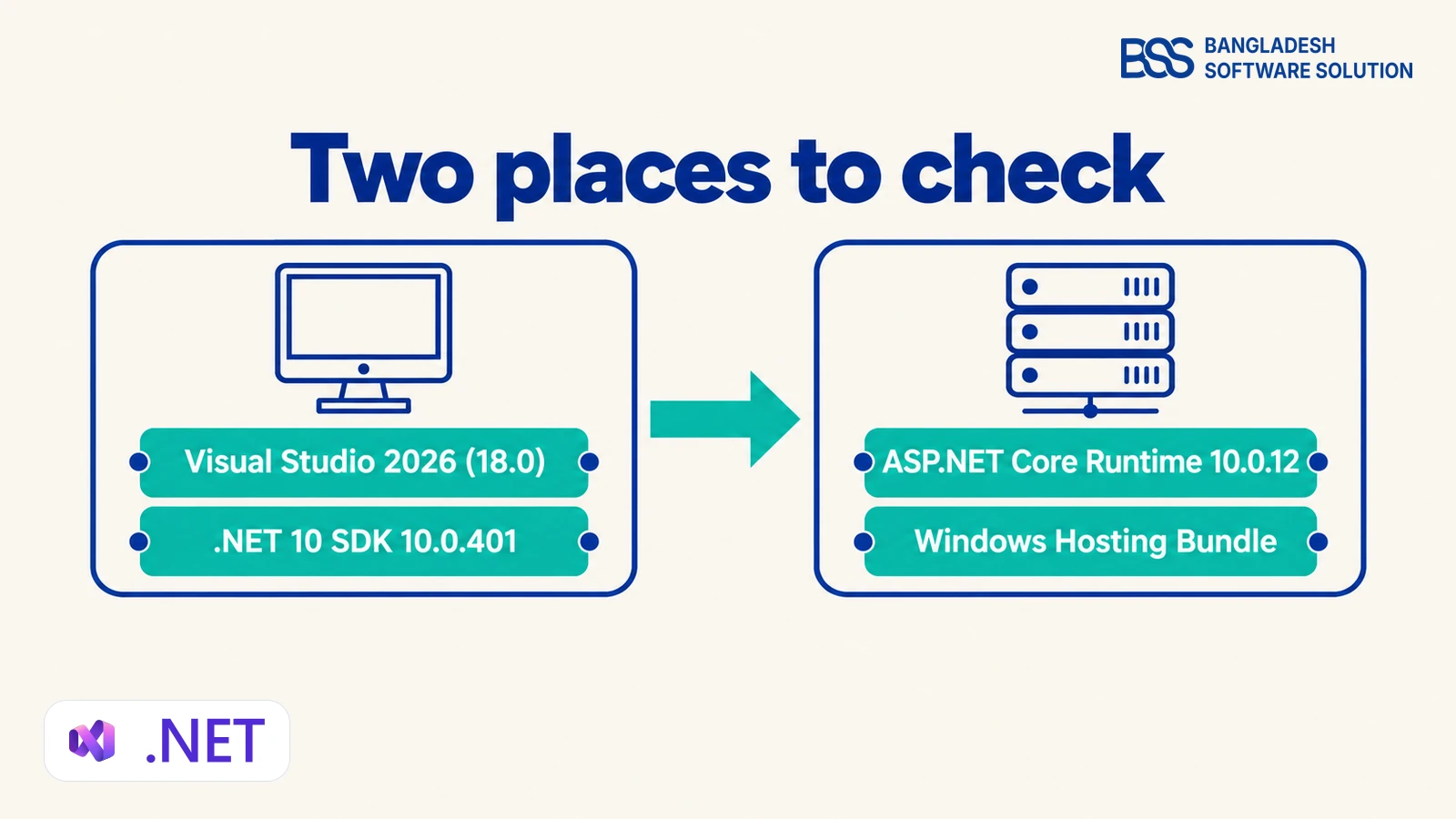
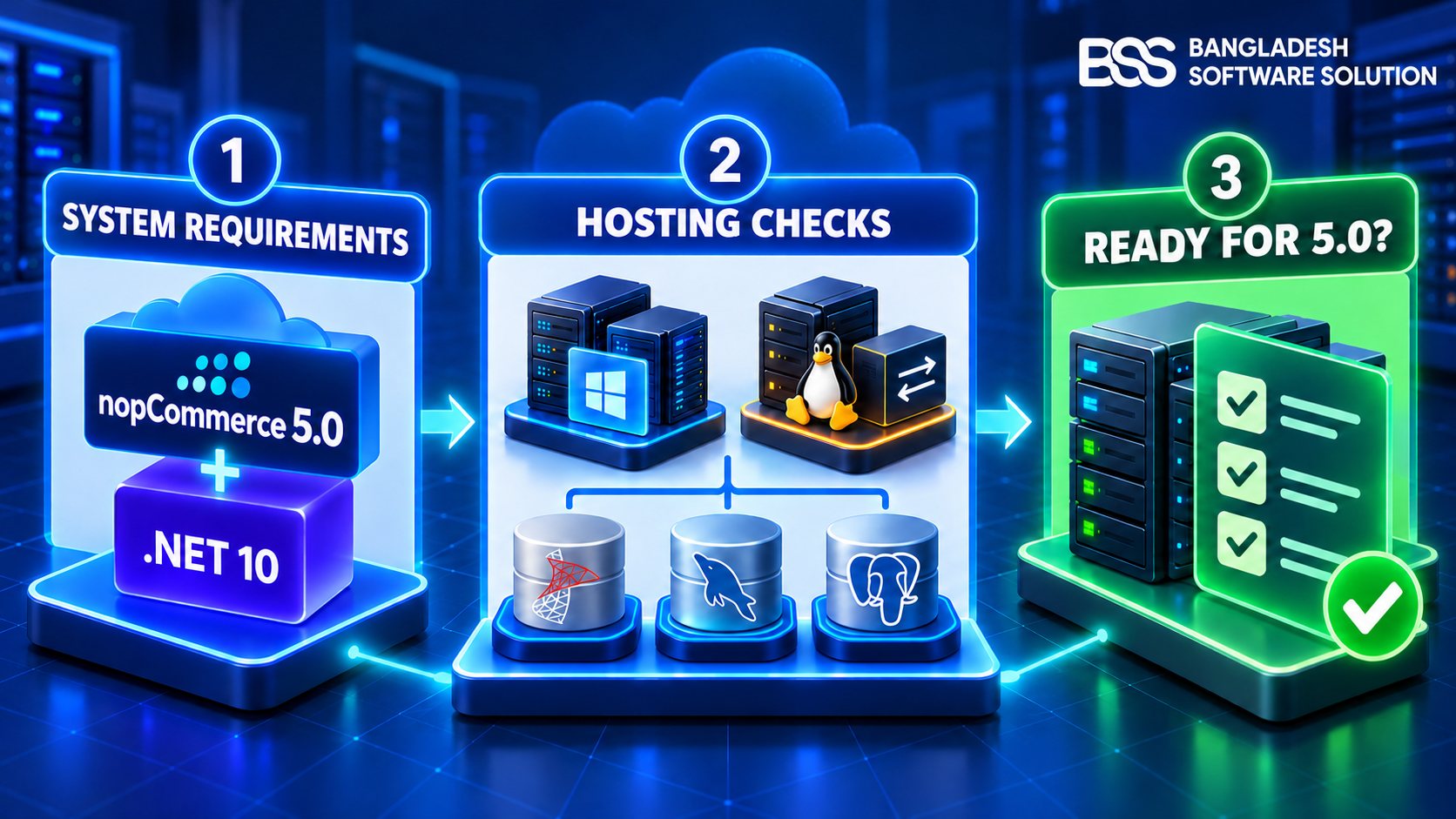
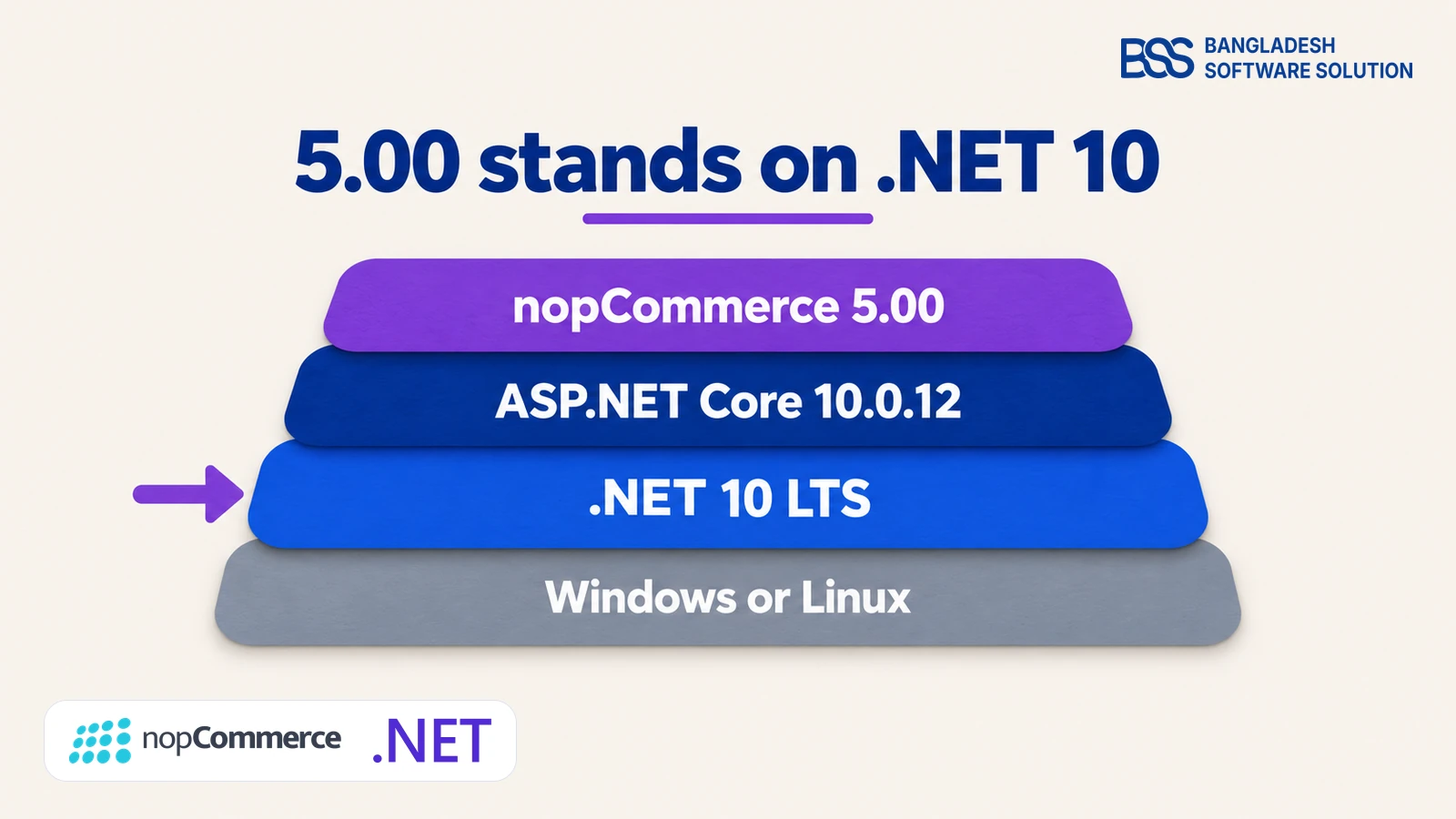
The 5.00 release notes name the toolchain outright: Visual Studio 2026 (18.0) or above, the .NET 10 SDK 10.0.401 and the ASP.NET Core Runtime 10.0.12, with the Windows Hosting Bundle on Windows servers. They sit in two different places, so the move is two checks, not one.
To see what a machine already has, run these two commands and look for 10.0.401 on every build machine and a Microsoft.AspNetCore.App 10.0.12 runtime on every server.
dotnet --list-sdks
dotnet --list-runtimes
Treat 10.0.12 as the floor. Our 5.00.0 test store reports .NET 10.0.13, and Microsoft's page listed 10.0.14 as the latest patch on 25 October 2026, so take the newest patch your host offers and test it on staging first.

Before we change anything on a client's store, we write down the runtime the server really reports, not the one the hosting plan advertises. If you want that inventory done for you, our nopCommerce version upgrade work starts there.
The hosting side has its own questions, from IIS to systemd, and our 5.0 hosting-readiness guide walks through them in order.
What .NET 10 Gives You, and What We Cannot Promise Yet
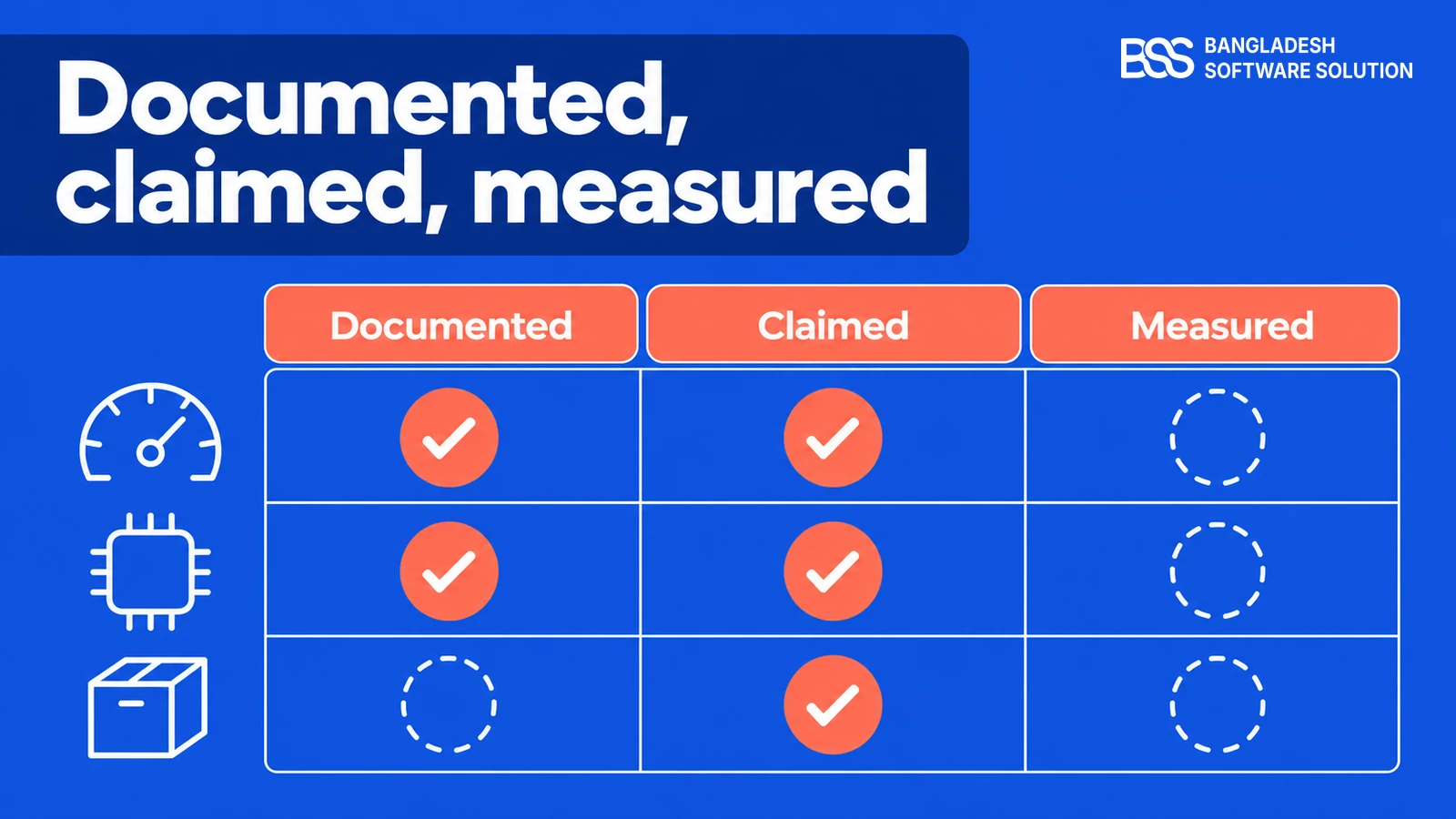
Three kinds of statement circulate about a new runtime, and it helps to keep them apart. One is what Microsoft documents, one is what the nopCommerce team says about 5.00, and one is what somebody has measured on a real store.
Not benchmarked yet
We have not benchmarked 5.00 against 4.90, so we will not quote a percentage. Read the claims as the team's words and Microsoft's documentation as general runtime work, not as a measured result for your catalogue.
That leaves the useful question: what will it do for your store? The honest answer is that a faster runtime runs your code sooner, but it cannot fix a slow query or a heavy plugin. A shorter route to a measured answer is to run the same copy of your data through both versions.
Measure it on your own store
-
Restore one production backup into two staging copies, one on 4.90 and one on 5.00.
-
Give both the same server size and the same plugins, and replay the same requests.
-
Compare catalogue page time, memory under load and the first request after a restart.
If you run containers, take the cold-start number first. A restart is where a runtime difference is easiest to see, and it is the figure the team's announcement singles out.
When a store feels slow, the cause is more often a query, a plugin or the database than the runtime. Our nopCommerce hosting guide shows where we look first.
What .NET 10 Means for Your Plugins and Theme
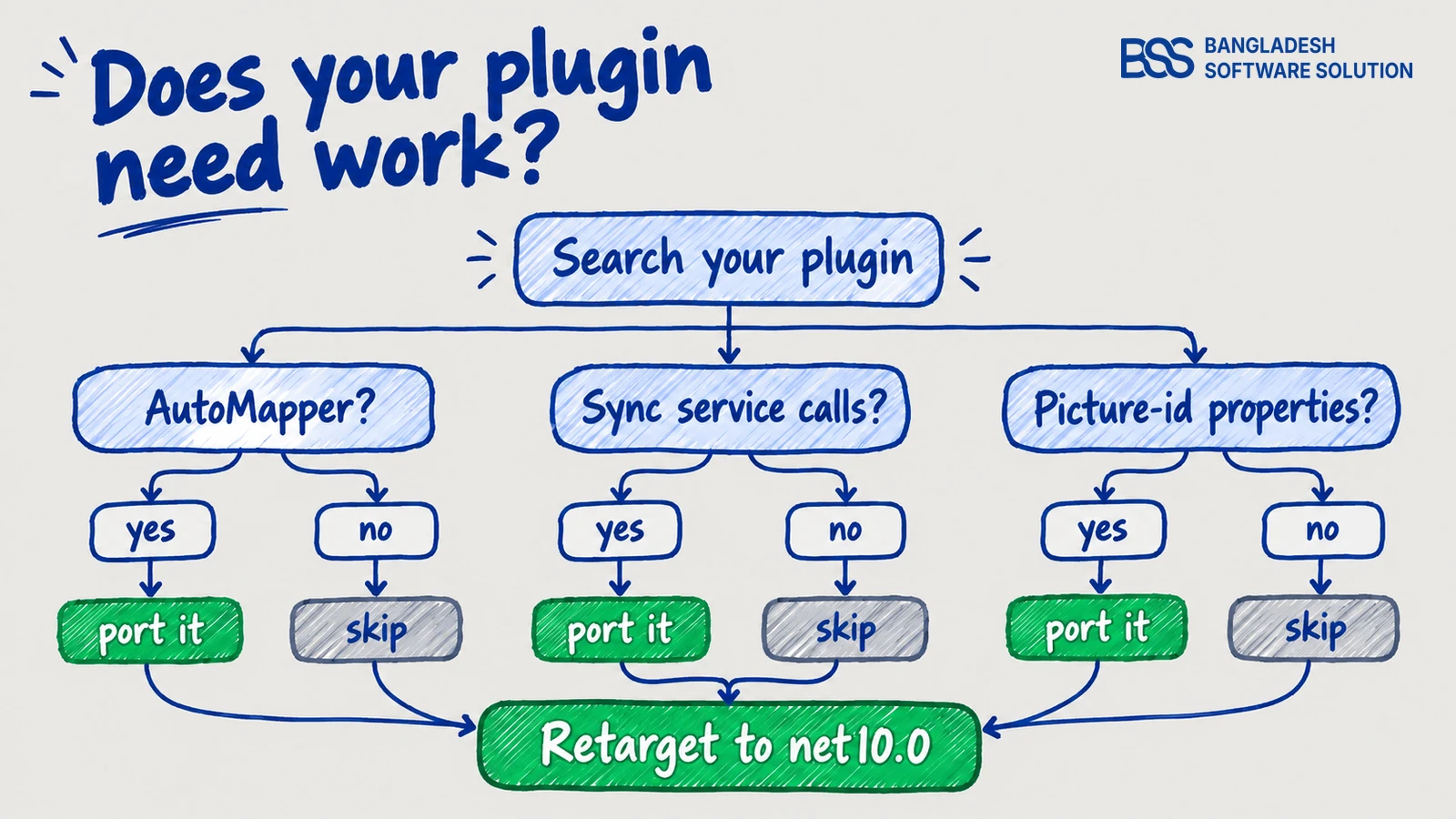
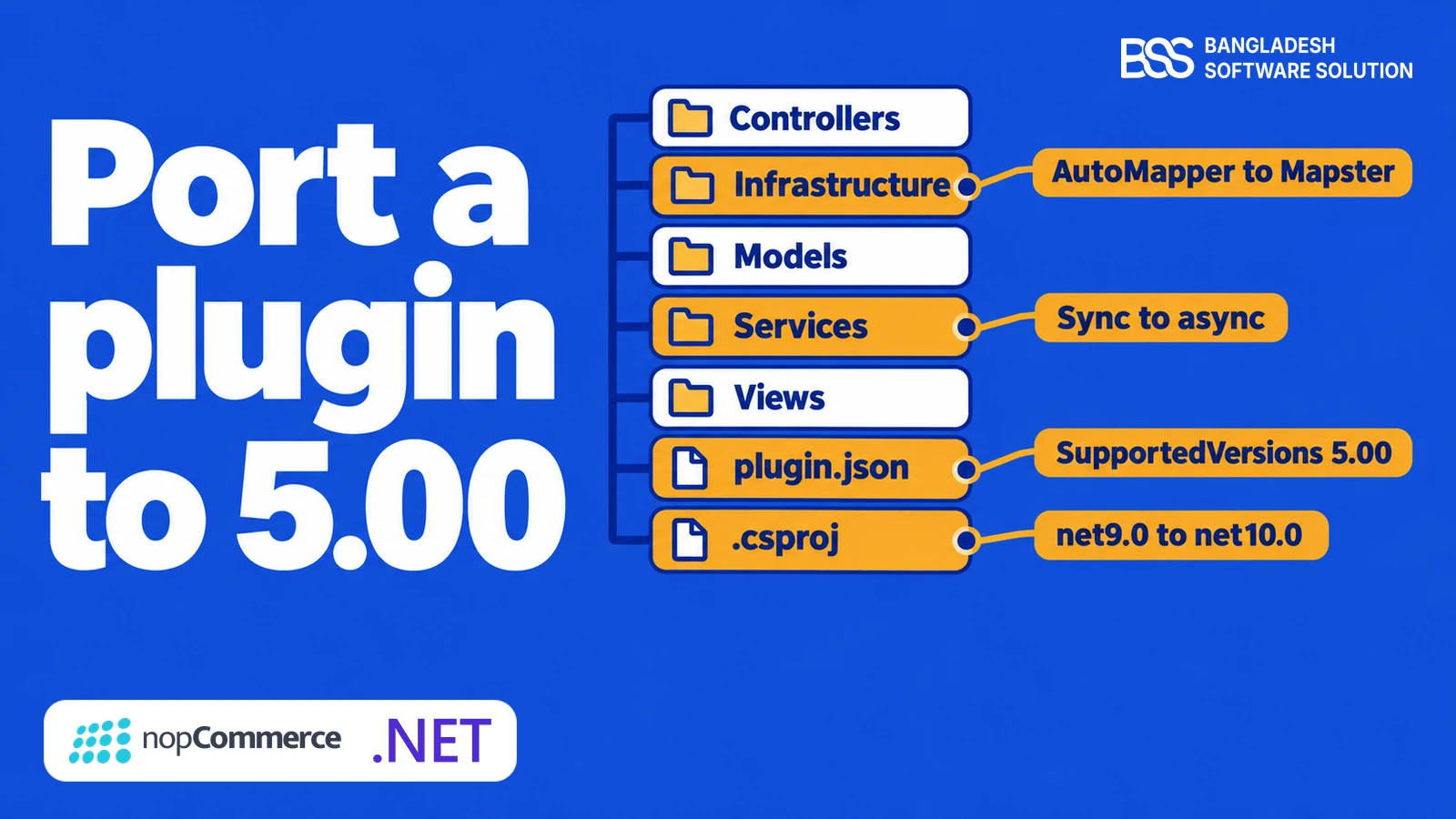
Every plugin has to move its target framework. The 4.90.8 Facebook Pixel plugin targets net9.0, and the 5.00.0 plugins target net10.0, so the first edit in any port is one line in the project file.
<TargetFramework>net10.0</TargetFramework>The runtime is not the only thing that changed. The 5.00 release also replaces AutoMapper with Mapster, moves the synchronous service methods into a separate helper class and removes the picture ids from product attribute combinations and values. Our plugin porting guide shows each of those edits with code.
A theme is usually views, styles and scripts rather than compiled code, so the runtime itself rarely touches it. What can touch it is the refactored view location expander, which changes how a theme's views are resolved, and that is the release-note line we read twice.
| Part of your store | What to check | Effort |
|---|---|---|
| Your own plugins | Retarget to net10.0, then search for AutoMapper, synchronous service calls and the two picture-id properties. | Real work |
| Your theme | Views and the refactored view location expander; a theme can now override a plugin's views. | Check |
| Third-party extensions | Whether the vendor lists 5.00. On 27 October our test store's feed showed 53 of 1,275 extensions for 5.00. | Wait or ask |
The .NET 10 SDK also brings C# 14, with features such as the field keyword and extension blocks. Nothing in a port forces you to use them, so keep the first port a plain retarget and adopt new syntax later, when the store is stable.

An example of a plugin that is already updated for nopCommerce 5.0 and still works on the version you run today, so it will not hold your move back.
View the pluginPorting is where many teams are thin, because the work is small per plugin and large across a portfolio. You can hire a .NET developer from BSS to do the port while your own engineers stay on the roadmap, and our compatibility testing guide shows how to prove it worked.
Your .NET 10 Move, by Situation
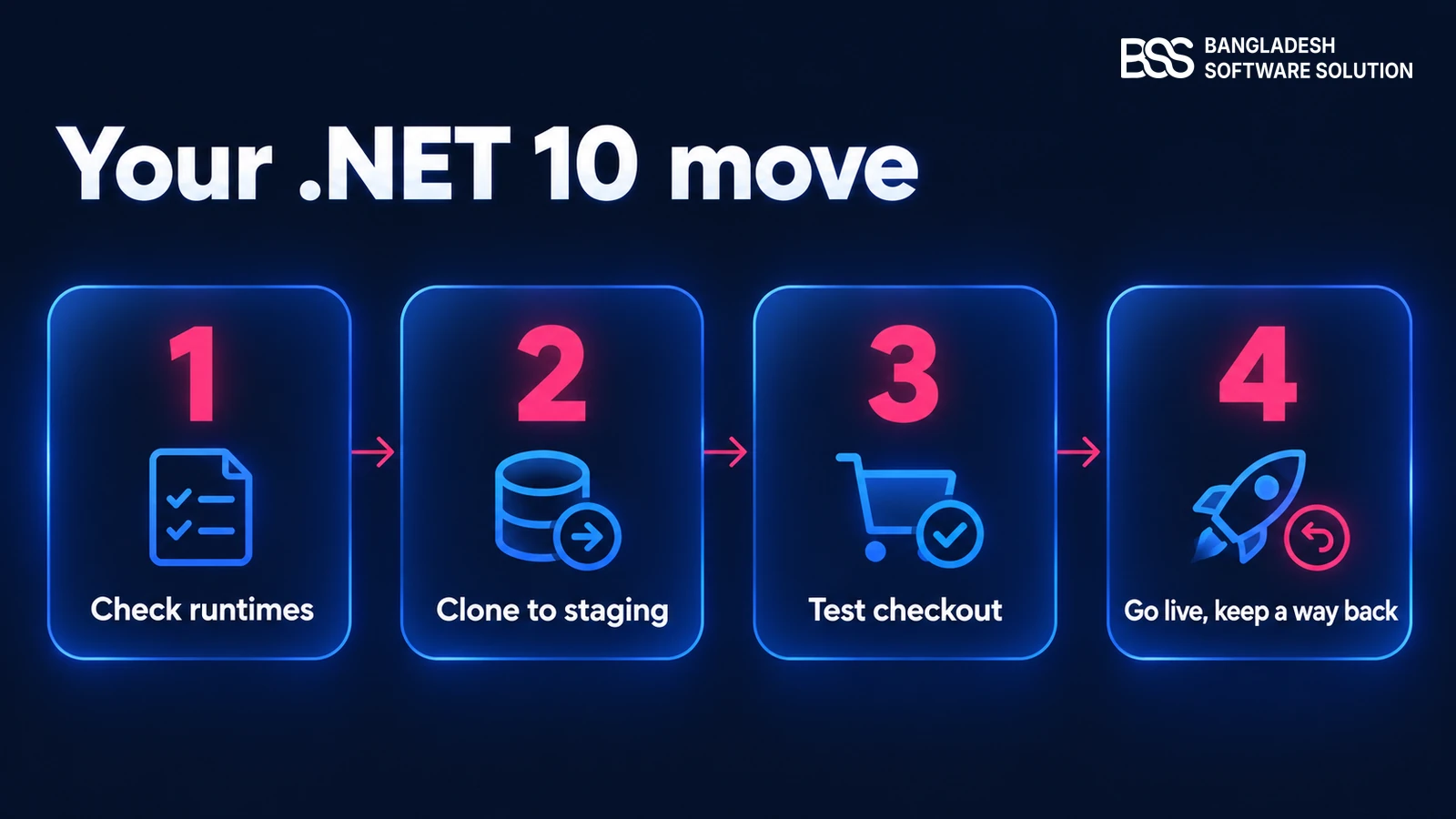
What you do this week depends on where your store stands. The date is the same for everyone; the right first step is not.
If you are on managed hosting, start with one written question: which .NET runtimes will you keep patched after 10 November 2026, and on which plans? The answer tells you how much time you really have.
| Your situation | First step | Why |
|---|---|---|
| Live store on 4.90.x | Rehearse 5.00 on a staging copy and ask your host what happens to the .NET 9 runtime after 10 November. | 4.90 is on a runtime that is about to stop receiving fixes. |
| Store older than 4.90 | Read your target framework. On .NET 8 the date is the same; on .NET 7 or older, support has already ended. | The oldest runtimes carry the most unpatched risk. |
| New build | Start on 5.00 if every extension you need lists it. | It gives you the longest runtime support from day one. |
| Plugin or theme developer | Retarget a branch to net10.0 now. | Customers will ask when your extension supports 5.00. |
Before you move to .NET 10
-
Write down the runtime every server and build agent reports today.
-
Install the .NET 10 SDK on build machines and the runtime on servers, then check both.
-
List every plugin and theme and check each against the 5.00 filter in the extension feed.
-
Upgrade a copy, never the live database, and test checkout end to end in sandbox mode.
-
Write down the rollback before you go live, and keep the old runtime until the new one has passed.
The sequence matters more than the date. Our 4.90 to 5.0 upgrade guide covers the copy, the test loop and the way back in detail, and the upgrade checklist is a good companion.
The upgrades that go smoothly are the ones rehearsed on a copy first, with the runtime sorted before the code. If you would rather hand the rehearsal over, BSS runs the nopCommerce version upgrade for you.
Need a .NET Developer for the Move to 5.0? Hire the BSS Team
From retargeting plugins to net10.0 and porting themes to checking servers and testing checkout on a staging copy, our dedicated nopCommerce engineers can take the .NET 10 move off your plate. Tell us what you need and we will match you with the right developer.
Frequently Asked Questions
Final Thoughts
Back to the notice from your host. The date on it, 10 November 2026, belongs to Microsoft, and it explains why nopCommerce 5.00 now stands on .NET 10 with support until 14 November 2028.
For your store it means three things to do: find out which runtime each server and build machine runs, check every extension against 5.00, and rehearse the move on a copy. Done in that order, the deadline stops being a surprise and becomes a plan.
We check your runtimes, port your plugins and test checkout on a staging copy, so your first look at 5.00 is not on live orders.
Book a free consultation