Your orders arrive as Instagram DMs and WhatsApp messages. Every night you copy them into a spreadsheet, check what is still in stock and chase the customers who said they would pay tomorrow. Somewhere around order forty you open a dozen browser tabs: Shopify, WooCommerce, Wix, Squarespace, BigCommerce, Square, and one that just says nopCommerce. Every list of the best eCommerce platform for small business seems to favour whichever one pays for the ad.
At BSS we build online stores for a living, on nopCommerce, WooCommerce and Shopify, and we are often called in when a store has outgrown its first platform. The pattern repeats: the platform is rarely the mistake. Choosing it for the wrong reason is. This guide compares the seven platforms small businesses actually shortlist in 2026, on real prices, real fees and real effort, so you can pick the one you will not be migrating away from in eighteen months.
The short answer, by situation:
- Fastest launch and the most apps: Shopify.
- You already run a WordPress site: WooCommerce.
- A small catalog next to a service or brand site: Wix or Squarespace.
- You also sell at a counter, a café or a market stall: Square Online.
- Hosted, with B2B and catalog depth built in: BigCommerce.
- B2B price rules, several storefronts, or you want to own the code: nopCommerce.
Prices below are US list prices checked in October 2026. Several platforms show lower prices in other countries, so check the pricing page in your own currency before you budget.
What "Best" Means When You Are Small
Every platform's homepage says easy, affordable and built to grow with you. Those words mean something different for a two-person shop than for a warehouse, so before comparing names it helps to be specific about what you are optimizing for.
In the stores we audit, the decision that went wrong almost always went wrong on one of three questions. None of them is the monthly price.
There is a fourth question that only matters for some stores, and it matters a lot when it does: who owns the store? On a hosted platform you rent the software and follow its rules. On a self-hosted one you own the code and the data, and you take on the hosting and the updates. Neither is better in general. One of them is better for you.
The 7 Platforms Small Businesses Actually Shortlist
Almost every small store ends up choosing between five hosted platforms, Square's all-in-one system and one or two self-hosted routes. Here is how each one behaves once you look past the homepage, starting with the one most people try first.
Shopify: the fastest path to a working store
Shopify bundles hosting, security, checkout and payments, and its app store is the largest of any hosted platform. Basic costs $29 a month billed yearly ($39 monthly) and Grow costs $79 ($105 monthly). With Shopify Payments, US online card payments on Basic cost 2.9% + 30¢ and Shopify adds nothing on top.
The catch is the app bill. Use a gateway other than Shopify Payments and Shopify charges an extra 2% per sale on Basic (1% on Grow). A common pattern when a Shopify store comes to us is a stack of monthly app subscriptions doing jobs the owner assumed were built in, such as product filters, B2B pricing or invoice templates.
WooCommerce: full control if you already live in WordPress
WooCommerce is a free plugin that turns a WordPress site into a store. You pay for hosting, a domain, a theme and any paid extensions instead of a subscription. WooPayments has no monthly fee and charges 2.9% + 30¢ for US cards, with an extra 1% for cards issued abroad.
The catch is that you become the system administrator: WordPress core, WooCommerce, the theme and every plugin need updating, backing up and securing, and a cheap host shows up quickly as a slow checkout. If you want WooCommerce without that job, BSS builds and maintains WooCommerce stores as well as nopCommerce and Shopify ones.
Wix: the simplest site-plus-store
Wix suits a business whose website does more than sell: bookings, a portfolio, a menu, a blog. The free plan cannot take payments, so the real starting point is Core at $29 a month billed yearly ($36 monthly). Wix adds no transaction fee of its own; standard card processing still applies.
The catch is portability. You can export products as a CSV, but the design stays on Wix if you leave, and large catalogs with many variants get awkward.
Squarespace: design first, small catalog
Squarespace is known for its polished, design-led templates. Core costs $23 a month billed yearly and charges no transaction fee on product sales; the cheaper Basic plan adds a 2% fee on every sale, which outweighs the saving once you sell steadily.
The catch is depth. The extension catalog is small, and stores that need complex shipping rules, wholesale pricing or a large catalog run into the edges early.
BigCommerce: hosted, with more built in
BigCommerce renamed its plans in June 2026. Core costs $29 a month billed yearly ($39 monthly) for stores with up to $30K in sales over the last twelve months, and Growth ($79 yearly, $105 monthly) covers up to $100K. It ships more catalog and B2B features than Shopify does before you install an app.
The catch is the threshold. BigCommerce counts tax and shipping toward that $30K, and moves you up a plan when you cross it. Since June 2026 it also charges 2% on Core when you use a payment provider it does not embed.
Square Online: one system for the counter and the website
If you already take payments in person with Square, its online store shares the same inventory, so a sale at the counter updates the website. The Free plan has no monthly fee and charges 3.3% + 30¢ for online cards; Plus, at $49 a month per location, drops that to 2.9% + 30¢. The old standalone $29 Square Online plan no longer exists.
The catch is flexibility. Storefront design and catalog options are basic, so it fits a café or a boutique better than a store whose website is the business.
nopCommerce: open source, for stores with rules of their own
nopCommerce is a free, open-source platform built on Microsoft .NET. There is no license fee and no platform fee on sales; you pay for hosting, a theme, any paid plugins and the developer time to set it up. The free version shows a small "Powered by nopCommerce" link, which can be removed with a paid key.
It is the platform we know best, because we build its themes and plugins every day. Multi-store, multi-vendor, customer-role pricing and tier prices come built in, which is why it shines when a catalog has B2B rules or several storefronts. The catch is that it needs a developer to launch; it is not the cheapest way to sell twenty products. Our honest take on that trade-off is in nopCommerce for small business.
| Platform | Entry price (US) | Platform fee on sales | Setup effort | Best for |
|---|---|---|---|---|
| Shopify | $29/mo yearly, $39 monthly | None with Shopify Payments; 2% with another gateway (Basic) | Low | Fastest launch, biggest app store |
| WooCommerce | Free plugin, plus hosting | None | Medium | Owners already on WordPress |
| Wix | $29/mo yearly, $36 monthly | None | Low | A small catalog beside a service site |
| Squarespace | $23/mo yearly (Core) | None on Core and up; 2% on Basic | Low | Design-led brands, small catalogs |
| BigCommerce | $29/mo yearly, $39 monthly | 2% on non-embedded payment providers (Core) | Low to medium | Hosted, with B2B features built in |
| Square Online | $0 (Free plan) | None; Free plan cards cost 3.3% + 30¢ | Low | Shops and cafés already on Square |
| nopCommerce | Free, open source, plus hosting and development | None | High (developer) | B2B rules, several storefronts, owning the code |
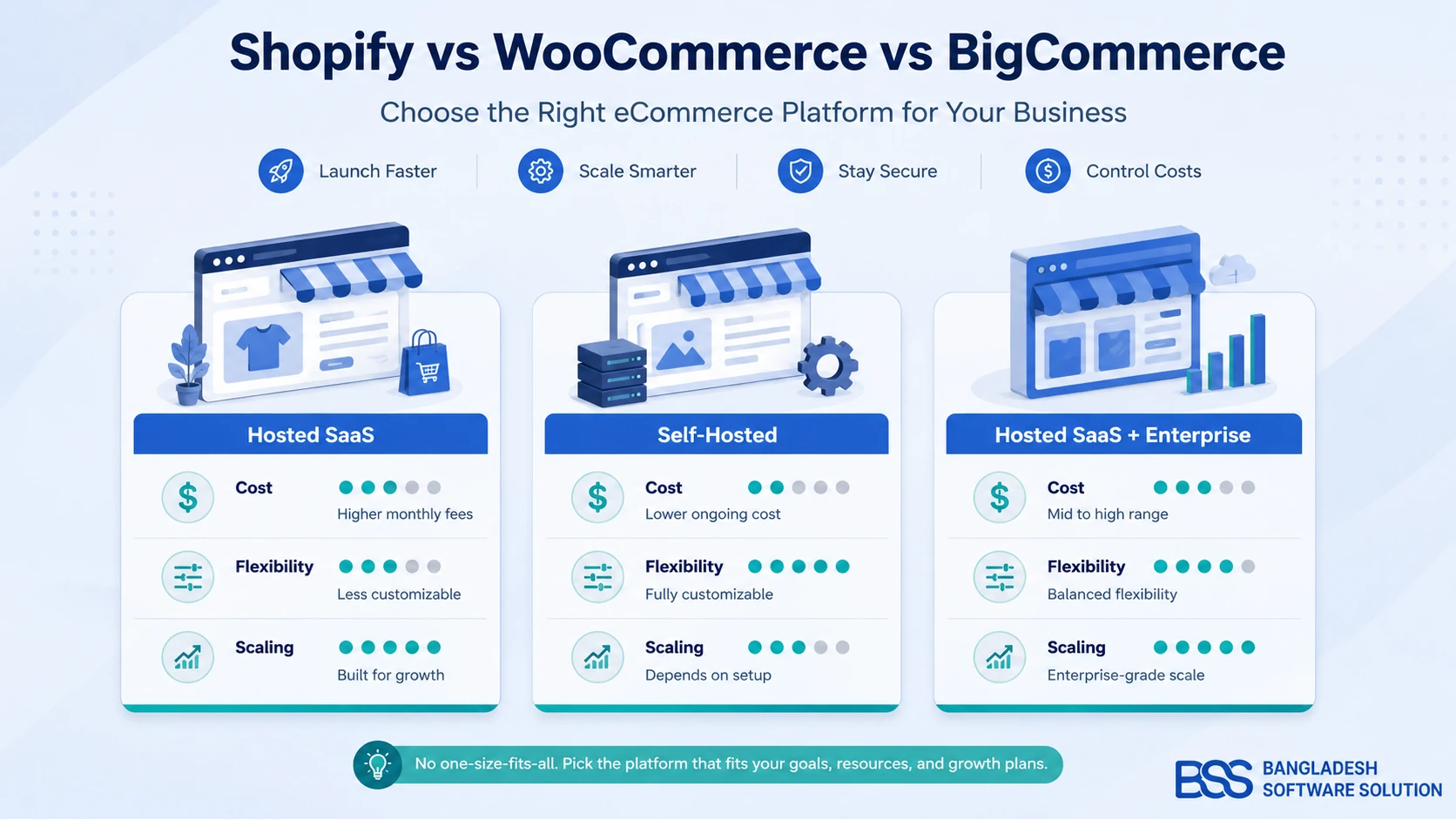
Notice the pattern: the hosted platforms bill predictably by the month and in exchange you work inside their rules. The two self-hosted options trade that predictability for ownership, and you pay in setup time and hosting instead of a subscription. If you have already narrowed it to the three biggest hosted names, our Shopify vs WooCommerce vs BigCommerce comparison goes deeper on exactly that choice.
What You Really Pay in Year One
The table above is the price of entry. The bill a small store actually pays has more lines, and the one that surprises owners is rarely the subscription.
Work one example through. A store taking $3,000 a month across 60 card orders pays about $105 a month in standard 2.9% + 30¢ processing. That is more than most entry plans cost, and it grows with every sale. Move that store to a third-party gateway on Shopify Basic and the extra 2% adds another $60 a month.
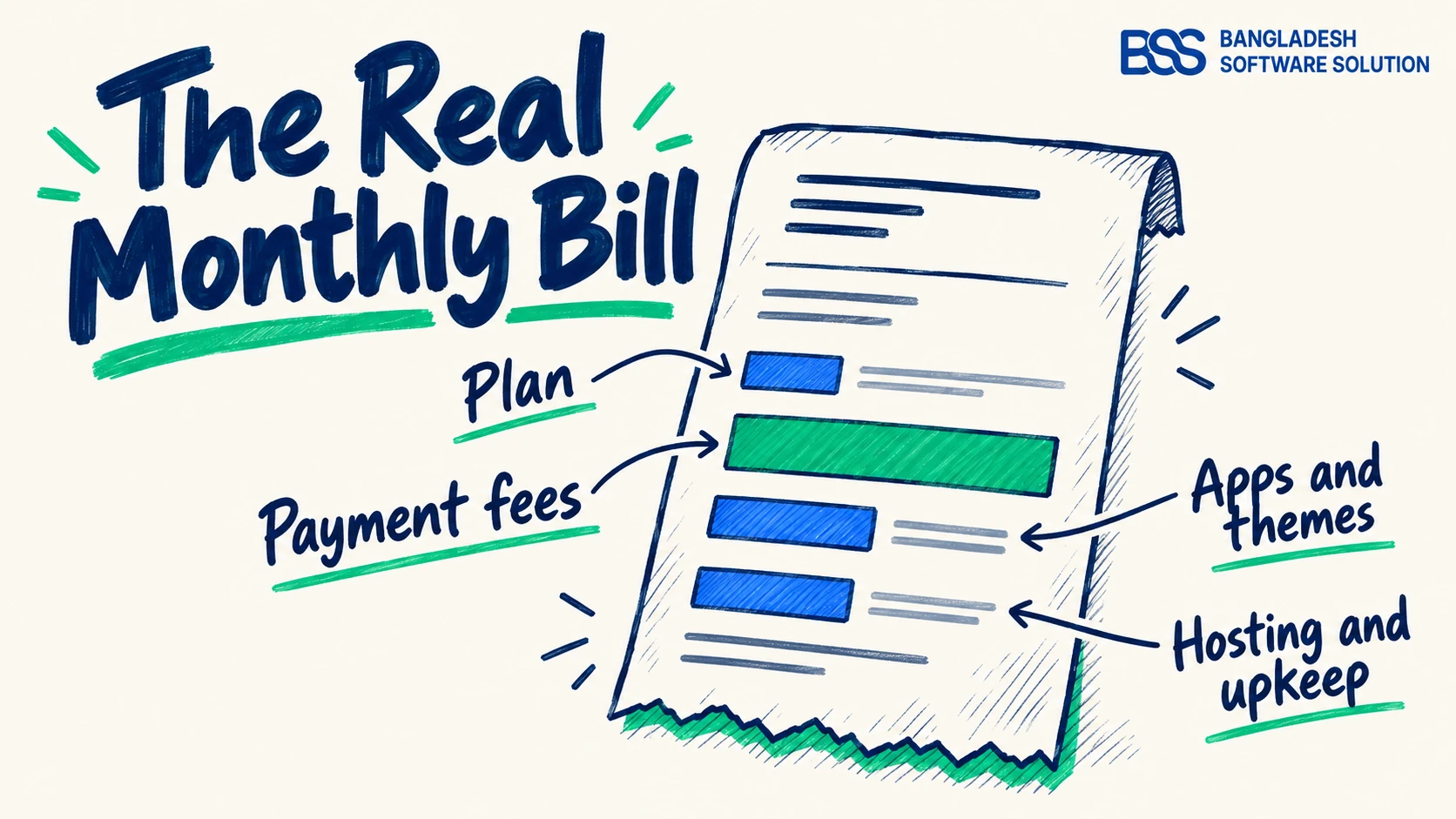
The other lines depend on the platform. Hosted stores add apps: reviews, subscriptions, wholesale pricing, better search. Self-hosted stores add hosting, a theme, maintenance and the developer hours to set them up. The line nobody budgets for is your own time, which is the real cost of a "free" platform you run yourself.
The subscription is the entry fee. Payment processing, apps and your own evenings are the bill.
BSS Engineering
Check the price in your country
Shopify and Squarespace both show local prices outside the US, and they can be well below the US figures in this guide. Payment options differ by country too: a store in Bangladesh needs bKash or SSLCommerz, and one in the Netherlands needs iDEAL. Price the plan, and the payment methods your customers expect, in your own market before you compare.
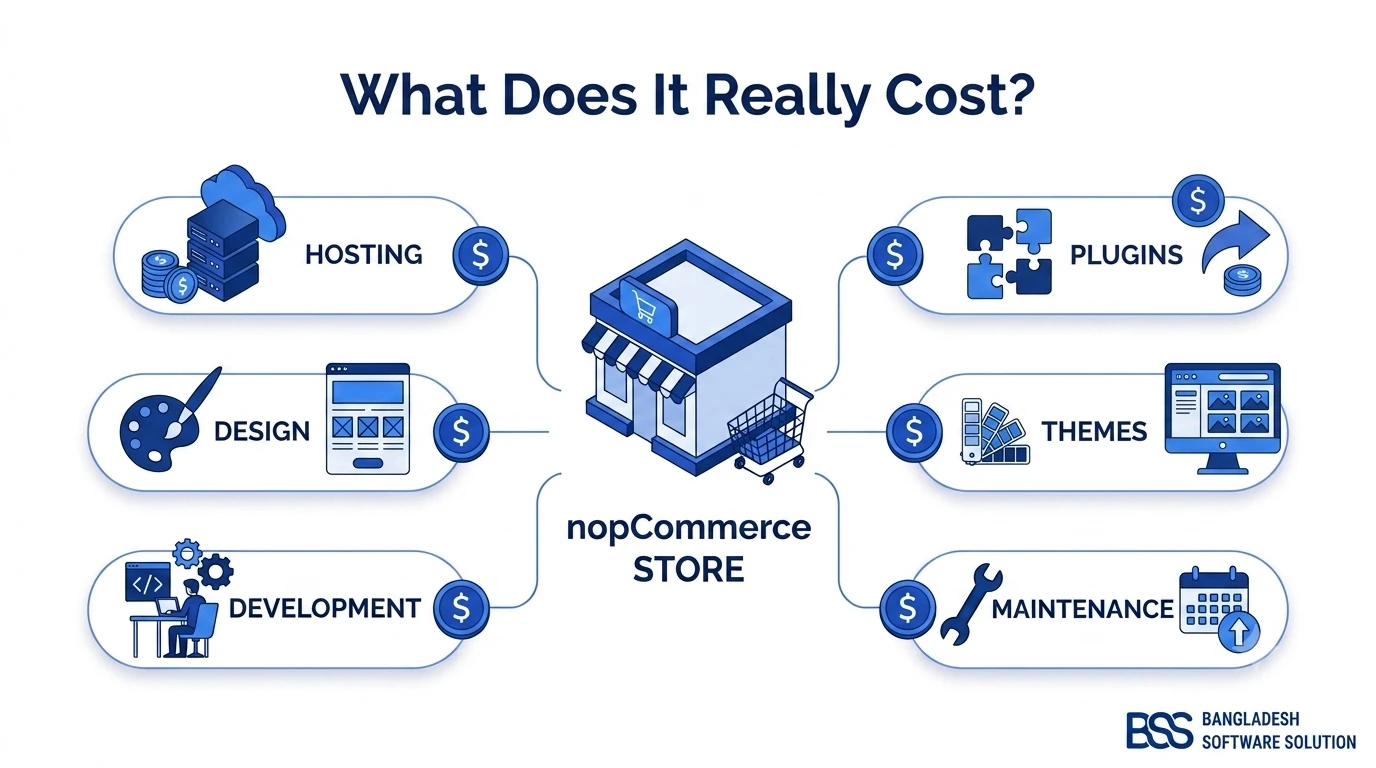
For the self-hosted route, our breakdown of what a nopCommerce store costs to build itemizes the setup and running costs most budgets miss.
Which Platform Fits Your Situation
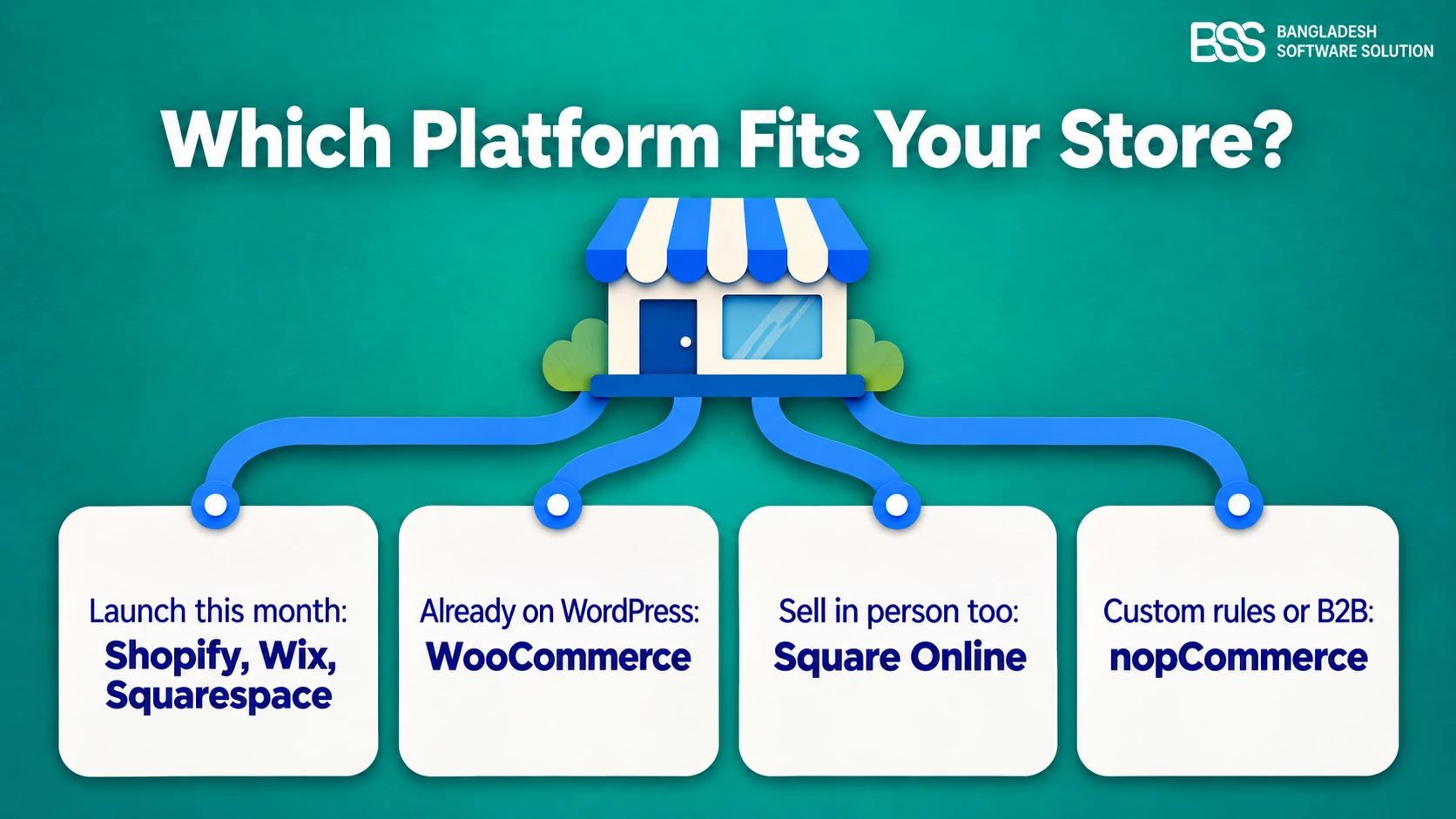
"Which is the best platform?" is really four smaller questions: how soon you need to sell, what you already run, where your customers buy, and how unusual your catalog is. Two founders with the same budget can land on different answers and both be right.
None of these is permanent. Most small stores we see start hosted and move only when a specific limit bites. If yours is weighing the two biggest open-source options, our nopCommerce vs WooCommerce comparison covers the architecture and the real costs side by side.
Build It Yourself or Bring In Help?
Once the platform is chosen, the next decision is who builds the store. For a simple catalog on a hosted builder, the answer is usually you. It changes when the store needs integrations, a migration or payment methods the platform does not ship with.
| Approach | Works well when | Watch out for | Where the money goes |
|---|---|---|---|
| Do it yourself | A small catalog, standard checkout, a hosted builder | Evenings lost to settings; apps that pile up | Your time and monthly apps |
| Freelancer or custom build | One specific feature or a short project | Who maintains it next year | Hourly rate, then rework |
| Implementation partner | Integrations, migrations, B2B, local payments and couriers | A higher upfront cost | A scoped project plus ongoing support |
Ladily, a skin-care brand in Bangladesh, is a good example of the third row. It sold almost entirely through Facebook, with orders taken in chat, stock updated by hand and pre-orders tracked in messages. We moved it onto nopCommerce with a one-page checkout, bKash payments, inventory tracking, pre-orders with advance payment and a way to enter Facebook orders in the same admin, hosted on a VPS rather than on AWS or Azure. The Ladily case study walks through the build.
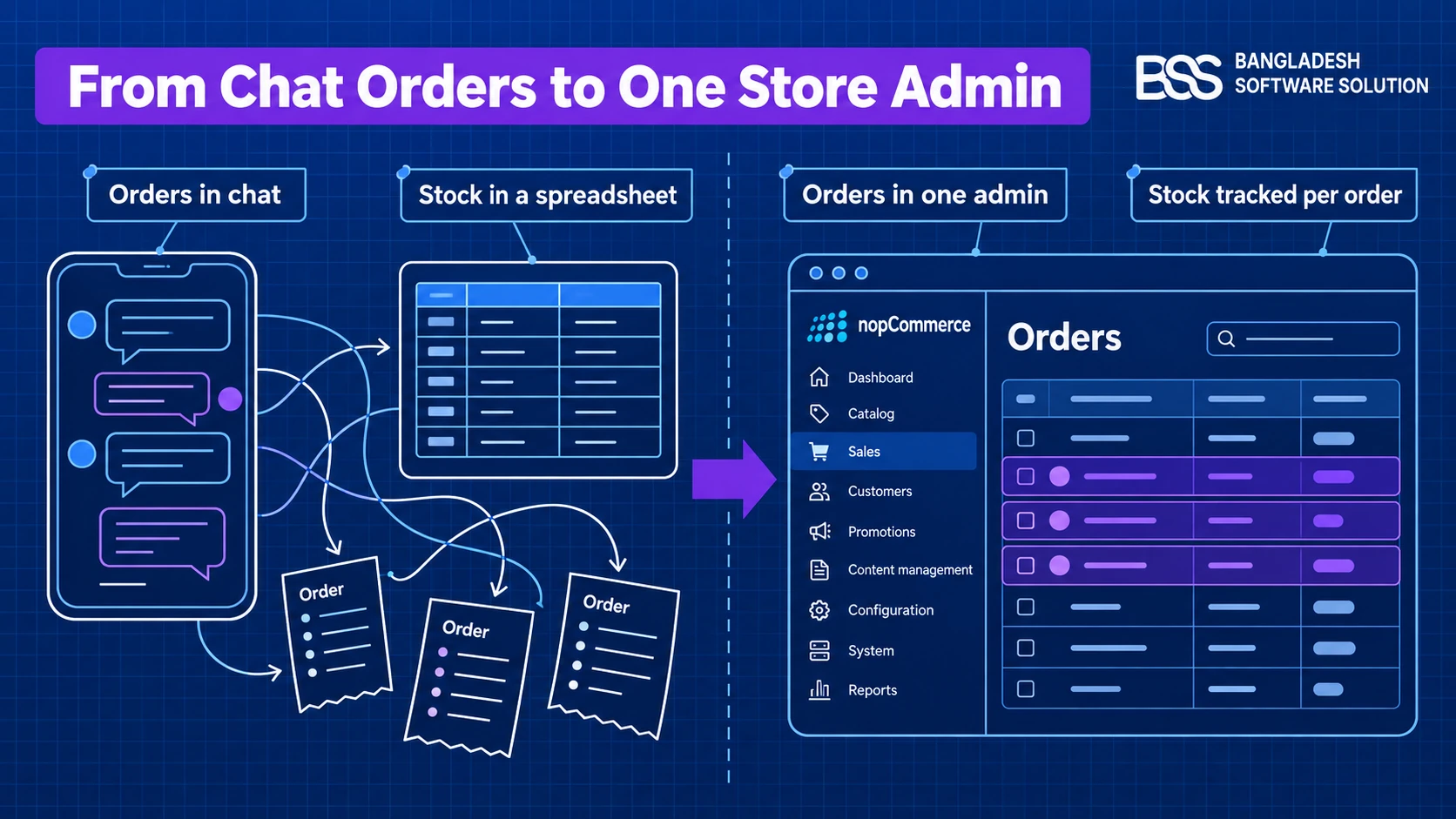
A self-hosted store is where most owners bring in a developer. If you go the nopCommerce route, you can hire a .NET developer from BSS for the build and keep your own team on products and customers. Our guide to hiring a nopCommerce developer lists what to check whoever you hire.
Plan the Exit Before You Enter
Owners worry about being locked into a monthly plan. The harder thing to unwind is everything built on top of it: the catalog structure, the product URLs Google has indexed, the reviews and the customer accounts.
Every platform builds URLs its own way. Shopify puts products under /products/, WooCommerce under /product/ by default, and nopCommerce uses one clean slug per page. A move without a redirect map is what costs rankings, not the move itself. Before you commit, ask each platform what you can take with you: products, customers and orders usually export as CSV; the design and the apps rarely come along.
We have written up both halves of that: how to migrate from Shopify to nopCommerce, and how to avoid losing SEO traffic during a migration. Migrations are a large part of our nopCommerce work, and if you would rather hand it over, BSS handles the full move, redirects included.
Before You Commit: A Small-Business Platform Checklist
Run your shortlist through this before you enter a card number anywhere.
Small-Business Platform Checklist
-
Price the plan you will need at month twelve, and check whether your expected sales cross an automatic upgrade threshold.
-
List every way your customers expect to pay (cards, PayPal, wallets, local gateways, cash on delivery) and confirm each one is built in, not a paid app.
-
Add up the monthly apps or extensions you will need for shipping, reviews, invoices and search, and add them to the plan price.
-
Confirm your courier or shipping service has a supported integration, not a spreadsheet workaround.
-
Ask what you can export if you leave: products, customers, orders and URLs.
-
Decide who handles updates, backups and security: the vendor, your host or you.
-
Place a real test order on a phone, with a real card, before launch day.
The last item catches more problems than the other six. Our guide to checkout page design covers what to look for when you place that test order.
Building on nopCommerce, WooCommerce or Shopify?
BSS sets up, customizes and launches stores on all three, with the integrations, local payment gateways and migrations that turn a template into a working business. Tell us how you sell today and we will recommend the platform that fits, even if it is not one we build on.
Frequently Asked Questions
Final Thoughts
Back to the DMs and the nightly spreadsheet. The way out is not the platform with the loudest marketing; it is the one that matches how you sell. If you need orders flowing this month, a hosted builder will do it. If you already run WordPress, WooCommerce keeps everything together. If your catalog has rules of its own, a self-hosted store like nopCommerce lets you build them in instead of renting them as apps.
Close the other eleven tabs, run your shortlist through the checklist above and pick the one that fits the store you expect to run next year. And if you would like a second opinion on your catalog before you commit, talk to our team; we will tell you honestly which platform we would choose in your place.