Sorry - this product is no longer available

VoltFitness Theme + 18 Plugin Bundle for NopCommerce

*
*
*
$79.00
$600.00
Pay Securely with
Paddle Payment Gateway
Paddle logo Visa logo Google Pay logo Apple Pay logo Paypal logo Amex logo Bancontact logo Pix logo Mastercard logo Ideal logo
Product Versions: 4.90 5.00
Launch a complete fitness store with VoltFitness, a responsive nopCommerce 4.90 theme for gym equipment, training apparel, supplements and accessories. Its 18-plugin bundle adds Quick View, product compare, home gym kits, one page checkout, EU price and consent tools, Google and SMS sign-in, and a Visual Editor for the home page. Change colours, fonts and layout from the admin or the storefront Theme Builder, with no code.

The fitness store theme for selling across the whole gym

VoltFitness is a responsive nopCommerce 4.90 theme for fitness retail: racks and benches, cardio machines, training apparel, supplements and accessories in one store. It ships with 18 BSS plugins, a storefront Theme Builder and a full settings page in the admin, so you can launch a complete fitness store and make it yours without touching code.

BSS plugins included
18
PageSpeed, mobile
95
PageSpeed, desktop
99

VoltFitness on desktop, tablet and phone

VoltFitness logo above the home page on a MacBook, a strength category on an iPad and a leggings product page on an iPhone
Platform
nopCommerce 4.90
Bundle
18 BSS plugins
Departments
Equipment, apparel, supplements, gear
Customise
Admin settings and Theme Builder

A home page that moves like a training app

Timed hero bars, rails you can drag, cards that wipe to a second photo and scroll stories that play as you read. Every block is plugin content you edit in the admin, and the motion runs at full frame rate on GSAP.

Built withAnywhere SwiperAnywhere ComponentVisual Editor

Built for every screen

Tablets keep the full header and the timed hero. Phones get a menu drawer, a sticky Sort and Filters bar and a buy bar that stays under the thumb.

The home page on an iPad in landscape, and the home page and strength listing on two iPhones, with the hero bars and the sticky filters bar marked
Home on a phoneSwipe the hero and the rails, tap a tab, scroll the story.
Product page buy flowSwipe the gallery, pick a size, add to cart from the buy bar.
Listing and filtersA sticky Sort and Filters bar and a filter drawer under the thumb.

One store for the whole gym

A bench, a pair of leggings and a tub of whey need different things on the page. VoltFitness gives each one what it needs while keeping one grid, one buy box and one look.

Three iPhones showing product pages for an adjustable bench, high-waist leggings and whey isolate
Equipment
A spec panel for weights, dimensions and load ratings, set like a nutrition label so the numbers line up.
Apparel
Size chips, colour swatches and a size guide on the attributes you choose.
Supplements
Flavour and size choices, price breaks for larger quantities and the details shoppers check before they buy.
Accessories
Belts, grips, straps and bands in the same grid, filters and compare list as everything else.

Product Box

  • Swipe through a product's photos right on the card, with arrows and dots.
  • A second photo wipes in on hover, and Add to cart rises from the card.
  • Size and colour chips for quick add, plus Quick View, wishlist and compare buttons.
  • Lazy loaded images so long category pages stay fast.
Product Box guide
Strength category in a tilted browser with the photo swiper, hover add bar and card buttons marked, and the Product Box settings page in the admin

Rails you can drag, cards that wipe

The Trending rail switches department with a tab, scrolls with a mouse drag or a swipe, and each card wipes to its second photo with the add bar rising underneath.

Built withAnywhere CarouselsProduct BoxProduct Ribbon

Explore our premium themes

Every BSS theme comes with its own plugin bundle, a demo store you can try and the same support from the team that built it.

Browse all BSS themes

Product Ribbon

  • Discount ribbons that show the saving as a percentage, worked out for you.
  • New, Best Seller and Out of stock ribbons from your own rules.
  • Ribbons stack neatly with the kit tape on one card.
  • Choose where each ribbon shows: the grid, the product page or both.
Product Ribbon guide
An iPhone showing the strength listing with discount, new, best seller and kit ribbons marked, and the Product Ribbon settings page

Quick View

  • Open any product from the grid in a pop-up, without leaving the page.
  • Photo gallery with zoom and thumbnails inside the pop-up.
  • Pick a weight or size, then add to cart, wishlist or compare.
  • Choose which details show: description, specs, reviews and buttons.
QuickView guide
Quick View pop-up for a cast iron dumbbell over the dumbbells listing, with the gallery and buy buttons marked, and the QuickView settings page

Advanced Product Compare

  • Line up a treadmill, a bike and a bench on one page.
  • A switch hides the rows that match, so only the differences are left.
  • Search the catalogue to add more products without leaving the page.
  • A compare widget on product pages suggests products to compare against.
Product Compare guide
Compare products page in a browser and on an iPhone with the differences switch, search and price row marked, and the Advanced Product Compare settings page

Product Image Gallery

  • Hover zoom, inline zoom and a full-screen lightbox on desktop.
  • Swipe the photos and tap a thumbnail on phones.
  • Progressive and lazy loading, with the first photo ready for Core Web Vitals.
  • Photos follow the chosen colour or size.
Image Gallery guide
Adjustable bench product page on a MacBook and the leggings page on an iPhone, with the zoom button and thumbnails marked, and the gallery settings page

EU Omnibus Directive

  • Every discount shows the lowest price of the last 30 days, as EU law asks.
  • The same 30-day low appears on grid cards.
  • A discount badge worked out from that lowest price.
  • Set the look-back days and the minimum discount to show.
EU Omnibus guide
Close-up of an iPhone product page with the lowest price in the last 30 days line and discount badge marked, and the Omnibus settings page

Combo Products

  • BSS plugin, includedBSS Combo ProductsComes with VoltFitness
  • Sell a home gym as one product: a bench, dumbbells and a mat at one price.
  • Fixed items plus optional add-ons the shopper can tick.
  • The saving against buying the parts one by one, shown on the page.
  • Kit names and a price breakdown carried through to the order.
Apartment Dumbbell Kit product page in a browser and on an iPhone with the kit items and kit price marked, and the Combo products settings page
Built withCombo ProductsAnywhere Component

One Page Checkout

  • Address, shipping, payment and confirm on a single page.
  • The order summary and totals stay in view while shoppers fill it in.
  • Coupons and gift cards apply right there, with no page reloads.
  • Three columns on large screens, one tidy column on phones.
One Page Checkout guide
One page checkout in a browser and on an iPhone with the steps and order summary marked, and the One Page Checkout settings page

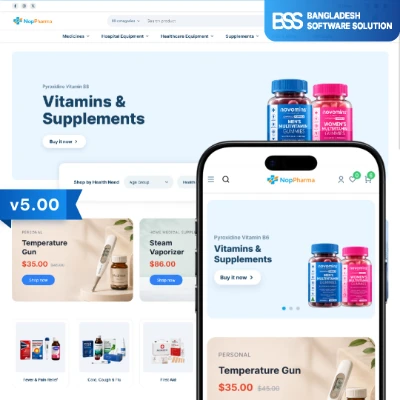
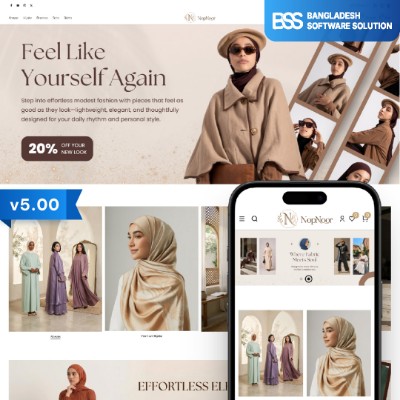
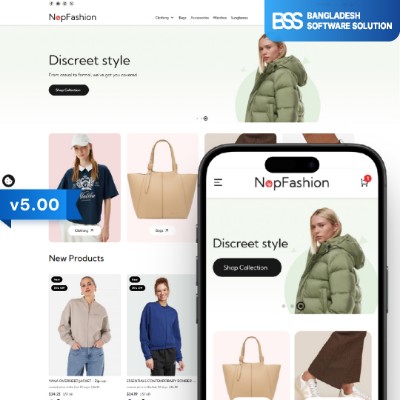
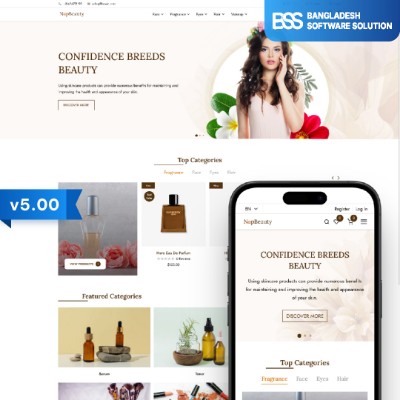
Selling something else?

Pharmacy, fashion, beauty and more. The same nopCommerce build quality, tuned for each kind of store.

Browse all BSS themes

A home page built block by block

  • Anywhere Swiper: hero slides per store and language, with separate phone images.
  • Anywhere Carousels: department tiles, trending tabs and product rails.
  • Anywhere Component: banners, stories and calls to action in any widget zone.
  • Visual Editor: design those blocks with drag and drop, or describe them to an AI through its MCP bridge.
Visual Editor guide
The home page hero on a Pro Display and the Trending rail in a browser, each tagged with its plugin, and the Anywhere Swiper settings page
Built withAnywhere ComponentVisual Editor

Your brand colour, one setting

Pick a primary colour in the admin or live on the storefront with the Theme Builder panel, and buttons, hero bars, tape labels and badges all follow. The Theme Builder only shows for the customer roles you choose.

The home page on three iPhones in volt, orange and sky blue, and the storefront Theme Builder panel open with the primary colour set to orange
Colors
24 colour settings: brand, buttons, backgrounds, text, borders, status and grays, plus corner radius.
Typography
Any enabled Google Font, or your own font family.
Header
Header logo override and a promo bar with its own messages, timing and links.
Footer
Footer logo, store address, payment icons and a large wordmark you can switch off.
Layout
Items per row, gaps, container width, page margins and title sizes per page type and screen size.
Catalog layout
Filter placement, paging mode, subcategory display, product count, compare tray and extra filters.
Product details
What happens after Add to cart, and which attributes open the size guide.
Motion
Off, Subtle or Expressive. Shoppers who ask for reduced motion get none, whatever the level.

Cookie consent and sign-in

  • GDPR Cookie Consent: a banner where Reject all weighs the same as Accept all, with cookie categories.
  • Banner text per language, ready for right to left stores.
  • Google sign-in next to the email login, once you add your app keys.
  • Phone SMS sign-in with one time codes, once you connect an SMS gateway.
Cookie Consent guide
Two iPhones with the cookie banner and the sign-in page with Google marked, and the Cookie Consent settings page

Fast on a phone, and you can check it

Stylesheets are split by page, sliders load only where there is a slider, and images below the fold wait their turn. These are Google PageSpeed Insights reports for the demo home page: open them and see the full results for yourself.

Reports run on 29 October 2026. Scores move by a few points between runs and depend on your hosting and content.

Specifications

What the theme runs on and what comes in the package.

nopCommerce
4.90
.NET
9
Requires
BSS Core, included in the download
Multistore
Settings per store
Languages
Multilingual, right to left supported
Screens
Phone, tablet, laptop and large desktop
Typeface
Elms Sans, open font licence, swappable
Icons
Phosphor, MIT licence
Licence
Key sent by email after purchase

All 18 plugins in the bundle

Every plugin is styled for VoltFitness and included in the price. Payment Change, AI SEO Assistant and Sendcloud work in the admin and the order flow. Follow a link for its setup guide.

PluginWhat it does in VoltFitnessDocumentation
BSS Product BoxThe product card in every grid and carousel: hover add bar, quick add, compare and Quick View discsGuide for BSS Product Box
BSS Advanced Product CompareSide-by-side compare page with a differences switch, fed from the theme's compare trayGuide for BSS Advanced Product Compare
BSS Anywhere ComponentHTML blocks in any widget zone: department tiles, USP rows, home storiesGuide for BSS Anywhere Component
BSS Visual EditorDrag-and-drop editor for topics, product descriptions and blocksGuide for BSS Visual Editor
BSS Combo ProductsHome gym kits: several products sold as one bundle with a kit priceNo separate guide
BSS Payment ChangeShoppers retry or switch payment method from order detailsGuide for BSS Payment Change
BSS Product RibbonSale, new and stock ribbons on cards and the product pageGuide for BSS Product Ribbon
BSS QuickViewProduct dialog from any listing, with attributes and add to cartGuide for BSS QuickView
BSS Product Image GalleryProduct page photo grid on desktop and swiper on phones, with zoomGuide for BSS Product Image Gallery
BSS Anywhere SwiperThe home hero slider with timed progress barsGuide for BSS Anywhere Swiper
BSS Anywhere CarouselsProduct rails: trending, new arrivals, dealsGuide for BSS Anywhere Carousels
SendcloudShipping labels and a pickup point picker at checkoutGuide for Sendcloud
BSS Google AuthenticationSign in with GoogleGuide for BSS Google Authentication
BSS One Page CheckoutCheckout on one page: address, shipping, payment and order summaryGuide for BSS One Page Checkout
BSS AI SEO AssistantWrites meta titles and descriptions in adminGuide for BSS AI SEO Assistant
BSS EU Omnibus DirectiveShows the lowest price of the last 30 days next to discountsGuide for BSS EU Omnibus Directive
BSS EU GDPR Cookie ConsentConsent banner, preference centre and reopen linkGuide for BSS EU GDPR Cookie Consent
BSS Phone SMS AuthenticationSign in and register with a one-time SMS codeGuide for BSS Phone SMS Authentication

Google sign-in needs your own app keys, Phone SMS sign-in needs an SMS gateway, and Sendcloud needs a Sendcloud account.

Rather have it set up for you?

Add Installation support for $60 when you buy, and the BSS team sets VoltFitness up on your store so it opens ready to sell.

  • We install the theme, BSS Core and all 18 plugins, then restart your store.
  • We switch your store to VoltFitness, add your licence key and check that every plugin works.
  • We configure the theme and the home page blocks so your store starts from the demo layout.

Installation support$60one time, added to your order

Choose it above Already bought? Contact us

Questions before you buy

What do I need to install VoltFitness?

A nopCommerce 4.90 store. Upload the theme and BSS Core from the download in Configuration, Local plugins, install both, restart, and pick VoltFitness as the store theme. The bundled plugins install the same way.

How do I get the licence key?

After you buy, BSS sends the licence key by email. Enter it the first time you open the theme or a bundled plugin, or later under BSS, Core settings, License.

Can I change colours, fonts and layout without code?

Yes. Everything on this page marked as a setting lives in the theme's Configure page, and store owners can try changes live with the storefront Theme Builder.

Is the source code included?

Source code is an option you can add when you buy, on this page above.

Can I use it on more than one domain?

Choose the Multiple URL licence type above. The Single URL licence covers one domain.

Can BSS install it for me?

Yes. Choose Installation support ($60) when you buy, and we install and set up the theme and its plugins on your store.

Years of experience
11+
IT professionals
50+
Countries served
9+
Clutch rating
5 star

Bangladesh Software Solution

Bangladesh Software Solution builds nopCommerce themes, plugins and custom e-commerce solutions. VoltFitness is built to be dependable and easy to run, with the plugins a fitness store needs already in the box.

Need design changes, plugin work or a third party integration? Tell us what you need and we will tailor it to your store.

Only registered users can write reviews

Customer Feedback

0.00

0 Product Reviews
0
0
0
0
0