
BSS Product Ribbon
Created on: Feb 27, 2026
PRE-REQUISITES
-
The plugin requires you to install the BSS Core plugin first.
INSTALLATION
-
Go to the Order Details Page and Download plugin package
-
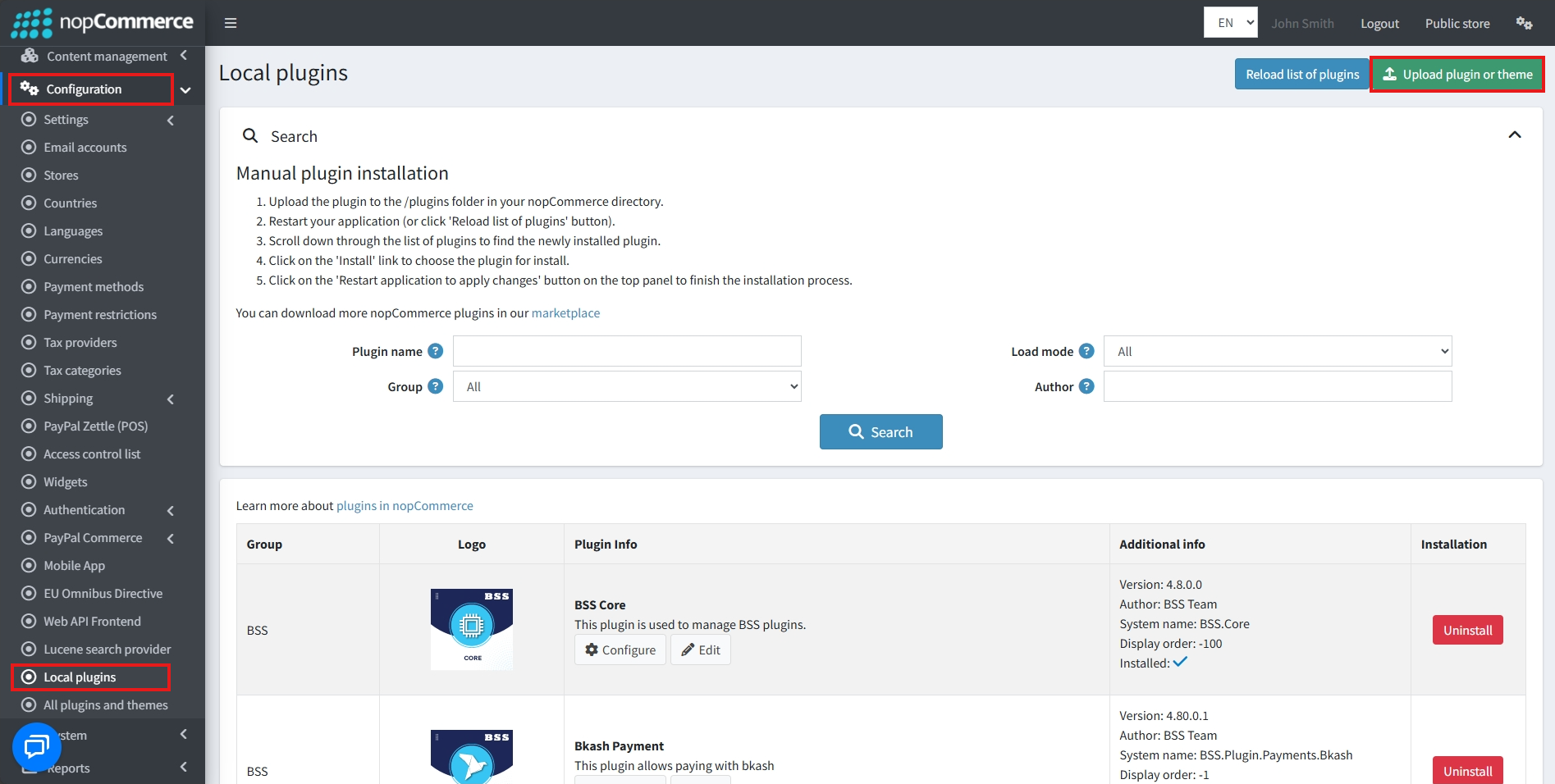
Go to Administration → Configuration → Local plugins.
-
Within the bundle, you get all the required files, including BSS.Core
-
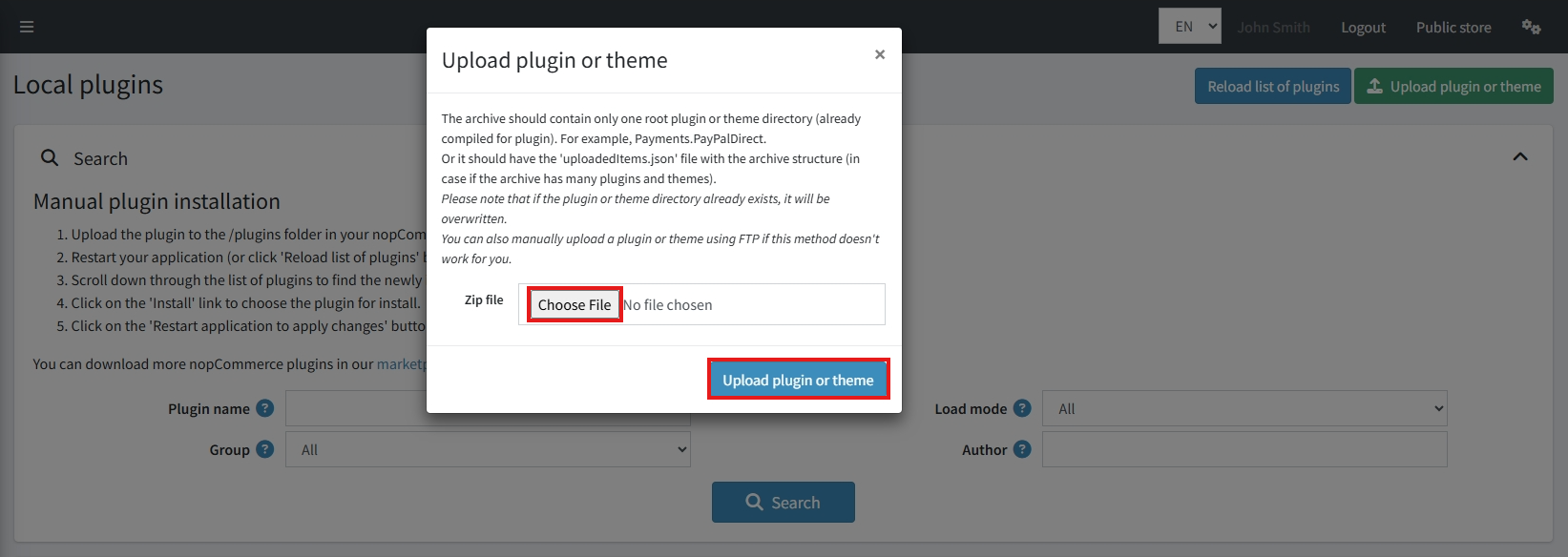
Upload the zip files using the ‘Upload plugin or theme' button.
-
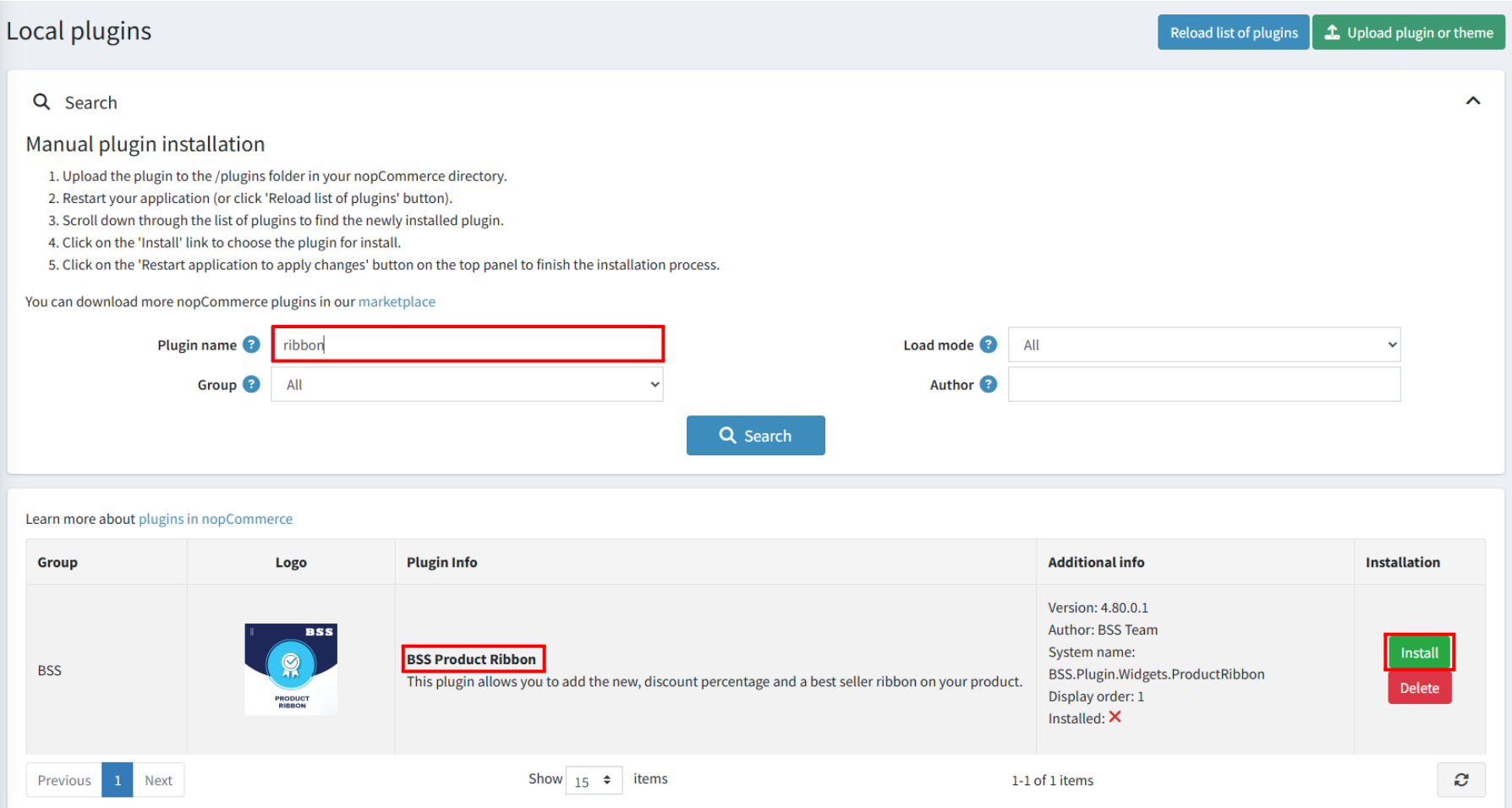
After uploading, install the ‘BSS Core' Plugin first.
-
Then scroll down or type the plugin name in the search bar, and install ‘BSS Product Ribbon'
-
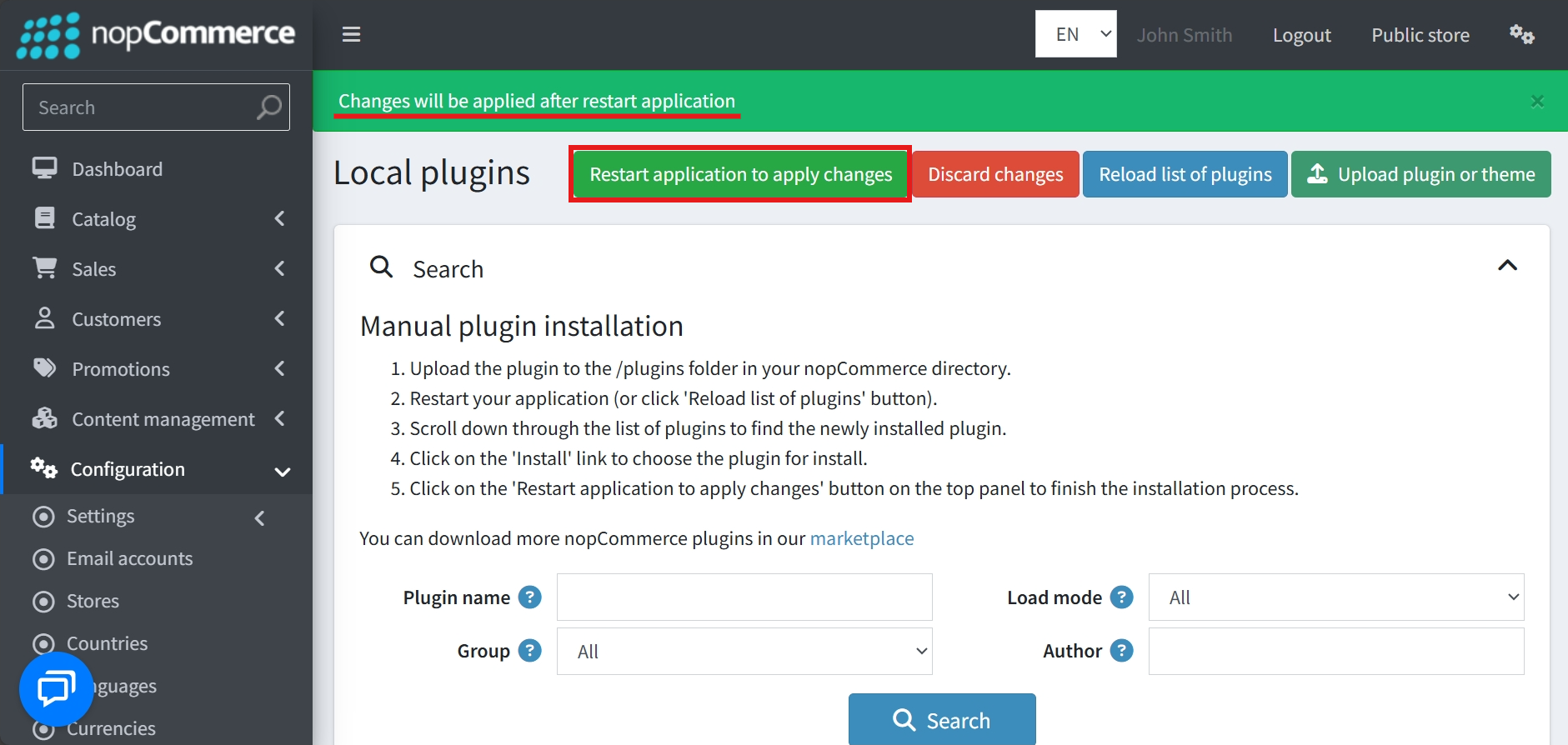
To make the plugins functional, restart the application.
Recommendation: Go to > App Settings. If you find JavaScript bundling and minification, CSS bundling and minification are checked, then uncheck these two options and disable them.

CONFIGURE
-
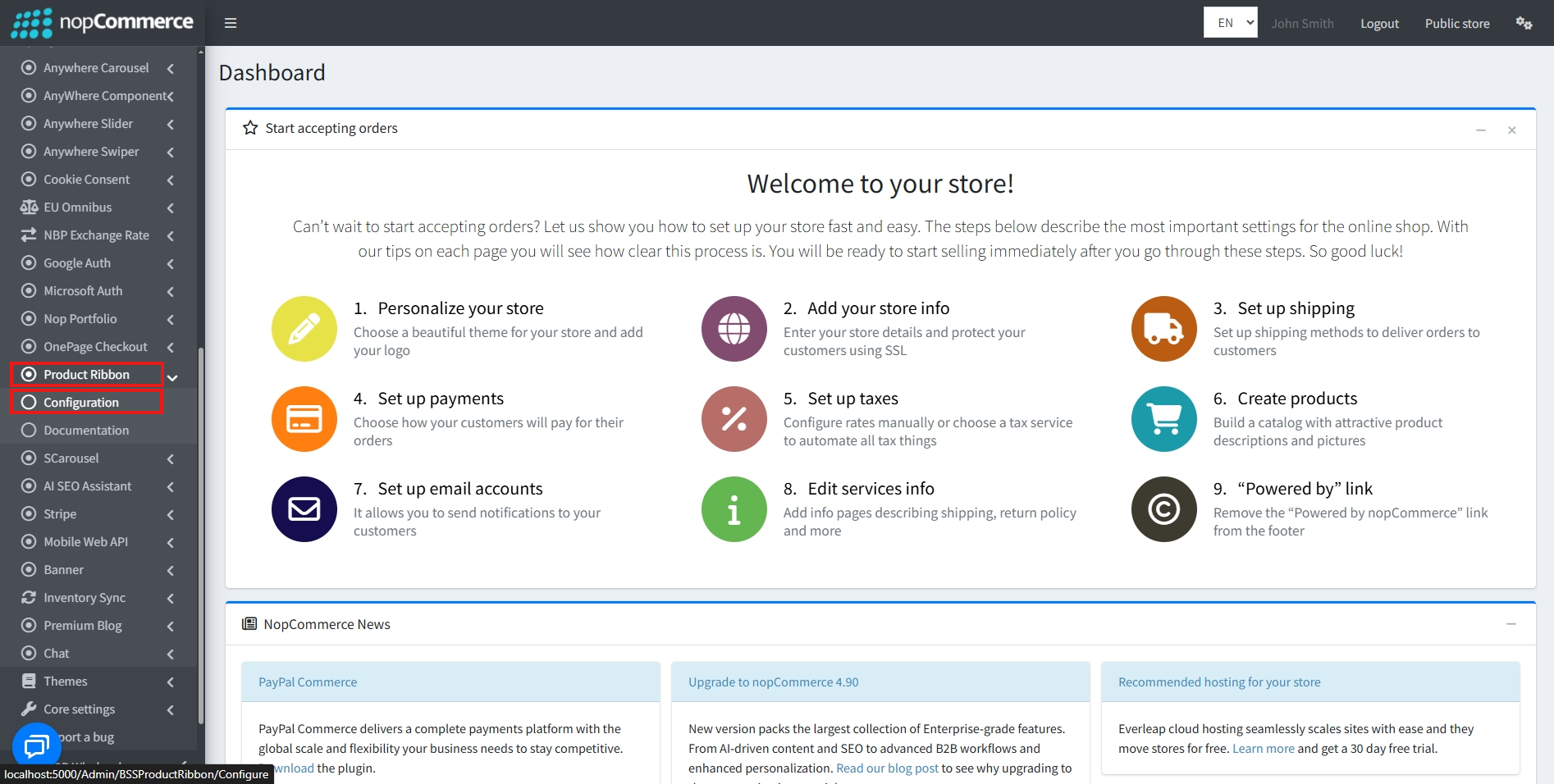
Go to Admin → BSS → Plugins → Product Ribbon → Configuration.
-
Enter the License string and click Save. Then, clear cache.

-
Go again to BSS → Plugins → Product Ribbon → Configuration to configure the settings.
-
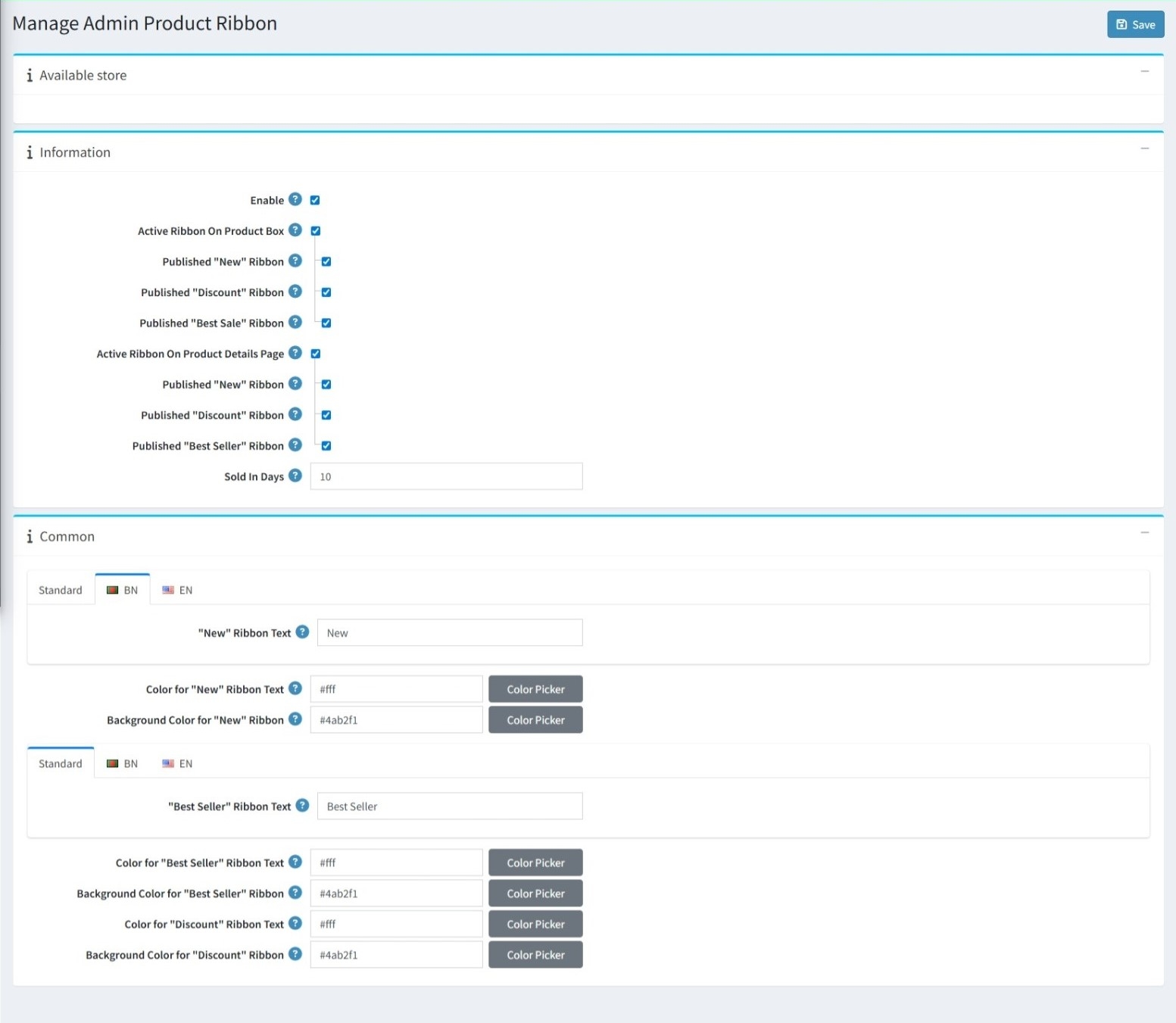
Check the ‘Enable’ box to activate the plugin.
-
Enable the ‘New’ ribbon.
-
The ‘New’ ribbon is shown only when the product is marked as new.
-
-
Enable the ‘Discount’ ribbon.
-
The ‘Discount’ ribbon is shown only when the product has a discount. For example, if the old price is 100 USD and the current price is 90 USD, the product will display a 10% discount ribbon.
-
-
Enable the ‘Best Seller’ ribbon.
-
The ‘Best Seller’ ribbon is shown only when a product meets the configured best-seller conditions. The product must have sales within the defined Sold in Days period.
-
-
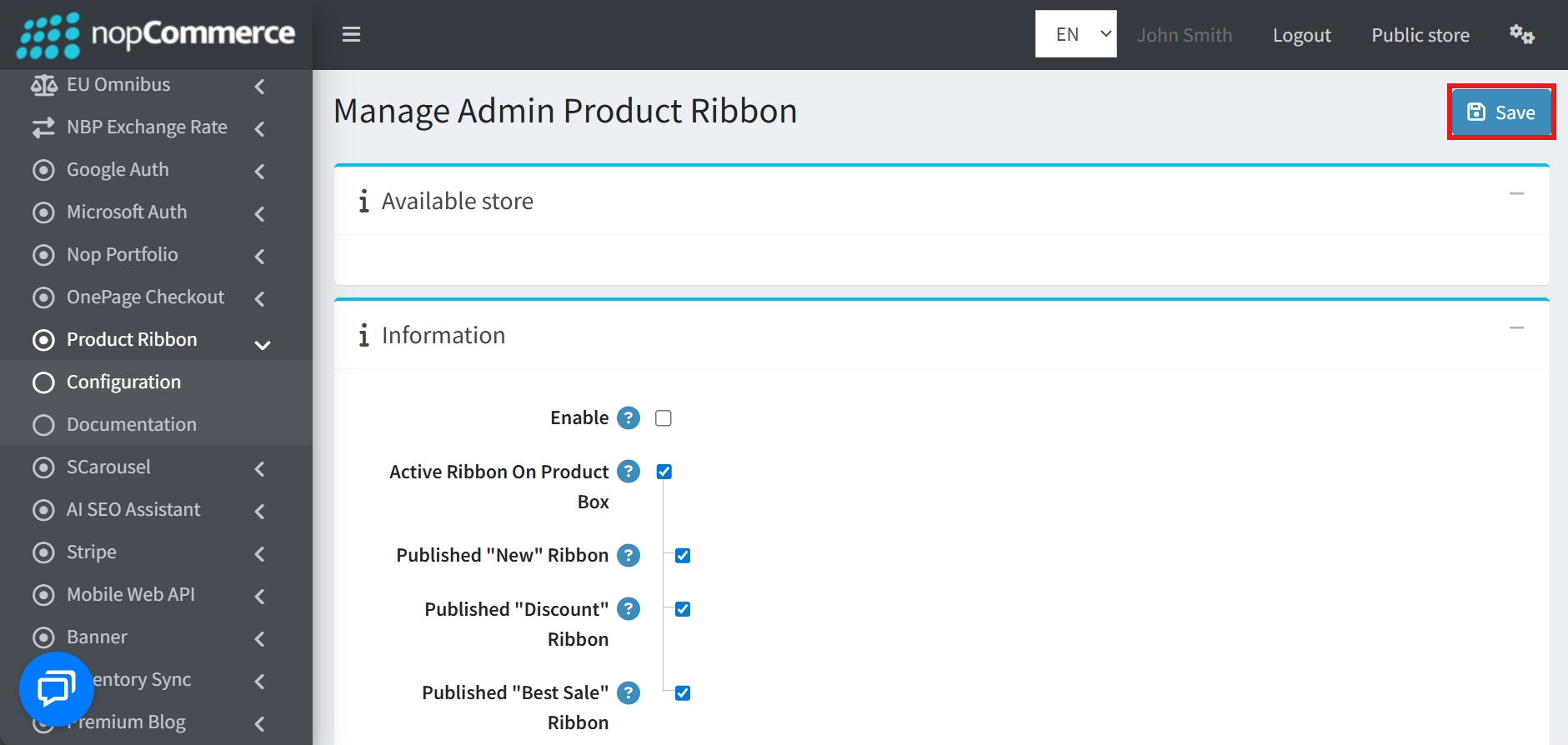
After setting all conditions, click the Save button.
PUBLIC VIEW
-
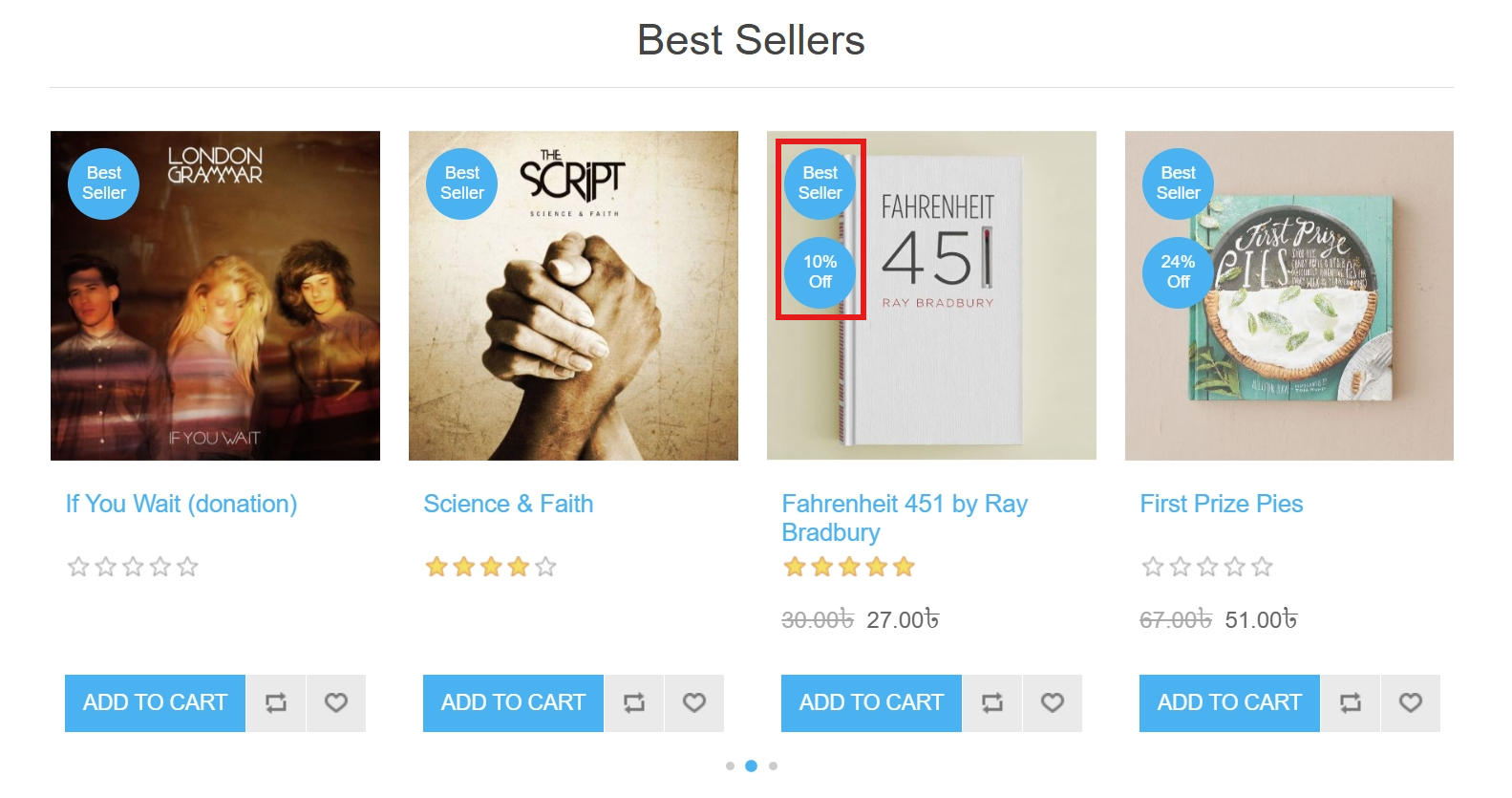
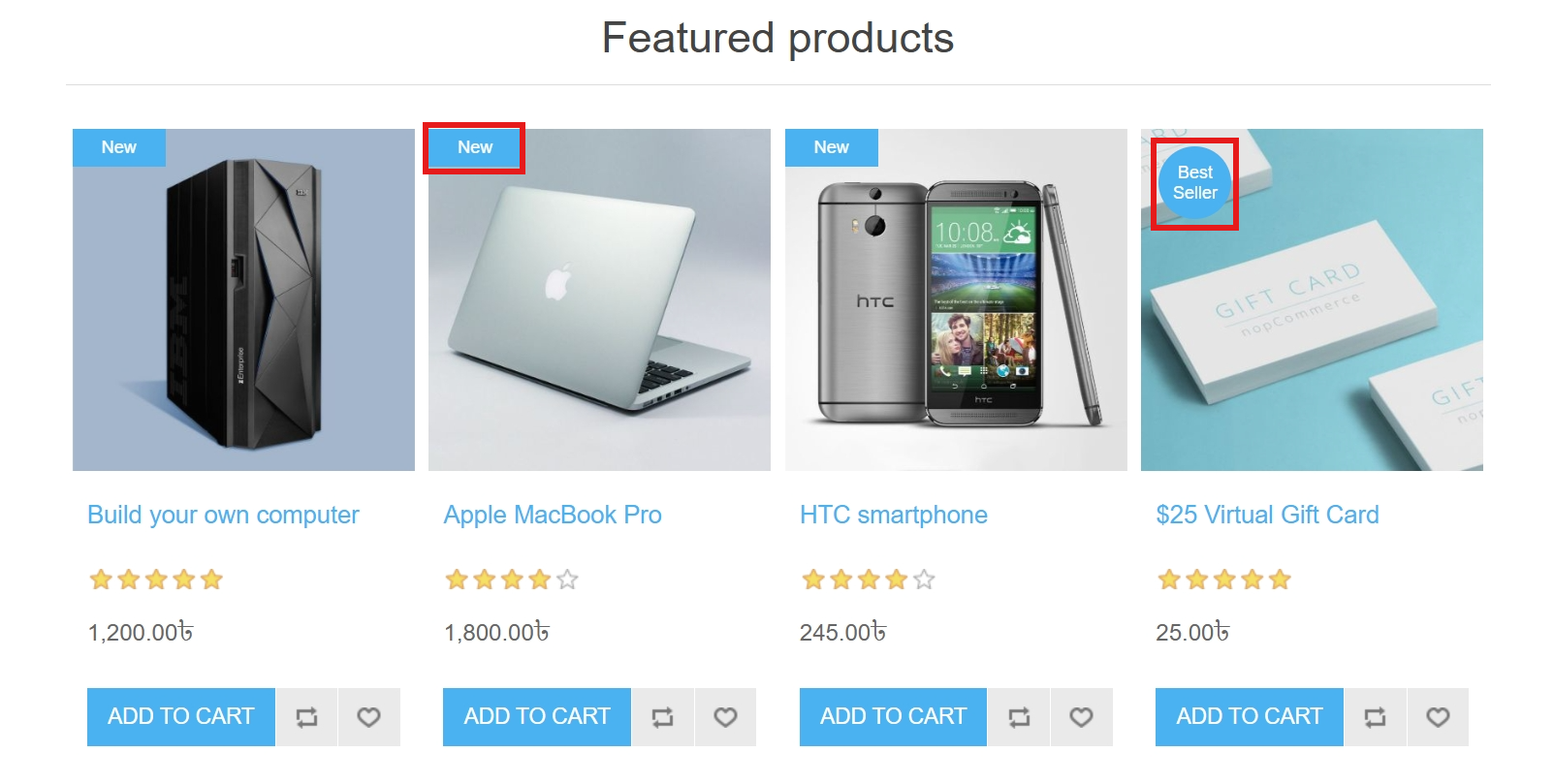
All enabled ribbons (New, Discount, Best Seller) will be displayed on the storefront UI according to the configured conditions.
FEATURES
-
Supports enable/disable New, Discount, and Best Seller ribbons.
-
Ribbon status is configurable from the admin panel.
-
Automatically displays ribbons based on product conditions (new status, discount value, sales volume).
-
Multi-store supported.
-
Easy to install and configure.
-
Supports the default clean theme.


