
BSS Advanced Product Compare
Created on: Jul 14, 2026

PRE-REQUISITES
-
The plugin requires you to install the BSS Core plugin first.
INSTALLATION
-
Go to the Order Details Page and Download plugin package
-
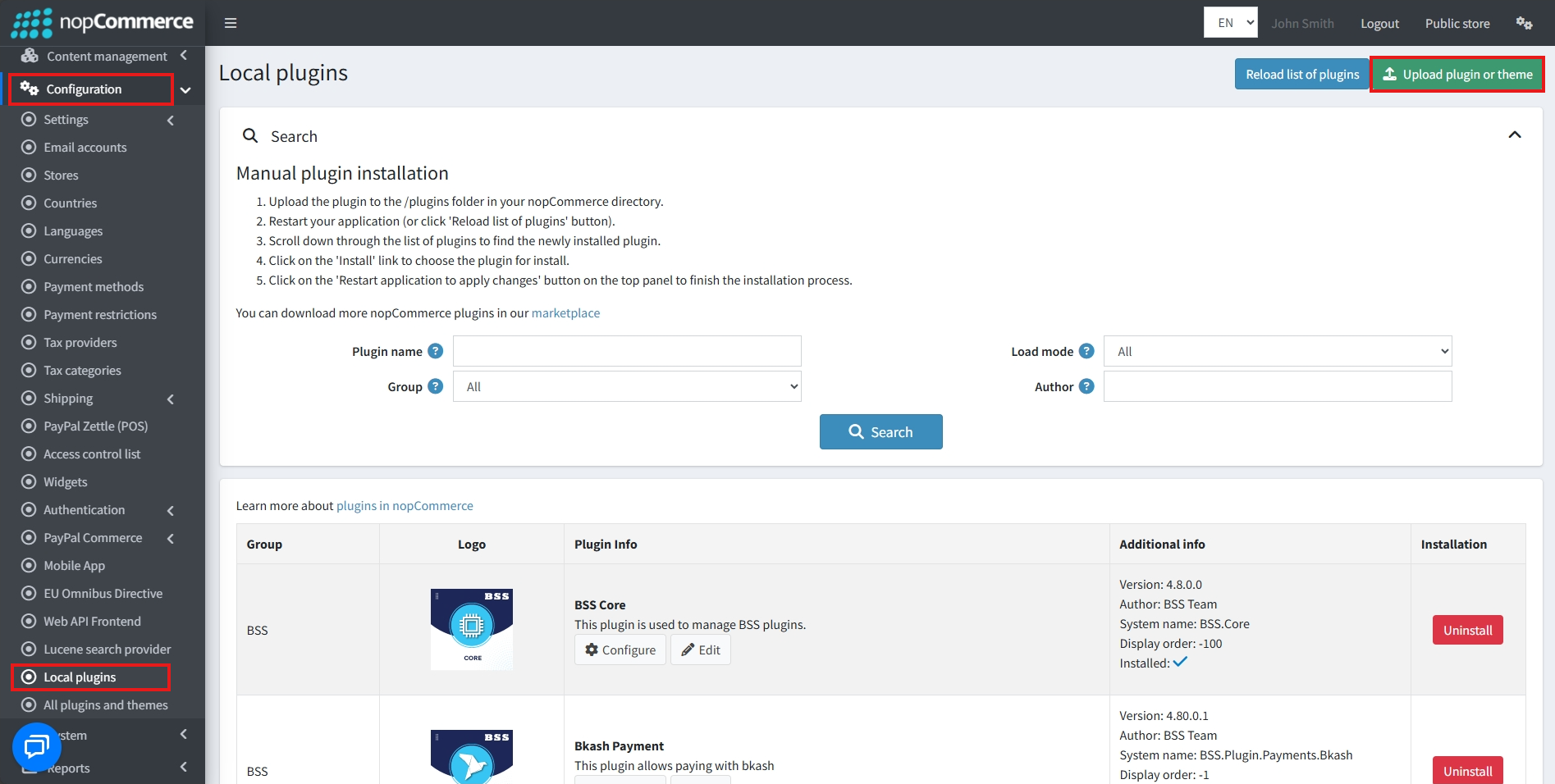
Go to Administration → Configuration → Local plugins.
-
Within the bundle, you get all the required files, including BSS.Core
-
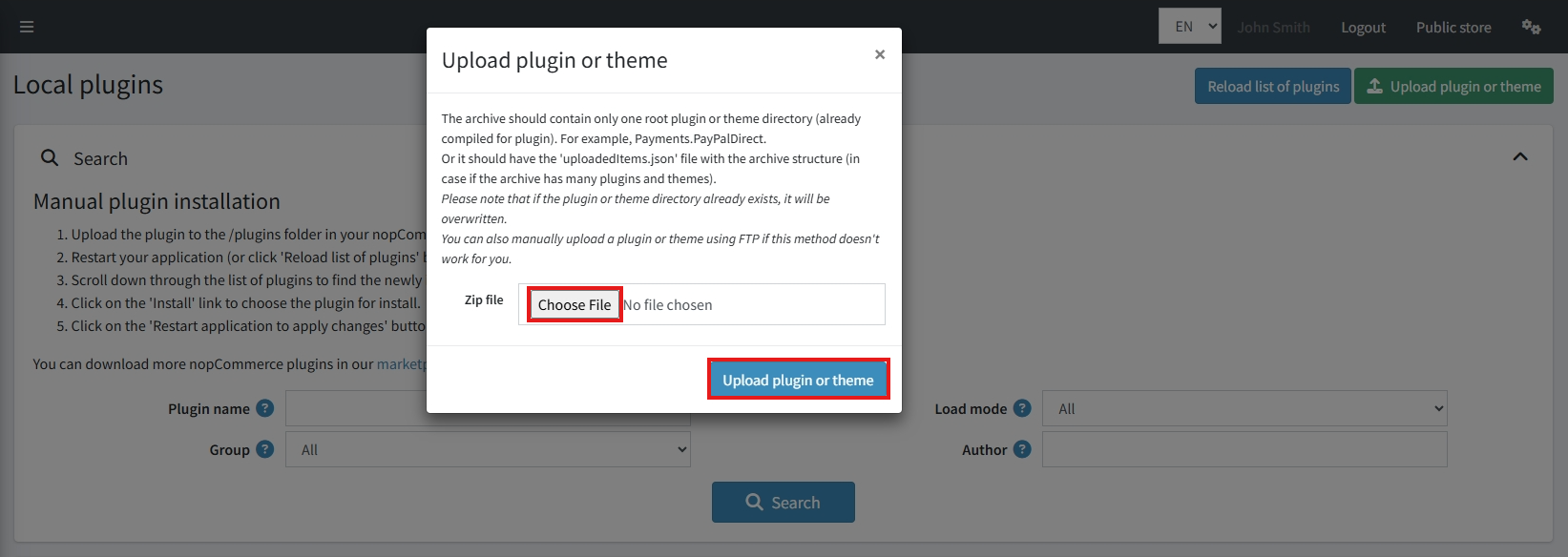
Upload the zip files using the ‘Upload plugin or theme' button.
-
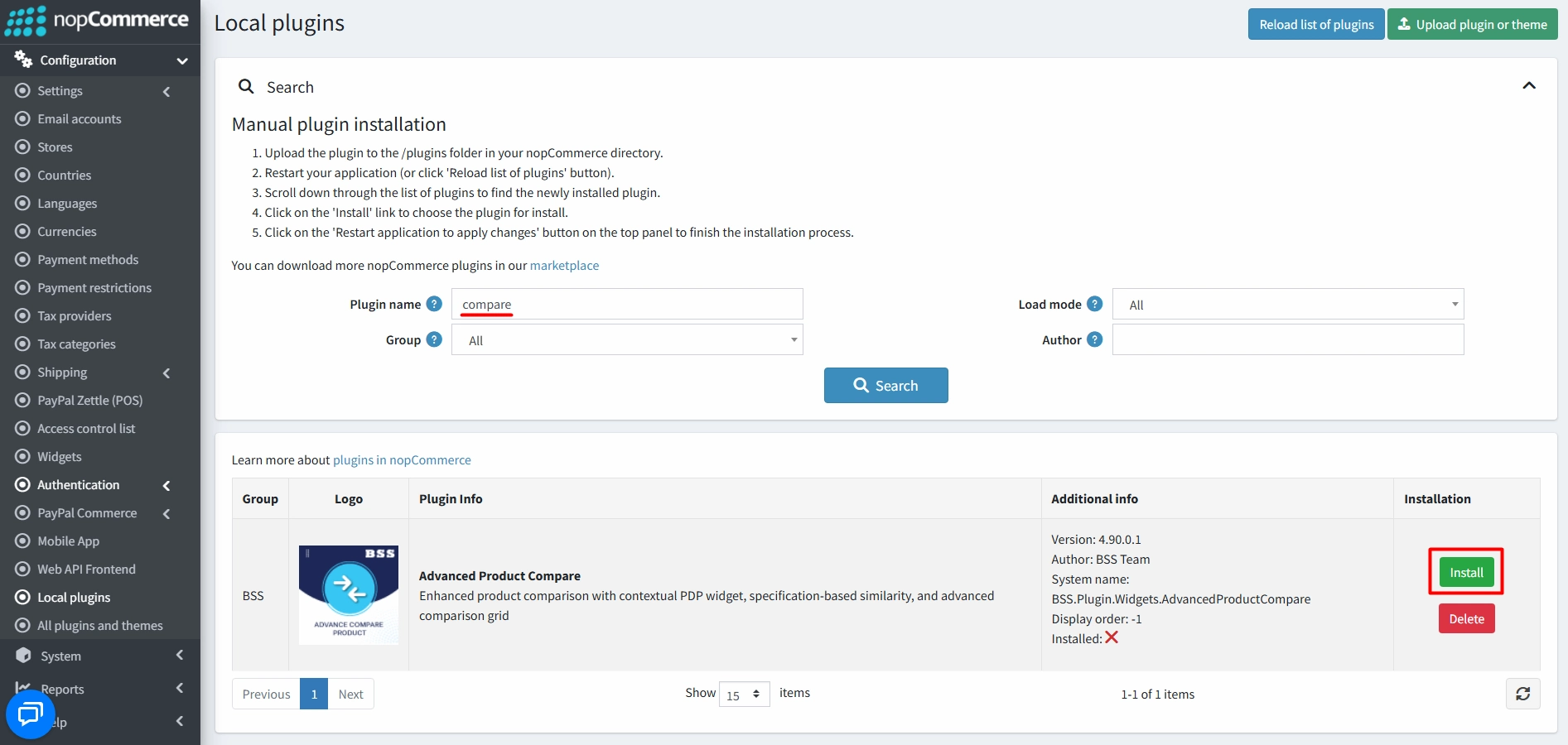
After uploading, install the ‘BSS Core' Plugin first.
-
Then scroll down or type the plugin name in the search bar, and install ‘BSS Advanced Product Compare'
-
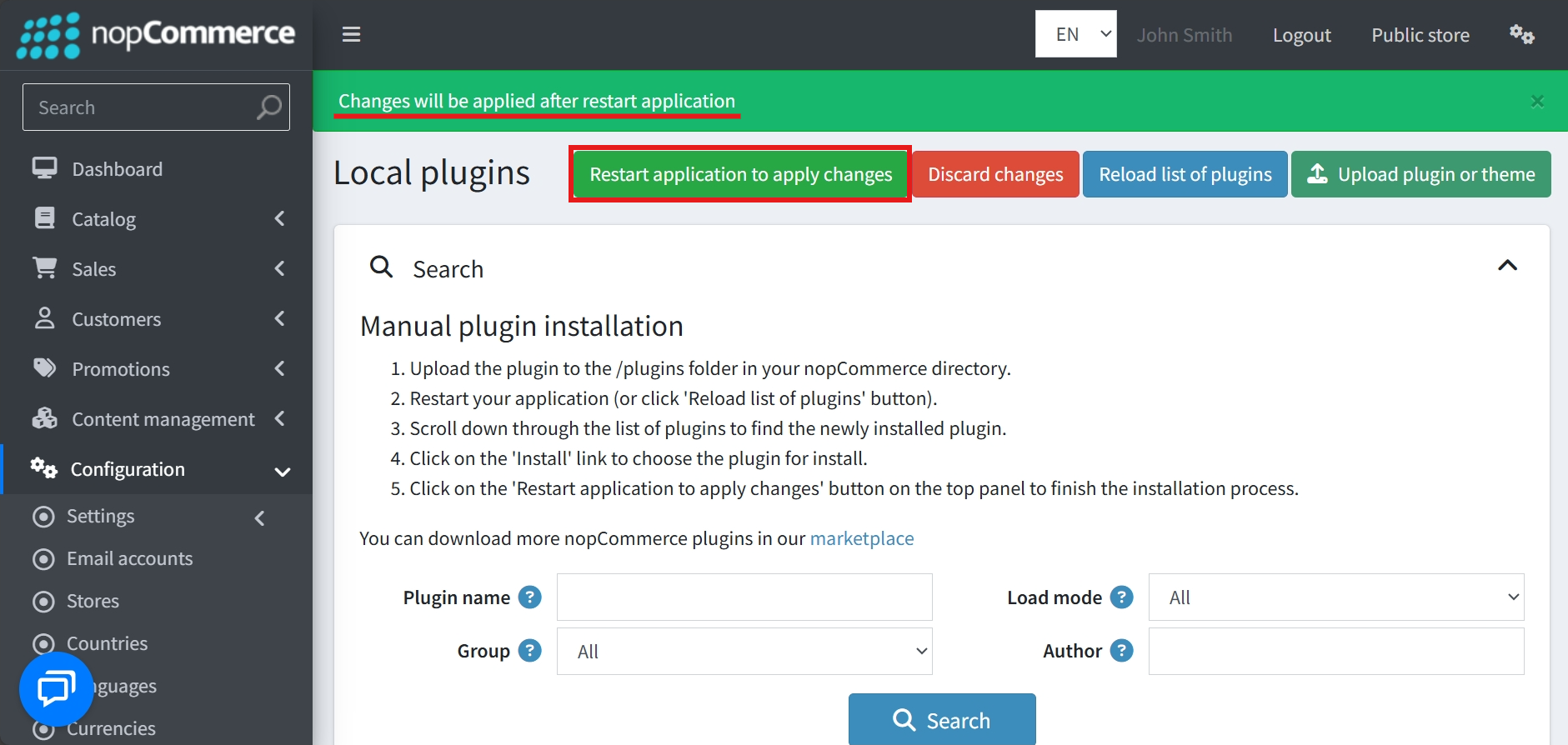
To make the plugins functional, restart the application.
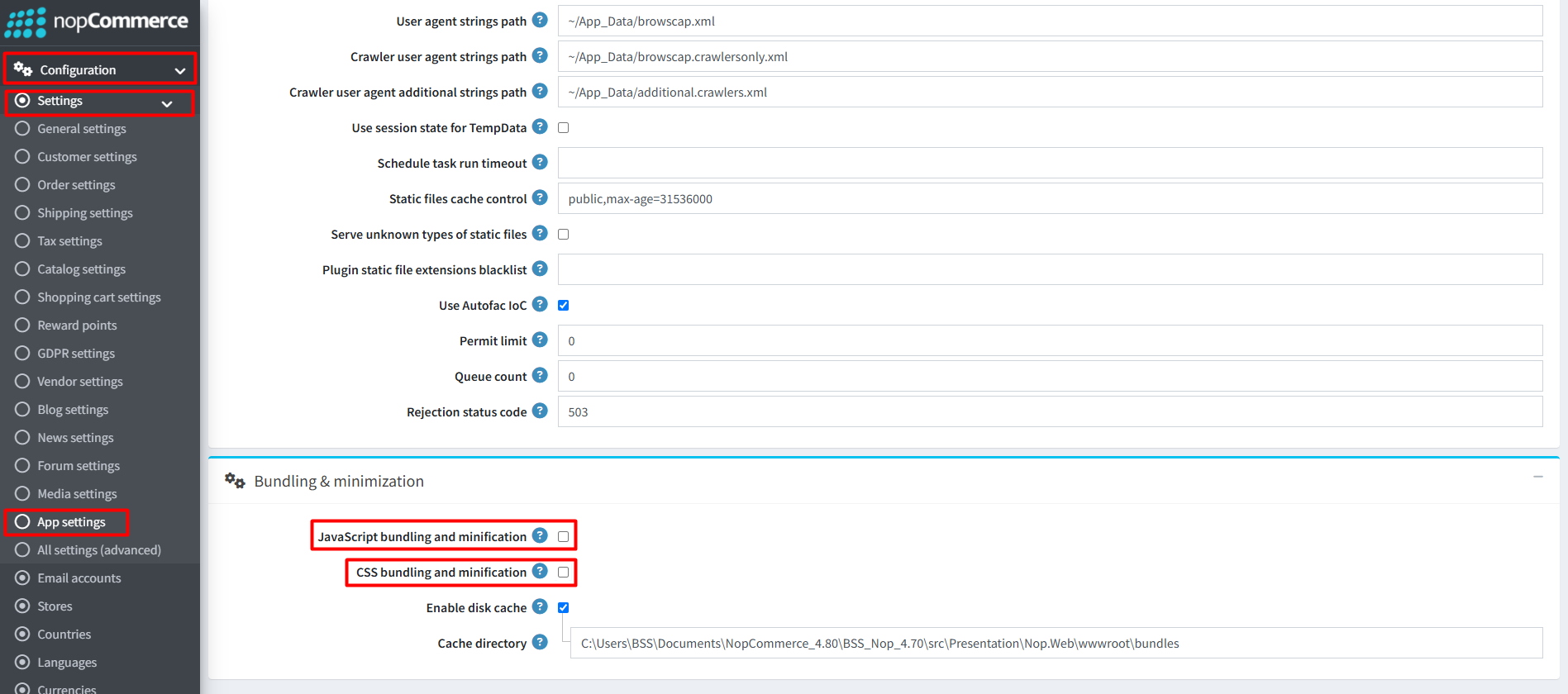
Recommendation: Go to > App Settings. If you find JavaScript bundling and minification, CSS bundling and minification are checked, then uncheck these two options and disable them.
CONFIGURE
-
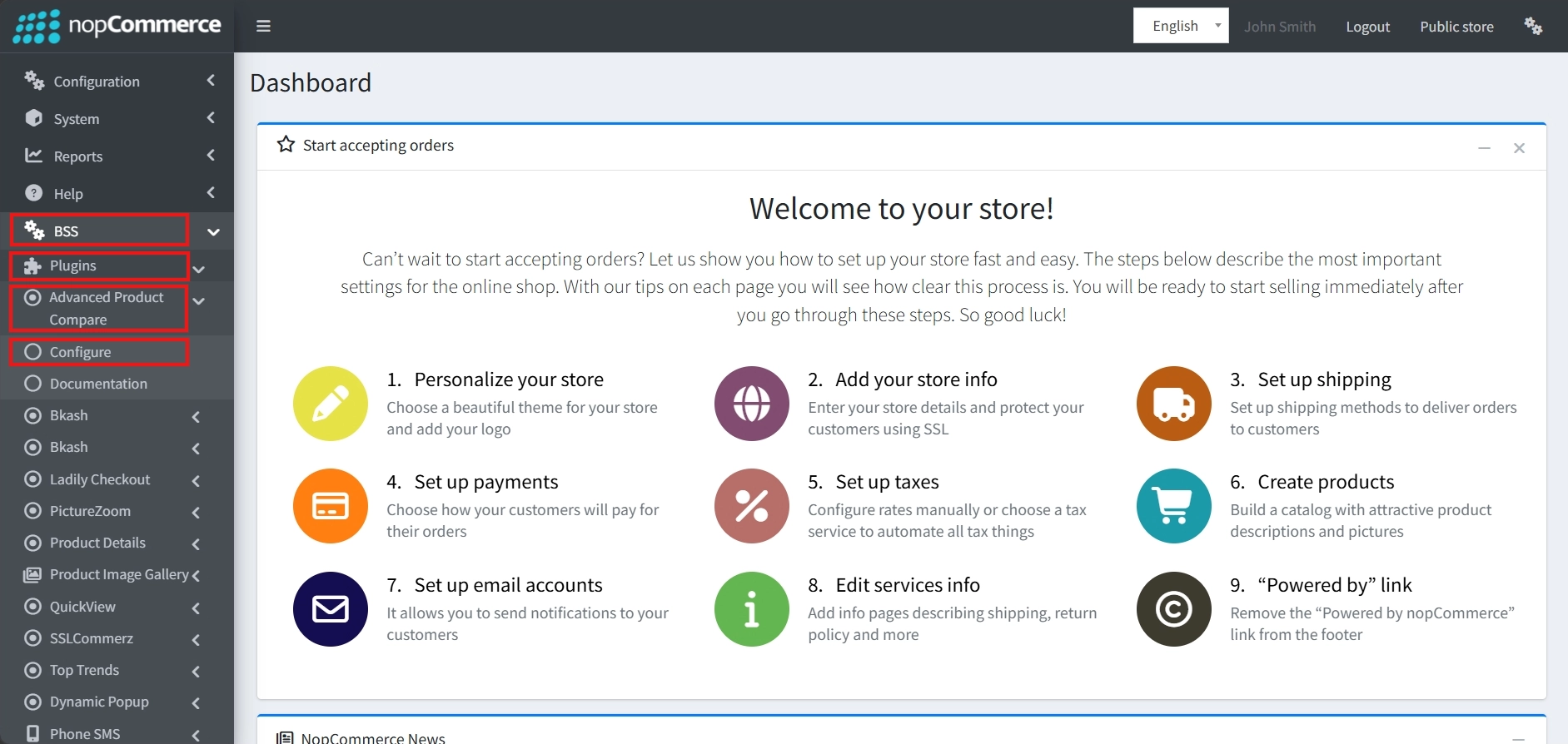
Go to Admin → BSS → Plugins → Advanced Product Compare → Configuration.
-
Enter the License string and click Save. Then, clear cache.

-
Go again to BSS → Plugins → Advanced Product Compare → Configuration to configure the settings.
GENERAL SETTINGS
-
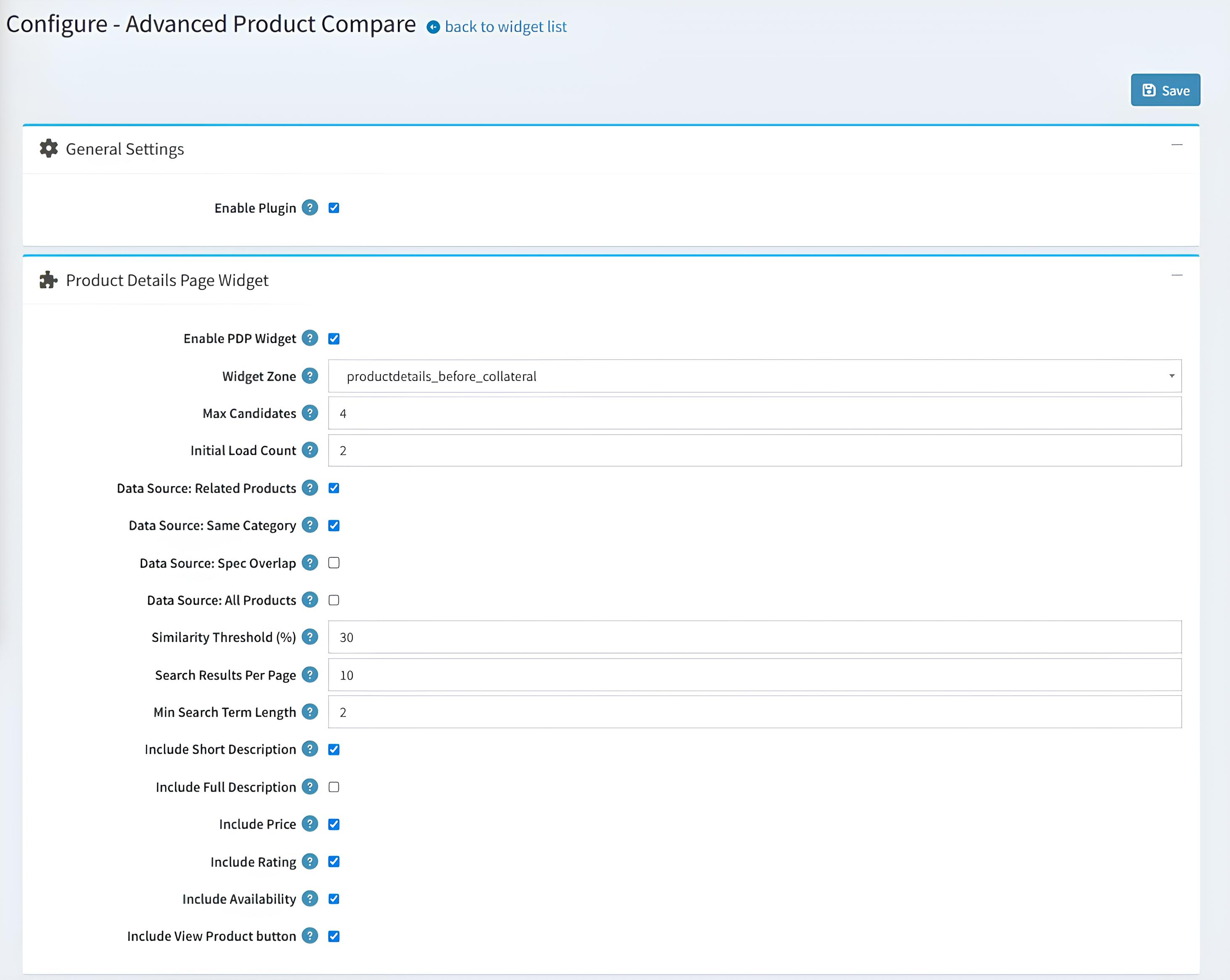
Enable Plugin: A global toggle used to turn the entire product comparison functionality on or off for your store.
PRODUCT DETAILS PAGE (PDP) WIDGET
-
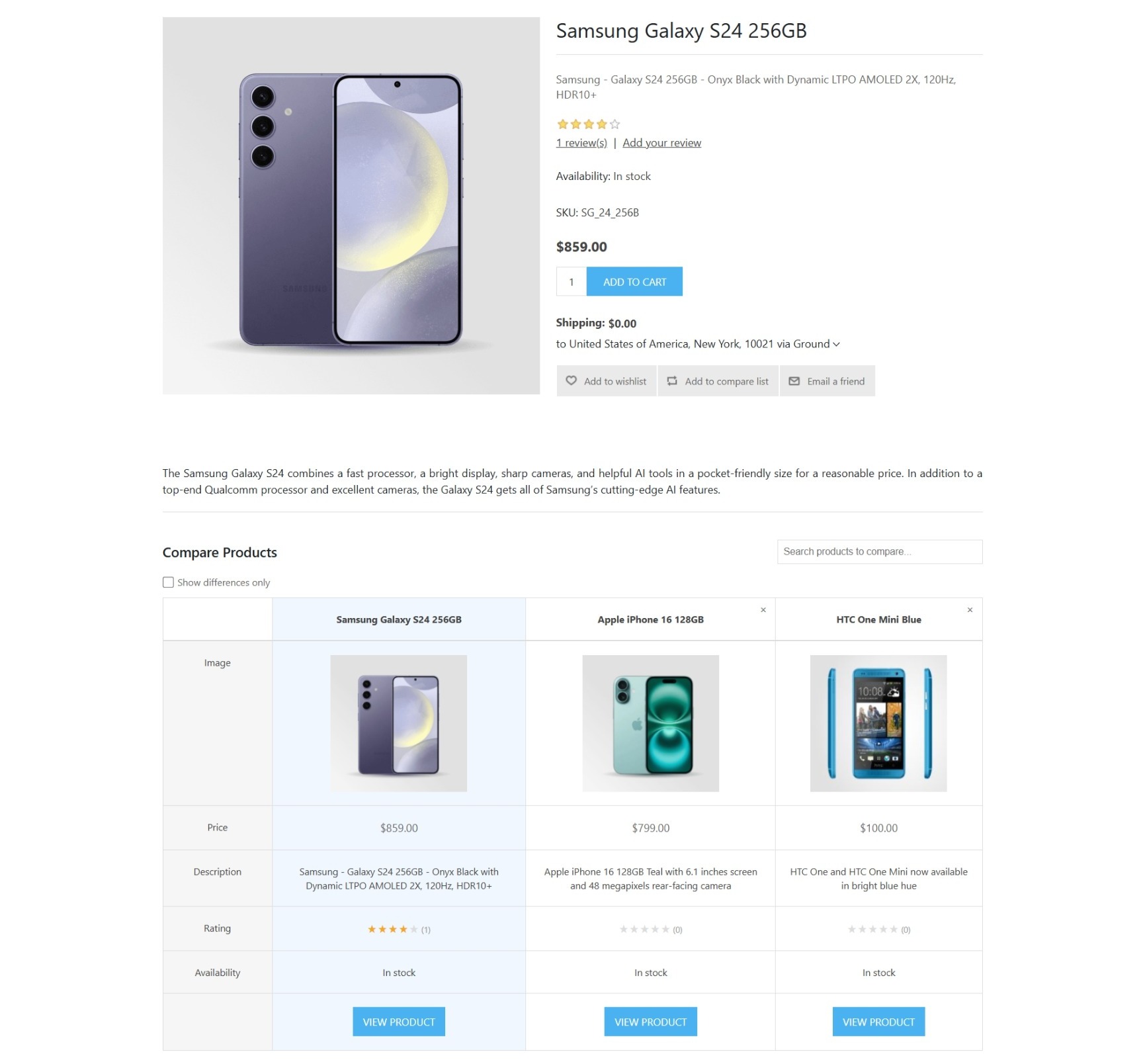
Enable PDP Widget: Specifically enables or disables the comparison widget on individual product details pages.
-
Widget Zone: A dropdown menu used to select the exact placement of the comparison widget on the product details page.
-
Max Candidates: Defines the maximum number of products that can be added to a single comparison session.
-
Initial Load Count: Sets the number of comparison products that are automatically displayed when the widget first loads on a product page.
-
Data Source (Related Products): When enabled, products manually marked as Related are included as comparison candidates.
-
Data Source (Same Category): Pulls comparison candidates from the same category as the product currently being viewed.
-
Data Source (Spec Overlap): Uses products with similar specification attributes as comparison candidates.
-
Data Source (All Products): Allows comparison candidates to be selected from the entire product catalog.
-
Similarity Threshold (%): Specifies how closely products must match before they are suggested for comparison.
-
Search Results Per Page: Controls the number of products displayed in the widget's search results.
-
Min Search Term Length: Sets the minimum number of characters a customer must enter before product search begins.
-
Include Short Description: Shows or hides the product's short description in the comparison table.
-
Include Full Description: Shows or hides the product's full description in the comparison view.
-
Include Price: Determines whether the product's current price is displayed in the comparison widget.
-
Include Rating: Displays the product's star rating and review summary in the comparison table.
-
Include Availability: Shows the current stock availability of each compared product.
-
Include View Product: Adds a View Product button for each compared item, allowing customers to quickly navigate to the corresponding product details page.
MAIN COMPARISON PAGE
-
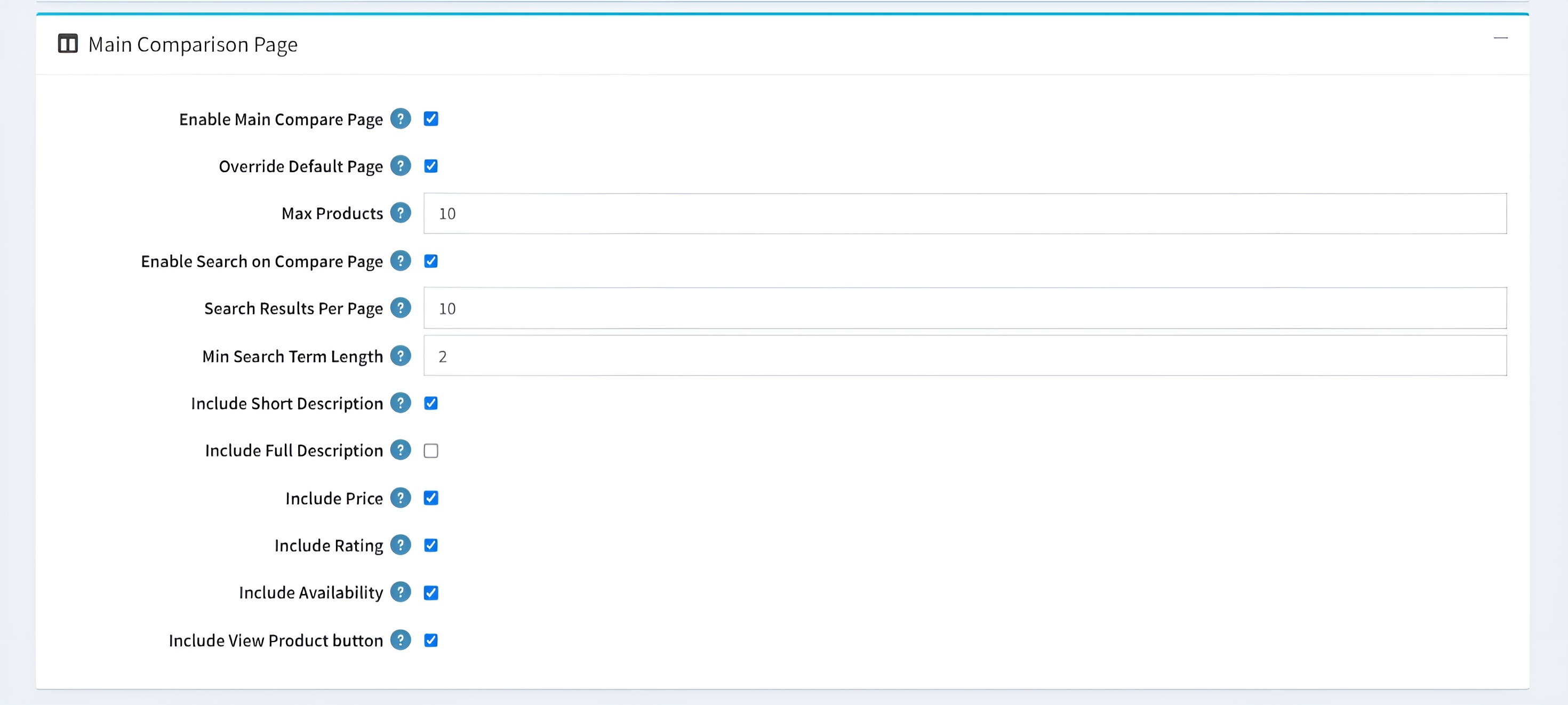
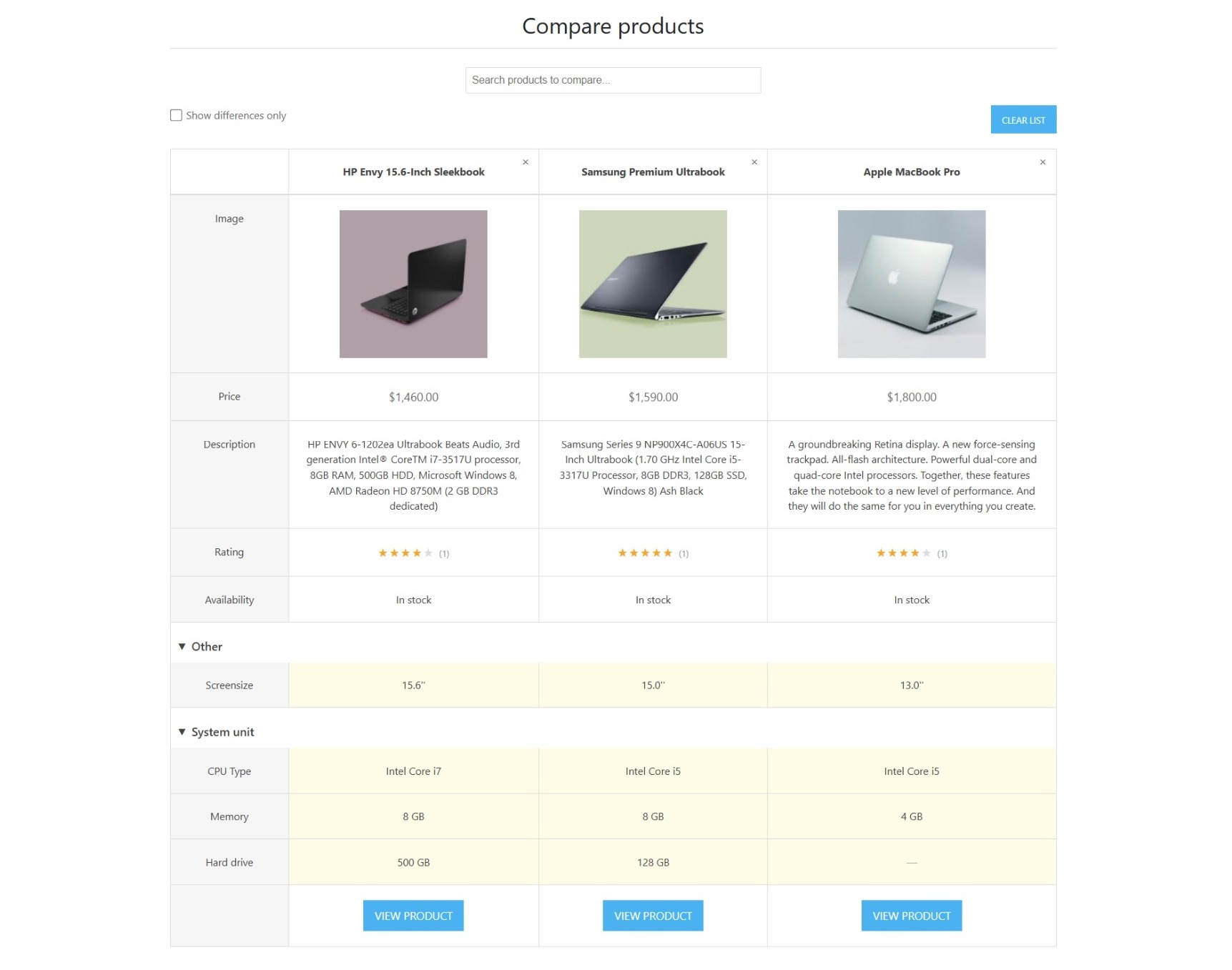
Enable Main Compare Page: Enables or disables the dedicated standalone product comparison page on your storefront.
-
Override Default Page: When enabled, the plugin's advanced comparison page replaces the store's default comparison page.
-
Max Products: Defines the maximum number of products a customer can compare simultaneously on the main comparison page.
-
Enable Search on Compare Page: Adds a search bar to the comparison page, allowing customers to find and add products to their current comparison list.
-
Search Results Per Page: Controls the number of products displayed in the search results within the comparison interface.
-
Min Search Term Length: Sets the minimum number of characters a customer must enter before product search begins.
-
Include Short Description: Shows or hides the product's short description in the comparison table.
-
Include Full Description: Shows or hides the product's full description in the comparison view.
-
Include Price: Determines whether the current price of each compared product is displayed.
-
Include Rating: Displays the product's star rating and review summary in the comparison table.
-
Include Availability: Shows the current stock availability of each compared product.
-
Include View Product: Adds a View Product button for each compared item, allowing customers to quickly navigate to the corresponding product details page.
PUBLIC VIEW
-
Product Details Widget Page
-
Main Comparison Page
FEATURES
-
Comprehensive Data Sourcing: Automatically pulls comparison candidates from multiple sources, including Related Products, Same Category, Specification Overlap, or the entire product catalog.
-
Customizable PDP Widget: Displays a comparison widget directly on product details pages with flexible placement through configurable Widget Zones.
-
Standalone Comparison Page: Provides a dedicated comparison page that can optionally replace the store's default comparison interface for an enhanced user experience.
-
Integrated Product Search: Allows customers to search for and add products to their comparison list with configurable search term lengths, search results, and similarity thresholds.
-
Granular Attribute Control: Choose which product information to display, including Price, Rating, Availability, and Short or Full Descriptions, within comparison tables.
-
Dynamic Navigation: Adds View Product buttons to comparison results, enabling customers to quickly navigate to individual product details pages.
-
Comparison Session Management: Configure the maximum number of products that can be compared at once and control initial product loading to optimize performance and usability.


