
BSS Paddle Payment
Created on: May 13, 2026
PRE-REQUISITES
-
The plugin requires you to install the BSS Core plugin first.
INSTALLATION
-
Go to the Order Details Page and Download plugin package
-
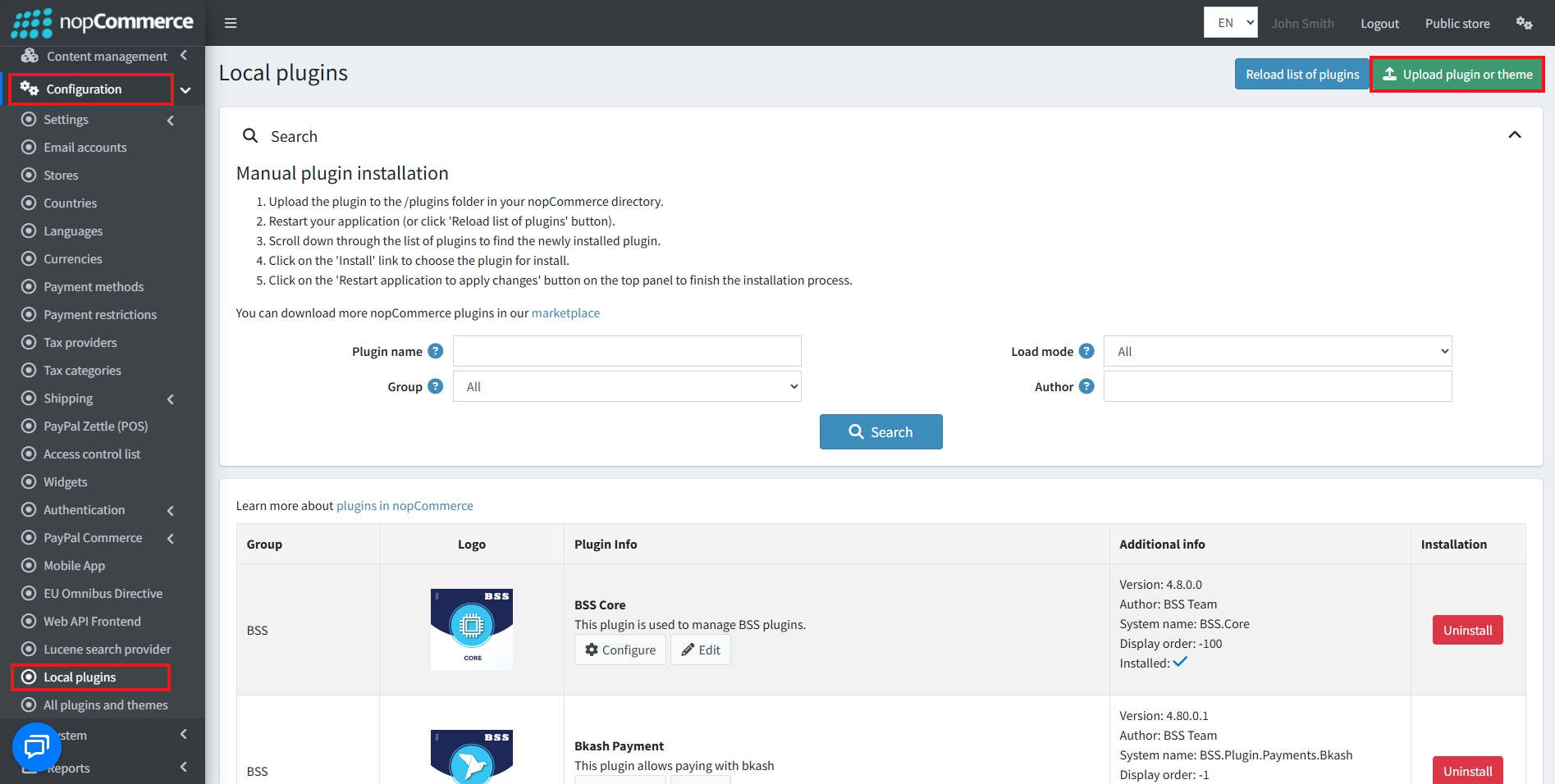
Go to Administration → Configuration → Local plugins
-
Within the bundle, you get all the required files, including BSS.Core
-
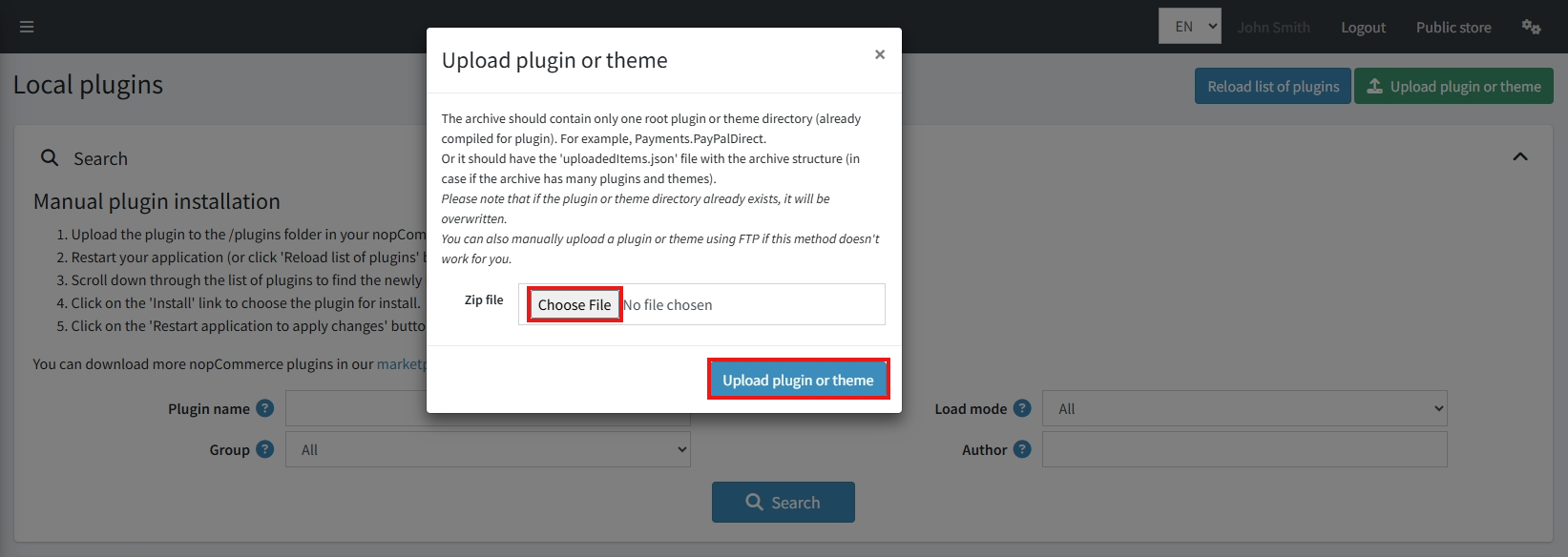
Upload the zip files using the ‘Upload plugin or theme’ button
-
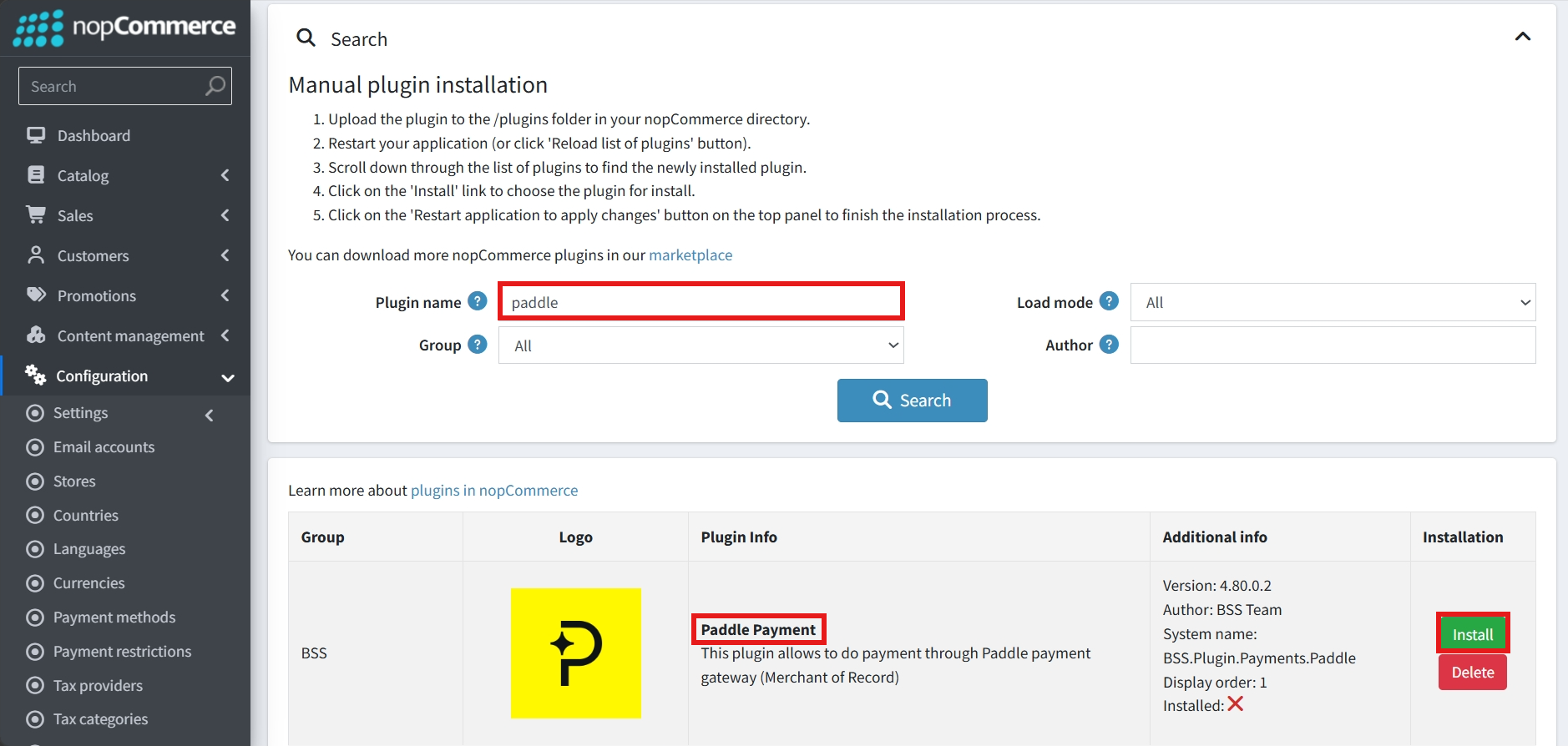
After uploading, install the ‘BSS Core’ Plugin first.
-
Then scroll down or write the name of the plugin in the search bar to find and install ‘BSS Paddle Payment’
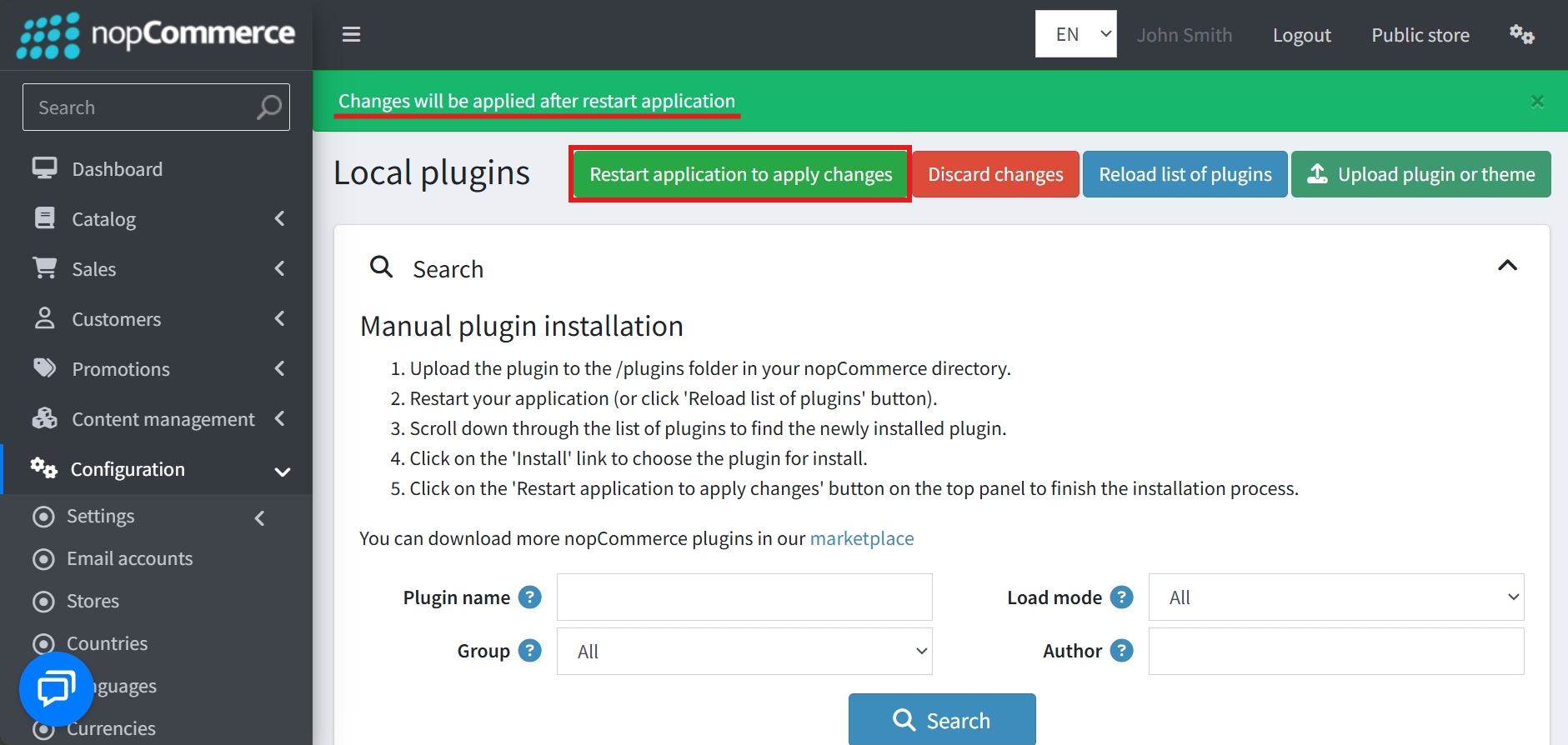
- To make the plugins functional, restart the application
Recommendation: Go to > App Settings. If you find JavaScript bundling and minification, CSS bundling and minification are checked, then uncheck these two options and disable them.

CONFIGURE
-
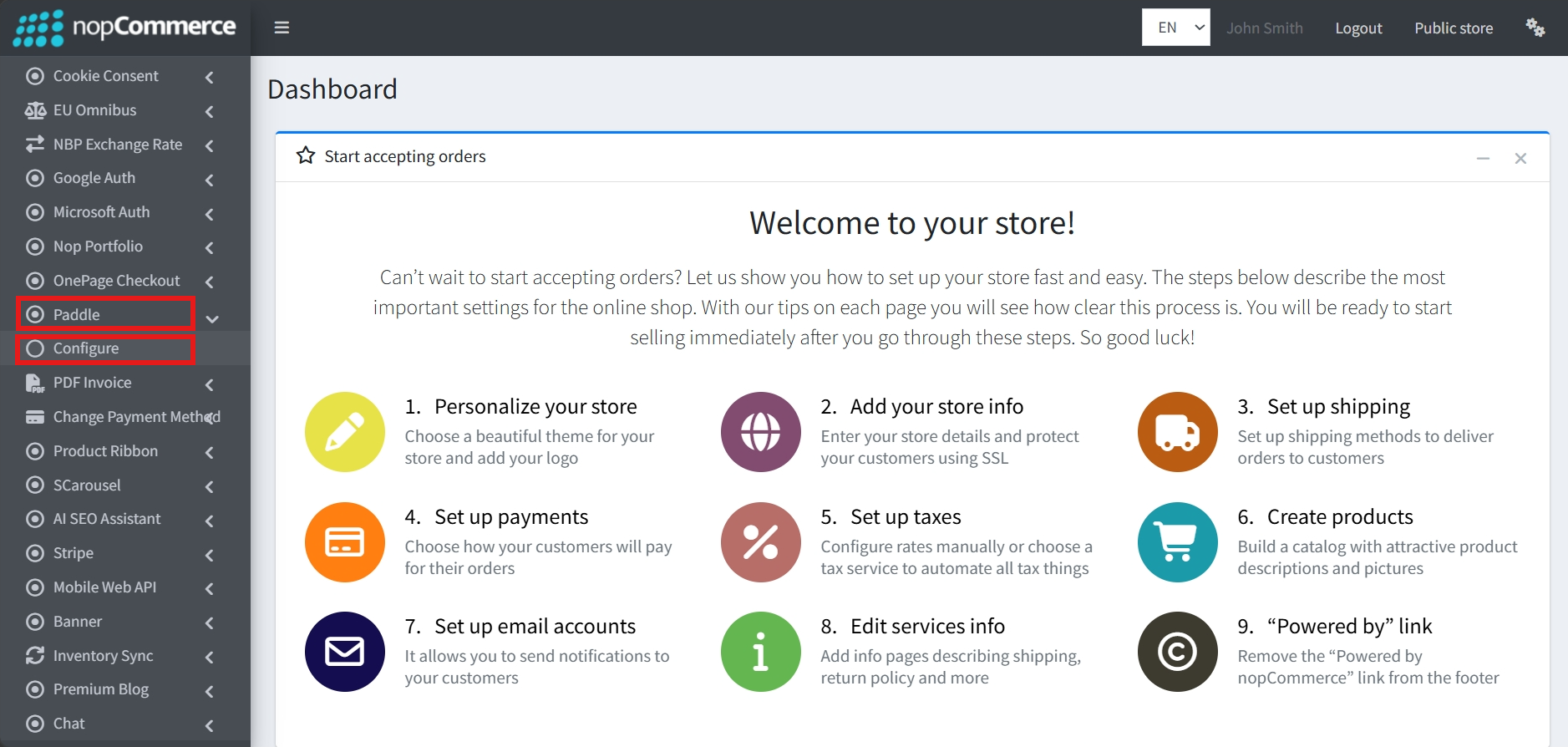
Go to Admin → BSS → Plugins → Paddle → Configuration
-
Enter the License string and save it. Then clear cache.

-
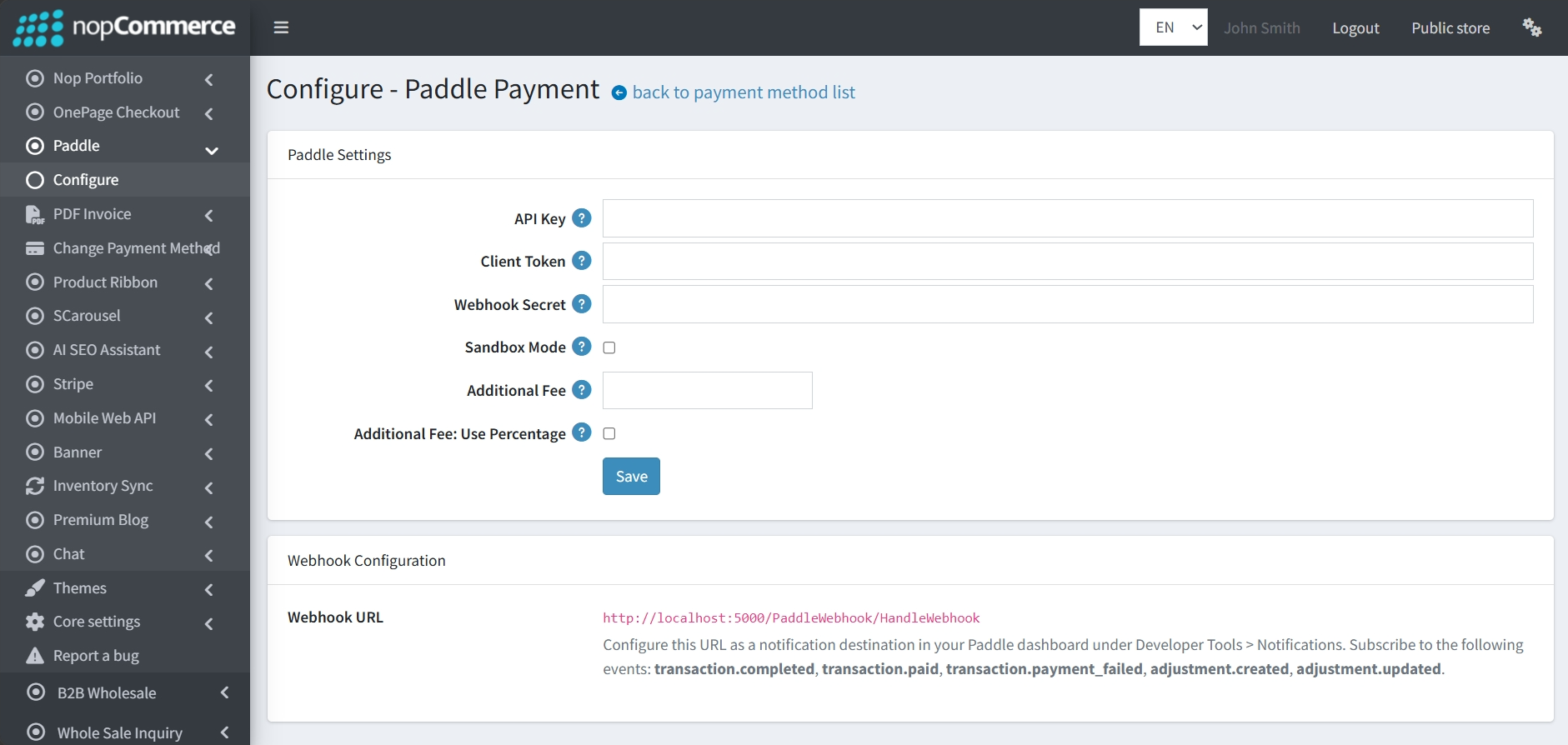
Then again go to BSS → Plugins → Paddle → Configuration to link your store with your Paddle account and manage transaction costs.
PADDLE SETTINGS
-
Authentication: You must provide your API Key, Client Token, and Webhook Secret from your Paddle dashboard to authorize transactions.
-
Sandbox Mode: A checkbox that allows you to toggle between the live environment and a testing environment for verifying the payment flow.
-
Additional Fees: You can set an Additional Fee to be charged when customers select this payment method.
-
Fee Type: The Additional Fee: Use Percentage checkbox determines whether the added charge is a fixed amount or a percentage of the total order.
WEBHOOK CONFIGURATION
-
This section provides the necessary information to keep your store synchronized with Paddle's payment status updates.
-
Webhook URL: The plugin generates a specific Webhook URL that you must copy and configure as a notification destination in the Paddle dashboard under Developer Tools > Notifications.
-
Event Subscriptions: Within your Paddle account (under Developer Tools > Notifications), you can subscribe to a wide range of events. For proper plugin functionality, we recommend subscribing to key ones such as:
-
transaction.completed
-
transaction.paid
-
transaction.payment_failed
-
adjustment.created
-
adjustment.updated
-
-
Once these settings are entered and saved, Paddle will serve as the Merchant of Record, handling all payment processing, tax calculations, and invoicing on behalf of your store.
PUBLIC VIEW
FEATURES
-
Automated Tax & Invoicing: Paddle handles all payment processing, tax calculations (such as VAT), and invoicing on behalf of your store.
-
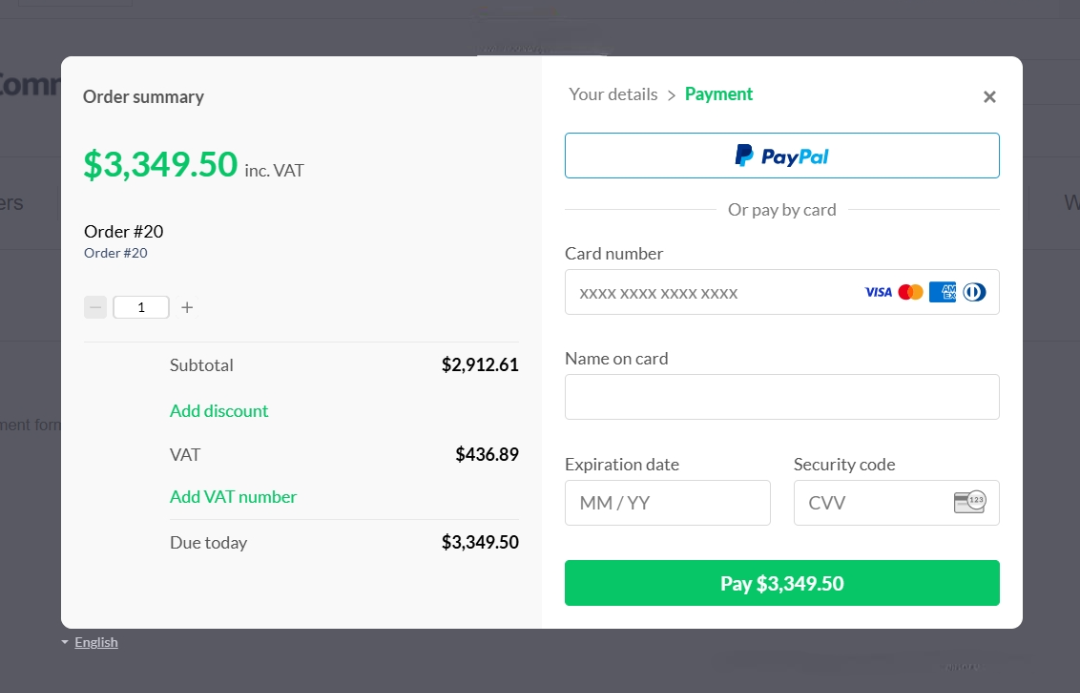
Multiple Payment Methods: Supports secure checkout using a variety of global methods, including PayPal and major Credit/Debit cards such as Visa, Mastercard, and American Express.
-
Professional Checkout UI: Utilizes a secure, modern overlay for transactions that provides a clear order summary, including subtotal and tax breakdowns.
-
Real-time Webhook Synchronization: Uses a dedicated Webhook URL to receive instant updates from Paddle for various events, such as when a transaction is completed, paid, or fails.
-
Sandbox Environment: Includes a Sandbox Mode toggle that allows administrators to safely test the entire payment and webhook flow before processing live transactions.
-
Flexible Transaction Fees: Allows merchants to set an Additional Fee for choosing this payment method, as either a fixed amount or a percentage of the total order.


