
BSS Product Box
Created on: May 07, 2026
PRE-REQUISITES
-
The plugin requires you to install the BSS Core plugin first.
INSTALLATION
-
Go to the Order Details Page and Download plugin package
-
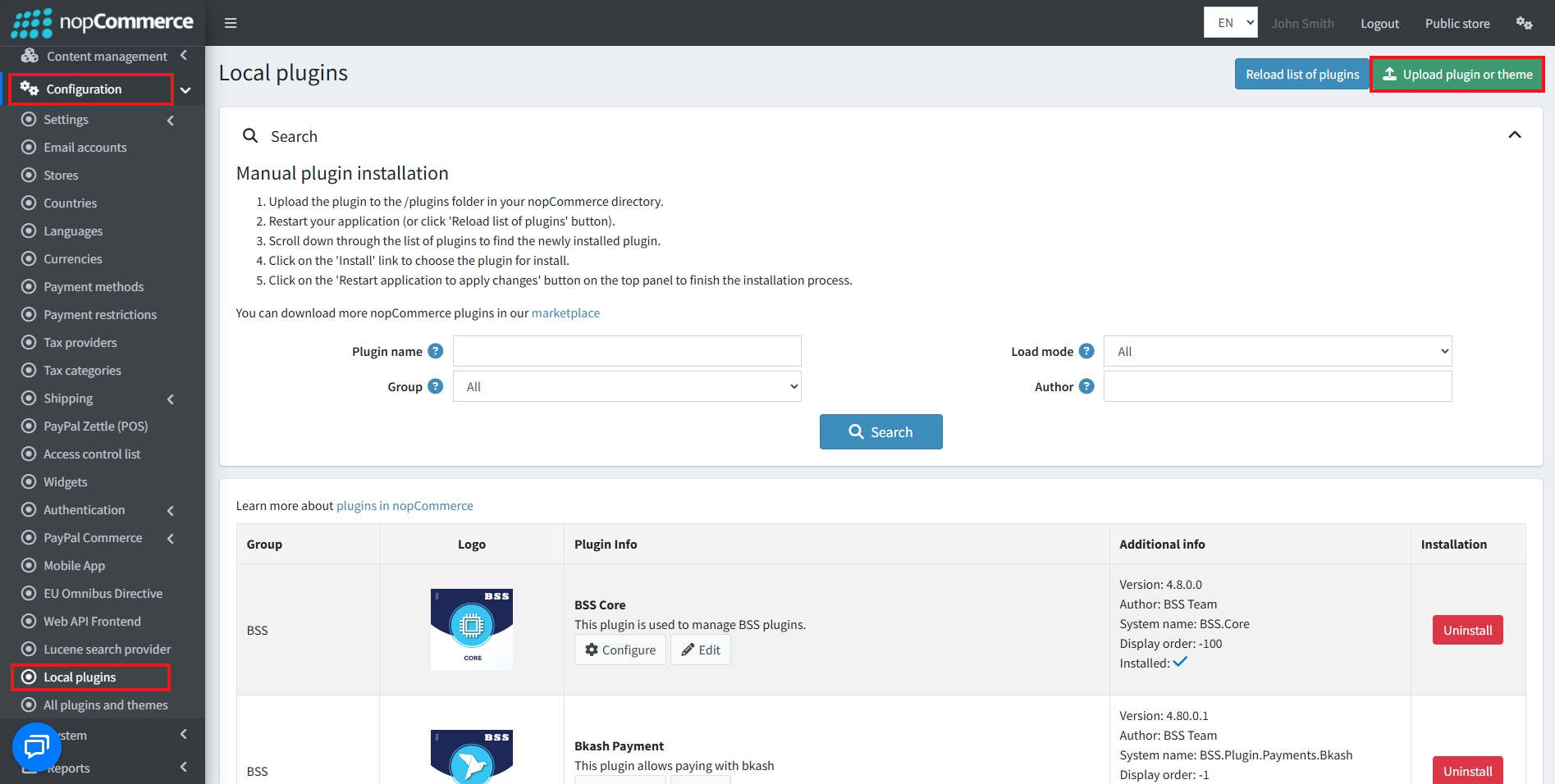
Go to Administration → Configuration → Local plugins
-
Within the bundle, you get all the required files, including BSS.Core
-
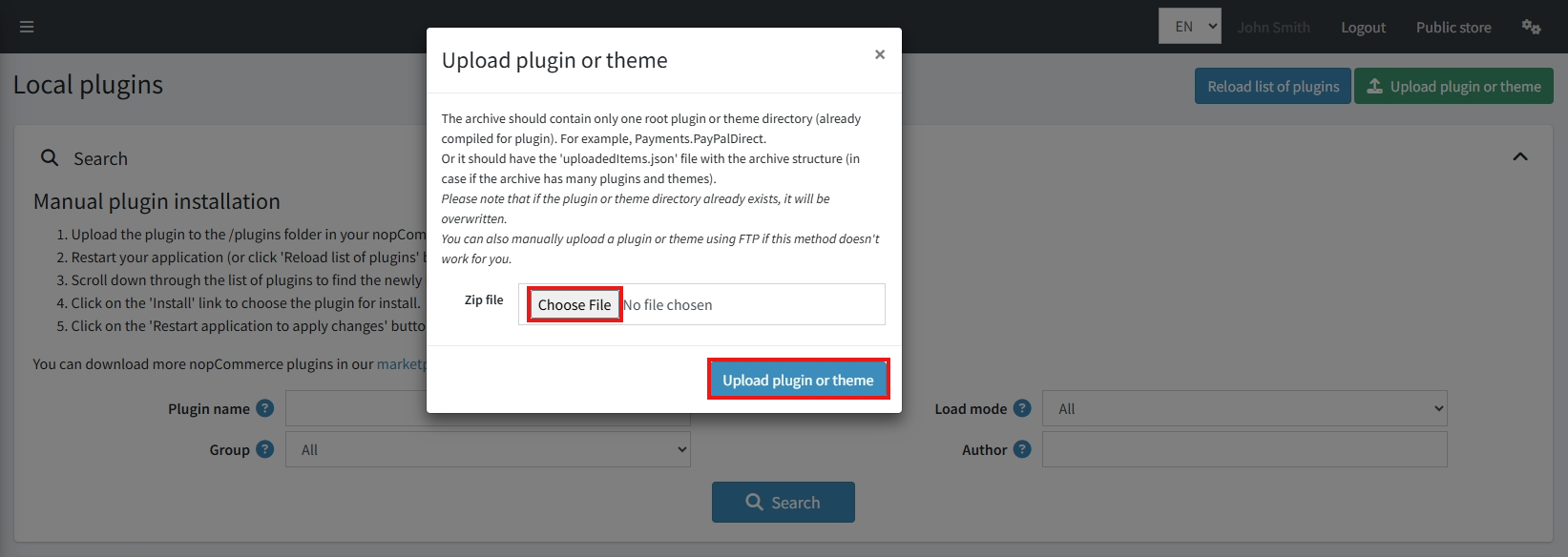
Upload the zip files using the ‘Upload plugin or theme’ button
-
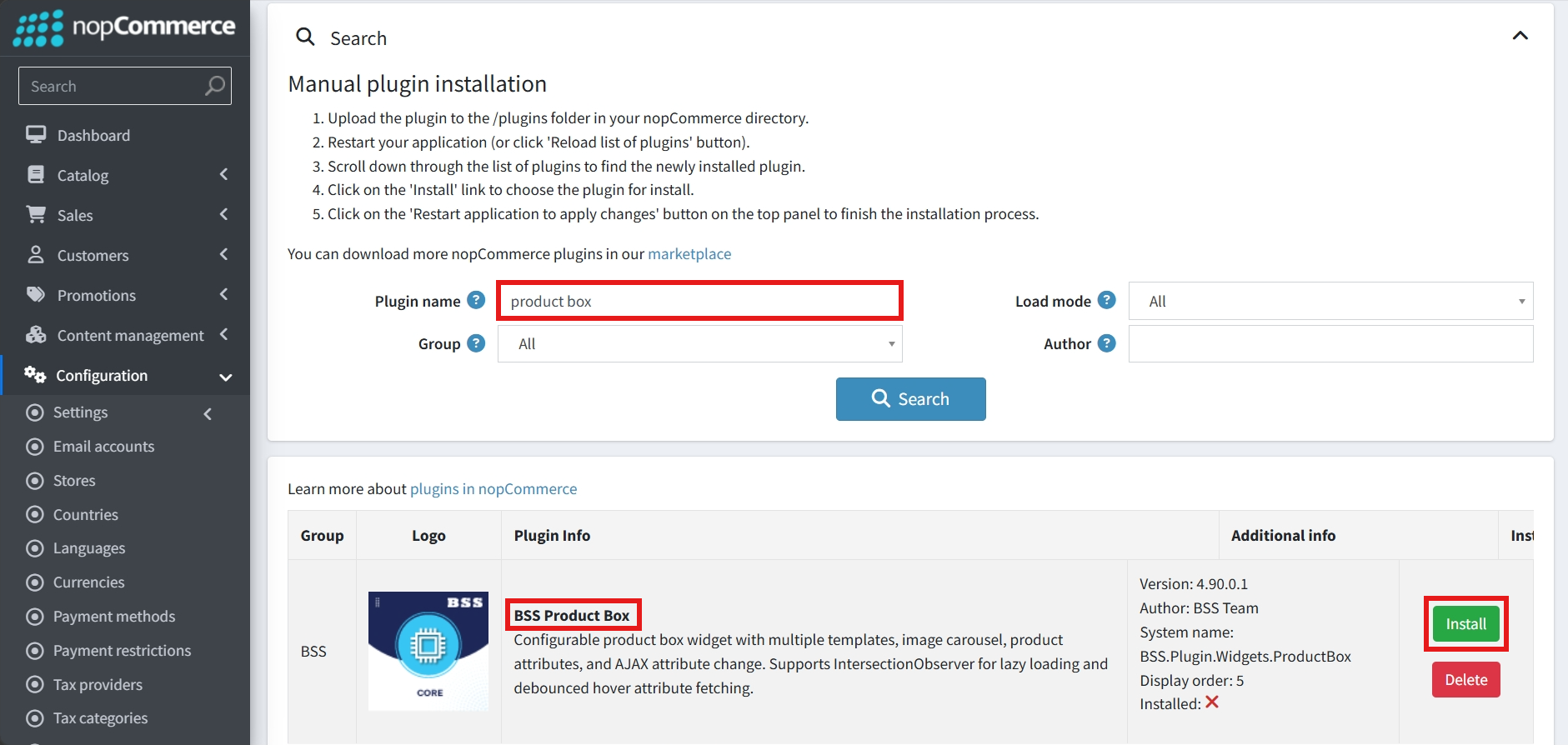
After uploading, install the ‘BSS Core’ Plugin first.
-
Then scroll down or write the name of the plugin in the search bar to find and install ‘BSS Product Box’
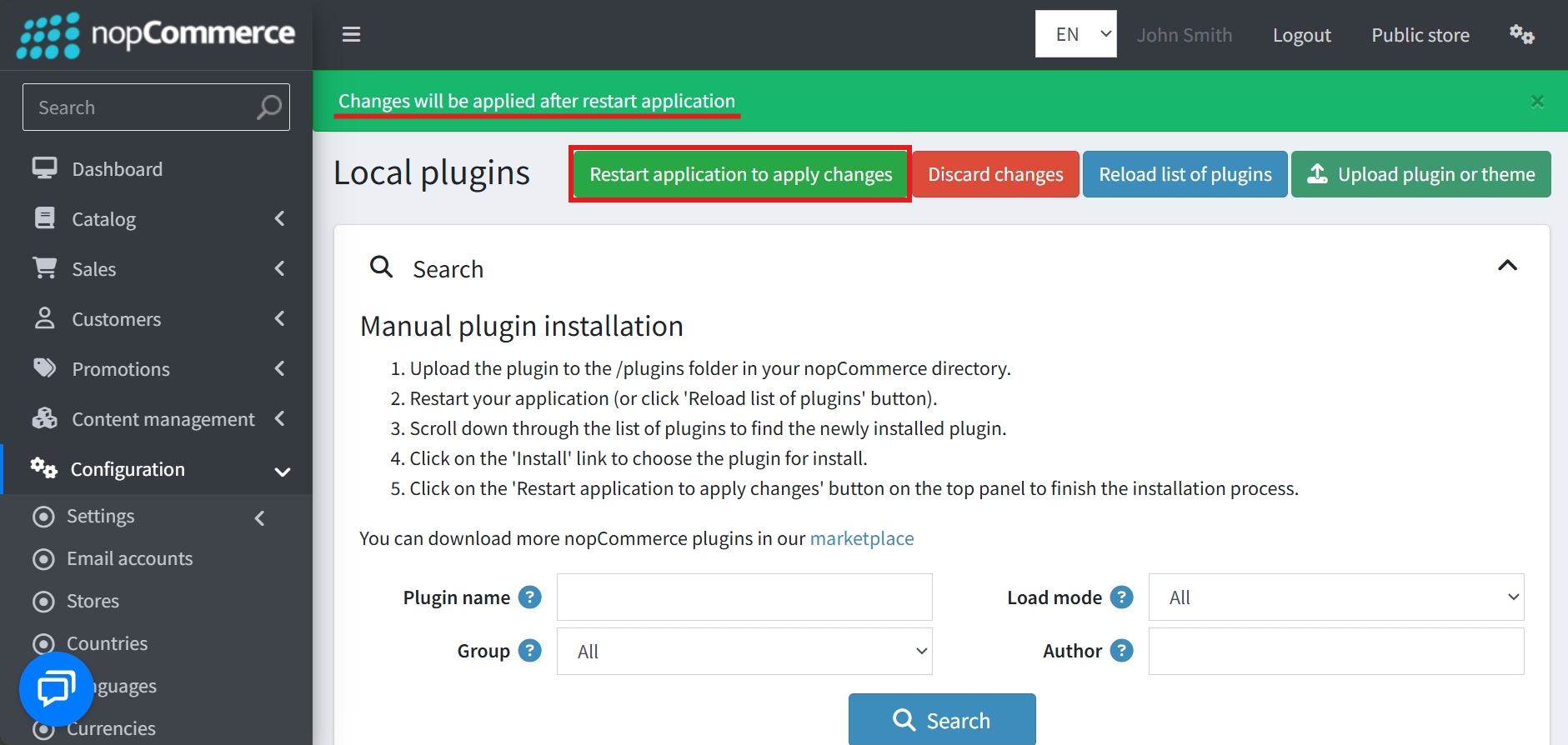
- To make the plugins functional, restart the application
Recommendation: Go to > App Settings. If you find JavaScript bundling and minification, CSS bundling and minification are checked, then uncheck these two options and disable them.

CONFIGURE
-
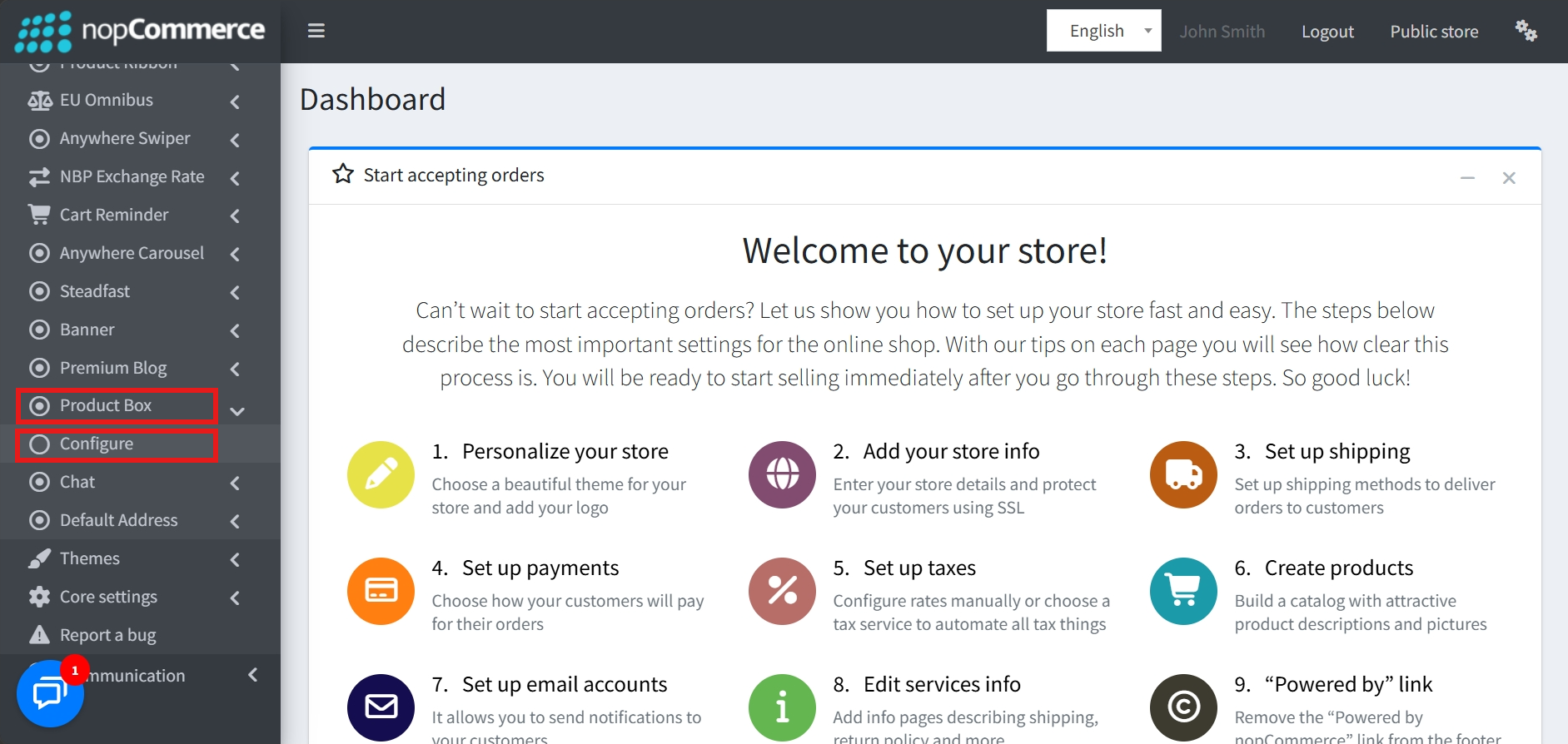
Go to Admin → BSS → Plugins → Product Box → Configuration
-
Enter the License string and save it. Then clear cache.

-
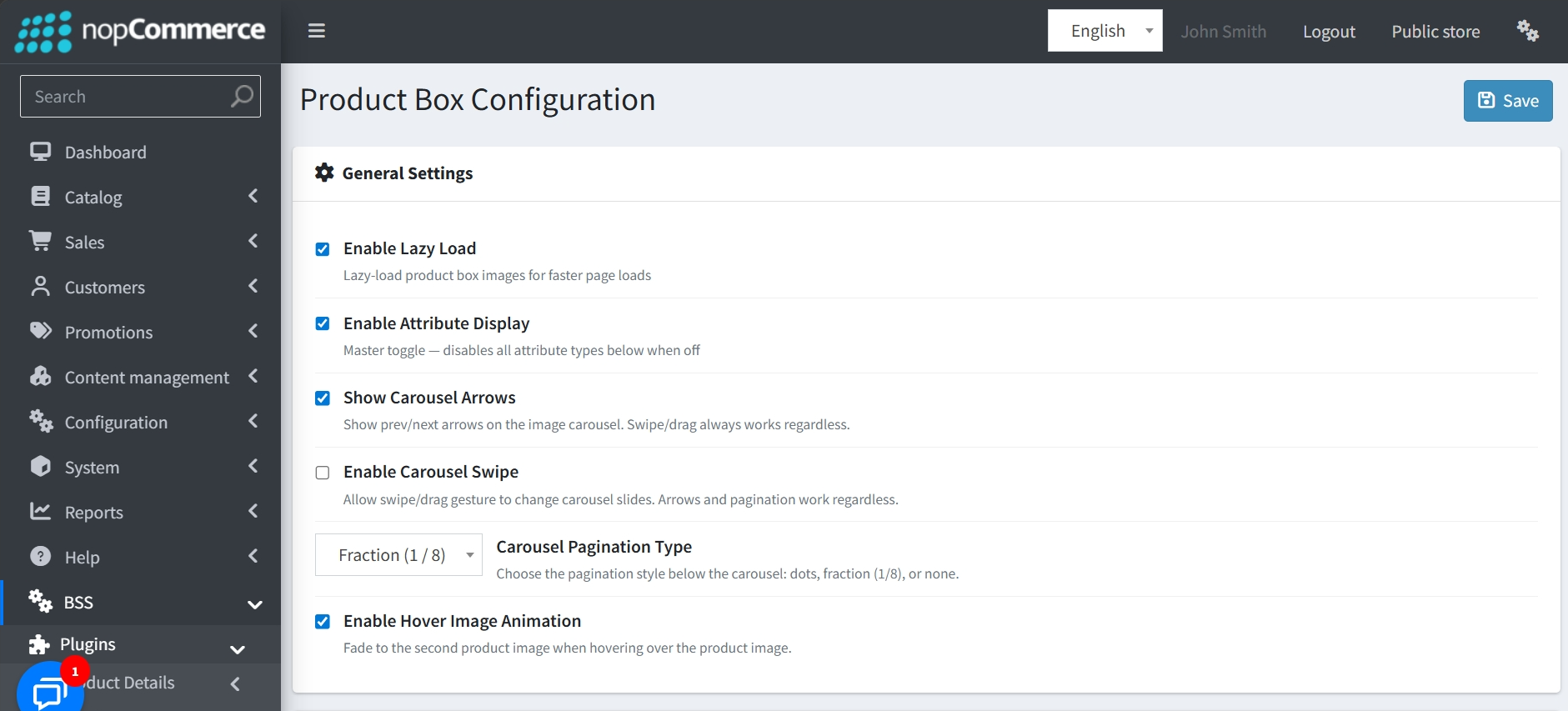
Then again go to BSS → Plugins → Product Box → Configuration to set the configuration.
GENERAL SETTINGS
-
Lazy Loading: Enable Lazy Load for product box images to improve page load speeds.
-
Attribute Control: Includes a master toggle to Enable Attribute Display, which controls all attribute types globally.
-
Carousel Options: Show Carousel Arrows, enable Carousel Swipe gestures, and choose a Pagination Type (such as bullets, fractions, progress bar, or none) for product images.
-
Hover Animation: Features an Enable Hover Image Animation setting that fades to a second product image when a user hovers over the main image.
BUTTON & ATTRIBUTE MANAGEMENT
-
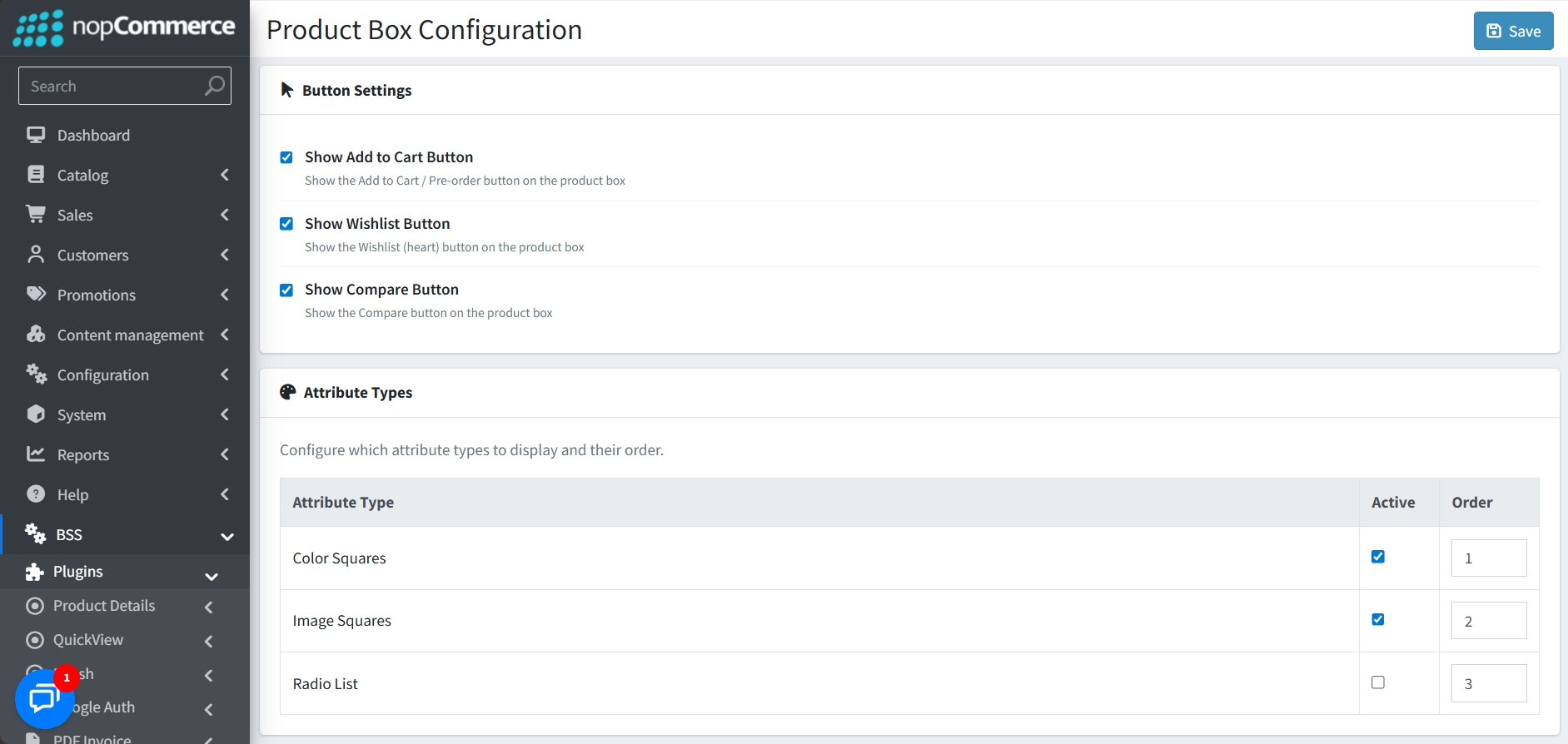
Button Settings: Choose to individually show or hide the Add to Cart, Wishlist, and Compare buttons.
-
Attribute Types: Configure which specific attribute types are active and define their display sequence. Options include Color Squares, Image Squares, and Radio Lists.
ELEMENT DISPLAY ORDER
-
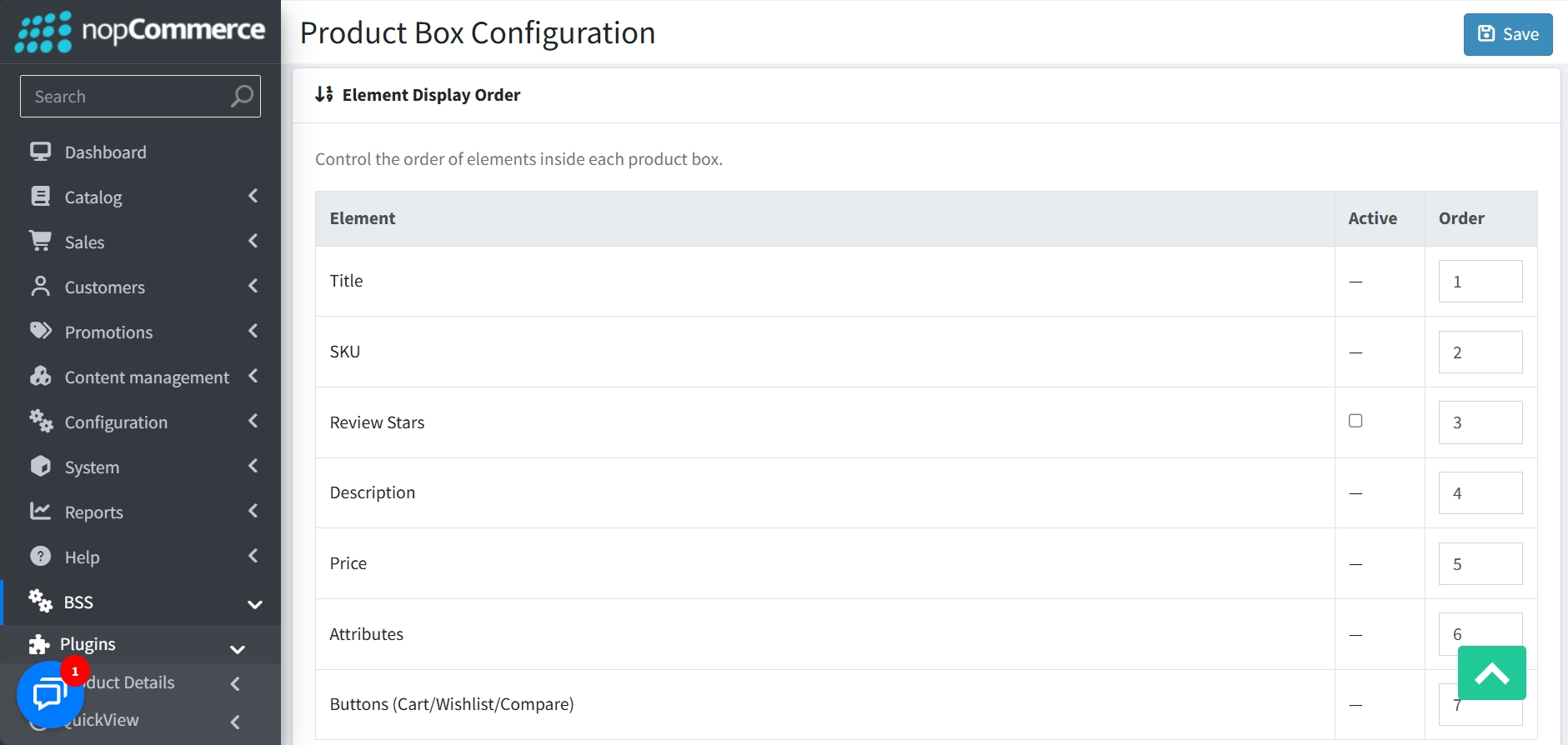
A dedicated section that allows you to control the exact vertical order of elements within each product box. The Review Stars section can be toggled on and off.
PUBLIC VIEW
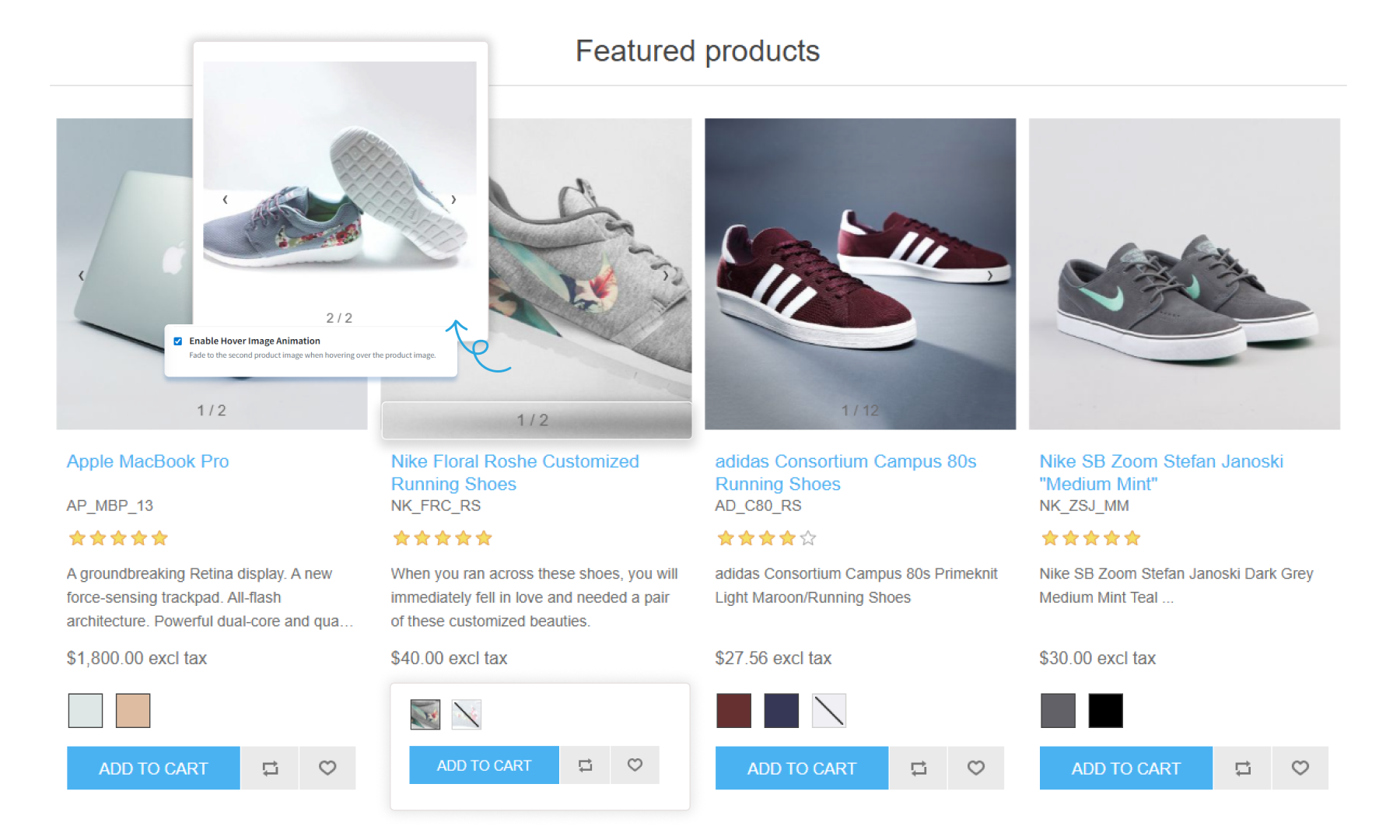
FEATURES
-
Lazy Loading: Enhances page performance by lazy-loading product box images for faster load times.
-
Interactive Image Carousel: Includes navigation arrows, swipe/drag gestures, and customizable pagination styles like dots or fractions.
-
Hover Animations: Provides a professional look by fading to a second product image when a user hovers over the box.
-
Attribute Support: Displays various attribute types, including Color Squares, Image Squares, and Radio Lists, directly on the product box with a master toggle for global control.
-
Dynamic Attribute Images: Selecting a specific attribute instantly updates the product display to show the associated images for that variation.
-
Instant Availability Feedback: Customers can instantly identify unavailable product variations directly on the product box without having to click through to the product page.
-
Customizable Buttons: Individual toggles to show or hide the Add to Cart, Wishlist, and Compare buttons based on your store's needs.
-
Flexible Element Ordering: Complete control over the vertical sequence of elements like Title, SKU, Description, Price, and Attributes.


