
BSS QuickView
Created on: Mar 02, 2026
PRE-REQUISITES
-
The plugin requires you to install the BSS Core plugin first.
INSTALLATION
-
Go to the Order Details Page and Download plugin package
-
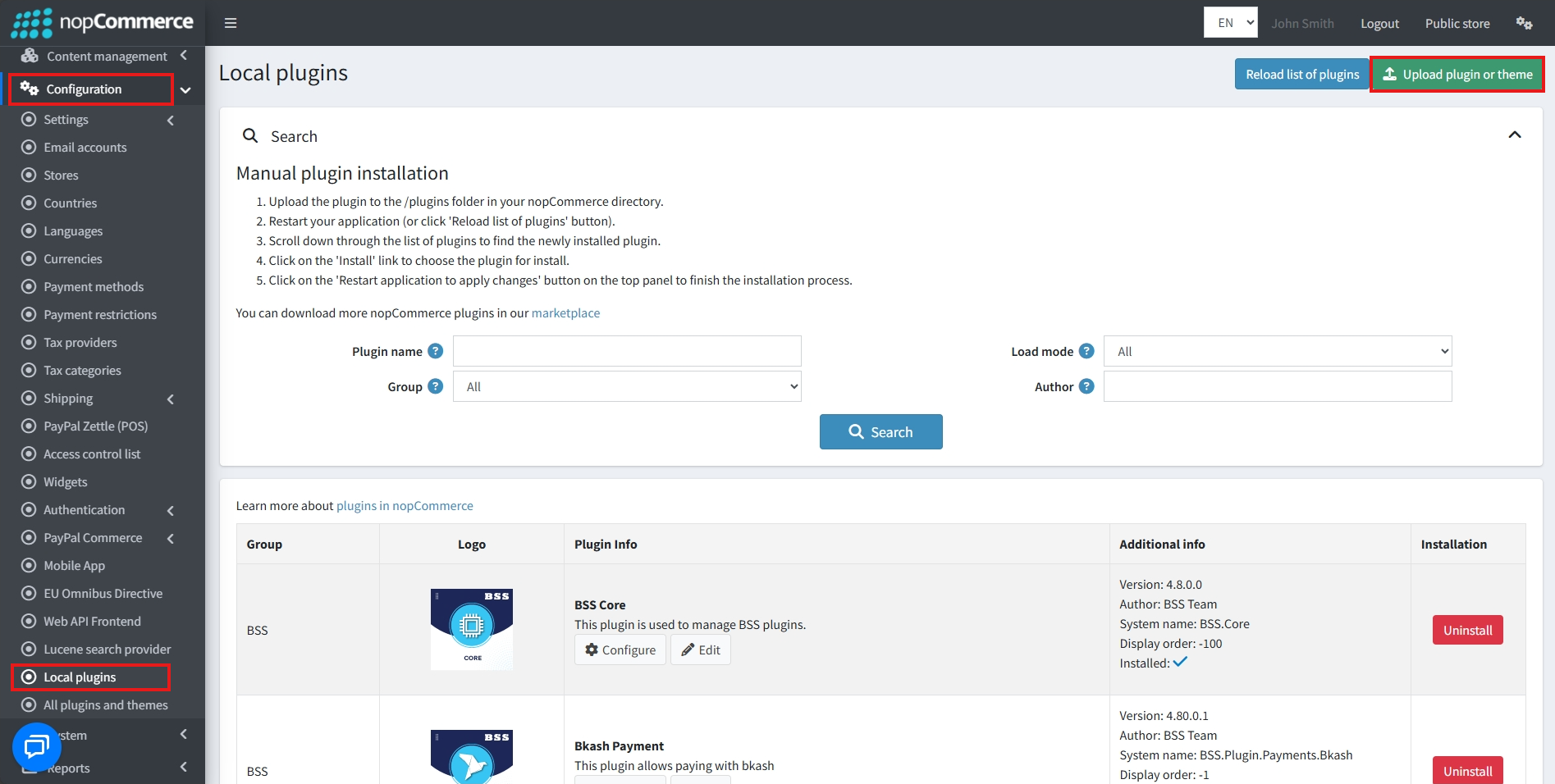
Go to Administration → Configuration → Local plugins
-
Within the bundle, you get all the required files, including BSS.Core
-
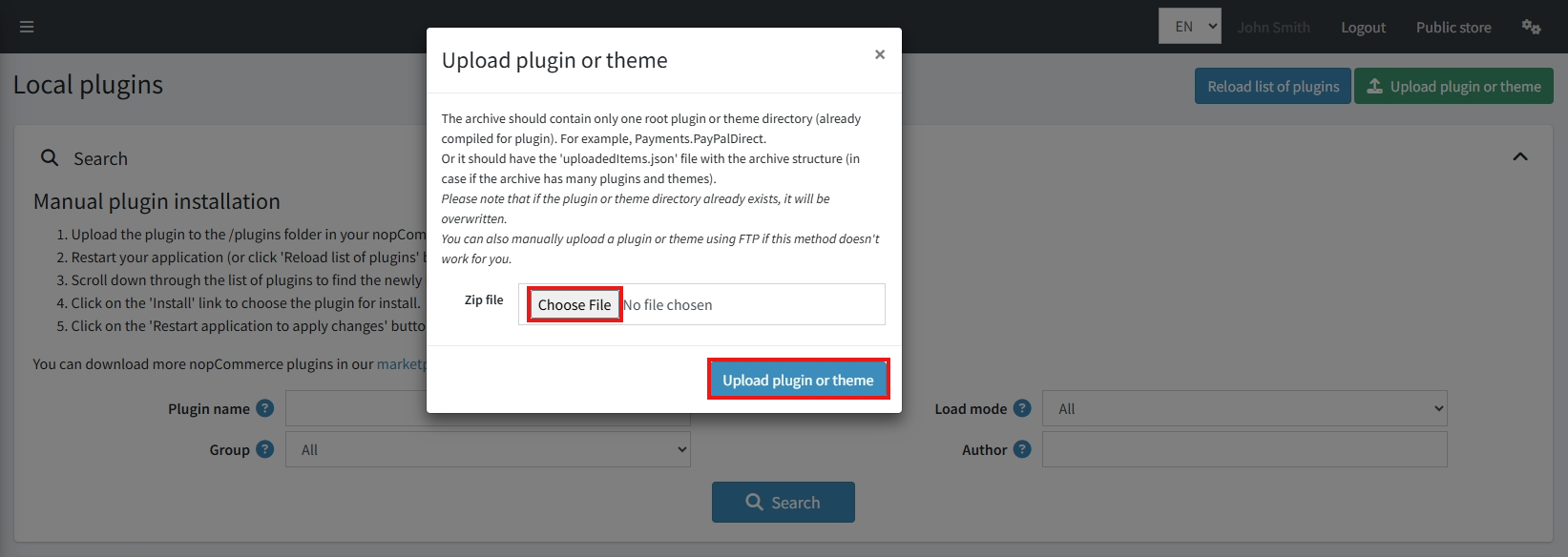
Upload the zip files using the ‘Upload plugin or theme’ button
-
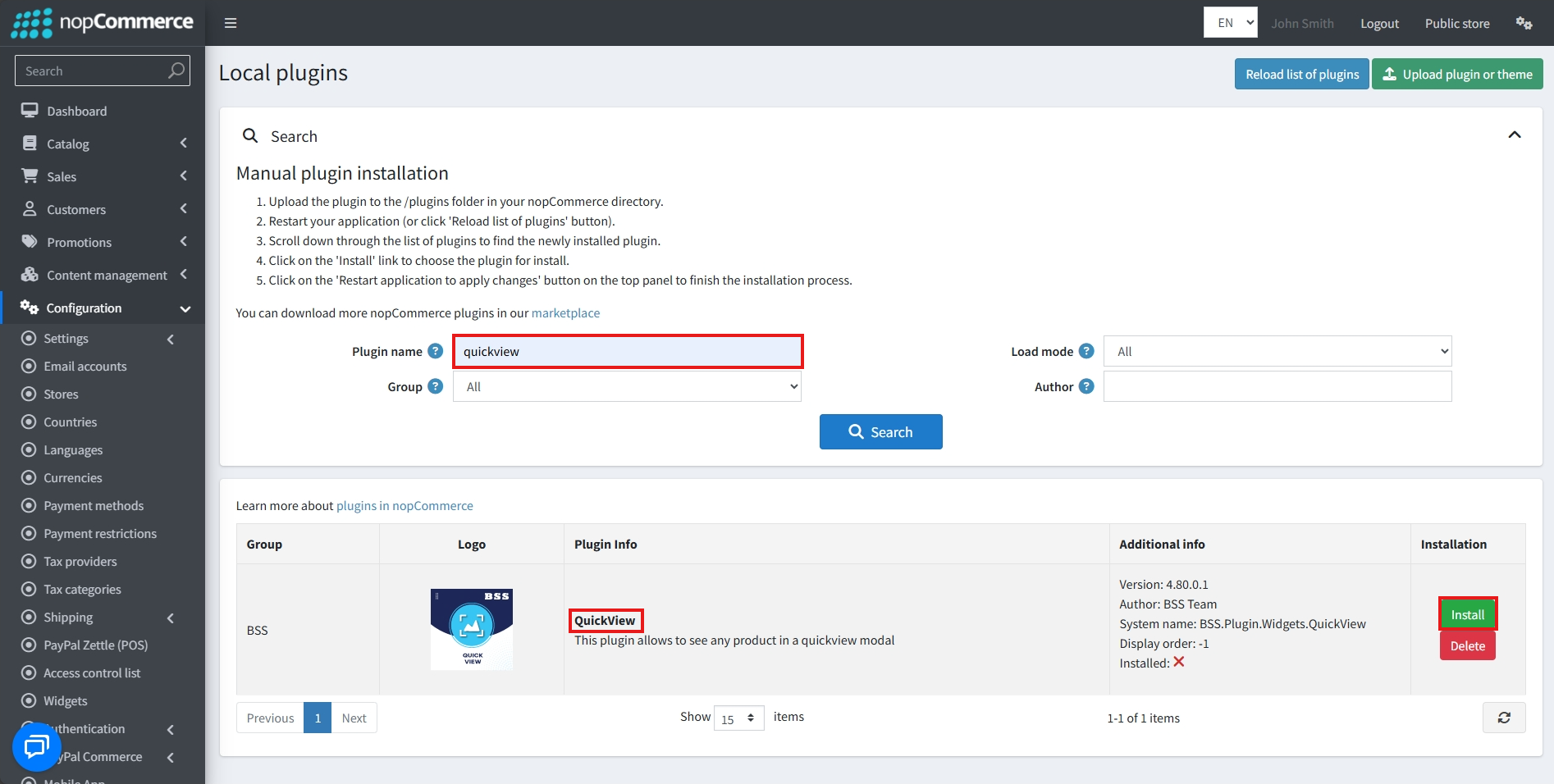
After uploading, install the ‘BSS Core' Plugin first.
-
Then, scroll down or write the name of the plugin in the search bar, and install ‘QuickView'
-
To make the plugins functional, restart the application
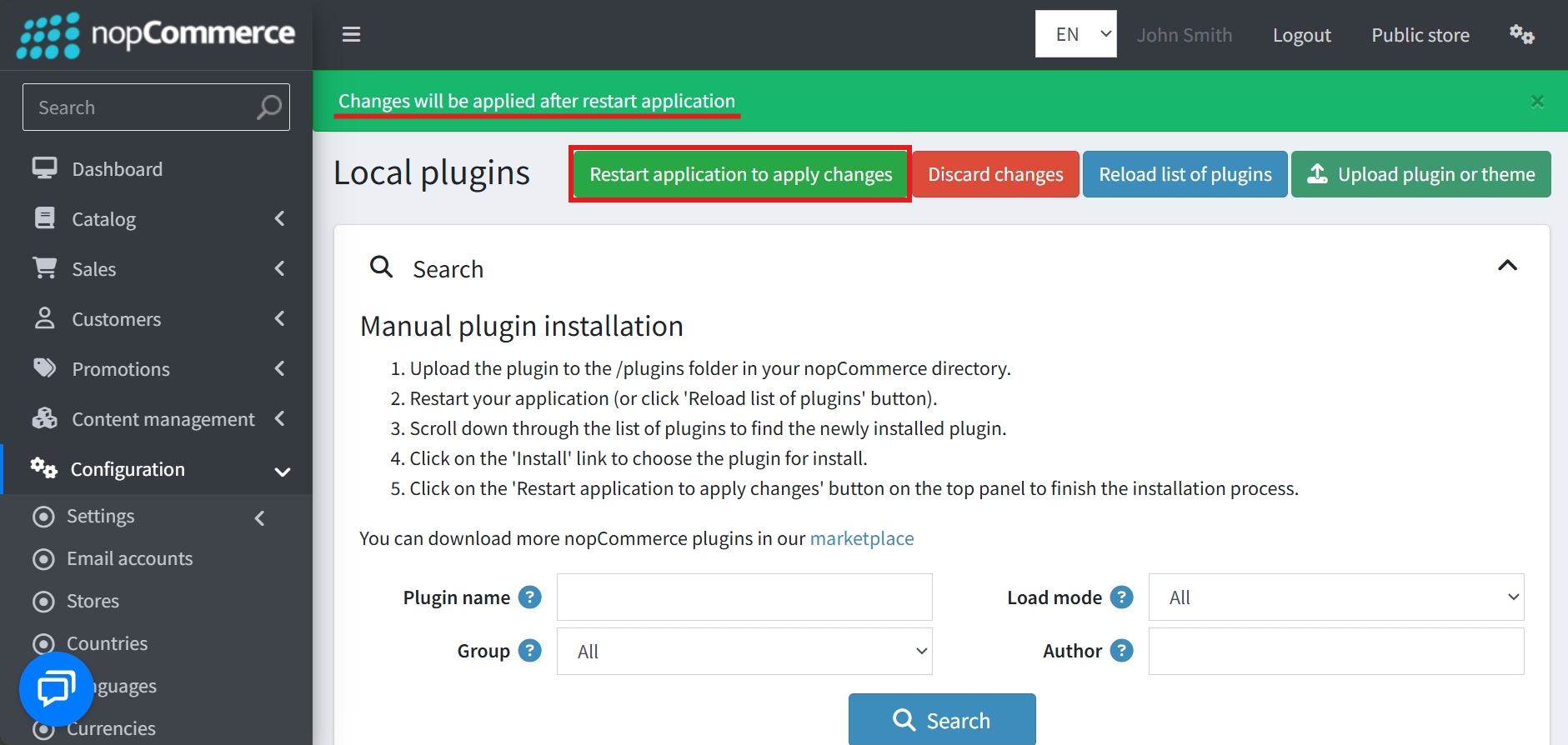
Recommendation: Go to > App Settings. If you find JavaScript bundling and minification, CSS bundling and minification are checked, then uncheck these two options and disable them.

CONFIGURE
-
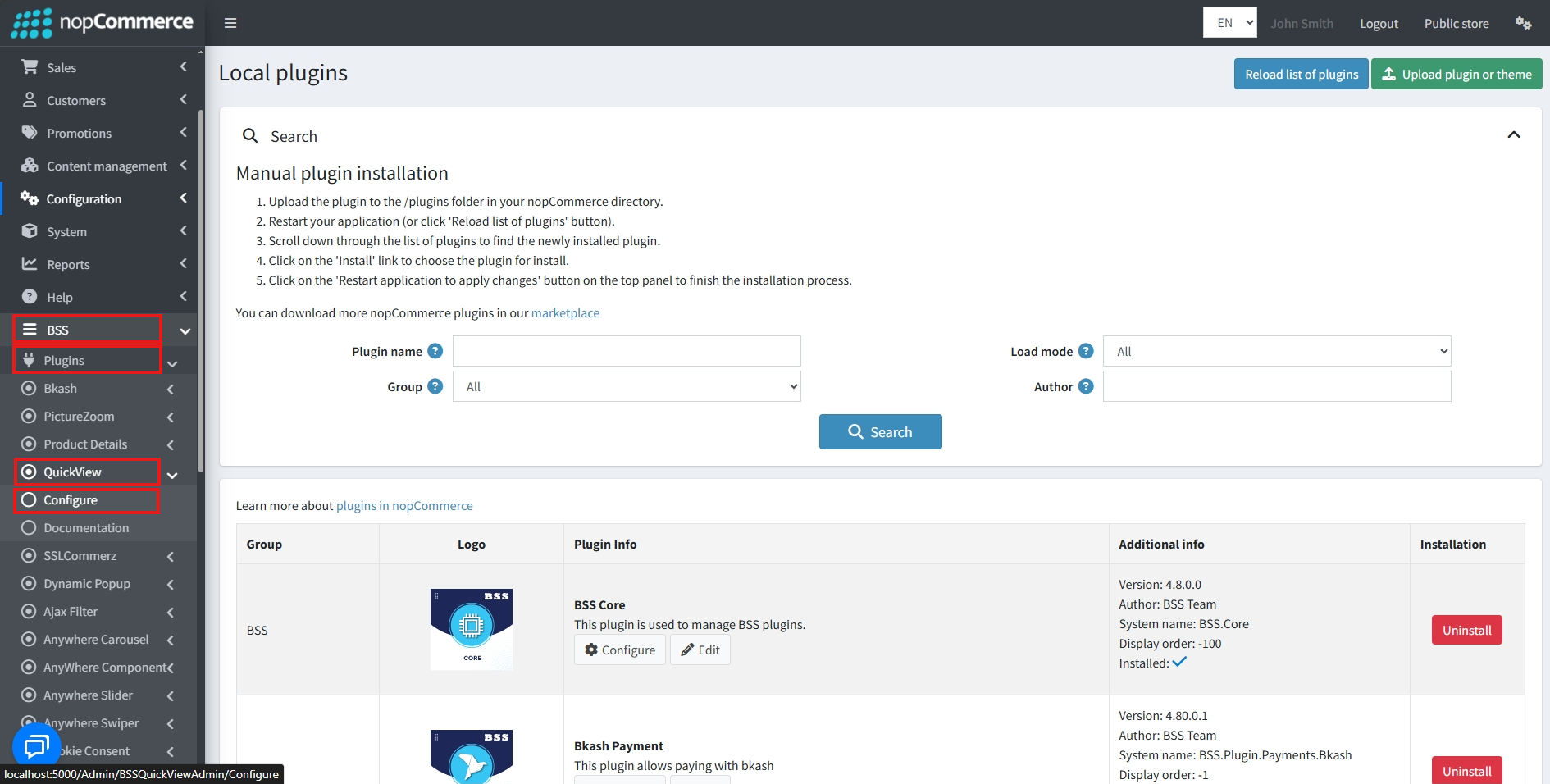
Go to Admin → BSS → Plugins → QuickView → Configuration
-
Enter the License string and save it. Then clear cache.
-
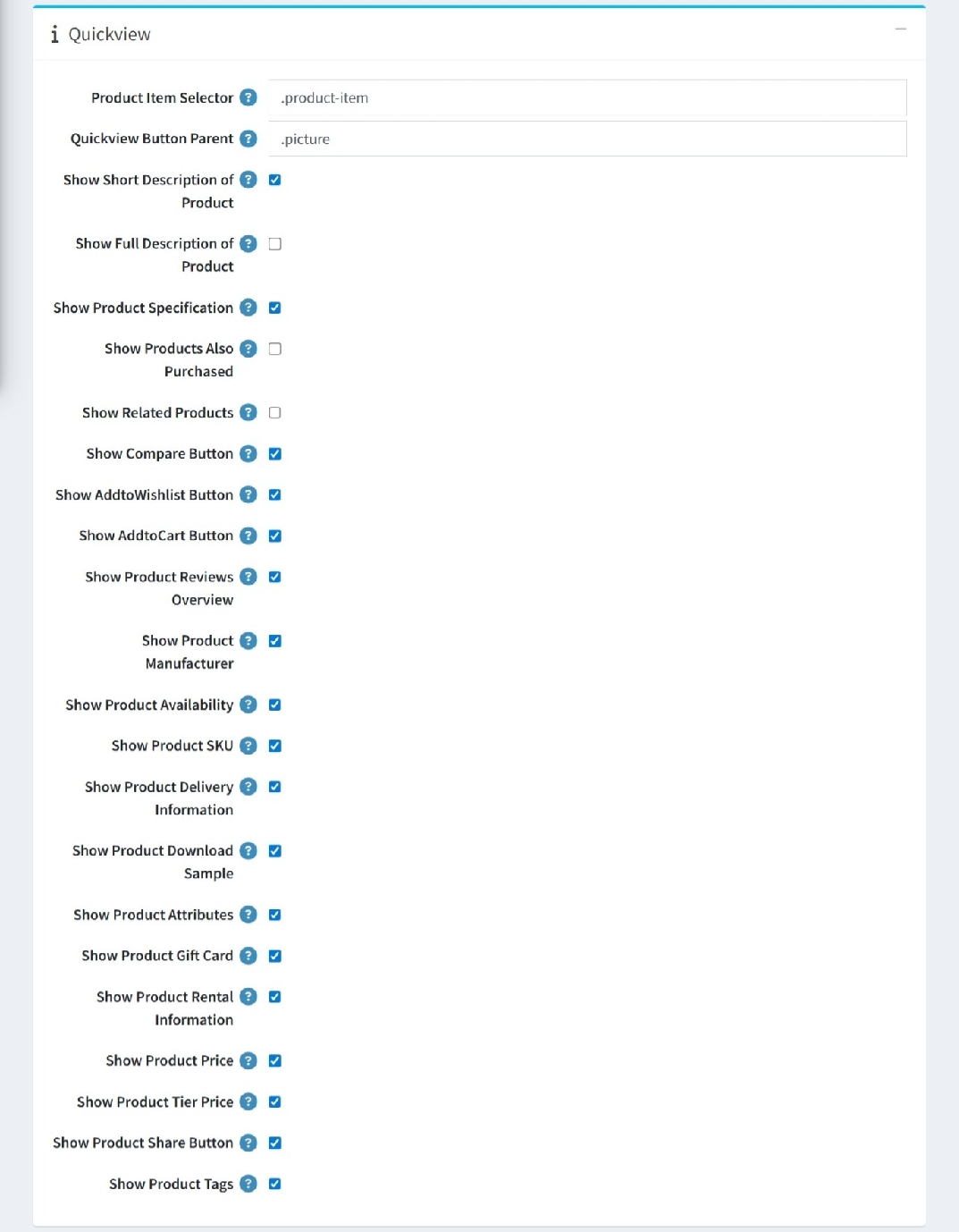
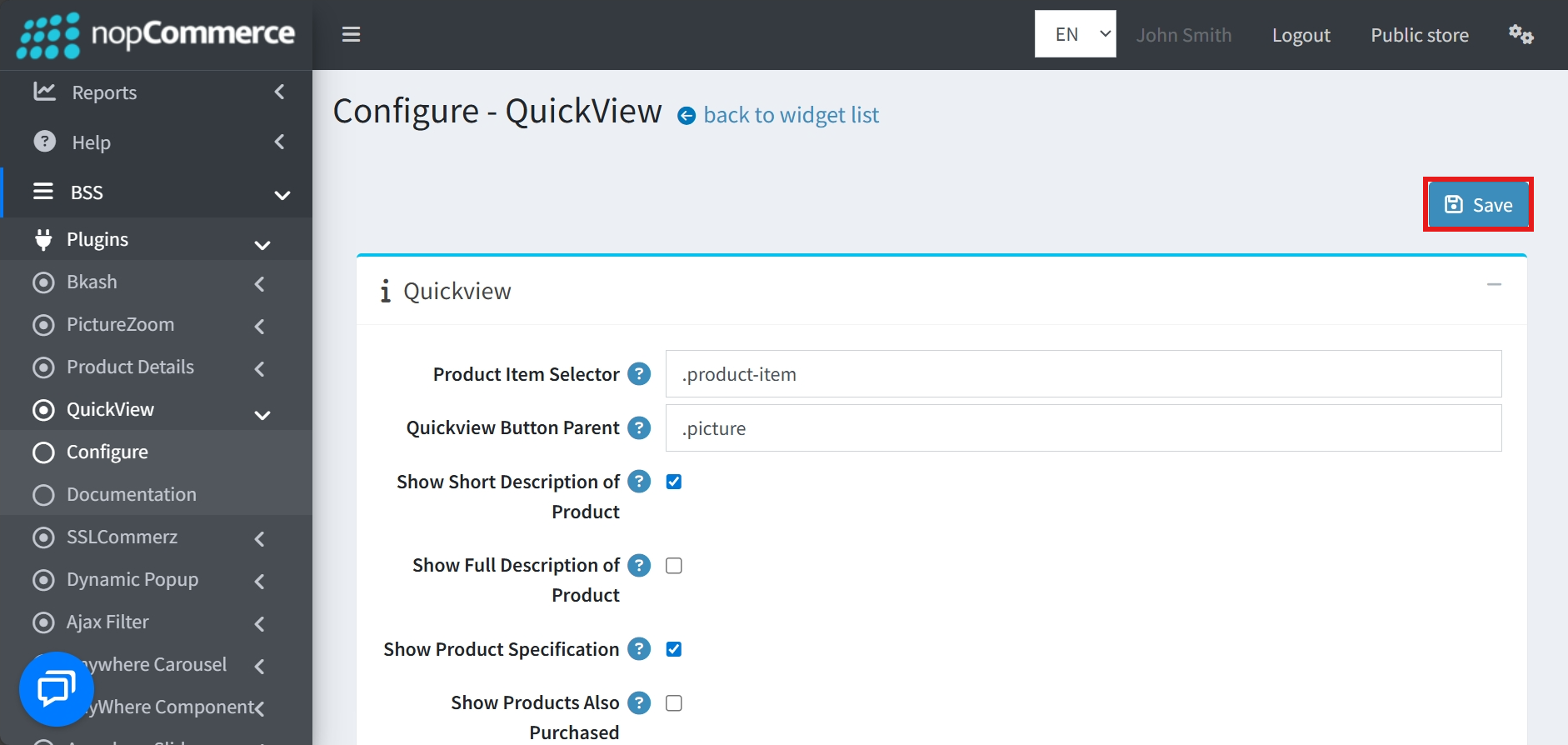
Go to BSS → Plugins → QuickView → Configuration to set up the plugin options.
-
Select Show Short Description to include a brief product summary in Quick View.
-
Choose Show Full Description if you want the complete product details displayed.
-
Turn on Show Product Specification to highlight technical specifications.
-
Activate Show Products Also Purchased to showcase items frequently bought together.
-
Use Show Related Products to suggest similar items to customers.
-
Add a Compare Button so users can place products in the comparison list.
-
Include an Add to Wishlist Button for saving products to personal wishlists.
-
Provide an Add to Cart Button for quick purchasing directly from Quick View.
-
Display a Product Review Overview to summarize customer feedback.
-
Show the Manufacturer details to inform buyers about the brand.
-
Indicate Product Availability so customers know if it’s in stock.
-
Reveal the Product SKU for easy identification and reference.
-
Present Delivery Information to clarify shipping details.
-
Offer a Download Sample option for previewing product files.
-
List Product Attributes to highlight key features.
-
Show available Gift Cards within the Quick View window.
-
Provide Rental Information for products offered on a rental basis.
-
Display the Product Price prominently.
-
Include Tier Pricing to show discounts for bulk purchases.
-
Add a Product Share Button so users can spread product details easily.
-
Show Product Tags to help categorize and filter items.
-
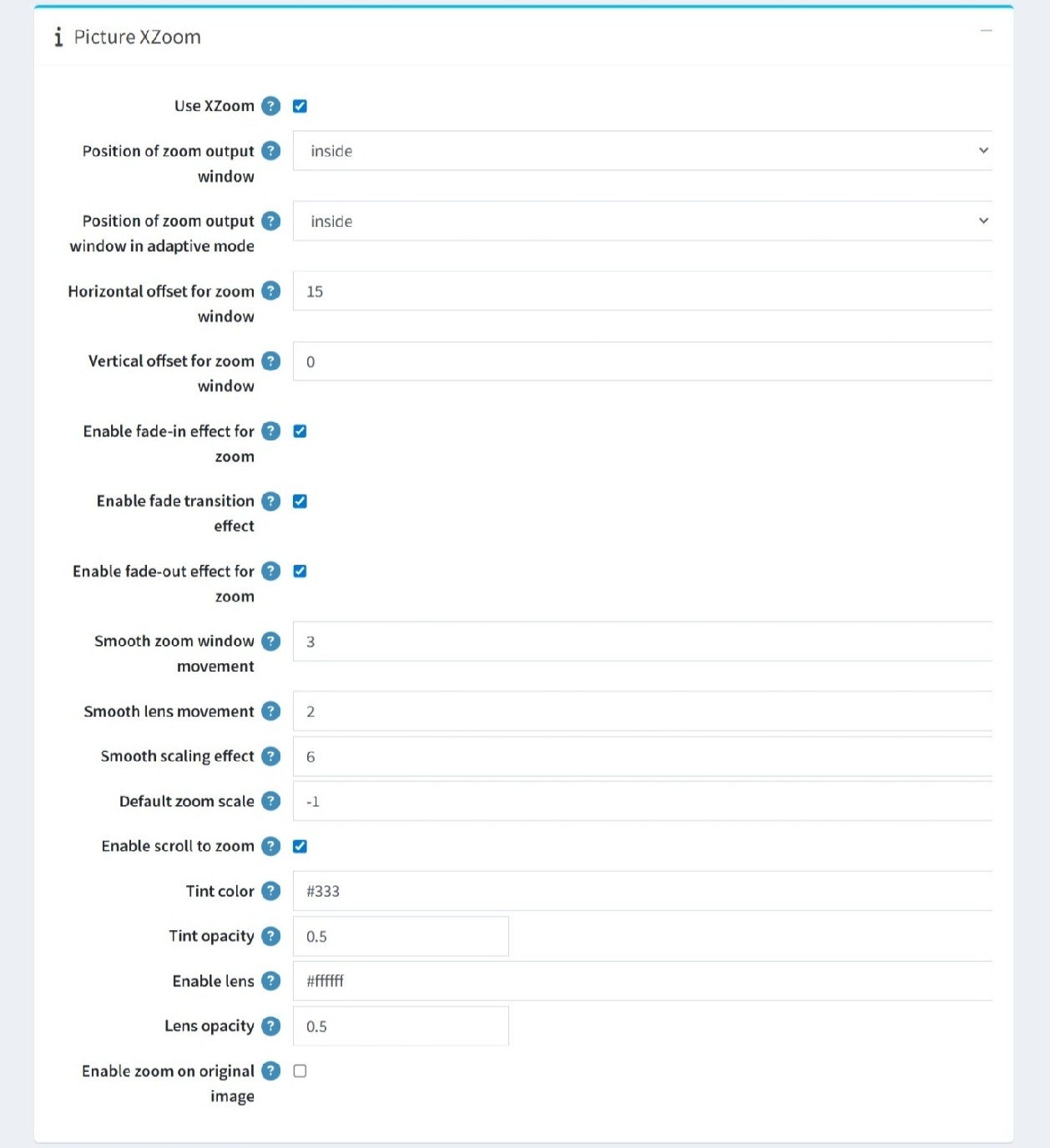
Checking Use XZoom allows users to zoom in on the product image
-
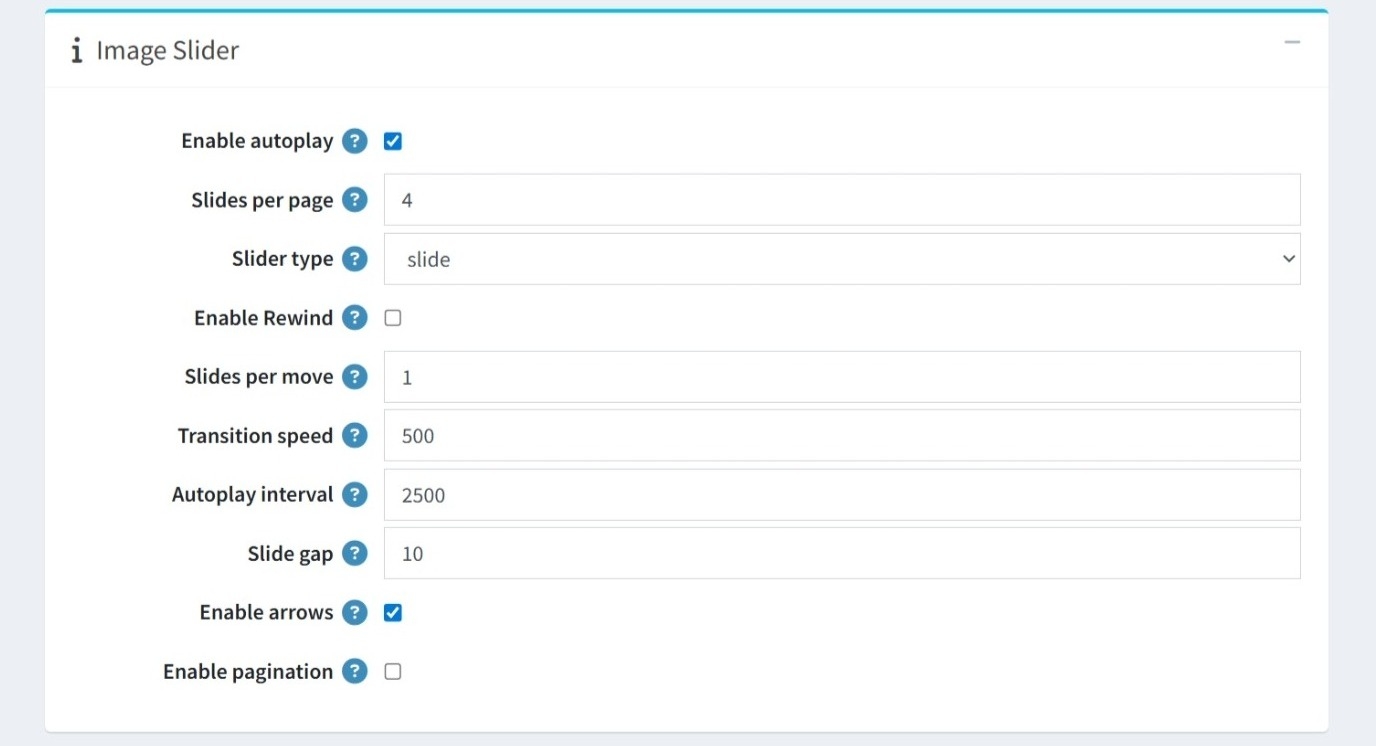
Checking Enable Autoplay will cause the thumbnail slider to move automatically
-
After setting all conditions, click the Save button.
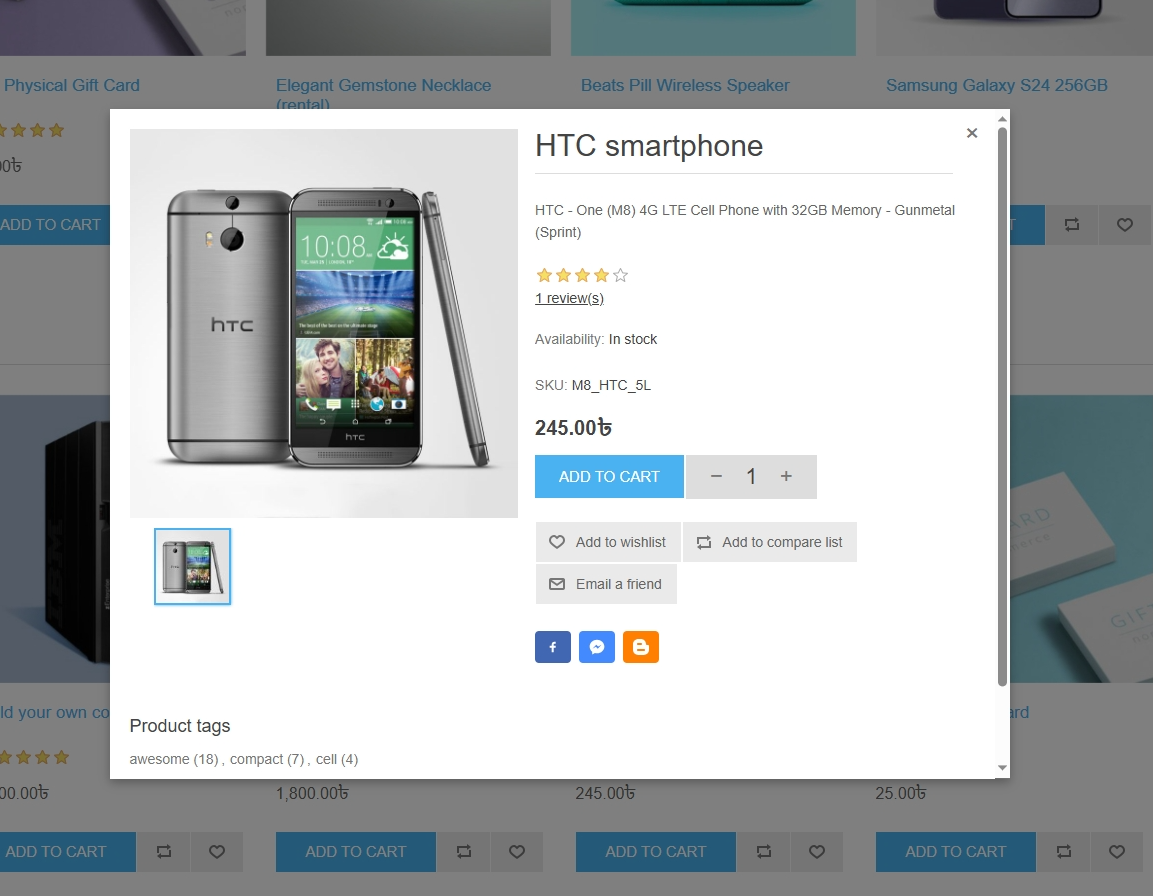
PUBLIC VIEW
FEATURES
-
It supports multi-store management.
-
It is easy to install and configure.
-
Supports enable/disable picture zoom.
-
Supports enable/disable ‘short description of product’, ‘full description of product’, and ‘product specification’
-
Supports enable/disable ‘Add to Cart’ button, ‘Wishlist’ button, ‘Add to Compare List’ button, and ‘Product Share’ button
-
Supports enable/disable ‘Related Products’ and ‘Products Also Purchased’
-
Supports enable/disable ‘Product Reviews Overview’, ‘Product Availability’ and ‘Product Delivery Information’
-
Supports enable/disable ‘Product Price’, ‘Product Tier Price’, and ‘Product Tags’


