
BSS Phone SMS Authentication
Created on: Mar 05, 2026
PRE-REQUISITES
-
The plugin requires you to install the BSS Core plugin first.
INSTALLATION
-
Go to the Order Details Page and Download plugin package.
-
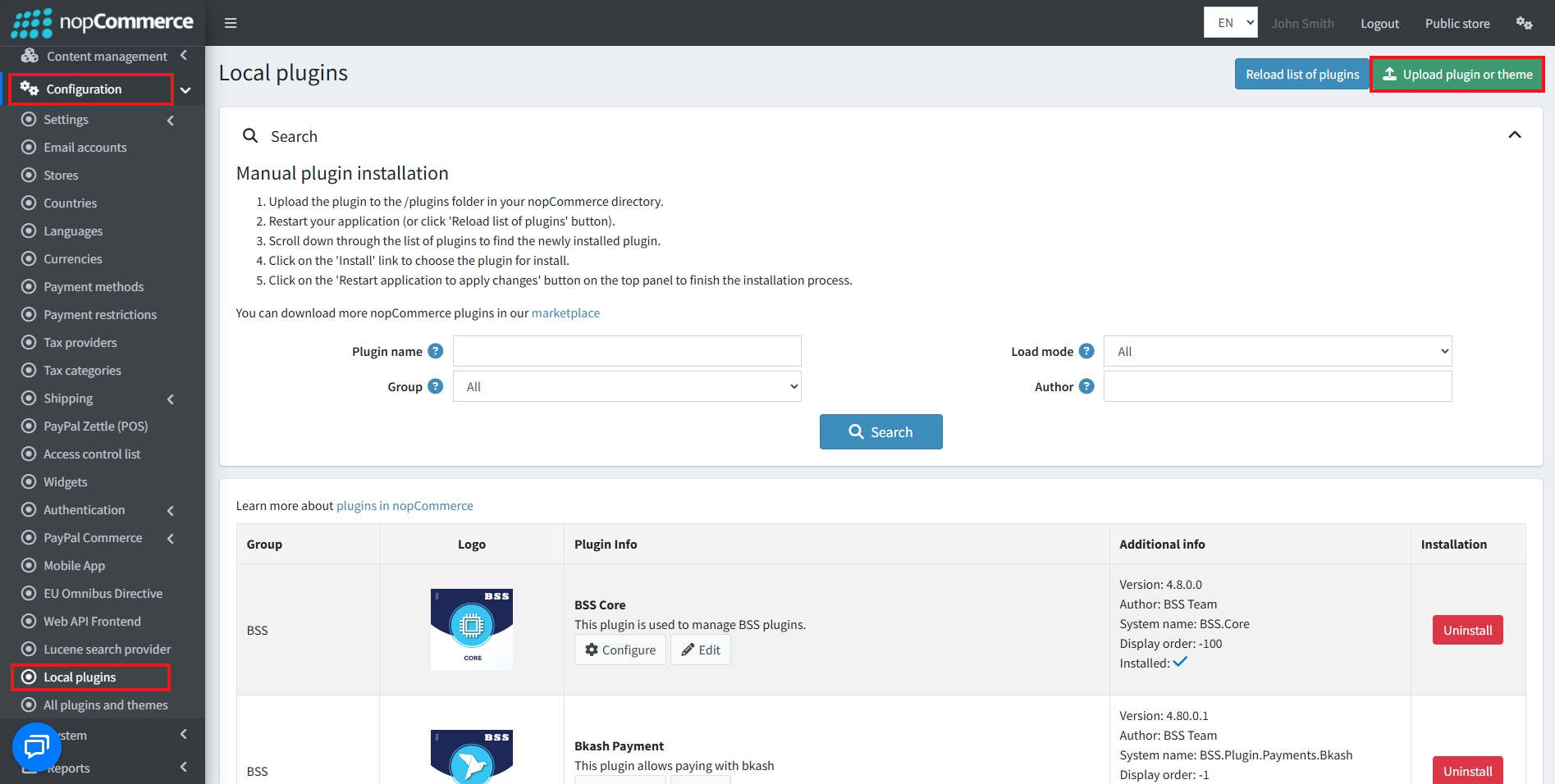
Go to Administration → Configuration → Local plugins
-
Within the bundle, you get all the required files, including BSS.Core
-
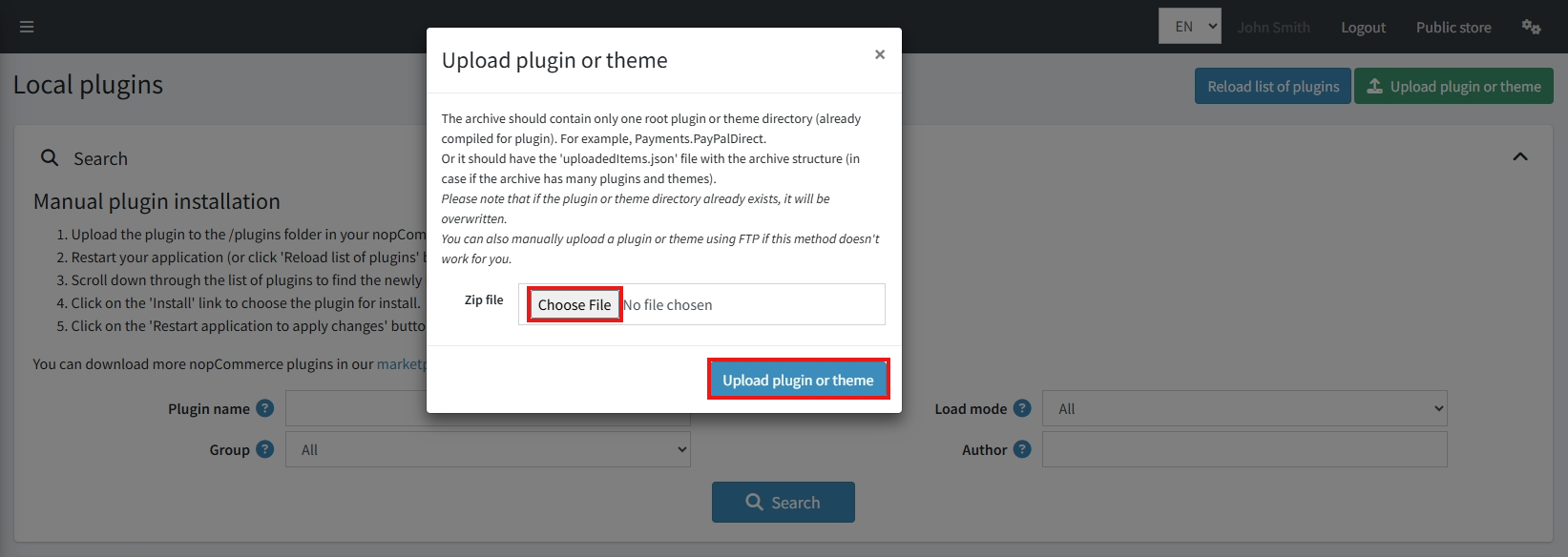
Upload the zip file using the 'Upload plugin or theme' button
-
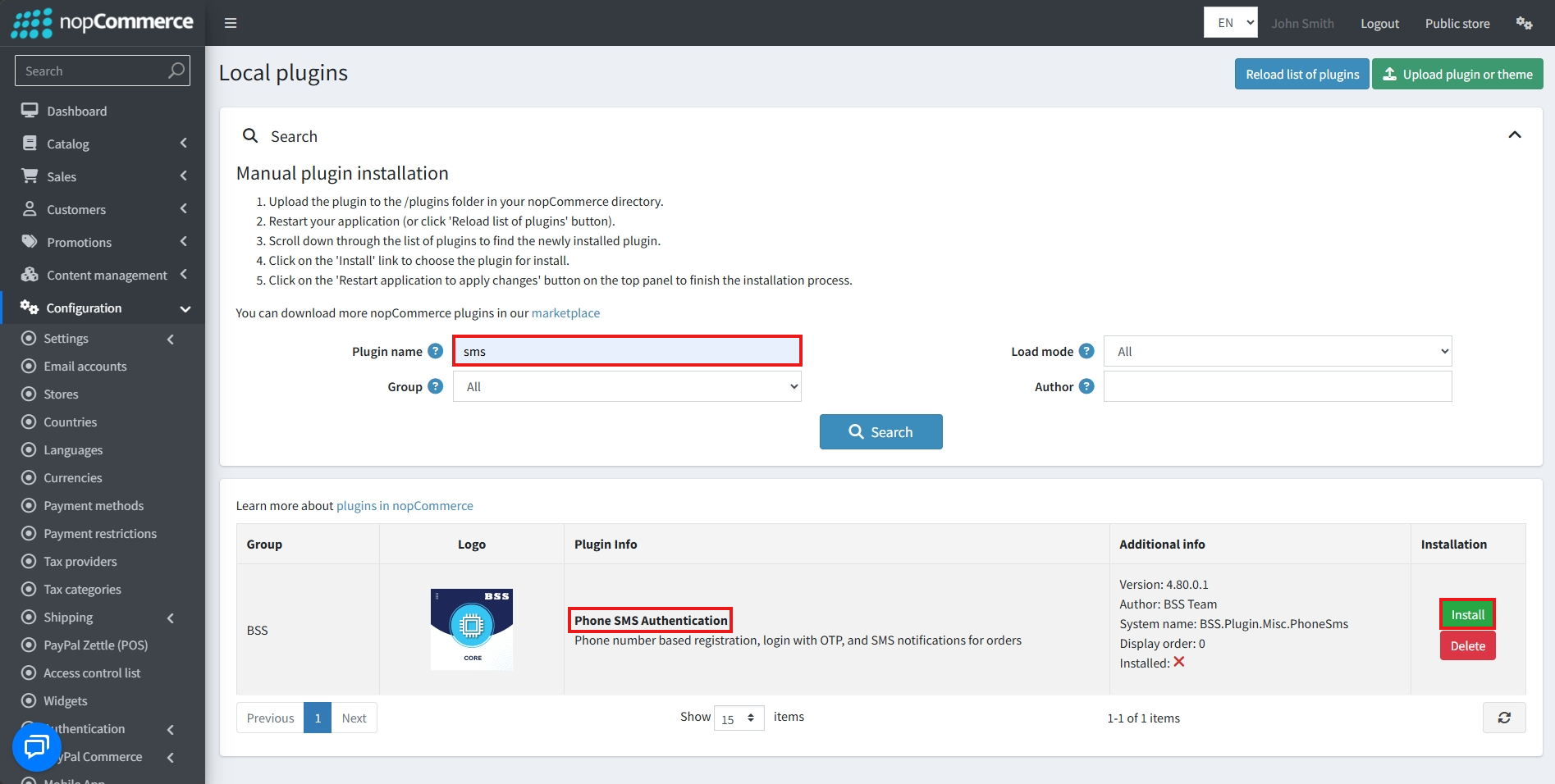
After uploading, install the 'BSS Core' Plugin first.
-
Then scroll down or write the name of the plugin in the search bar, and install 'Phone SMS Authentication'
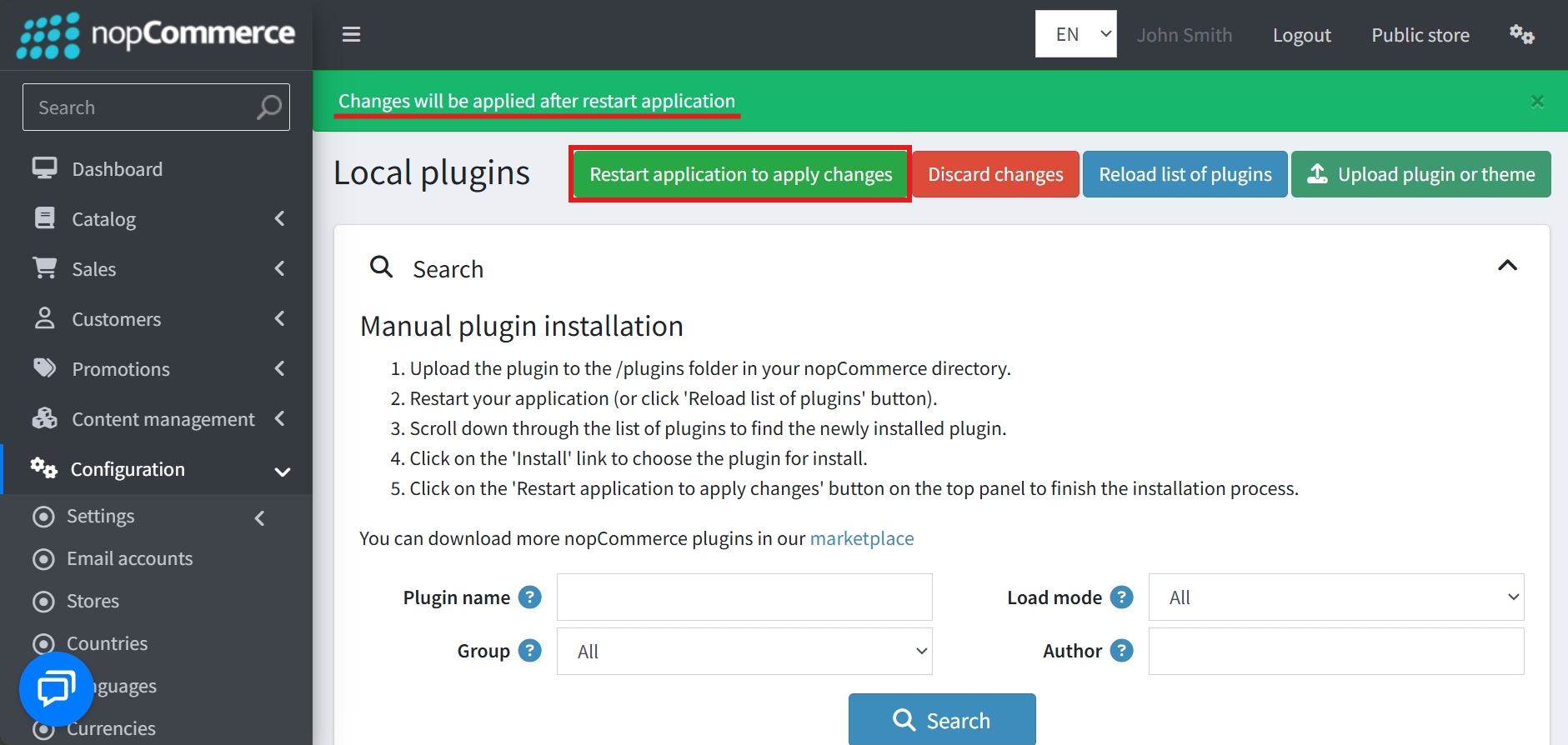
- To make the plugins functional, restart the application
Recommendation: Go to > App Settings. If you find JavaScript bundling and minification, CSS bundling and minification are checked, then uncheck these two options and disable them.

CONFIGURE
-
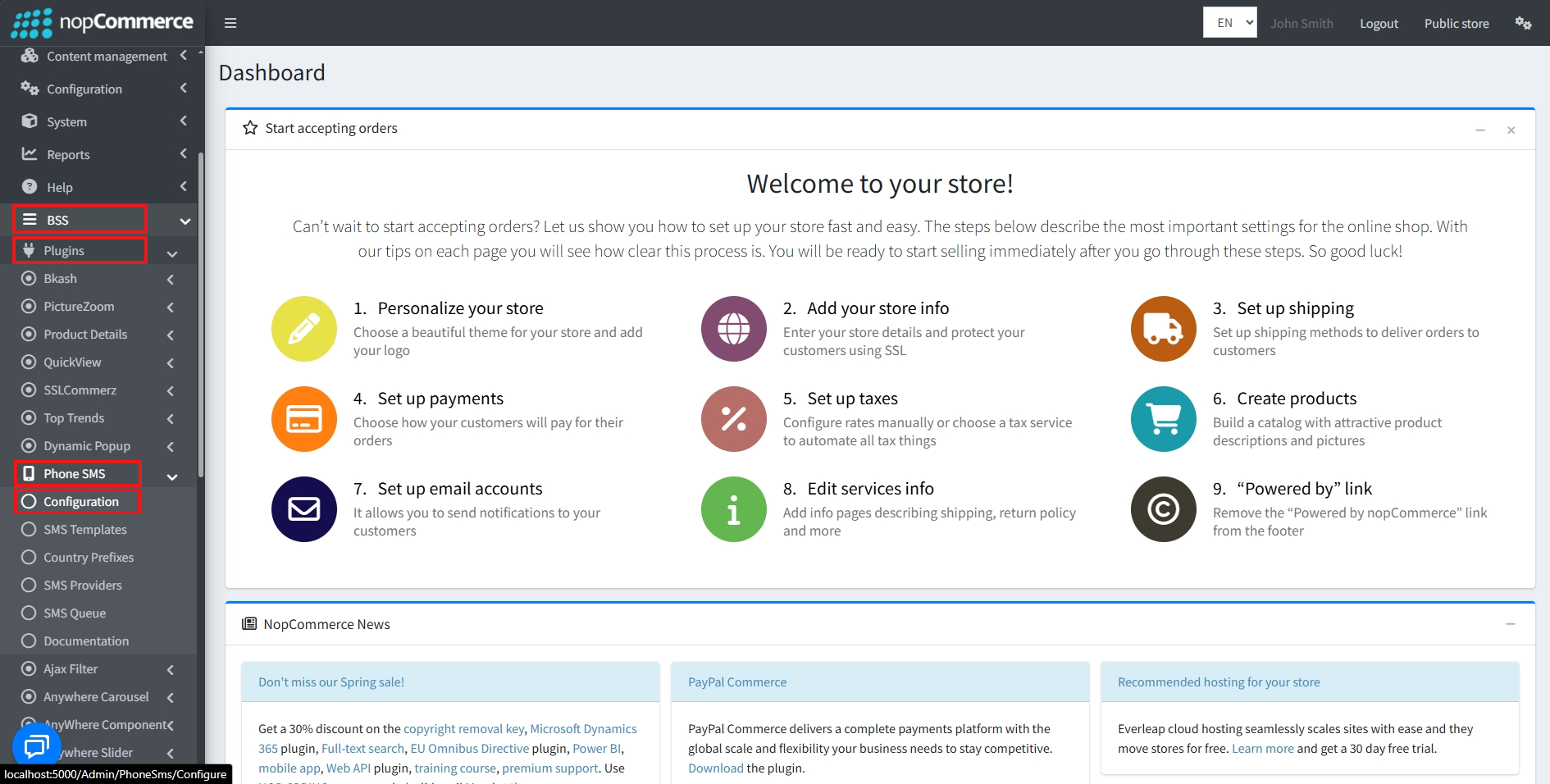
Go to Admin → BSS → Plugins → Phone SMS → Configuration
-
Enter the License string and save it. Then clear cache

-
Then again go to BSS → Plugins → Phone SMS → Configuration to set the configuration.
-
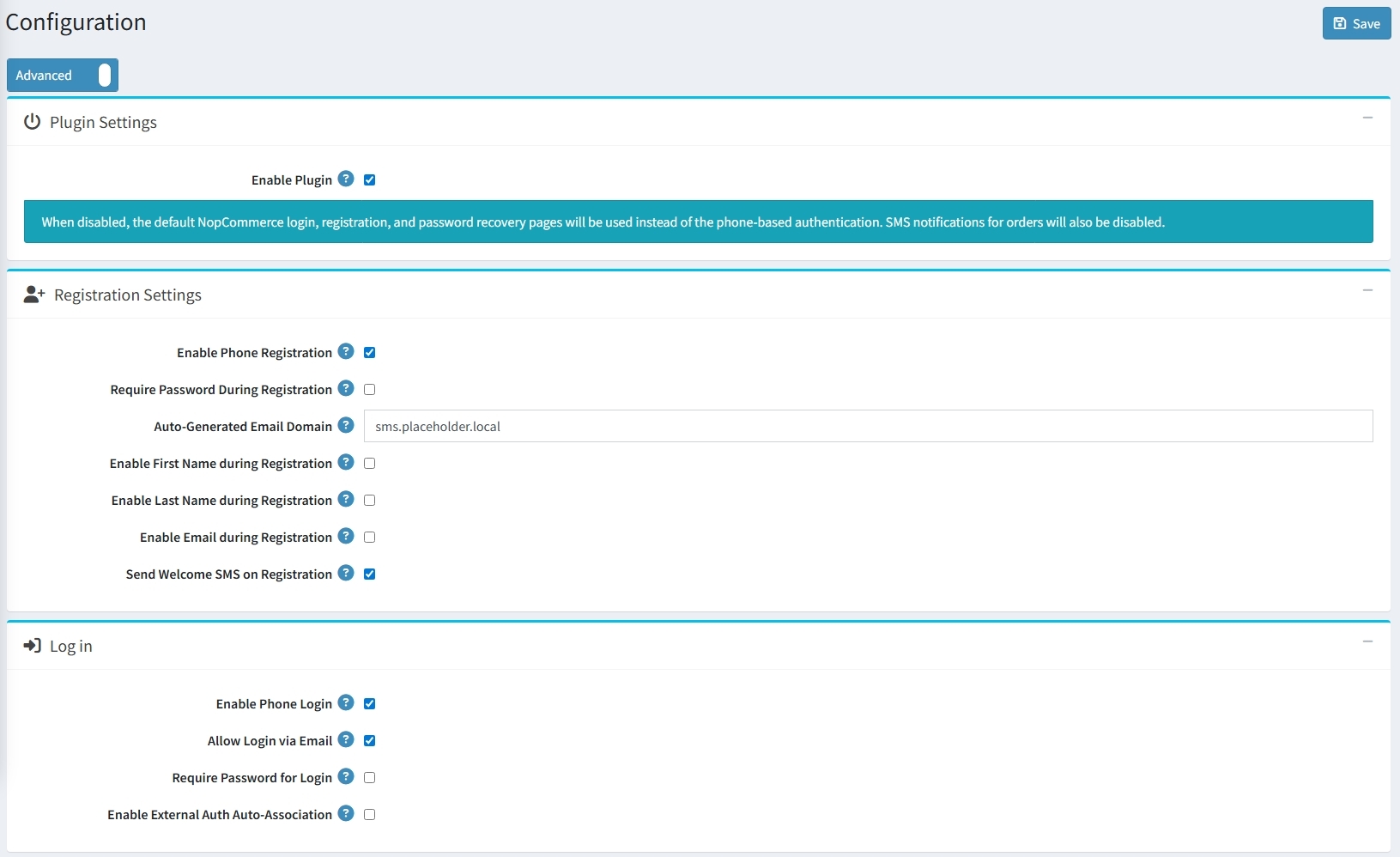
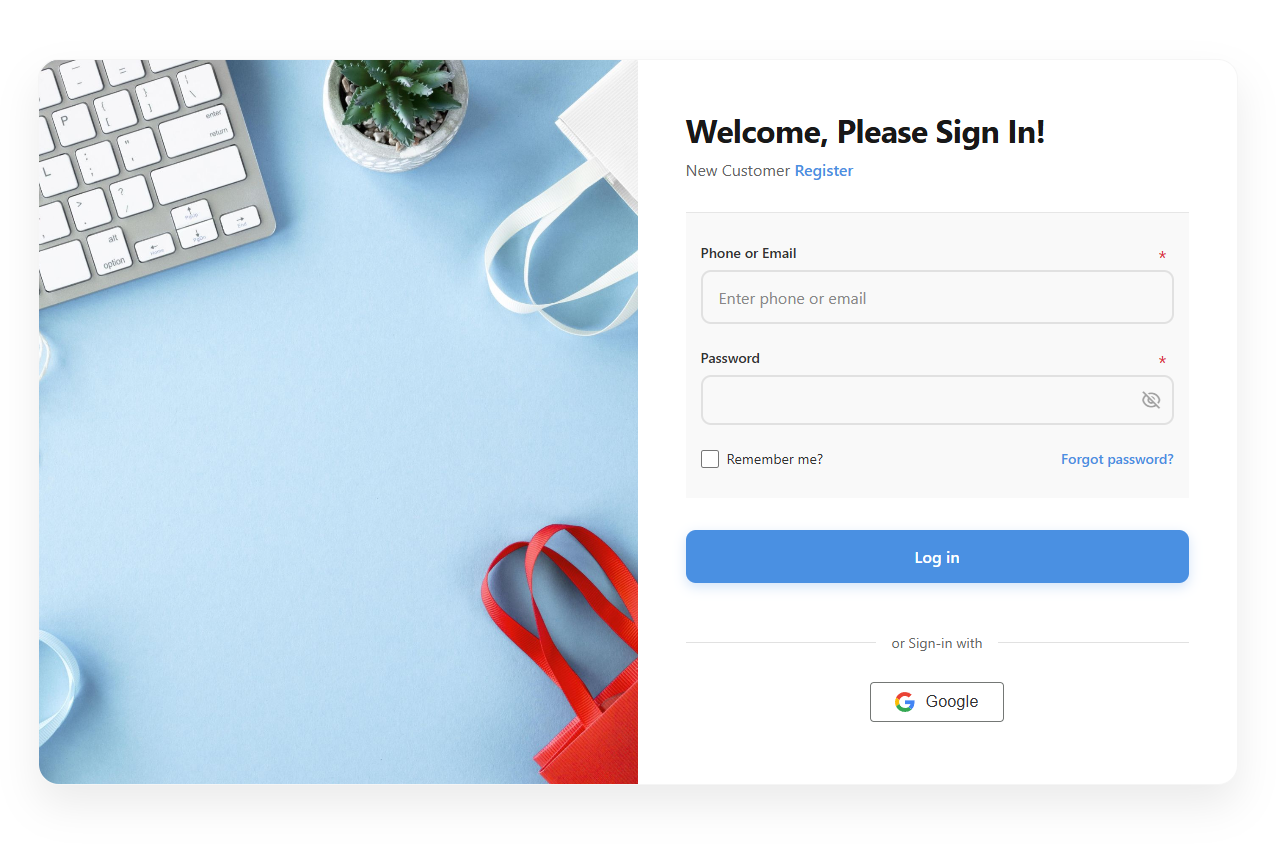
Toggle the Enable Plugin checkbox to activate phone-based authentication for login, registration, and password recovery pages.
-
Registration settings:
-
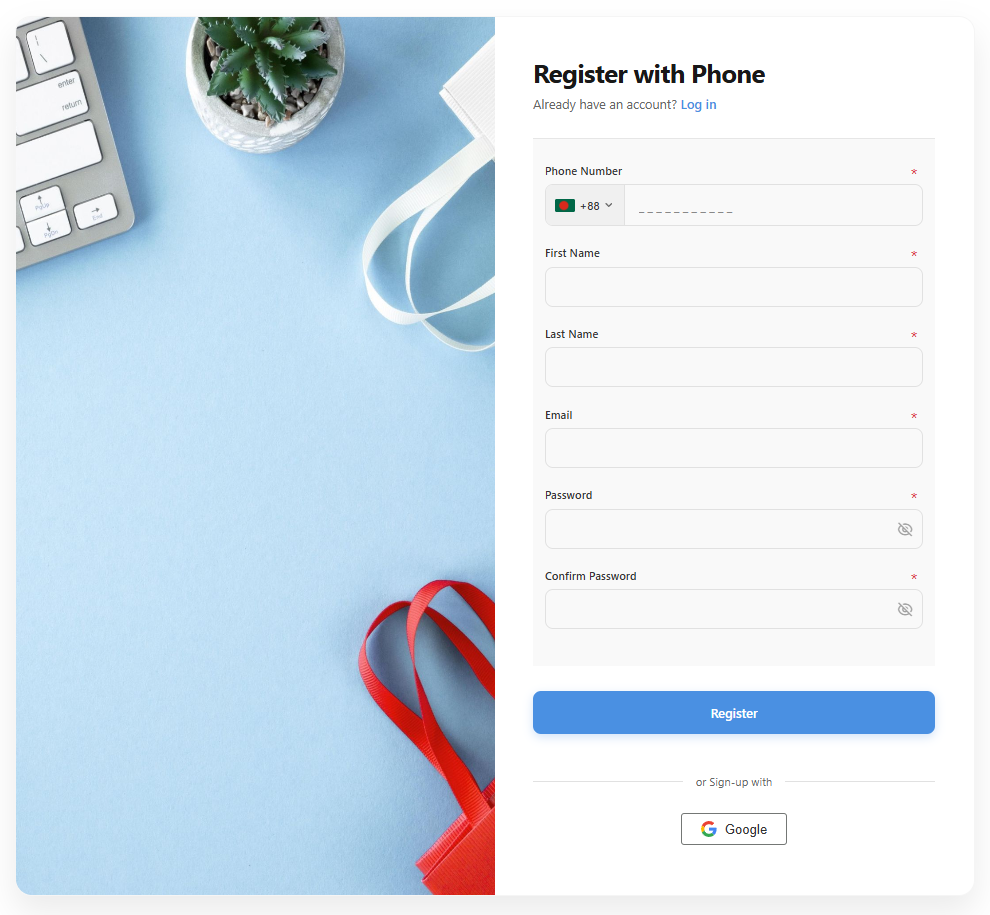
Enable or disable Phone Registration and choose whether to Require a Password during the signup process.
-
Set an Auto-Generated Email Domain for users registering via phone.
-
Toggle the collection of First Name, Last Name, and Email during registration.
-
Check Send Welcome SMS on Registration to send a Welcome SMS.
-
-
Log in:
-
Enable Phone Login and choose whether to still Allow Login via Email.
-
Determine if a password is required by checking Require Password for Login.
-
Enable External Auth Auto-Association.
-
-
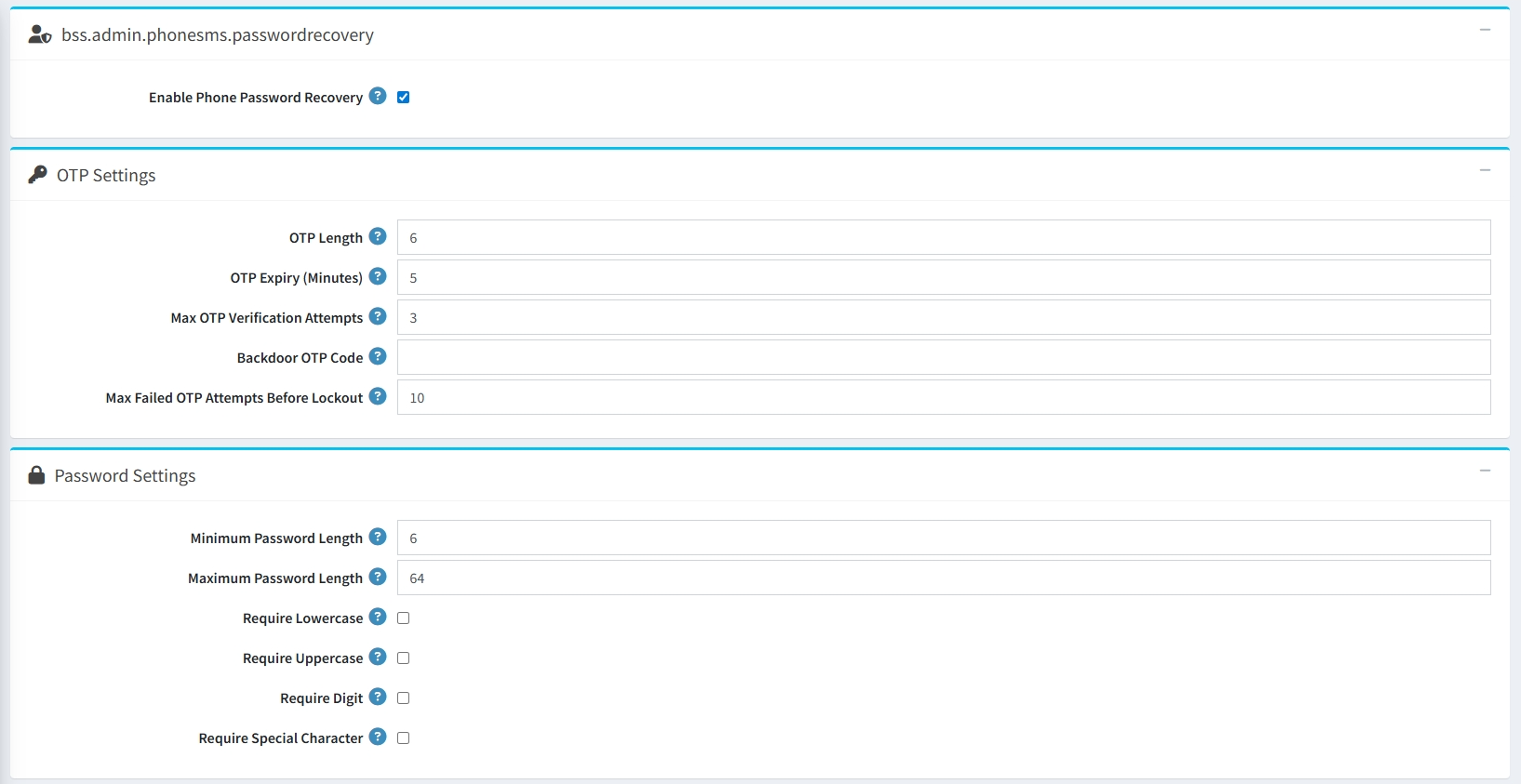
Enable Phone Password Recovery to allow users to reset their accounts via SMS.
-
OTP Settings:
-
Define the OTP Length and the OTP Expiry time in minutes.
-
Set the Max OTP Verification Attempts in case of failure.
-
Set the Max Failed OTP Attempts Before Lockout allowed before a lockout occurs.
-
Configure a Backdoor OTP Code for administrative access.
-
-
Password Settings:
-
Set the Minimum and Maximum character lengths for user passwords.
-
Enforce the use of Lowercase, Uppercase, Digits, and Special Characters.
-
-
Rate Limiting:
-
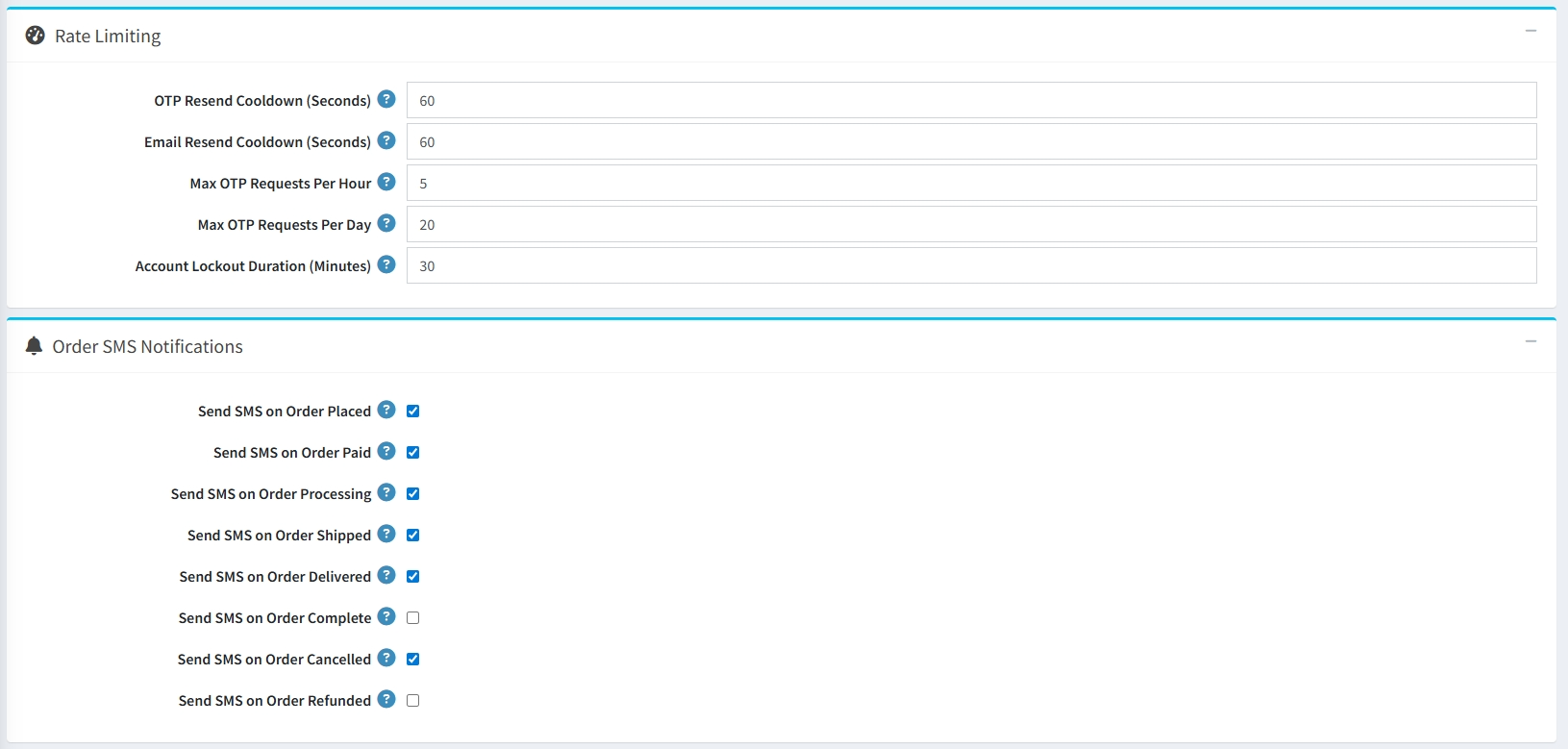
Set the OTP Resend Cooldown in seconds for both OTP and Email requests.
-
Define the Max OTP Requests allowed per Hour and per Day.
-
Specify the Account Lockout Duration in minutes after repeated failures.
-
-
Order SMS Notifications: Enable automated SMS messages for various order stages, such as:
-
Order Placed
-
Order Paid
-
Order Processing
-
Order Shipped
-
Order Delivered
-
Order Complete
-
Order Cancelled
-
Order Refunded
-
-
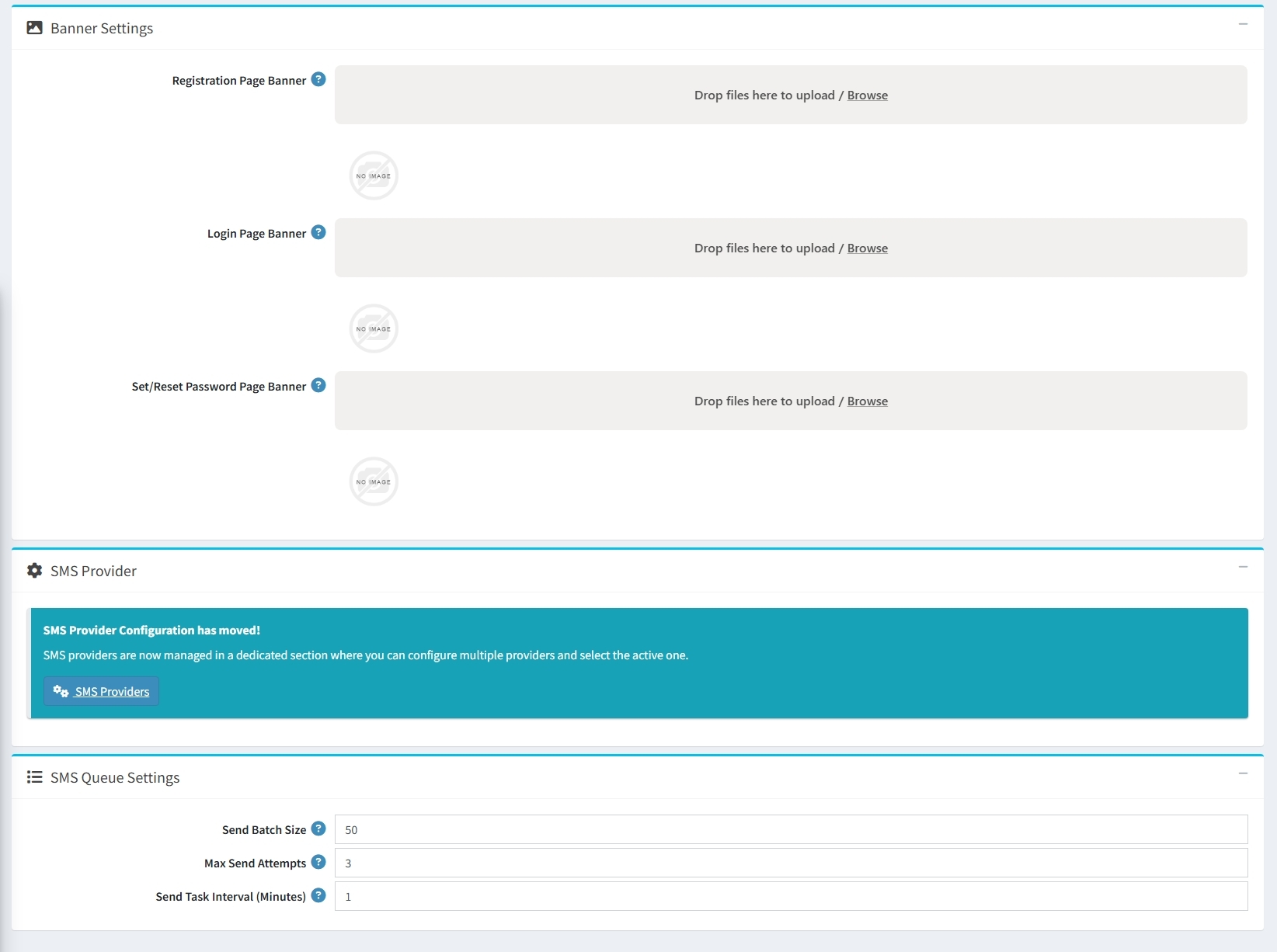
Banner Settings: Personalize the user experience by uploading custom Banners for the Registration, Login, and Password Reset pages.
-
SMS Queue Settings: Fine-tune the delivery system
-
Set the Send Batch Size and Max Send Attempts for each message.
-
Configure the Send Task Interval in minutes to manage how often the queue is processed.
-
-
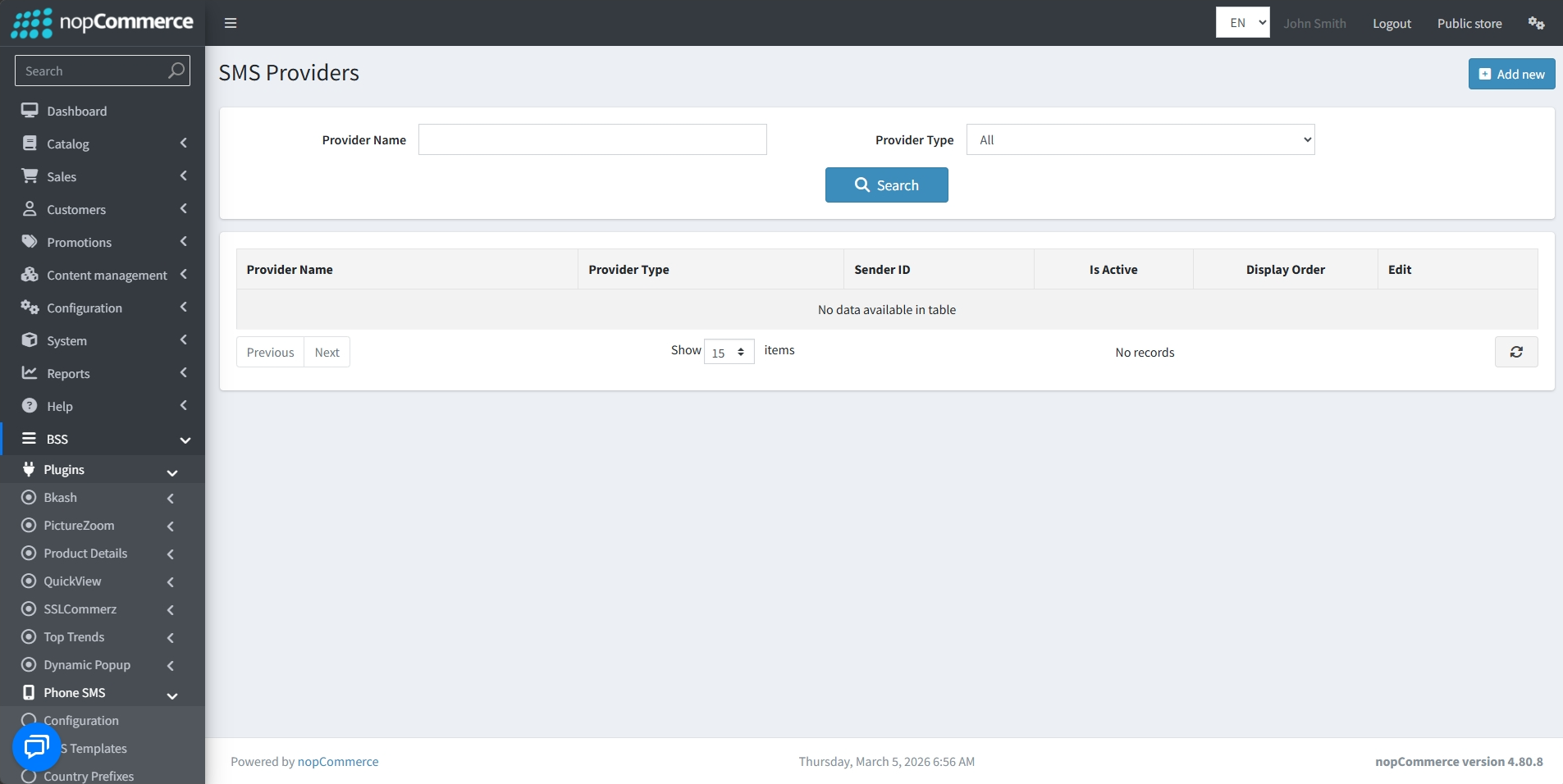
SMS Provider: Access a dedicated section to configure and select your active SMS gateway providers by clicking on the SMS Providers button or navigating to BSS → Plugins → Phone SMS → SMS Providers.
-
View all configured gateways in a single table displaying their Provider Name, Type, Sender ID, and Active Status.
-
Quickly locate specific gateways by filtering the list by Provider Name or Provider Type.
-
Easily manage existing configurations using the Edit action or add new gateways via the Add new button.
-
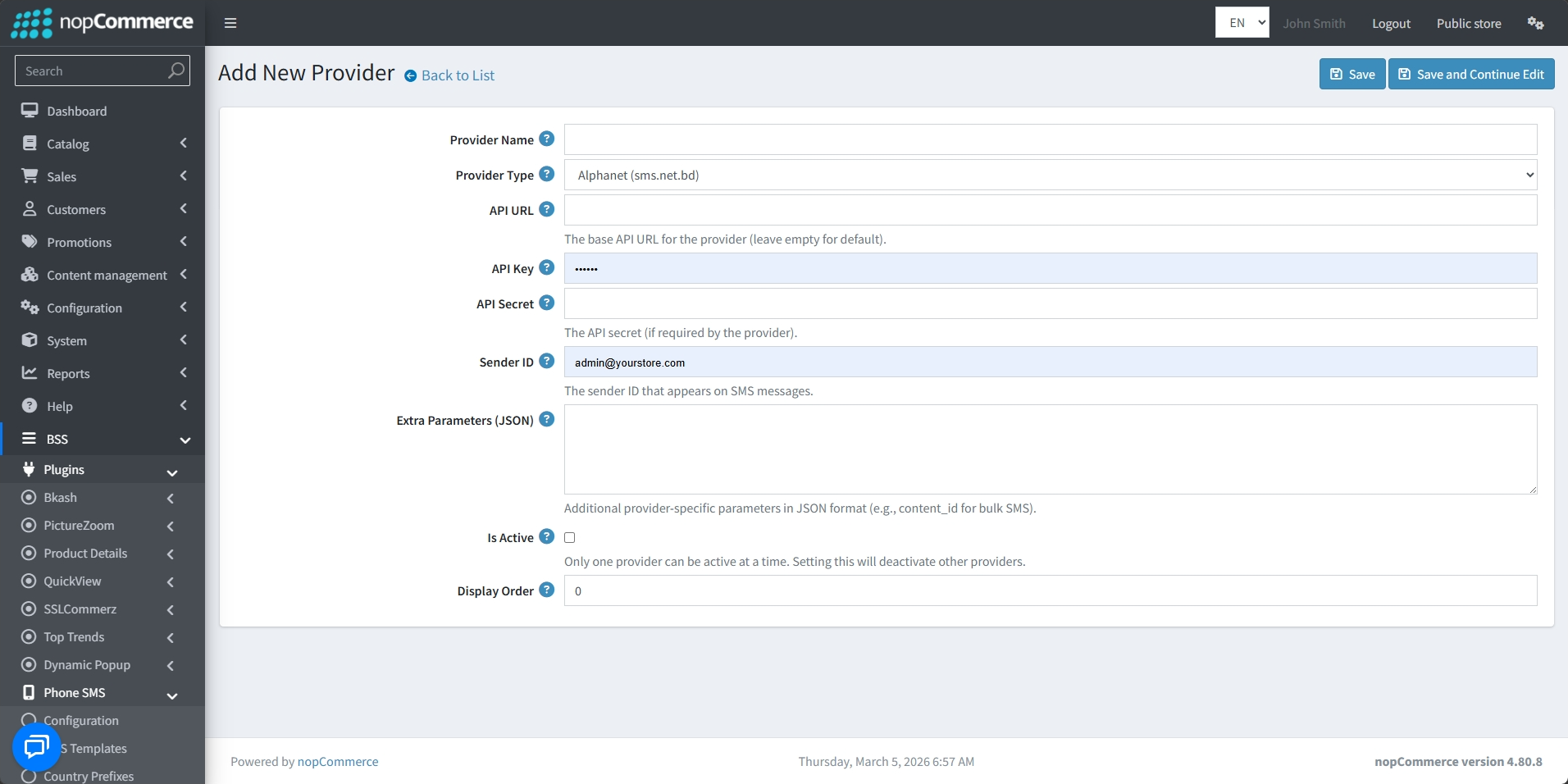
Assign a custom Provider Name and select the Provider Type from a predefined list.
-
Securely connect to your gateway by entering the API URL, API Key, and API Secret as required by the provider.
-
Specify the Sender ID that will appear as the 'From' address on outgoing SMS messages.
-
Add provider-specific settings, such as content IDs for bulk messaging, using the Extra Parameters (JSON) field.
-
Use the Is Active checkbox to set the primary gateway; note that only one provider can be active at a time, and enabling one will deactivate others.
-
Set a Display Order to organize how providers are listed within the management interface.
SMS TEMPLATE
-
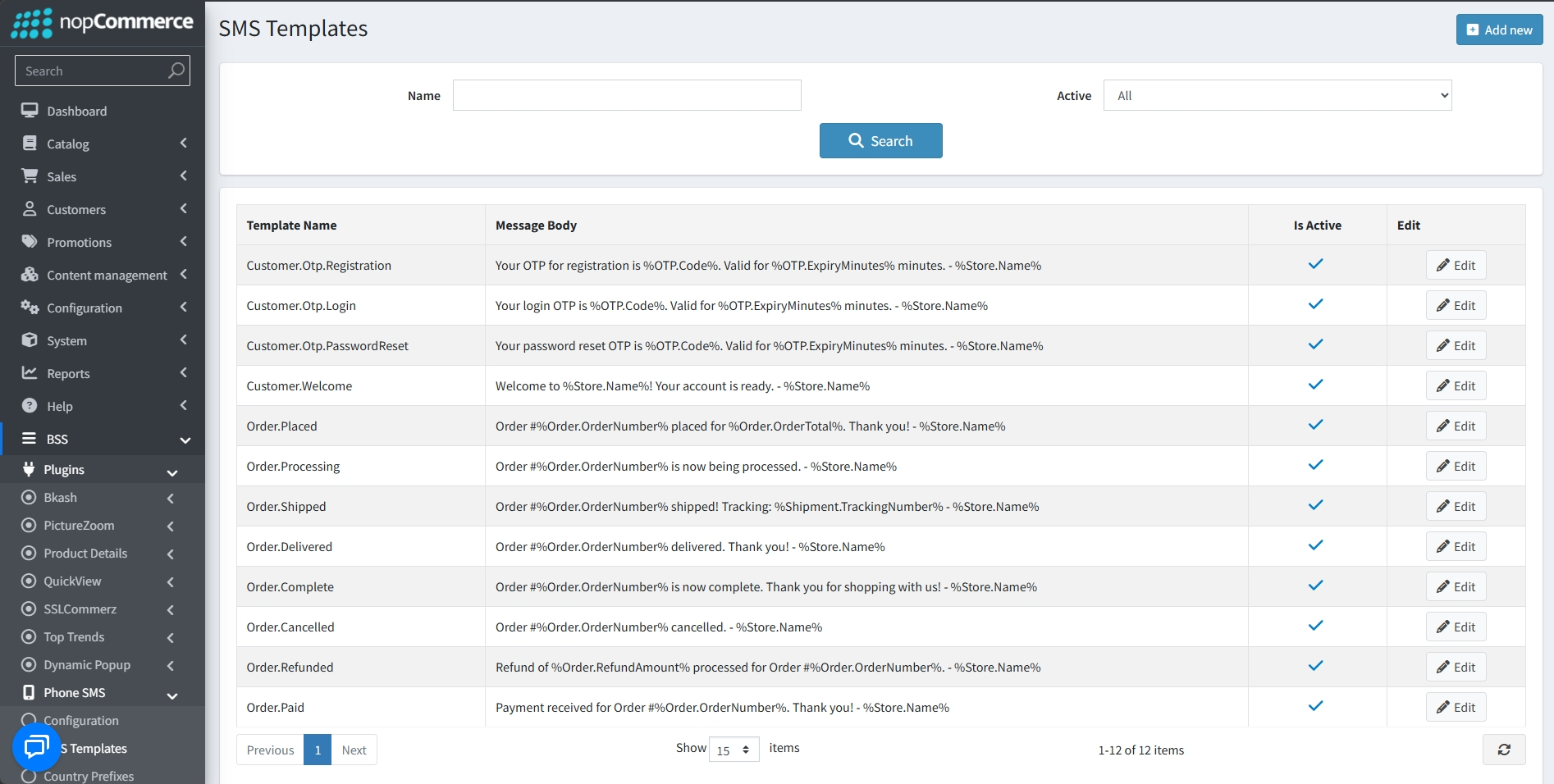
Go to BSS → Plugins → Phone SMS → SMS Template to view and manage SMS templates.
-
Templates use specific tokens to automatically insert real-time data into messages.
-
Easily locate specific templates by searching for a Template Name or filtering by their Active status.
-
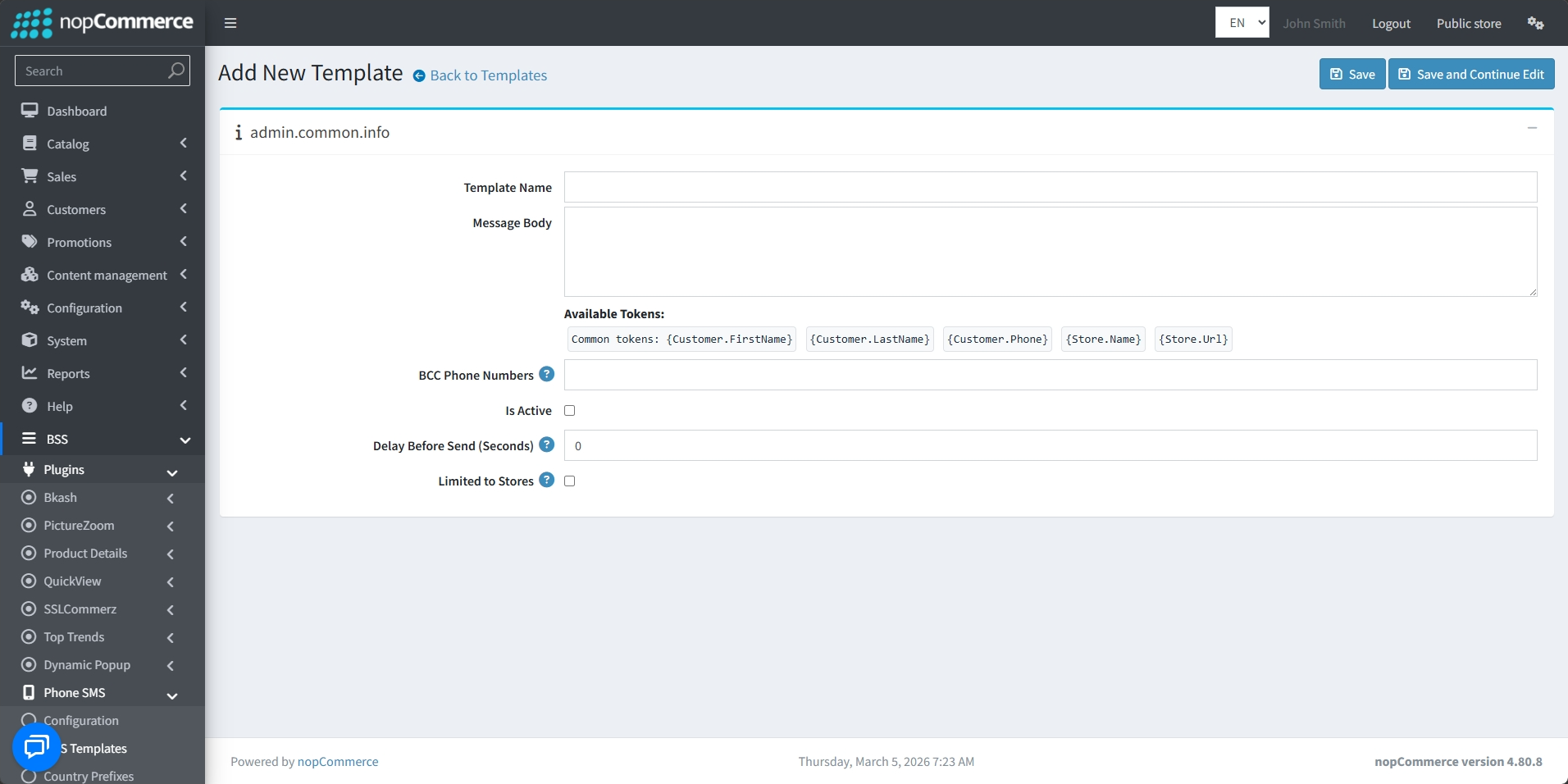
Use the Add new button to create custom templates or the Edit button to modify existing ones, including their specific message content.
-
Provide a unique Template Name to identify it within your administration panel.
-
Compose the text of the SMS in the Message Body to match your brand's tone and provide essential information to the customer. You can use Available Tokens to dynamically insert customer or store information.
-
Specify additional BCC Phone Numbers that should receive a copy of this SMS.
-
Check the Is Active box to enable the template so it can be used by the system.
-
Delay Before Send (Seconds): Set a specific amount of time to wait before the message is dispatched after the trigger event occurs.
-
Use the Limited to Stores option if you want the template to be active only for specific stores in a multi-store setup.
COUNTRY PREFIX
-
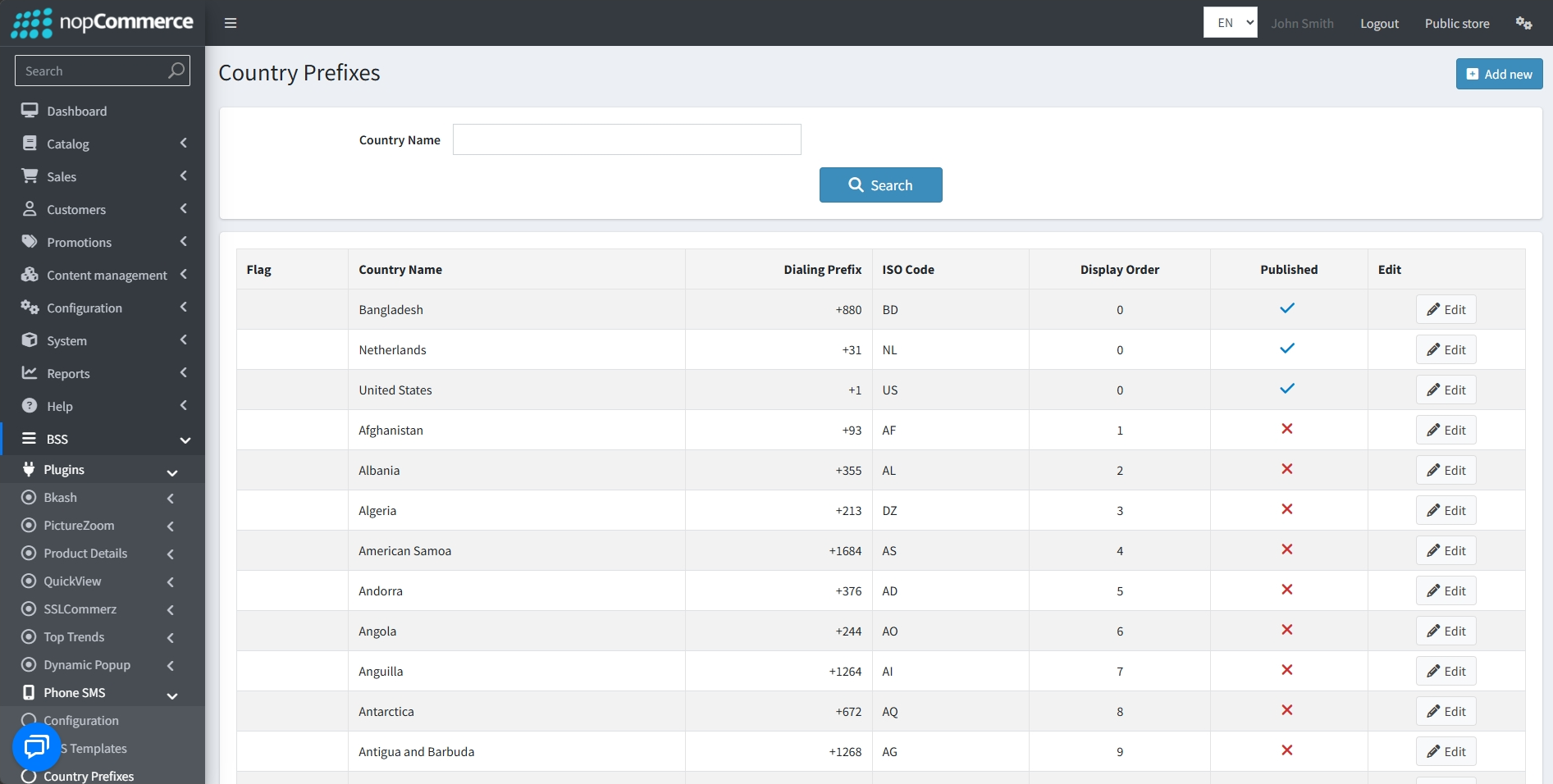
Go to BSS → Plugins → Phone SMS → Country Prefix to view a comprehensive table of supported countries including their Flag, Country Name, Dialing Prefix, and ISO Code.
-
Quickly find a specific region by searching for its Name in the management panel.
-
Update details using the Edit button.
-
Add a new country prefix by clicking on the Add new button.
-
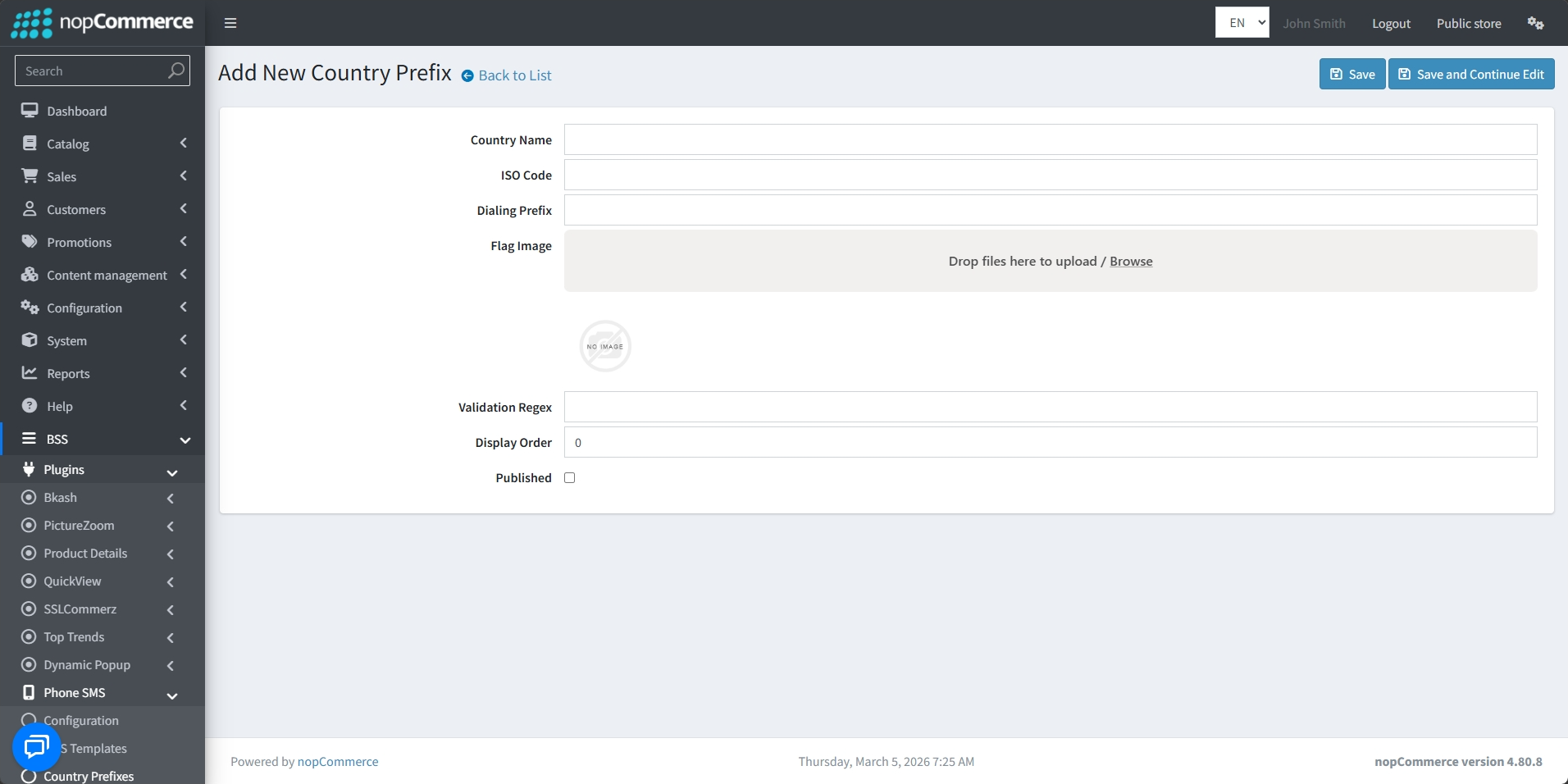
Define the Country Name and its standard ISO Code.
-
Dialing Prefix: Enter the numeric international calling code for the region.
-
Upload a Flag Image that will appear next to the country name in the storefront's phone selection dropdown.
-
Input a Validation Regex to enforce the correct phone number format for that specific country, helping to prevent user input errors.
-
Set the Display Order to position the country in the list.
-
Use the Published checkbox to make it live in your store.
SMS QUEUE
-
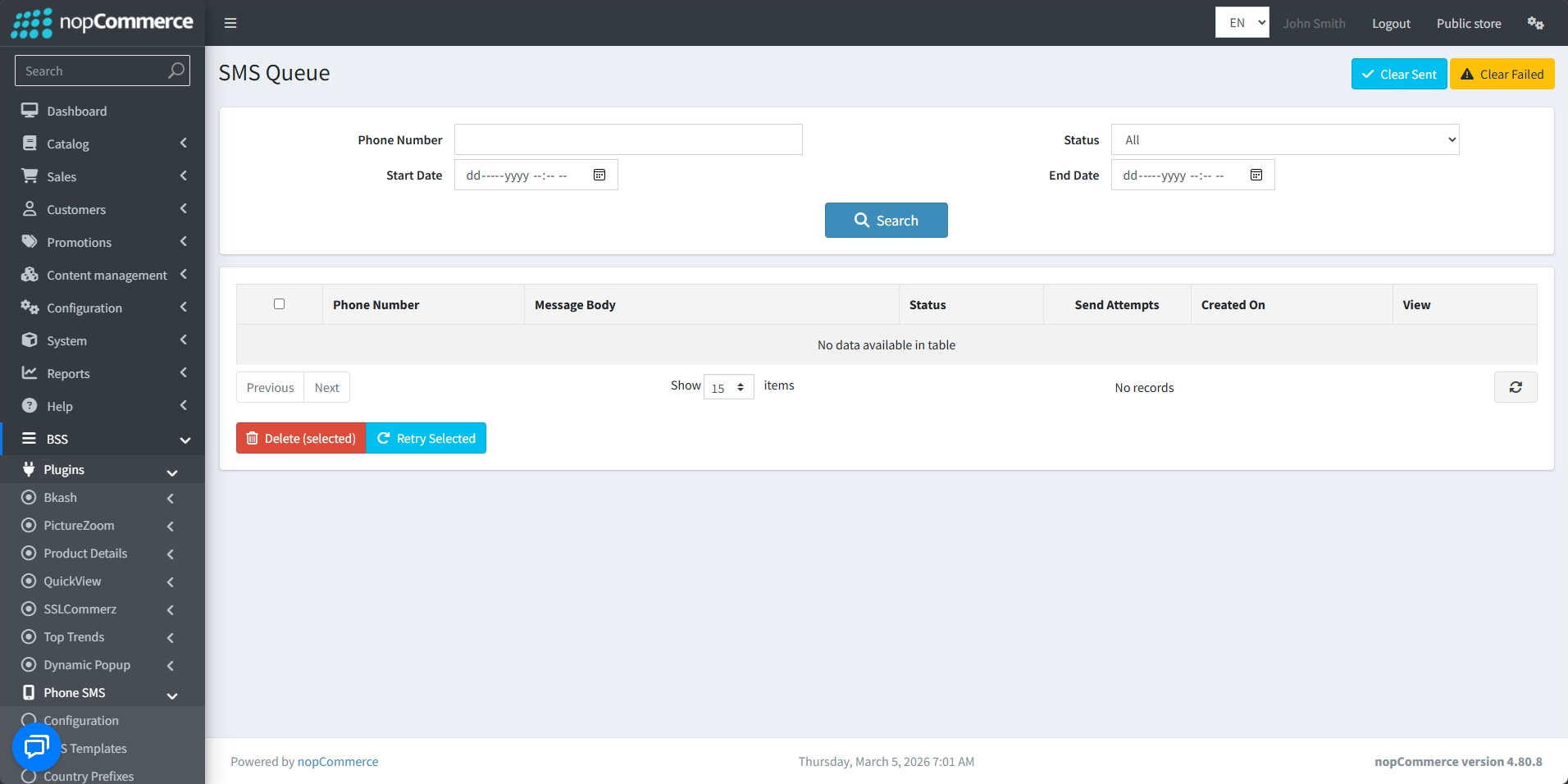
Go to BSS → Plugins → Phone SMS → SMS Queue to monitor and manage all outgoing messages.
-
Locate specific messages by filtering the queue by Phone Number, Status, and a defined Date Range using the Start and End Date selectors.
-
Track the progress of every SMS through detailed table columns, including Phone Number, Message Body, Status, number of Send Attempts, and the Created On timestamp.
-
Quickly purge the logs using the Clear Sent or Clear Failed buttons at the top right of the page.
-
For messages that require action, you can select specific entries to Delete them or use the Retry Selected button to attempt to resend failed notifications.
-
Click the View button in the table to inspect the full details of an individual message entry.
Public View
FEATURES
-
Unified Phone Auth: Enables secure phone-based registration, login, and password recovery as alternatives to email.
- Two-Factor Authentication: Strengthen account security by requiring verification through both password and phone-based OTP.
-
External Authentication Linking: Allow users to connect and manage third-party authentication providers for seamless access.
-
Order Alerts: Automated SMS notifications for statuses like Placed, Shipped, Paid, and Delivered.
-
Dynamic Templates: Personalize messages with tokens like customer name and order number.
-
OTP Security: Set precise rules for OTP length, expiry time, and failed attempt lockouts.
-
Rate Limiting: Prevent abuse with configurable resend cooldowns and hourly/daily request limits.
- Custom Password Rules: Configure password requirements such as minimum length, numbers, and special characters.
-
Global Support: Manage international dialing prefixes with custom flags and validation regex.
-
Gateway Integration: Connect multiple SMS providers using custom API credentials and Sender IDs.
-
Queue Management: Centralized dashboard to monitor, retry, or delete outgoing message logs.
-
Multi-store Ready: Restrict message templates to specific storefronts using the "Limited to stores" setting.
-
Custom Banners: Personalize the user experience with unique banners for registration and login pages.


