
BSS Payment Change
Created on: Apr 30, 2026

PRE-REQUISITES
-
The plugin requires you to install the BSS Core plugin first.
INSTALLATION
-
Go to the Order Details Page and Download plugin package
-
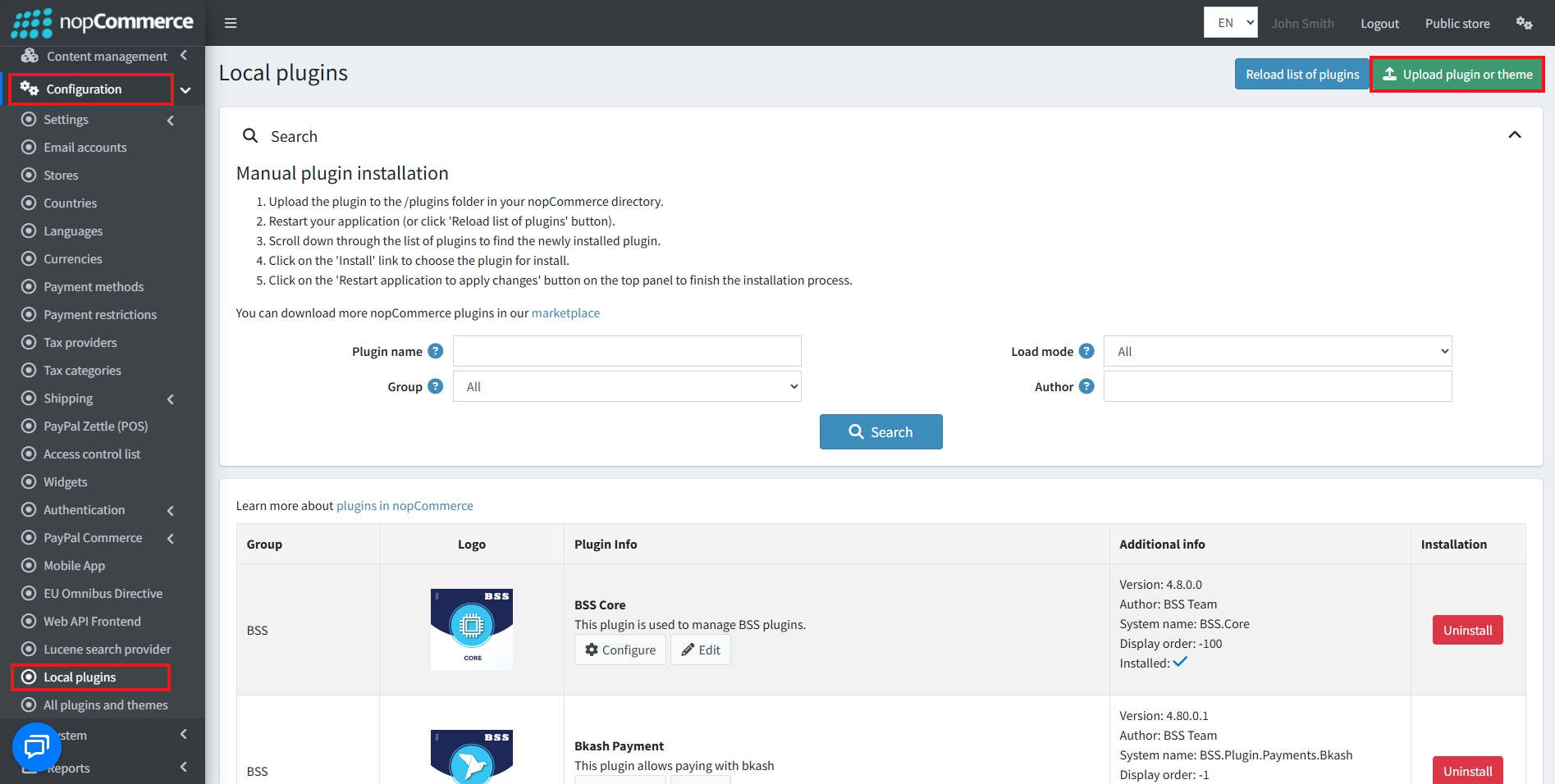
Go to Administration → Configuration → Local plugins
-
Within the bundle, you get all the required files, including BSS.Core
-
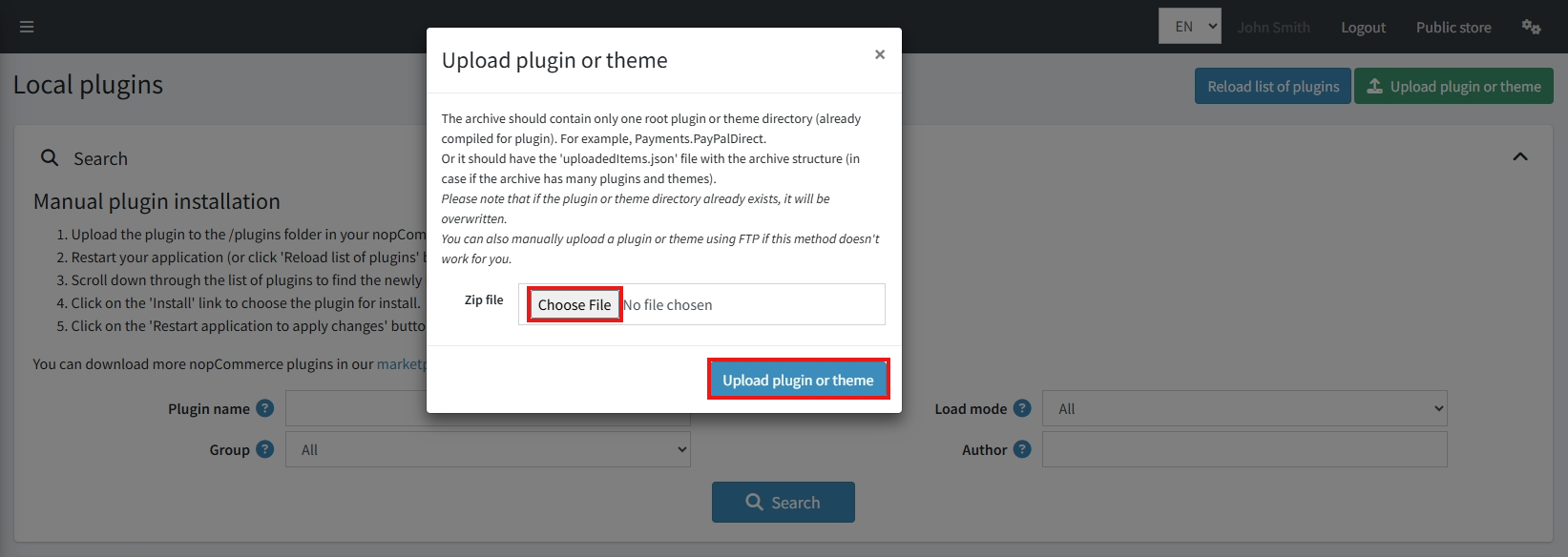
Upload the zip files using the ‘Upload plugin or theme‘ button
-
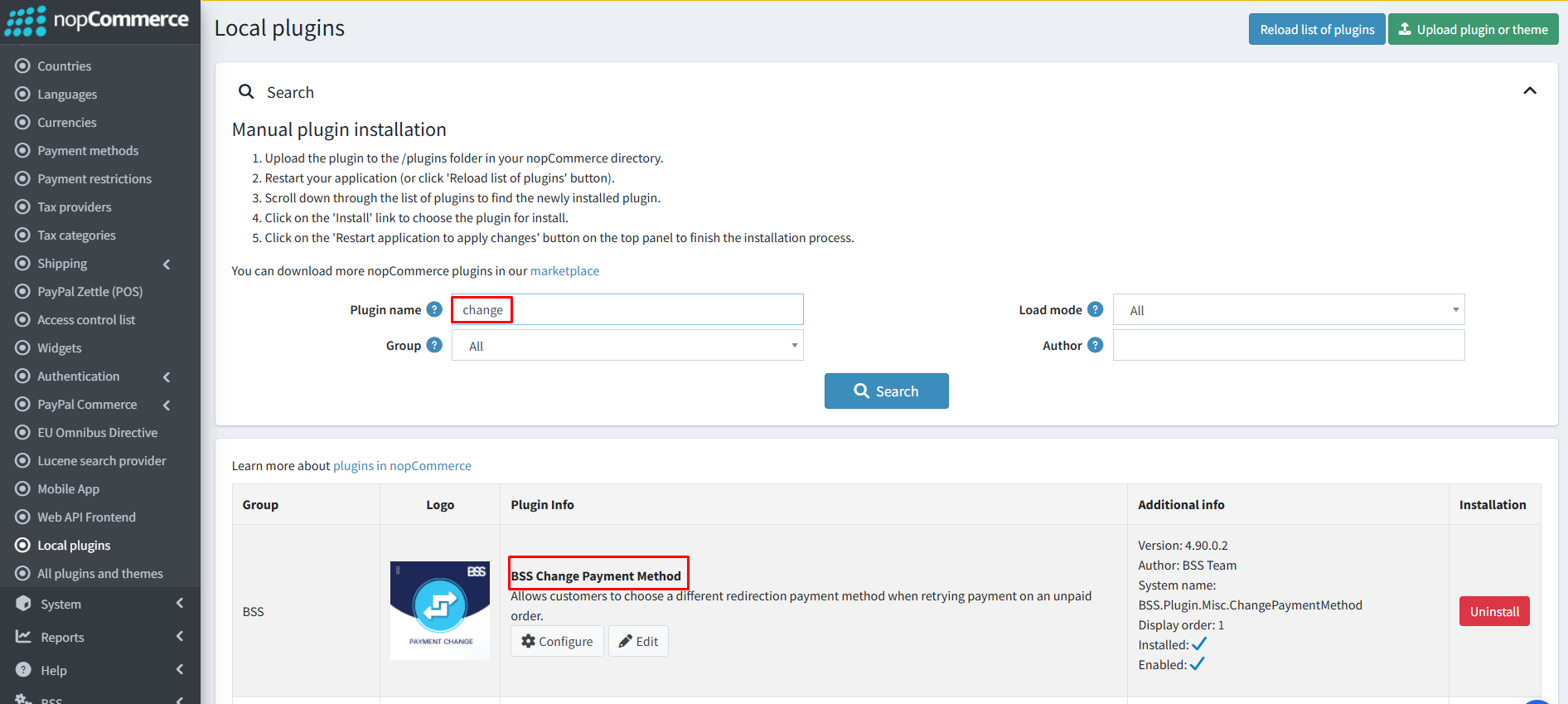
After uploading, install the ‘BSS Core‘ Plugin first.
-
Then scroll down or write the name of the plugin in the search bar to find and install ‘BSS Payment Change.‘
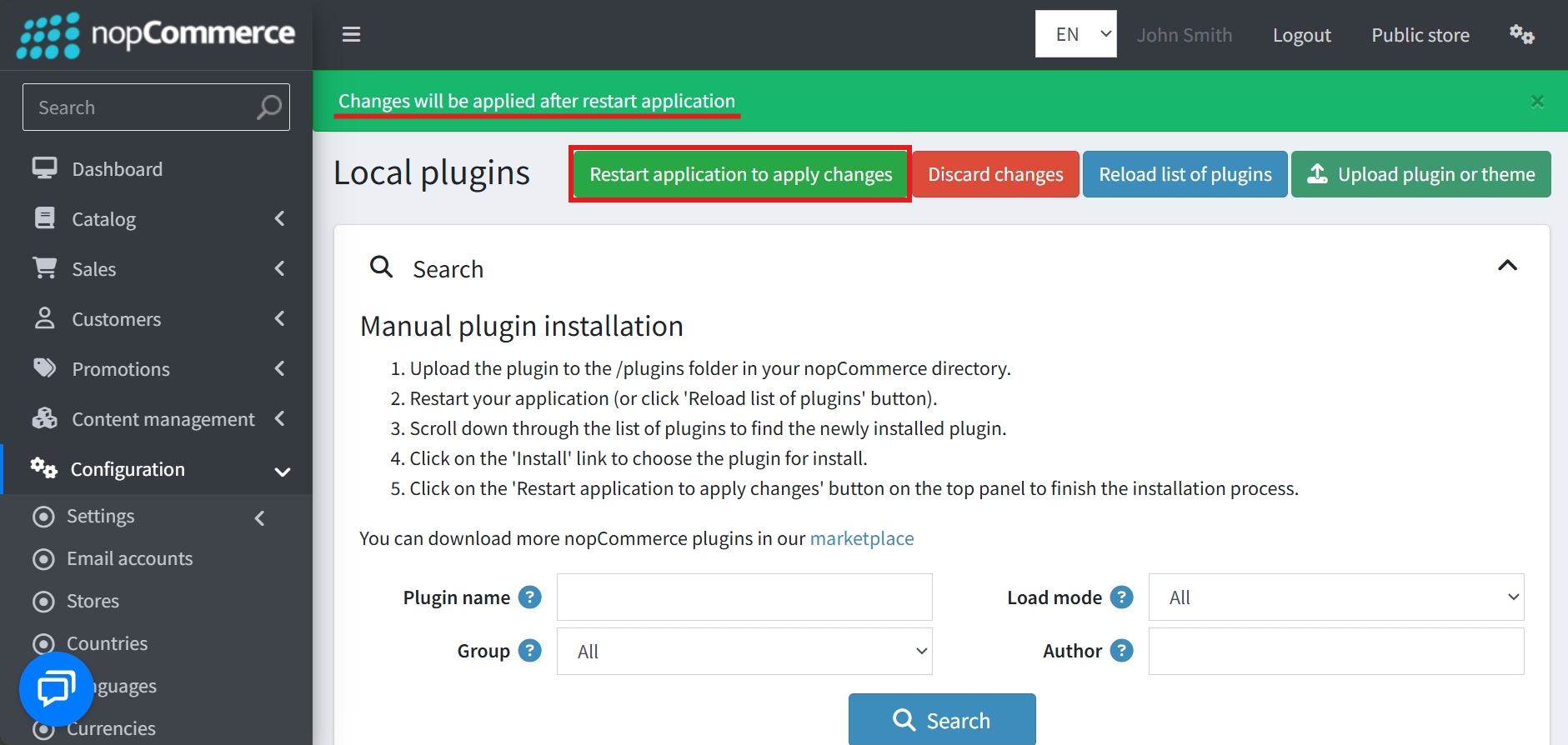
- To make the plugins functional, restart the application
Recommendation: Go to > App Settings. If you find JavaScript bundling and minification, CSS bundling and minification are checked, then uncheck these two options and disable them.

LICENSE CONFIGURATION
-
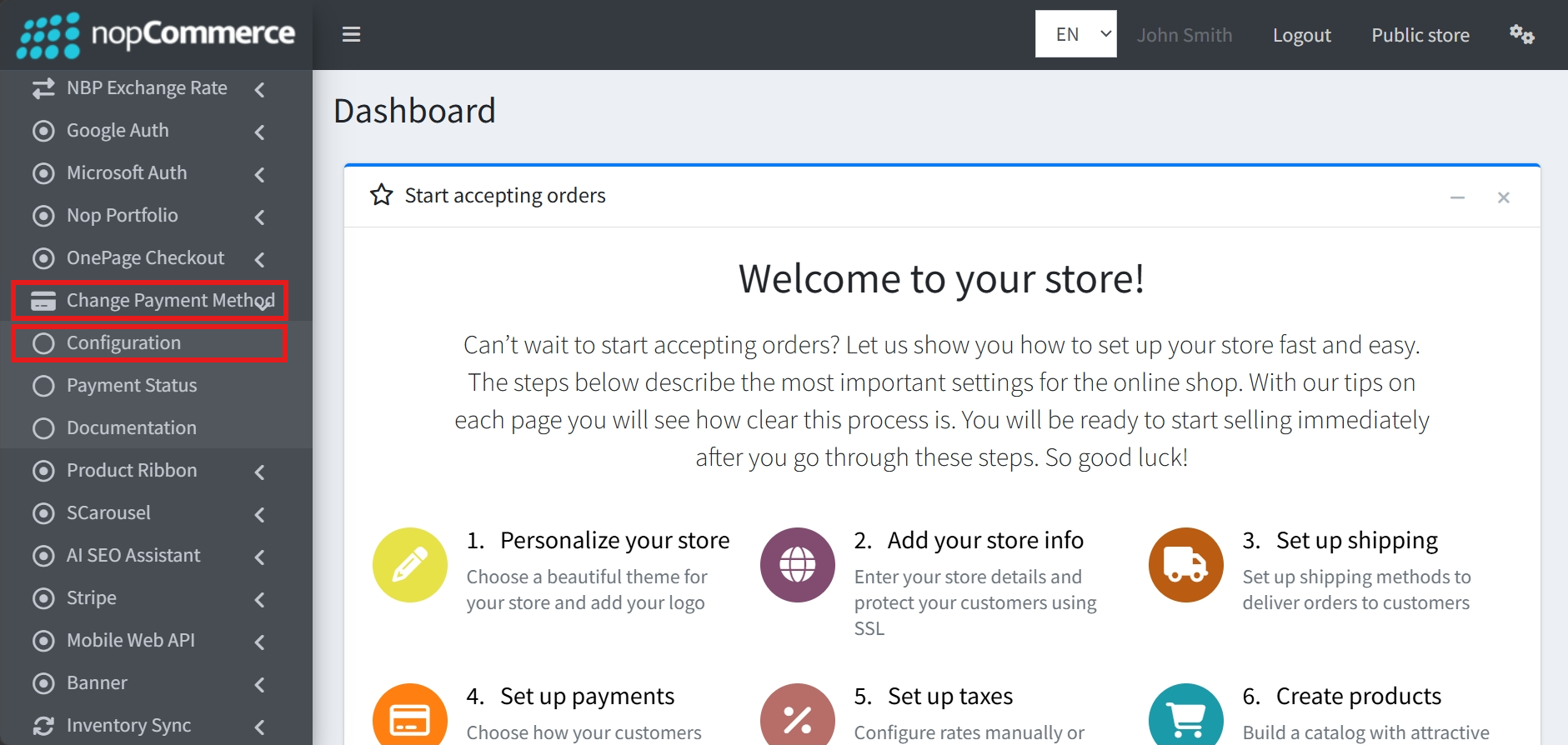
Go to Admin → BSS → Plugins → Payment Change → Configuration
-
Enter the License string and save it. Then clear cache.

GENERAL SETTINGS & CONFIGURATION
-
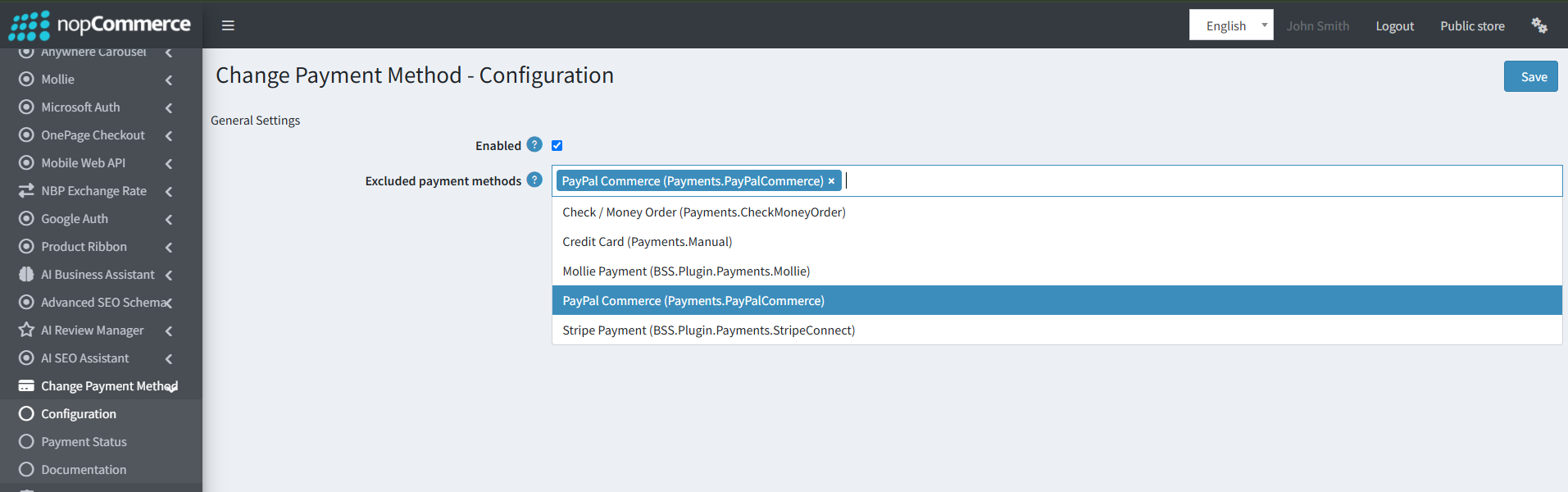
Navigate to Admin → Change Payment Method → Configuration to manage the plugin settings.
-
Enabled: Check this box to activate the change payment method functionality on your store.
-
Excluded payment methods: Select the payment methods from the dropdown list that you want to exclude. The excluded methods will not be available for customers when they attempt to switch or retry their payment.
-
Click the Save button at the top-right corner to apply the configuration.
PAYMENT STATUS
-
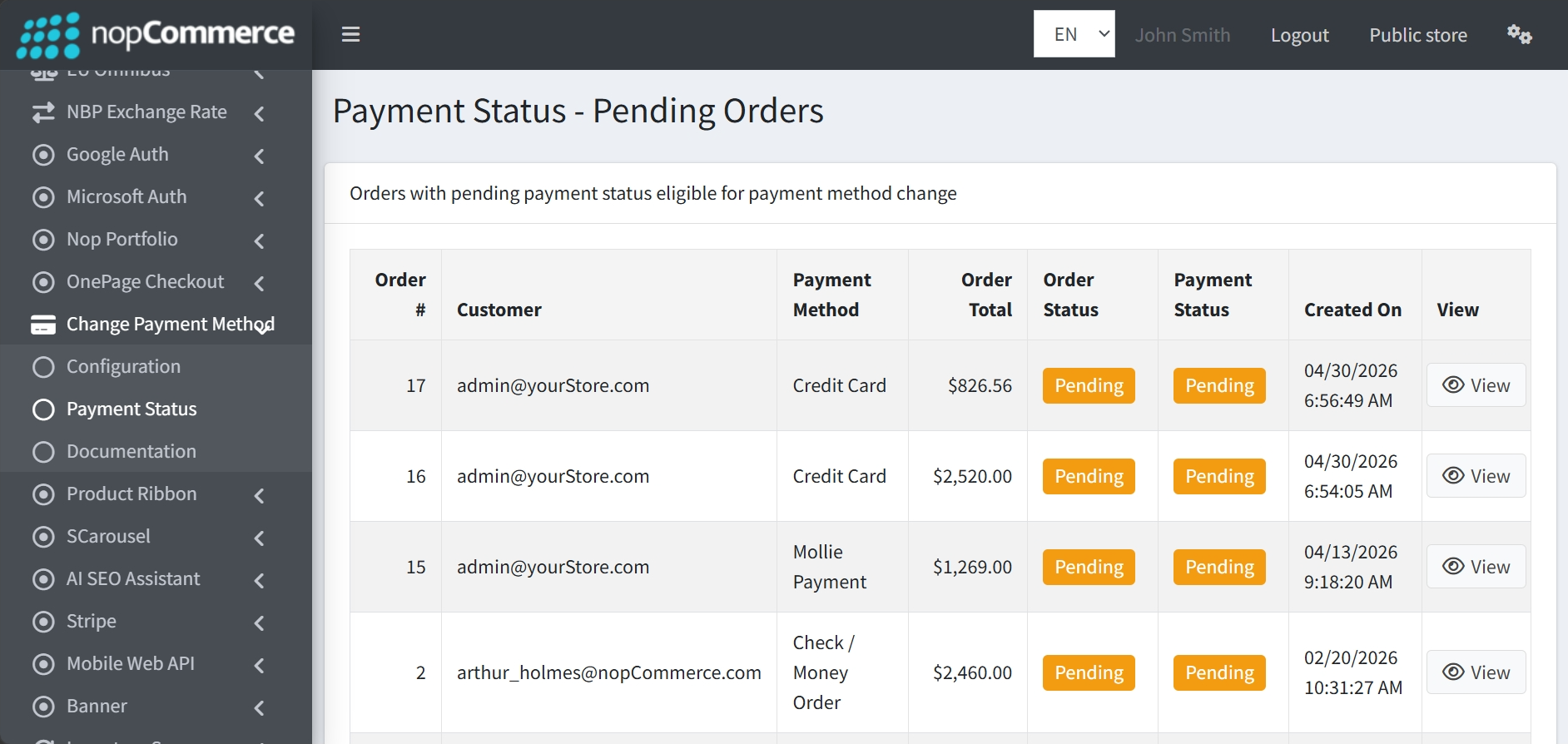
Go to BSS → Plugins → Payment Change → Payment Status to view the list of Pending Orders that are eligible for a change in payment method.
-
The list displays order details, including Order #, Customer email, current Payment Method, Order Total, Order Status, Payment Status, and the exact date the order was Created On.
-
Click on the View button beside each order to view the specific details of that order.
PUBLIC VIEW
-
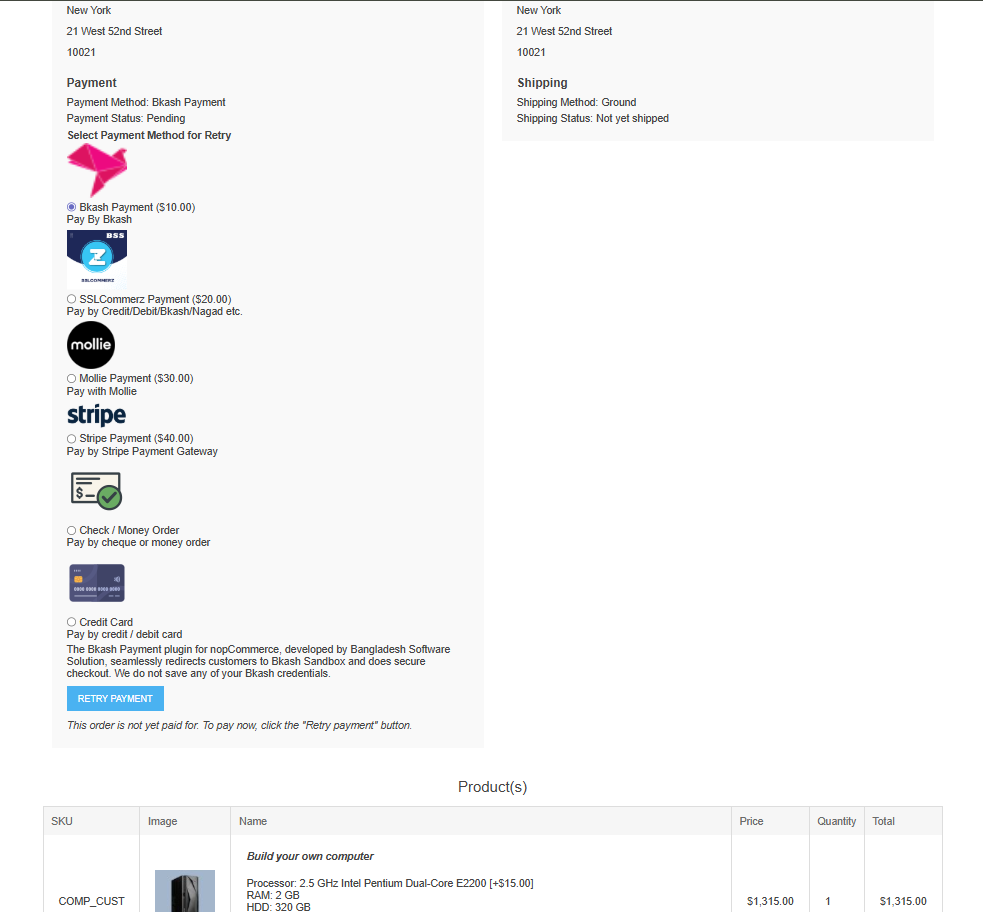
On the public storefront, this plugin provides users whose payment status is “Pending“ with a “Retry Payment“ option. This allows them to select a different payment method and attempt to complete their purchase again.
FEATURES
-
Customer "Retry Payment" Option: Customers with a "Pending" payment status are provided with a "RETRY PAYMENT" button to complete their purchase.
-
Flexible Payment Method Selection: Customers can switch to a different payment method instead of being stuck with their original choice during a retry attempt.
-
Payment Method Exclusion: Store admins can selectively exclude specific payment methods from being shown in retry options.
-
Dynamic Payment Charge Integration: The plugin automatically handles the extra charges associated with different payment providers.
-
Simple Plugin Control: Administrators can easily toggle the entire functionality on or off.
-
Detailed Administrative Oversight: The pending orders list displays essential order data at a glance.
-
Direct Order Access: Each entry in the list includes a View button to open order details instantly.


