
BSS Cart Reminder
Created on: May 05, 2026
PRE-REQUISITES
-
The plugin requires you to install the BSS Core plugin first.
INSTALLATION
-
Go to the Order Details Page and Download plugin package
-
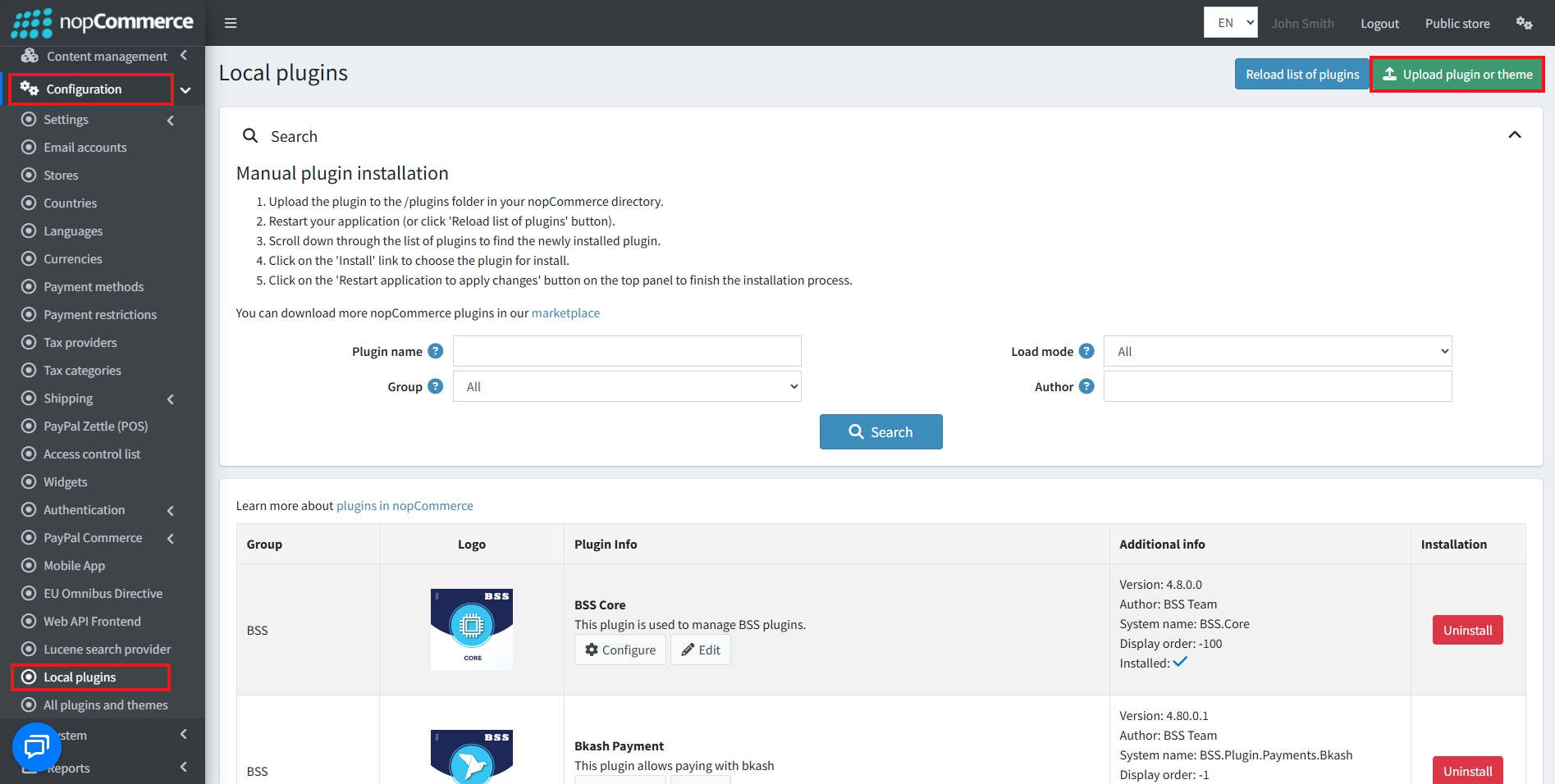
Go to Administration → Configuration → Local plugins
-
Within the bundle, you get all the required files, including BSS.Core
-
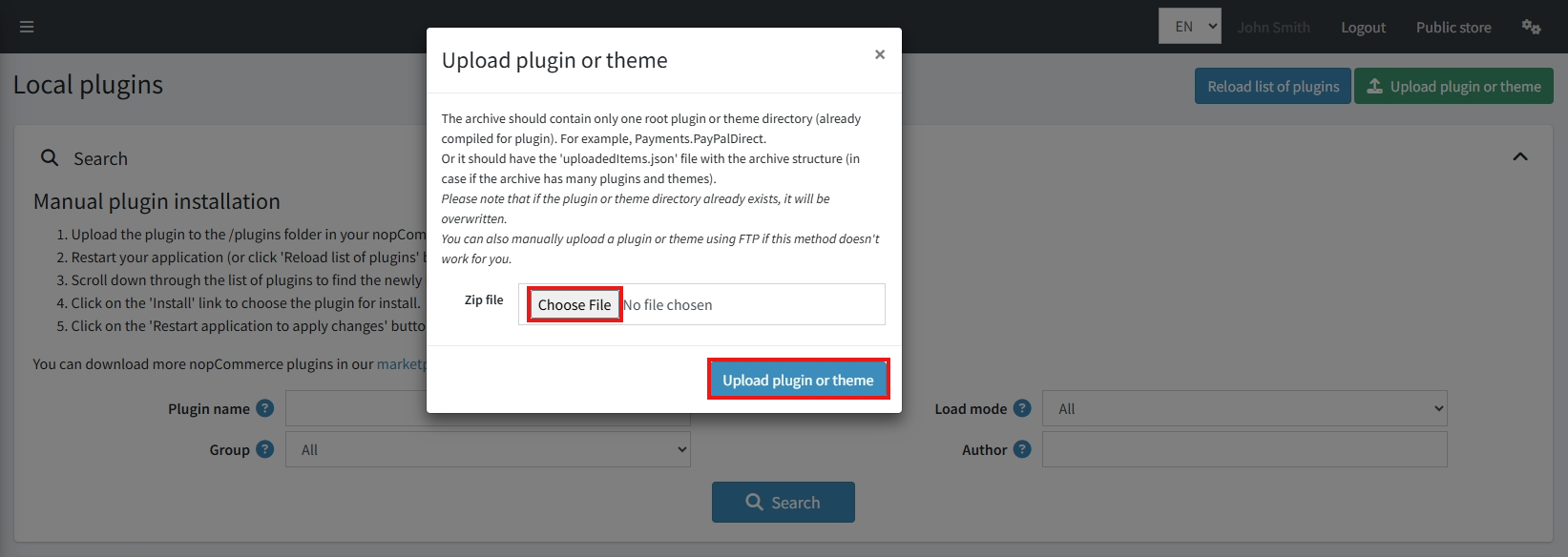
Upload the zip files using the ‘Upload plugin or theme’ button
-
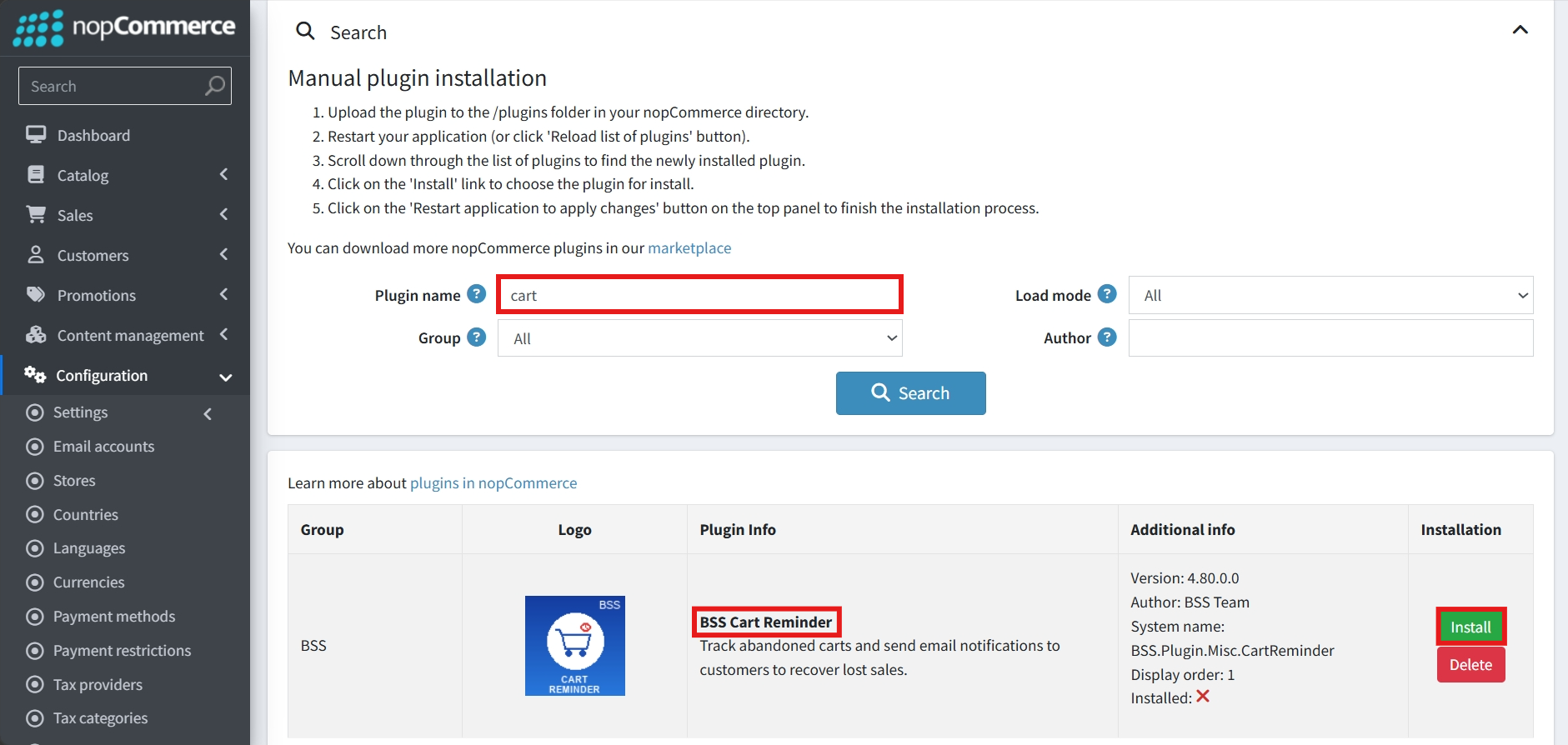
After uploading, install the ‘BSS Core’ Plugin first.
-
Then scroll down or write the name of the plugin in the search bar to find and install ‘BSS Cart Reminder’
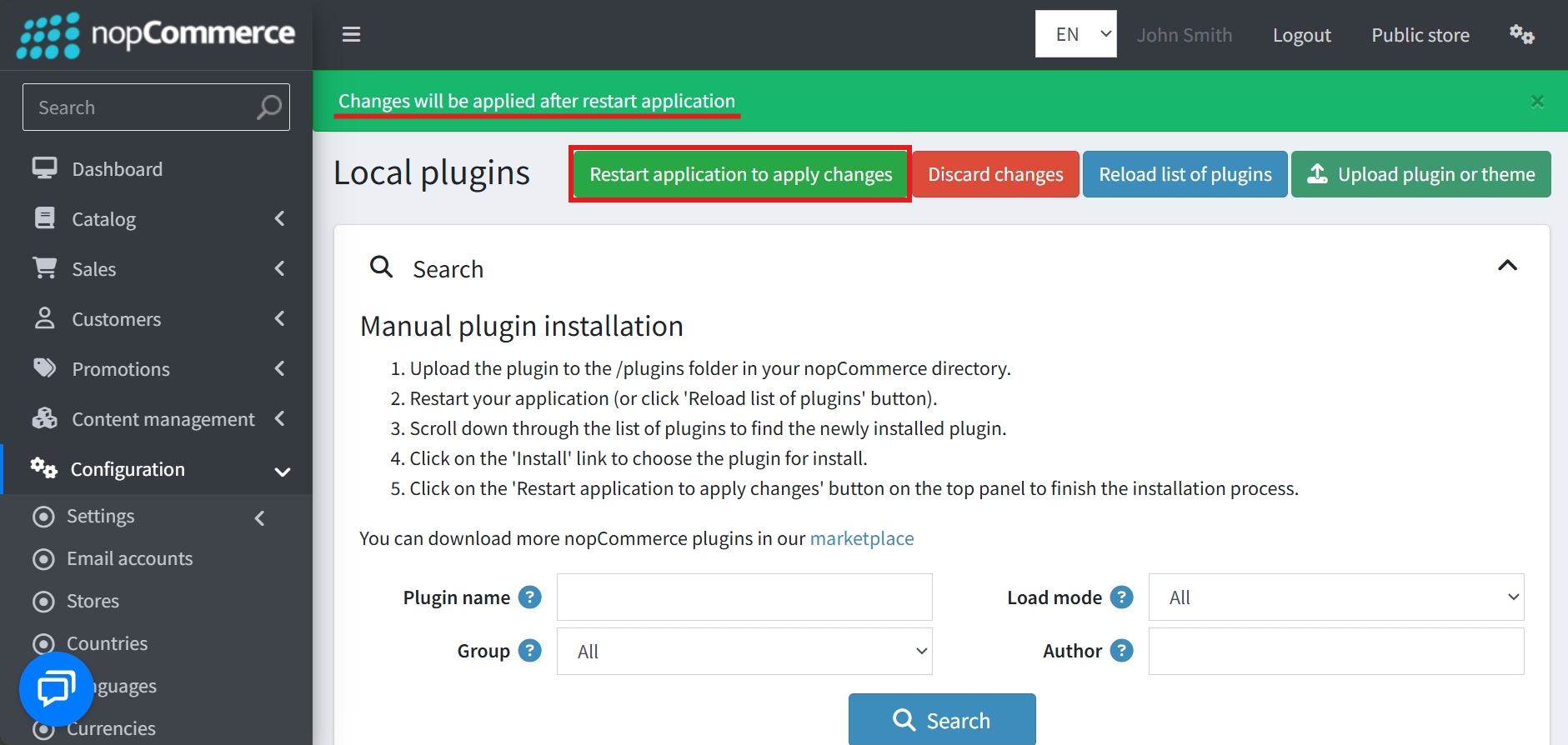
- To make the plugins functional, restart the application
Recommendation: Go to > App Settings. If you find JavaScript bundling and minification, CSS bundling and minification are checked, then uncheck these two options and disable them.

CONFIGURE
-
Go to Admin → BSS → Plugins → Cart Reminder → Configuration
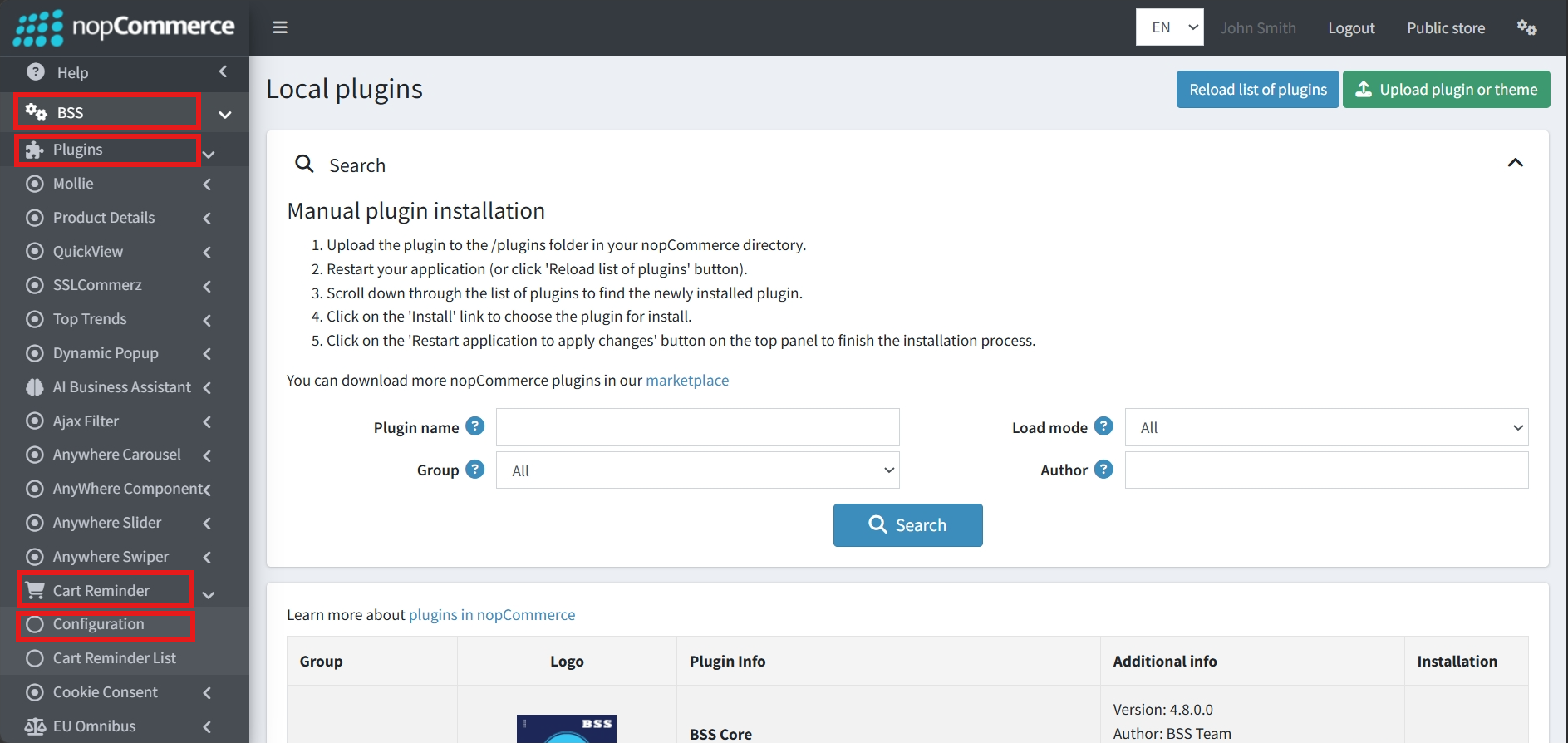
-
Enter the License string and save it. Then clear cache.

-
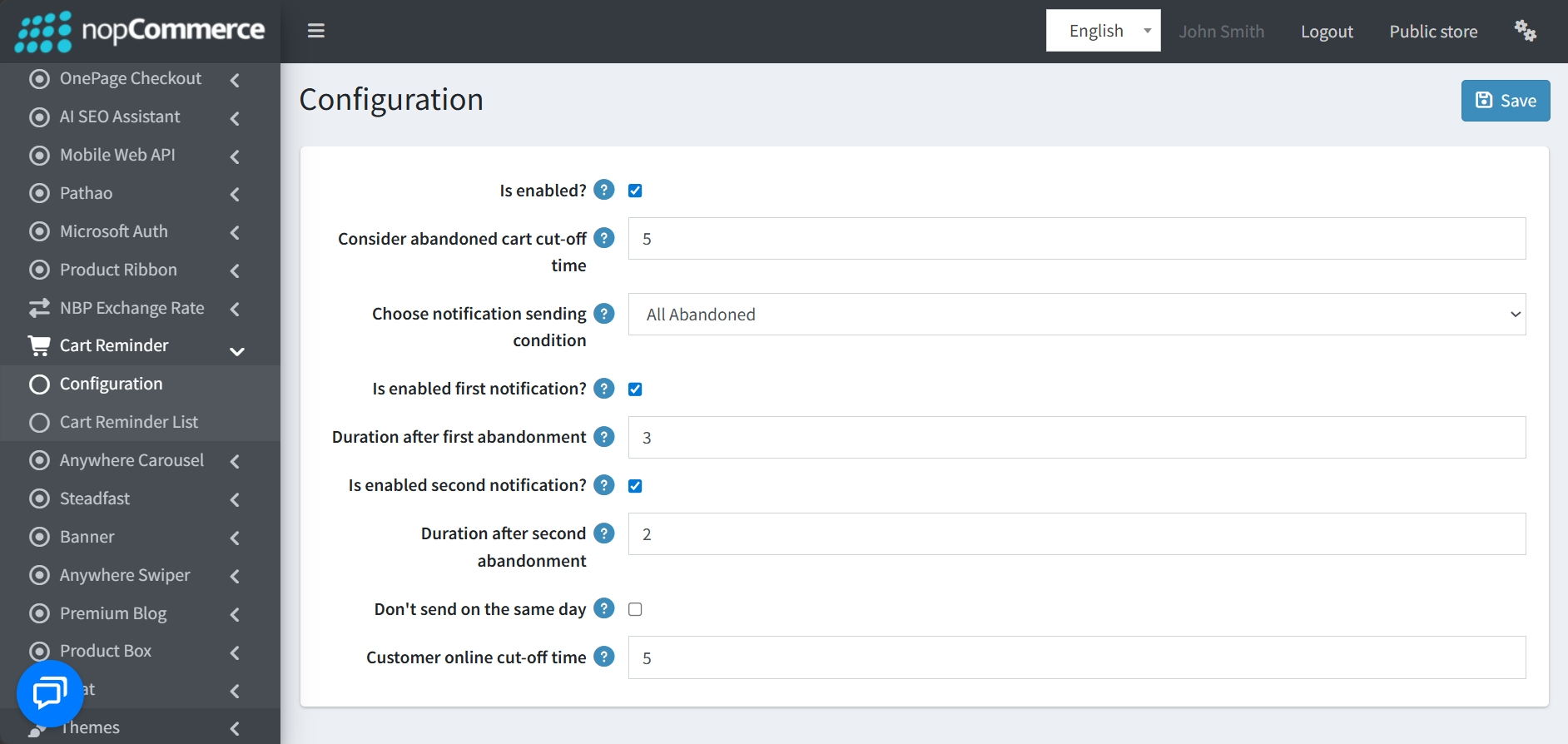
Then again go to BSS → Plugins → Cart Reminder → Configuration to set the configuration.
-
Plugin Activation: A master "Is enabled?" checkbox allows you to toggle the entire cart reminder functionality on or off.
-
Abandoned Cart Timing: The "Consider abandoned cart cut-off time" determines the specific window after which a cart is officially treated as abandoned.
-
Sending Conditions: You can customize which customers receive reminders using the "Choose notification sending condition" dropdown
-
Multi-Stage Notifications: The plugin supports up to two automated reminders:
-
First Notification: Can be enabled individually with a customizable "Duration after first abandonment"
-
Second Notification: Can also be enabled with its own specific "Duration after second abandonment"
-
-
Smart Sending Logic: To avoid overwhelming customers, you can enable the "Don't send on the same day" option.
-
Online Presence Tracking: The "Customer online cut-off time" setting defines how long the system waits before sending a cart reminder notification if a customer is still active on the site.
CART REMINDER LIST
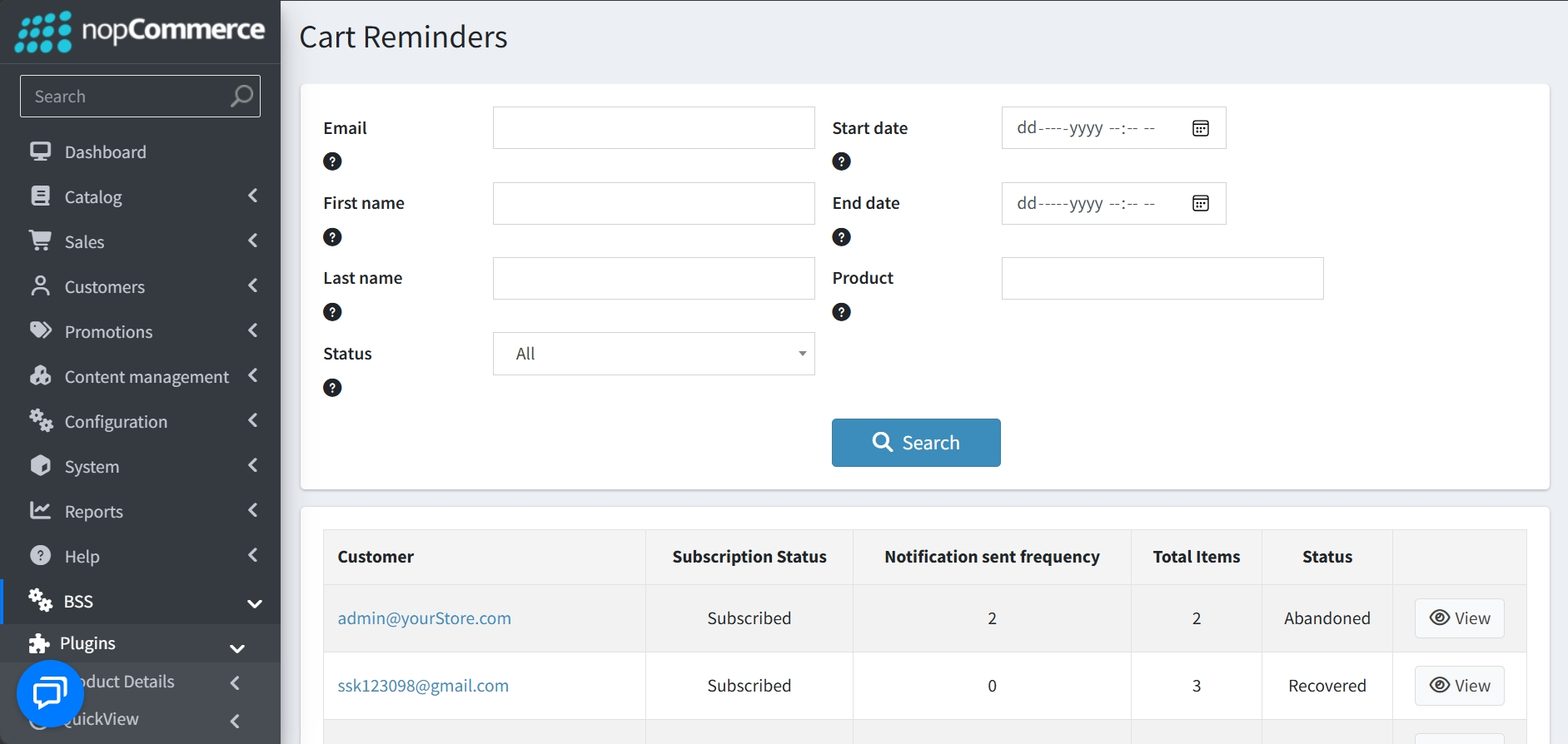
- Go to Admin → BSS → Plugins → Cart Reminder → Cart Reminder List to monitor all abandoned cart activity and filter through your data.
-
Search and Filtering: Locate specific entries using filters for Email, First name, Last name, Status, Start/End dates, and specific Products.
-
Data Overview: The results table provides high-level information for each entry, including Customer, Subscription Status, Notification Frequency, Total Items, and Status.
-
Direct Access: A "View" button is available for every row to jump directly into the individual cart's details.
CART REMINDER DETAIL
-
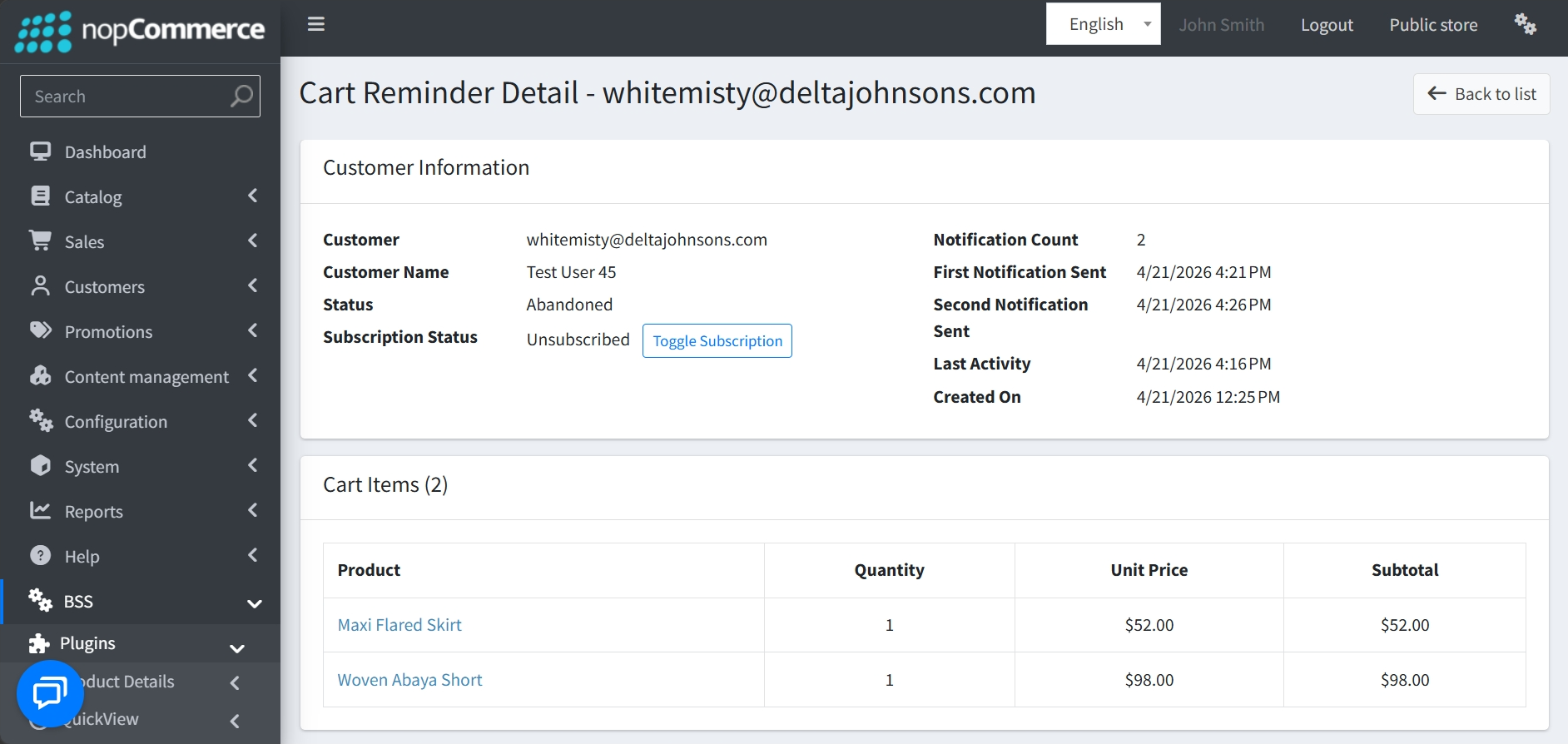
Customer Information: Provides identity and status details, including the Customer Name, Email, and current Status.
-
Subscription Management: Displays the user's Subscription Status with a "Toggle Subscription" button, allowing administrators to manually subscribe or unsubscribe them from future notifications.
-
Communication Timeline: Tracks the recovery process with specific timestamps for:
-
Notification Count: The total number of reminders sent.
-
First and Second Notification Sent: The exact date and time each automated reminder was dispatched.
-
Last Activity: When the customer was last active on the site.
-
Created On: When the abandoned cart record was first generated.
-
-
Cart Items Breakdown: Lists every product left in the cart, detailing the Product Name, Quantity, Unit Price, and Subtotal for each item.
-
Navigation: Includes a "Back to list" button for easy return to the main dashboard.
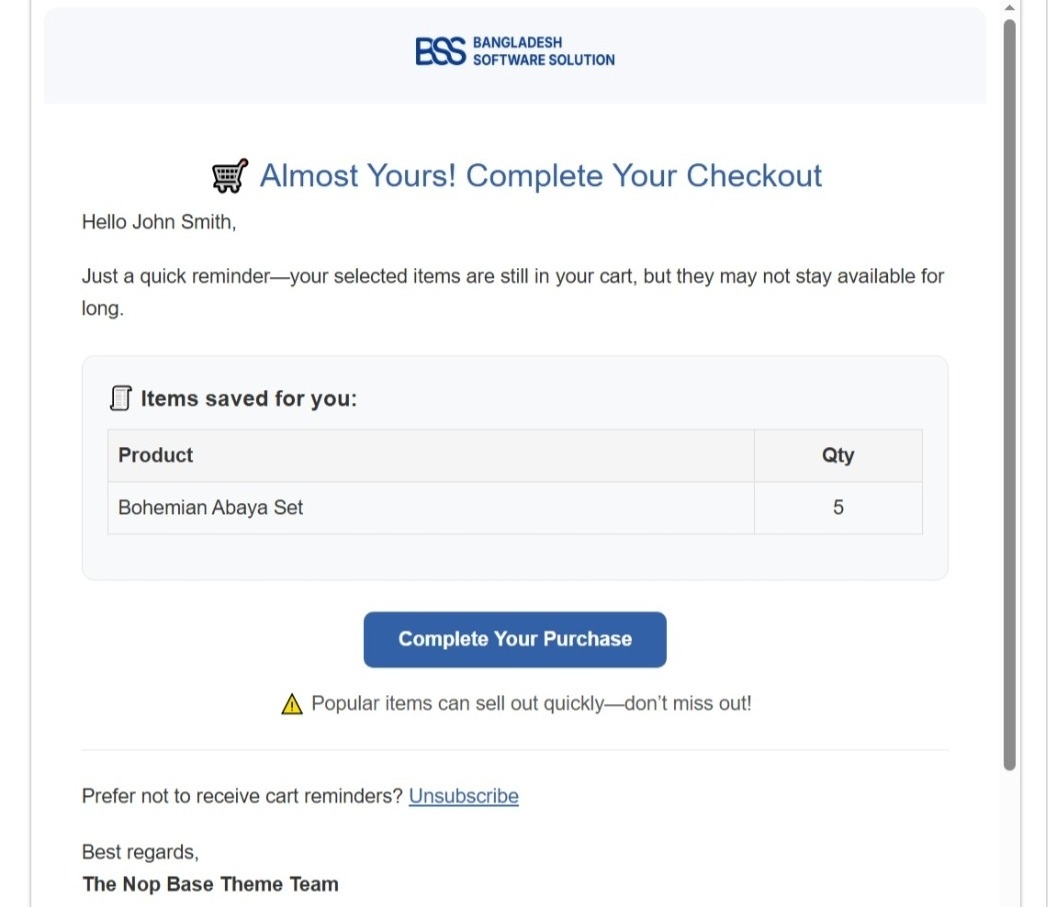
PUBLIC VIEW
FEATURES
-
Master Toggle: A single switch to easily enable or disable all cart reminder functions.
-
Customizable Timing: Adjustable settings for abandonment cut-off times.
-
Two-Stage Reminders: Support for two automated notifications with individually set delay durations.
-
Itemized Visibility: A clear breakdown of every product left in the cart, including quantities, unit prices, and subtotals.
-
Centralized Dashboard: A searchable list of all abandoned carts that can be filtered by email, name, status, date ranges, and specific products.
-
Live Status Tracking: The dashboard provides real-time visibility into the progress of every cart, showing statuses such as In Action, Recovered, Abandoned, and Deleted.
-
Detailed History: Automated logging of the customer’s last activity and the exact timestamps for every notification sent.
-
Customer Opt-Out: Customers can choose to unsubscribe from reminders at any time, with their current "Subscribed" or "Unsubscribed" status clearly tracked in the admin panel.
-
Manual Subscription Control: A simple toggle to manually subscribe or unsubscribe specific customers from receiving emails.


