
BSS Microsoft Authentication
Created on: Mar 02, 2026
PRE-REQUISITES
-
The plugin requires you to install the BSS Core plugin first.
INSTALLATION
-
Go to the Order Details Page and Download plugin package
-
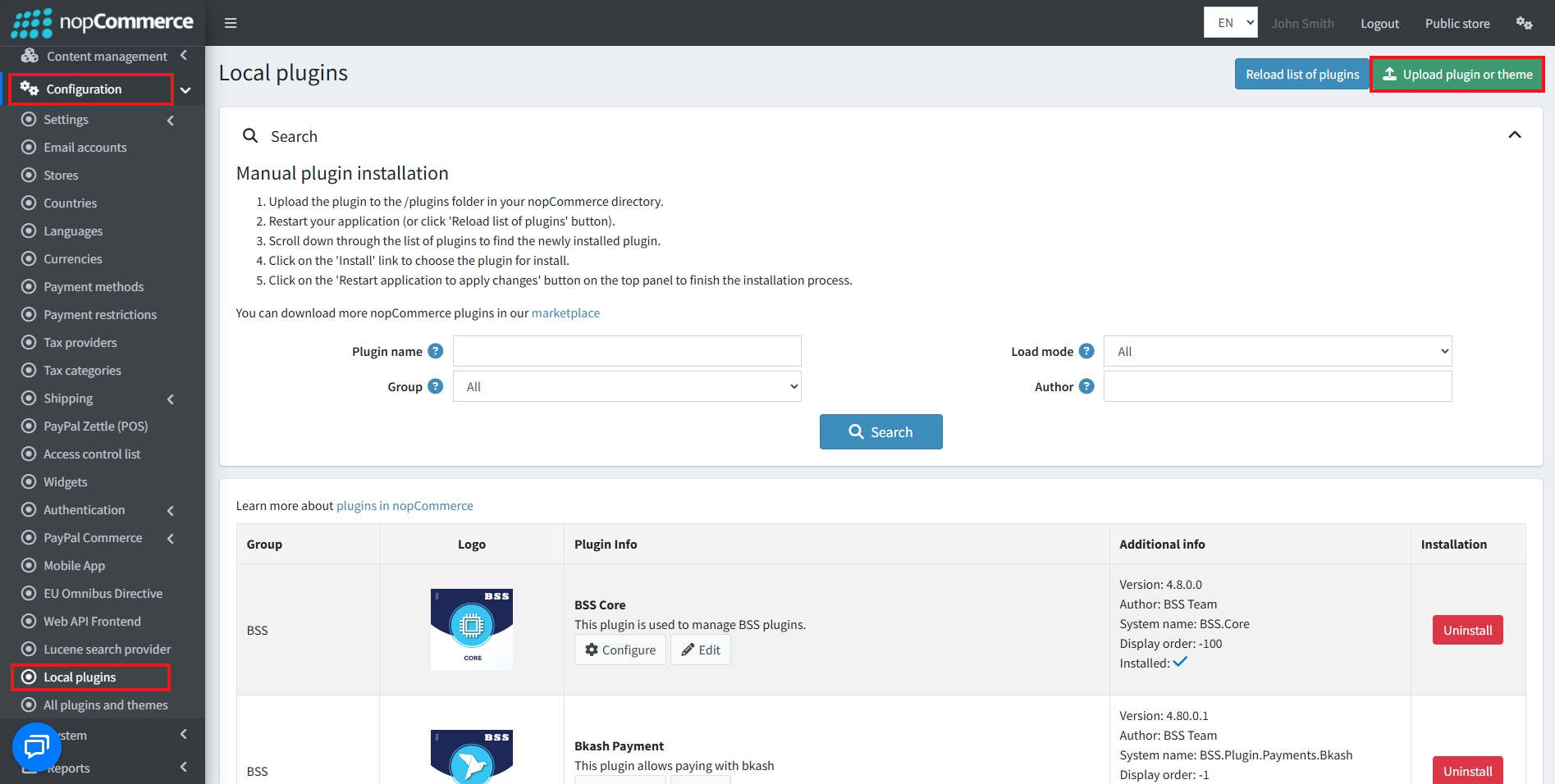
Go to Administration → Configuration → Local plugins
-
Within the bundle, you get all the required files, including BSS.Core
-
Upload the zip files using the ‘Upload plugin or theme' button

-
After uploading, install the ‘BSS Core' Plugin first.
-
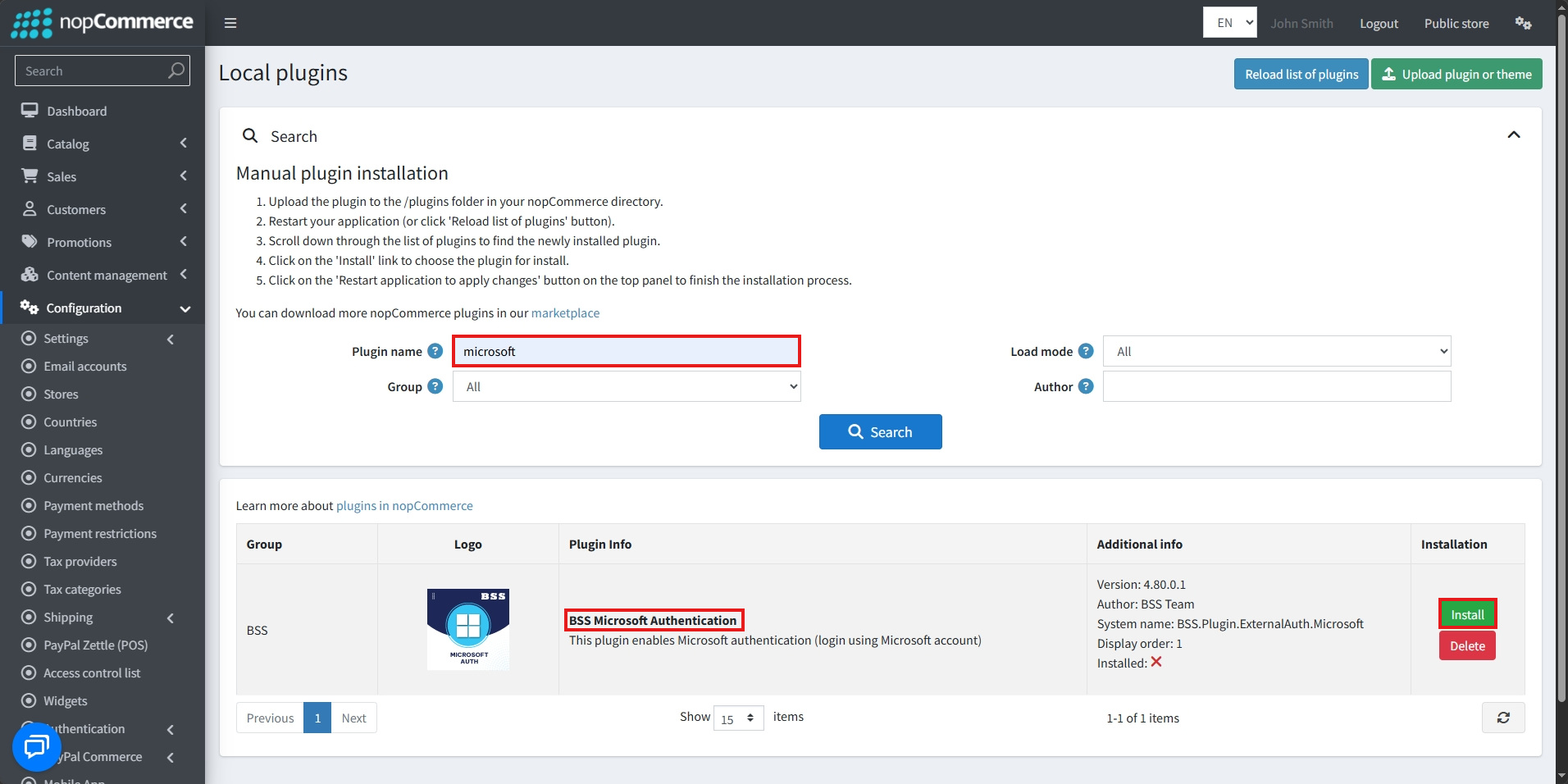
Then scroll down or write the name of the plugin in the search bar, and install ‘BSS Microsoft Authentication'
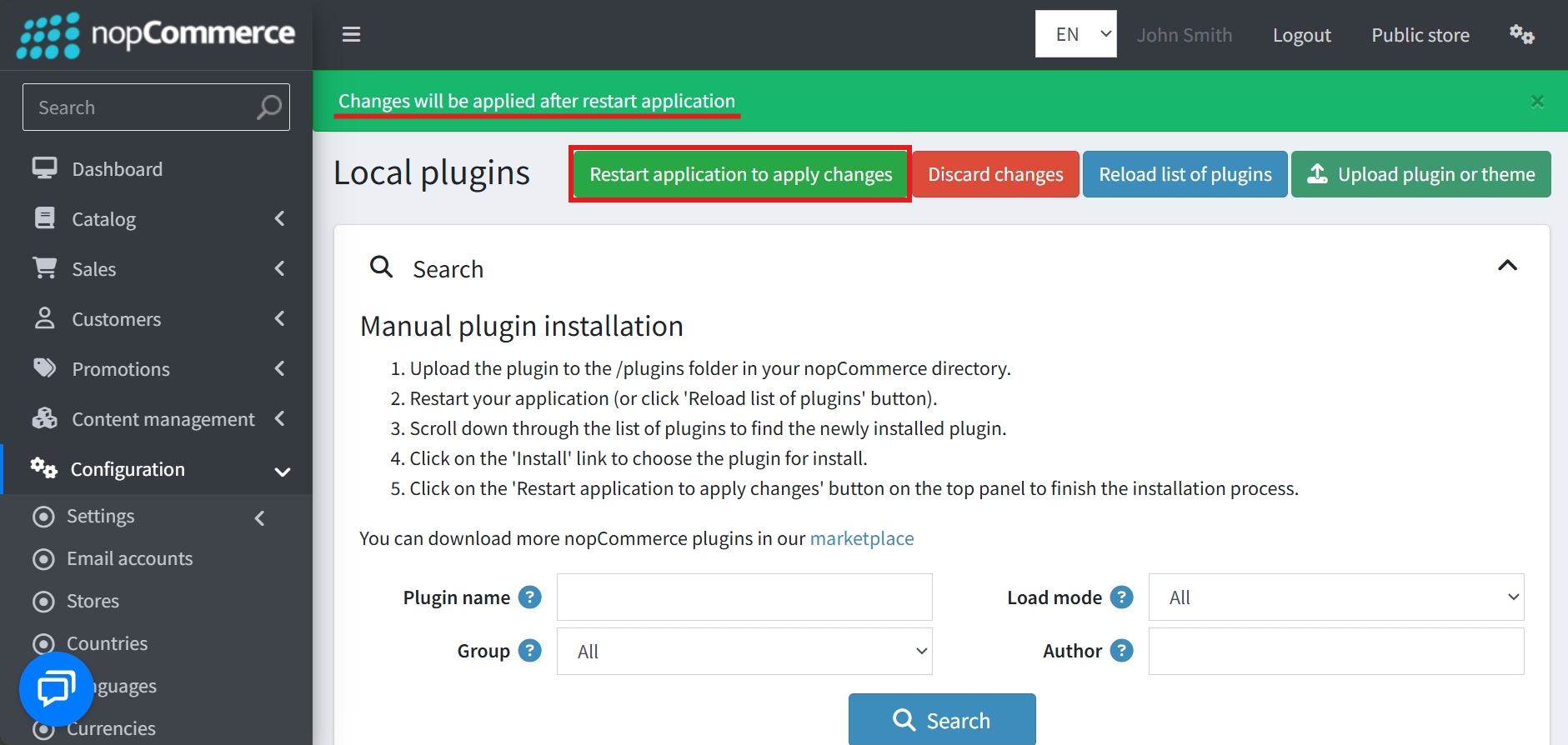
- To make the plugins functional, restart the application
Recommendation: Go to > App Settings. If you find JavaScript bundling and minification, CSS bundling and minification are checked, then uncheck these two options and disable them.

CONFIGURE
-
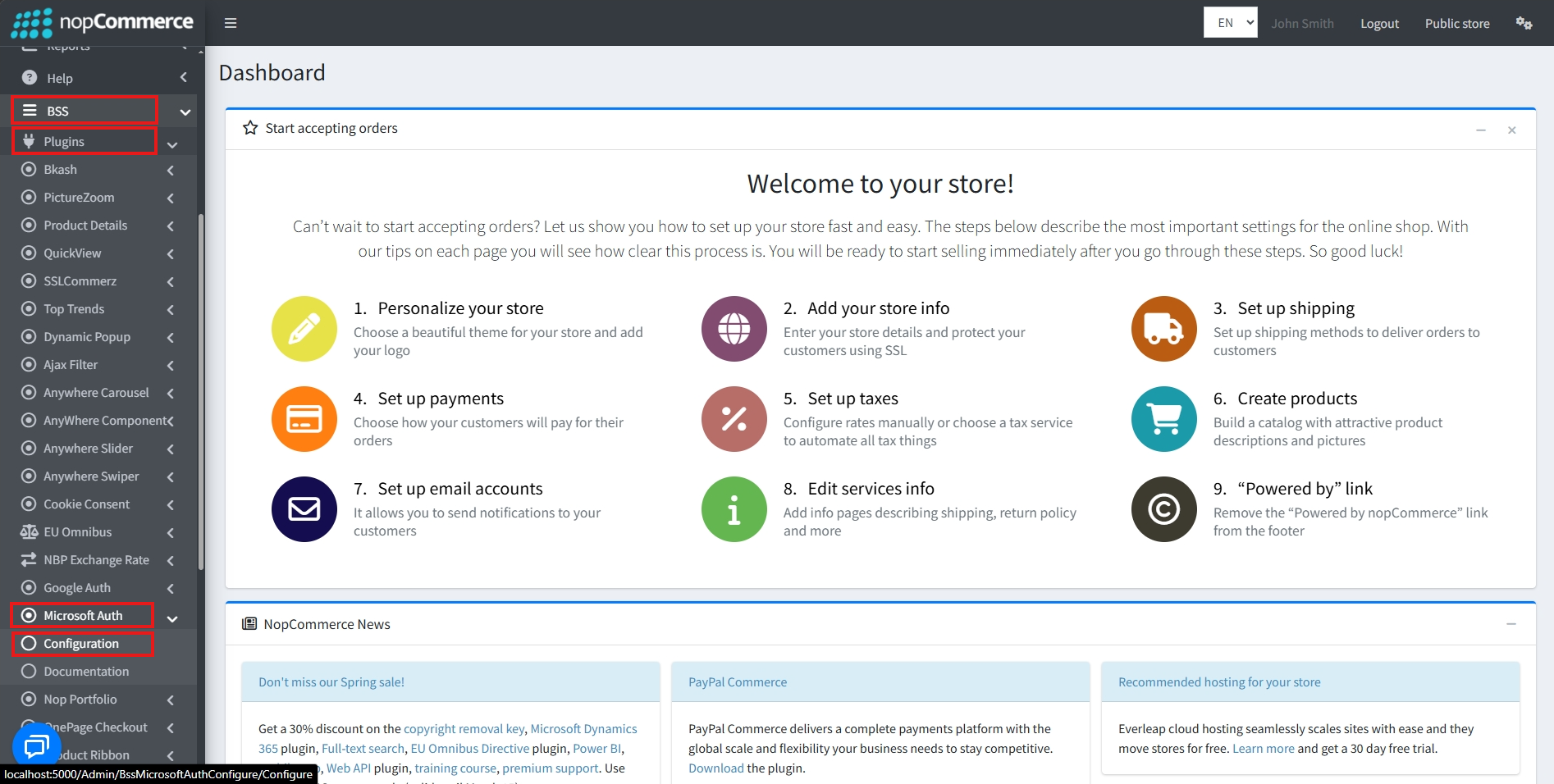
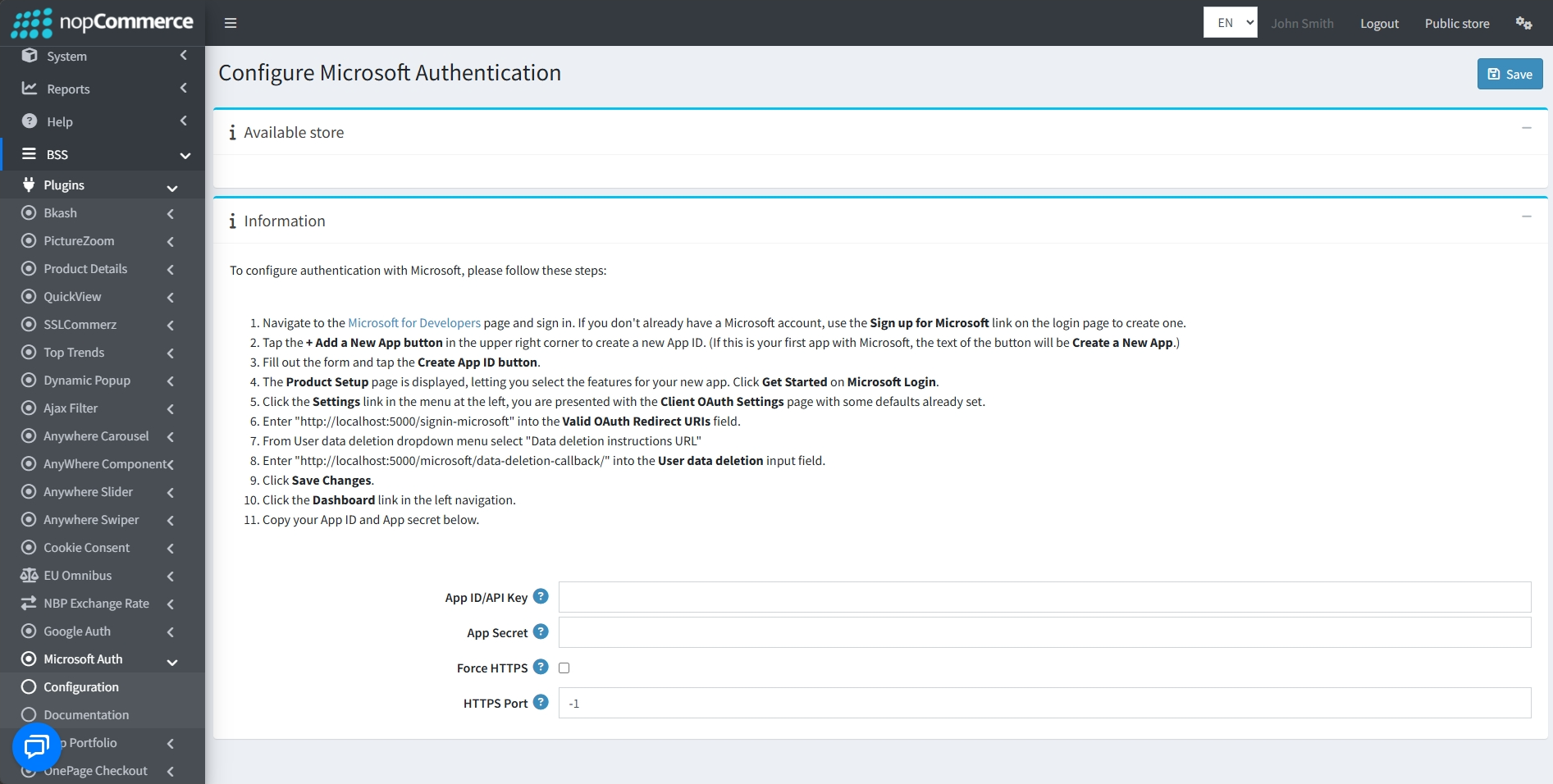
Go to Admin → BSS → Plugins → Microsoft Auth → Configuration
-
Enter the License string and save it. Then clear cache.

-
Then again go to BSS → Plugins → Microsoft Auth → Configuration to set the configuration.
-
Sign in to the Microsoft for Developers page, or create a new account if needed.
-
Click + Add a New App (or Create a New App if first time) to generate an App ID.
-
Fill out the form and tap Create App ID.
-
On the Product Setup page, select features and click Get Started on Microsoft Login.
-
In Settings → Client OAuth Settings, enter your store's Valid OAuth Redirect URI.
-
Under User data deletion, select “Data deletion instructions URL”
-
Click Save Changes, then go to the Dashboard.
-
Set the App ID/API Key and App Secret.
-
Force HTTPS: Check this box to ensure all links and logins for this plugin use a secure, encrypted connection (HTTPS) instead of an unsecure one.
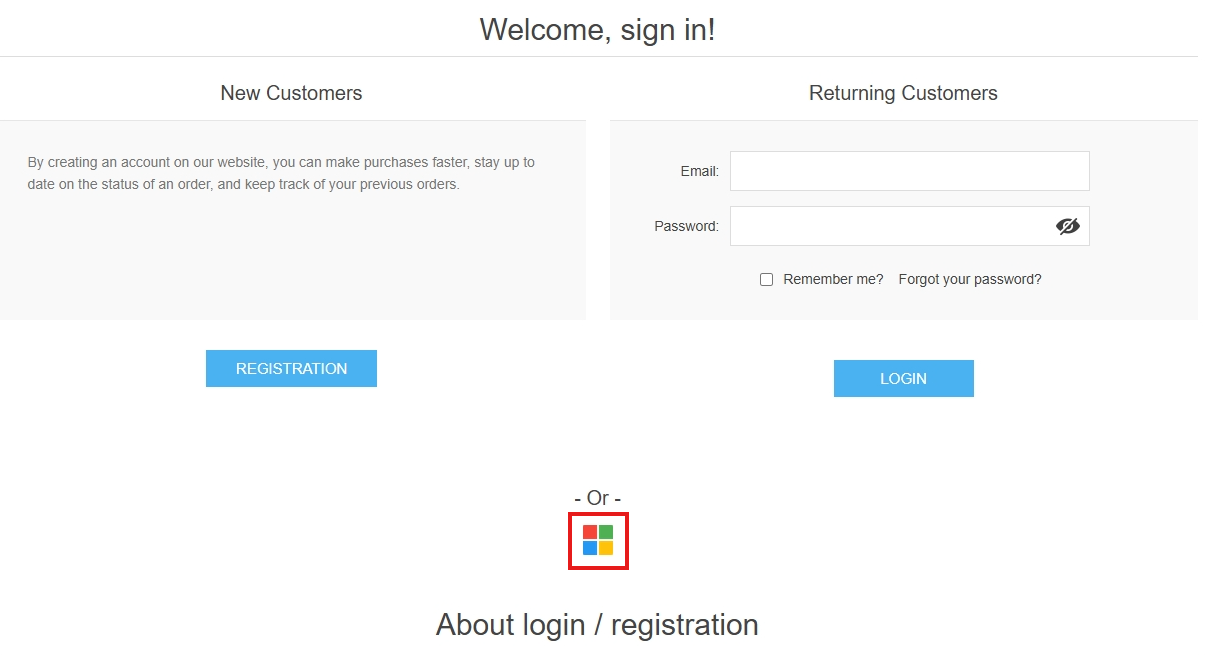
PUBLIC VIEW
FEATURES
-
Allow new users to create accounts instantly using their Microsoft credentials.
-
Customers having an account can log in with a single click.
-
Reduce password-related risks by leveraging Microsoft’s secure authentication system.
-
Streamline login and registration processes to boost customer satisfaction and engagement.


