
BSS EU Omnibus Directive
Created on: Mar 05, 2026
PRE-REQUISITES
-
The plugin requires you to install the BSS Core plugin first.
INSTALLATION
-
Go to the Order Details Page and Download plugin package.
-
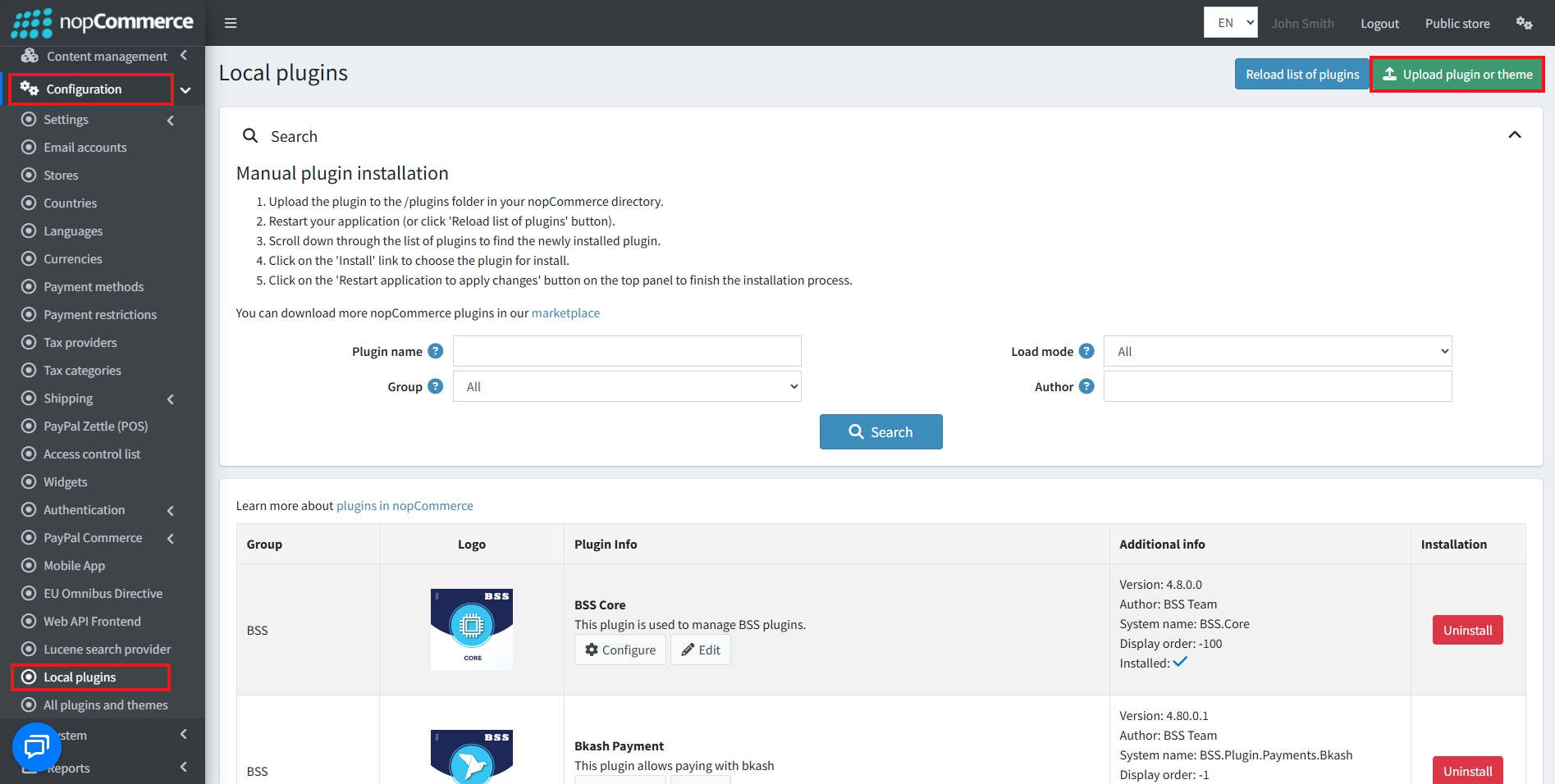
Go to Administration → Configuration → Local plugins
-
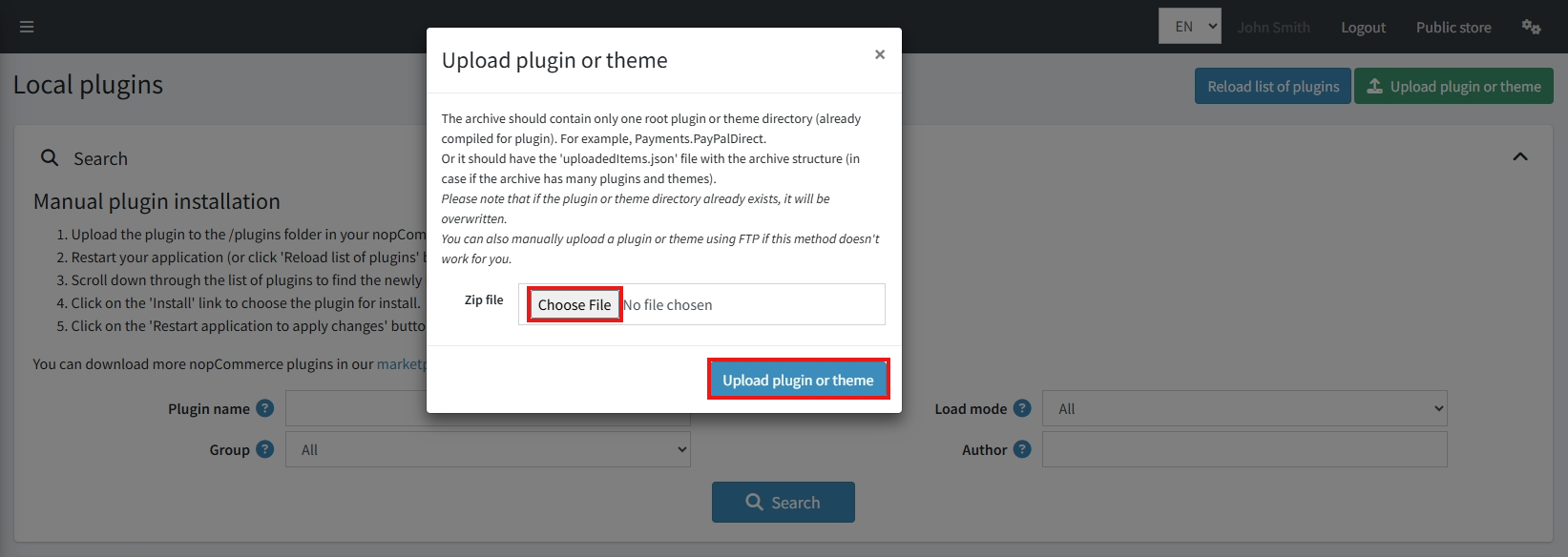
Within the bundle, you get all the required files, including BSS.Core
-
Upload the zip file using the ‘Upload plugin or theme' button
-
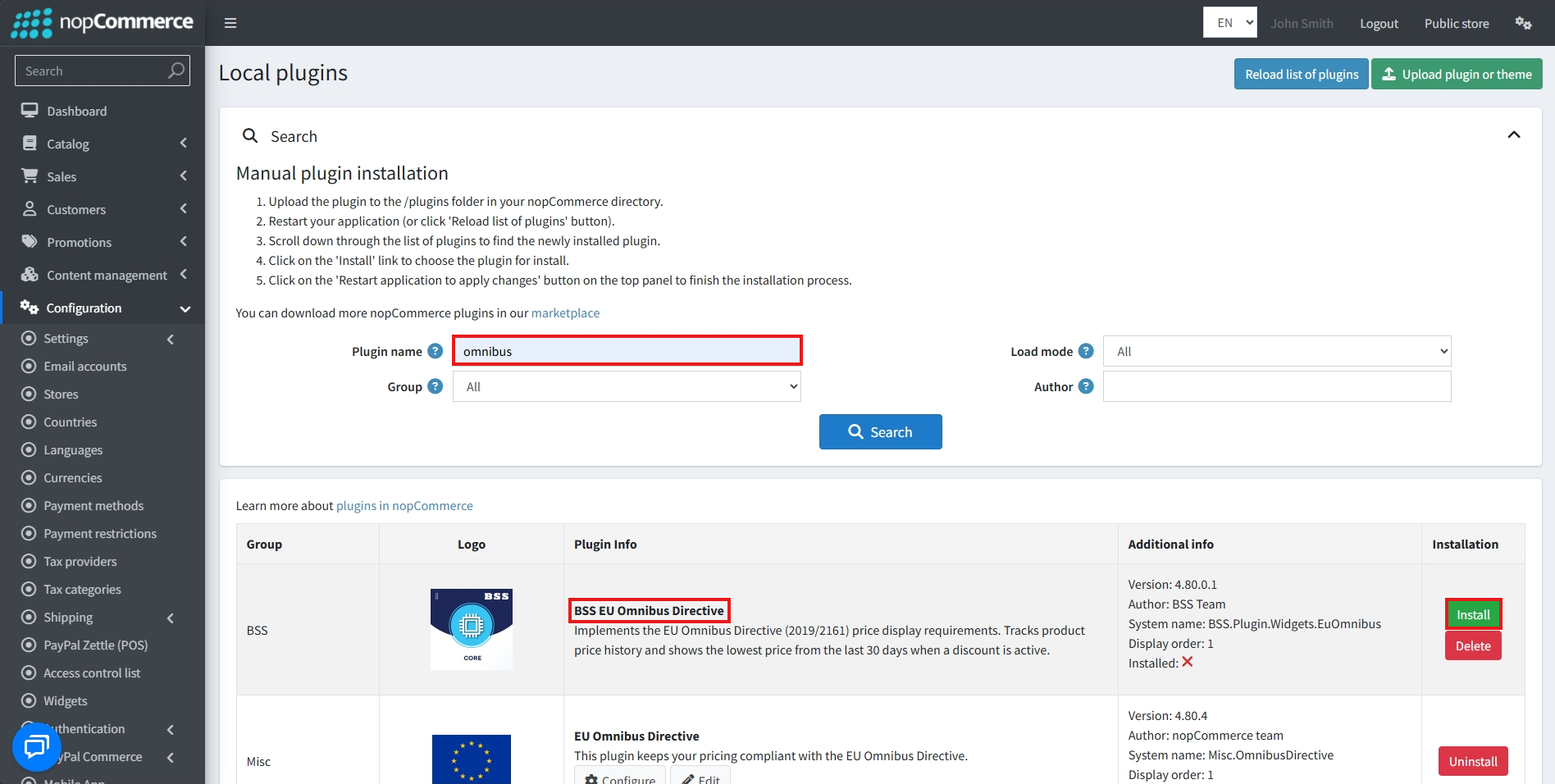
After uploading, install the ‘BSS Core' Plugin first.
-
Then scroll down or write the name of the plugin in the search bar, and install ‘BSS EU Omnibus Directive'
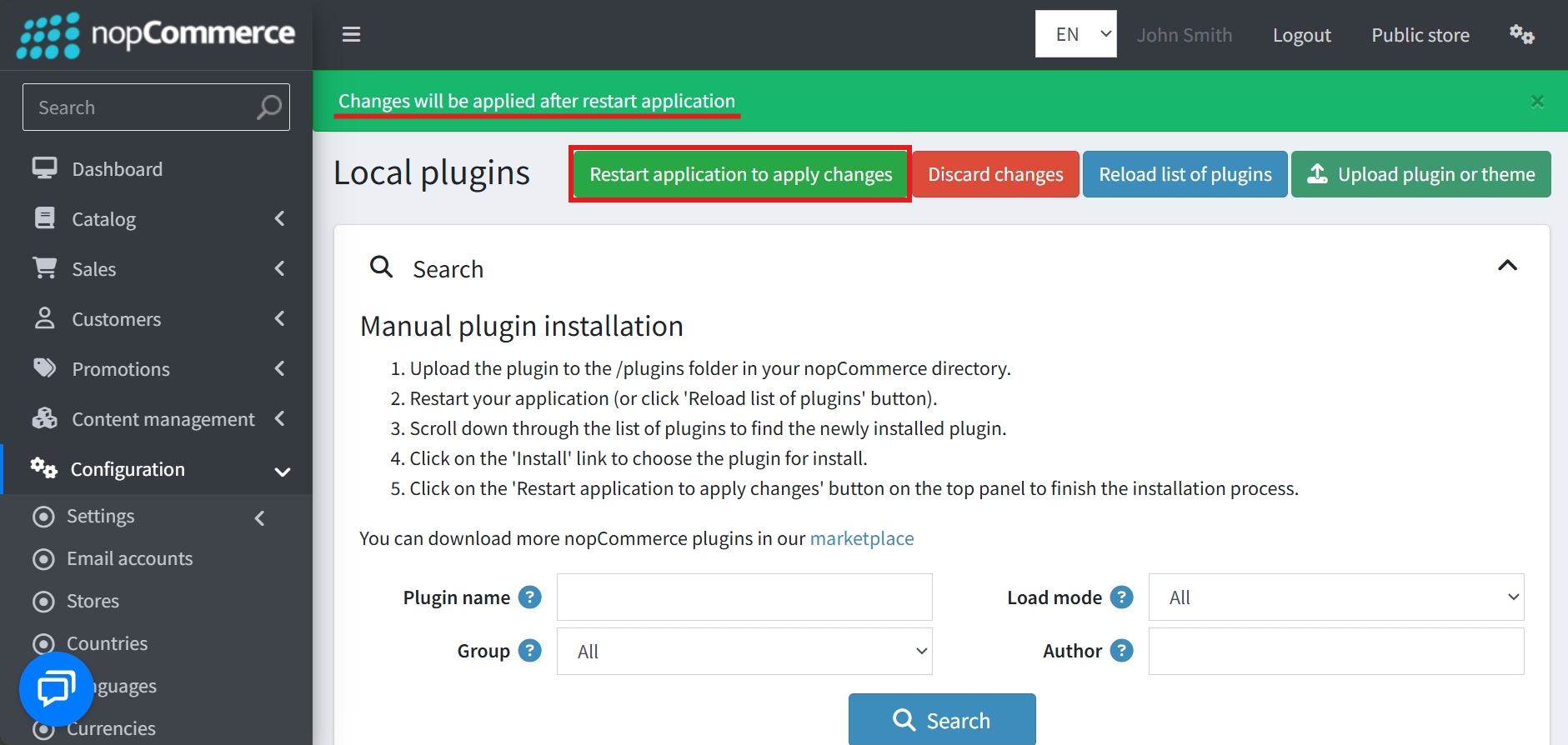
- To make the plugins functional, restart the application
Recommendation: Go to > App Settings. If you find JavaScript bundling and minification, CSS bundling and minification are checked, then uncheck these two options and disable them.

CONFIGURE
-
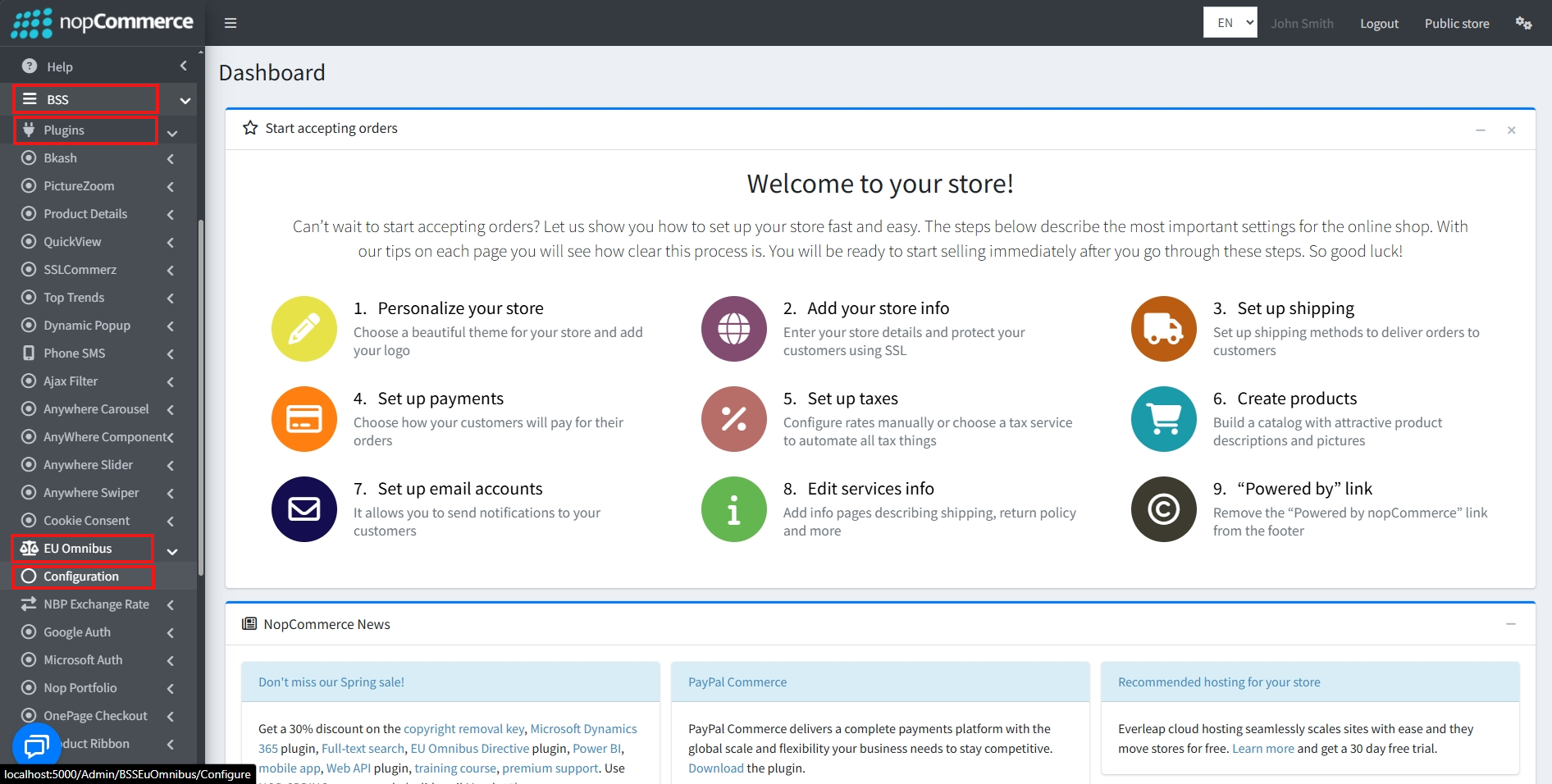
Go to Admin → BSS → Plugins → EU Omnibus → Configuration
-
Enter the License string and save it. Then clear cache

-
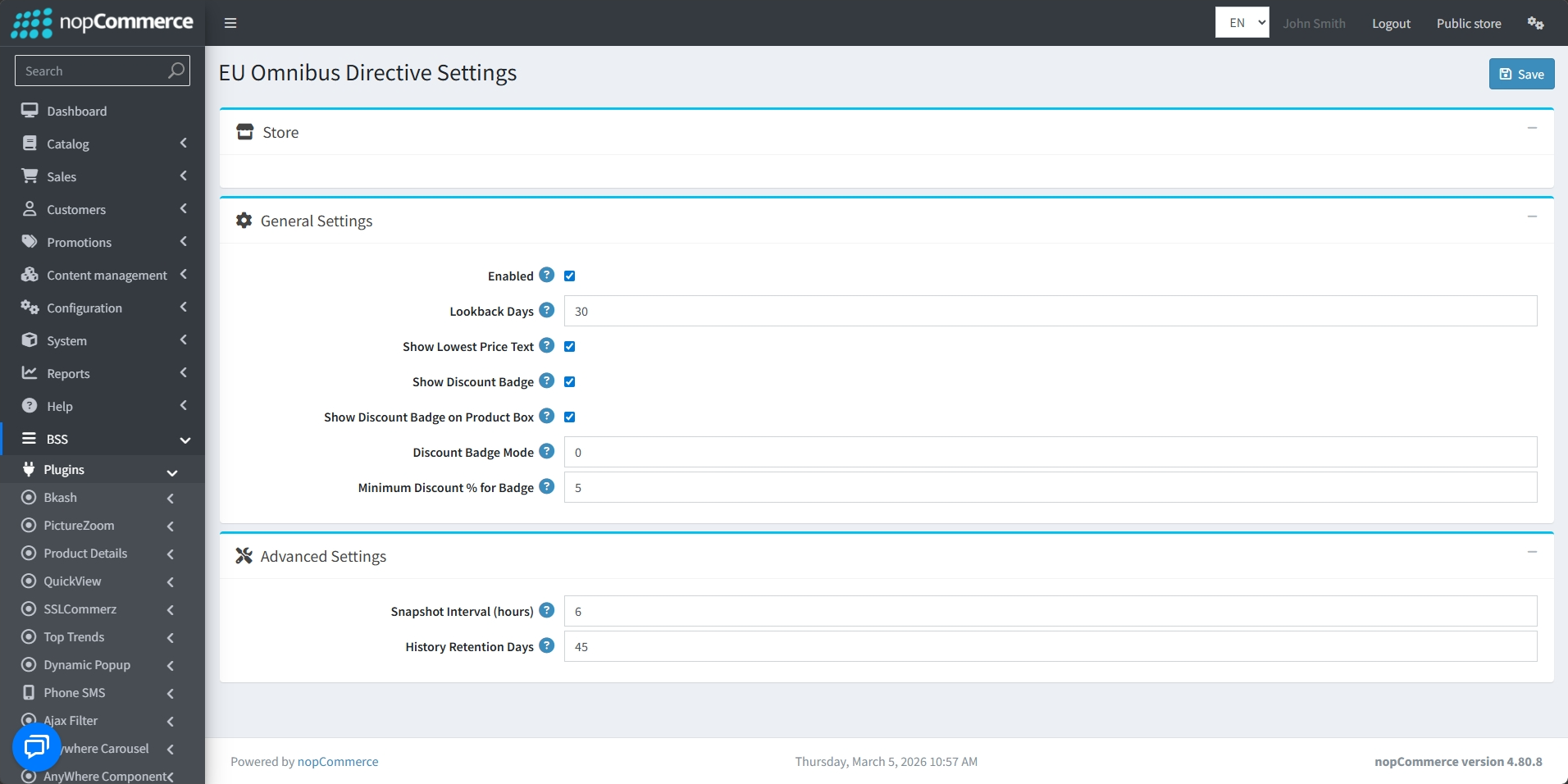
Then again go to BSS → Plugins → EU Omnibus → Configuration to set the configuration.
-
Check the Enabled box to enable the plugin.
-
Set the Lookback Days (typically 30 days) to determine the period for which the lowest price must be tracked.
-
Toggle the Show Lowest Price Text option to display the mandatory historical price information on product pages.
-
Enable Show Discount Badge to highlight savings for customers.
-
Choose to Show Discount Badge on Product Box to ensure promotional visibility directly on the product overview box.
-
Use the Discount Badge Mode to control how the discount percentage displayed on the badge is calculated:
-
Mode 0: Compares the current price against the 30-day lowest price recorded by the system.
-
Mode 1: Compares the current price against the product's defined Old Price.
-
-
Set a Minimum Discount % for Badge to ensure that small price drops do not trigger a discount label.
-
Configure the Snapshot Interval (hours) to define how frequently the system checks for and records price updates.
-
Set the History Retention Days to manage how long old price data is stored in your database before being cleared.
-
After setting all conditions, click the Save button.
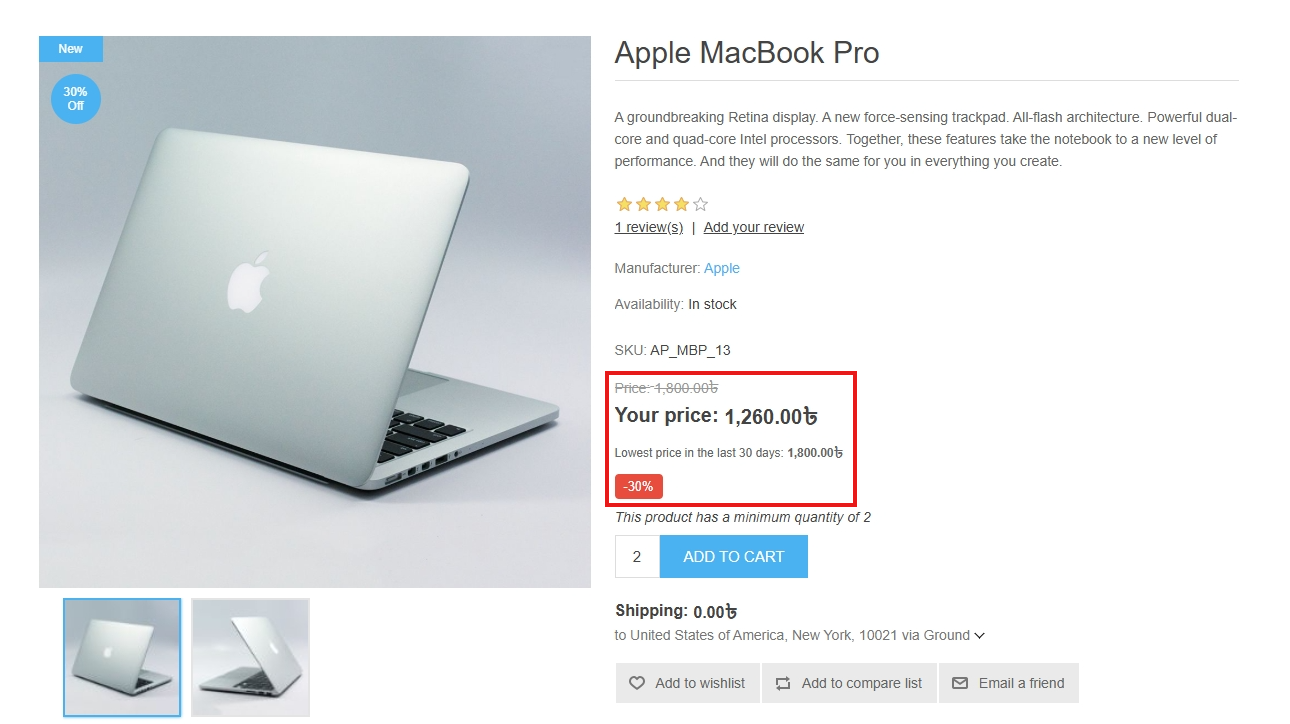
PUBLIC VIEW
FEATURES
-
Designed specifically to help store owners meet the transparency requirements of the EU Omnibus Directive.
-
Automatically tracks and displays the lowest historical price of a product over a configurable Lookback period (e.g., 30 days).
-
Tracks historical prices for specific attribute combinations to provide total transparency on every product option.
-
Maintains price accuracy through consecutive discount cycles by tracking the last stable price point before tiered reductions.
-
Displays required historical price text on product pages to inform customers of previous price points.
-
Toggle promotional badges on both individual product pages and catalog product boxes.
-
Offers two logic options for calculating discount percentage.
-
Set a Minimum Discount Percentage to prevent badges from appearing for insignificant price changes.
-
Define Snapshot Intervals (in hours) to control how frequently the system records price updates.
-
Manage database storage by setting the number of History Retention Days for price data.


