
BSS Picture Zoom
Created on: Mar 02, 2026
PRE-REQUISITES
-
The plugin requires you to install the BSS Core plugin first.
INSTALLATION
-
Go to the Order Details Page and Download plugin package
-
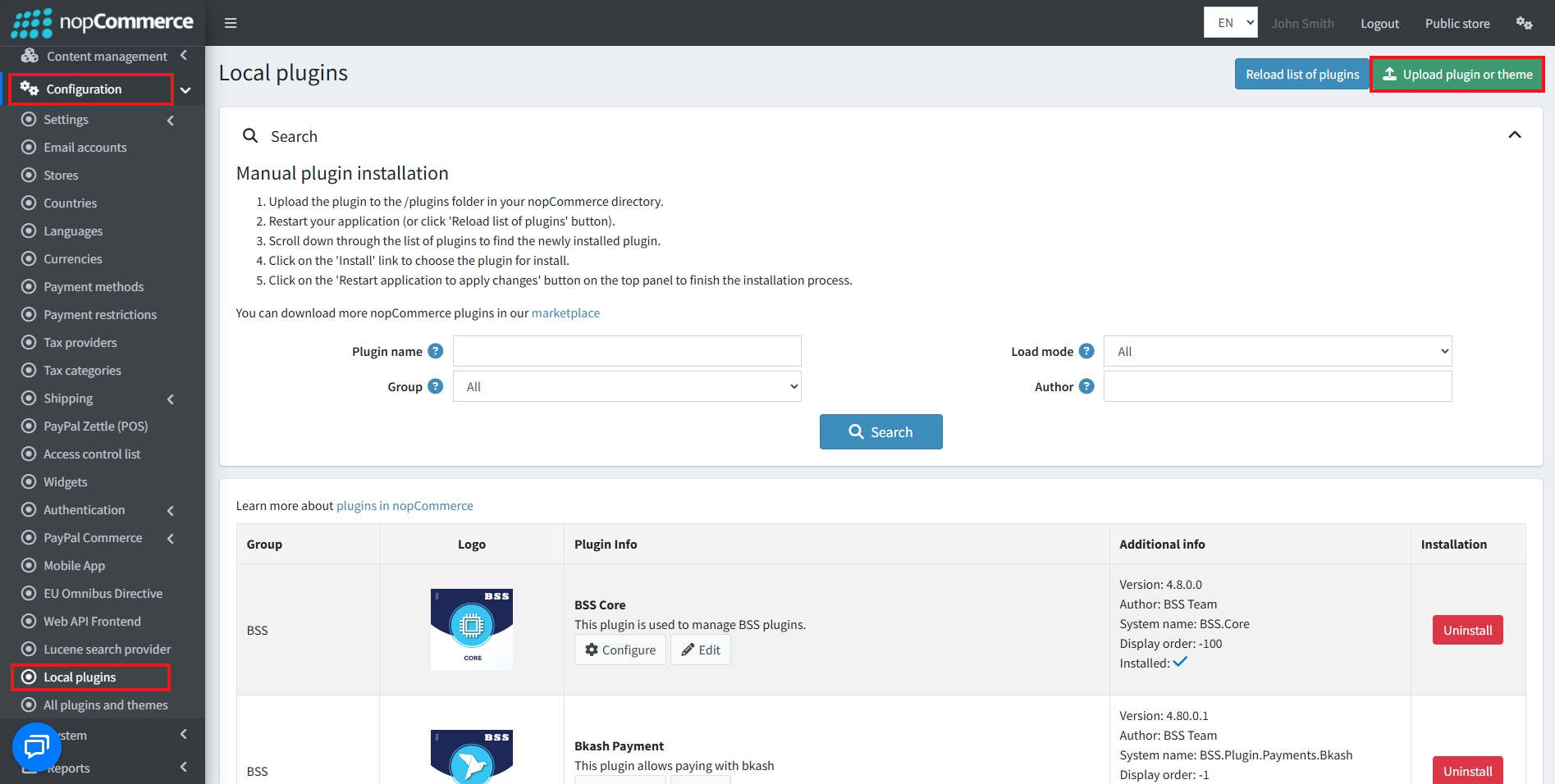
Go to Administration → Configuration → Local plugins
-
Within the bundle, you get all the required files, including BSS.Core
-
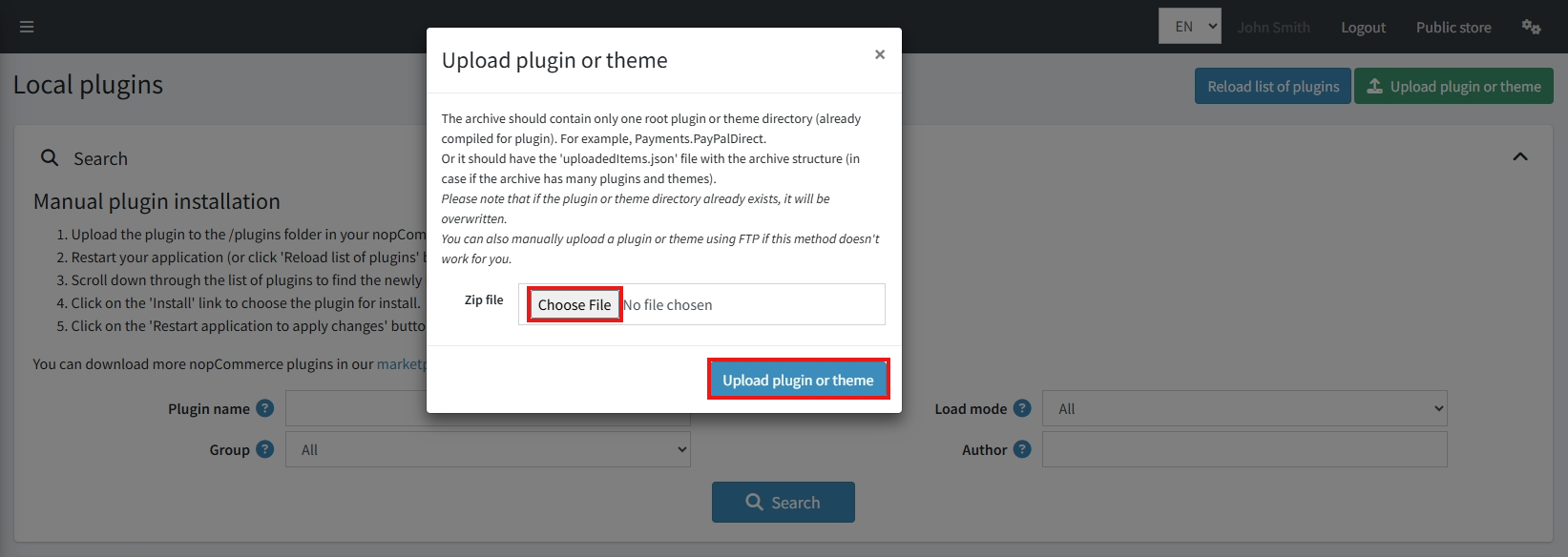
Upload the zip files using the 'Upload plugin or theme' button
-
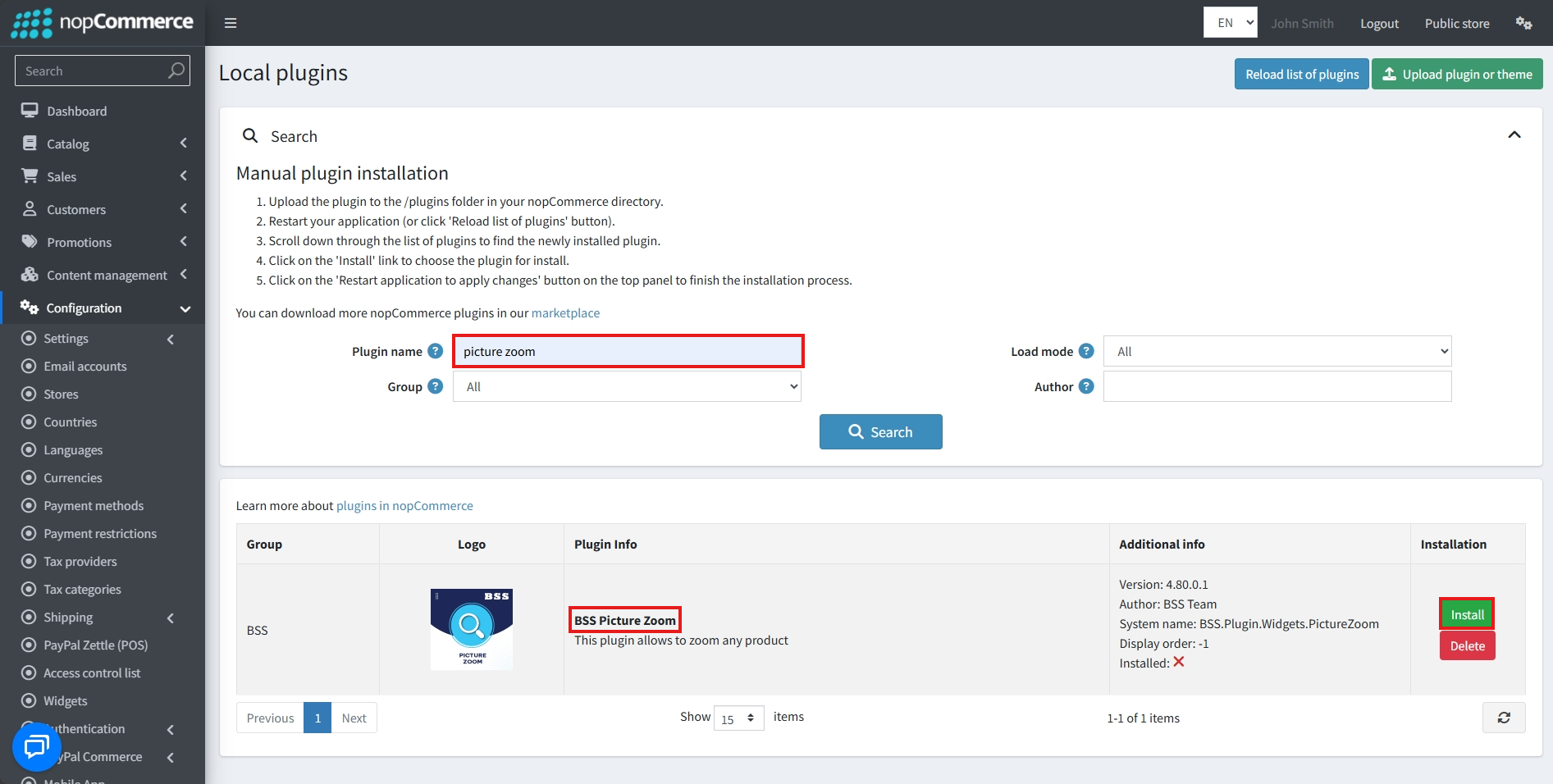
After uploading, install the ‘BSS Core' Plugin first.
-
Then scroll down or write the name of the plugin in the search bar, and install ‘BSS Picture Zoom'
-
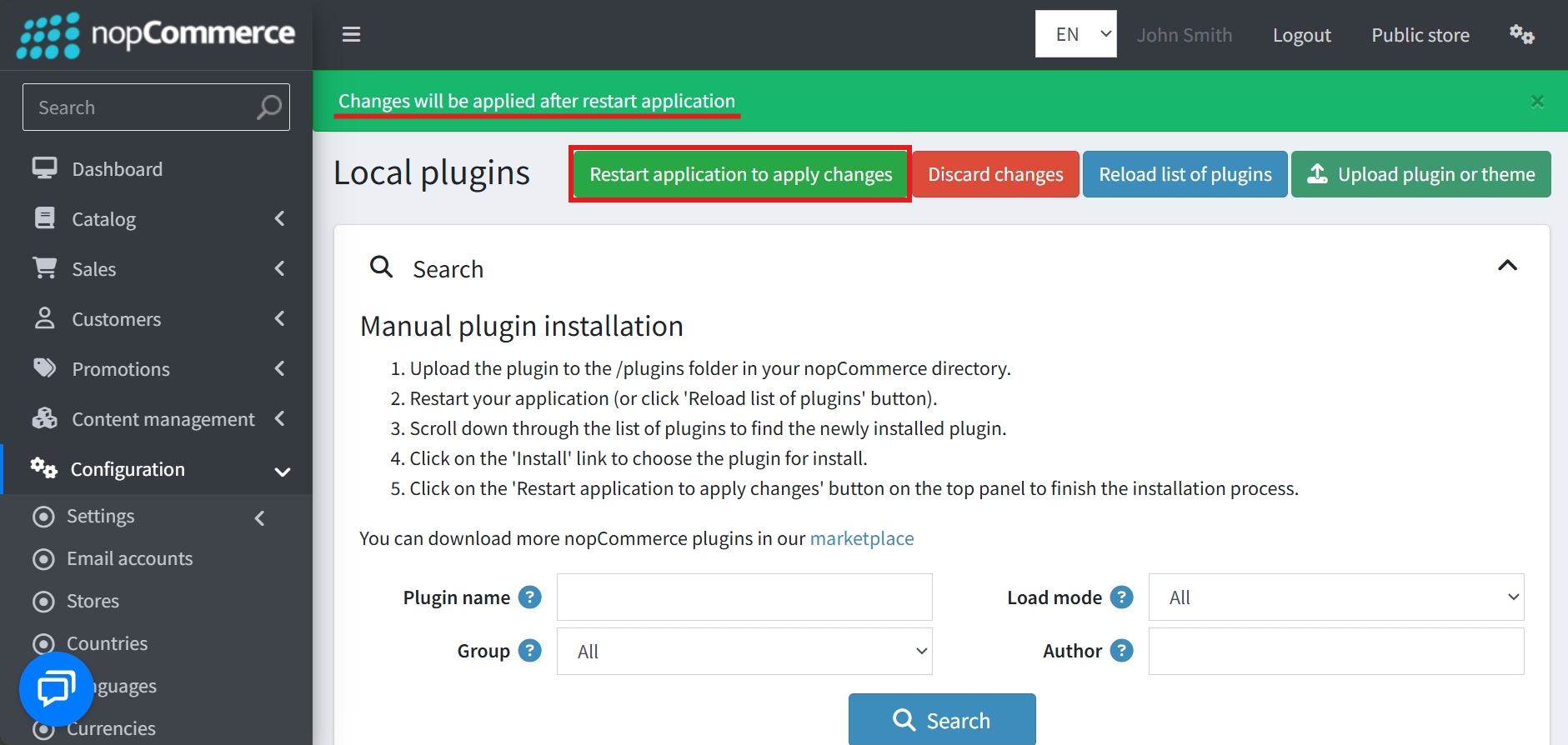
To make the plugins functional, restart the application
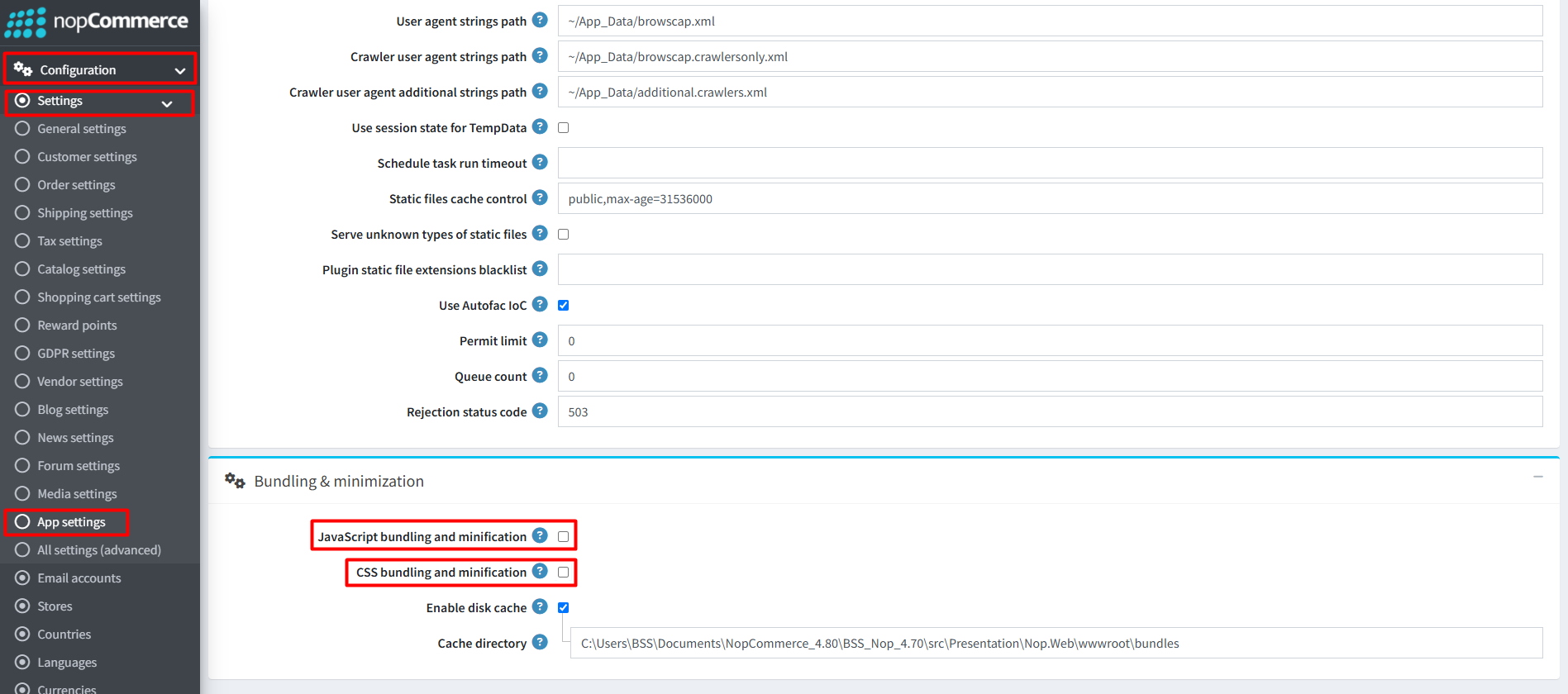
Recommendation: Go to > App Settings. If you find JavaScript bundling and minification, CSS bundling and minification are checked, then uncheck these two options and disable them.
CONFIGURE
-
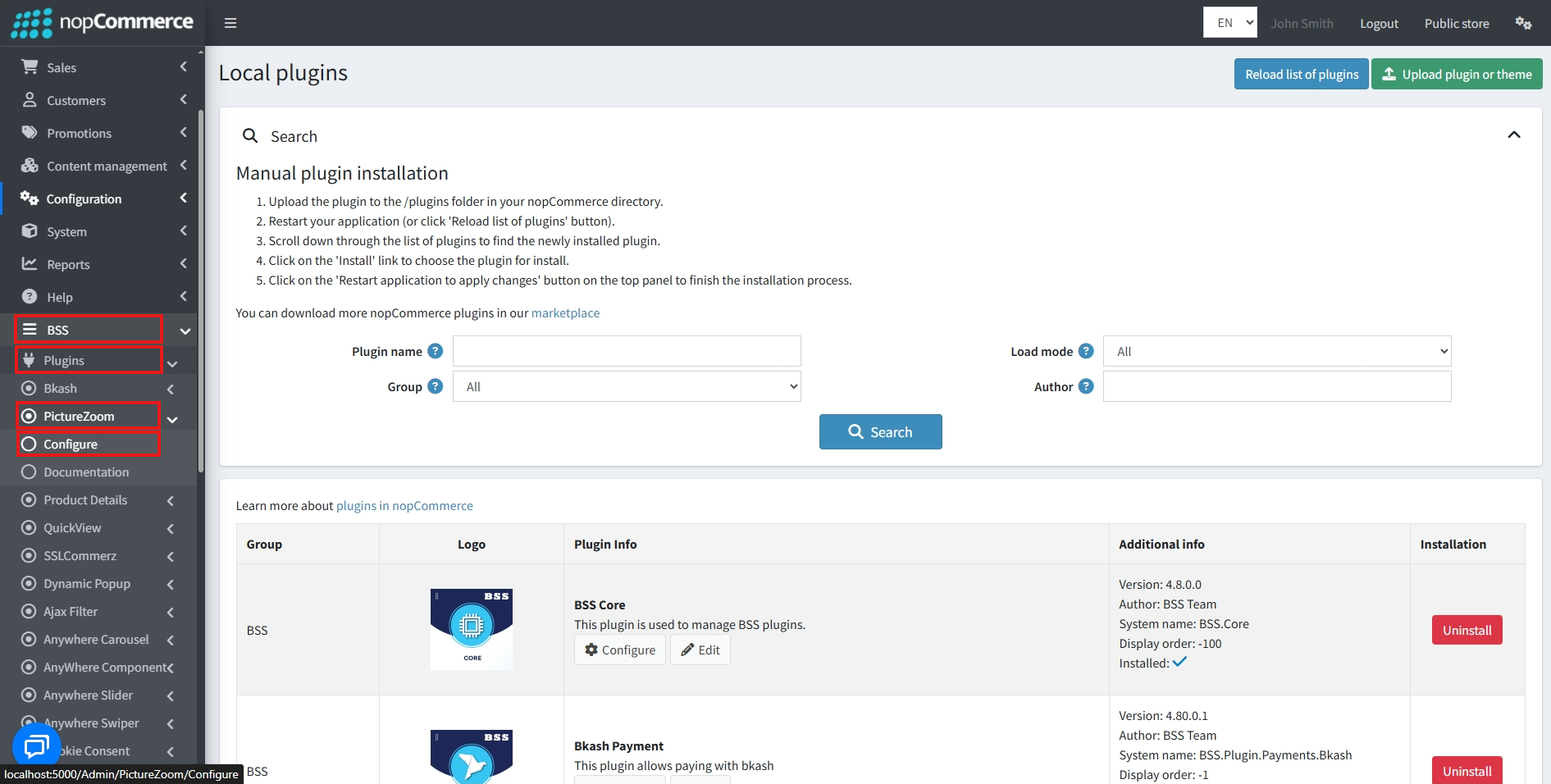
Go to Admin → BSS → Plugins → Picture Zoom → Configuration
-
Enter the License string and save it. Then clear cache.

-
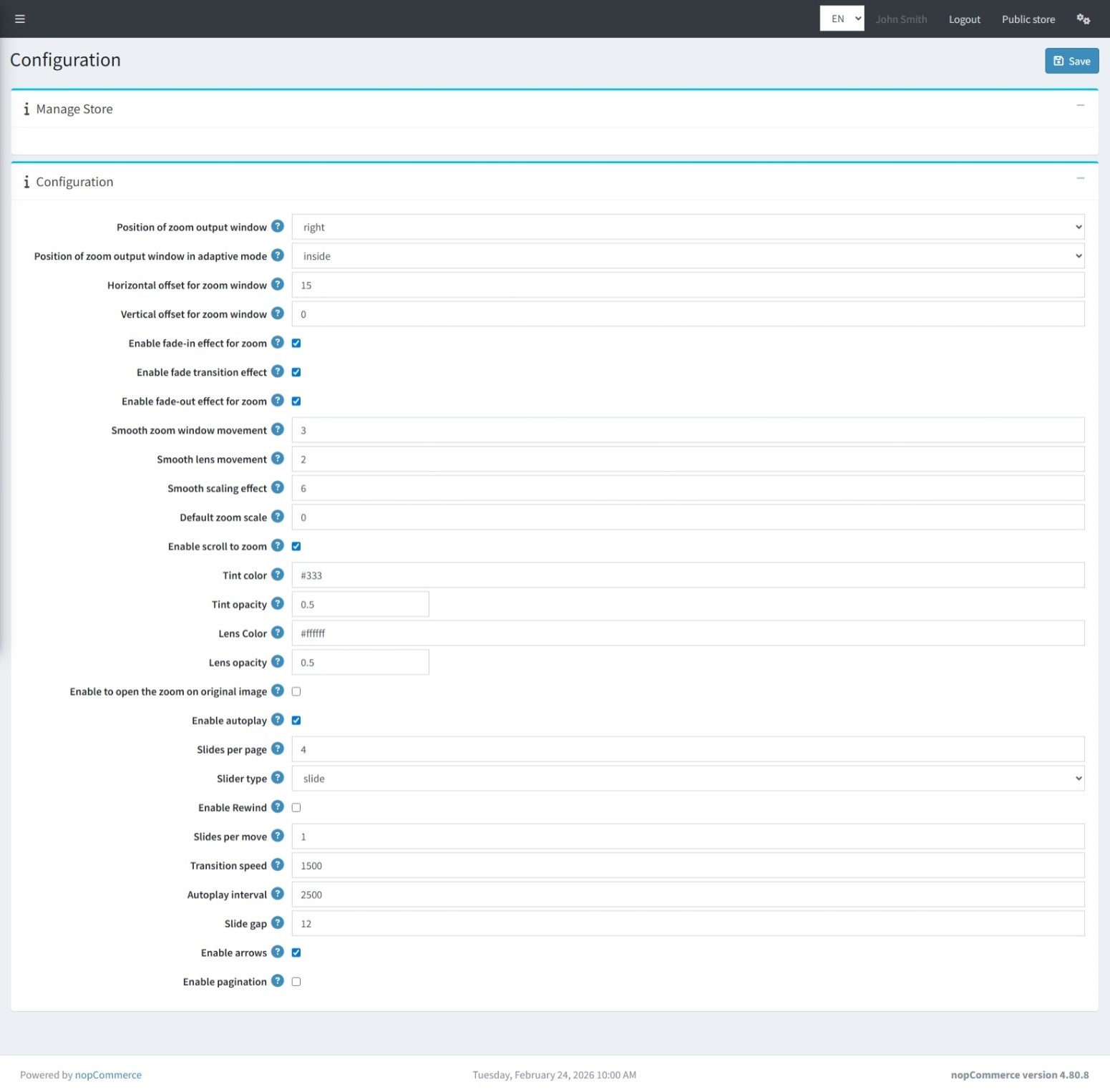
Go to BSS → Plugins → Picture Zoom → Configuration to set up the plugin options.
-
Adjust the Zoom Output Window Position to control where the zoom window appears relative to the product image.
-
Set the position to Adaptive Mode to display zoom inside the image area or fullscreen when the page adapts.
-
Define a Horizontal Offset to specify the distance between the zoom window and the image.
-
Define a Vertical Offset to control the vertical spacing of the zoom window.
-
Enable the Fade-In Effect to add a smooth animation when the zoom window opens.
-
Apply a Fade Transition Effect for seamless transitions between zoom states.
-
Use the Fade-Out Effect to animate the closing of the zoom window.
-
Adjust Smooth Zoom Window Movement to fine-tune how fluidly the zoom window moves.
-
Modify Smooth Lens Movement to control the responsiveness of the lens over the image.
-
Set Smooth Scaling Effect to determine how gradual the zoom scaling animation appears.
-
Choose a Default Zoom Scale (from -1 to 1) to define the initial zoom level.
-
Activate Scroll to Zoom so users can zoom in/out with the mouse wheel.
-
Pick a Tint Color to shade the area outside the zoom lens.
-
Adjust Tint Opacity (0–1) to set transparency of the tint effect.
-
Specify a Lens Color for the zoom lens itself.
-
Set Lens Opacity (0–1) to control lens transparency.
-
Allow zooming on the Original Image by enabling this option.
-
Turn on Autoplay to make the thumbnail slider move automatically.
-
Configure Slides per Page to decide how many thumbnails appear at once.
-
Select a Slider Type (slide or loop) to define the transition style.
-
Enable Rewind so the slider returns to the first image after the last (not available in loop mode).
-
Set Slides per Move to control how many thumbnails shift at once.
-
Adjust Transition Speed to define animation duration in milliseconds.
-
Specify an Autoplay Interval to set the timing between automatic slide movements.
-
Define a Slide Gap to space thumbnails apart in the slider.
-
Show Navigation Arrows by enabling arrow controls on the slider.
-
Display Pagination Dots for easier navigation between slides.
-
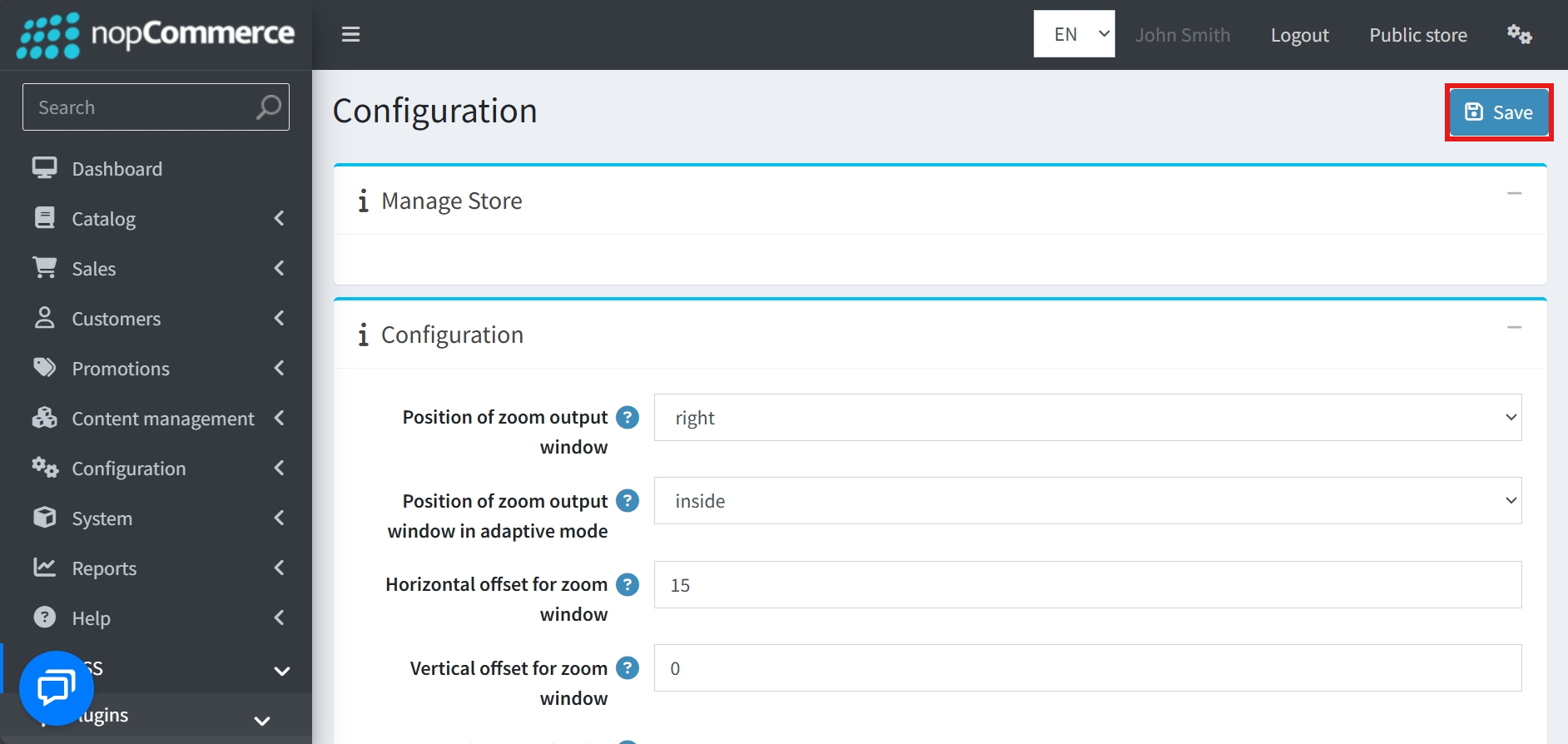
After setting all conditions, click the Save button.
PUBLIC VIEW


FEATURES
-
Installation and configuration are straightforward and user-friendly.
-
Supports multi-store management for broader scalability.
-
Offers customizable zoom output positioning, including adaptive mode for mobile-friendly displays.
-
Provides options to enable or disable fade-in, fade-out, and fade transition effects for a smooth visual experience.
-
Allows fine-tuning of smooth movement for the zoom window, lens, and scaling effects.
-
Includes scroll-to-zoom functionality and supports zooming on the original high-resolution image.
-
Enables full customization of tint and lens colors, along with adjustable opacity levels.
-
Features an integrated thumbnail slider with configurable autoplay, transition speeds, and slider types.
-
Provides control over slider navigation elements such as arrows, pagination, and rewind functionality.


