
BSS Product Details
Created on: Mar 04, 2026
PRE-REQUISITES
-
The plugin requires you to install the BSS Core plugin first.
INSTALLATION
-
Go to the Order Details Page and Download plugin package.
-
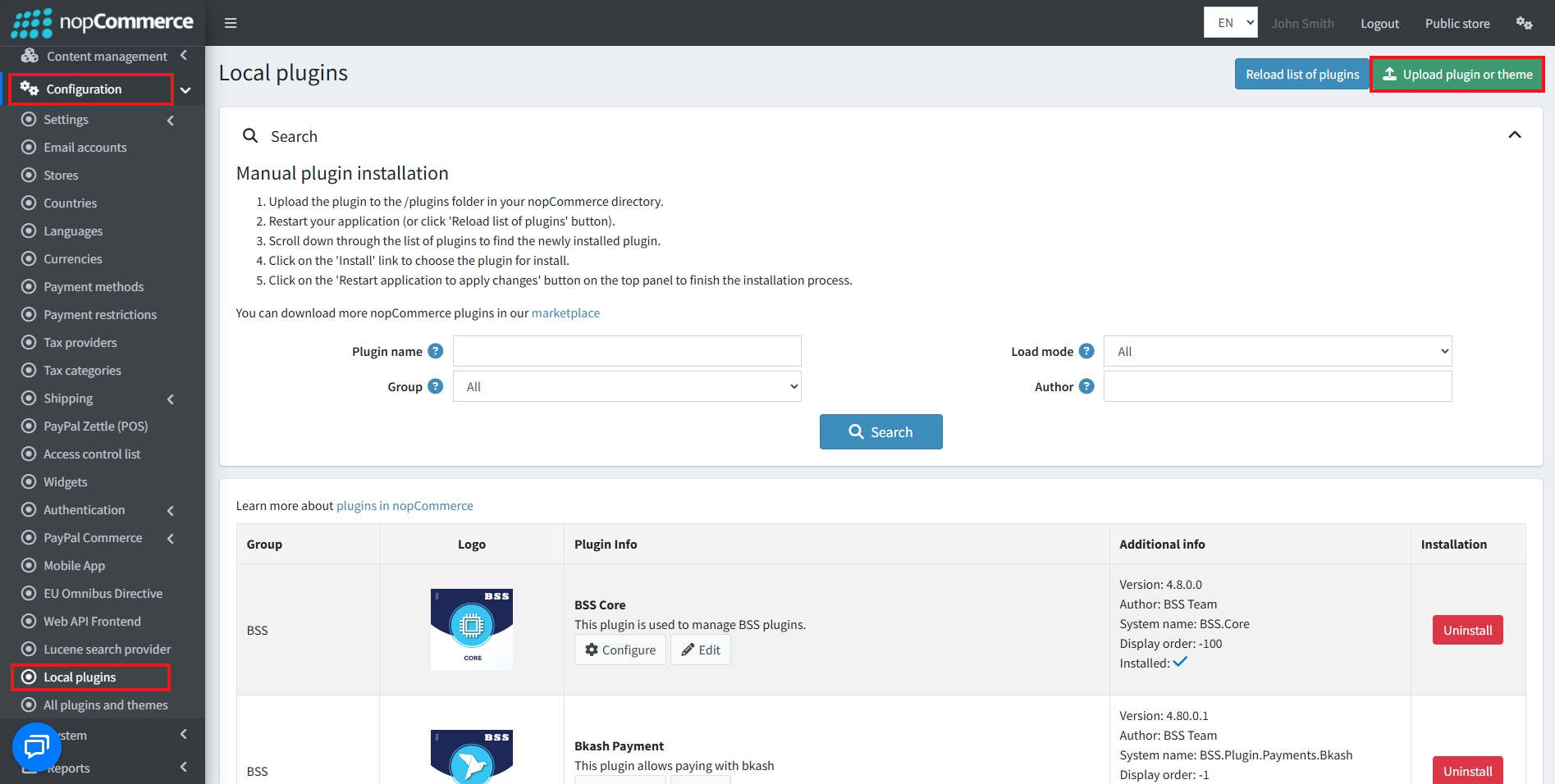
Go to Administration → Configuration → Local plugins
-
Within the bundle, you get all the required files, including BSS.Core
-
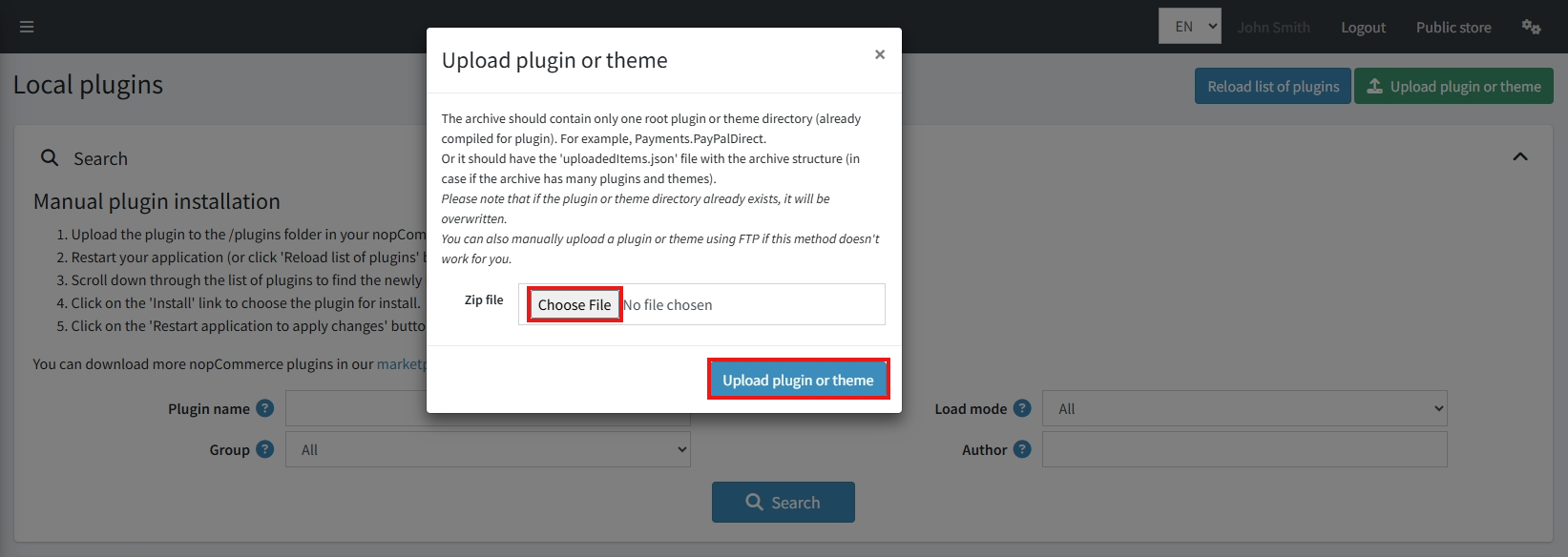
Upload the zip file using the 'Upload plugin or theme' button
-
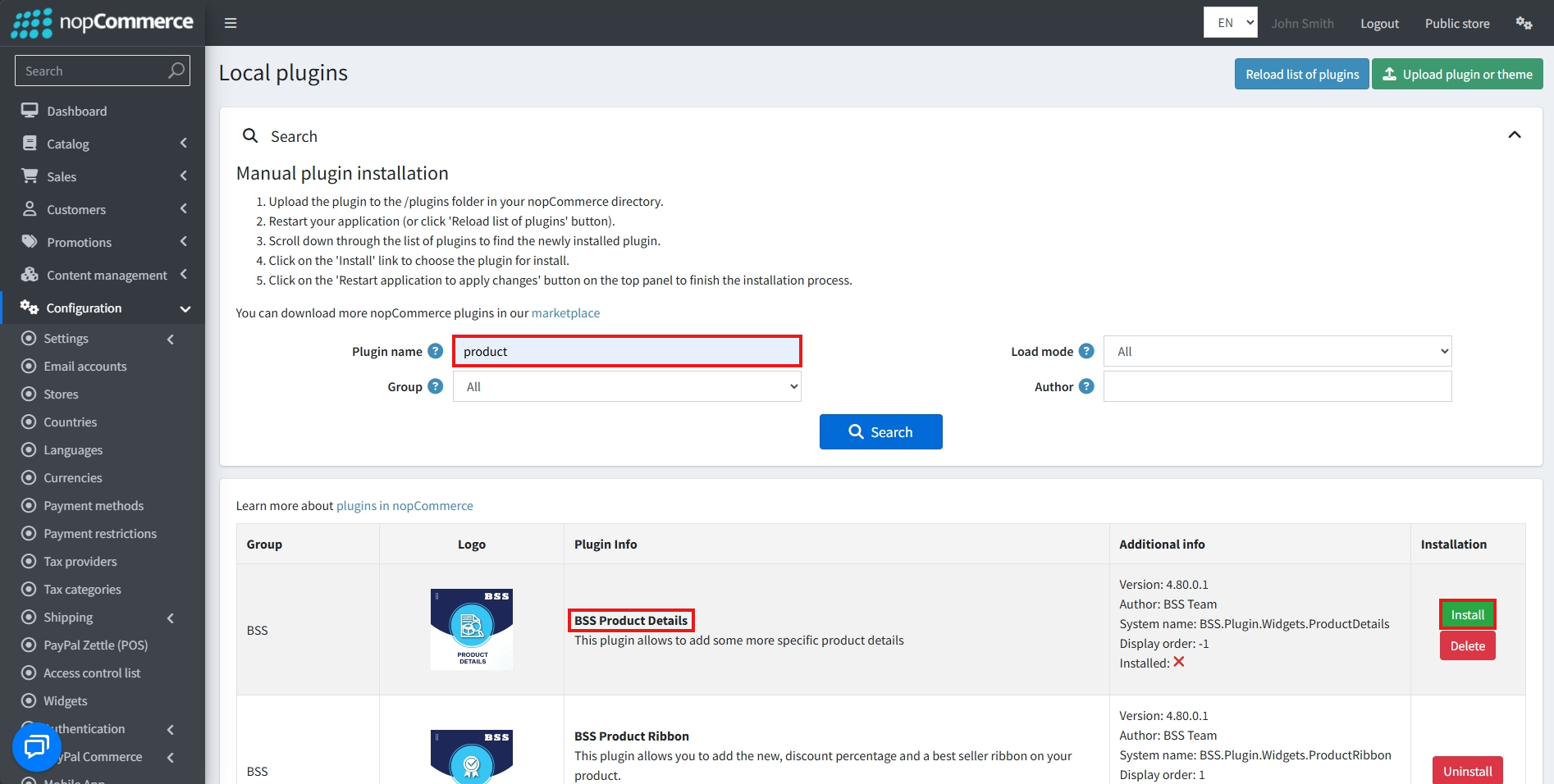
After uploading, install the 'BSS Core' Plugin first.
-
Then scroll down or write the name of the plugin in the search bar, and install 'BSS Product Details'
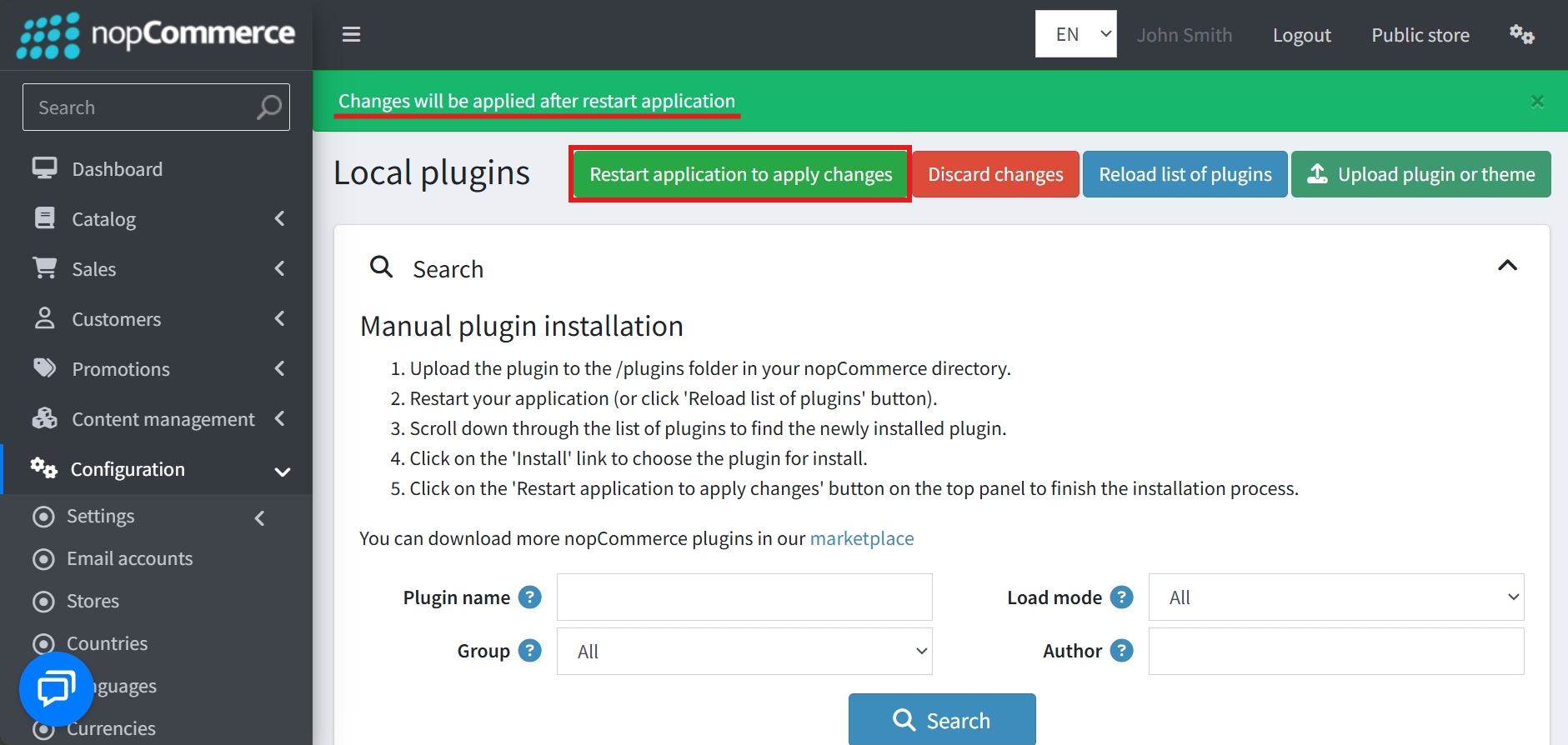
- To make the plugins functional, restart the application
Recommendation: Go to > App Settings. If you find JavaScript bundling and minification, CSS bundling and minification are checked, then uncheck these two options and disable them.

CONFIGURE
-
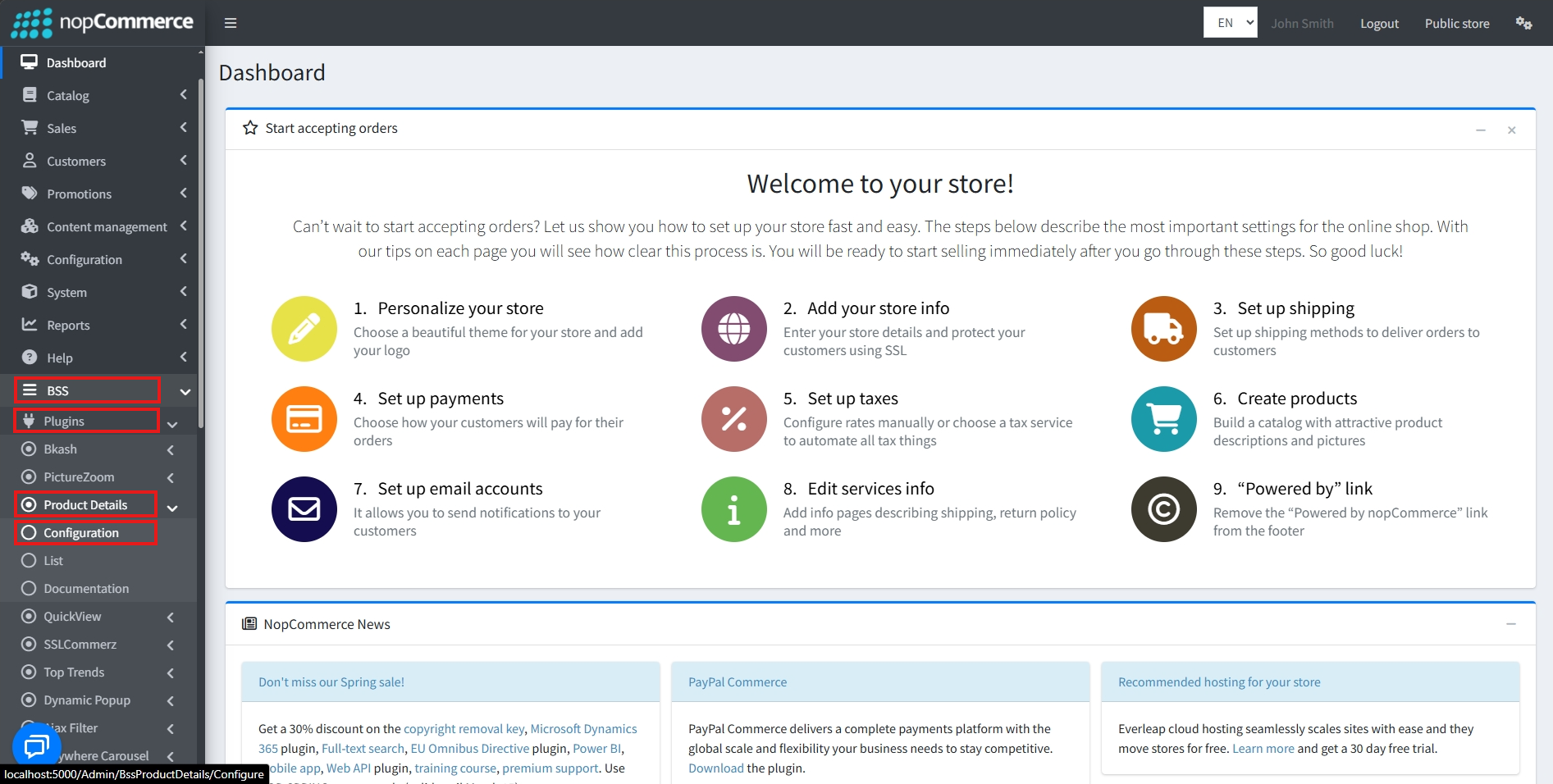
Go to Admin → BSS → Plugins → Product Details → Configuration
-
Enter the License string and save it. Then clear cache

-
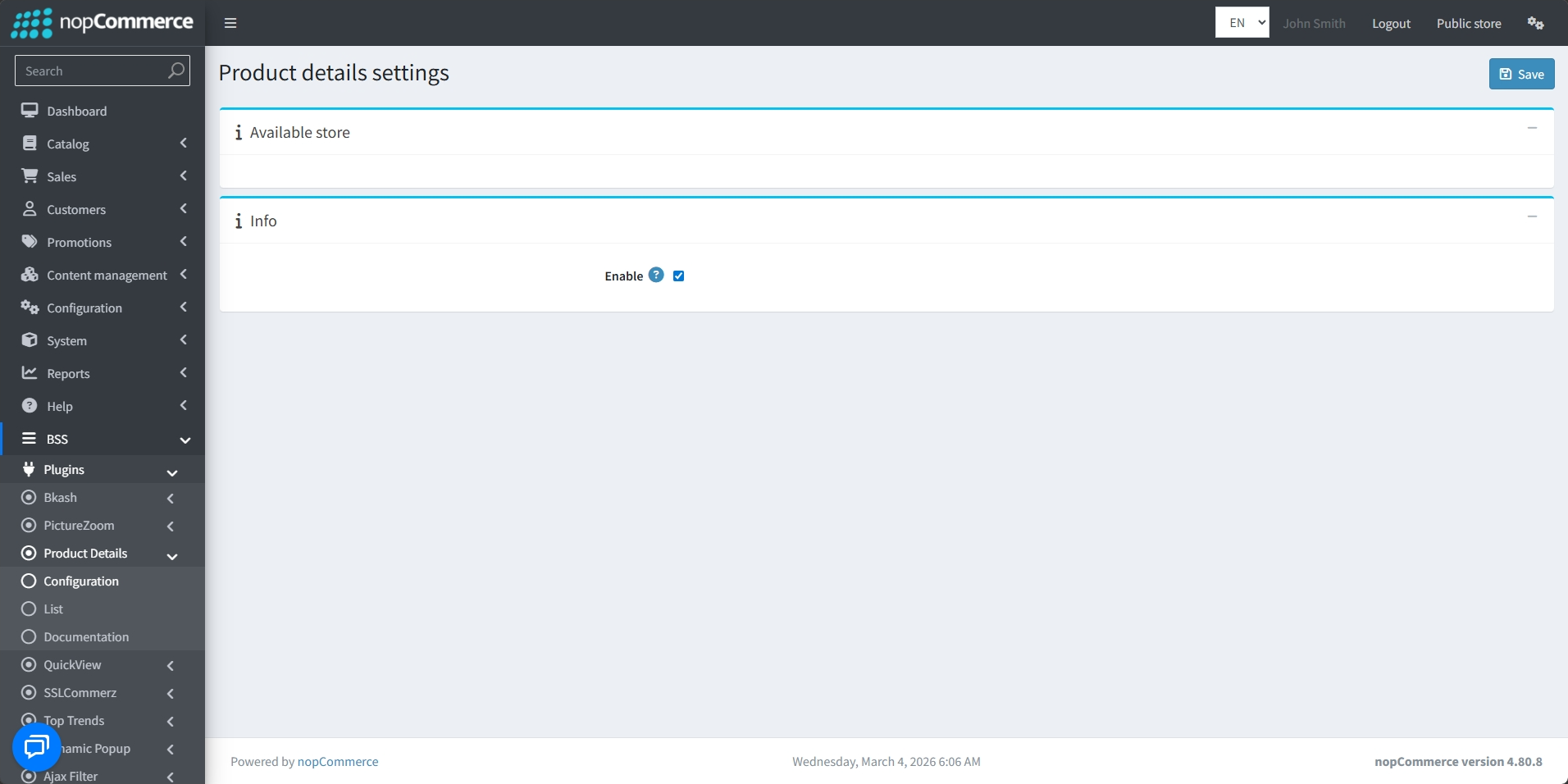
Then again go to BSS → Plugins → Product Details → Configuration.
-
Check the Enable box to show the product details. Then click on the Save button.
LIST
-
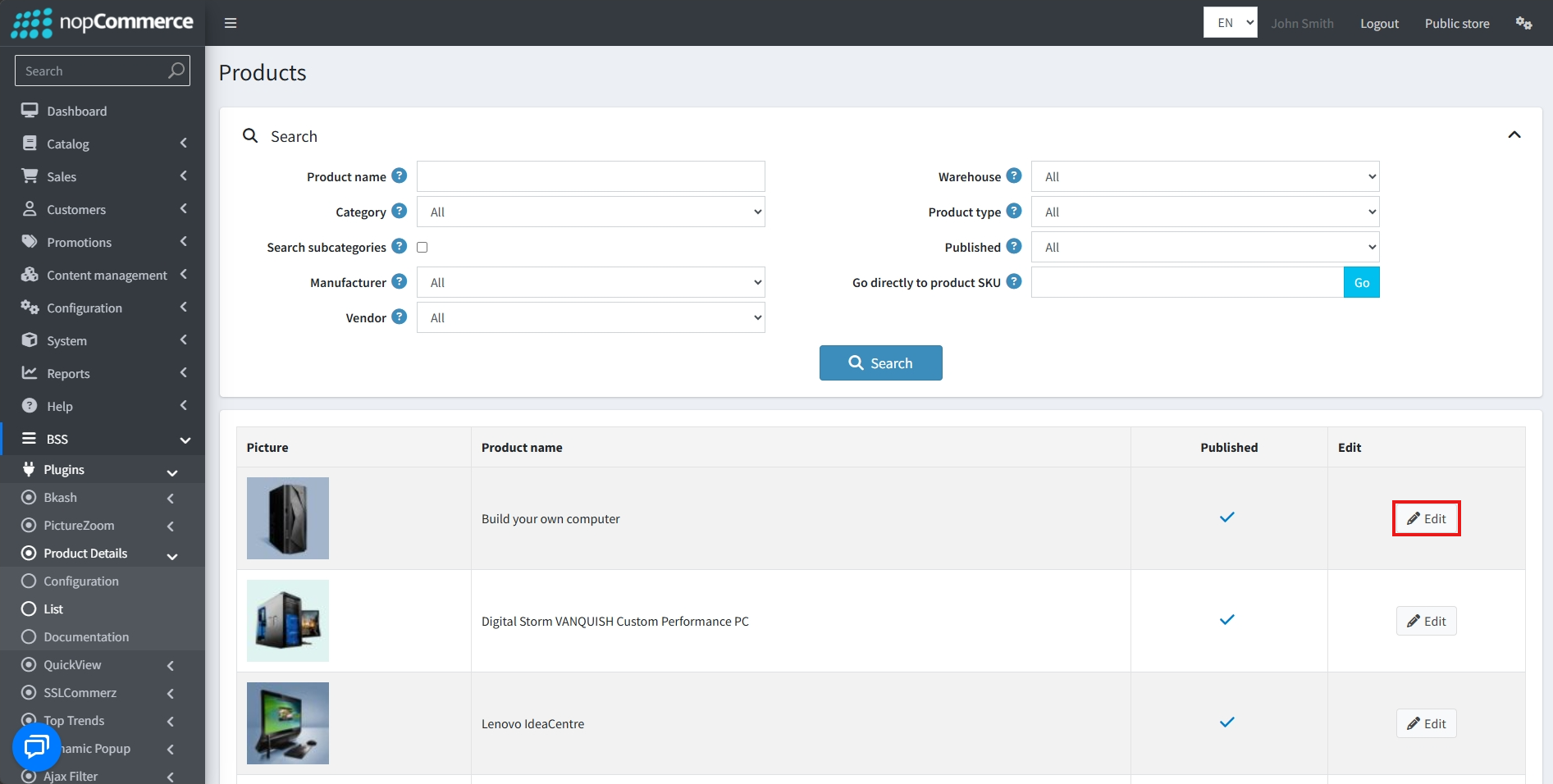
Go to BSS → Plugins → Product Details → List to see the list of products
-
Click on the Edit button to edit the product details of each item
-
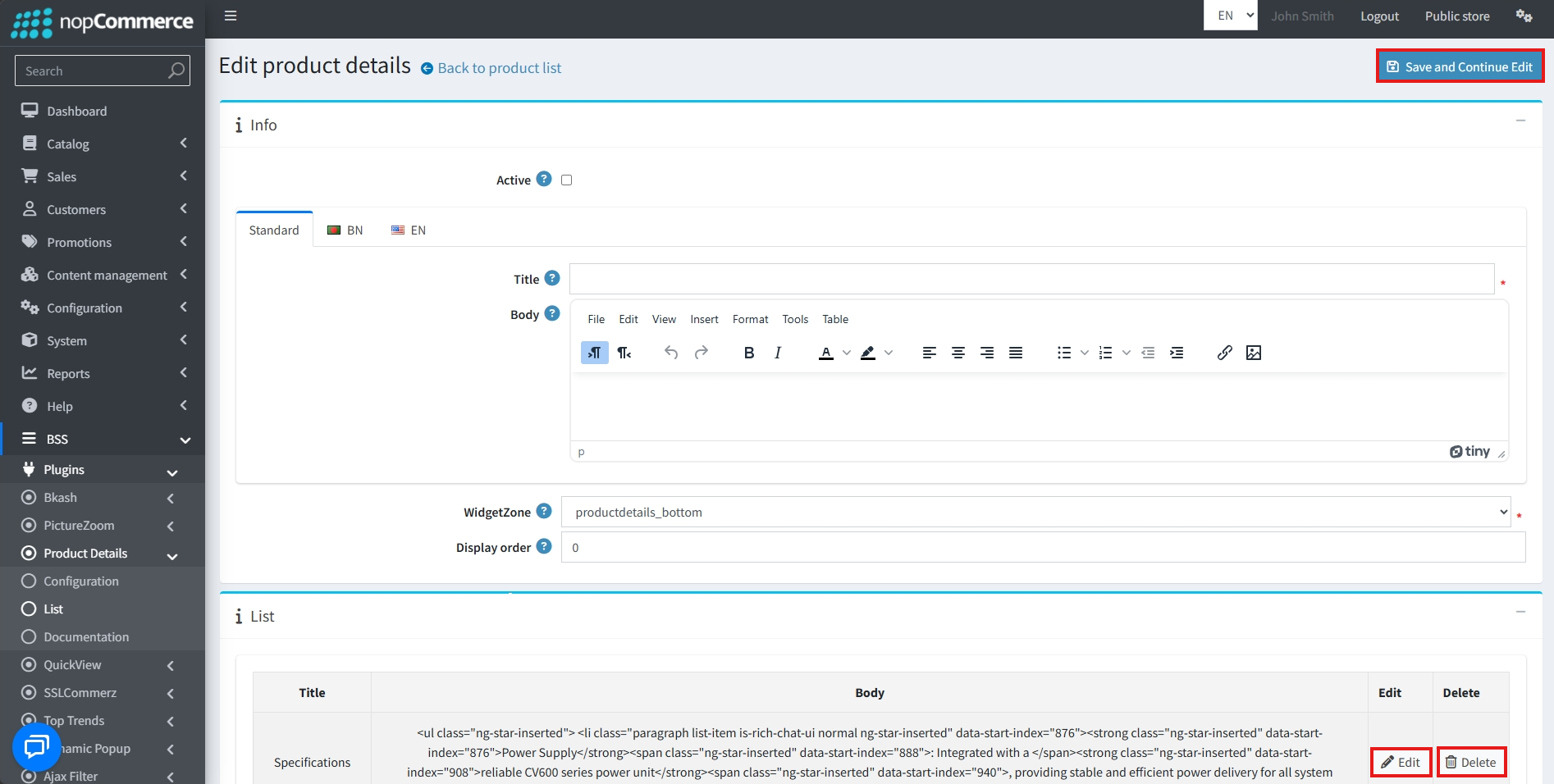
Check the Active box to display the product details in the product details page.
-
Enter a Title for the product details section.
-
Configure the Body using the rich text editor to add detailed content.
-
Select a WidgetZone to determine the specific location of the product details section on the product details page. Available zones include options like productdetails_top, productdetails_bottom, product_price_top, productdetails_after_breadcrumb, and productdetails_overview_bottom.
-
Set the Display order to determine the sequence in which this detail appears if multiple items are assigned to the same widget zone.
-
Finally, click on Save and Continue Edit to add the section to the product details list.
-
Sections can be edited or deleted from the list by clicking the Edit and Delete buttons respectively.
PUBLIC VIEW
FEATURES
-
It is easy to install and configure through a dedicated admin interface.
-
Supports rich text content creation for product details, allowing for fully customized text formatting, links, and images.
-
Supports extensive placement options across a variety of predefined widget zones, such as product_price_top, productdetails_bottom, and productdetails_after_breadcrumb.
-
Allows for quick activation or deactivation of specific product detail blocks via a toggle checkbox.
-
Supports display order management to precisely control the sequence of content appearing within the same widget zone.
-
Includes a centralized management list that allows for efficient viewing, editing, and deletion of all custom entries.


