NopFashion Theme + 15 Plugin Bundle for NopCommerce
NopBeauty Theme + 12 Plugin Bundle for NopCommerce
NopNoor Theme + 16 Plugin Bundle for NopCommerce
NopGadget Theme + 18 Plugin Bundle for NopCommerce
NopEthnic Theme + 17 Plugin Bundle for NopCommerce
NopFurniture Theme + 19 Plugin Bundle for NopCommerce
NopPharma Theme + 16 Plugin Bundle for NopCommerce
NopVogue Theme + 17 Plugin Bundle for NopCommerce
NopGadence Theme + 18 Plugin Bundle for NopCommerce
VoltFitness Theme + 18 Plugin Bundle for NopCommerce
NopMegastore Theme + 18 Plugin Bundle for NopCommerce
NopMegastore Theme + 18 Plugin Bundle for NopCommerce
Created on: Nov 03, 2026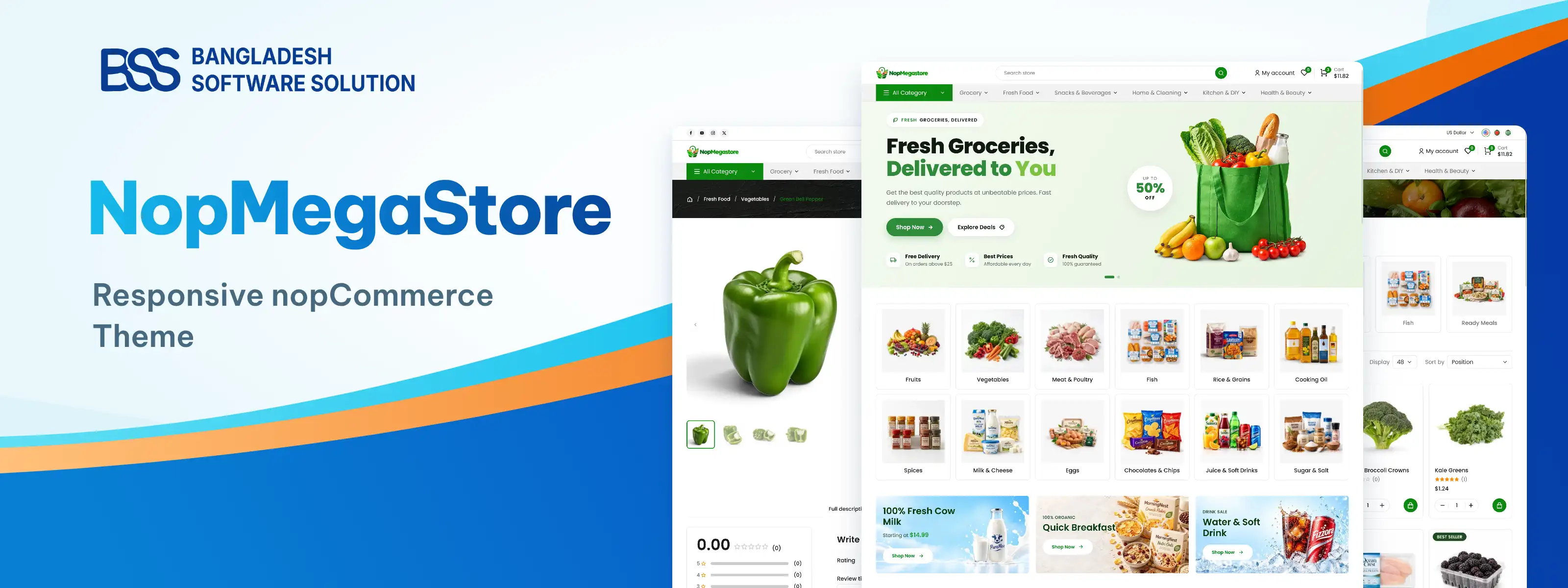
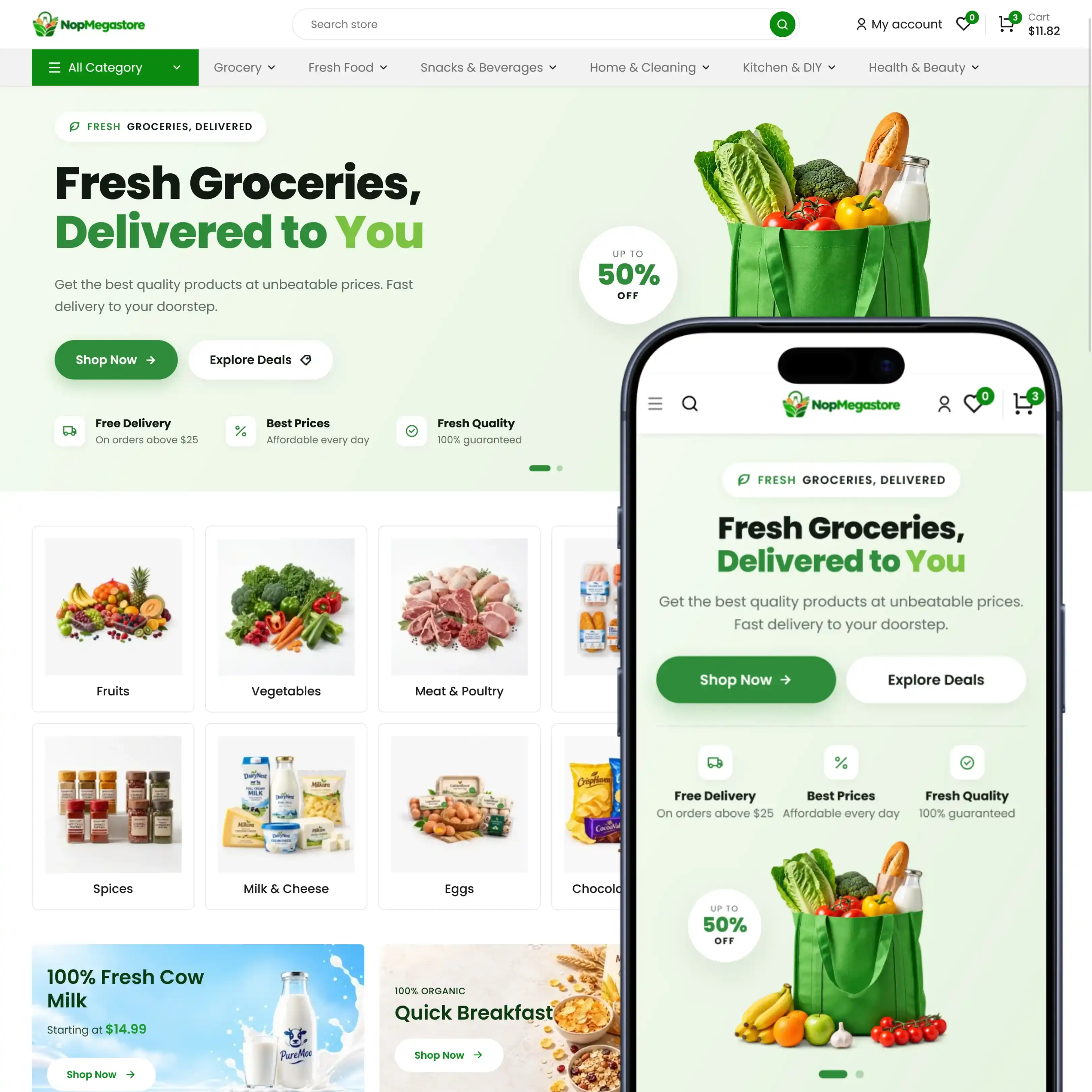
NopGadence guide walks you through installing, configuring, and customizing a modern, responsive nopCommerce theme built for gadget stores, phone accessories shops, mobile accessories stores, and electronics retailers looking to launch a sharp, tech-ready online presence. Whether you're selling phone cases, chargers, power banks, earphones, or smart gadgets, NopGadence gives you a clean, fast storefront foundation designed to showcase tech products clearly across every device. Along with the theme, you get an 18-plugin bundle covering product comparison, combo product bundles, visual product tools, checkout and payment flexibility, authentication, shipping, GDPR compliance, and SEO everything needed to turn a digital or electronics accessories store into a fast, fully customized shopping experience. The sections below walk through each setup step, from installation to full theme and plugin configuration.
PRE-REQUISITES
- The theme requires installation of the BSS Core plugin first.
INSTALLATION
- Go to the Order Details Page and Download nopGadence theme
- Go to Administration → Configuration → Local plugins
- Within the bundle, you get all the required files, including BSS.Core
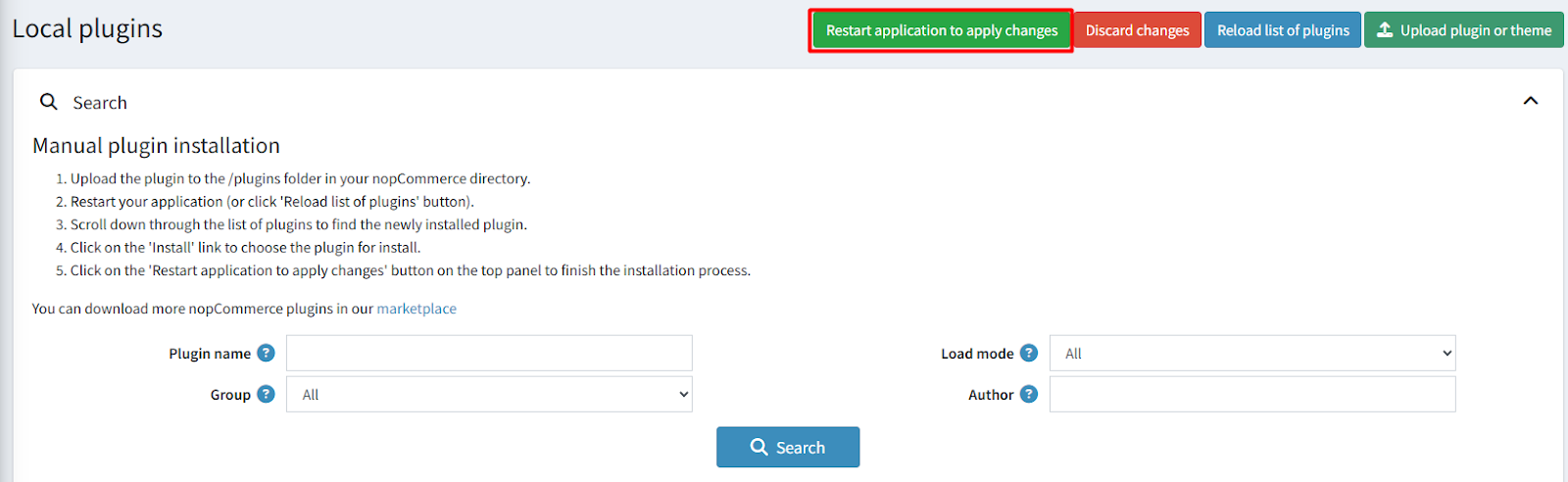
- Upload the zip files using the 'Upload plugin or theme' button
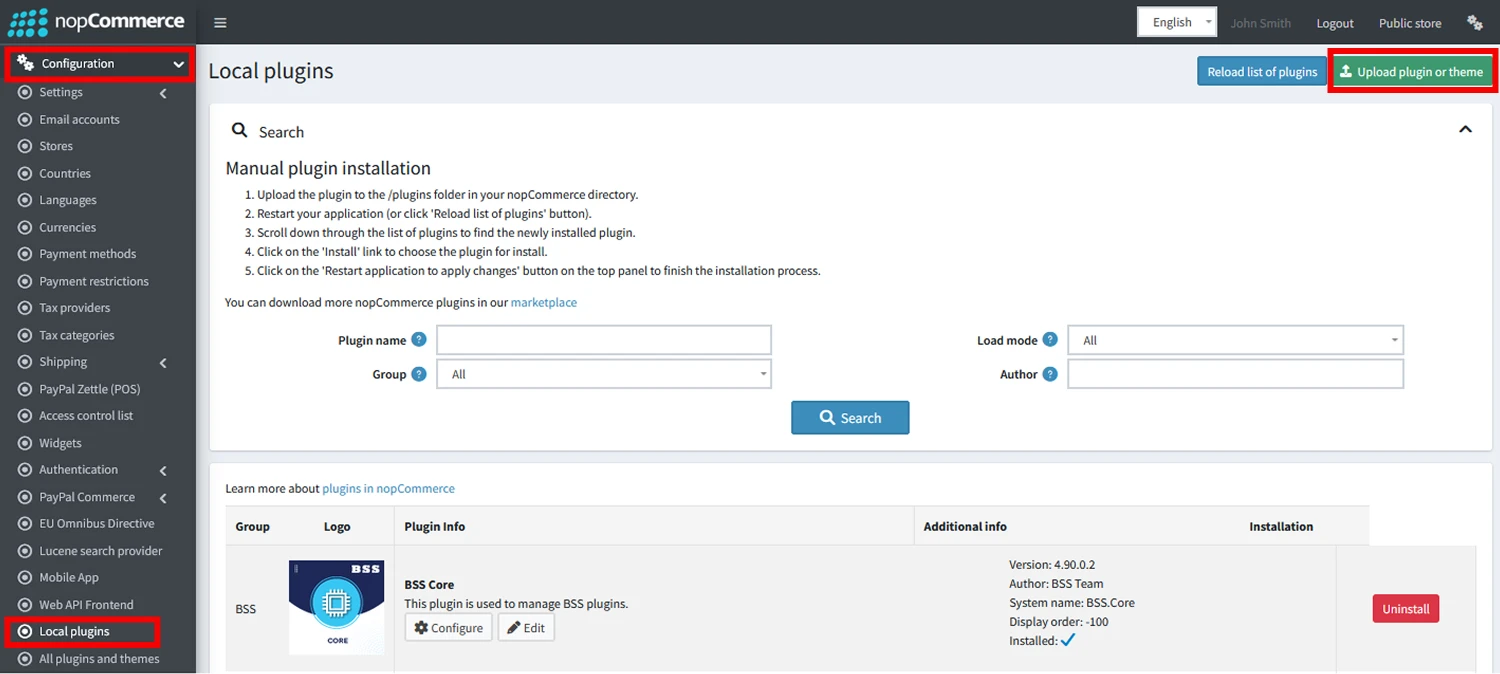
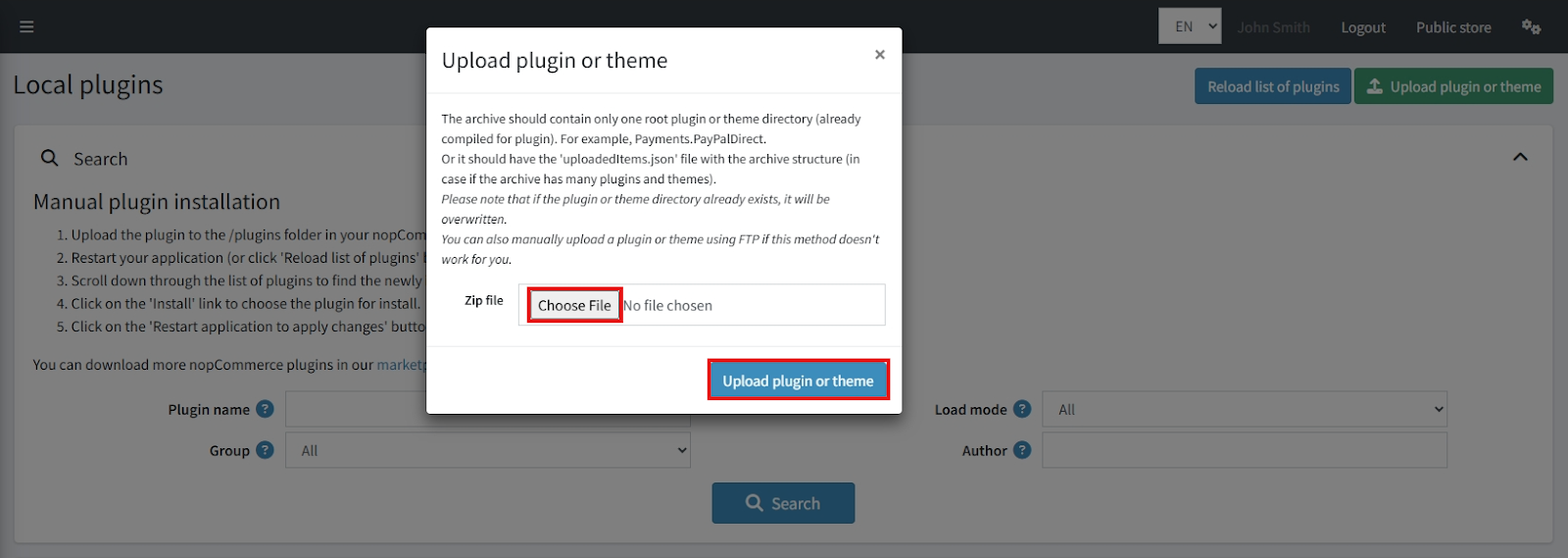
- After uploading, install the ‘BSS Core’ Plugin and ‘NopMegastore Theme’.
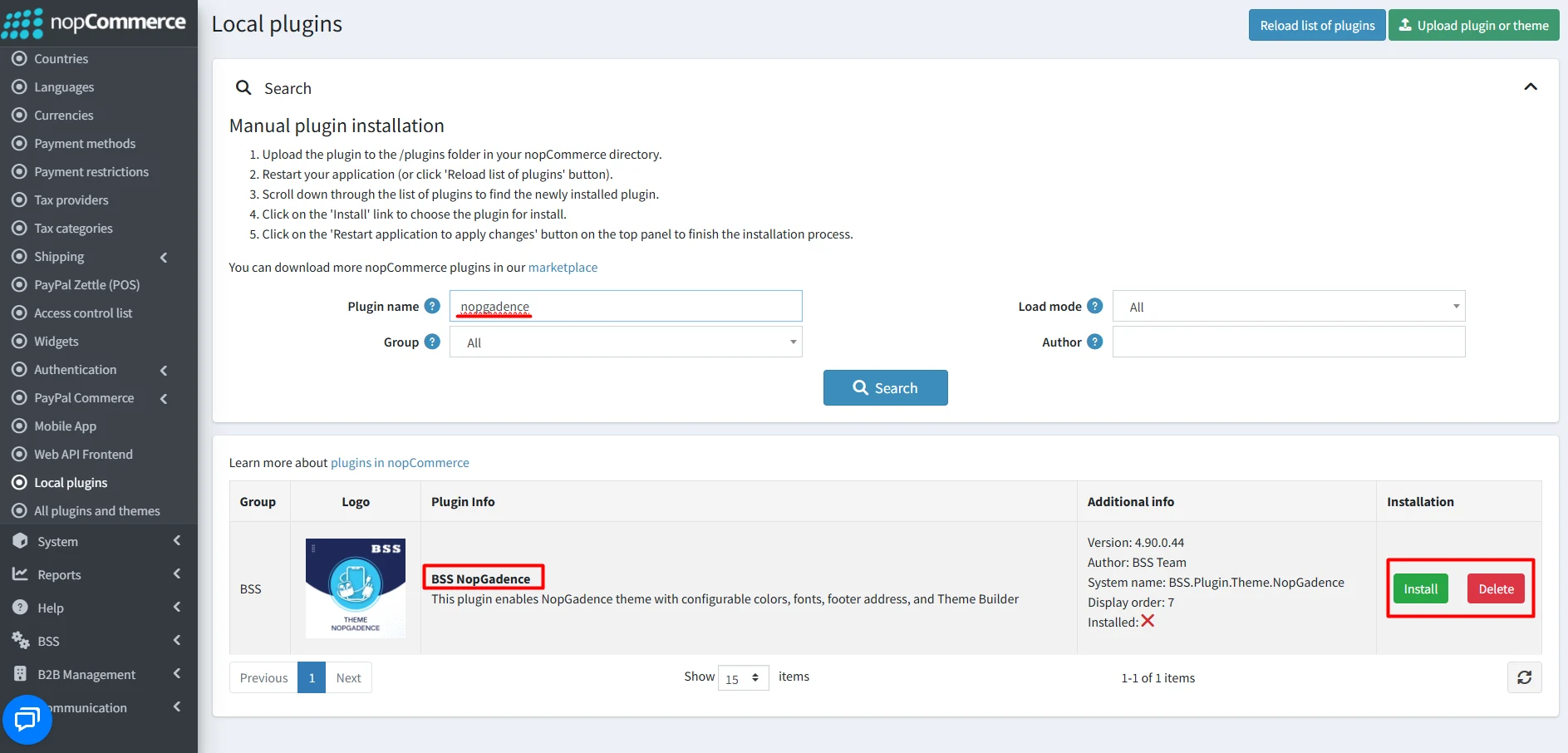
- To make the theme functional, restart the application.
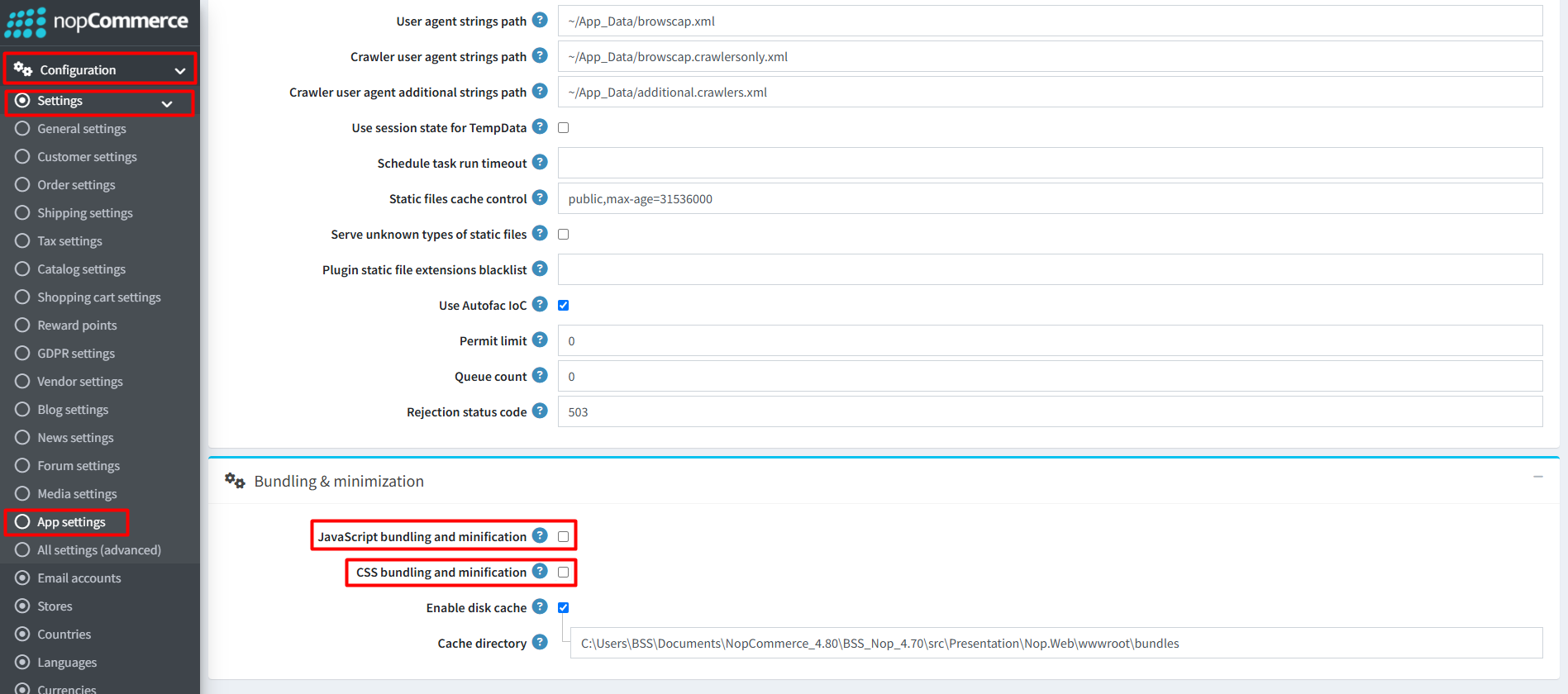
Recommendation: Go to > App Settings. If you find JavaScript bundling and minification, CSS bundling and minification are checked, then uncheck these two options and disable them.
ENABLE THE THEME
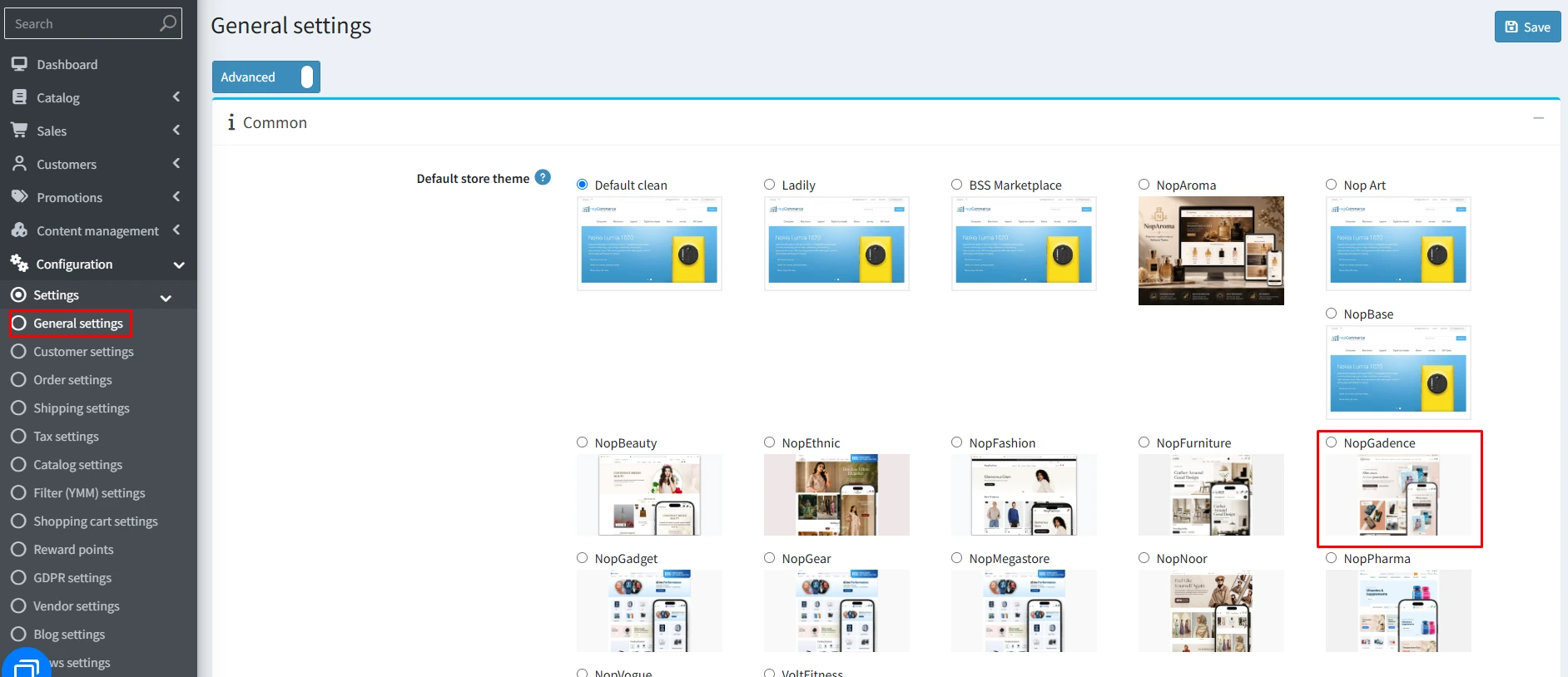
- Go to Configuration → Settings → General settings in the admin panel.
- Choose NopMegastore as the Default store theme and save it.
ENABLE OTHER ASSOCIATED PLUGINS
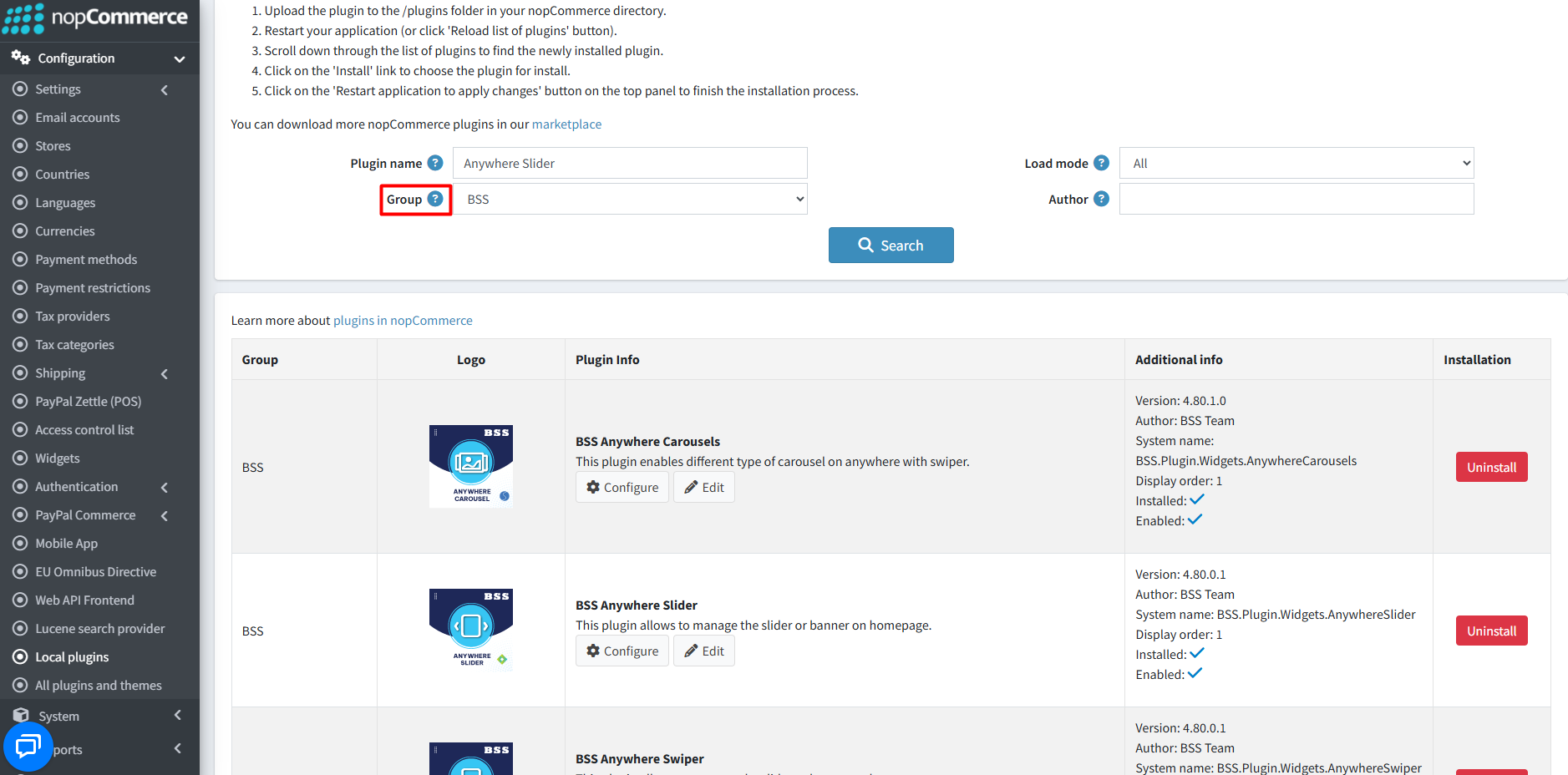
- Go to Administration → Configuration → Local plugins.
- Search the plugins associated with nopGadence theme using the Group Name ‘BSS’.
- To get the expected homepage view, install plugins by using the Group Name or Plugin Name.
LICENSE KEY
- After purchasing, contact BSS to receive the license key via email.
- First-time configuration of the theme or bundled plugins prompts entry of the License string. It can also be entered via BSS → Core settings → License.
- After entering the License string, save it and clear the cache.

CONFIGURATION
- Go to Administration → BSS → Themes → NopMegastore → Configuration to set the theme configuration.
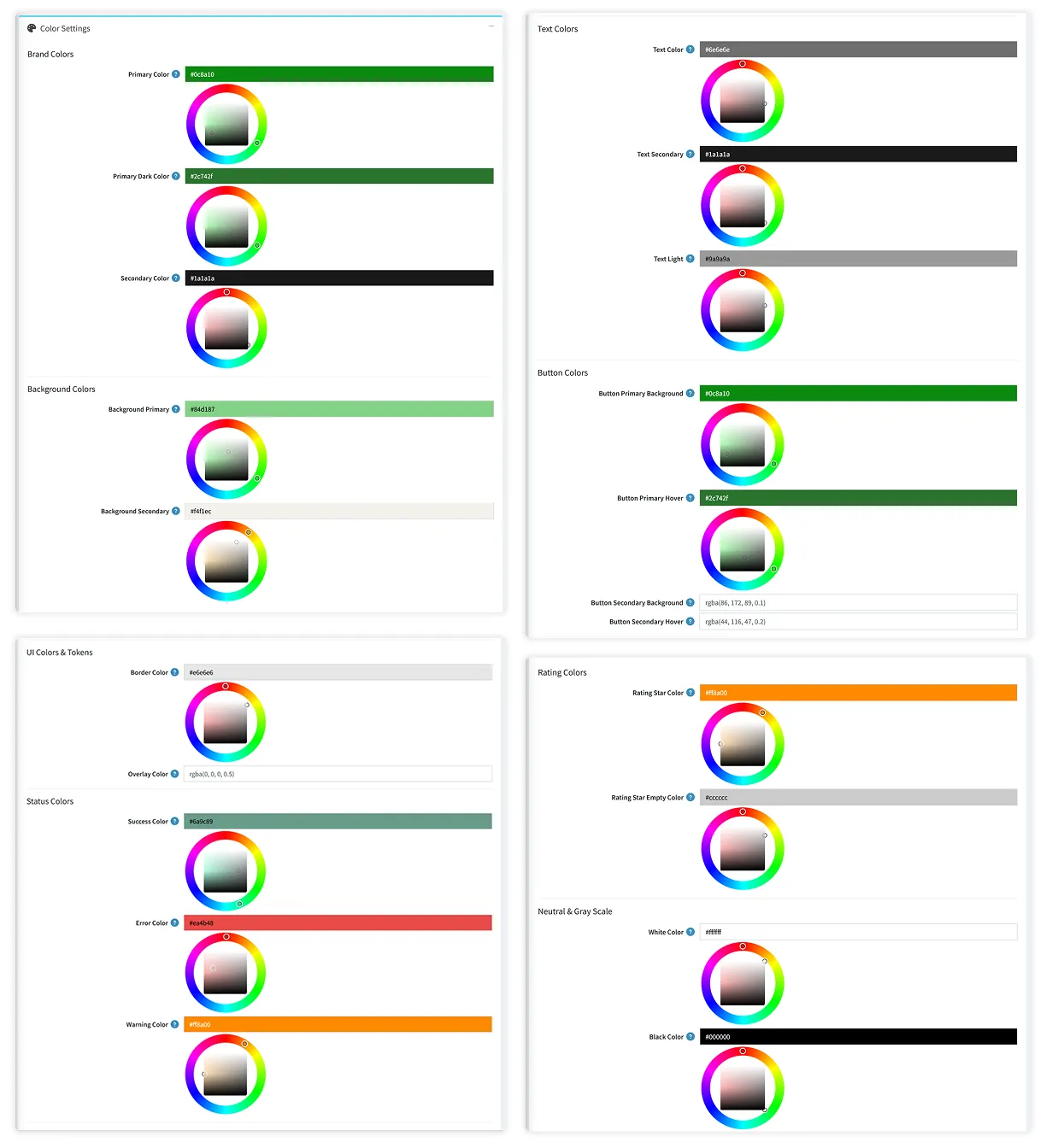
COLOR SETTINGS
- Brand Colors: Set Primary, Primary Dark, and Secondary colors for a consistent brand appearance in your store.
- Background Colors: Set primary and secondary background colors for different sections of your store.
- Text Colors: Configure text colors for default, secondary, and light text elements.
- Button Colors: Customize primary and secondary button background and hover colors.
- UI Colors & Tokens: Control border colors, element corner radius, card rounding, and overlay styling across the theme.
- Status Colors: Set status color for - Success , error and warning.
- Rating Colors: Customize the colors of filled and empty review rating stars displayed on product boxes, product details, and review pages.
- Neutral & Gray Scale: Define white, black, and gray shade(Gray 100 - Gray 500) colors used throughout the theme’s UI and layout elements. .
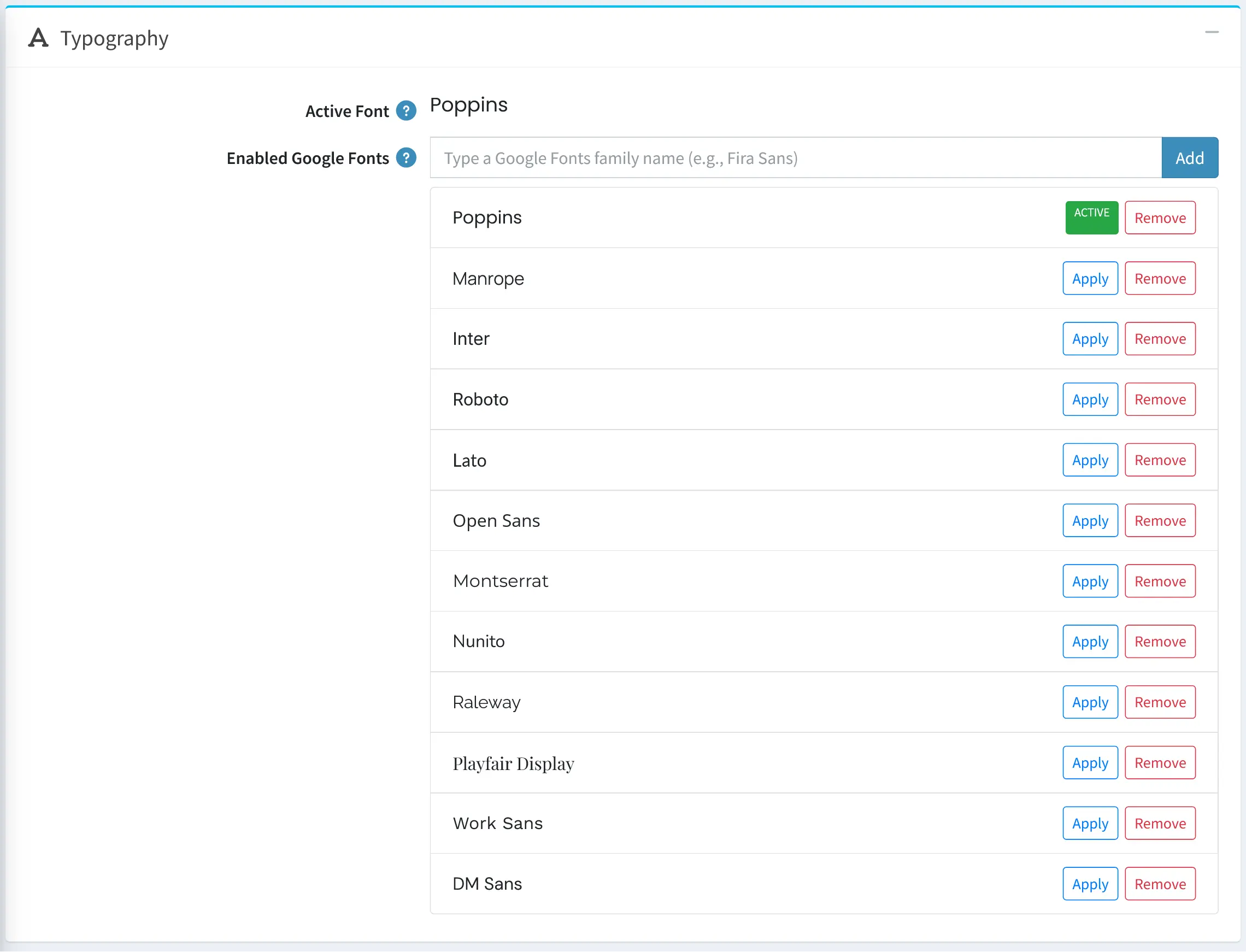
TYPOGRAPHY
- Manage the storefront font settings by selecting an enabled Google Font or adding a custom Google Font family.
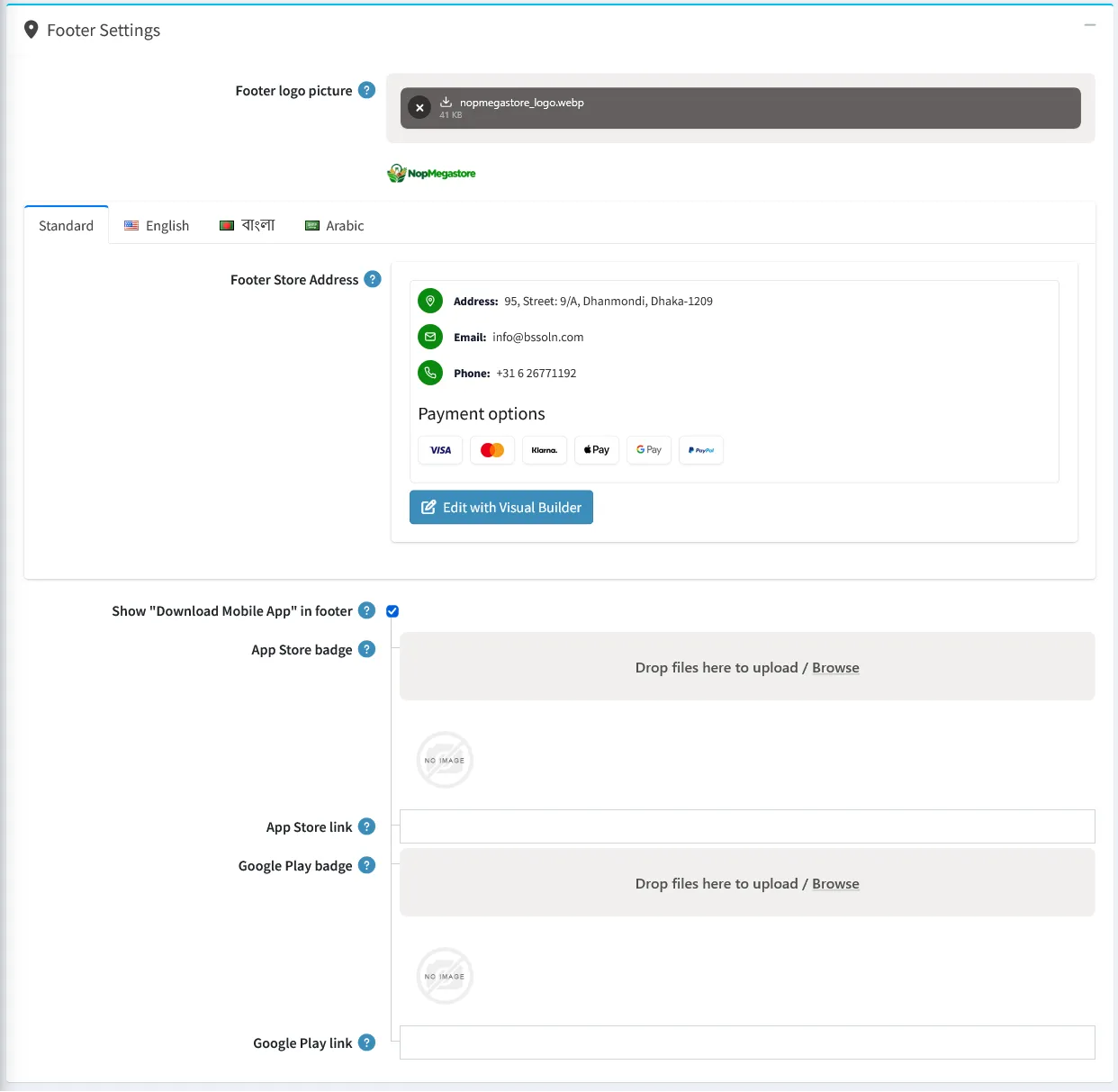
FOOTER SETTINGS
- Footer Logo Customization: Upload a custom footer logo or use the default store logo.
- Multilingual Footer Content: Customize footer contact information, store address, and payment details across multiple languages using the Visual Builder.
- Mobile App Download Links: Enable a dedicated footer section for mobile app downloads with customizable App Store and Google Play badges and links.
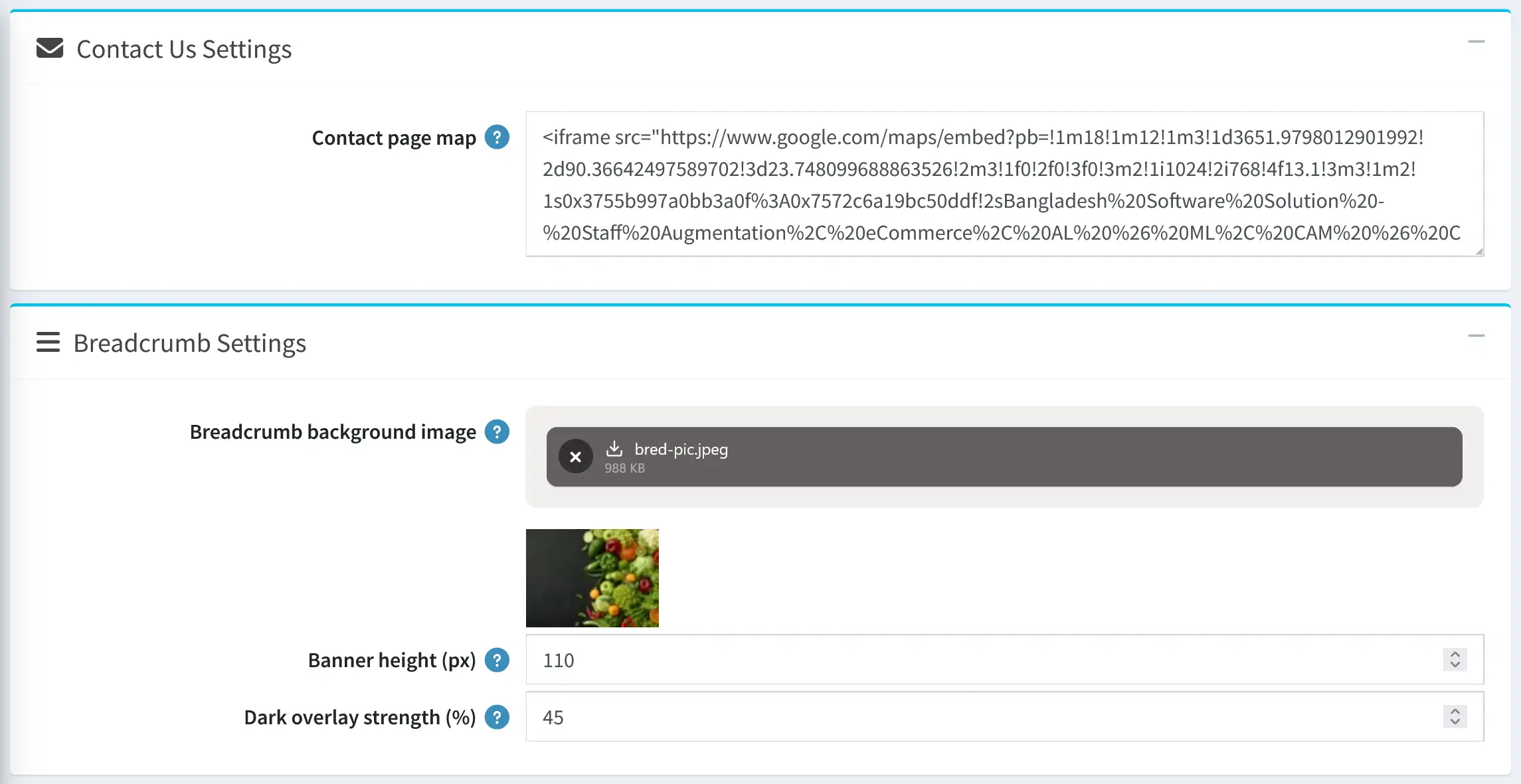
CONTACT US & BREADCRUMB SETTINGS
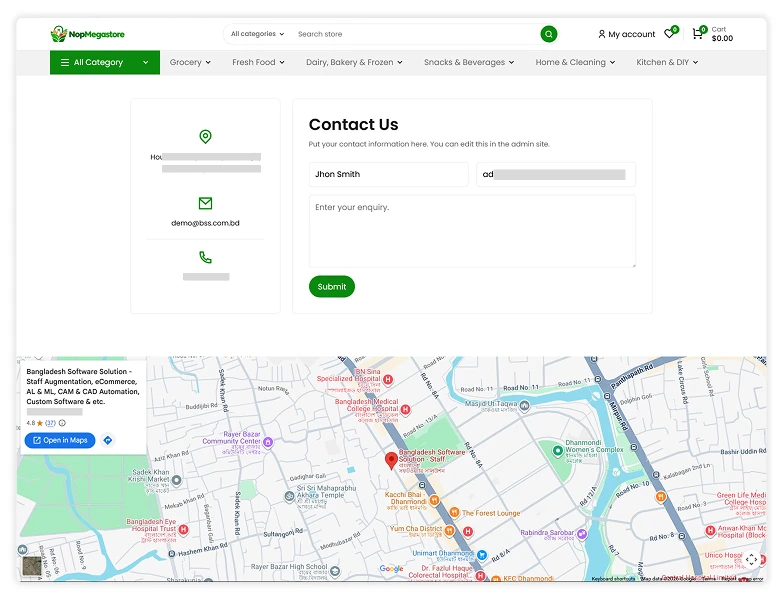
- Contact Us Map: Add a Google Maps embed URL or iframe code to display your store location on the Contact Us page.
- Breadcrumb Customization: Upload a custom background image, adjust the banner height, and control how dark the background appears to ensure breadcrumb text remains clear and readable on category and product pages.
CONTACT PAGE MAP VIEW
THEME BUILDER
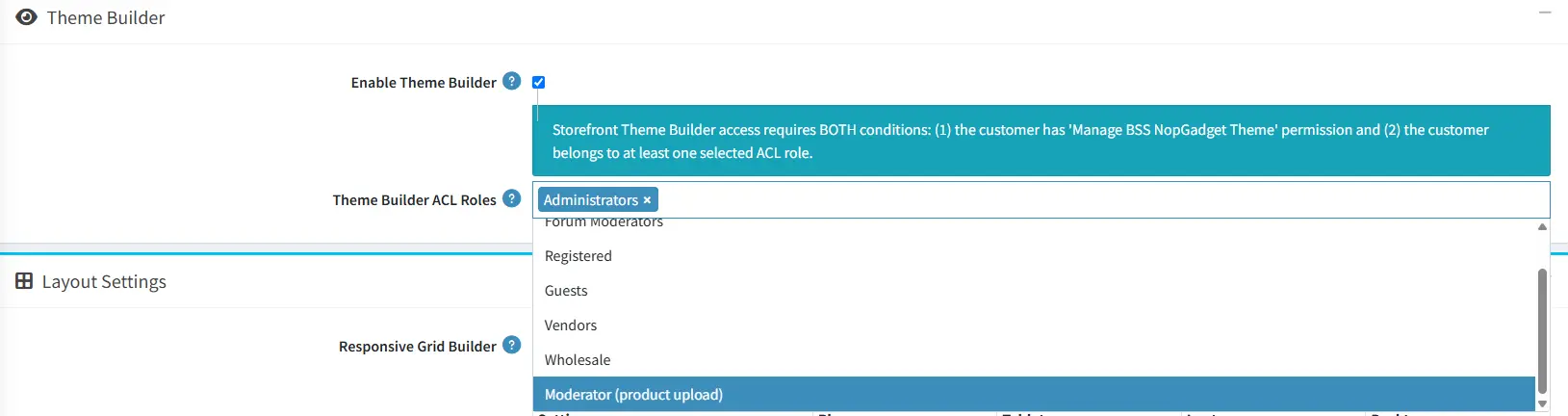
- Enable Theme Builder: Enable the floating Theme Builder panel to customize colors, fonts, and layout settings directly from the storefront.
- Theme Builder ACL Roles: Assign specific customer roles to control who can access and manage the Theme Builder from the storefront.
LAYOUT SETTINGS
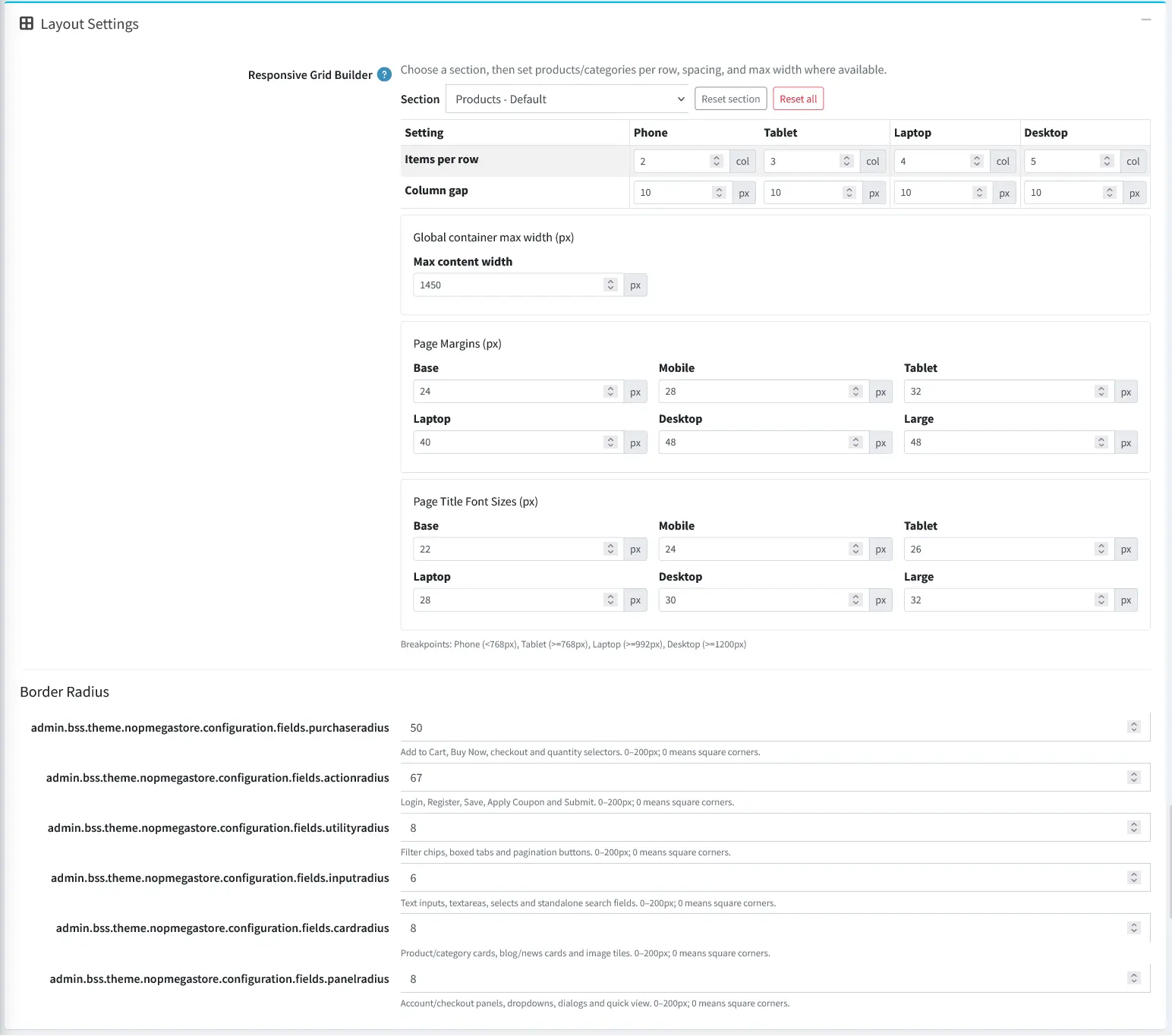
- Responsive Grid Builder: Customize the number of products or categories per row, column spacing, and maximum content width for a responsive storefront layout across different screen sizes.
- Page Margins & Title Sizes: Adjust page margins and page title font sizes for different screen sizes to maintain consistent spacing and readability across devices.
- Border Radius Customization: Control the corner roundness of purchase buttons, action buttons, filter controls, input fields, product cards, and panels to match your store's design style.
Catalog Page Layout
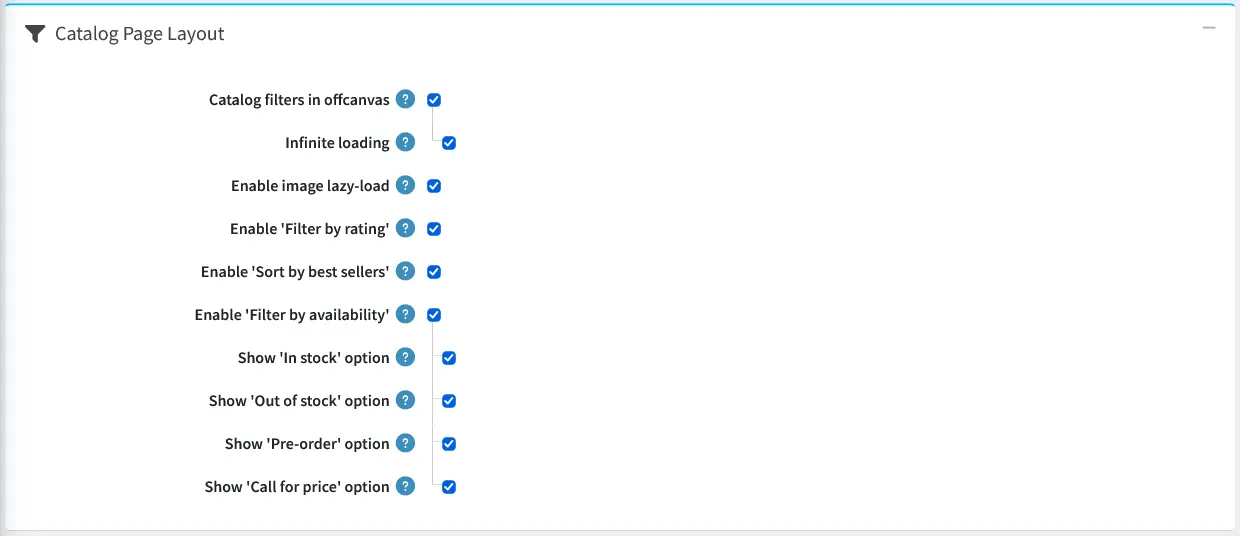
- Catalog Filters in Offcanvas: Display catalog filters in a slide-out panel across all screen sizes, providing a cleaner shopping experience on category, manufacturer, vendor, search, and new products pages.
- Infinite Loading: Automatically load more products as shoppers scroll through catalog pages, replacing traditional pagination and the products-per-page selector when offcanvas filters are enabled.
- Image Lazy Loading: Enable lazy-loading for page images, including product box images, to improve page loading performance. Product detail images are excluded.
- Filter by Rating: Allow shoppers to filter products by customer review ratings, such as 4 stars and up, based on average approved product reviews.
- Sort by Best Sellers: Add a Best Sellers sorting option to catalog pages, allowing shoppers to discover products ranked by total quantity sold.
- Filter by Availability: Let shoppers filter products by availability, with individually configurable options for In Stock, Out of Stock, Pre-order, and Call for Price.
PRODUCT DETAILS
- After adding to cart: Select option to display a simple success message or automatically open the side flyout cart panel after a product is added to the cart.

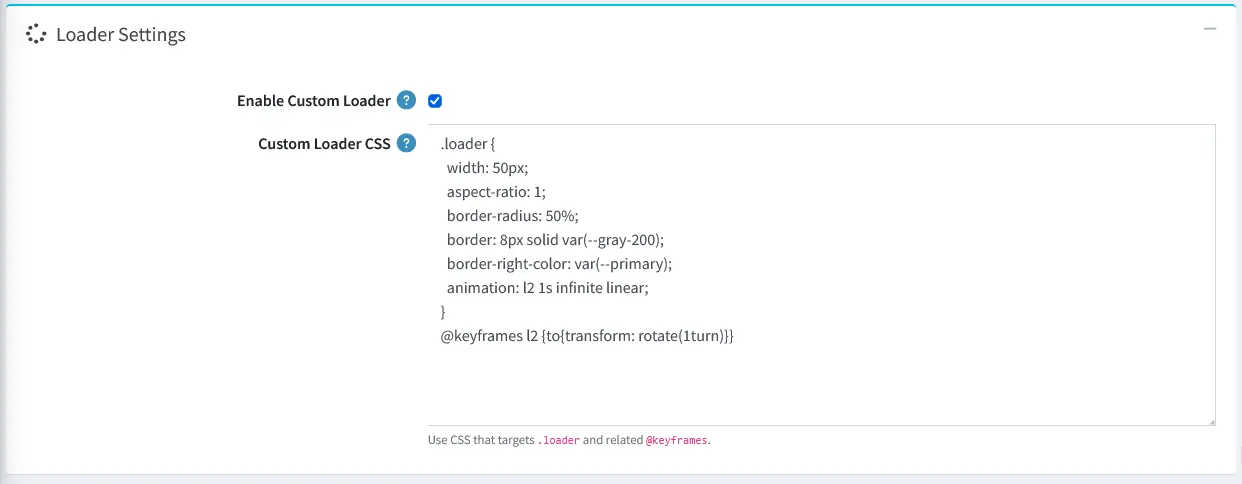
- Loader Settings: Enable loader settings,set loader style (Tengram,Ring, Dots, Pulse) and add your own custom css or use css from any loader site like: css-loaders.com to show customized loader in your site.
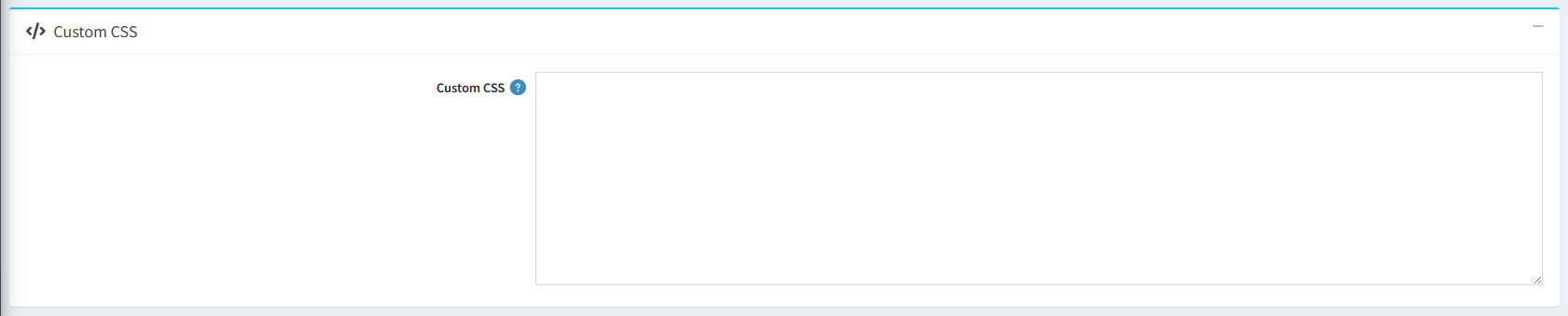
- Custom CSS: You can add custom CSS to add customized style for your site.
PUBLIC VIEW
PLUGIN CONFIGURATION
- BSS Product Box
- BSS Anywhere Component
- BSS Visual Editor
- BSS Combo Products
- BSS Payment Change
- BSS Product Ribbon
- BSS QuickView
- BSS Picture Gallery
- BSS Anywhere Swiper
- SendCloud
- BSS Phone SMS Authentication
- BSS Anywhere Carousels
- BSS Google Authentication
- BSS Microsoft Authentication
- BSS One Page Checkout
- BSS AI SEO Assistant
- BSS EU Omnibus Directive
- BSS EU GDPR Cookie Consent
Documentation Menu
NopFashion Theme + 15 Plugin Bundle for NopCommerce
NopBeauty Theme + 12 Plugin Bundle for NopCommerce
NopNoor Theme + 16 Plugin Bundle for NopCommerce
NopGadget Theme + 18 Plugin Bundle for NopCommerce
NopEthnic Theme + 17 Plugin Bundle for NopCommerce
NopFurniture Theme + 19 Plugin Bundle for NopCommerce
NopPharma Theme + 16 Plugin Bundle for NopCommerce
NopVogue Theme + 17 Plugin Bundle for NopCommerce
NopGadence Theme + 18 Plugin Bundle for NopCommerce
VoltFitness Theme + 18 Plugin Bundle for NopCommerce
NopMegastore Theme + 18 Plugin Bundle for NopCommerce